Best Payroll Software for Small Business in 2026: Free vs Paid
Running payroll manually kills hours every month. This guide covers what the best payroll software for small business must include, how Timeline Payroll stacks up, and when a free offline app is enough and when a full-service payroll provider is worth paying for.
The best payroll software for a small business depends on one question: do you want the software to file payroll taxes and pay staff for you? Full-service payroll services such as Gusto or Patriot do both for a monthly base fee plus a per-employee fee. If you only need pay calculated, payslips printed and reports produced, a free offline Windows app such as Timeline Payroll does that at no cost.
Free payroll app vs full-service payroll, at a glance
Free offline app (Timeline Payroll)
Full-service payroll service
Monthly cost
$0, no per-employee fee
Base fee plus a fee per employee
Calculates gross pay, deductions, net pay
Yes
Yes
Payslips and reports
Yes
Yes
Files payroll taxes (IRS, HMRC, CRA, ATO)
No, you or your accountant file
Yes, on full-service plans
Pays staff by direct deposit
No, you pay through your bank
Yes
Works without internet
Yes, data stays on your PC
No
For a 15-person team, the plans in our payroll services comparison range from $77 a month (Patriot Basic Payroll) to $139 a month (Gusto Simple), checked against each provider's pricing page. Our payroll software cost guide breaks the fees down further.
Why Small Businesses Struggle With Payroll
Payroll looks simple on paper, pay employees, deduct taxes, file returns. In practice, small business owners spend hours each month on calculations, corrections, and compliance.
The root cause is almost always the same: the wrong tool.
Spreadsheets break. Online SaaS payroll charges per employee and locks features behind tiers. Manual calculations introduce errors that cost money and time to fix.
The best payroll software for small business should remove this friction entirely, not add to it.
What to Look for in Small Business Payroll Software
Before comparing options, define what you actually need. For most small businesses, the non-negotiables are:
Employee management, store contracts, salaries, designations, and documents in one place
Attendance tracking, daily, shift-based, or weekly attendance with overtime support
Automated tax calculation, income tax brackets, deductions, and allowances calculated without manual input
Tax filing and direct deposit, only if you want the provider to file returns and pay staff for you (full-service payroll)
Payslip generation, professional payslips ready to send or print in minutes
Payroll reports, monthly summaries, department breakdowns, and year-end reports
Offline access, run payroll when internet goes down, without losing data
If a tool lacks any of these, it will create workarounds that waste time.
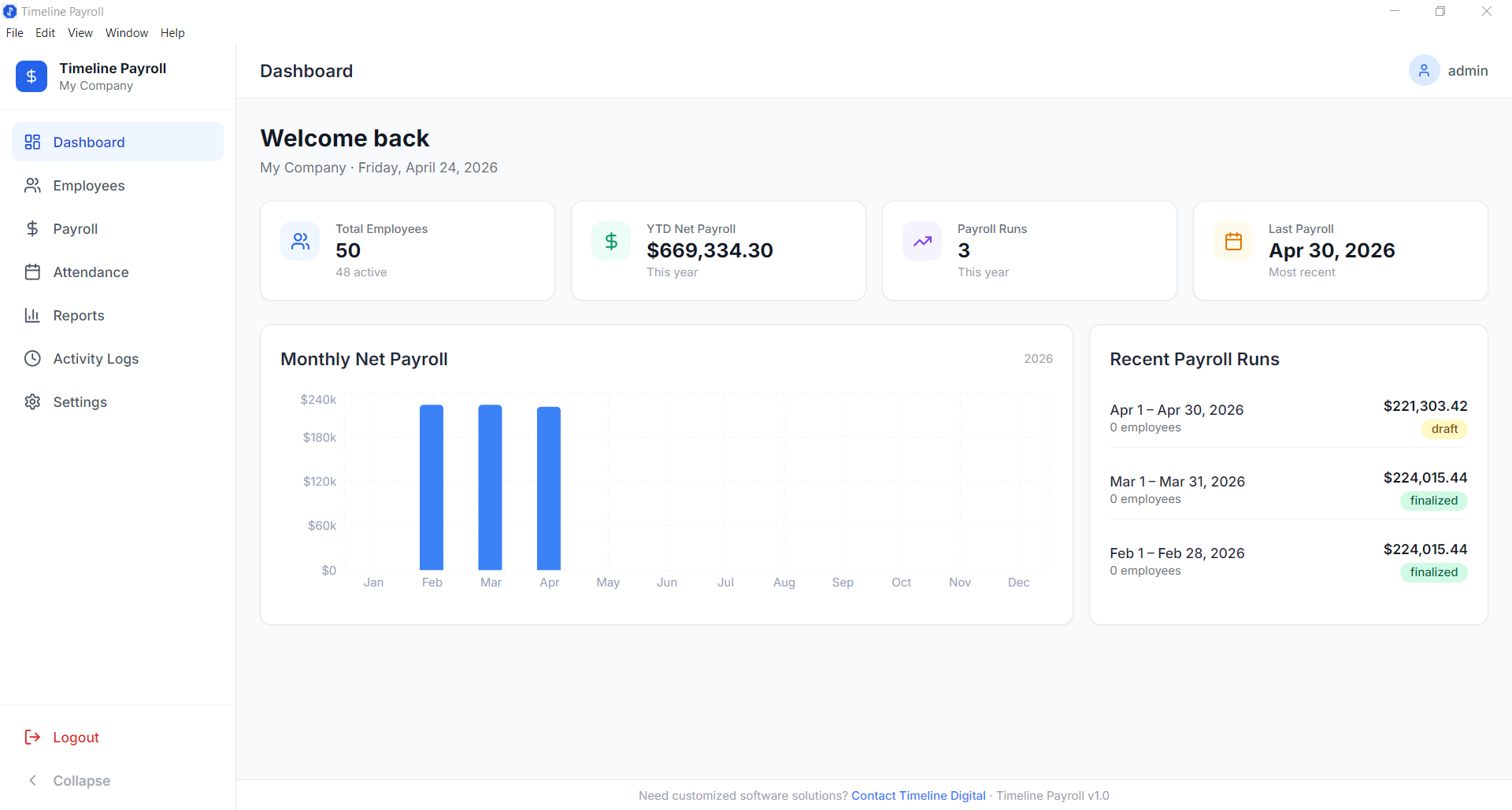
Timeline Payroll, Dashboard Overview
Timeline Payroll: Free Desktop Payroll for Small Business
Timeline Payroll is a free offline Windows application designed specifically for small businesses that need complete payroll management without subscriptions.
It covers every step of the payroll cycle, from onboarding employees to generating payslips and printing reports, entirely from a desktop app.
Employee Management
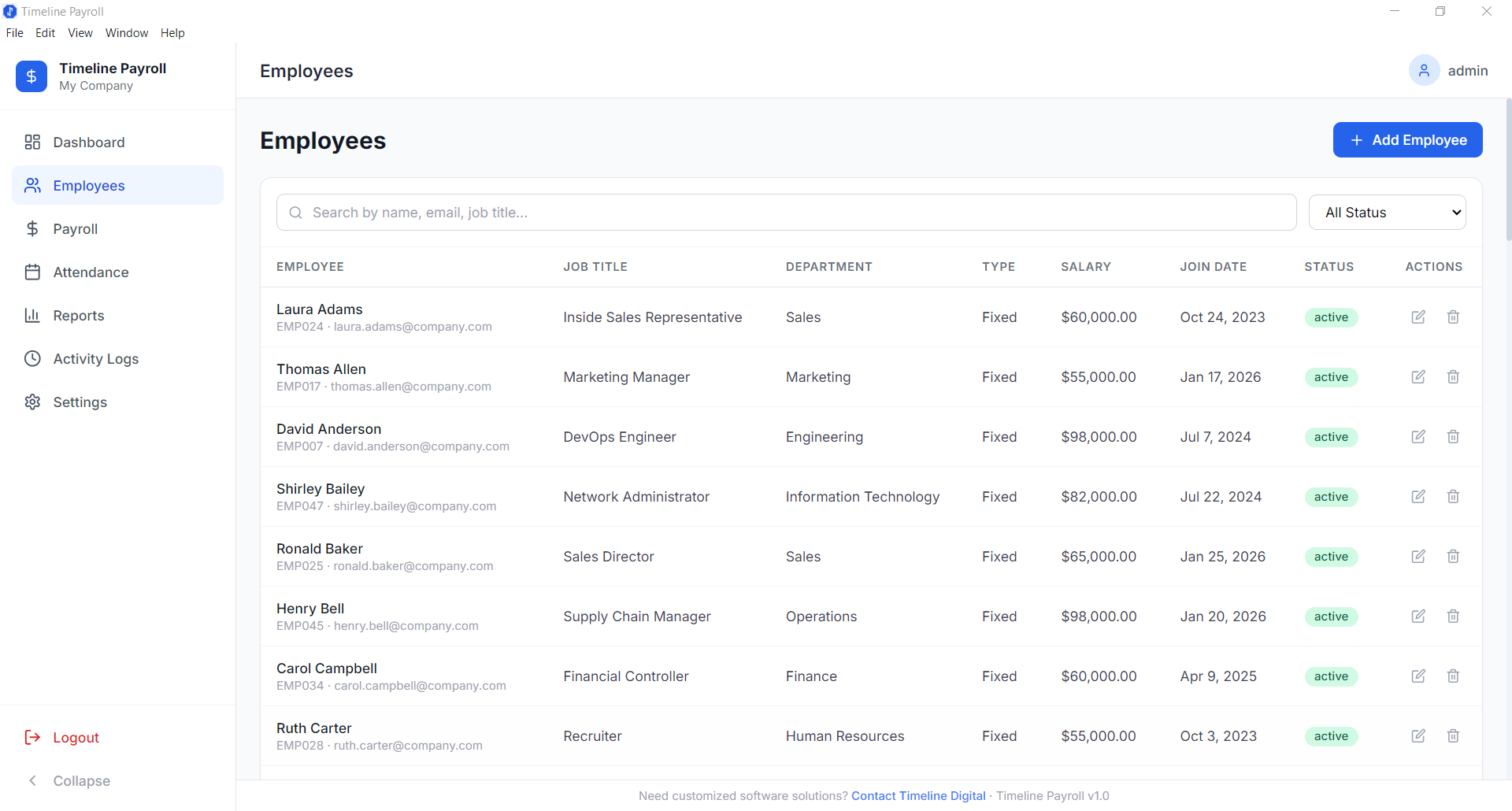
Employee Records in Timeline Payroll
The employee module stores all records centrally: full name, role, department, contract type, joining date, tax code, account details and salary. Records can be edited, archived or re-hired without losing history.
Attendance Tracking
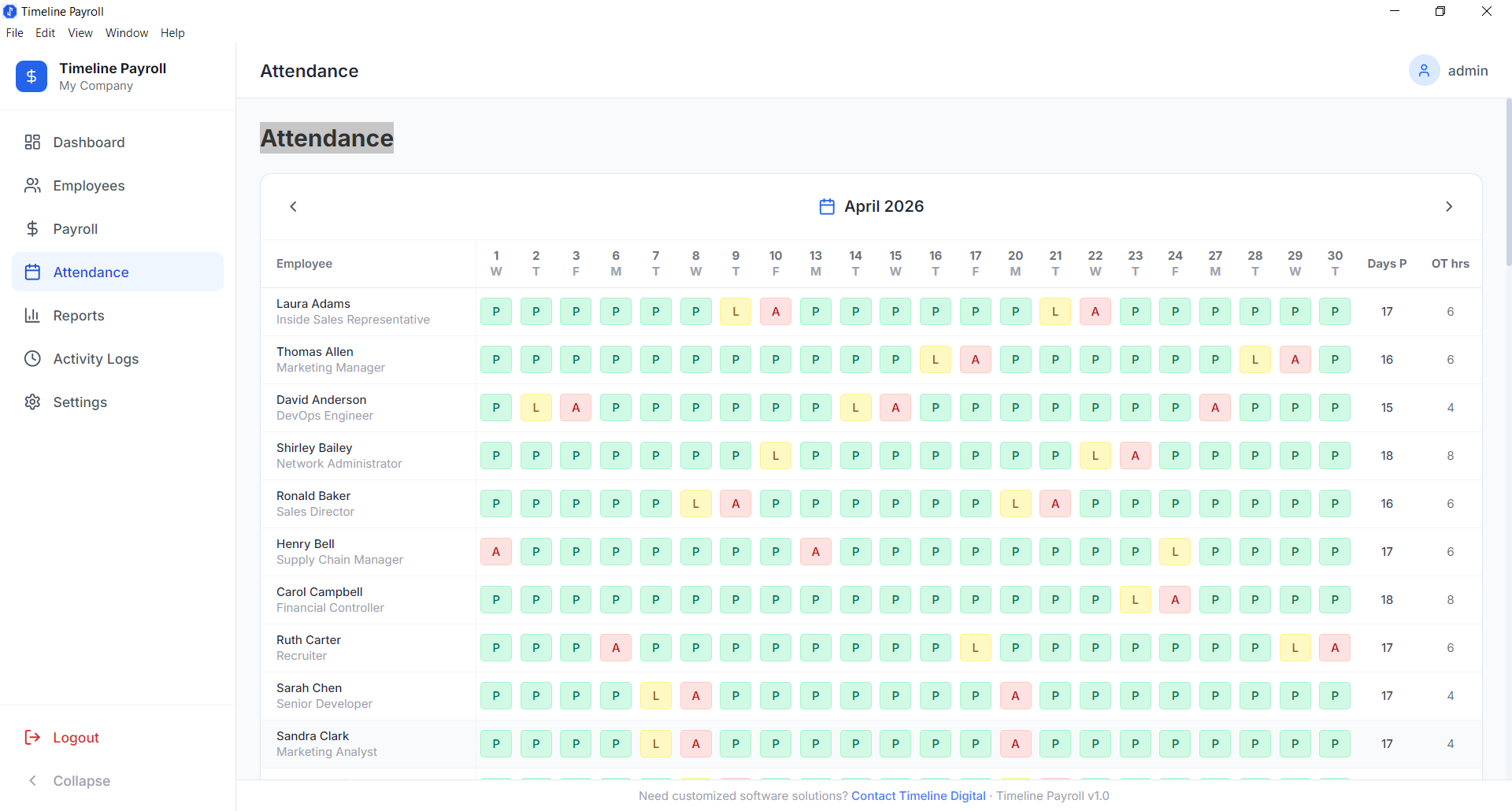
Attendance Tracking Module
Mark attendance daily. Timeline Payroll supports present, absent, half-day, leave, and overtime records. Totals feed automatically into salary calculations at month end.
Payroll Processing
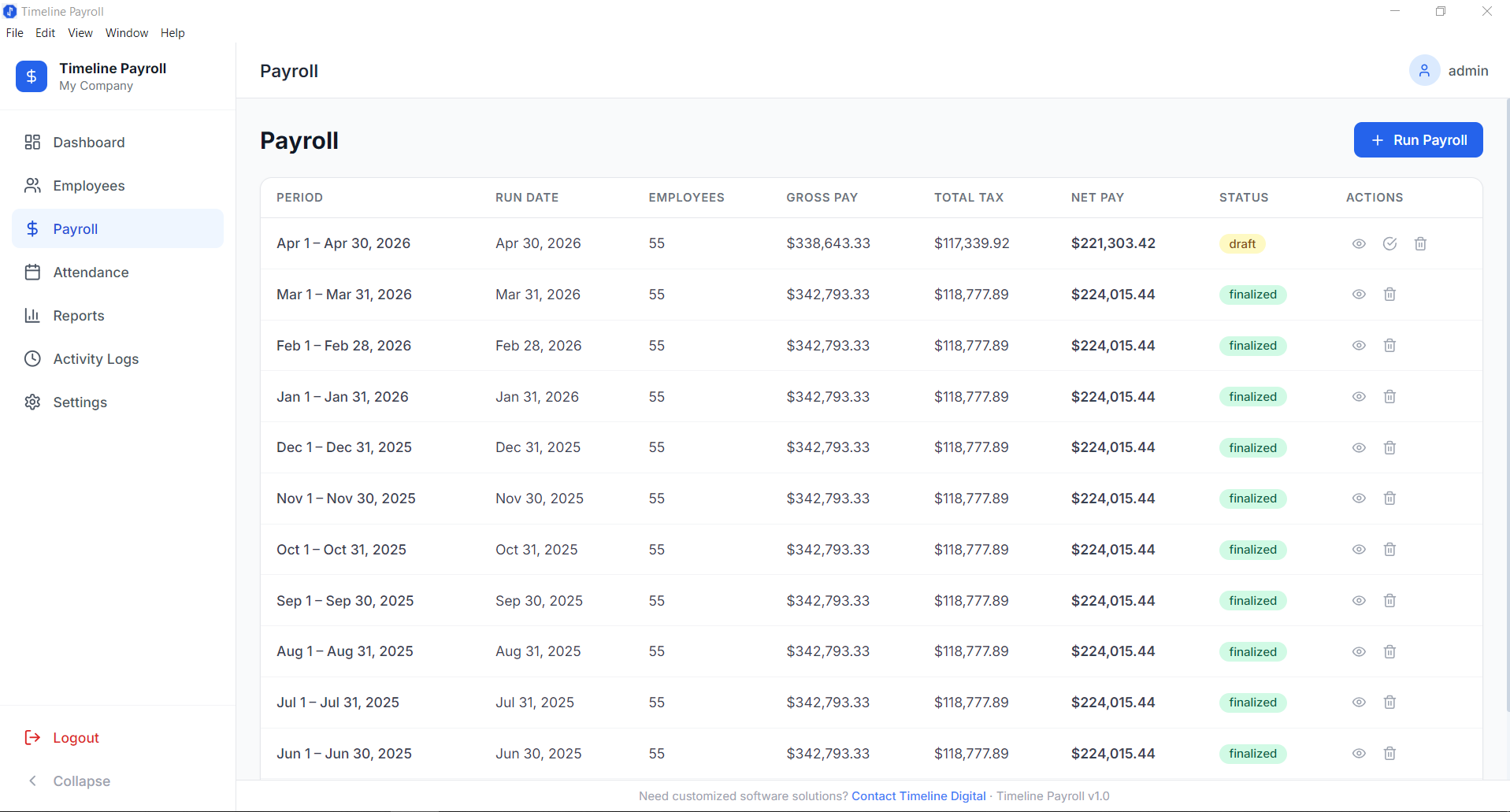
Payroll Processing Screen
Process payroll in minutes. The system calculates gross pay, deductions, advances, and net pay automatically based on attendance and employee salary structure. Review, approve, and generate payslips for the entire company with one click.
Reports
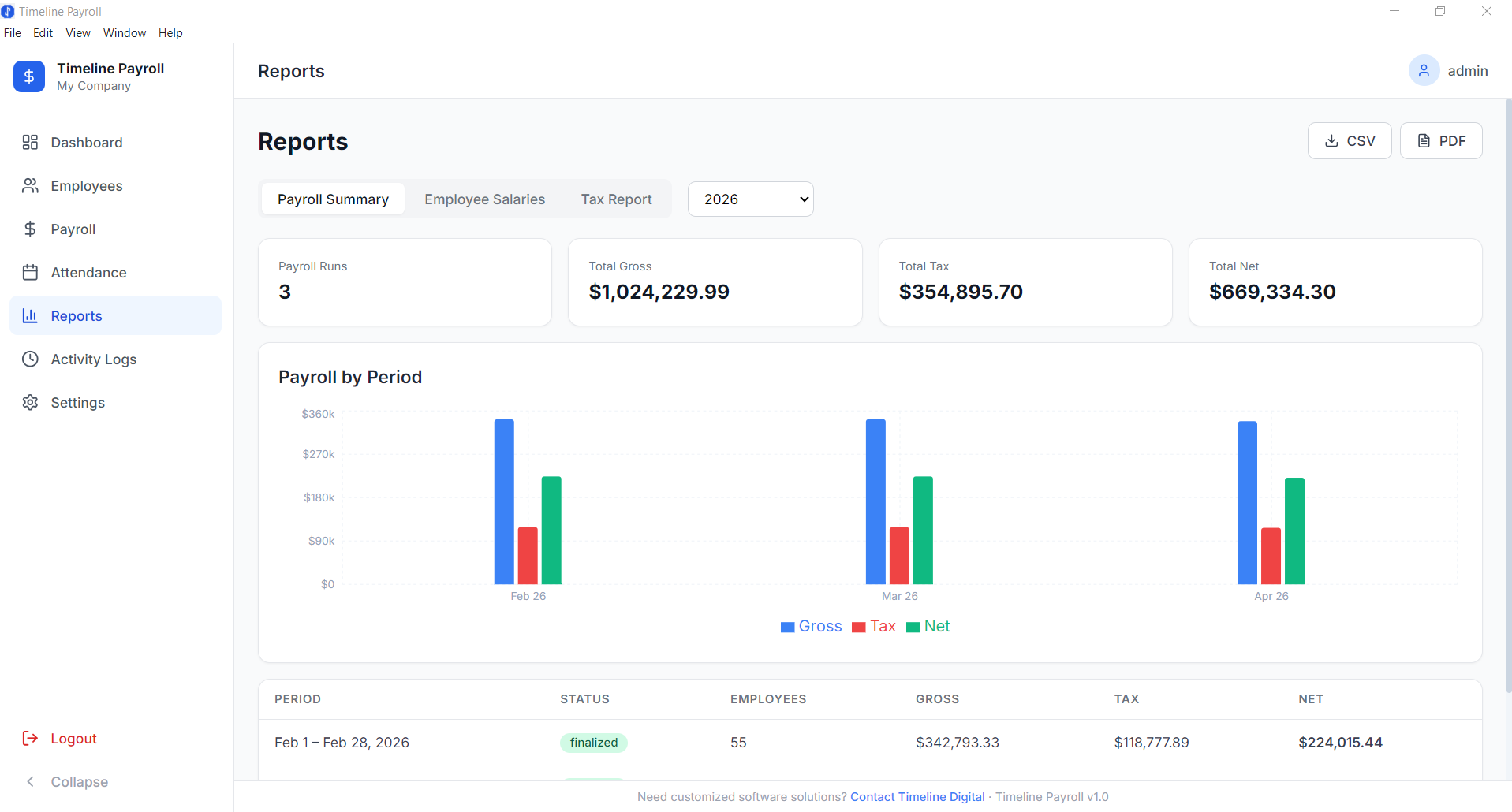
Payroll Reports Module
Monthly salary sheets, staff payout reports, department-wise cost breakdowns and deductions by category, all available without third-party reporting tools. Export to PDF or CSV for your accountant.
Free vs Paid: Is There a Real Difference?
For small businesses, the answer is often no, if you choose the right free tool.
The real difference is who does the filing and paying. Full-service payroll charges a monthly base fee plus a per-employee fee, and in return files payroll taxes and pays staff by direct deposit. Timeline Payroll calculates the same pay, deductions and payslips but leaves filing and bank payments to you.
Timeline Payroll charges nothing. You download once, install on Windows, and run payroll indefinitely with no recurring fees.
The trade-off: Timeline Payroll is a desktop application. If you need cloud access across multiple offices or a mobile app, a SaaS product may serve you better. But for most small businesses with one location and one payroll administrator, the desktop model is a better fit.
Who Should Use Timeline Payroll
Timeline Payroll is built for:
Small businesses run from one PC that process weekly, bi-weekly or monthly payroll
Startups that cannot justify a monthly per-employee payroll fee
Businesses in markets with unreliable internet where cloud-only tools create problems
Companies with simple payroll structures, fixed salaries, basic allowances, standard deductions
It is not the right fit for businesses that want tax filing and direct deposit done for them, or that have complex multi-state tax filings, union rules, or highly variable commission structures.
How to Get Started
Download Timeline Payroll free from the product page, install on any Windows 10 or 11 machine, and follow the setup wizard. For a small team, setup and a first payroll run take about 15 minutes. Windows SmartScreen may warn on first run because the installer is not code-signed; download it only from timelinedigi.com. Timeline Payroll is published by Timeline Digital, a software company founded in 2013 in Islamabad, which also builds custom payroll systems with cloud sync and bank integration.
What is the best payroll software for small business?
It depends on whether you want the software to file taxes and pay staff. Full-service payroll services such as Gusto or Patriot file payroll taxes and pay employees by direct deposit for a base fee plus a per-employee fee. If you only need pay calculated, payslips and reports, a free offline Windows app such as Timeline Payroll covers that at no cost, but it does not file taxes or move money.
What is the best free payroll software for small business?
Timeline Payroll is a free offline Windows application built for small businesses needing complete payroll without subscriptions. You download once, install on Windows 10 or 11, and run payroll indefinitely with no per-employee fees. It handles employee records, attendance, automated gross/deduction/net calculations, one-click payslips, and reports. It does not file payroll taxes or pay staff by direct deposit, so you pay through your bank and file through your accountant or the government portal.
How much does payroll software cost for a small business?
Full-service payroll usually charges a monthly base fee plus a fee per employee. For a 15-person team, the plans in our payroll services comparison range from $77 a month (Patriot Basic Payroll, $17 plus $4 per employee) to $139 a month (Gusto Simple, $49 plus $6 per employee). Timeline Payroll charges $0 with no recurring fees, but it does not file taxes or pay staff. Startups that cannot justify ongoing subscription costs often choose the free desktop model, especially for simple payroll with fixed salaries and standard deductions.
Do automated payroll systems for small business really save time?
Yes. Automated payroll systems calculate gross pay, deductions, advances, and net pay automatically from attendance and salary structure, eliminating manual errors and corrections. With Timeline Payroll, setting up the company, adding employees and running a first payroll takes about 15 minutes for a small team, and later runs are faster because the setup is saved. You review, approve, and generate payslips for the entire company with one click.
Is free desktop payroll software better than paid cloud SaaS for small business?
For most small businesses with one location and one payroll administrator, yes. Timeline Payroll is free and calculates pay, payslips and reports; paid services charge per employee but also file payroll taxes and pay staff by direct deposit. However, if you need cloud access across multiple offices or a mobile app, or have complex multi-state tax filings, union rules, or variable commissions, a SaaS product may fit better.
Describe what is slowing your team down. We will help you work out what to build, and how a free pilot lets you judge our work before the full project.