Free forever
No subscription, no trial period, no hidden fees, no feature restrictions. Download Timeline POS once and use every feature for life. A genuinely free POS system with no strings attached.
100% free. All features. No subscription
Billing, products, customers, orders, reports. One Windows app. $0 a month.
Built by Timeline Digital. No subscription. No card cut. Running restaurants? See Timeline Restaurants POS instead.
Custom version
The free edition is an offline Windows app for a single site. When you need it across several branches, in the cloud, connected to your other systems or shaped around your own workflow, we build a custom version for you. The pilot is always free. We start with your most important modules, so you can judge the work before you commit.
Timeline POS is a free point-of-sale app for Windows 10 and 11, made by Timeline Digital for retail shops and small businesses. It handles billing, products and stock, customers and sales reports, runs offline with data stored on your own PC, and has no subscription, no card-processing cut and no product limits.
Running a restaurant with tables and a kitchen? Use Timeline Restaurants POS. Checking Windows requirements first? See free POS software for Windows 10 and 11.
Software that handles sales, inventory, customers and reports in one place. Replaces the cash register, the spreadsheet, and the receipt notebook.
Paper receipts pile up. Inventory counts go wrong. Customer notes get lost.
A POS fixes that. Scan or search a product, add to cart, complete the sale. Stock updates. Sale logs. Customer attaches. Done.
Many POS apps charge a monthly subscription. Some take a cut of every card payment (Square's free plan charges 2.6% + 15¢ per in-person card sale in the USA). Some force you to buy their hardware. That math doesn't work for small shops.
We built Timeline POS as a free POS system. No subscription. No card cut. No feature locks. Install on Windows. Your data stays on the machine.
Comparing options before you install? Our free POS software comparison puts Timeline POS side by side with Square, Loyverse and open-source systems so you can pick the right fit.
Anyone who sells products or services over a counter and needs a better system than pen-and-paper or a basic calculator. A retail shop in Lahore, a pharmacy in Dubai, a grocery store in London, a boutique anywhere. If you bill customers at a counter, Timeline POS fits.
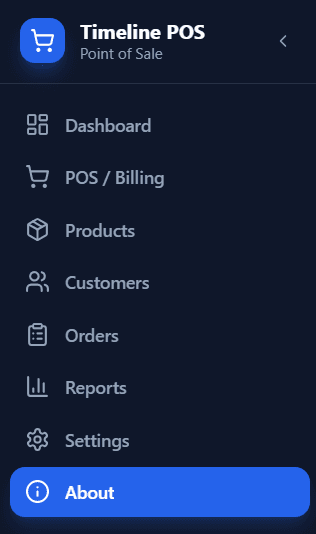
Seven modules. Sales, inventory, customers, orders, reports, settings, and a live dashboard. Here is what each one does for you.
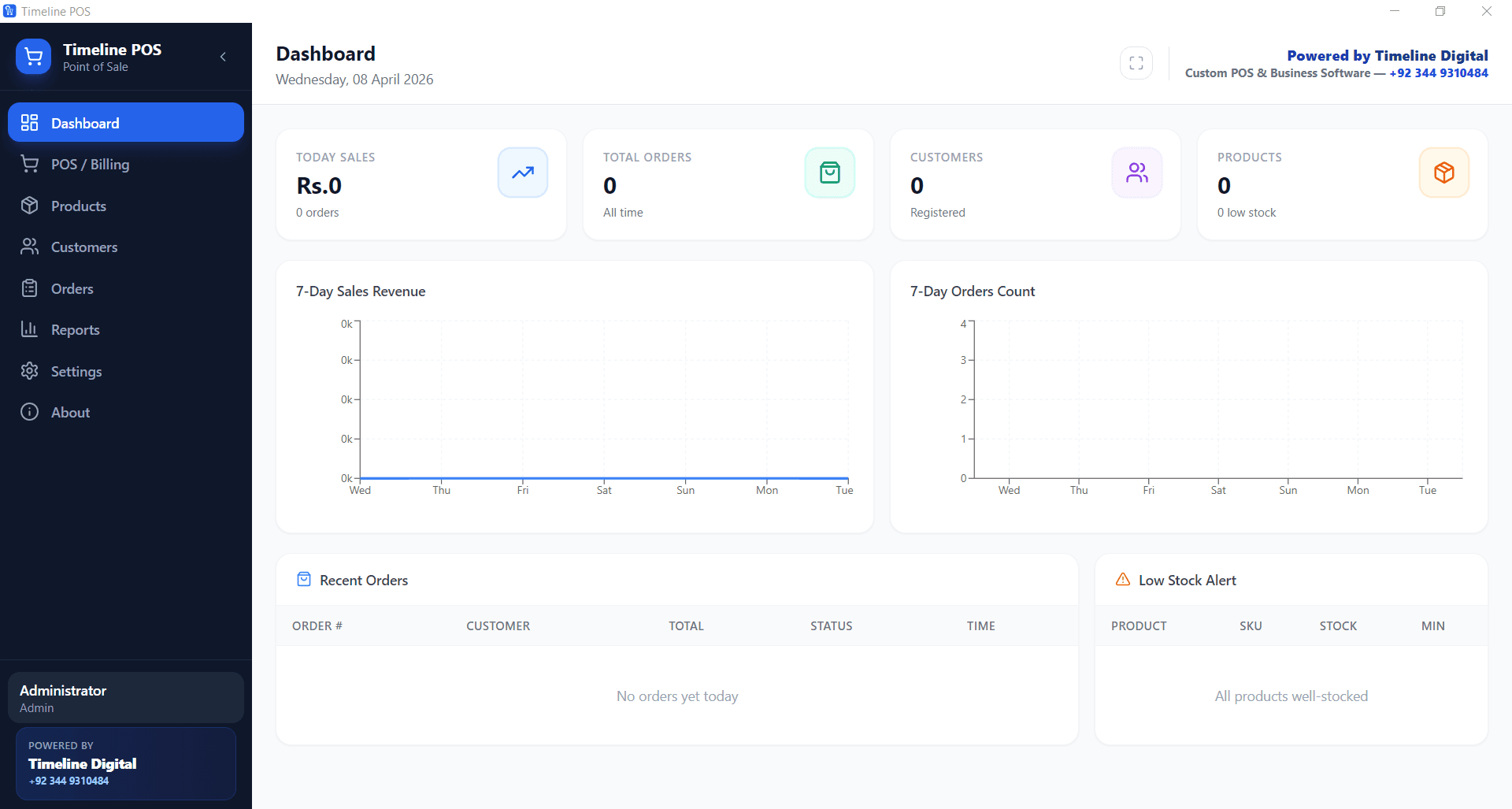
Open the app and every number is in front of you. Today's sales, total orders, registered customers, product count, low stock alerts, and 7-day revenue trends, all on one screen. You make better calls when you can see the whole business at a glance.
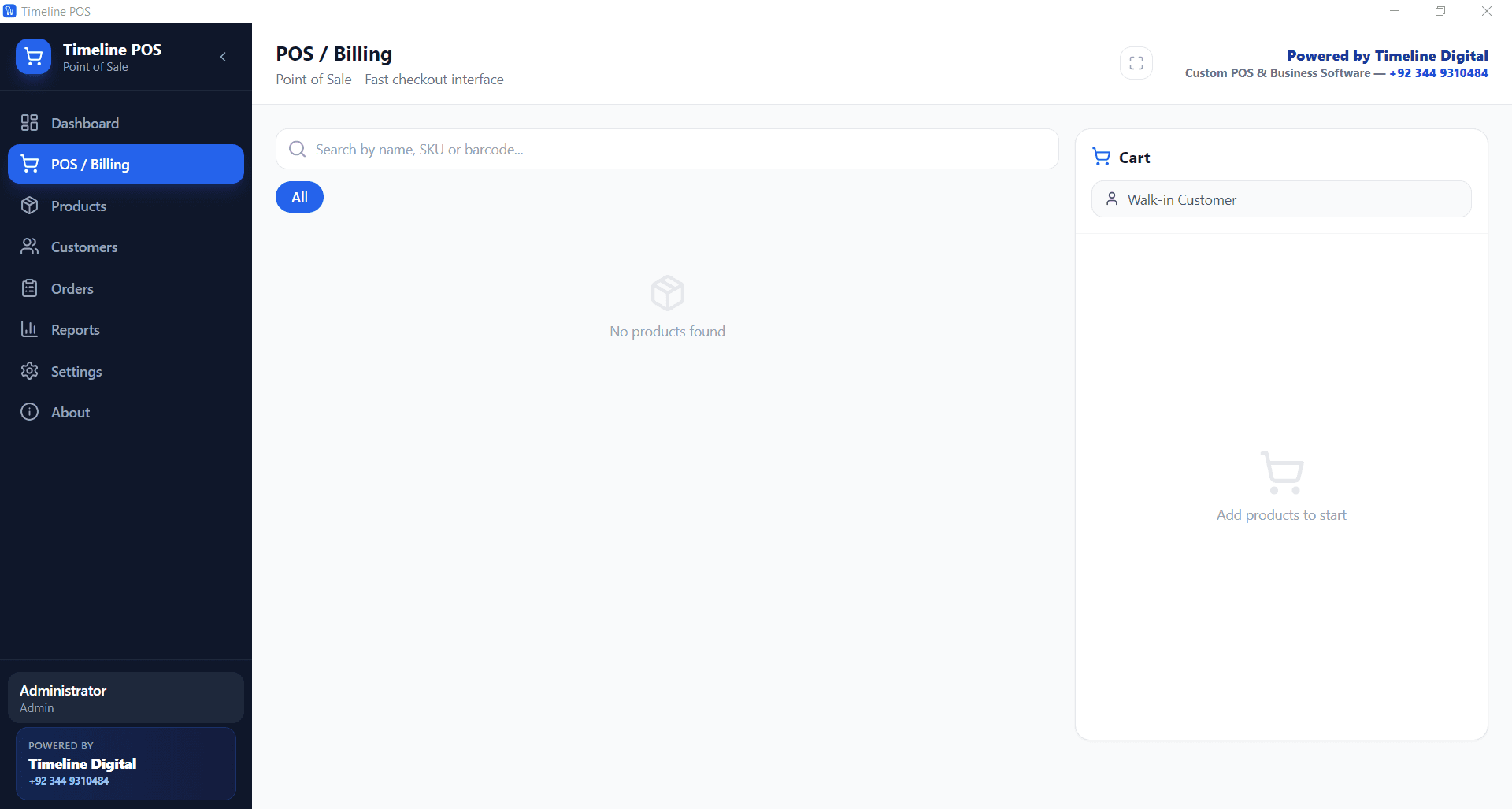
Ring up sales in seconds. Search products by name, SKU, or barcode, add them to the cart, apply discounts, select a customer, and close the sale. Timeline POS supports walk-in customers and registered accounts, so every transaction gets recorded accurately.
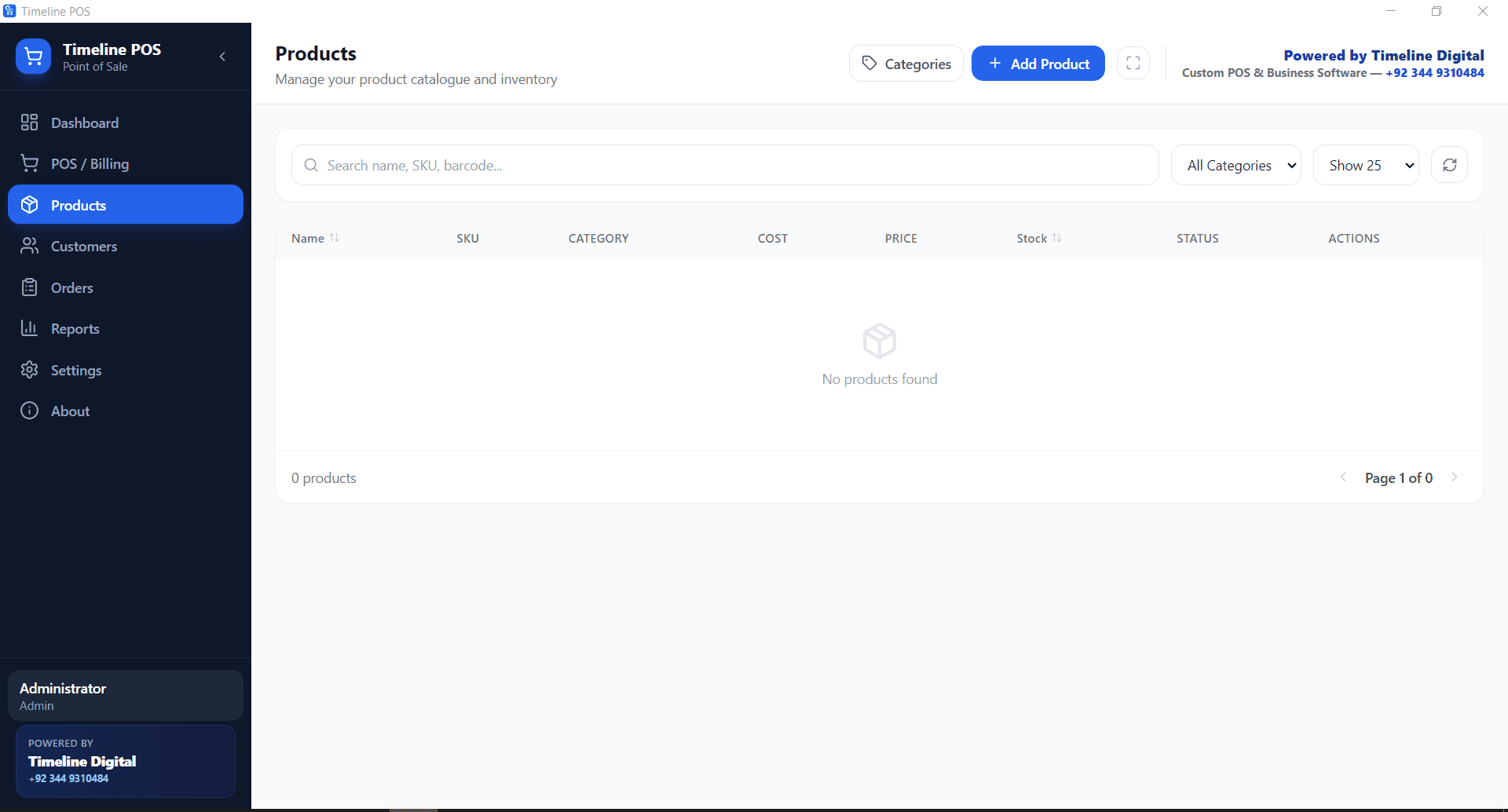
Add unlimited products with names, SKUs, categories, cost prices, selling prices, and stock levels. Filter by category, search instantly, and track inventory in real time. When stock runs low, the dashboard flags it before you run out of your best sellers.
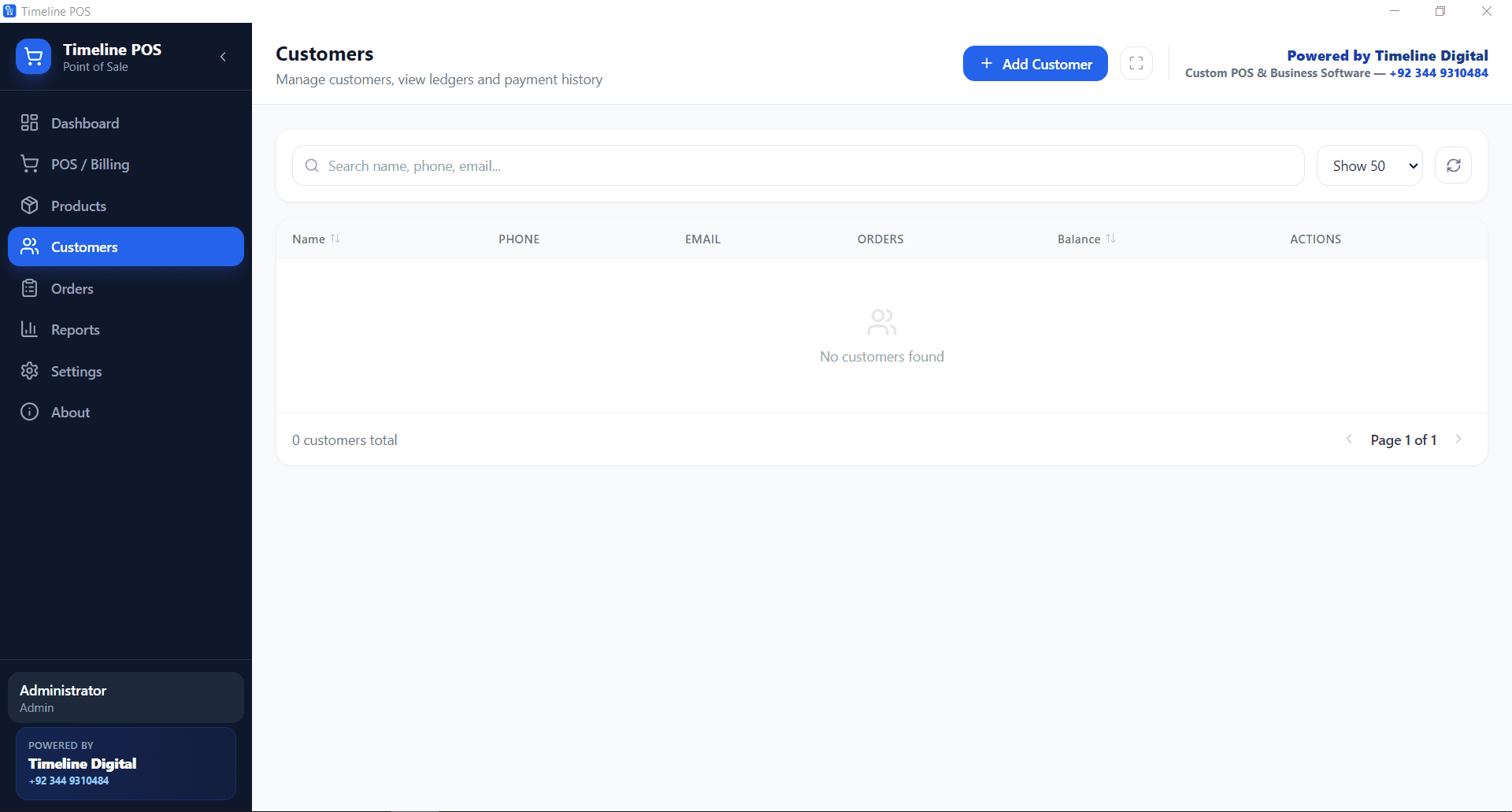
Build a customer database that grows with your business. Store names, phone numbers, and emails, view order history, and track outstanding balances. When you know your customers, you serve them better and they come back.
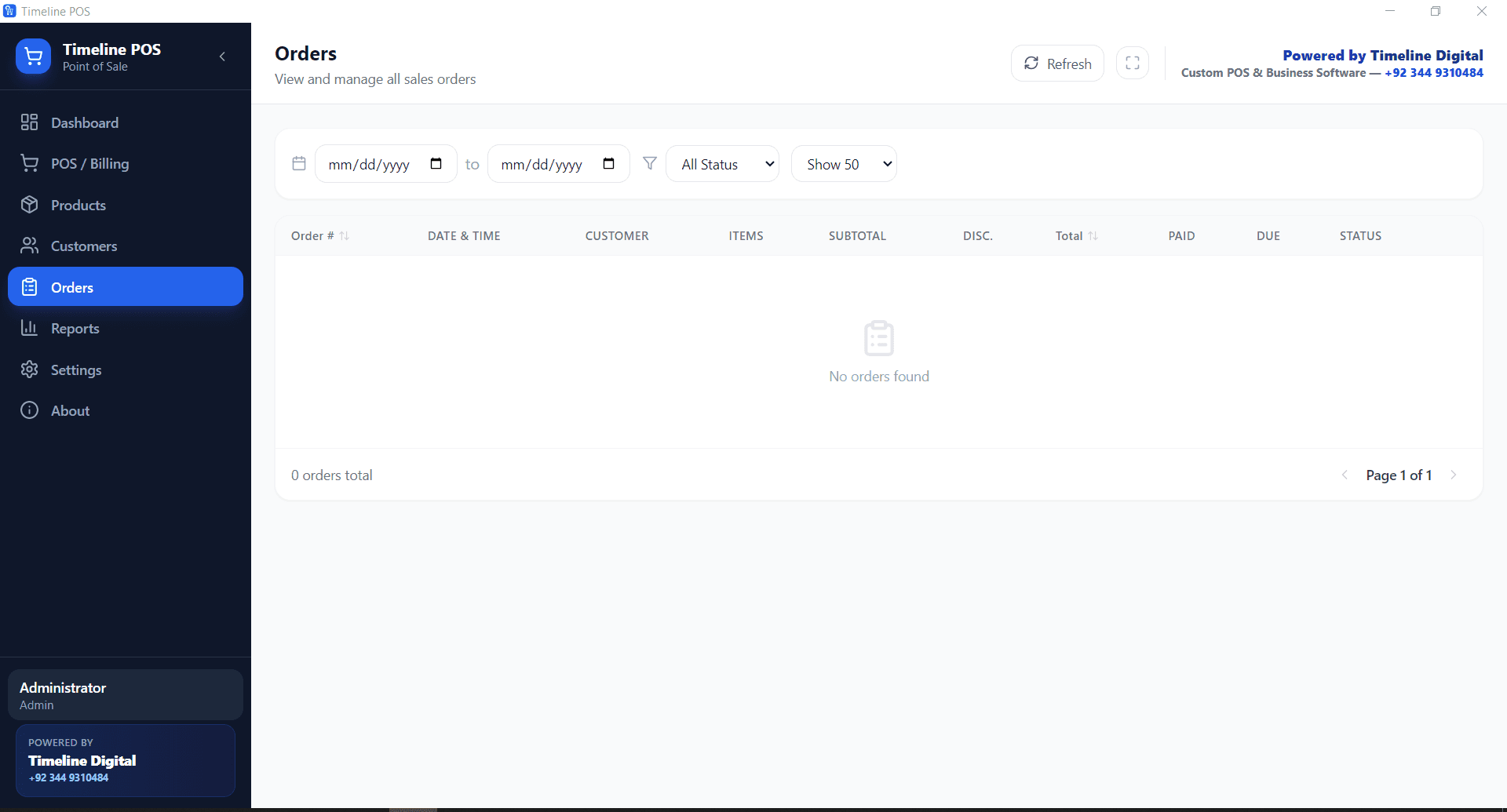
Every transaction is recorded in full: date, customer, items, subtotal, discount, paid amount, due balance, and status. Filter orders by date range and status, and review past sales anytime. Your complete sales history is always one click away.
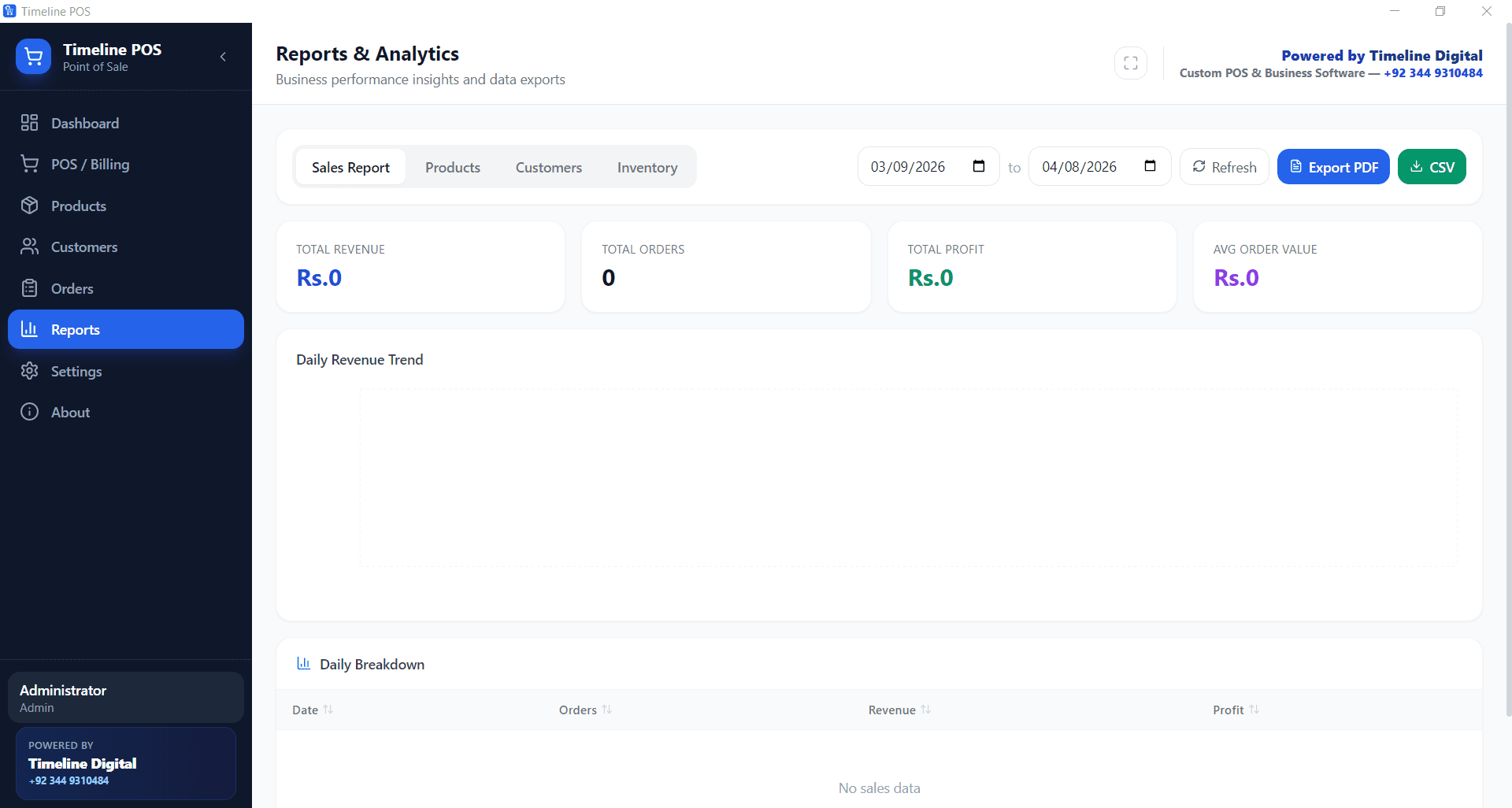
Built-in reporting shows sales, product performance, customer insights, and inventory summaries. Export any report to PDF or CSV for your accountant or business partners. Raw sales data becomes numbers you can act on.
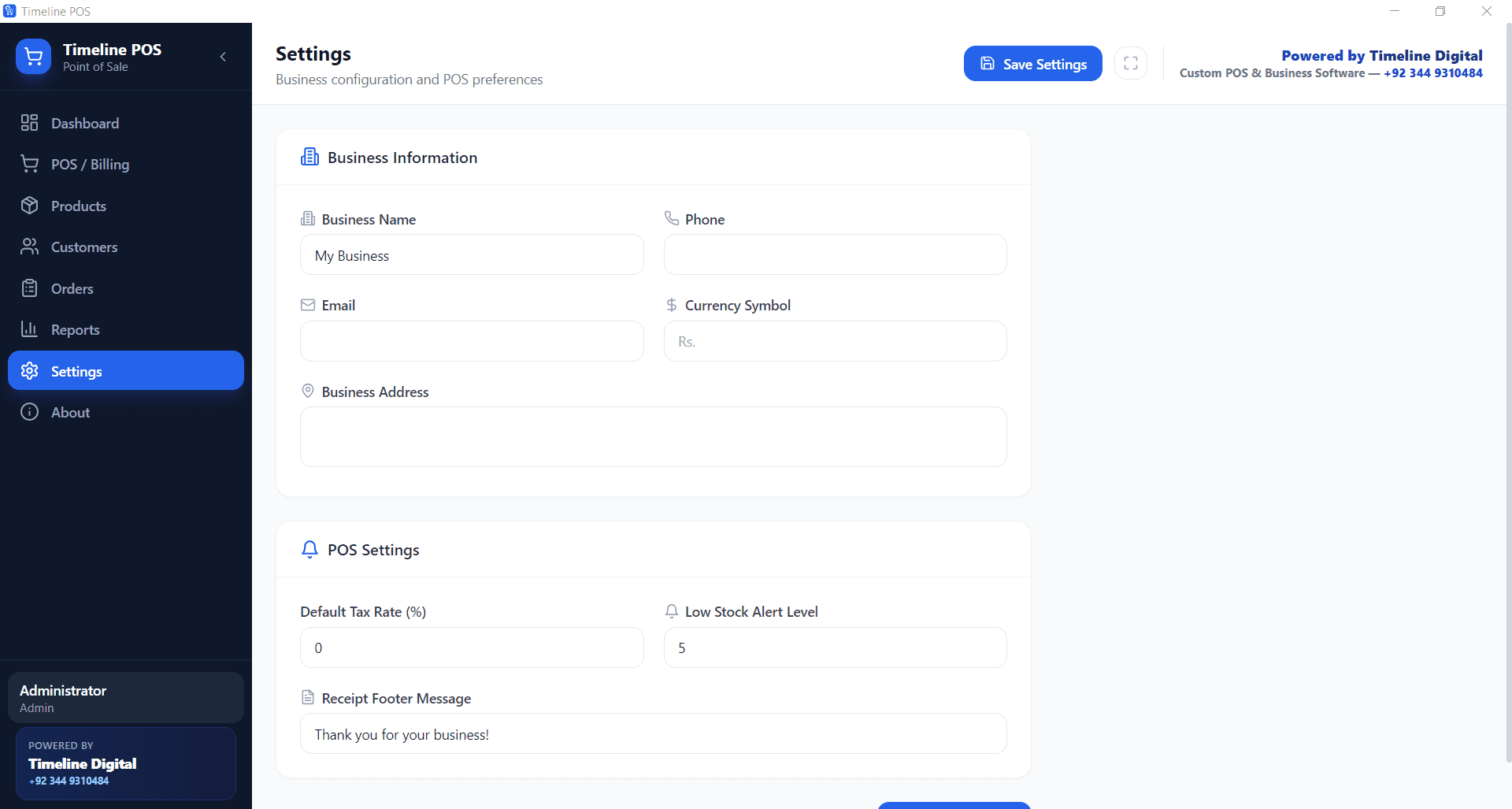
Set your business name, phone, email, address, currency symbol, default tax rate, low stock alert level, and receipt footer message. Timeline POS adapts to how you work, not the other way around.
Most POS systems bill you before your first sale. Timeline POS does the opposite. Here is what that means in practice.
No subscription, no trial period, no hidden fees, no feature restrictions. Download Timeline POS once and use every feature for life. A genuinely free POS system with no strings attached.
Your business should not stop when the internet does. Timeline POS runs entirely on your computer with all data stored locally. Process sales, manage inventory, and serve customers with no network connection at all.
The app launches in seconds, product search is instant, and checkout takes a few clicks. No loading screens, no lag, no frustration during busy hours.
You do not need technical skills to run Timeline POS. The interface is clean, the navigation is clear, and every module explains itself. If you can use a smartphone, you can run this POS.
Sales, products, and customer records live on your own computer. Nothing is sent to the cloud, and nobody else can access your data. Full privacy, zero exposure.
Add unlimited products, customers, and orders without ever hitting a paywall. Most POS systems charge more as you grow. Timeline POS scales with you at zero cost.
The same core features, minus the monthly fee and the transaction commission. Compare line by line.
| Feature | Timeline POS (free) | Typical paid POS |
|---|---|---|
| Monthly cost | Free forever | $29 to $199 per month |
| Transaction fees | None | 1.5% to 3.5% per sale |
| Hardware required | Any Windows computer | Proprietary POS terminal |
| Product limits | Unlimited | Often capped on free plans |
| Internet required | No, works fully offline | Usually required |
| Data storage | Local on your computer | Cloud (provider controls it) |
| Reports and export | PDF and CSV included | Often premium only |
| Setup time | Under 5 minutes | 30 minutes to hours |
| Customer support | WhatsApp and email | Email or paid phone support |
Any business that processes sales. These are the industries where Timeline POS earns its keep fastest.
Clothing boutique, electronics shop, grocery store, or general retail outlet: Timeline POS handles product catalogs, barcode-based checkout, inventory alerts, and daily sales tracking for stores of any size.
For full restaurant operations, tables, dine-in/takeout/delivery, recipe-based inventory and EOD shift reports, use the dedicated Timeline Restaurants POS at /timeline-restaurants-pos. It is also free, offline, and built specifically for food service. Timeline POS (this page) covers cafes, bakeries and counter-style food operations that do not need full table management.
Just starting out and cannot justify POS machines or monthly software fees? Timeline POS gives you professional billing, inventory tracking, customer management, and sales reports from day one, at zero cost.
Salons, repair shops, laundry services, and other service businesses can bill customers, track service history, and manage their customer database. It works for any business that takes payments.
Manage large product catalogs with cost and selling prices, track stock across categories, process bulk orders, and keep a record of every transaction. Timeline POS handles the volume wholesale businesses demand.
Install Timeline POS on multiple computers for separate billing counters. Each installation runs independently with its own data. Need centralized management? Contact Timeline Digital for a custom networked setup.
Picking a point of sale system is one of the bigger operational decisions a shop makes. A good POS does more than process payments. It becomes the record of every sale, every product movement, and every customer interaction. Without it, you are running on guesswork.
Timeline POS was built for the businesses that need these tools most and can least afford the price tags on most POS software. Retail POS for a clothing shop, counter billing for a bakery, or a general POS system for small business operations: it covers the job at no cost.
Cloud POS dies when the internet does. Timeline POS doesn't. Local SQLite. Sub-second checkout. Search hits without lag. Service keeps running.
What's included: product catalog, fast billing, customer profiles with order history, order management, PDF/CSV export, currency and tax settings.
Nothing is paywalled. No cap on products. No cap on orders. Reports aren't locked. We built it free because Timeline Digital makes money on custom software work.
Every module, as it looks in the app. These are actual screenshots, not mockups.
Free download. Version 1.0.7
One click downloads the setup file. Run the installer, follow the steps, done. No registration, no sign-up forms, no internet needed after the download.
Click the "Download free POS system" button on this page. The setup file starts downloading to your computer immediately.
Open the downloaded file named "timelinepos.exe". Because Timeline POS is a newer app that has not yet built up download reputation with Microsoft, Windows SmartScreen may show a "Windows protected your PC" prompt the first time you run it. This is common for new and independently published software and does not by itself mean the file is unsafe. First confirm you downloaded it from timelinedigi.com (not a third-party mirror), then click "More info" and "Run anyway" to continue. If anything looks off, message us on WhatsApp and we will confirm the current file name and version before you install.
Click through the setup steps. Choose your preferred install location or keep the default. Installation completes in under a minute on most computers.
Open Timeline POS from your desktop shortcut. Go to Settings, enter your business name, address, currency, and tax rate. Then start adding products and making sales.
File name: timelinepos.exe
Size: ~164 MB
Platform: Windows 10+
Last updated: 2026-07-11
Price: Free (lifetime, all features)
SHA-256: 23e5d18dfa90cf73ce97dea8615139716343d9c70ad5334ea7282935aa9fc306
Having trouble downloading? Message us on WhatsApp or email our contact form
Leave your name and number. We will set up the POS for you, add your products, connect more than one branch, or link it to what you already use, free to talk and we reply within 4 business hours.
No spam. We only use your number to reply about your project.
Straight answers to the questions shop owners ask most about this free point of sale system.
Yes, Timeline POS is 100% free. There is no trial period, no monthly subscription, and no hidden upgrade cost. Every feature including sales, inventory, customers, orders, and reports is available at no charge. Timeline Digital provides this point of sale system as a free tool for businesses worldwide.
Yes. Timeline POS is a desktop application that runs entirely offline on your Windows computer. All your sales data, product catalog, and customer records are stored locally on your machine. You can process sales, check inventory, and generate reports without any internet connection.
Timeline POS is a free point-of-sale app for Windows 10 and 11, made by Timeline Digital for retail shops and small businesses. It handles billing, products and stock, customers and sales reports, runs offline with data stored on your own PC, and has no subscription, no card-processing cut and no product limits. The current version is 1.0.7.
Timeline POS is designed for retail stores, grocery shops, clothing boutiques, electronics stores, pharmacies, salons, service businesses, wholesale counters and counter-service cafés or bakeries, in short any business that needs to bill sales and track stock. Restaurants that need tables, kitchen tickets and recipe inventory should use the separate free Timeline Restaurants POS.
Timeline POS is built and published by Timeline Digital, a registered software development company, and we scan each release before we upload it. It does not collect or transmit your business data, everything stays locally on your computer. To be sure you have the official file, download it only from timelinedigi.com rather than a third-party mirror, and avoid "cracked" copies of paid POS software, which are a common source of malware. Windows may still show a SmartScreen prompt on first run because the app is newly published; see the installation steps above for what that means.
Yes. There are no limits on the number of products, customers, or orders you can create. There are no paywall prompts as your catalogue grows; speed depends on the PC it runs on.
The current version supports Windows 10 and later. It runs as a standard desktop application. Mac and Linux versions may be considered for future releases based on user demand.
Paid POS systems like Square, Clover, and Shopify POS typically require monthly subscriptions, transaction fees, or proprietary POS hardware. Timeline POS is completely free, works on any Windows computer, has no transaction fees, and stores data locally for maximum privacy. You get the core features that small businesses actually need without ongoing costs.
Yes. The Reports module lets you export sales data, product performance, and customer reports to PDF and CSV formats. Share these with your accountant, business partner, or use them for your own record keeping.
Timeline POS runs on one Windows PC at a time. It has no cloud dashboard, no built-in sync between branches or counters, no Mac, iPad or Android version, and it does not process card payments itself, so card sales go through your own bank terminal or card reader. Each installation keeps its own data, which you back up yourself.
Version 1.0.7, last updated 2026-07-11. The installer is timelinepos.exe (~164 MB) and its SHA-256 checksum is listed in the download section of this page so you can confirm the file is the official one.
If your business needs more than the free version, such as cloud sync, multi-location management, custom integrations or industry-specific modules, Timeline Digital builds custom POS software around your workflow, starting with a free pilot of 2 to 3 key modules. See the custom POS software development page or contact us on WhatsApp or through the contact form.
Yes. Timeline Digital plans regular updates with new features, improvements, and bug fixes. Updates will be available as free downloads from this page. You can also follow us on WhatsApp for update notifications.
Timeline Digital is a custom software development company based in Islamabad, Pakistan. We build tailored business systems for organizations worldwide, from labor management systems to school management software and enterprise systems.
We released Timeline POS free because every business owner deserves professional tools, whatever the budget. This is our contribution to the small business community.
If you outgrow the free version and need cloud sync, multi-store management, employee access controls, or industry-specific modules, our team offers custom POS software development built to your exact requirements. We also build web applications and mobile apps for businesses at every stage.
Stop losing sales to manual processes
One download. Lifetime access. Every feature included. No credit card, no sign up.
Need a custom POS for your business? See custom POS software development or contact Timeline Digital.
The restaurant and cafe version of our free POS, built for table orders and kitchen tickets.
Read this nextHow Timeline POS compares to other free POS software before you commit to one.
Read this nextTrack leads and follow-ups alongside your sales, our free Windows CRM.
Read this nextAll the free Windows tools we build and maintain, POS, CRM, payroll and more.
Read this nextHow stock tracking, low-stock alerts and reorder points work in Timeline POS.
Read this nextMade in Islamabad, Pakistan
Timeline POS is a free Windows point-of-sale app built for shops, kiryana stores and small businesses in Islamabad, Lahore, Karachi, Rawalpindi and Faisalabad. It bills in PKR, works fully offline, and costs Rs 0 forever, with no monthly fee and no cut on your sales.
Chat on WhatsApp in Urdu or EnglishSet your currency to PKR or Rs in Business Settings and print receipts in Pakistani Rupees. No conversion or workaround needed.
Free forever with no monthly fee and no percentage taken from each sale, unlike cloud POS tools that charge a monthly subscription.
A fully offline desktop app. It keeps ringing up sales and saving data when the internet or power is unstable.
Daily and monthly sales reports help you prepare FBR returns. FBR POS e-invoicing for Tier-1 retailers can be added on request.
Our Islamabad team helps you install and set up Timeline POS on WhatsApp, in Urdu or English.
Yes. Timeline POS works on any Windows PC in Pakistan and lets you set the currency to PKR or Rs in Business Settings, so all billing, receipts and reports are in Pakistani Rupees. It is built by Timeline Digital in Islamabad and is free to download and use.
Timeline POS prints itemised receipts and generates sales reports you can use to prepare FBR sales tax returns. Direct FBR POS e-invoicing integration, which some Tier-1 retailers are required to use, is available as a custom add-on. Ask our team on WhatsApp if you need it.
Yes. Timeline POS is a fully offline Windows app. It does not need the internet to bill, track stock, or print reports, so it works reliably during load-shedding or weak connectivity in any city in Pakistan. Your data stays on your own computer.
The app interface is in English, but our Islamabad team provides setup help and answers questions in Urdu and English on WhatsApp. You can reach a real local person, not an overseas call centre.