100% Free · Lifetime · No Subscription

Labor Management System

Track workers, attendance, overtime, advances & payroll in one free offline app.

Managing workers with paper registers and spreadsheets wastes hours, creates payment disputes, and leaves you guessing at overtime costs. This free labor management system replaces all of that with a single desktop application that handles workers, attendance, overtime, payments, advances, and reports, all in one place, for an unlimited number of staff.

Built by Timeline Digital. A 13-year custom software development company with 200+ enterprise clients across the USA, UK, Canada, Australia, Germany and the UAE. Download it, install it, and start managing your labour force in minutes.

Lifetime Free Works Offline Safe & Secure Installs in < 1 min
Labor management system dashboard | free download by Timeline Digital

What Is a Labor Management System?

Definition

A labor management system (also called a labour management system, LMS, or workforce management software) is a piece of software that tracks and controls how people work inside a business. It records worker profiles, daily attendance, hours worked, overtime, leave, salary advances, and payments. And then turns all of that data into payroll and reports. It replaces paper registers, Excel sheets, and disconnected messaging-app records with one accurate, auditable system.

If you run a business that employs daily-wage workers, construction labourers, factory staff, warehouse pickers, shop employees, or contract workers, you already know the pain of managing attendance manually. Paper registers get lost. Spreadsheets have formula errors. Overtime disputes eat into your profit. Payment calculations take hours instead of minutes. A proper labor management system solves all of this in one place.

What Does a Labor Management System Do?

At its core, a labor management system centralises every aspect of workforce operations into a single tool. Instead of maintaining separate registers for attendance, overtime, payments, and advances, everything lives in one application where data flows automatically from attendance into payroll. A complete LMS typically handles:

  • Worker profiles with wages, roles, contact details, and joining dates
  • Daily attendance (present, absent, half-day, leave) with a one-click interface
  • Overtime logging with configurable rates and caps
  • Salary advance tracking with automatic deduction schedules
  • Payment processing for daily, weekly, fortnightly, or monthly cycles
  • Reports on attendance, payroll, overtime trends, and outstanding advances
  • Permissions so supervisors, accountants, and owners see only what they need

Who Is This Labor Management System For?

This free worker management software is built for anyone who manages a team of workers and needs a better way to track attendance, overtime, and payments. Whether you are a contractor in Texas, a warehouse manager in Manchester, a factory owner in Hamburg, a retail chain operator in Toronto, a site engineer in Dubai, or a workshop owner in Lahore, this software is for you.

  • Business owners spending 5+ hours a week on manual attendance and pay records
  • Contractors managing daily workers across multiple construction or demolition sites
  • Factory supervisors tracking shift attendance and overtime on production lines
  • Warehouse and 3PL managers tracking pickers, loaders, and drivers
  • Shop owners calculating weekly or monthly payments for counter staff and riders
  • HR leads in small companies who need a lightweight employee tracking system without a full HRIS rollout
  • Facility-management and housekeeping firms billing clients per worker-hour

Labor Management System Features. Every Module, Free

Every module you need to manage your workforce is included, no cost. Here is what the software offers out of the box:

Dashboard

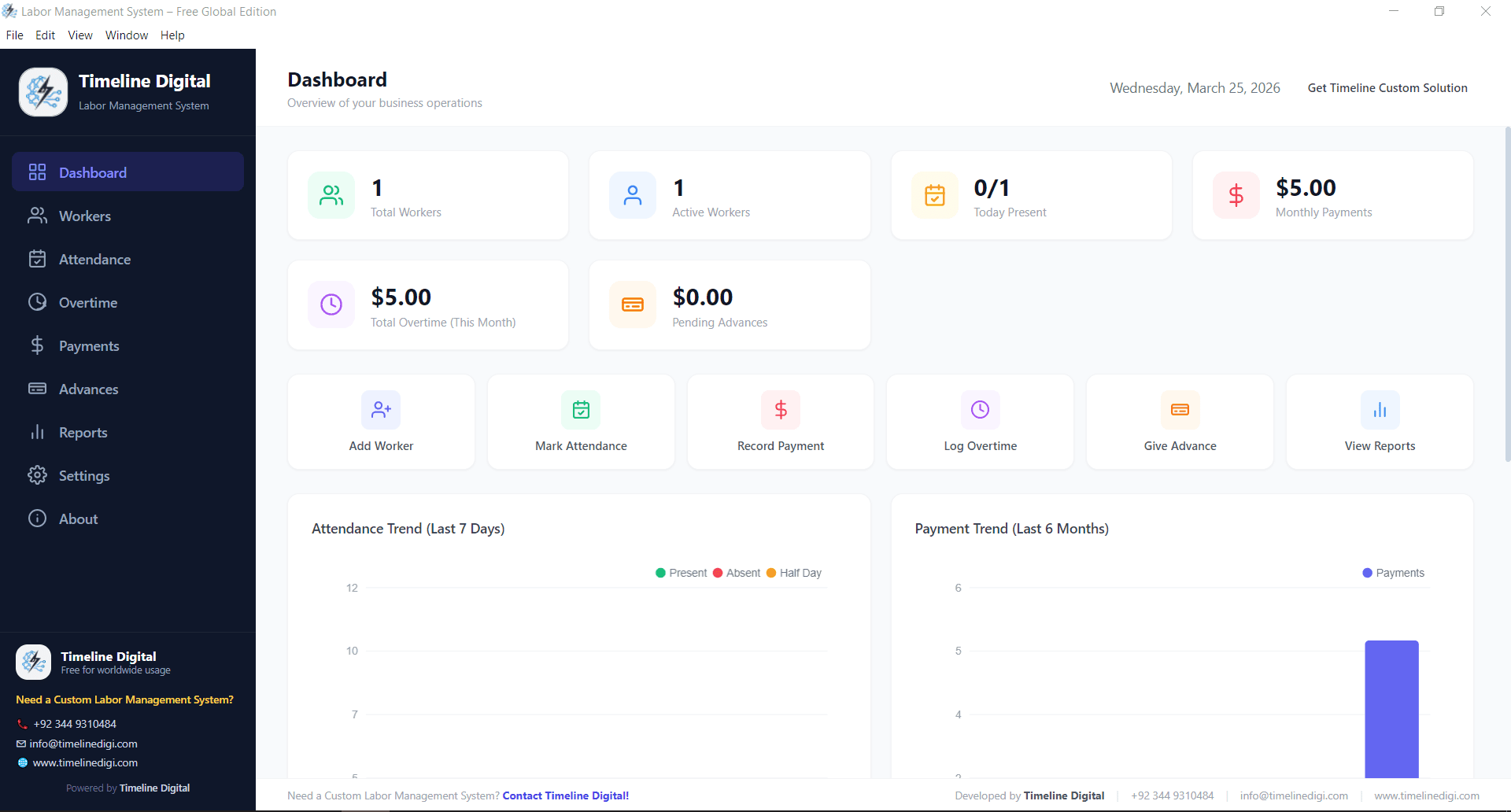
See your entire workforce at a glance. The dashboard summarises total workers, today's attendance, pending payments, outstanding advances, and overtime hours, so supervisors and owners can make decisions in seconds instead of pulling reports from four different registers.

labor management system dashboard showing workforce overview and attendance summary

Workers Management

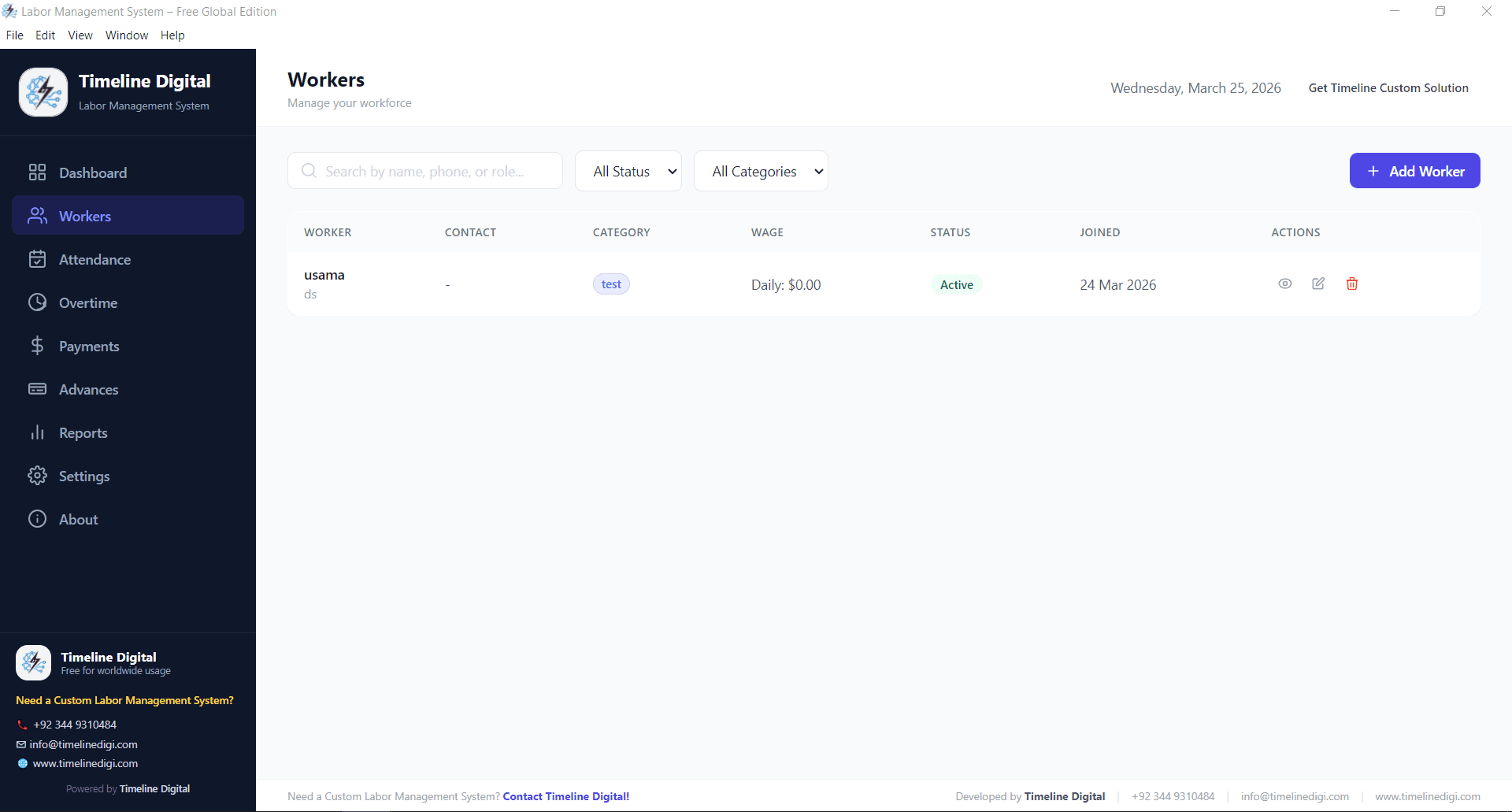
Add, edit, and organise every worker profile in one place. Store names, contact details, job roles, joining dates, daily wages, and identity documents. Whether you manage ten workers or five hundred, finding and updating records takes just seconds.

worker management module in free labor management system software

Attendance Tracking

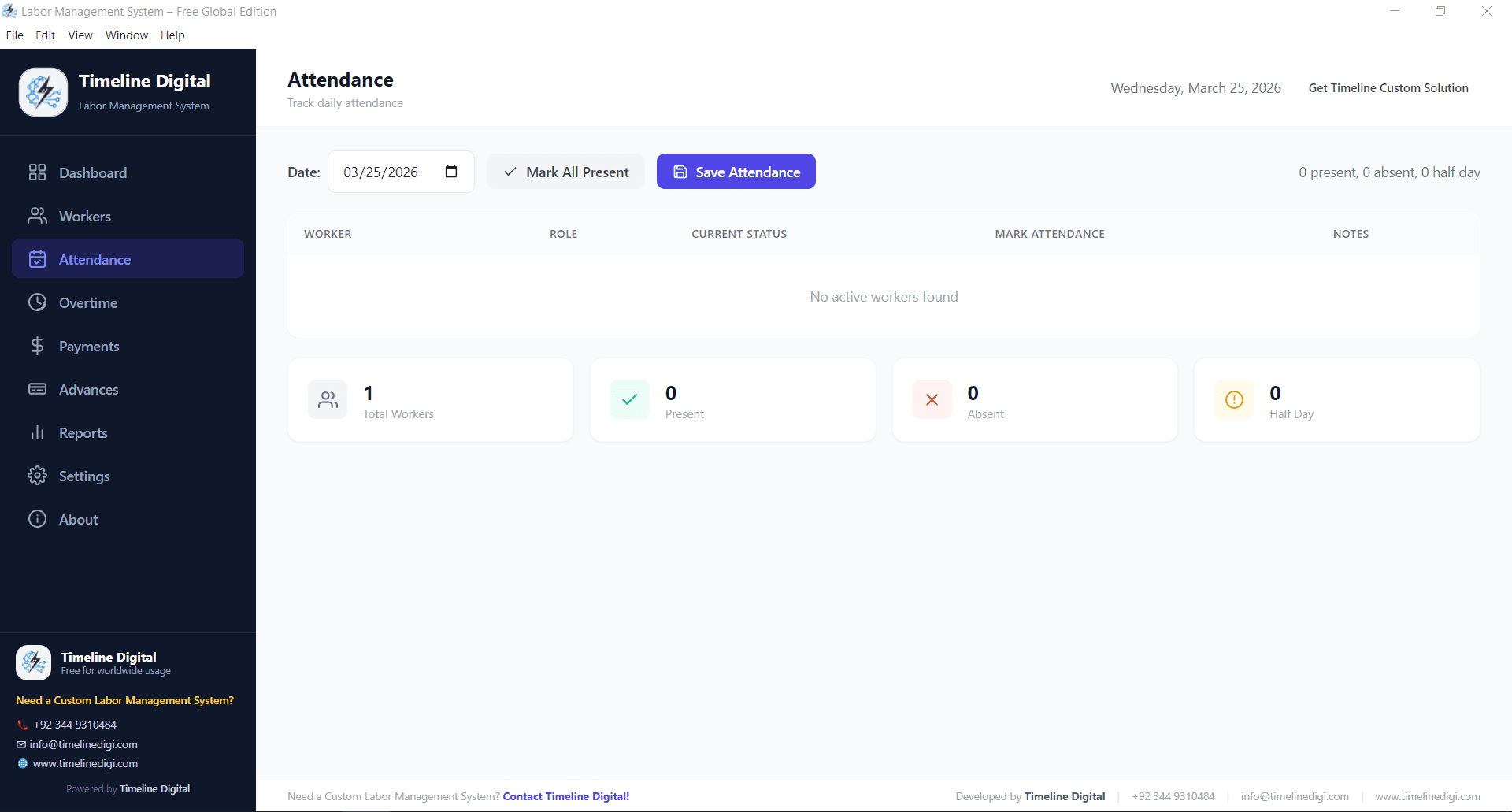
Mark daily attendance with a single click. Track present, absent, half-day, and leave status for each worker. The attendance module automatically feeds into payroll calculations so you never cross-check registers manually again.

attendance tracking software for daily labor management

Overtime Management

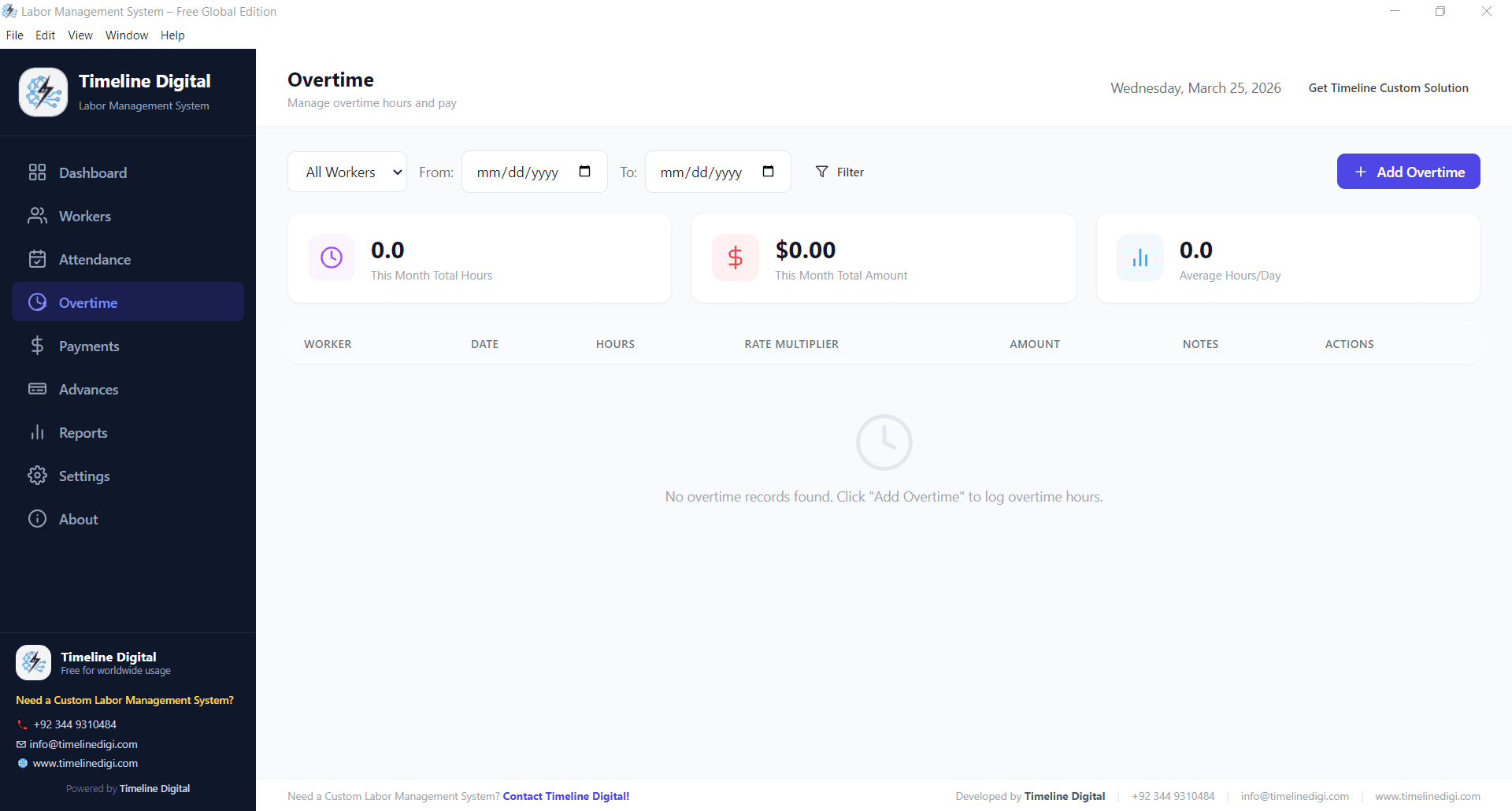
Log overtime hours accurately and tie them directly to payment calculations. Define overtime rates, set daily or weekly caps, and let the system calculate extra earnings automatically. No more disputed overtime claims or manual math errors at month-end.

overtime management module in labor tracking software

Payments & Payroll

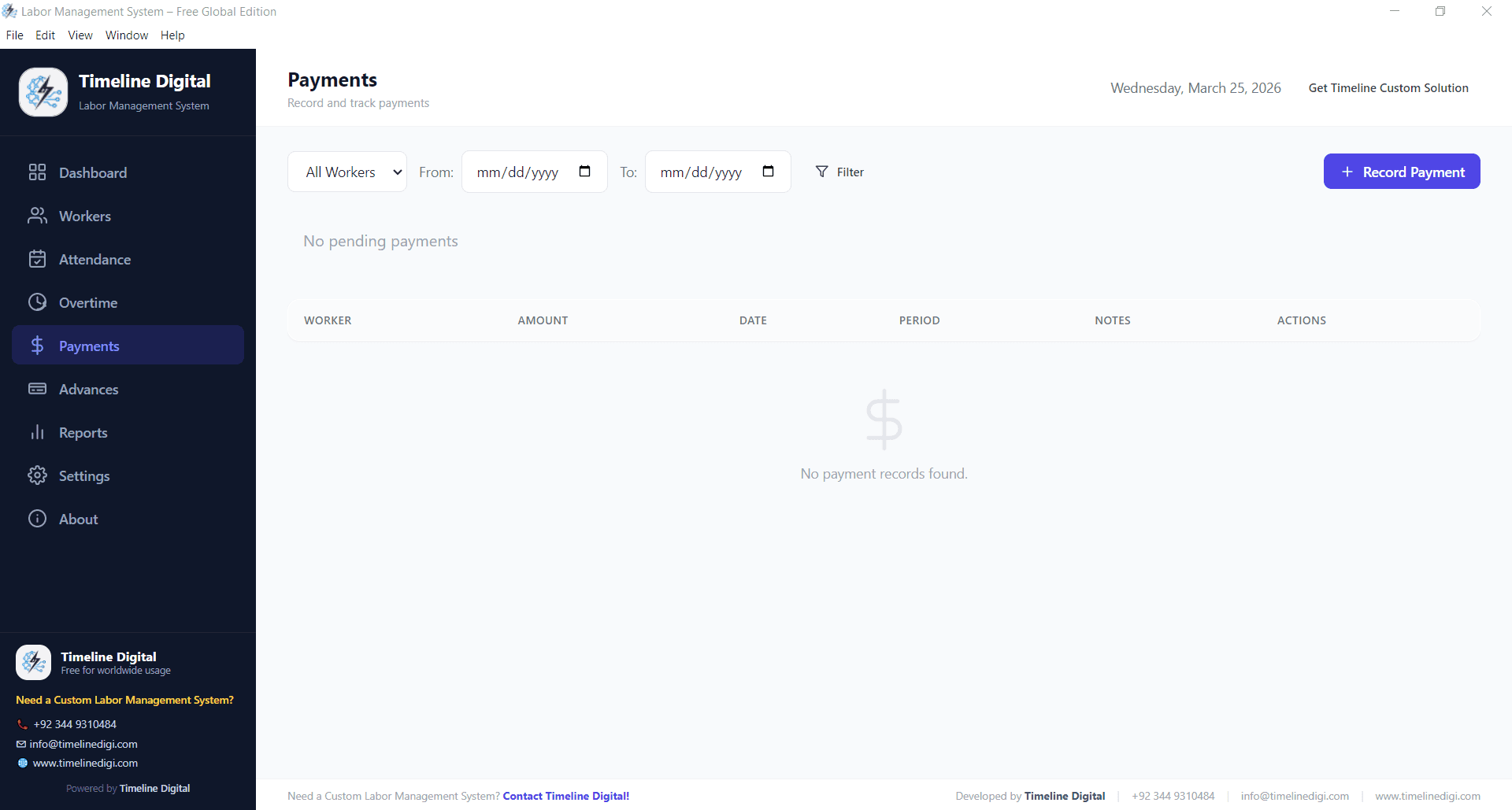
Process worker payments based on attendance, overtime, deductions, and advances. Generate payment summaries for each pay cycle and keep a full payment history for every worker. This module replaces error-prone spreadsheet calculations entirely and gives you a clean audit trail.

payroll and payment processing in labor management software

Advances & Deductions

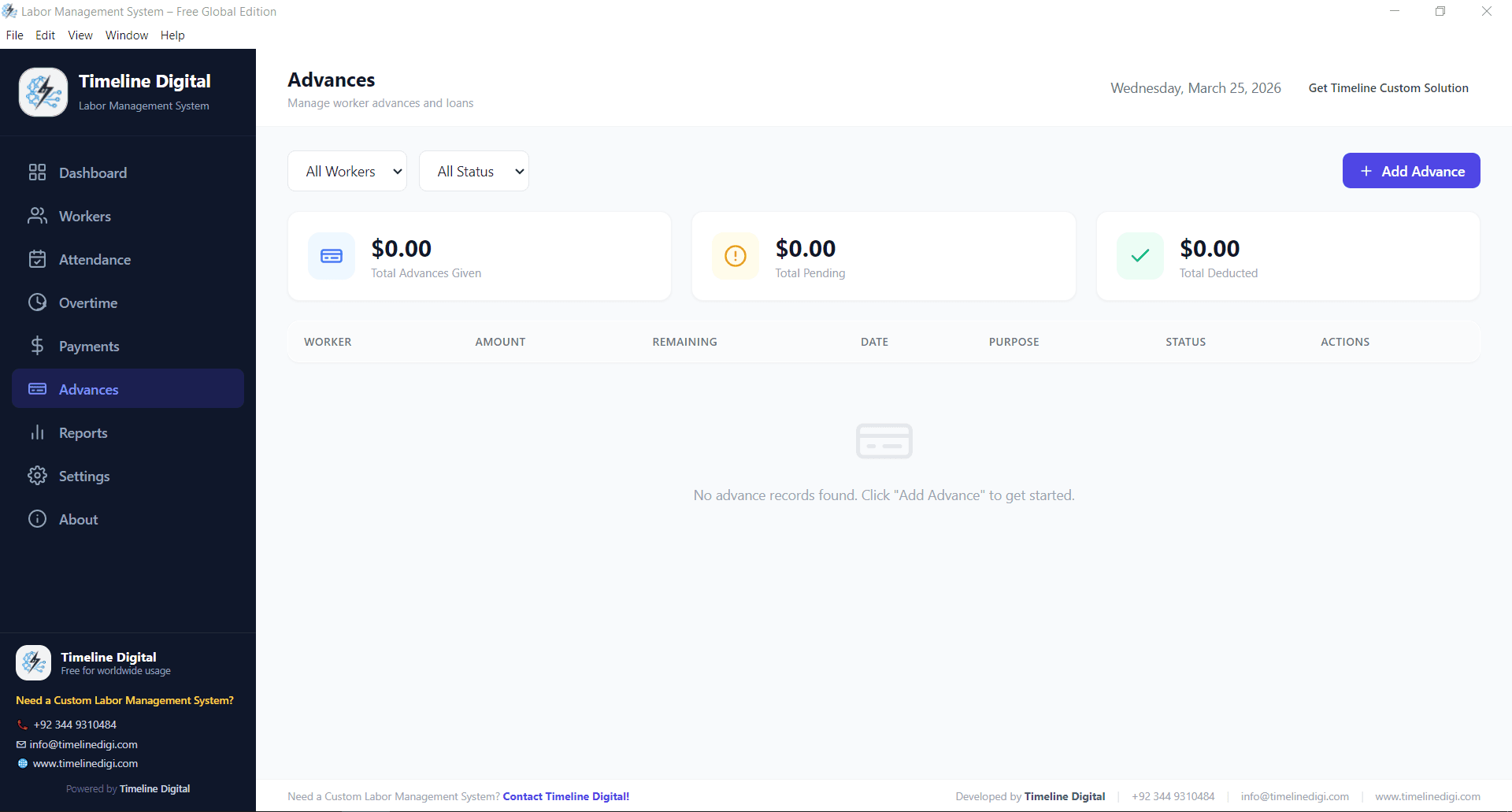
Track salary advances given to workers. Record the amount, date, and deduction schedule. The system automatically adjusts advance balances against future payments, so both you and your workers always know the outstanding amount without calling accounts for a manual calculation.

advance salary tracking in workforce management system

Reports & Analytics

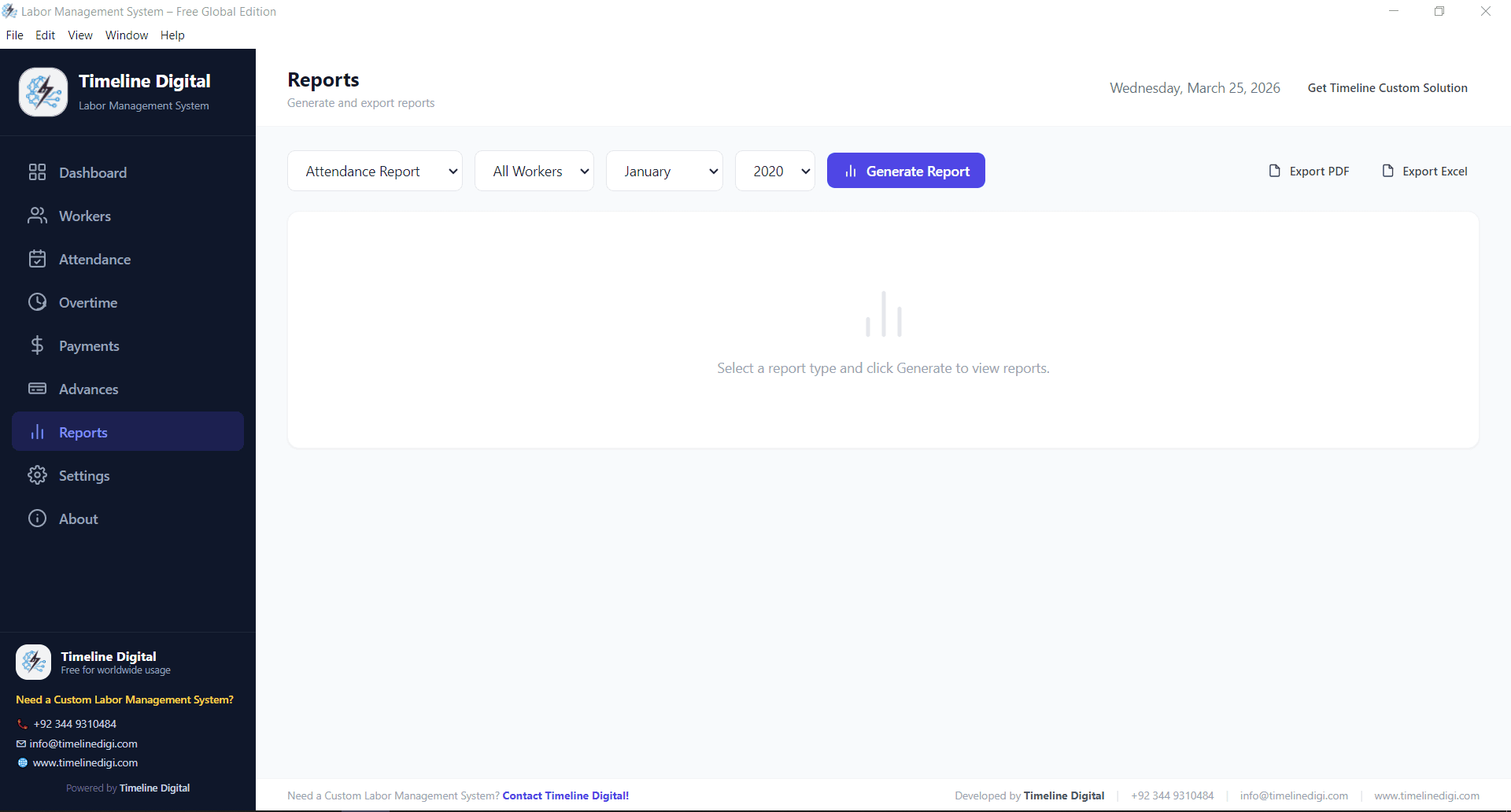
Generate detailed reports on attendance patterns, payment history, overtime trends, and advance balances. Export reports for your records or share them with partners, auditors, and accountants. Clear reporting eliminates guesswork and keeps your business transparent across sites and months.

labor management system reports for attendance and payroll analysis

Settings & Configuration

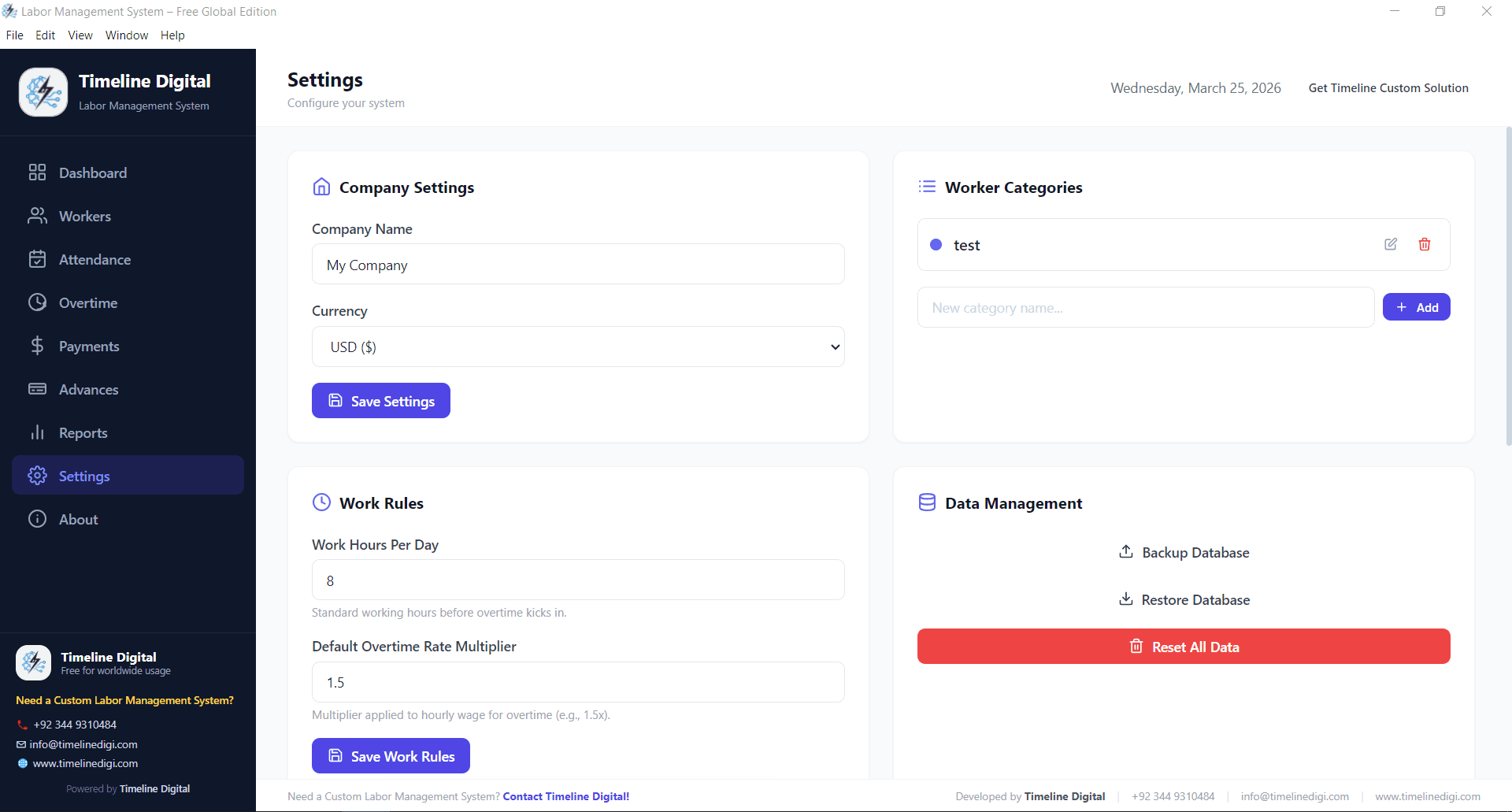
Configure the system to match your business. Set working days, overtime rates, currency preferences, company details, and user permissions. The settings module adapts the software to your workflow rather than forcing you into rigid defaults built for a different country or industry.

settings configuration in free labor management system

Industries Using a Labor Management System

Timeline Digital ships this software to businesses across North America, Europe, the Middle East, Australia, and South Asia. Below are the industries and countries where it is most actively used.

Construction & Contracting

Track site labour, daily attendance, and overtime across active construction projects. Keep separate records per site, pay at the end of each week or fortnight, and generate cost reports your quantity surveyor and accountant will actually trust.

Common in the USA, UK, Australia, Canada, UAE, Saudi Arabia, Pakistan

Warehousing & Logistics

Manage shift workers, pickers, loaders, and drivers across distribution centres. Track productivity, break times, overtime, and handle daily-wage labour alongside salaried staff. Pairs cleanly with any existing WMS without forcing a data migration.

Common in the USA, UK, Germany, Netherlands, UAE, Australia

Factories & Manufacturing

Handle shift-based workers, overtime on production lines, and bulk payroll processing. Keep accurate records for hundreds of workers across multiple shifts without a full HRIS investment. Ideal for textile, garment, food, and light-manufacturing units.

Common in the USA, Germany, UK, Canada, Bangladesh, India, Pakistan

Retail Shops & Chains

Track attendance for sales staff, stockroom workers, delivery riders, and part-time employees. Maintain clean pay records, manage advances, and keep a paper-free audit trail for store managers and franchise owners.

Common in the USA, UK, Canada, Australia, UAE, Singapore

Staffing & Recruitment Agencies

Manage temporary workers, contract staff, and daily labour placed at different client locations. Track hours and payments per assignment, generate client-ready timesheets, and keep clean vendor records for compliance audits.

Common across every English-speaking market

Restaurants & Hospitality

Handle complex shift schedules, overtime during peak hours, and frequent staff turnover. Keep payroll clean even when you are running two cycles a month across multiple outlets, and export summaries ready for your accountant.

Common in the USA, UK, Canada, Australia, UAE, Germany

Facility Management & Housekeeping

Track cleaners, security guards, and maintenance staff across buildings. Manage rotations, night-shift premiums, and bulk invoicing for corporate clients who need per-employee hour breakdowns each month.

Common in the USA, UK, UAE, Canada, Australia

Workshops, Trades & Small Business

Perfect for auto workshops, print shops, carpentry shops, and local service businesses that need a simple, offline tool without the overhead of HR software built for Fortune 500 companies.

Global. Works anywhere with a Windows computer

How the Labor Management System Works

Using the software is straightforward. This is the daily workflow most businesses follow from week one:

1

Add Your Workers

Start by adding worker profiles. Name, role, daily wage, and contact info. This takes a few minutes and you only do it once per worker. Bulk upload is available on request.

2

Mark Daily Attendance

Each morning or at shift start, mark who is present, absent, half-day, or on leave. The attendance module feeds payroll automatically so you never re-enter numbers at month-end.

3

Log Overtime Hours

When workers stay extra, log overtime in the system. The software calculates extra pay based on the overtime rates you configured in Settings. Including differential rates for weekends or public holidays.

4

Record Advances

When a worker takes a salary advance, record the amount and deduction schedule. The system tracks outstanding balances automatically and applies deductions at the next payment run.

5

Process Payments

At the end of the pay cycle, review the payment summary per worker. The system pulls attendance, overtime, and advance deductions together automatically so you hit “approve” instead of rebuilding the calculation.

6

Generate Reports

Use the reports module to review attendance patterns, payment histories, outstanding advances, and overtime trends. Export for partners, accountants, or audit trails whenever you need.

Free Download · Version 1.0.0

Download the Free Labor Management System

Click the button below to download the setup file. The file is approximately 90 MB. Once downloaded, run the installer and follow the on-screen instructions. No registration, no sign-up, and no internet required once installed.

Installation Steps

1

Download the setup file

Click the "Download Free Labor Management System" button on this page. The setup file (about 90 MB) starts downloading to your computer automatically.

2

Run the installer

Open the downloaded file named "Labor Management System Setup 1.0.0.exe". If Windows shows a security prompt, click "Run Anyway" to proceed. The installer is signed but new releases are sometimes flagged by SmartScreen until they accrue a reputation.

3

Follow the installation wizard

Click "Next" through the installation steps. Choose your preferred install location or keep the default. Installation takes less than a minute on most modern PCs.

4

Launch and start using

After installation, open the Labor Management System from your desktop shortcut or Start menu. Add your company details in Settings, then start adding workers and marking attendance right away.

File name: Labor Management System Setup 1.0.0.exe
Size: ~90 MB
Platform: Windows 10+
Price: Free (Lifetime)

Having trouble downloading? Message us on WhatsApp or email info@timelinedigi.com

Why Switch to a Labor Management System?

This is not just attendance software. It is a complete labor tracking and payroll tool that transforms how you manage your workforce every single day.

Save 6–10 Hours Every Week

Automate attendance records, overtime calculations, and pay runs. Stop wasting a full workday on manual registers and spreadsheets that never quite tie out.

Cut Payroll Errors to Near Zero

Manual calculations create payment disputes and unhappy workers. The system calculates every line automatically, so your totals tie out the first time, every time.

Works Completely Offline

No internet, no problem. The desktop application runs entirely on your computer. Your data stays local, private, and accessible even on remote sites with no network coverage.

Scale From 5 to 500+ Workers

The software performs the same whether you track five people in a workshop or five hundred on a construction project. No performance drop-off as your headcount grows.

Free Forever, No Hidden Costs

No subscription, no trial period, no feature lockout. Download it once and use it for a lifetime. Timeline Digital ships this as a free resource for businesses worldwide.

Easy for Anyone to Use

Built for owners, supervisors, and site managers who are not tech experts. The interface is clean, the navigation is simple, and every feature is self-explanatory from day one.

Labor Management System vs. Paper, Spreadsheets & Alternatives

Most businesses compare an LMS to paper registers, Excel, an HRIS like Workday, or an enterprise platform like Kronos, SAP or Manhattan Associates. Here is how they line up:

TaskManual / SpreadsheetEnterprise LMS (Kronos, SAP, Manhattan, ADP)Timeline Labor Management System
Attendance trackingPaper registers, often lost or damagedCloud-based, complex setupDigital, one-click marking, stored locally
Overtime calculationManual math, frequent errorsAccurate but expensive per seatAutomatic, configurable rates, free
Pay-run processingHours of spreadsheet work each cycleFully automated, usually tied to paid payrollInstant summary with attendance and overtime included
Advance trackingSeparate notebook, hard to reconcileBuilt-in, requires custom configAuto-deducted from payments, always accurate
ReportsManual, time-consumingPowerful, often behind admin role gatesGenerated instantly with filters and export
Data locationPaper in a drawer or shared ExcelVendor cloud (subject to licence lapse)On your own computer. No subscription risk
Setup timeNoneWeeks of consultant-led implementationInstalls in under 1 minute
Annual cost (50 workers)Free but high error cost$6,000 – $30,000+ per year typical$0 forever

Labor Management System vs Workforce Management Software

Workforce management software is the umbrella category. It covers forecasting, scheduling, time and attendance, and compliance for large enterprises. A labor management system is the operational subset that most small and mid-sized businesses actually need: tracking who worked, when, for how long, and what they are owed. For 80% of SMBs the LMS layer is enough; you do not need a full WFM suite.

Labor Management System vs WMS

A warehouse management system (WMS) manages goods: inbound, putaway, picking, packing, and shipping. A labor management system manages the people performing that work. Large warehouses usually run both. This LMS works standalone or next to any WMS without forcing a migration or painful two-way integration.

How to Choose the Right Labor Management System

Not every tool marketed as a “labor management system” is the right fit. Before you invest time in data entry and training, run through this checklist. It saves most businesses weeks of buyer’s remorse.

1

Does it match your workforce type?

If you run daily-wage or hourly labour, a full HRIS like Workday is overkill. Pick a labour-first system that treats attendance, overtime, and advances as core. Not an afterthought bolted on top of salary payroll.

2

Can it work offline?

Construction sites, factories, and warehouses rarely have reliable Wi-Fi. Desktop or offline-first software keeps daily operations running even when your connection drops.

3

How does it handle overtime rules?

Different countries and industries calculate overtime differently (1.5x after 40 hrs in the USA, double-time after 12 hrs in parts of Australia, fixed-rate in Gulf markets). Make sure overtime rules are configurable.

4

Is there a cap on workers or sites?

Many "free" tools cap at 10–15 employees. Check for hard limits before you invest time in data entry. This system has no cap by design.

5

How hard is training for site staff?

If a supervisor cannot mark attendance in under a minute, the system will not get used. Prefer software that a non-technical user can operate within 15 minutes of first launch.

6

Does it produce clean payroll outputs?

Your accountant needs exportable summaries per worker, per site, and per pay cycle. Reports should be readable, filterable, and match your internal pay slips without re-formatting.

Still not sure what you need?

Start with the free download. Run it with your actual workforce for a pay cycle. If at the end you find you need multi-site cloud sync, biometric devices, a mobile supervisor app, or integration with QuickBooks, Xero, SAP or ADP, Timeline Digital can build a tailored version on top of what you already know works. Contact us for a custom build.

Real Savings From Switching to an LMS

The number most owners underestimate is the hidden cost of manual labor tracking. Not just admin hours, but disputed overtime, duplicated pay, and lost advance balances. Here is what Timeline Digital customers typically recover in the first 90 days.

8 hrs/week
Admin time saved per supervisor

Attendance, overtime and payment summaries stop being a Sunday-evening Excel exercise.

2–4%
Payroll leakage recovered

Most businesses over-pay 2–4% due to calculation errors and forgotten advances. The LMS closes that gap.

0 disputes
Overtime disagreements

Configurable overtime rates plus an auditable log means disputes end before they reach the owner.

Figures are averages from Timeline Digital customers running 20–200 workers across construction, warehousing, retail and hospitality. Your numbers will vary. But every customer so far has recovered more value than the time it took to install the software.

Labor Management System Screenshots

See every module of the software in action. These are actual screenshots from the application, not mockups.

Labor management system main dashboard overview
Worker profiles and staff management view
Daily attendance tracking module
Overtime hours management and calculation
Payment processing and payroll management
Salary advance tracking and deduction management
Workforce reports and analytics dashboard
System settings and configuration panel
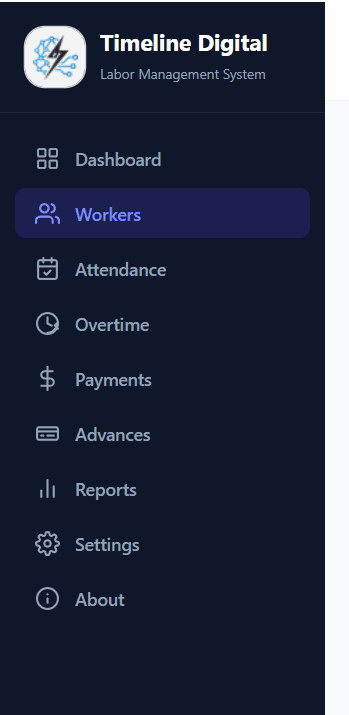
Labor management system sidebar navigation and modules

About Timeline Digital

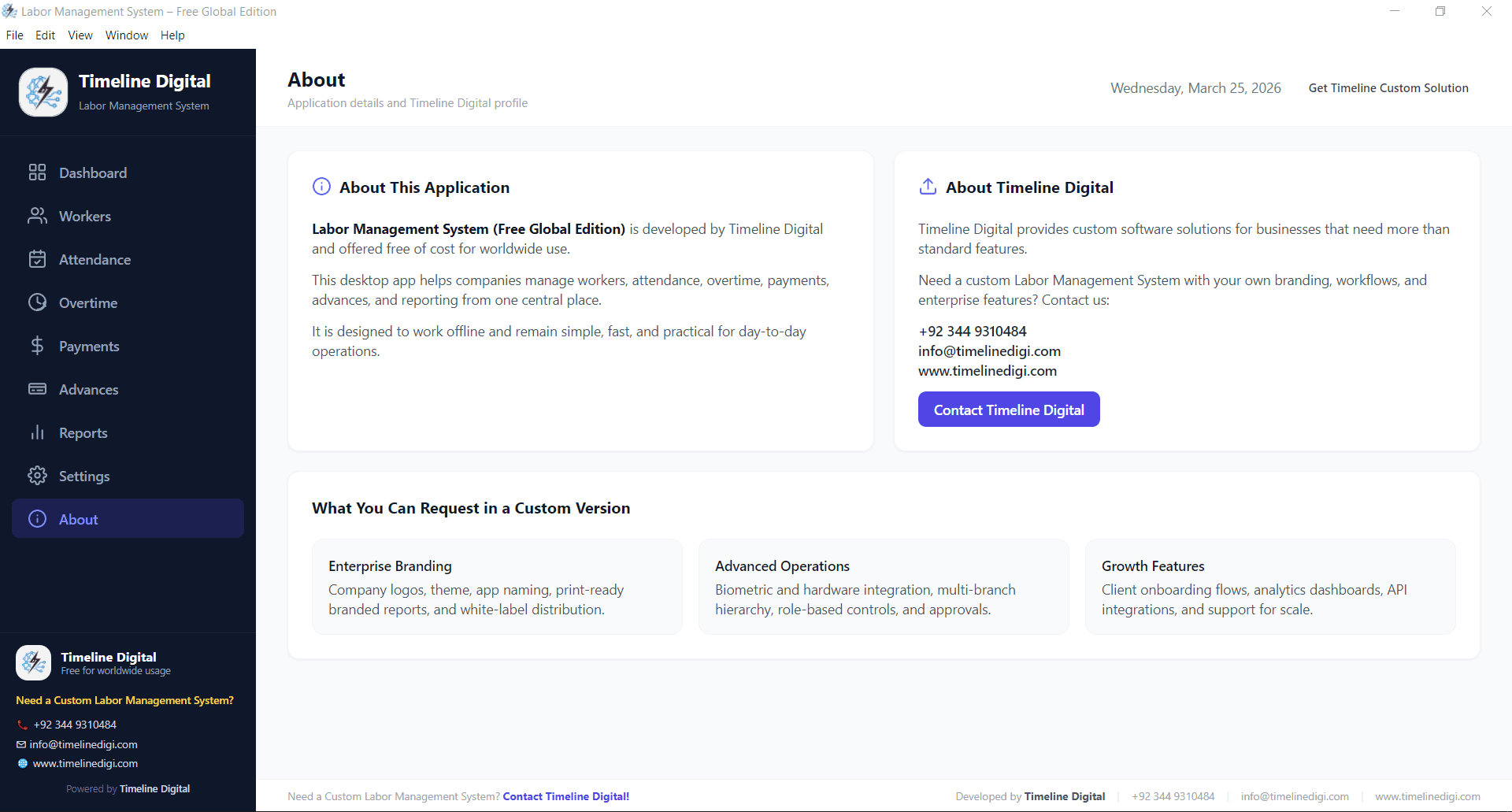
Timeline Digital is a custom software development company with 13+ years in business, 85+ engineers, and 200+ enterprise clients across the USA, UK, Canada, Australia, Germany, UAE and Pakistan. We build tailored business solutions. From school management software to enterprise-grade ERP and CRM systems and POS platforms.

We created this Labor Management System as a free resource because we believe every business, regardless of size or budget, deserves professional tools to manage their workforce efficiently. This is our way of giving back to the business community that has supported us for over a decade.

If your business outgrows the free version and you need a customized solution. Multi-site cloud sync, biometric attendance integration, supervisor mobile apps, API hooks into QuickBooks/Xero/SAP/ADP, or industry-specific modules. Our team can build a tailored labor management system software that fits your exact requirements.

About Timeline Digital | custom software development company building free labor management system

Labor Management System FAQs

Straight answers to the questions buyers ask before they download.

What is a labor management system?

A labor management system (LMS) is software that helps businesses track workers, record daily attendance, manage overtime hours, process payments, handle salary advances, and generate workforce reports from a single application. It replaces paper registers and spreadsheets with accurate, automated workflows and is used across construction, warehousing, manufacturing, retail, hospitality, and facility-management industries.

Is the Labor Management System really free?

Yes, it is 100% free. There is no subscription, no trial period, no hidden cost, and no feature limitation. Timeline Digital provides this software as a free resource for businesses worldwide. Including the USA, UK, Canada, Australia, Germany, UAE, and Pakistan. Download it once and use it for a lifetime.

Does the Labor Management System work offline?

Yes. This is a desktop application that runs entirely on your computer without needing an internet connection. All data is stored locally on your machine, which means you can use it anytime, anywhere. Even on construction sites, remote factories, or warehouses with no reliable network.

Labor management vs HRIS or payroll software?

A labor management system covers day-to-day workforce operations: attendance tracking, worker profiles, overtime logging, advance management, and payment calculations. An HRIS (Human Resources Information System) focuses on employee records, benefits, recruitment, and policy administration. Payroll software focuses on salary calculation, tax filings, and compliance. The LMS handles the daily operations cycle that feeds the HRIS and payroll; most SMBs only need the LMS layer.

Labor management vs WMS — what is the difference?

A WMS tracks inventory, picking, receiving, and stock movement. A labor management system (LMS) tracks the people performing that work. Their hours, attendance, productivity, overtime, and pay. Large warehouses typically run both: the WMS manages goods, the LMS manages workers. In this product, the LMS works standalone and can sit alongside any WMS without forcing a migration.

Is the software safe to install?

Absolutely. The software is developed by Timeline Digital, a registered software development company with 13+ years in business and 200+ enterprise clients served. The installer is clean, does not contain malware, and does not collect personal data. Your workforce information stays on your own computer.

What operating system does it support?

The current version supports Windows 10 and later. It runs as a standard desktop application. MacOS and Linux versions are on the roadmap for future releases.

Can I manage multiple locations or sites?

You can install the software on multiple computers for different locations. Each installation runs independently with its own data. For centralised multi-site management with a shared live view, Timeline Digital can build a custom cloud-connected version tailored to your exact reporting structure.

How many workers can I add to the system?

There is no limit on the number of workers. Whether you manage five people or five hundred, the software handles them without slowing down. Reports, filters, and payment calculations scale with your headcount.

Can I customize the software for my business?

The free version includes configurable settings for overtime rates, working days, and company details. If you need deeper customization. Custom reports, API integrations, multi-site cloud sync, biometric attendance, mobile supervisor apps, or industry-specific modules. Timeline Digital can build a tailored version for your operations.

Does it handle UK, US, EU and AU labour rules?

Yes. Overtime rates, working days, weekly caps, currency, and pay-cycle length are all configurable in Settings. The system does not bake in the rules of any single country, so you can align it with US FLSA overtime, UK Working Time Regulations, Australian Fair Work awards, Canadian provincial rules, or German Arbeitszeitgesetz limits by adjusting a handful of fields.

How do I get help if I face any issue?

Email Timeline Digital at info@timelinedigi.com or message us on WhatsApp at +92 344 9310484. The team responds within 24 hours and helps with installation, configuration, and usage questions at no charge.

Will there be future updates?

Yes. Timeline Digital ships regular updates with new features, improvements, and bug fixes. Updates are free and available from this same page.
Stop Wasting Time on Manual Processes

Download Your Free Labor Management System Now

Join thousands of businesses already using this free workforce management system to save time, reduce errors, and manage their workers more efficiently. One download. Lifetime use. No strings attached.

Need a custom labor management solution? Contact Timeline Digital for a free consultation.