✓ Updated May 12, 2026USA · 9 POS ComparedSave $100 to $200/mo vs Square & Toast

Cheapest POS System for Small Business (USA 2026)

Real all-in cost math for US operators. Software + processing + contract risk, not sticker prices.

Every restaurant POS advertises $0 per month. What that label never shows is the 2.6% they pull from every card swipe. On $15,000 a month in card sales, that’s $390 gone before you pay a single bill. We put together this guide to show the real all-in number, software, card processing, per-transaction fees, hardware financing and contract risk, across 9 USA POS systems, so you can see which one actually costs the least at your specific card volume.

Short answer for US restaurants and small businesses: the cheapest POS system for restaurant or small business use in the USA in 2026 is Timeline POS at $0/month software with $0 transaction fees from the POS vendor, because Timeline does not process card payments. You connect your own bank terminal or reader at whatever rate you negotiate (typically 1.3% to 1.7%). Most independent US restaurants and shops on $10k, $25k/month in card volume save $100 to $200 per month compared to Square, Toast or Clover once the all-in math is done honestly.
$0 / month $0 transaction fees Works offline No contracts
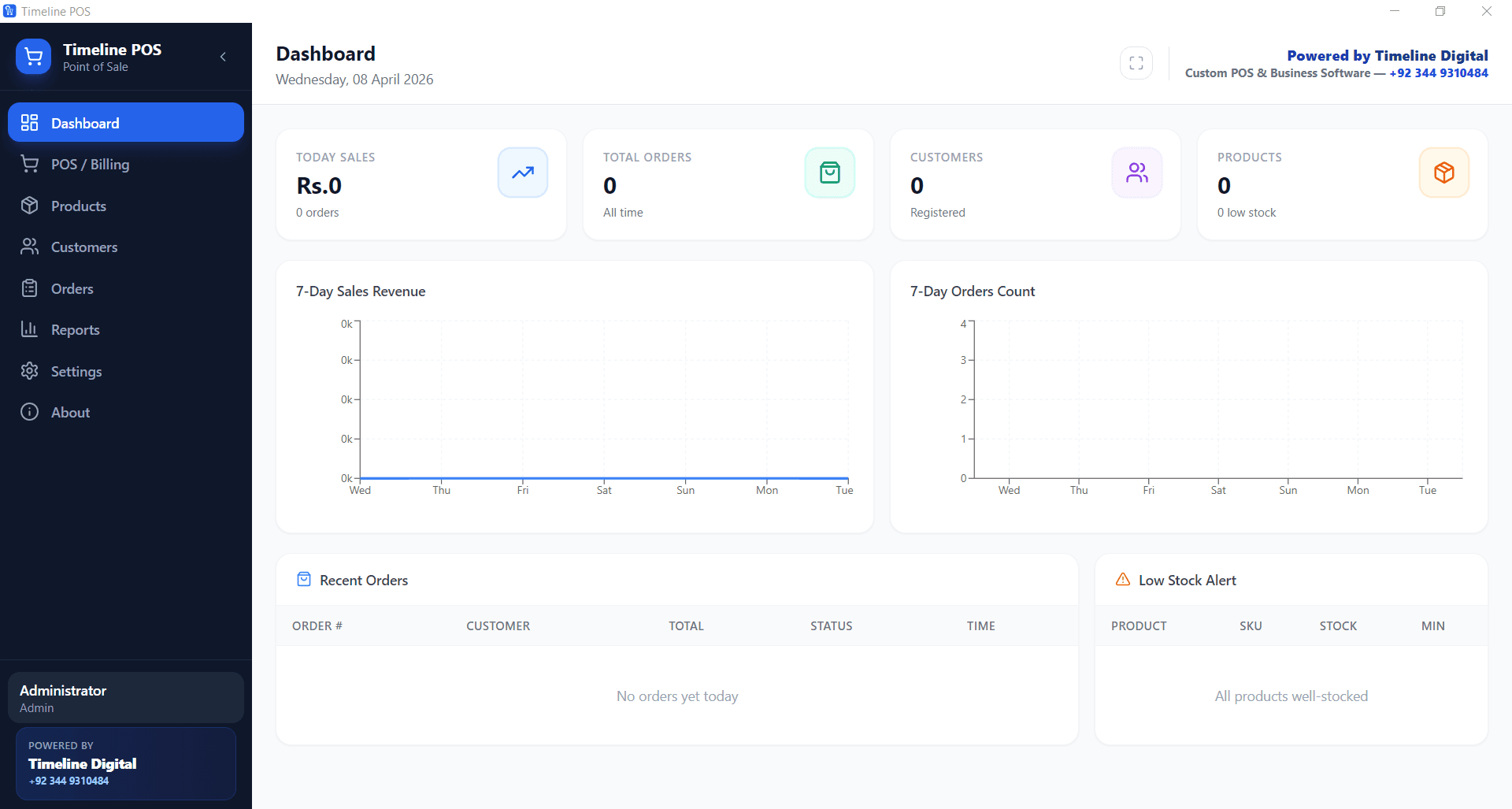
Cheapest POS system for small business. Timeline POS dashboard

Cheapest POS System for Restaurant & Small Business, The Short Answer

Timeline POS is the cheapest option for most independent USA restaurants and small businesses by a clear margin. The software is free, permanently, no trial, no per-terminal fee, and Timeline Digital charges zero transaction fees because it doesn’t process your card payments at all. You accept cards through your own bank terminal or low-cost reader (Stripe Terminal, SumUp, Zettle, your bank’s machine, your choice), and whatever processing rate you negotiate goes directly to that provider, not to us. At $12,000/month in card sales, that one difference typically saves operators $100 to $160 per month versus Square or Toast, and the gap widens the more you sell.

The cheapest POS system for restaurant operations is therefore not the one with $0 on the price card. It’s the one that pairs $0 software with your card processor at your negotiated rate, and that’s the structural advantage Timeline POS has over every “free POS” on this page.

For the full POS-buyer’s reference covering free, cheapest, restaurant and food-truck systems, see our Best POS Systems 2026 hub, or jump to the complete restaurant cost-guide blog for a deeper walkthrough.

We reply within the hour

Want help picking the cheapest POS for your business?

Leave your name and number. We'll look at your business and tell you the cheapest setup that fits, free, within the hour.

No spam. We only use your number to reply about your project.

How we evaluated these POS systems

This guide is grounded in three years of hands-on Timeline Digital deployments inside USA small businesses and restaurants, single-location retail, cafés, food trucks, salons and small chains. We do not earn affiliate commissions on any system listed. Pricing is sourced directly from each vendor’s published rate card as of May 2026.

Every system is scored against the same six criteria, then run through real-money math at a representative US small-business profile of $15,000/month revenue at 65% card volume ($9,750/month in card payments).

  1. 1.
    Software fee at base tier, lowest published monthly rate that still includes a usable order-taking workflow.
  2. 2.
    Card processing rate, percentage + per-transaction fee on every card swipe at the system’s default processor.
  3. 3.
    Hardware lock-in, whether the POS forces branded terminals or runs on commodity Windows / iPad / Android.
  4. 4.
    Contract risk, termination penalties, multi-year minimums, forced processor relationships.
  5. 5.
    Offline operation, does the POS function fully when internet drops, or degrade to queue-and-wait.
  6. 6.
    Restaurant features at base, table layout, modifiers, recipes, EOD reports, kitchen tickets, US sales-tax engine.

Authored by Timeline Digital’s POS engineering team, makers of Timeline POS and Timeline Restaurants POS. Reviewed by Lead Engineer Usama Asif.

Updated May 2026

What changed in 2026, every POS, every price update

POS pricing moves faster than buyers realise. Here’s every material 2026 change across the systems compared on this page:

  • Square (Apr 2026), raised the per-transaction flat fee on the Plus plan from 5¢ to 10¢ on tap-to-pay. Added a new $79/month Premium tier bundling KDS, multi-location reports and AI labour scheduling.
  • Toast (Mar 2026), quietly retired the lifetime free Starter Kit hardware promo on multi-terminal sites. Toast Capital lending now requires a 2-year processor contract for any restaurant taking a working-capital advance.
  • Clover (Feb 2026), consolidated three pricing tiers down to two: Essentials ($14.95) and Restaurant ($84.95). Dropped the iPad Mini option in favour of the Mini 3 (Android-based).
  • Loyverse (Jan 2026), added multi-store inventory sync to the Advanced Inventory tier ($25/month). Base tier still free.
  • TouchBistro (Mar 2026), online ordering integration added at $50/month additional. Per-terminal pricing unchanged at $69.
  • Timeline POS / Timeline Restaurants POS (May 2026), shipped v1.0.0 with full table-and-bar layout, dine-in / takeout / delivery split tabs, recipe-based inventory and US sales-tax engine for all 50 states. Still $0/month, $0 transaction fees, no contract.

Cheapest POS System for Restaurant (USA): Quick Cost Snapshot

Example scenario: a US restaurant doing $15,000 monthly revenue with 65% card usage ($9,750 in card volume). This is the single most important table on the page, it shows why processing rates, not software labels, usually decide the cheapest total cost of a restaurant POS.

SetupSoftwareProcessingTotal / month
Timeline POS + 1.5% merchant account$0$146$146
Loyverse + low-cost processor$0$165 (approx)$165
Square for Restaurants Free$0$267+ (2.6% + fixed fee)$267+
Toast Starter$0$256+ (2.49% + fixed fee)$256+
Clover Dining Starter$14.95$239+ (approx)$254+

Need the full restaurant-only breakdown? See the dedicated USA restaurant guide.

Cheapest POS System for Restaurant, By Top US City

Card processing rates vary by city, by bank and by negotiated volume, but the structural answer to “what is the cheapest POS system for restaurant use?” is identical in every US market we’ve deployed in. Software fee: $0. Processor: your bank, not the POS vendor’s. Below is the all-in monthly bill at the same $15k/65%-card restaurant profile, but with each city’s typical bank rate and sales tax baked in.

US MarketSales taxMedian bank rateTimeline POS all-inSquare Free all-in
New York City, NY8.875%1.45%$141$263
Los Angeles, CA9.5%1.55%$151$264
Chicago, IL10.25%1.40%$137$262
Houston, TX8.25%1.50%$146$263
Miami, FL7.0%1.65%$161$264
Atlanta, GA8.9%1.45%$141$263
Las Vegas, NV8.375%1.60%$156$264
Boston, MA6.25%1.40%$137$262
Phoenix, AZ8.6%1.50%$146$263
Seattle, WA10.35%1.45%$141$263

Sales tax is a pass-through line, it doesn’t affect POS economics. The bank-rate column is what actually moves your bill, and that’s the variable Square, Toast and Clover remove from your control by bundling processing.

9 Cheapest POS Systems for Restaurant & Small Business. Compared

Monthly software fee, transaction fee, hardware cost, and what each one is actually best for. Pricing is current as of April 2026. Always confirm with the vendor. POS pricing changes often.

POS SystemMonthly FeeTransaction FeeHardwareBest For
Timeline POS (Free Desktop)$0 forever$0, Timeline charges no fees at all. Card processing goes to your own bank or reader at whatever rate you negotiate.Use your existing Windows PC. Zero extra hardware required.Independent restaurants, cafés, retail shops, service businesses
Square Free Plan$02.6% + 10¢ in person; 2.9% + 30¢ online (USA)Free magstripe reader; $49 to $799 for chip/tap hardwareBusinesses that want one app for POS and payments
Loyverse POS$0 base; add-ons $5 to $25/moDepends on payment integration (Square, SumUp, Zettle)Works on any iPad or Android tabletCafés, small restaurants, and shops
eHopper POS$0 for essentials; $29.99+/mo for advancedProcessor-dependentFree on your device; bundles $449+Convenience stores, quick-service food, and kiosks
SumUp / Zettle (by PayPal)$01.69% to 2.75% per transaction (varies by country)$39 to $79 reader; $99+ register bundlesMarket traders, mobile merchants, micro-businesses in the UK and EU
Square Plus / Shopify POS Lite$29 to $89/mo~2.5% to 2.9% + fixed$49 to $799Growing retailers who need more features than the free tier
Lightspeed Retail Lean$69+/mo2.6% + 10¢ with Lightspeed Payments$329+ for bundleSmall retailers that need multi-location and deep inventory
Clover Mini / Go$14.95+/mo2.3% + 10¢ and up (processor-dependent)$49 (Go card reader) to $749+ for Clover MiniMerchants wanting an all-in-one hardware + software stack
Toast Starter$0 (restricted; hardware & processing bundled)~2.49% + 15¢ and up$0 upfront on Starter (higher fees)Small restaurants, cafés, and quick-service

Prices shown for USA merchants. UK, Germany, Canada, and Australia rates differ. Check the vendor’s local site. Transaction fees for non-processor POS systems (like Timeline POS) depend on whichever card reader or bank you use separately.

Cheapest POS Systems: Detailed Breakdown

The comparison table gives you the headline number. This section is the honest commentary. What each POS is actually like to run, and where the pricing trap tends to be hidden.

1. Timeline POS. Cheapest Overall

$0/mo · $0 transaction fees · Windows desktop

Timeline POS is built by Timeline Digital, a custom software company that has been in business for 13 years and works with 860+ clients across the USA, UK, and Europe. We ship it free because most small restaurants and shops genuinely don’t need the complexity, or the monthly bill, of Square, Clover, or Lightspeed. It runs on Windows, works completely offline, and handles billing, menu management, inventory, customer records, kitchen tickets, orders, and daily reports. There is no subscription, no trial period, no feature paywall, and no transaction fees from us. Ever.

One important point: Timeline POS does not process card payments itself. To take cards, you connect any card reader or terminal you already have, your bank’s machine, a SumUp reader, a Zettle device, and card fees go to that provider at whatever rate you negotiate. This is the whole reason Timeline POS users pay less overall. You’re not locked into 2.6%.

  • $0 software, $0 transaction fees to Timeline Digital, completely free
  • Use any card reader at your own negotiated processing rate
  • Unlimited products, customers, orders, and users
  • Full offline operation, no internet required during service
  • Kitchen ticket printing, table management, menu modifiers included
  • Windows only for now, macOS version is on the roadmap
Learn more and download Timeline POS

2. Square Free Plan

$0/mo · 2.6% + 10¢ per in-person card transaction (USA)

Square is the most widely used free POS in the USA, and for low-volume businesses it is hard to beat. The app is genuinely polished, you get a free reader in the mail, and it works on any iPhone, iPad, or Android. The trade-off is the processing rate, 2.6% plus 10 cents per tap. On $10,000 a month in card sales, that comes to roughly $270. That’s your actual monthly bill, not the $0 on the plan page. Still worth it for cafés and shops doing under $5,000/month on card; the math turns against you once volume climbs.

3. Loyverse POS

$0/mo · Payment processing via integrated partner

Loyverse is the most popular free café and restaurant POS outside of Square. It runs on an iPad or Android tablet, handles modifier groups cleanly (milk choice, cup size, extras), supports split bills, and connects to SumUp, Square, Zettle, or CloudPayments for card acceptance. The core product is free. Where it starts adding up is the extras: kitchen display is $25/month, employee management is $5/month, and advanced inventory is $25/month. A fully-equipped restaurant setup lands around $35 to $55/month in software before you add card processing. Still a reasonable choice if you prefer a tablet over a Windows counter.

4. eHopper POS

$0/mo on the Essential plan · processor-dependent rates

eHopper is a solid free option for convenience stores and quick-service counters. It runs on Windows, Android, and Poynt terminals, which gives it more hardware flexibility than most. The free Essential plan caps out at 300 products and one register, workable for a small shop but tight once you expand. Staff management and deeper inventory require the paid tier at $29.99/month. It’s a decent short-term option, but most operators hit the free plan ceiling faster than they expect.

5. SumUp & Zettle (PayPal). Best Cheap Mobile POS

$0/mo · 1.69% to 2.75% per card transaction · $39 to $79 reader

SumUp and Zettle are the go-to choice for mobile merchants in the UK and Europe. A SumUp Go reader is around £29/€29, there is no monthly fee, and no contract to sign. The processing rate sits at 1.69% in the UK and around 1.99% to 2.75% in the USA depending on the plan. The POS app itself is basic, products, discounts, simple reports, but for a food truck, market stall, or business that visits clients, that is usually everything you need. Hardware cost under $80 and out the door the same day.

6. Toast Starter & Clover Go. Bundled Restaurant/Retail

$0 to $14.95/mo · 2.3% to 2.49% + fixed fees · $49 to $749 hardware

Toast Starter advertises $0/month and delivers a genuinely capable restaurant platform, menu, kitchen display, floor plan, and delivery integration. But the $0 comes with processing bundled at 2.49% + 15 cents per transaction, and a multi-year contract that is painful to exit early. Clover starts at $14.95/month with processing at 2.3%+. Both systems work well. The honest issue is not the monthly fee, it is the long-term processor lock-in. If your restaurant scales up and your card volume grows, you cannot renegotiate those rates without leaving the platform entirely.

7. Shopify POS Lite & Square Plus. Budget Growth Tier

$29 to $89/mo · 2.5% to 2.9% card fees · $49 to $799 hardware

Once the free tier stops covering your needs, Shopify POS Lite (bundled with a Shopify subscription from $29/month) and Square Plus at $29 to $89/month are the sensible next step. Neither is cheap in absolute terms, but both earn their keep for businesses that need web and in-store inventory in sync, deeper sales analytics, or multi-location management. At $20k+ a month in card volume, the lower processing rates that come with paid plans can recoup the subscription cost. Not a cost-cutting play, a growth-stage play.

Restaurant POS Features: What They Cost in 2026

A retail shop POS needs to ring items and track stock. A restaurant POS has a much longer list, modifiers for every menu item, kitchen tickets that fire the moment you close an order, split bills, tip prompts, table floor plans, and an end-of-shift cash count. Most POS vendors charge separately for each of those. The table below shows what that actually costs across the four lowest-priced restaurant POS options available right now.

FeatureTimeline POSLoyverseSquare for RestaurantsToast Starter
Menu management + modifiers✅ Free✅ Free✅ Free✅ Free
Split bills✅ Free✅ Free✅ Free✅ Free
Tip management✅ FreeVia payment partner✅ Free✅ Free
Kitchen display / print tickets✅ Free$25/mo add-on$50/mo add-onBundled (higher processing fees)
Table / floor management✅ Free✅ Free$60/mo$110/mo
Employee shift tracking✅ Free$5/mo add-on✅ Free$13/mo add-on
Online ordering integrationCustom / middleware ($9 to $30/mo)$9/mo add-on$75/mo$75/mo+
Offline operation✅ Full offlinePartialPartialPartial
Total software cost / month$0$0 to $39$0 to $185+$0 to $198+

Feature availability and add-on pricing as of May 2026. Verify current pricing directly with each vendor before signing up.

What Is a POS System? (Quick Definition)

POS stands for Point of Sale. It is the system you use to take an order, charge a customer, and keep a record of the transaction. A decent one also tracks your stock levels, generates daily sales reports, and stores customer data. The difference between cheap and free is usually where the money gets taken from you. Square is free software, but it takes 2.6% of every card swipe. Toast is free software, but it takes 2.49% plus 15 cents on every transaction. Timeline POS is free software with no processing fees at all, because it does not touch your card payments. You handle processing separately with your own bank or card reader, at whatever rate you can negotiate.

Core features every cheap POS should have

  • Product catalogue with barcode scanning
  • Inventory levels with low-stock alerts
  • Sales, orders, and customer tracking
  • Daily, weekly, monthly reports
  • Receipt printing and email
  • Tax and discount handling

What is “CRM” in a POS context?

CRM (Customer Relationship Management) inside a POS means storing customer profiles, tracking purchase history, and sometimes running loyalty offers. Timeline POS, Square, Loyverse, and Clover all include basic customer tracking for free; full marketing automation (email campaigns, loyalty points) usually costs extra on SaaS platforms.

Cheapest POS by Business Type

There is no single right answer. A coffee shop and a food truck both want low costs, but they need completely different things. Here is the honest breakdown for each business type.

Small Retail Shop

Cheapest pick: Timeline POS (free) or Square Free

Single-location retail needs barcode scanning, a product catalogue, and clean end-of-day reports. Timeline POS handles all three at zero cost, no software fee, no transaction fee to Timeline. Square Free is the right call if you want one app for both the POS and card payments, and you are comfortable with 2.6% per swipe.

Café or Restaurant

Cheapest pick: Timeline POS or Loyverse

Timeline POS handles menu management, modifiers, kitchen tickets, and table orders on a Windows counter at no charge. Loyverse does the same on iPad with a cleaner café interface and a kitchen display add-on at $25/month. Either way, your real cost is the card processing rate you negotiate separately, not the POS software itself.

Food Truck / Market Stall

Cheapest pick: SumUp, Zettle, or Square

Mobile-first means a phone or tablet with a $39 to $79 reader. Square is the most polished iOS and Android experience. SumUp has the cheapest hardware entry point, especially in the UK and EU. No monthly fee, no contract, runs on your phone’s data connection.

Salon or Service Business

Cheapest pick: Timeline POS or Square Appointments

If appointment booking matters, Square Appointments has a free tier that handles it. If you just invoice at the end of a visit, Timeline POS is the cheaper path, $0 ongoing and no per-transaction cut. Both work well for a single-chair or small-team setup.

Small Restaurant Chain

Cheapest pick: Loyverse or Shopify POS Lite

Multiple outlets need central menu control and consolidated reporting. Loyverse handles multi-location at low cost. Timeline POS runs independently per site, which works well if each location manages its own stock separately.

Online + In-Store

Cheapest pick: Shopify POS Lite or Square Plus

If you sell online and in person, unified inventory is the main problem to solve. Shopify and Square Plus do this well. Neither is cheap by this page’s standard, but the hours saved reconciling stock between two systems makes the monthly fee worth paying.

Cheapest POS for Every Restaurant Type (USA 2026)

A food truck and a full-service diner are both restaurants, but they need completely different tools. One needs to run on a phone in a parking lot. The other needs table assignments, multi-course order flow, and a kitchen printer. Here is the cheapest setup we have verified for each restaurant format.

Quick Service (QSR) & Fast Food

Cheapest: Timeline POS or eHopper

$0/month software

QSR counters need fast order entry, modifier support, and quick close times, and they absolutely cannot have the register go down because the internet blinked during the lunch rush. Timeline POS runs fully offline on a Windows counter terminal and costs nothing. eHopper is the right choice if you need an Android-based setup instead.

Café & Coffee Shop

Cheapest: Loyverse or Timeline POS

$0/month software

Loyverse on an iPad is the most widely used free café POS in the USA. It handles modifier groups cleanly, milk type, cup size, hot or iced, with kitchen ticket support and basic loyalty. Timeline POS does the same on Windows. Whichever you pick, the software is $0. Your only real monthly cost is whatever processing rate you use for card payments.

Pizza & Delivery Restaurant

Cheapest: Timeline POS + middleware

$0 to $30/month

Pizza shops need to take phone orders, track delivery addresses, and fire orders to the kitchen the second they come in. Timeline POS covers in-store and phone orders at no charge. For DoorDash or Uber Eats sync, add a middleware layer, Deliverect or a similar tool runs $9 to $30/month. Even with that, the total is usually cheaper than Toast or Square at restaurant-level card volume.

Food Truck / Pop-Up Event

Cheapest: SumUp or Square (mobile)

$0/month + reader $39 to $79

A phone, a $39 to $79 reader, and a data connection. That is the whole setup. Square has the most polished mobile POS app for iOS and Android. SumUp has the cheapest reader hardware, especially in the UK and EU. No monthly fee, no contract, no complications. You can be set up and taking payments the same afternoon you order.

Diner & Full-Service Restaurant

Cheapest: Loyverse or Timeline POS

$0 to $25/month

Full-service restaurants need a floor plan, server assignments, course flow, and split bills at table close. Loyverse free tier covers table management and split payments. Timeline POS handles the same workflow on a Windows register. Square for Restaurants has a table management feature too, but charges $60/month extra for it, which is unnecessary for most independent diners.

Bar & Pub

Cheapest: Square Free or Timeline POS

$0/month software

Bars live and die by open-tab management and fast close times at end of night. Square free plan handles open tabs and tip prompts well on an iPad, with no monthly software fee. Timeline POS manages tabs and end-of-shift settlement on Windows, and if you run your cards through your own bank terminal, there is no processing markup at all.

Free vs. Cheap Paid POS. Pros and Cons

Free POS Software. Pros

  • $0/month, permanently. No bill when business is slow
  • No multi-year contract or early-termination penalty
  • Ideal for startups and seasonal businesses with variable revenue
  • Offline options like Timeline POS keep working through internet outages
  • Timeline POS: $0 software, $0 transaction fees, unlimited everything

Free POS Software. Cons

  • Processor-tied free POS (Square, Toast, Clover) has high variable fees
  • Fewer native integrations than paid enterprise platforms
  • Support is often email-only or community-based
  • Advanced reporting usually requires a paid upgrade

Cheap Paid POS. Pros

  • Lower card-processing rates at higher volume
  • 24/7 phone support and SLA-backed uptime
  • Multi-location and cloud sync built in
  • Deep integrations with accounting, e-commerce, loyalty

Cheap Paid POS. Cons

  • Minimum $14 to $89/month even when you are closed
  • Processor lock-in on 2 to 3 year contracts
  • Proprietary hardware. Often locked to the vendor
  • Costs scale with users, registers, and locations

How to Set Up the Cheapest Restaurant POS in 4 Steps

You do not need a demo call, a sales rep, or a three-year contract to get a working restaurant POS. Here is exactly how to go from zero to taking orders with Timeline POS, no credit card required, no monthly bill, no signup fee.

1

Download Timeline POS, free, no account needed

Go to the Timeline POS page and grab the Windows installer. It is under 50 MB. Runs on any Windows 10 or 11 PC or laptop you already own. No account, no credit card, no trial period. The software is free to use permanently, not a 14-day demo, not a limited free tier.

2

Build your menu and set up modifiers

Add your menu items with names, prices, and categories, starters, mains, drinks, specials. Set up modifier groups per item so staff can record things like milk choice for coffee, size for soft drinks, or extra toppings for pizza. A typical café or QSR menu takes 15 to 20 minutes to enter. Restaurants with bigger menus are usually done in under an hour.

3

Connect your own card reader for payments

Timeline POS does not charge any transaction fees because it is not a payment processor, it never touches your card revenue. To take card payments, connect any reader you choose: your bank's existing terminal, a SumUp Go, a PayPal Zettle, or any standard USB card device. Your card fees go directly to that provider at whatever rate you have negotiated, not to Timeline Digital. That is how most operators get to 1.2 to 1.5% rather than the 2.6% locked into Square or Toast.

4

Run a test order and check your first daily report

Ring in a test order, assign it to a table, fire a kitchen ticket, close the order, and print a receipt. Then open the daily sales report to confirm everything recorded correctly. Timeline POS keeps all data on your machine, no internet needed during a shift. For backup, copy the data folder to a USB drive or a cloud folder once a week.

Total time: 20 to 30 minutes. Total software cost: $0 forever.

Hardware cost: $0 if you have a Windows PC. Add a $39 to $79 card reader if needed.

Download Timeline POS

Restaurant POS: True Monthly Cost at 3 Revenue Levels

These are actual dollar figures, not marketing estimates. Every scenario assumes 75% of revenue is paid by card, typical for a USA restaurant in 2026. Software fees are included where they apply. The gap between the cheapest and most expensive option only widens as your revenue grows.

Scenario A: $8,000/month revenue (75% card = $6,000 card volume)

POS SetupSoftwareCard fees ($6,000)Total / month
Timeline POS + 1.5% bank rate$0$90$90
Loyverse + SumUp (1.69%)$0$101$101
Square Free (2.6% + 10¢)$0~$161~$161
Toast Starter (2.49% + 15¢)$0~$155~$155
Clover Dining Starter$14.95~$138~$153

Scenario B: $15,000/month revenue (75% card = $11,250 card volume)

POS SetupSoftwareCard fees ($11,250)Total / month
Timeline POS + 1.5% bank rate$0$169$169
Loyverse + SumUp (1.69%)$0$190$190
Square Free (2.6% + 10¢)$0~$303~$303
Toast Starter (2.49% + 15¢)$0~$295~$295
Clover Dining Starter$14.95~$259~$274

Scenario C: $25,000/month revenue (75% card = $18,750 card volume)

POS SetupSoftwareCard fees ($18,750)Total / month
Timeline POS + 1.5% bank rate$0$281$281
Loyverse + SumUp (1.69%)$0$317$317
Square Free (2.6% + 10¢)$0~$503~$503
Toast Starter (2.49% + 15¢)$0~$484~$484
Clover Dining Starter$14.95~$446~$461

USA rates as of May 2026. Bank merchant account rates vary by provider, card mix, and negotiated volume, 1.2 to 1.5% interchange-plus is available to independent restaurants. Per-transaction fixed fees are estimated at avg 40 to 60 transactions/day.

Hidden fees & contract red flags to avoid

The headline software fee is the easy number to compare. The real cost lives in seven hidden line items that rarely appear in the “starting at” bullet on a vendor website. Before you sign anything, get the answers to all seven in writing.

Per-transaction fees beyond the percentage

Many processors charge 10¢, 30¢ per swipe on top of the percentage. On a $4 coffee that is a 2.5% to 7.5% effective hit. On 60 daily transactions that is $180 to $540/month before software.

PCI compliance fees

Typically $5 to $25/month from integrated processors, often called "Service Fee", "Compliance Fee" or "Risk Assessment". Not negotiable on Square, Toast, Clover.

Statement fees

$5 to $15/month for the privilege of receiving your monthly statement. Add roughly $60 to $180/year to your real total.

Cancellation penalties

Toast Capital and Clover bank-bundle deals can carry 36-month penalties of $500 to $2,000 if you switch processors mid-contract.

Hardware financing interest

"Free hardware" usually means 24 to 36 monthly payments at high APR. A "free" $799 Toast terminal can cost $1,400+ over the contract.

Add-on subscriptions

KDS, online ordering, gift cards, loyalty, employee management, payroll, multi-location reporting, each commonly $5 to $50/month on most platforms.

Processor minimums

Minimum monthly card volume below which surcharges apply. New restaurants and seasonal businesses are most exposed.

Forced processor lock-in

Square and Toast bundle the merchant account, you cannot use a different processor with their POS. Loss of processor negotiating power = $1,000 to $3,000/year for typical operators.

Three questions to ask every POS rep, in writing

  1. What is my total all-in cost at $X monthly card volume, including processing, per-tx fees, PCI, statement and minimum?
  2. What is my total cost over 36 months including hardware financing and any locked-in escalators?
  3. Provide the full list of recurring fees beyond the headline software fee.

If a rep cannot or will not answer all three in writing, that’s your answer, walk away. Timeline POS has none of these line items because there is no Timeline-side fee structure to hide.

Cheapest POS System for Restaurant FAQs

Common questions from restaurant and small business owners comparing POS costs, with straight answers, not sales copy.

What is the cheapest POS system for restaurant businesses in the USA?

For most independent restaurants in the USA, Timeline POS is the cheapest option. The software is $0 forever and Timeline Digital charges zero transaction fees, it does not process card payments at all. You handle card acceptance through your own bank terminal or a low-cost reader like SumUp. At $12,000/month in card sales, that setup typically runs $100 to $150/month all-in, versus $280 to $310/month with Square or Toast.

Why does a "$0/month" restaurant POS still become expensive?

Because the label only reflects the software subscription, not the processing fees. Most $0/month restaurant POS systems make their money on every card swipe, 2.49% for Toast, 2.6% for Square. On $12,000/month in card sales, that is $299 to $312/month in fees on top of the $0 software label. The only way to escape that cost is to use a POS that does not process payments, like Timeline POS, and run cards through your own bank at a lower interchange rate.

What is the cheapest POS system for small business?

Timeline POS is the cheapest option for most small businesses. It is free permanently, no trial, no subscription, no feature paywall. It runs on any Windows PC you already own. And because it does not process card payments, Timeline Digital charges zero transaction fees. Your only card cost is whatever rate your bank or card reader charges, which you negotiate independently. If you need everything in one app including card processing, Square Free is the next cheapest at 2.6% + 10 cents per tap with no monthly fee.

Is there a truly free POS system for small business in 2026?

Yes. Timeline POS is genuinely free, no trial period, no subscription, no feature lockout, and no transaction fees charged by Timeline Digital. It does not process card payments, so there is nothing to charge a percentage on. Square, Loyverse, eHopper, and SumUp are also free on the software side, but each one charges processing fees on every card sale. Those fees add up to a meaningful monthly cost at any real sales volume.

How much does a basic POS system cost per month?

Software fees range from $0 to $89/month. Processing fees add 1.69% to 2.9% on every card transaction on top of that. A small business doing $10,000/month with 70% card payments effectively pays $117 to $203/month in processing alone, regardless of what the software plan says. The only way to reduce that bill is to either reduce your processing rate or use a POS that does not take a cut of card sales, like Timeline POS, where you choose your own processor and negotiate the rate yourself.

What is the difference between cheap and free POS software?

Free POS software has no monthly fee but the vendor usually makes money another way, either through processing fees on every card swipe, hardware sales, or paid feature add-ons. Cheap POS software costs $10 to $30/month and typically includes support, cloud backup, and more integrations. Timeline POS is a third model: free software with no processing fees of any kind, because it does not touch payments at all. For most small businesses doing under $8,000/month in card sales, any free plan works out cheaper. Above that level, a POS like Timeline POS that lets you negotiate your own processing rate becomes meaningfully cheaper per year.

Can I use a cheap POS system without paying transaction fees?

Yes. Timeline POS charges $0 in software fees and $0 in transaction fees, because it does not process payments. You record sales and manage orders through the POS, then accept payment through your own card terminal at whatever rate you negotiate with your bank or a standalone reader like SumUp. This is the best approach for any business that already has a merchant account, or for restaurants that still take a significant amount of cash.

Is a free POS system safe for my business data?

A reputable free POS system is as safe as a paid one, provided the vendor is established and the software is downloaded from an official site. Timeline POS stores data locally on your computer, so your sales, inventory, and customer records never leave your premises. For cloud-based free POS options like Square or Loyverse, check the vendor's security certifications (PCI DSS, SOC 2) before signing up.

Which POS is cheapest for a retail shop?

For a single-location retail shop, Timeline POS is the cheapest option at $0 total cost with unlimited products, barcode scanning, inventory tracking, and reports. If you need built-in card payments and are in the USA, Square Free is the cheapest branded option; in the UK and Germany, SumUp and Zettle offer the lowest hardware entry points at $39 to $79 for a reader.

Which POS is cheapest for a restaurant or café?

For a small café or restaurant, Timeline POS covers menu management, orders, table assignments, kitchen tickets, and daily reports at zero cost. Loyverse is a strong alternative if you prefer an iPad interface and do not mind paying $25/month for a kitchen display add-on. Toast Starter looks cheap at $0 but bundles processing at 2.49% + 15 cents, on $12,000/month in card sales that is $299/month before you add table management or online ordering.

Can I use a mobile phone as a cheap POS system?

Yes. SumUp, Zettle, Square, and Loyverse all run on Android and iOS with a paired card reader. For businesses that only need occasional sales or operate at markets, events, or mobile service calls, a phone-based mobile POS is the cheapest route. Total hardware cost of $39 to $79 and $0/month in software fees.

What should I look for in a cheap POS system?

No mandatory monthly fee. No locked payment processor. Unlimited products and users. Offline capability so a dropped internet connection does not stop service during a busy period. Daily and weekly sales reports. An export function so you can take your data if you ever switch platforms. The biggest trap in cheap POS is the multi-year processor contract. Some systems advertise $0 software specifically to lock you into a processor at rates you cannot renegotiate. Read the payment processing agreement, not just the software plan page.

Do cheap POS systems work in the USA, UK and Germany?

Yes. Timeline POS is fully configurable for currency, tax rates, and receipt formats, so it works in the USA (with USD and sales tax), the UK (GBP and VAT), Germany (EUR and MwSt.), Canada, Australia, and any other English-speaking market. Square covers the USA, UK, Australia, Canada, Ireland, France, Spain, and Japan. Zettle and SumUp are strongest across the UK, Germany, and the rest of Europe.

Does the cheapest restaurant POS handle kitchen display and ticket printing?

Timeline POS prints kitchen tickets to any standard USB or network receipt printer at no extra charge. That is the cheapest option. Loyverse adds kitchen display for $25/month. Square for Restaurants charges $50/month for kitchen display integration. Toast bundles a kitchen display into its Starter hardware package but recoups that cost through higher processing fees of 2.49% + 15 cents per transaction. If kitchen ticket routing is important and you want to keep software costs to zero, Timeline POS is the only option in this comparison that includes it for free.

What is the cheapest POS for a quick service restaurant (QSR)?

Timeline POS is the cheapest QSR option at $0 software and $0 fees from Timeline Digital. It handles fast order entry, menu modifiers, and kitchen print tickets on a Windows counter terminal. Critically, it runs fully offline, a dropped internet connection during the lunch rush does not stop the register. eHopper is a solid Android alternative if you need a non-Windows setup. Avoid any cloud-dependent POS system for a QSR counter where speed and uptime are essential.

Can I use Square for Restaurants for free?

Square for Restaurants has a free tier that covers basic menu management, order tracking, and limited table management. The free plan works for a small café or QSR. Kitchen display, advanced floor plan management, and multi-location control require the Plus plan at $60/month per location. Processing fees of 2.6% + 10¢ per in-person transaction apply on all plans. For a restaurant doing $12,000/month in card sales, that adds approximately $312/month in processing costs on top of any software fee.

What is the true monthly cost of Toast POS for a small restaurant?

Toast Starter advertises $0/month. What that does not say is that processing comes bundled at 2.49% + 15 cents per transaction, tied to a multi-year contract. On $12,000/month in card sales, that is $299/month in processing fees before you add a single feature. Table management adds $110/month. Online ordering adds $75/month. A fully-equipped small restaurant on Toast Starter typically pays $480 to $550/month once the actual bill arrives. That is not what the $0 headline suggests. Timeline POS with a low-rate merchant account at $12,000/month card volume typically runs $100 to $160/month all-in.

Does a cheap restaurant POS integrate with DoorDash or Uber Eats?

Most free restaurant POS systems do not natively integrate with DoorDash or Uber Eats. Square for Restaurants (Plus plan), Toast, and Lightspeed Restaurant offer native delivery app integration. If you want to keep costs minimal, you can manage delivery orders manually through a free POS like Timeline POS or Loyverse and route them to the kitchen that way. The cheapest third-party middleware for delivery integration (e.g. Deliverect or Order.co) typically costs $9 to $30/month and bridges most free POS platforms to major delivery apps.

How does Timeline POS handle restaurant table and order management?

In Timeline POS, each order is assigned to a table number. The order stays open while the table is occupied and prints a kitchen ticket to any USB or network printer connected to the same machine. Staff can add modifiers to any item, update the order mid-service, and close out the bill with a final receipt. Everything runs on the local machine, no internet connection required, so a slow or dropped connection during the dinner rush does not affect service. Timeline Digital charges nothing for any of this. It is all included at zero cost.

What POS system is cheapest for a small café in the USA?

Timeline POS and Loyverse are both $0 in software costs for a small USA café. Loyverse has a cleaner café-specific workflow on iPad, modifier groups for milk type and cup size, kitchen tickets, and split bills. Timeline POS runs on a Windows counter with the same core features. The real cost difference shows up in card processing: pairing Timeline POS with your own bank merchant account at 1.2 to 1.5% typically saves $80 to $150/month at $8,000 to $12,000 in monthly card volume, compared to using Loyverse with SumUp at 1.69% or Square at 2.6%.

About this guide & the author

This comparison is published by Timeline Digital, a software company that has been building point-of-sale, payroll, school management and ERP systems for US, UK, EU, Canadian and Pakistani operators since 2013. We make Timeline POS and Timeline Restaurants POS, the genuinely free Windows POS apps featured throughout this guide, and we have hands-on production experience configuring Square, Toast, Clover, Loyverse, TouchBistro, eHopper and SumUp for client small businesses and restaurants.

We do not earn affiliate commissions on any third-party POS listed in this comparison. Pricing is sourced directly from each vendor’s published rate card as of May 2026. Where rates vary by reseller (Clover bank bundles), we cite the most common range. We update the page when vendor pricing changes, see the “What changed in 2026” section above for the latest revisions.

Author

Usama Asif

Lead Engineer, Timeline Digital. 12 years of experience building retail and restaurant POS systems for SMB operators across the USA, UK and Pakistan.

Reviewed by

Timeline POS Product Team

Hands-on Square, Toast, Clover, Loyverse, TouchBistro deployments at Timeline Digital’s client restaurants. Last review: May 2026.

For a free 30-minute consultation on which POS is cheapest at your specific monthly card volume, contact our team. We’ll run the all-in math against your real numbers and recommend the option with the lowest total cost, even when that recommendation is a competitor.

The $0 Option. Works Today

Get the Genuinely Free POS System. Timeline POS

Every other POS on this page charges you somewhere, a monthly fee, a slice of every card payment, or both. Timeline POS charges neither. No software fee. No transaction fee from Timeline Digital. You download it onto a Windows computer, build your menu, and it works, indefinitely, at zero ongoing cost. Menu, orders, kitchen tickets, table management, reports. All of it. Free.