Frontend
Next.js (React), TypeScript, Tailwind CSS. Server components for faster page loads and simpler auth.
Guide · Updated October 2026
A step-by-step guide for in-house teams. The tools to use, the modules to build, and the order to build them.
By Usama Asif, CEO and CTO of Timeline Digital · Updated
Want to build your own ERP system from scratch? This is the honest playbook. (New to the concept? Start with what ERP software actually is.) It covers the real tech choices, how to design the database, the order to build modules, how to connect other tools, and what tends to go wrong. Still deciding whether to build at all? Read ERP vs custom development first. If you reach the end and would rather not build it with your own engineers, a custom ERP development company such as Timeline Digital can build it for you, starting with a free pilot of 2 to 3 key modules.
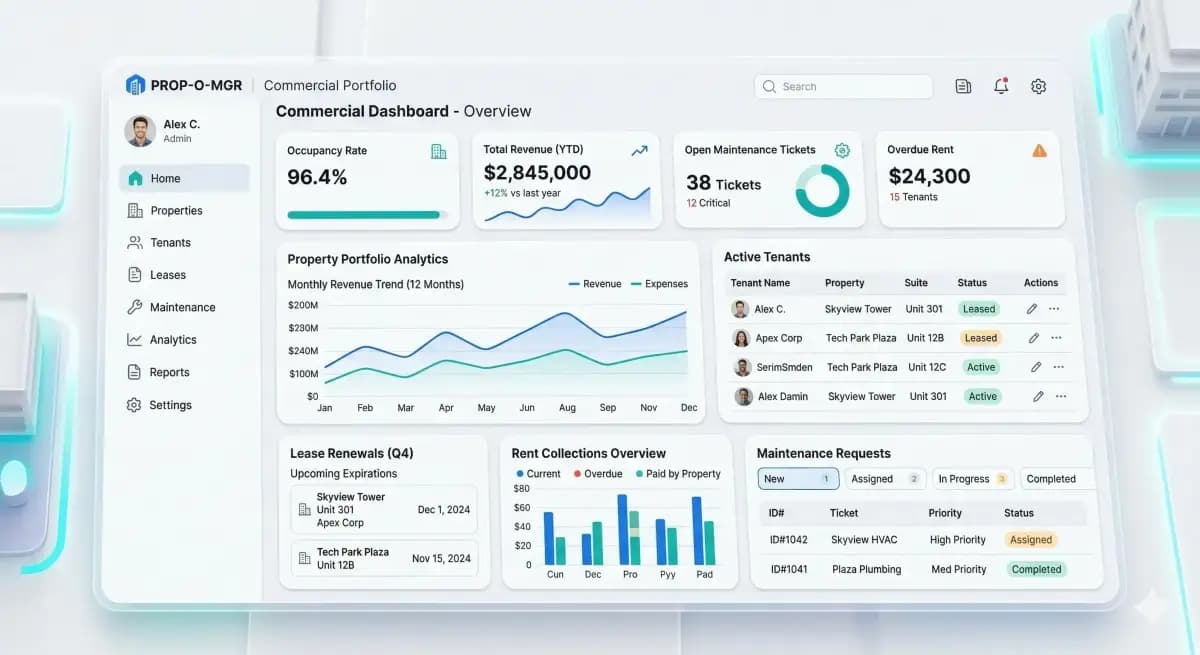
Building your own ERP is a real project. It needs several skilled engineers and months of work. It pays off most when the way you work does not fit ready-made ERP software: unusual supply-chain rules, strict industry compliance, or your own pricing logic. For most other businesses, a ready-made ERP like Odoo, NetSuite or Microsoft Dynamics is the quicker way to start.
Building your own ERP in-house takes months, not weeks. Industry typical: a small system covering finance, HR, inventory and reporting needs about 4 to 6 months with 2 to 4 engineers, a mid-market build with 8 to 12 modules runs 6 to 12 months, and a multi-site enterprise ERP takes 12 to 18 months. With Timeline Digital, the schedule is set from your requirements: the free pilot is ready in about 2 days, and we have the capacity to deliver a complete system in as little as 2 weeks.
Next.js (React), TypeScript, Tailwind CSS. Server components for faster page loads and simpler auth.
Node.js (NestJS) or Python (Django/FastAPI). Both work. Pick what your team already knows.
PostgreSQL for most cases. MySQL if your team is already on it. Redis for caching and queue.
Docker and Kubernetes on AWS, Azure or GCP. GitHub Actions for CI/CD. Sentry for errors.
NextAuth or Auth0 for SSO, role-based permissions, audit trails. OWASP Top 10 checks mandatory.
Metabase or Superset embedded. Chart.js / Recharts for in-app dashboards. PDF export via Puppeteer.
S3 / GCS for attachments. PDFKit for invoices. DocX generation for contract templates.
2 to 4 full-stack engineers, 1 designer, 1 tester, 1 product owner. A smaller team means a longer build, not a cheaper one.
Follow these in order. Skipping any of the first four is one of the most common reasons ERP projects go wrong.
Write down every task, every report, every role. Talk to finance, HR, operations, sales and purchasing. Skip this and your ERP gets built on guesses.
Design the core entities: products, customers, invoices, orders, employees, transactions. Use PostgreSQL or MySQL. Normalize where possible, denormalize where performance matters.
Build SSO, role-based permissions, audit logs. Use NextAuth, Auth0 or a custom JWT layer. Role-based access is the foundation. Do not skip it.
Build accounting first. Invoices, expenses, ledger, reporting. Integrate with QuickBooks or Xero if you want to avoid rebuilding accounting from scratch.
Product catalogue, stock levels, locations, purchase orders, suppliers. Add barcode support early. It saves rework later.
Employee records, attendance, leave, payroll. HR is typically the easiest module to scope and a good first shippable milestone.
Build one module at a time. Finish and test each one before the next, and make sure it connects cleanly to the rest of the system.
Connect the tools you already use: Stripe, Shopify, Salesforce, QuickBooks, FedEx/UPS. Use REST or GraphQL APIs, and make them retry safely when a connection drops.
Build role-based dashboards. Use Metabase, Superset or embed Chart.js for simpler cases. Always export to CSV and PDF.
OWASP Top 10 checks, SQL injection tests, role-based access validation. A weak ERP is worse than no ERP.
Docker and Kubernetes on AWS, Azure or GCP. Set up CI/CD, automated backups, monitoring, error tracking (Sentry), uptime alerts (UptimeRobot).
Write clear user guides, run training sessions, and plan for close support right after launch. Expect bugs on day one, a few weeks in, and again months later.
Built by an in-house team, a first working release of a custom ERP typically takes roughly 4 to 8 months (industry typical). The build splits into four phases: discovery, core modules, integrations, then testing and rollout. Module count is the biggest lever, so a focused finance-plus-inventory system lands at the fast end while a multi-module build with several integrations lands at the slow end.
| Phase | Typical in-house duration | What happens |
|---|---|---|
| Discovery and data model | 2 to 4 weeks | Requirements workshops with every department, then the database design that everything else sits on. |
| Core modules | 8 to 16 weeks | Finance, inventory and HR built one at a time, each reviewed with the people who will use it. |
| Integrations | 4 to 8 weeks | Connections to accounting, e-commerce, payments and shipping, built retry-safe and tested end to end. |
| Testing, training and rollout | 4 to 6 weeks | Security checks, user acceptance testing against real scenarios, training, then a staged go-live. |
| First release total | Roughly 4 to 8 months | A working system your team runs daily. Extra modules and sites are added in later phases. |
Phases overlap in practice, which is why the total is shorter than the sum of the ranges. Larger multi-site or heavy-compliance in-house builds run 12 to 18 months, as covered in the FAQ below. These are industry-typical in-house figures; Timeline Digital sets the schedule from your requirements in the Plan step, with long-term support under an SLA after launch.
A rough guide to effort and scope for different sizes of ERP.
| Scope | Modules | Effort | Team size (in-house) | With Timeline Digital |
|---|---|---|---|---|
| Startup MVP | Finance + inventory + basic reporting | Small | 2 to 3 engineers | Free pilot of 2 to 3 modules first; you own the source code |
| Small-business ERP | 5 to 7 modules + integrations | Medium | 3 to 4 engineers | Free pilot of 2 to 3 modules first; you own the source code |
| Mid-market ERP | 8 to 12 modules + custom dashboards + 3rd-party integrations | Large | 4 to 6 engineers | Free pilot of 2 to 3 modules first; you own the source code |
| Enterprise ERP | Multi-site, multi-currency, advanced compliance | Very large | 6+ engineers | Free pilot of 2 to 3 modules first; you own the source code |
Team sizes are a rough guide and depend on how complex your business is. Tell us your scope and we will map out the right plan.
Three paths to an ERP, and what each one actually costs you.
| What matters | Build in-house | Buy ready-made (Odoo, NetSuite, Dynamics) | Hire Timeline Digital |
|---|---|---|---|
| Fits your exact workflow | Yes, if you scope it well | Rarely, without paid customization | Yes, planned around your workflow |
| Time to a working system | Months, per the table above | Fastest to start | Planned with you up front, then a pilot of key modules before the full build |
| Who owns the source code | You | The vendor, you rent access | You, on full payment |
| Ongoing license fees | None | Usually per user, monthly | None |
| Ties up your own engineers | Yes, for the length of the build | No | No |
Start with requirements from every department, then design the data model and database, build login, roles and audit logs, and build the core modules one at a time: finance first, then inventory, then HR. Add integrations, dashboards and reporting, run security testing and user acceptance testing, deploy with backups and monitoring, and train users before go-live.
Yes. Small teams have built ERP-like systems using Python/Django, Laravel, or Node.js. A first working version covering finance, HR, inventory and reporting is many months of engineering work. Many growing businesses find it works out better to hire a specialist ERP team than to tie up their own engineers for that long.
Built in-house, industry-typical timelines are: a small ERP covering finance, HR, inventory and basic reporting takes 4 to 6 months with 2 to 4 experienced engineers; a mid-market ERP with 8 to 12 modules takes 6 to 12 months; enterprise ERP with multi-site, multi-currency and advanced compliance takes 12 to 18 months. With Timeline Digital there is no fixed timeframe: the schedule is set from your requirements in the Plan step, the free pilot of 2 to 3 key modules is ready in about 2 days, and we have the capacity to deliver a complete system in as little as 2 weeks, followed by long-term support under a service level agreement (SLA).
Built in-house, the cost is mostly engineering time: the team sizes and durations in the tables on this page, plus hosting, tools, security testing and the time your own staff spend on requirements and testing. For an outside team: Timeline Digital does not publish prices for custom software, because every project is custom. The price is set in three steps: we analyse your requirements, build a free pilot of 2 to 3 key modules, and after you approve the pilot we agree the scope, milestones and commercial terms in writing. Any change request outside the approved scope is reviewed and agreed with you before extra work begins.
Often, yes, if your processes are close to what the open-source ERP already does: you start with working accounting, inventory and sales modules and customize the rest. Building from scratch makes more sense when your core workflow, data model or user experience would mean rewriting most of the platform, or when you want no dependence on its upgrade cycle and licence terms.
Mainstream stack: Next.js/React plus Node.js/Python (Django or FastAPI) plus PostgreSQL plus Redis plus AWS/Azure/GCP. Use TypeScript on the frontend. Use Docker from day one. Use a modular monolith before jumping to microservices. Most ERP projects do not need the complexity.
Yes. Django and FastAPI are both excellent for ERP backends because of strong ORM support, mature admin panels (Django admin can save months on CRUD screens), and a massive ecosystem. Python ERP systems scale well into the multi-thousand-user range.
For a one-person business, yes, and many do. Excel starts to break around 3 to 5 users, when people overwrite each other, files go out of sync, and you cannot control who sees what. At 10+ users, you spend more time fixing Excel than running the business.
Skipping requirements work, rushing the database design, trying to build every module at once, leaving security until the last week, and assuming people will just pick it up without training. Fix these five and most ERP projects succeed.
Hire an outside team when you do not have several senior engineers free for many months, your tech lead is already stretched thin, or the ERP is not what sets your business apart. Build in-house when you have the people, the time, and a way of working that is truly your own. For most small and mid-sized businesses, the honest answer is a mix: hire a custom ERP company like Timeline Digital to build the core, then take it in-house for ongoing changes.
Before you commit to the full project, we build 2 to 3 of your key modules as working software, free of charge, ready in about 2 days. Your team tests the pilot, and the full build starts only after you approve it.
See how the free pilot worksWe learn your requirements and how your organisation works today.
Together we choose 2 to 3 key modules that prove the solution.
We build those modules as real, working software, free of charge.
Your team uses the pilot. The full project starts only after you approve it.
Timeline Digital builds reliable, ready-for-work custom ERP systems. We plan the system around how your business works, build a few key modules first as a pilot so you can judge our work, and the project source code transfers to you on full payment. You get all the upside of software built for your business without tying up your own engineers.
Published by Timeline Digital, a custom software development company founded in Islamabad in 2013 that builds custom ERP systems. In-house durations and team sizes are industry-typical ranges, not Timeline Digital figures; our own schedule and pricing policy come from the company facts used across the site.
Author
Usama Asif
CEO and CTO, Timeline Digital. Founded the company in 2013 and has led its ERP and business software work since then.