Best POS systems 2026
Free, cheapest, restaurant and food-truck POS, compared by real all-in cost.
Most lists rank the best POS systems 2026 has to offer by feature count. We rank by what actually moves money out of your account every month: software fee, card processing rate, hardware lock-in, and contract risk. Below is a snapshot table, then 12 dedicated guides for every common search.
Which POS system is actually free in 2026?
6 POS systems, real cost at a glance. Same restaurant profile in every row: $15,000/month revenue, 65% paid by card.
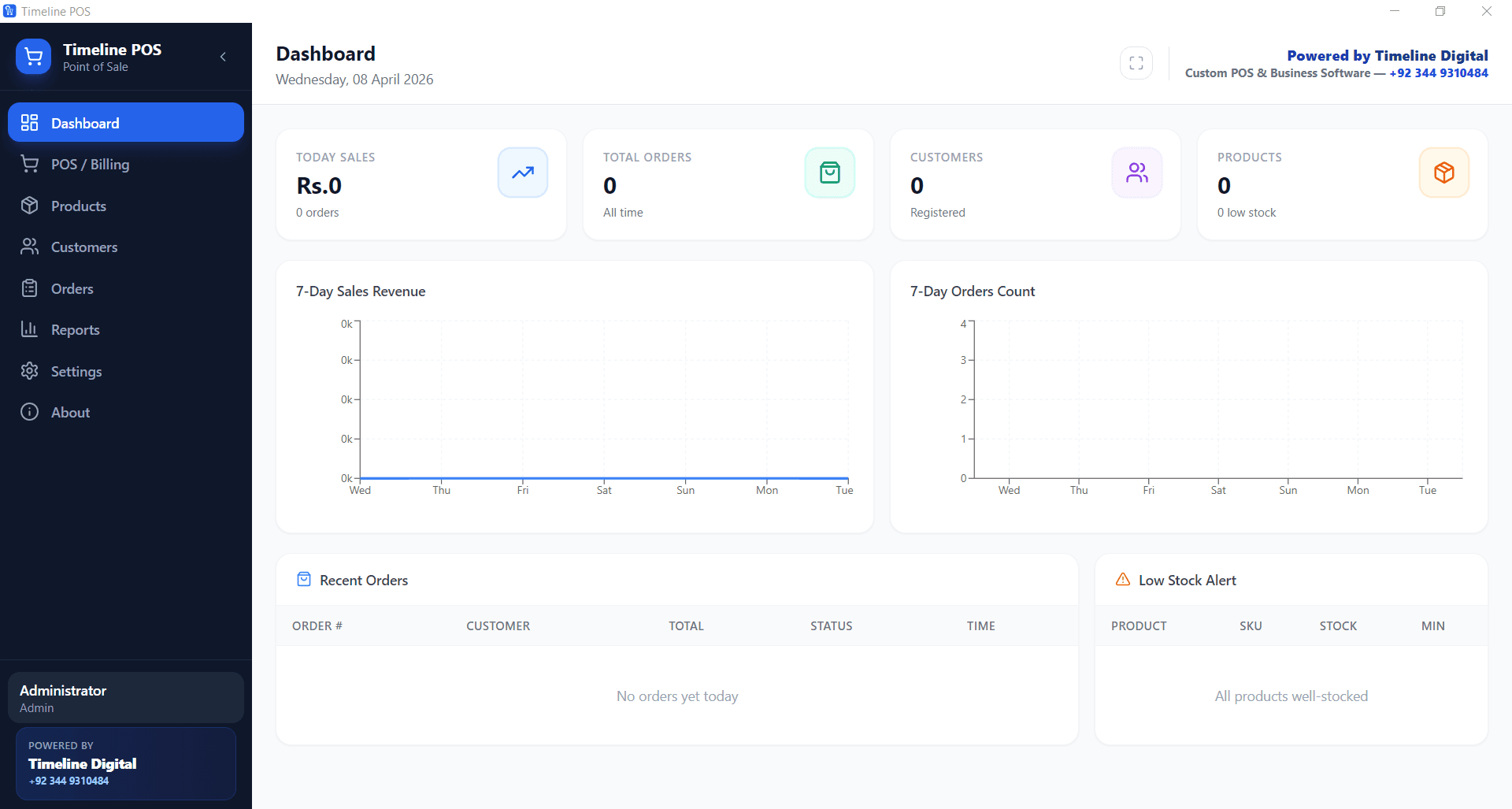
Timeline POS is the only system in this table that is actually free in 2026: $0 software fee and $0 card cut, because it does not process payments. Square, Toast and Loyverse advertise $0 software tiers but recover the cost through 1.69 to 2.6 percent card processing on every sale.
| POS | Monthly fee | Card cut | Contract | Best for |
|---|---|---|---|---|
| Timeline POS | $0 forever | $0, use your own merchant account | None | Independent retail, small restaurants, cafés, food trucks |
| Square for Restaurants | $0 free / $60+ paid | 2.6% + 15¢ | Processor lock-in | Brand-new operators who want one-tap setup |
| Toast Starter | $0 starter / $69 to $165 paid | ~2.99%+ custom-quoted on the $0 Starter Kit; 2.49% + 15¢ on paid plans | Often multi-year | Mid-size restaurants with online-ordering needs |
| Clover Dining | $14.95 to $84.95 | ~2.3% + 10¢ | Commonly 3-year | Restaurants buying hardware bundle from a bank reseller |
| Loyverse | $0 base + $5 to $25 add-ons | ~1.69% to 2.75% via SumUp/Square | No long contract | Tablet POS for cafés and small retail |
| TouchBistro | $69+ | Separate processor (~2.5%+) | Usually annual | Established restaurants wanting iPad-native workflow |
Total monthly cost equals software fee plus (card volume times processing rate). On $9,750 of card volume, the gap between 1.5% and 2.6% is about $107 a month.
Not sure which POS fits your business?
Tell us your business and number. We will recommend the best-fit POS and help you set it up, free, within 4 business hours.
No spam. We only use your number to reply about your project.
12 POS guides, pick your use case
Every guide is grounded in real 2026 pricing. Click through for screenshots, FAQ, and the cost math.
Timeline POS, Free Windows POS Download
Genuinely $0 desktop POS for retail and small business. No subscription, no card cut, runs offline.
Search query: best free pos software for pc
Timeline Restaurants POS
Free Windows POS for restaurants, cafés, bars and food trucks. Tables, modifiers, recipes, EOD.
Search query: free restaurant pos download
Cheapest POS System for Small Business (USA 2026)
9 budget POS systems compared by all-in monthly cost, software + processing + hardware.
Search query: cheapest pos system for small business
Cheapest Restaurant POS, Complete Cost Guide
Real cost math for US restaurants. Why 2.6% processing fees beat the $0/month sticker.
Search query: cheapest pos system for restaurant
9 Best Free POS Software (2026)
Honest comparison of 9 free POS apps, cloud, desktop, mobile. The catch behind each free tier.
Search query: free pos software
Free POS System for Restaurant USA
$0 forever Windows POS for restaurants. No card cut, works offline, save ~$1,452/year.
Search query: free pos system for restaurant
Best POS for Small Restaurants
Tablet, desktop and mobile picks for single-location diners and cafés.
Search query: best pos for small restaurant
Best POS for Food Trucks
Mobile-first POS picks with offline mode for food trucks and market stalls.
Search query: best pos system for food truck
Cheapest POS System for Restaurant
Cost-first comparison for independent restaurants. Total monthly cost, not sticker price.
Search query: cheapest restaurant pos
Custom-Built POS: Own the Code
When off-the-shelf stops fitting: a POS built to your exact workflow, and you own the source code.
Search query: best pos system
Free POS for Pizza Restaurant
Half-and-half toppings, slice vs whole pricing, kitchen ticket print, at $0/month.
Search query: free pizza pos
Free Restaurant POS System Download
One Windows installer, no email, no signup, no card. Download and be live in under 10 minutes.
Search query: free restaurant pos system download
How do you choose between a free and a paid POS?
Choose by total monthly cost, not sticker price. Add the software fee to your card volume multiplied by the processing rate, then factor in hardware lock-in and contract penalties. A paid POS at a 1.5 percent rate often beats a free POS taking 2.6 percent once card sales pass $10,000 a month.
These are the 4 costs every POS comparison misses:
- Software subscription. The advertised monthly fee. This is the only cost most comparisons show.
- Card processing rate. The percentage plus per-transaction fee on every card swipe. This is usually the biggest line item.
- Hardware lock-in. Whether you must buy proprietary terminals or can use any USB receipt printer and cash drawer.
- Contract terms. Termination penalties, multi-year lock-ins, forced processor usage. A “cheap” POS with a 3-year contract is rarely cheap by month 18.
POS questions search-engine users ask
Direct answers to the long-tail questions appearing for our POS pages in Google Search Console.
What is the cheapest POS system in 2026?
The cheapest POS in 2026 isn't always the one advertising $0/month. Square, Toast and Loyverse all advertise free software, but you still pay a card cut on every swipe: 2.6% + 15¢ at Square, a higher custom-quoted rate (~2.99%+) on Toast's $0 Starter Kit (2.49% + 15¢ applies on Toast's paid plans), and your connected processor's rate on Loyverse. The actual cheapest option for most US small businesses and restaurants is Timeline POS, $0 software fee plus $0 transaction cut, because it doesn't process cards. You bring your own card reader at the rate your bank offers (typically 1.3% to 1.7%), so the savings on processing alone are usually $100 to $200/month versus Square or Toast on $10 to $15k of card volume.
Which POS system has the lowest fees?
On a strict total-cost basis, the lowest-fee POS is one where (a) software is $0 and (b) the merchant of record is your own bank, not the POS. Timeline POS fits both criteria. Square has the lowest sticker fee but a 2.6% + 15¢ card cut. Loyverse can route through SumUp at ~1.69% in some markets. TouchBistro at $69/month is rarely lowest-fee once card processing is added.
Are there really POS systems with no monthly fee?
Yes, Timeline POS (Windows desktop), Square Free, and Loyverse Free all have a $0/month software tier. The difference is what they take on each card swipe. Timeline POS takes nothing because it does not process payments. Square takes 2.6% + 15¢. Loyverse depends on which integrated processor you choose. For high card-volume operators, the "free" software tier without card cut wins by a wide margin over 12 months.
What is the best POS for a small restaurant?
Best depends on the operating profile. For a single-location independent restaurant or café in the USA on $10k, $25k/month in card sales, the cheapest all-in is Timeline Restaurants POS (free Windows install, $0 card cut, recipes + tables + EOD reports). For multi-location operations needing centralized cloud control or deep online-ordering integrations, Toast or TouchBistro start to make sense despite higher monthly cost. See our full restaurant POS comparison.
What is the best POS for a food truck?
Mobile-first systems with reliable offline mode. Square Mobile (with the Square reader) is the most common pick because it deploys in minutes. Timeline POS works on a Windows tablet or mini-PC with USB receipt printer and full offline operation, which is often more reliable in low-signal locations. For both, the cost differentiator is card processing, which side of 2% you fall on at your average ticket.
Does the cheapest POS work offline?
Some do, most don't. Most cloud POS systems (Square, Toast, TouchBistro) require an internet connection to function fully, orders queue and reconcile when the connection returns, but features can be limited. Timeline POS runs entirely from a local SQLite database on Windows, so it functions identically online or offline. For high-traffic operators in flaky-signal locations, offline operation is a hard requirement.
What POS system has the lowest transaction fees?
Transaction fees are charged by the payment processor, not by the POS itself. So the answer depends on which processor a POS forces you to use. POS systems that lock you into their own processor (Square, Toast) charge what that processor charges. POS systems that let you bring your own merchant account (Timeline POS, TouchBistro, Lightspeed) let you negotiate a lower rate with your bank, typically 1.3% to 1.7% all-in for established merchants, far below the 2.49 to 2.6% of integrated processors.
Pick the POS that wins on total cost
Skip the sticker price. Run the all-in math at your card volume. Then download the free option below and test it live before you commit to anything.