Manufacturing and production
Track parts lists, the shop floor, production plans, quality checks, and equipment in one place. A custom ERP replaces the tangle of spreadsheets between buying, operations, and finance.
Custom ERP development company · Since 2013
Finance in one tool, stock in another, purchase approvals on email and WhatsApp, and reports rebuilt in spreadsheets every month: that is the point where most businesses start looking for an ERP. Timeline Digital, a custom software development company founded in 2013 in Islamabad, builds one ERP system for finance, inventory, purchasing, HR, sales and reporting around your actual workflows, and you see 2 to 3 working modules in a free pilot, ready in about 2 days, before the full build.
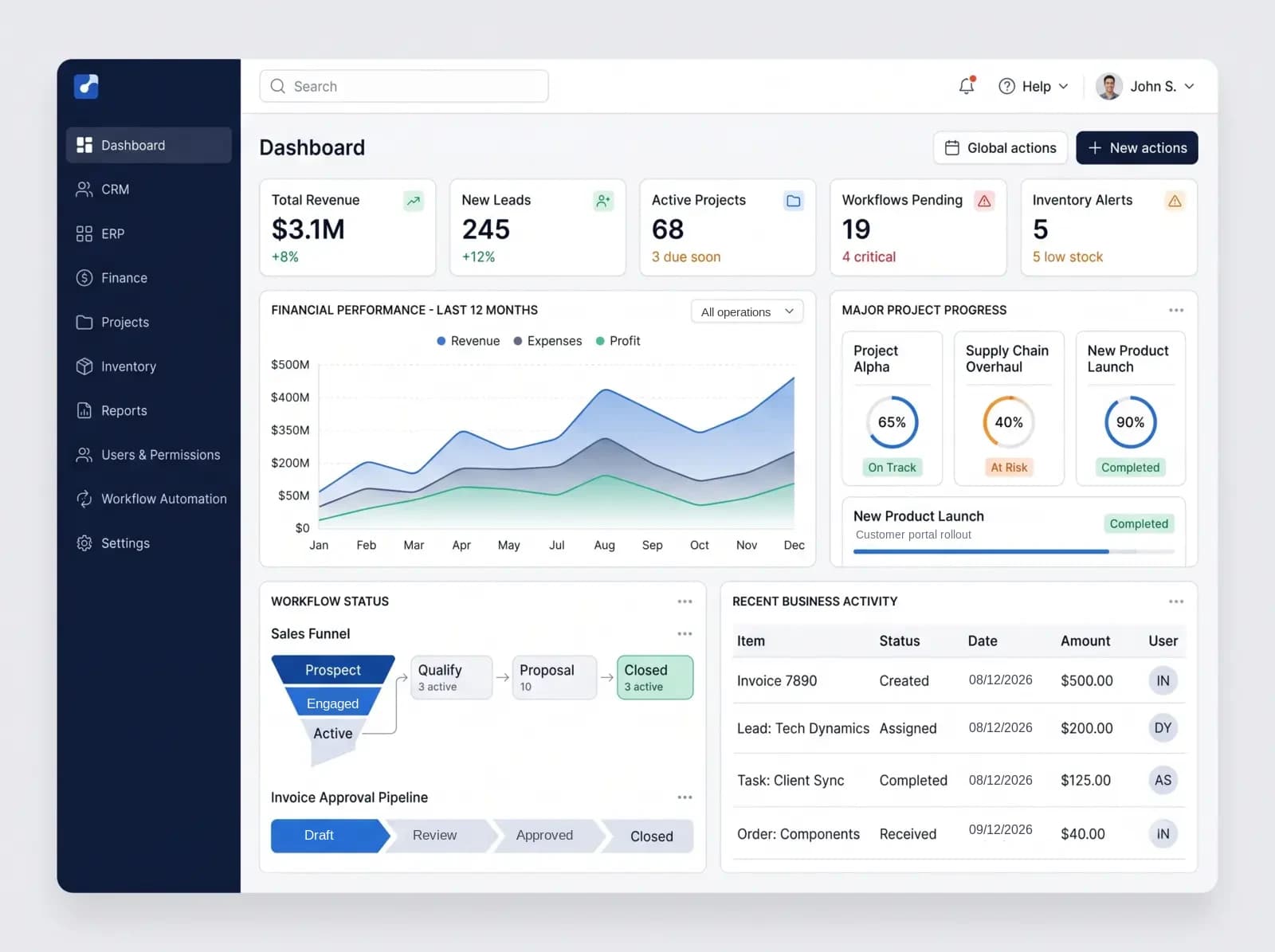
Custom ERP software is an enterprise resource planning system designed and built around one organization's own processes, instead of a packaged suite configured to fit. Timeline Digital develops custom ERP systems for finance, inventory, purchasing, HR and reporting; the project code is yours on full payment, and there is no per-user licence fee for the system itself.
Enterprise Resource Planning software connects finance, human resources, inventory, sales, and supply chain into one system, so every department reads the same real-time data instead of five disconnected spreadsheets.
Custom ERP software is built from the ground up to mirror your exact workflows, approval processes, and data requirements. Unlike SAP, Oracle, or Microsoft Dynamics 365, it does not force you to adapt your processes to fit a vendor's framework. Your proprietary operations are built directly into the system, which is where the competitive advantage comes from.
Project source code, designs and documentation transfer to you on full payment, and your data is yours throughout; see our IP and ownership policy. There are no per-user licences for the system itself, and you choose where it is hosted to suit your security and data-residency requirements.
Evaluating options? Read ERP vs custom development: when to buy a suite and when to build, our comparison of the best ERP development companies, or the guide on how to build your own ERP with an in-house team. New to the topic? Start with what ERP software actually is. Planning a budget? See how custom software costs are estimated.
Published client work: Qatar government digital platform (anonymized; a public-sector platform, not an ERP).
This page covers a full custom ERP across finance, operations, HR and reporting. If your need is narrower, one of these is a better starting point.
You need one or two ERP modules, such as inventory or finance, built or replaced
ERP module developmentYou run several companies, currencies or locations and need one governed ERP across the group
Multi-entity enterprise ERPYou make products and need BOM, MRP, production planning and shop-floor tracking
Manufacturing ERP softwareYou have chosen a packaged ERP and need it implemented, or a rollout has stalled
ERP implementation servicesYour ERP works, but it does not talk to accounting, CRM, e-commerce, payments or shipping
ERP integration servicesYou have not yet decided whether to buy a suite or build
ERP vs custom developmentIndustries where custom ERP fits the way the work is really done.
Track parts lists, the shop floor, production plans, quality checks, and equipment in one place. A custom ERP replaces the tangle of spreadsheets between buying, operations, and finance.
Run your warehouse, dispatch, routes, vehicles, and customer billing together. A custom ERP links your client portals, driver apps, and accounting into one system.
See stock across every location, manage purchase orders and suppliers, and report on all sales channels. A custom ERP closes the gap between your register, online store, and accounts.
Handle patient records, appointments, lab and pharmacy work, and the rules you must follow (HIPAA / GDPR). A custom ERP replaces a pile of disconnected add-ons with one clear system.
Track job costs, subcontractors, progress billing, site labor, and equipment rental. A custom ERP turns messy job-cost spreadsheets into a live, up-to-date view of every project.
Manage hiring, attendance, payroll, contracts, leave, and reviews in one place. A custom ERP brings HR together with finance and operations, so you stop paying three vendors for the same thing.
Handle admissions, fees, timetables, exams, staff payroll, and parent messages. A custom ERP fits schools, colleges, and training centers where ready-made tools make enrollment harder than it should be.
Track projects, log time, bill clients, manage your contacts, and handle subscriptions and reports. A custom ERP replaces the Jira + QuickBooks + HubSpot patchwork most agencies juggle.
Your industry not listed? Custom ERP software fits any business that does not work in a standard way. Tell us how you work.
Off-the-shelf systems promise faster deployment. They also lock you into someone else's roadmap.
Choose a packaged ERP suite when your processes are close to standard, a suite plus custom modules when only one or two processes do not fit, and a custom ERP when your core operations are what set you apart.
| Question | Packaged ERP suite | Suite plus custom modules | Custom ERP |
|---|---|---|---|
| Best fit | Processes close to standard accounting, inventory and sales flows | Standard finance, with one or two processes the suite handles badly | Core operations that set you apart, or several systems to replace with one |
| Workflow fit | You adapt your processes to the product’s logic | Standard where the suite fits, custom where it does not | Built around the processes you agree in the Plan step |
| Feature scope | Many modules you may never use, and gaps for niche processes | The suite’s modules, plus only the custom pieces you need | Only the modules you need, added in phases |
| Time to first use | Depends on configuration, data migration and training, planned with the vendor or partner | The suite rollout, plus the time to build each custom module | A free pilot of 2 to 3 key modules in about 2 days; the full ERP is scheduled from your requirements, with capacity for a complete system in as little as 2 weeks |
| Licences and scaling | Per-seat licences grow with your team | Suite licences continue; no per-seat fee for the custom modules themselves | No per-seat licence fee for the system itself; hosting grows with usage |
| Data and code ownership | Vendor-hosted, with security controls set by the vendor | The suite stays the vendor’s; the custom module code is yours on full payment | Project code, designs and documentation yours on full payment; your data yours throughout |
| Roadmap and upgrades | Upgrades follow the vendor’s release schedule | Suite upgrades follow the vendor; custom modules are re-tested against each upgrade | You decide what changes; each change is scoped and agreed before work starts |
| Local tax and statutory reporting | Often already provided by the suite for your country | Kept in the suite | Built to your rules, or kept in an accounting package you already use |
The case for custom ERP gets clearer when you look five years ahead: no per-seat licence fees for the system itself, no third-party add-ons to patch together, and the project code yours on full payment.
Custom is not always the answer. Odoo, NetSuite, Microsoft Dynamics 365 Business Central or SAP Business One are often the better choice for organizations whose processes are close to standard.
A packaged suite usually fits better when
Custom usually fits better when
A mix is common: a packaged ERP for finance with custom modules or integrations around it. Our guide to ERP vs custom development walks through the decision. If a suite is the better fit, we can help with implementing it or connecting it to your other systems.
Every module is built for a specific requirement in your business. No bloat, no unused features.
General ledger, AP/AR, budgeting, multi-currency, tax rules, period close and financial dashboards.
Recruitment, onboarding, payroll, attendance, performance reviews, and workforce analytics.
Multi-location stock tracking, reorder rules, barcode scanning (RFID where your hardware supports it), and bin locations.
Purchase requisitions and approvals, vendor management, demand planning, logistics coordination, and traceability.
Lead management, pipeline tracking, quotations, order processing, and unified customer data.
Bill of materials, production scheduling, quality control, shop floor data, and maintenance planning.
Role-based dashboards, report builders, KPI tracking, and optional AI-assisted queries.
Approval chains, notifications, document routing, task assignment, and rule-based process automation.
Deciding which module to build first? Our page on ERP module development covers module order, and multi-entity enterprise ERP covers groups with several companies or currencies. Need something specific? Tell us what you need and we will scope it.
Most ERP projects that go wrong try to switch everything on at once. A first release that covers fewer modules properly is easier to test, train and reconcile. This is the usual split; yours is agreed in the Plan step and written into the scope.
Usually in the first release
Usually left for later phases
The free pilot is a smaller slice again: 2 to 3 key modules built as working software so you can judge the approach before the full project starts.
Your ERP should help people act on the data, not just store it. AI-assisted features are optional and added where your data and processes support them; the controls and reporting come first.
Optional AI-assisted queries that turn a plain-language question into a chart or table, limited to the data each user is allowed to see, and checked against standard reports in testing.
Supplier invoices and delivery notes read into draft entries, with low-confidence fields sent to a person for review before anything is posted.
Demand and cash-flow forecasts built from your own history. They help once there is enough clean data, and we tell you if there is not yet.
Every create, edit, approval and deletion logged with the user and time, so finance and auditors can trace any figure back to its source.
Current figures across departments, drawn from the same data, so decisions are made on today’s numbers, not last week’s export.
A responsive web system your team can reach from approved devices and locations, with the same role-based permissions everywhere.
A common complaint about packaged ERPs is that the standard dashboards do not answer the questions leaders actually ask. So people export to Excel and rebuild the same charts every month. ERP software with customizable dashboards removes that step.
A custom ERP fixes this at the root. We talk to everyone who uses a dashboard, from the CEO and CFO down to the people on the floor, and build a view for each role. You can click into any number, export with one click, and share or schedule reports by email. And every view shows the same numbers, because they all draw from one place.
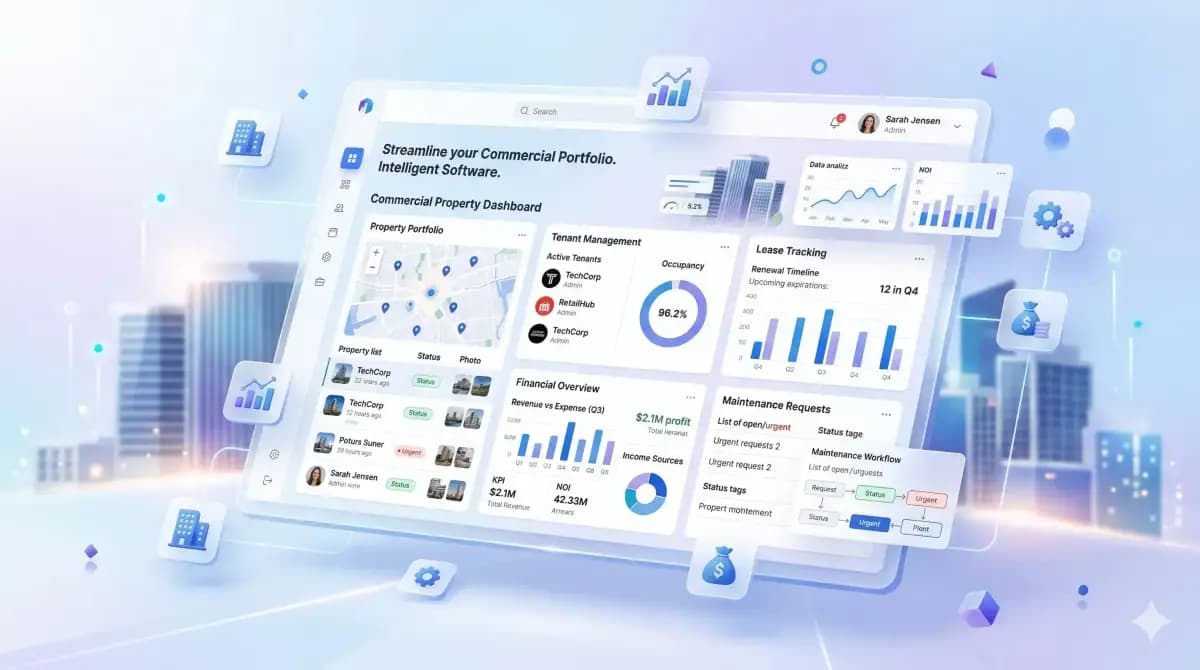
Examples of industry modules we can design and build. They describe the architecture, not a portfolio in each sector: our published case study is a public-sector platform in Qatar.
Bills of materials, production scheduling, multi-location inventory and maintenance planning, with machine data fed in where equipment exposes it.
Production, stock and purchasing work from the same item and BOM records.
Job costing, subcontractor coordination, progress billing and site safety records, with links to drawing or BIM files where your tools allow.
Job costs, subcontractor payments and progress billing tracked against each site in one place.
Admin, HR, billing and inventory workflows for clinics and providers, designed to support your HIPAA or GDPR obligations; compliance stays with your organisation.
Registration, billing and claims steps mapped to how your staff actually work.
Multi-channel inventory sync, price lists and demand planning across your sales channels.
Inventory, pricing and customer records kept in step across channels, on a schedule or in near real time.
Approval controls, segregation of duties, regulatory reporting support and tamper-evident audit logs.
Every posting, approval and change is logged with the user and time, so records can be traced and reviewed.
Fleet management, route planning, warehouse operations, and shipment tracking from carrier feeds.
Purchasing and stock tracked across every warehouse location.
Resource allocation, project profitability tracking, and time and billing automation.
Current visibility into project profitability and team utilization.
Batch and lot management, quality control, regulatory reporting support and supply chain traceability.
Audit trails for every batch, material transfer and quality checkpoint.
Many ERP problems come from organizational gaps, not bad code. We address each of these before development starts.
The Understand and Plan steps line up software capability with executive strategy before a line of code is written.
Internal champions, clear communication, and ongoing training from pre-launch through the months after go-live.
An audit of existing data, cleaning agreed with your team, small trial migrations in a test environment and a rollback plan. The full checklist is further down this page.
Scenario-based user acceptance testing against real workflows. Every defect is tracked back to a business requirement.
An ERP is only as trustworthy as its controls. We design these with your finance lead in the Plan step and test them in user acceptance testing before go-live.
The person who raises a purchase order or supplier bill is not the person who approves or pays it. Roles are defined per module, and conflicting permissions are flagged when roles are assigned.
Purchase orders, expenses, credit notes and payments route by amount, department and entity, for example a manager up to one limit and a director above it. Limits are settings your administrators change, not code.
Closed accounting periods are locked so nobody back-dates postings. Reopening a period needs a named role and is logged. A closing checklist tracks bank reconciliations, accruals and stock valuation.
Every create, edit, approval and deletion records who, what, when, and the before and after values. Auditors can be given read-only access to the trail instead of exported spreadsheets.
New suppliers, customers and changed bank details go through approval, so a changed supplier bank account cannot be paid until a second person confirms it.
Users see and post only to the companies, branches and warehouses their role allows, and inter-company transactions are recorded on both sides.
How we handle access, encryption and environments is set out on our security and data protection page.
What has to be true before the old system is switched off. Each item has an owner on your side and on ours, and the go-live decision is made against this list.
Duplicate customers, suppliers and items merged; inactive records archived; codes, units of measure and tax settings standardised before anything is loaded.
Trial balance, customer and supplier balances, stock quantities and valuations loaded as at the cut-over date and agreed with your accountant.
Unpaid invoices, open purchase and sales orders, goods in transit and work in progress carried across, so nothing in flight is lost.
How much history moves into the new system and how much stays in a read-only archive, decided per data type with the people who use it.
Repeated loads into a test environment, timed, with errors fixed at the source before the final run.
Record counts, ledger totals, ageing reports and stock values compared between old and new, and signed off by your finance lead, not only by us.
Whether to run old and new side by side, for which modules and for how long, and what result ends it. Parallel running lowers risk but doubles the work for your team, so it is a deliberate choice.
A dated cut-over window, a freeze on changes in the old system, and a tested way back if a check fails.
Training, go-live and hypercare are covered on our ERP implementation services page. If the old system is itself an aging custom application, see legacy software modernization.
Custom software built around the way your business works. Five steps, and before the full build you choose 2 to 3 key modules, such as inventory or finance, for a free pilot so you can judge our work on real software.
We learn how your business works.
Your requirements, workflow, challenges and goals, understood before anything is recommended.
We design the right solution around your workflow.
Modules, workflows, roles, approvals, reports and integrations, agreed before development.
Choose the right technical foundation.
Technology options matched to your users, security, budget and growth, not one fixed stack.
Test our work before full project development.
Free. You choose 2 to 3 key modules and we build them first, so you can judge our work.
The full project starts only after you approve the pilot.
From approved pilot to complete digital system.
Full development, testing, deployment, training and support, built to grow with you.
During Build & Scale you see working software often, with short, regular updates and full visibility into the build throughout development.
End-to-end development, staff augmentation, or a dedicated offshore team. The plan is agreed before development, and the full build starts once you approve the free pilot.
Data migration, training and go-live are covered on our ERP implementation services page; links to accounting, CRM and e-commerce on ERP integration services.
Not a transactional vendor. A digital transformation partner that stays with the project.
Building custom software since 2013, for clients in markets including the United States, United Kingdom, Germany, Canada, Australia, the UAE and Qatar.
1,200+ developers and 85+ management professionals, including group-company employees, covering full-stack, AI/ML, DevOps, QA and project management.
From focused internal tools to multi-module enterprise platforms.
Project source code, designs and documentation transfer to you on full payment, and your data is yours throughout. No per-seat licence fee for the system we build.
OWASP practices, role-based access and audit logs from day one. We design to support your GDPR, HIPAA or SOC 2 obligations where they apply; compliance remains your organisation’s responsibility, confirmed by your own assessment.
We build 2 to 3 of your key modules first as working software, free, and the full project starts only after you approve them.
Our one published case study is a public-sector platform, not an ERP. It is here because it shows how we run discovery, data migration, role-based access, audit logging and user acceptance testing. Client names are withheld; references are shared privately during procurement, under NDA where required.
Challenge: A public-sector program in Qatar handled beneficiary and donor services on paper, with each department keeping its own records.
Solution: A bilingual Arabic and English platform that replaced paper-based handling with one secure system.
One shared case view across departments, an online channel for applicants, and on-demand reporting
Anonymized case study. The client is not named and no government endorsement is implied.
Read the case studyMuch of our ERP, enterprise and government work is covered by confidentiality agreements, so it is not published here.
Ask for references on your first call
Discuss Your ProjectAlongside client work, we publish free software. Invoicely is our free cross-platform invoicing app for Windows, Mac, Linux, iOS, and Android, used for GST/VAT invoices, proforma invoices, quotations, credit and debit notes, and delivery challans.
It is a separate product line, not a client project. A custom ERP is planned, piloted and built around your own operations, with the pilot always free.
5 platforms
Windows, Mac, Linux, iOS, Android
GST/VAT
GST/VAT invoice formats
AES-256
Enterprise-grade encryption
Delivered remotely from our Islamabad headquarters, with contracts, NDAs and documentation in English and meetings in your working hours. The ERP is the same engineering everywhere; what changes is tax set-up, language, data residency and when we meet.
Custom ERP software development for US mid-market and enterprise teams, delivered remotely; calls are booked at the start of the US working day. Architecture designed with SOX reporting controls and HIPAA requirements in mind where they apply; compliance is confirmed per project.
Software development for US businessesBespoke ERP software for UK companies, with UK or EU data residency available and an architecture designed with UK GDPR in mind. Our working hours overlap the UK morning; contracts, NDAs and documentation are in English.
Bespoke software development in the UKCustom ERP for Canadian companies, including multi-province tax set-ups agreed with your accountant, delivered remotely with calls booked at the start of the Canadian working day.
Software development for Canadian businessesCustom ERP for Australian businesses, delivered remotely. Our working hours overlap the Australian afternoon, and GST reporting is built to the rules your accountant confirms.
Software development for AustraliaCustom ERP for Gulf organizations, with Arabic and English interfaces and right-to-left layouts where users need them, VAT rules confirmed per country, and hosting in the region your data rules require. Our hours overlap the Gulf working day.
Software development for the UAECustom ERP for Pakistani manufacturers, traders and service companies, built at our Islamabad headquarters, with discovery at our office or by video call and on-site visits when agreed in the contract.
Software company in PakistanCustom ERP for German and EU businesses, designed with DSGVO (GDPR) requirements in mind, with EU data residency options. Our working hours overlap the Central European morning, and all project documents are in English.
Software development for teams in GermanyWherever you are, the plan is agreed in writing up front, tax and statutory rules are confirmed with your accountant rather than assumed, and the project code transfers to you on full payment under our IP and ownership policy.
We pick the right technology for your enterprise, not whatever is trending.
Practical guides for teams comparing, planning and implementing an ERP, grouped by the question you are asking.
Timelines, industries, integration, ownership, and implementation.
Custom ERP software is an enterprise resource planning system built specifically for your organization. Unlike SAP, Oracle or Dynamics, it follows your own workflows and data requirements instead of a vendor template. The project source code transfers to you on full payment, and there are no per-user licence fees for the system itself.
A custom ERP development company analyses how your business runs, designs the data model, modules, roles and approvals, builds and tests the system, migrates your data, connects it to the tools you keep, trains your team and supports the ERP after launch. Timeline Digital covers all of these steps, starting with a free pilot of 2 to 3 key modules.
There is no fixed timeframe: the schedule for your ERP is set from your requirements in the Plan step. The free pilot of 2 to 3 key modules is ready in about 2 days, and with 1,200+ developers we have the capacity to deliver a complete system in as little as 2 weeks. Departments, integrations and data migration are what shape it. Long-term support under a service level agreement (SLA) follows launch. The full project starts after you approve the pilot, and the scope, milestones and terms are agreed after it. The pilot modules you choose are built first, then the build runs in regular cycles with working software for you to review.
Timeline Digital does not publish prices for custom software, because every project is custom. The price is set in three steps: we analyse your requirements, build a free pilot of 2 to 3 key modules, and after you approve the pilot we agree the scope, milestones and commercial terms in writing. Any change request outside the approved scope is reviewed and agreed with you before extra work begins. There are no per-user licence fees for the system itself. Typical market ranges and the factors behind them are explained in our custom software development cost guide.
Usually the 2 to 4 modules where manual work or errors cost most, the master data they need, roles and approval rules, an audit trail, the reports that replace your spreadsheets, and the one or two integrations those modules cannot work without. Other modules, full history migration, mobile apps and nice-to-have features usually come in later phases. The exact split is agreed in the Plan step and written into the scope.
Off-the-shelf ERPs ask you to adapt to their structure, which can create workarounds. Custom ERP fits your agreed processes, has no per-user licence fees for the system itself, and lets you decide what changes and when. A packaged suite is often the better choice when your processes are close to standard, and we say so when that is the case.
When your processes are close to standard accounting, inventory and sales flows, when you want a vendor-maintained product with its own upgrade cycle, when you need core finance live soon and can accept configuration instead of new features, or when the suite already covers your local tax and statutory reporting. A mix is also common: a packaged ERP for finance with custom modules or integrations around it.
Manufacturing, construction, healthcare, retail, financial services, logistics, pharmaceuticals and professional services are common candidates. Any organization whose processes do not fit generic ERP templates is worth assessing.
Usually, yes. A custom ERP can connect to accounting systems, CRM, e-commerce, payment and shipping services, legacy databases and tools such as Slack or Teams, provided each system offers documented API or export access. Where a vendor restricts access, we agree a fallback such as scheduled file exchange. Each connection is mapped field by field and monitored, so data moves without manual re-entry.
Yes, within the architecture agreed in the Plan step. Cloud hosting can be scaled up as usage grows, adding users needs no per-seat licence for the software itself (hosting and support grow with usage), and new modules and integrations are added in phases.
We audit and clean existing data with your team, run trial migrations in a test environment, load opening balances and open transactions as at the cut-over date, and compare counts and totals between old and new for your finance lead to sign off. Whether to run old and new in parallel is decided per module. Each cut-over has verified backups and a tested rollback plan.
Yes. Continuous maintenance, security patching, performance monitoring, feature enhancements, and training for new team members. Incident response targets are set per severity level in your support agreement rather than promised as a blanket 24/7 figure; see our service level agreements page.
Yes. We build bespoke ERP software for UK companies, delivered remotely, with UK or EU data residency available and an architecture designed to support your UK GDPR obligations; compliance remains your organisation’s responsibility. It connects stock, purchasing, finance, HR and reporting into one system that fits how your business runs, with the project source code yours on full payment and no per-seat licences. Our bespoke software development company in the UK page covers the full UK offer.
Yes, on full payment. The project source code and repositories, designs and documentation transfer to you, and your data is yours from day one. Hosting, domain and database accounts are set up in or transferred to your name. We keep our generic tooling and know-how; where a shared utility ships inside your codebase, you may use and modify it within that system. Open-source components stay under their own licences and are listed in a manifest. Our IP and ownership policy sets out the full terms.
There is no single fixed stack. Common options include Next.js / React for the screens, Node.js or Python (Django / FastAPI) behind the scenes, PostgreSQL or MySQL to store your data, Redis for speed, and AWS / Azure / Google Cloud or on-premise hosting. The choice is made with you in the Select Technology step, based on your users, security, budget and the systems you need to connect.
It can be, when you hit any of three pain points: (1) your packaged ERP no longer fits how you work, (2) your team is moving data into Excel to finish work the ERP cannot do, or (3) pulling a report takes days. At that stage a focused custom ERP, starting with the modules that hurt most, is worth comparing against a packaged suite.
We work remotely with clients in markets including the United States, the United Kingdom, Canada, Australia, Germany, the UAE, Qatar and Pakistan. Contracts, NDAs and documents are in English, and interfaces can be bilingual, including Arabic. Our hours are Monday to Friday, 9:00 to 18:00 Pakistan time (PKT, UTC+5): they overlap UK and European mornings and the Gulf working day, and calls with the US and Canada are booked at the start of their day. There is no office outside Islamabad; on-site visits happen only when agreed in the contract.
People use the two terms to mean the same thing. "Custom ERP software" points to the product. The actual system you install and run. "Custom ERP solutions" points to the service. The planning, build, setup, and support around it. At Timeline Digital, every custom ERP project includes both.
Ask to see working software early, ideally a pilot of your own key modules; check how the company handles data migration, controls and audit trails, not only screens; get the ownership terms for code, designs and documentation in writing; ask who supports the ERP after launch and under what service levels; and ask for references, which may be shared privately under NDA. Our comparison of ERP development companies lists more questions. If you plan to build with your own engineers instead, read how to build your own ERP.
Before you commit to the full project, we build 2 to 3 of your key modules as working software, free of charge, ready in about 2 days. Your team tests the pilot, and the full build starts only after you approve it.
See how the free pilot worksWe learn your requirements and how your organisation works today.
Together we choose 2 to 3 key modules that prove the solution.
We build those modules as real, working software, free of charge.
Your team uses the pilot. The full project starts only after you approve it.
Free strategic consulting to map your technology roadmap and define your digital transformation plan. No obligation.
Published by Timeline Digital, a custom software development company founded in Islamabad in 2013 that builds custom ERP, CRM and enterprise systems. The facts on this page (track record, schedule, pricing policy and ownership terms) come from the same company facts used across the site.
Author
Usama Asif
CEO and CTO, Timeline Digital. Founded the company in 2013 and has led its ERP and business software work since then.
Plain-English meaning, core ERP modules, and the signs your business needs one.
Read this nextWhen a subscription product for outside customers fits better than an internal ERP.
Read this nextAdd forecasting, anomaly detection, or automation on top of your ERP data.
Read this nextThe five steps we follow on every ERP build: Understand, Plan, Select Technology, Pilot, and Build & Scale.
Read this nextA plain-language breakdown of what each system handles, and when you need both.
Read this nextCRM, ERP, booking and mobile software built for UK businesses and supported remotely.
Read this next