Free for Windows · v2.0.0 · Offline
Free restaurant POS for Windows.
A free restaurant POS in one 96 MB installer. Runs offline on a single Windows PC. We don't take a cut on cards.
Five questions, five answers
What is it?
A free Windows POS for restaurants. v2.0.0. One 96 MB installer. Runs offline on one PC.
Is it really free?
Yes. No monthly fee. No card-fee cut. You keep whatever merchant account you already use.
Does it work offline?
Yes. The whole thing runs from a local SQLite file. Internet drops, service keeps going.
What hardware do I need?
A Windows 10 or 11 PC with 4 GB RAM. Receipt printer, cash drawer and scanner are optional.
Who built it?
Timeline Digital. We build custom POS, ERP and CRM software since 2013. The free version stays free.
Live in under 10 minutes
Five steps. No accounts. No training calls.
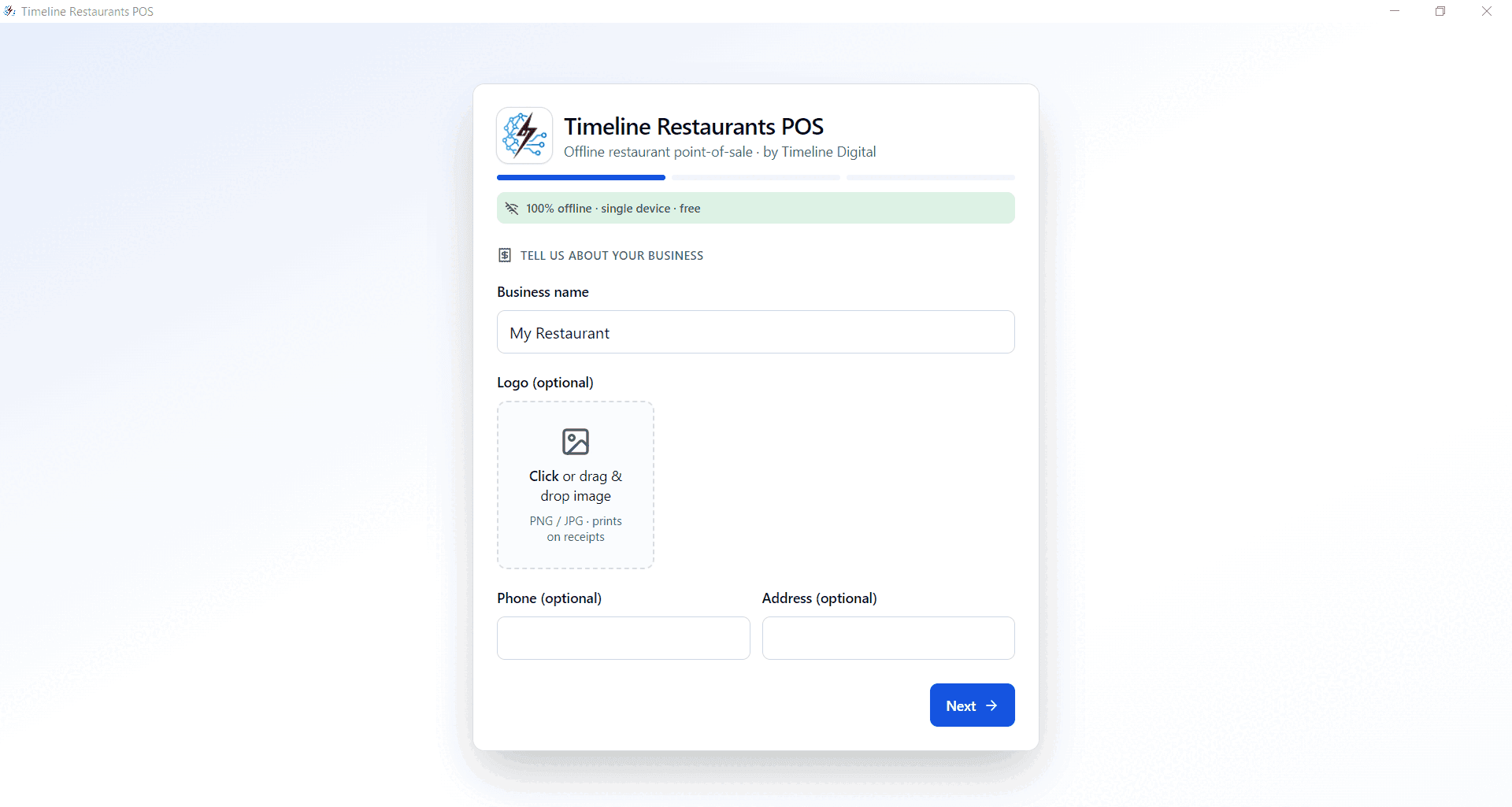
Step 1
Step 1, business details
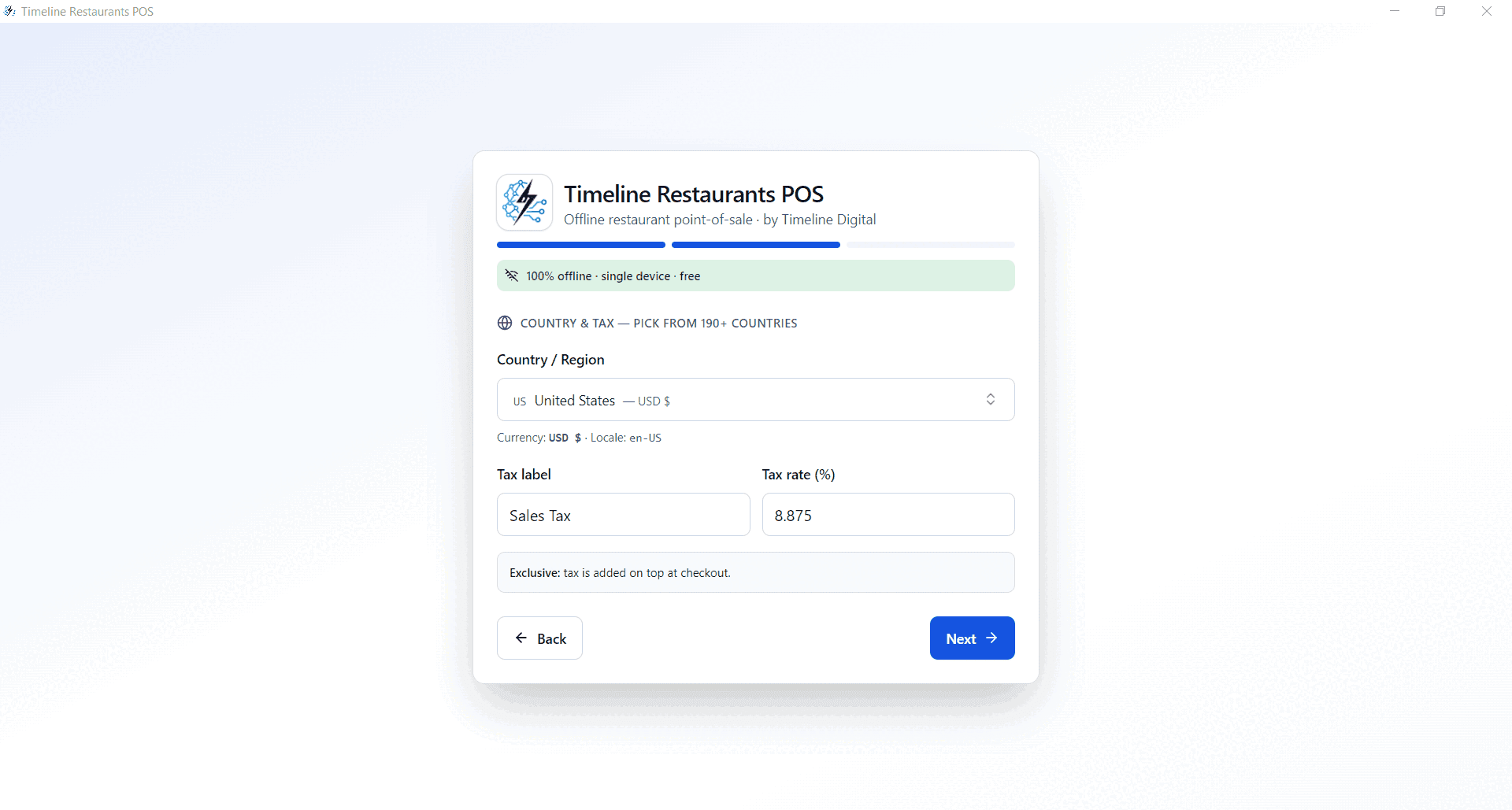
Step 2
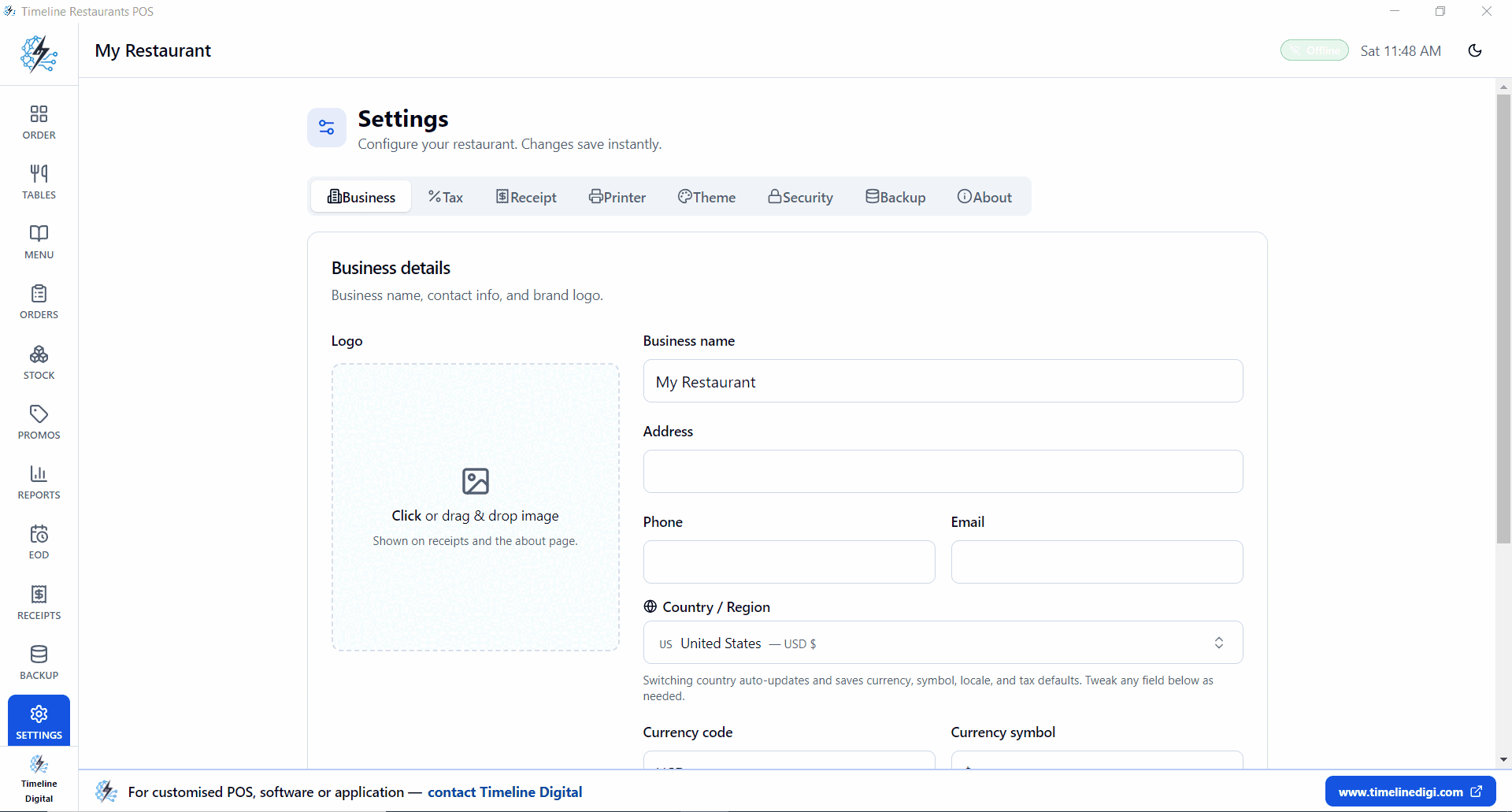
Step 2, country, currency and tax
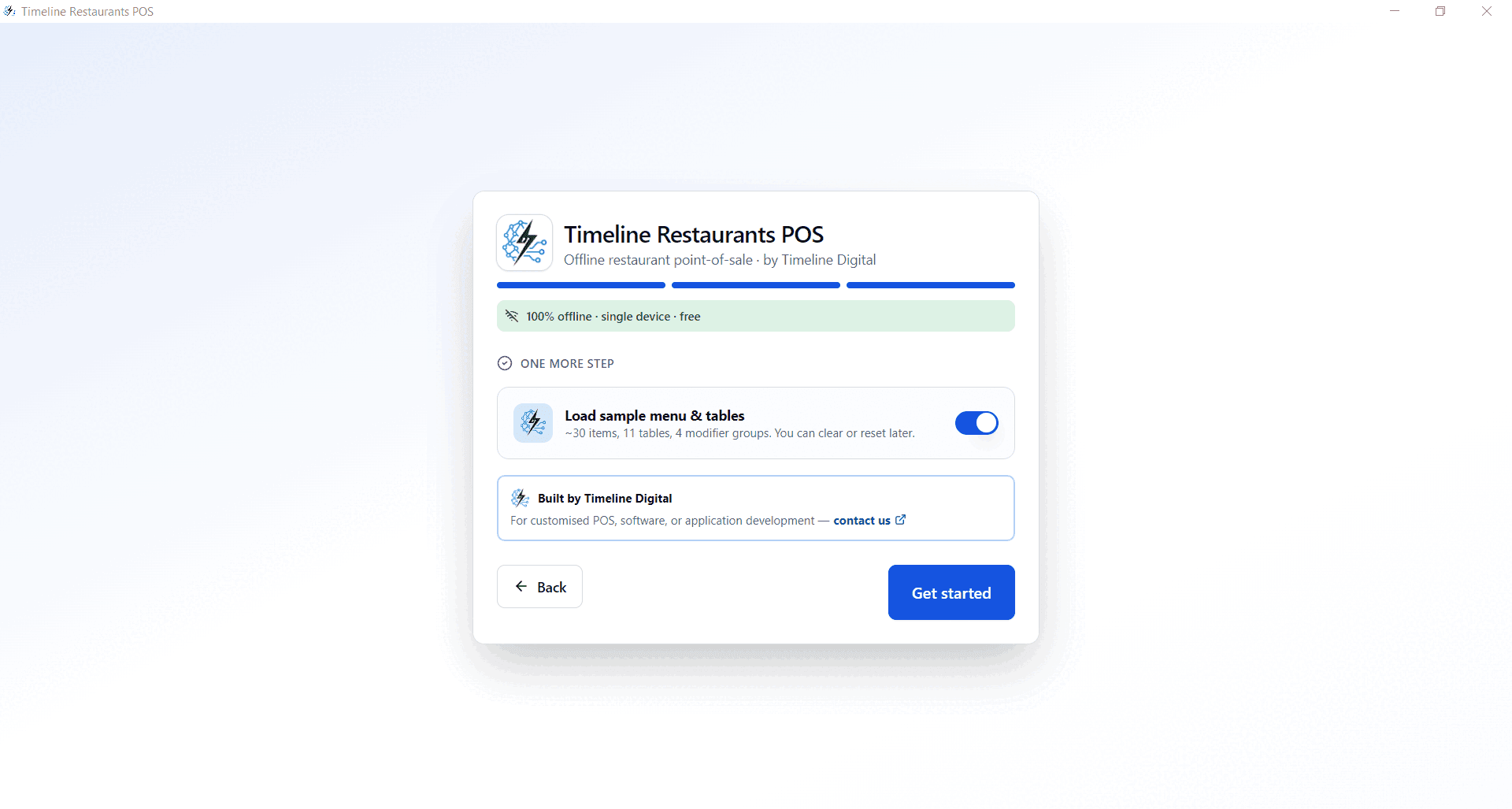
Step 3
Step 3, load sample menu and tables
- 1
Run the installer
TimelineRestaurantsPOS-Setup-2.0.0.exe on any Windows 10 or 11 PC. 96 MB. No accounts.
- 2
Add your business
Name, logo, phone, address. All optional except the name. Data stays on the device.
- 3
Set country and tax
Pick the USA and your sales tax rate. New York 8.875%. Texas 8.25%. California 7.25%. Override anytime.
- 4
Load sample menu
Optional. 25 items, 11 tables. Try it for 30 seconds, then clear it and add your real menu.
- 5
Ring up the first order
Open the order screen. Dine-in, takeout or delivery. Done.
Six modules, no upsells
Order screen. Tables. Menu. Recipes. Reports. EOD.
Order screen
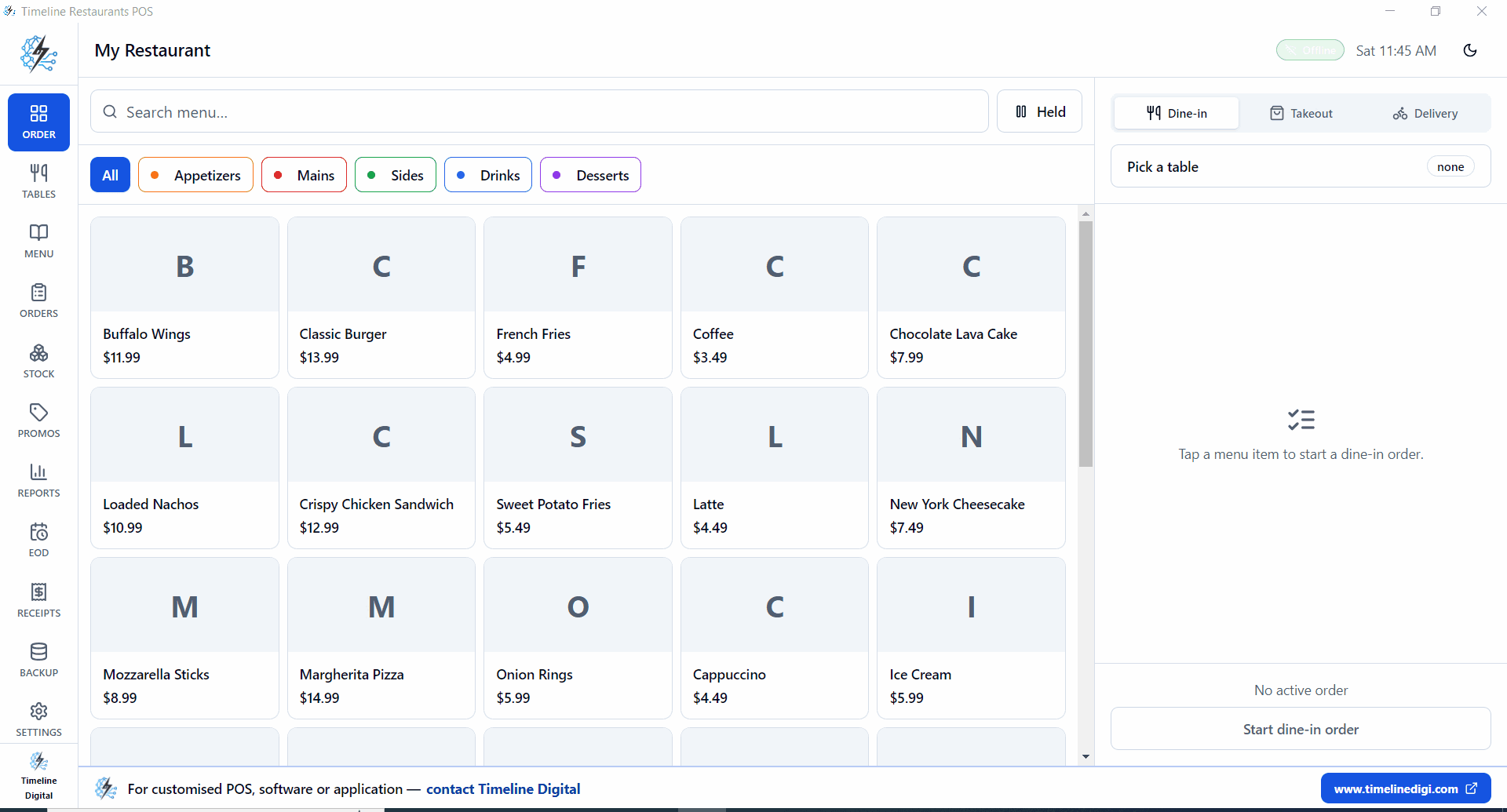
One screen for dine-in, takeout and delivery. Search, filter, attach to a table, send to the kitchen.
- Dine-in, takeout and delivery toggles
- Category filters and item search
- Hold, split, merge, all in the order screen
- Sub-second response on a mid-range PC
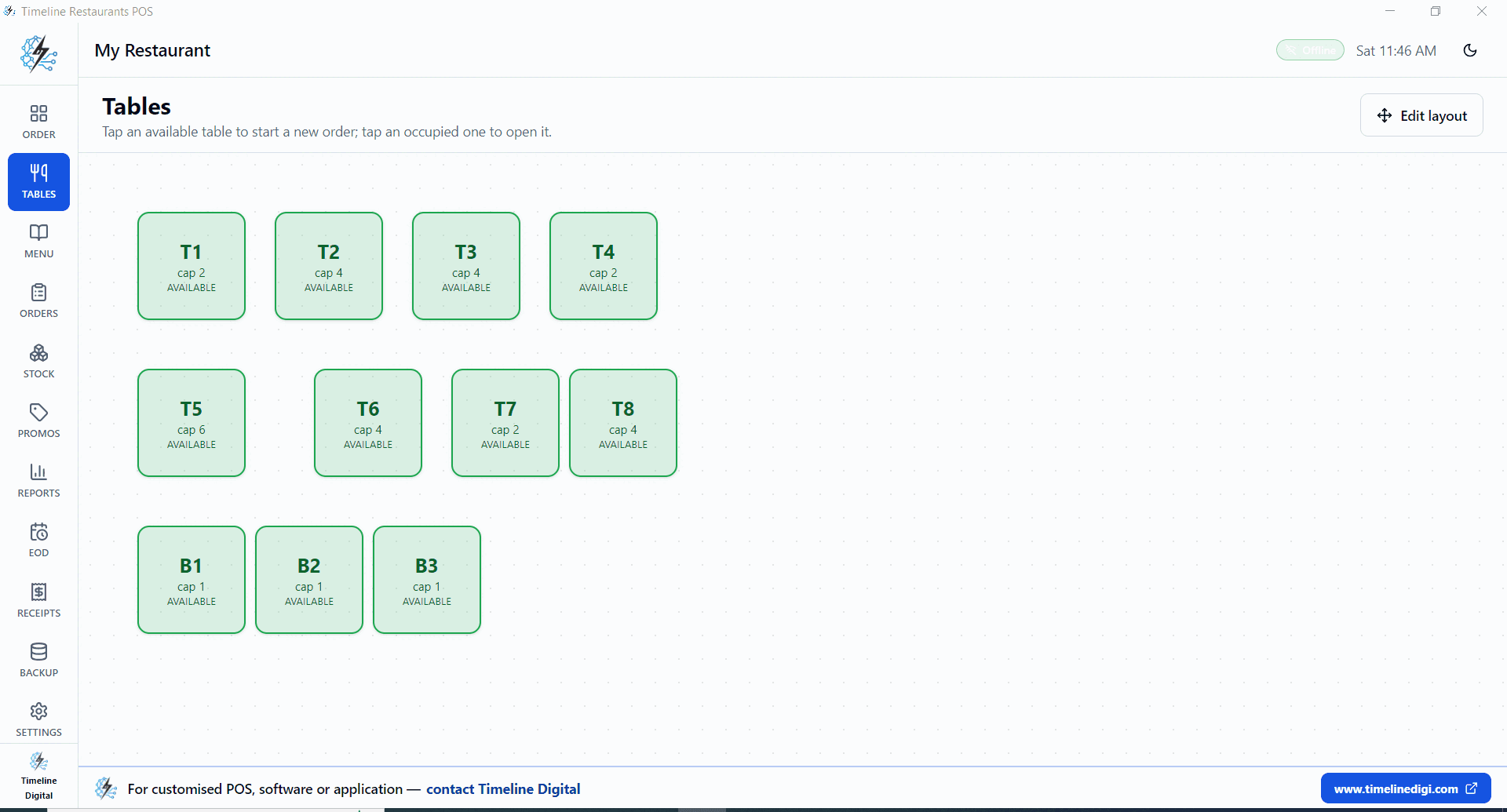
Floor plan
Lay out tables and bar seats. Tap an occupied seat to reopen its order. Edit the layout when the floor changes.
- Per-table capacity (T1 cap 2, T2 cap 4)
- Green = free, red = occupied
- Edit-layout mode for shift changes
- Bar seats and dining tables together
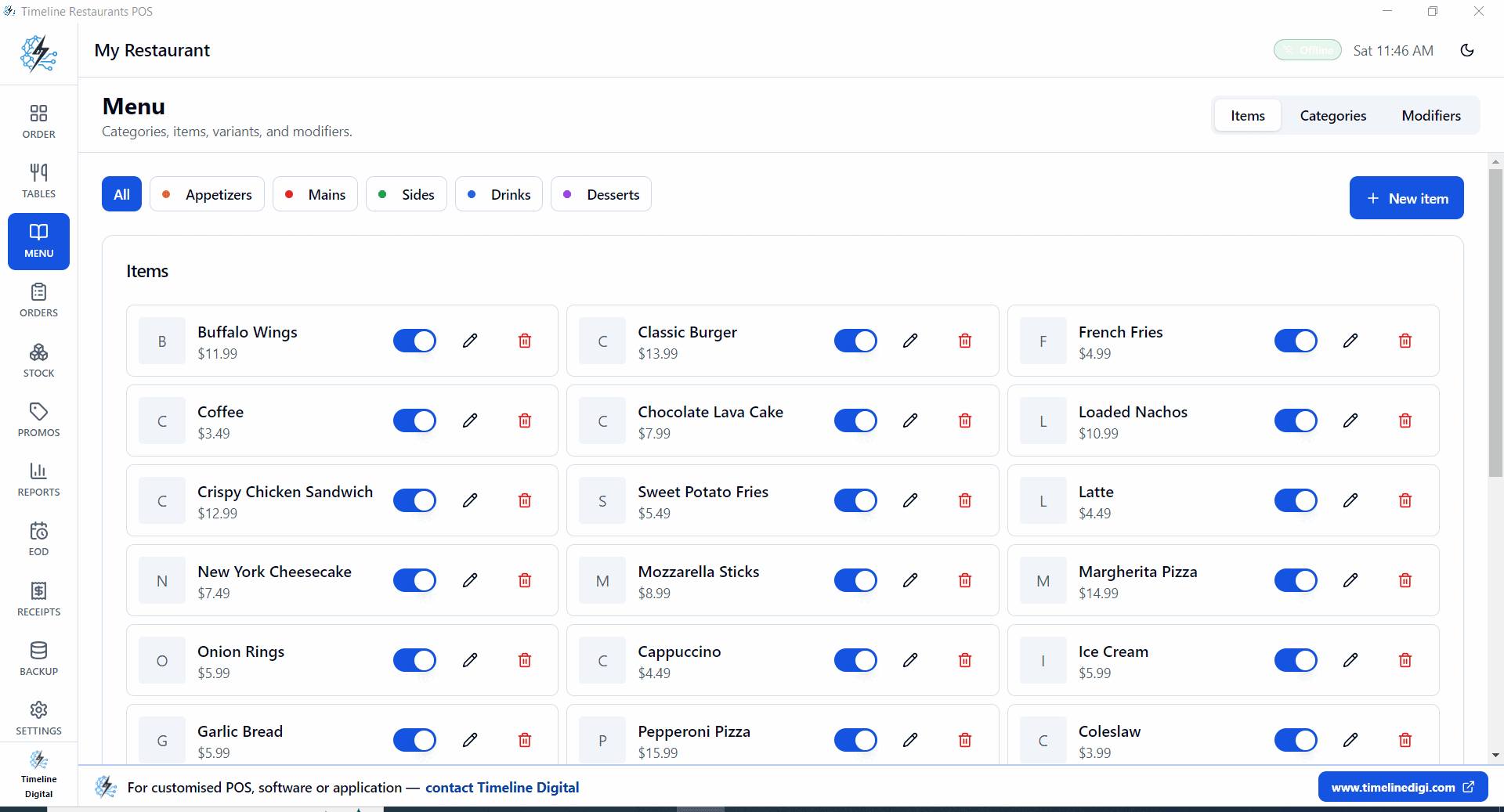
Menu and modifiers
Build the menu in minutes. Categories, prices, modifier groups, 86 toggle. Search stays instant past 500 items.
- Categories you control
- Prices in your local currency
- Modifier groups for size, sides, add-ons
- One-tap 86 button when an item runs out
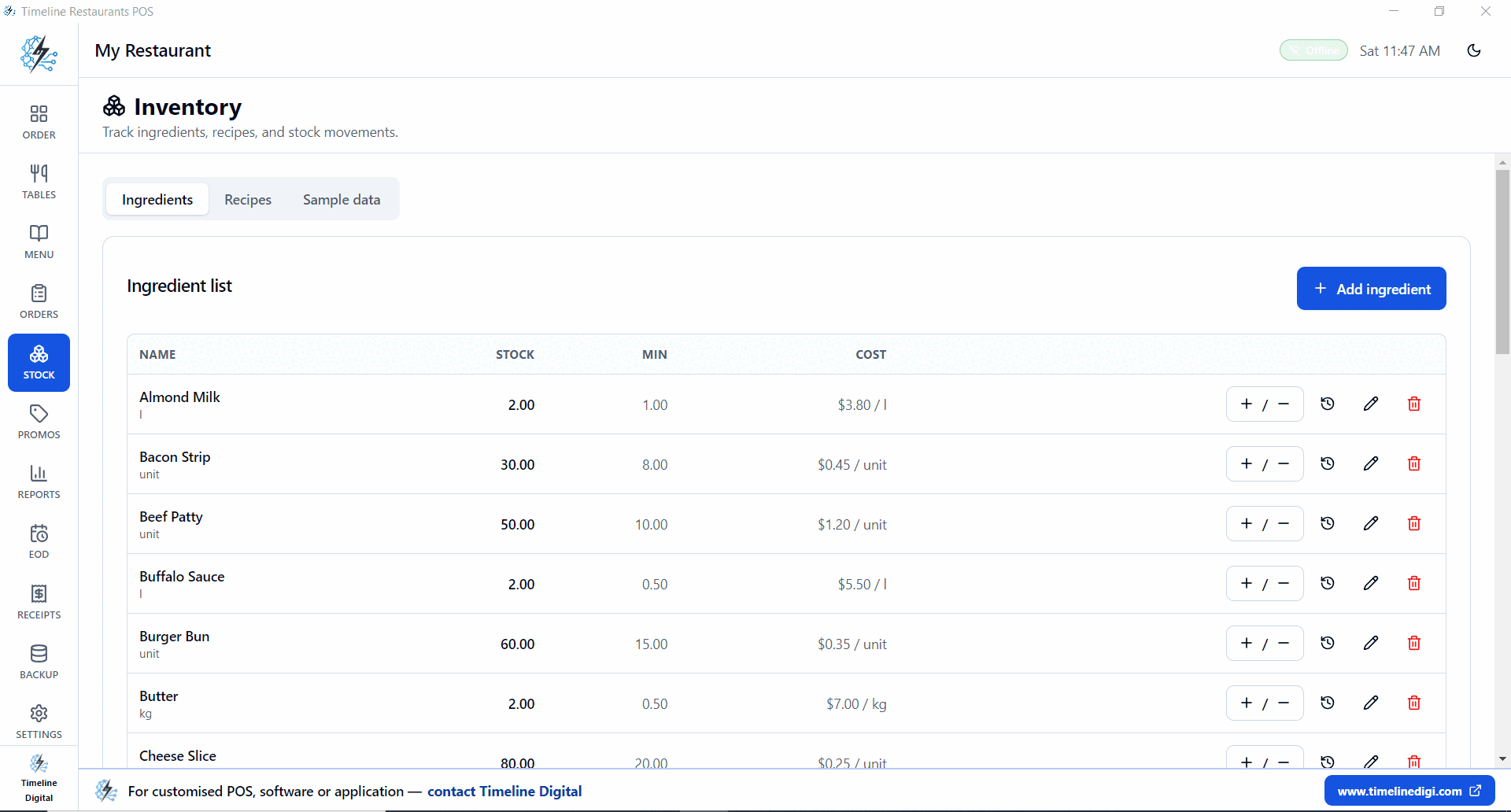
Recipe inventory
Track ingredients, not just dishes. Recipes deduct stock when the order closes. Food cost shows up the next morning.
- Stock, min, unit and cost per ingredient
- Low-stock alerts on the dashboard
- Menu items mapped to ingredients
- Stock auto-deducts on closed orders
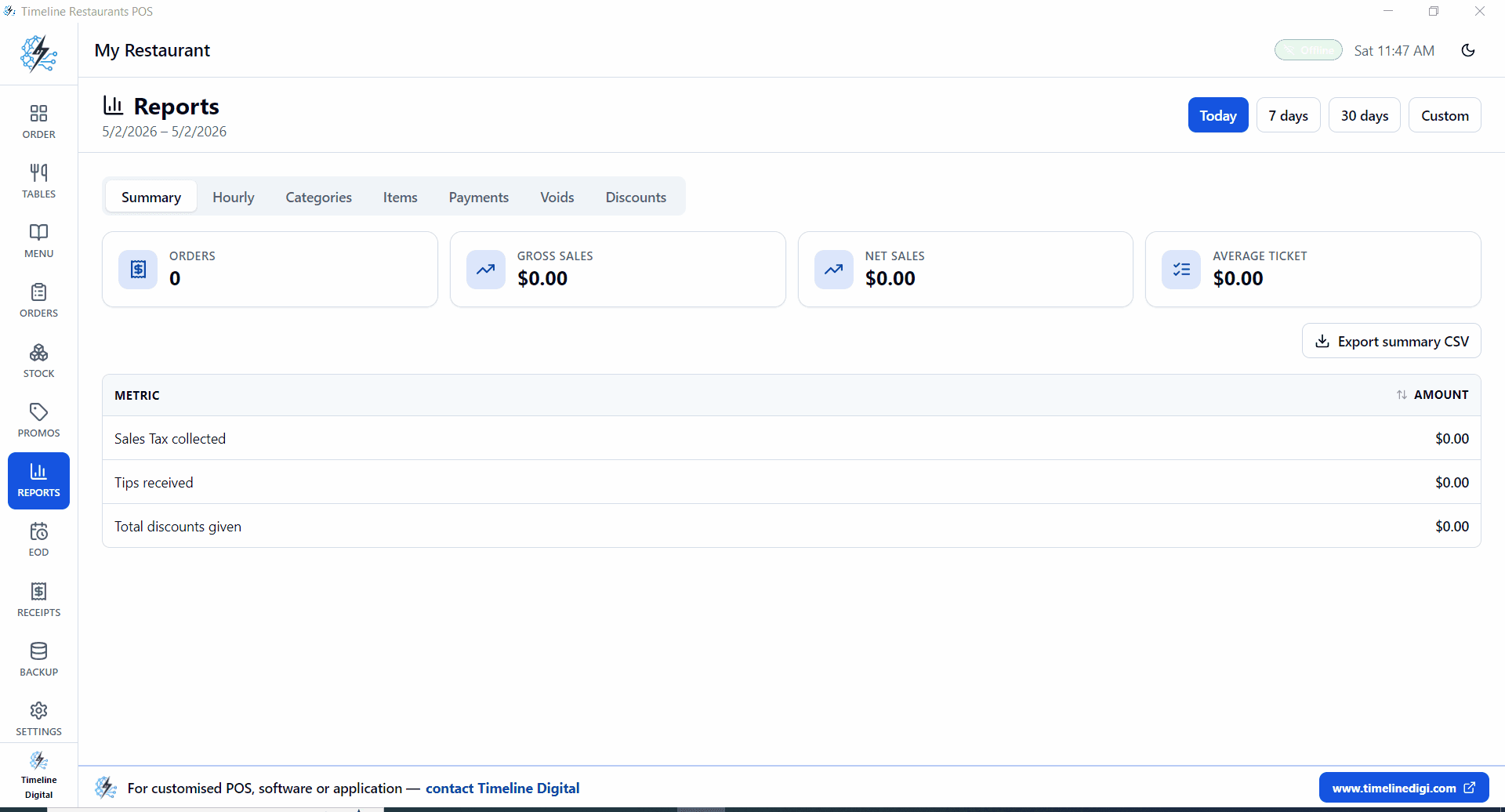
Reports
How much, when, what sold, what got comped. Today / 7 / 30 days or custom range. CSV export.
- Orders, gross, net, average ticket
- Sales tax, tips, discounts
- Hourly heatmap, top categories, top items
- Voids, payment mix, CSV export
EOD and printer setup
Drawer count at end of shift. Receipt template you control. ESC/POS printer over USB or network.
- End-of-day drawer count
- Custom receipt header, footer, tax line
- Promos: percent or flat, date windows
- USB or network receipt printer
Backup, settings, about
The three screens owners actually check on day one.
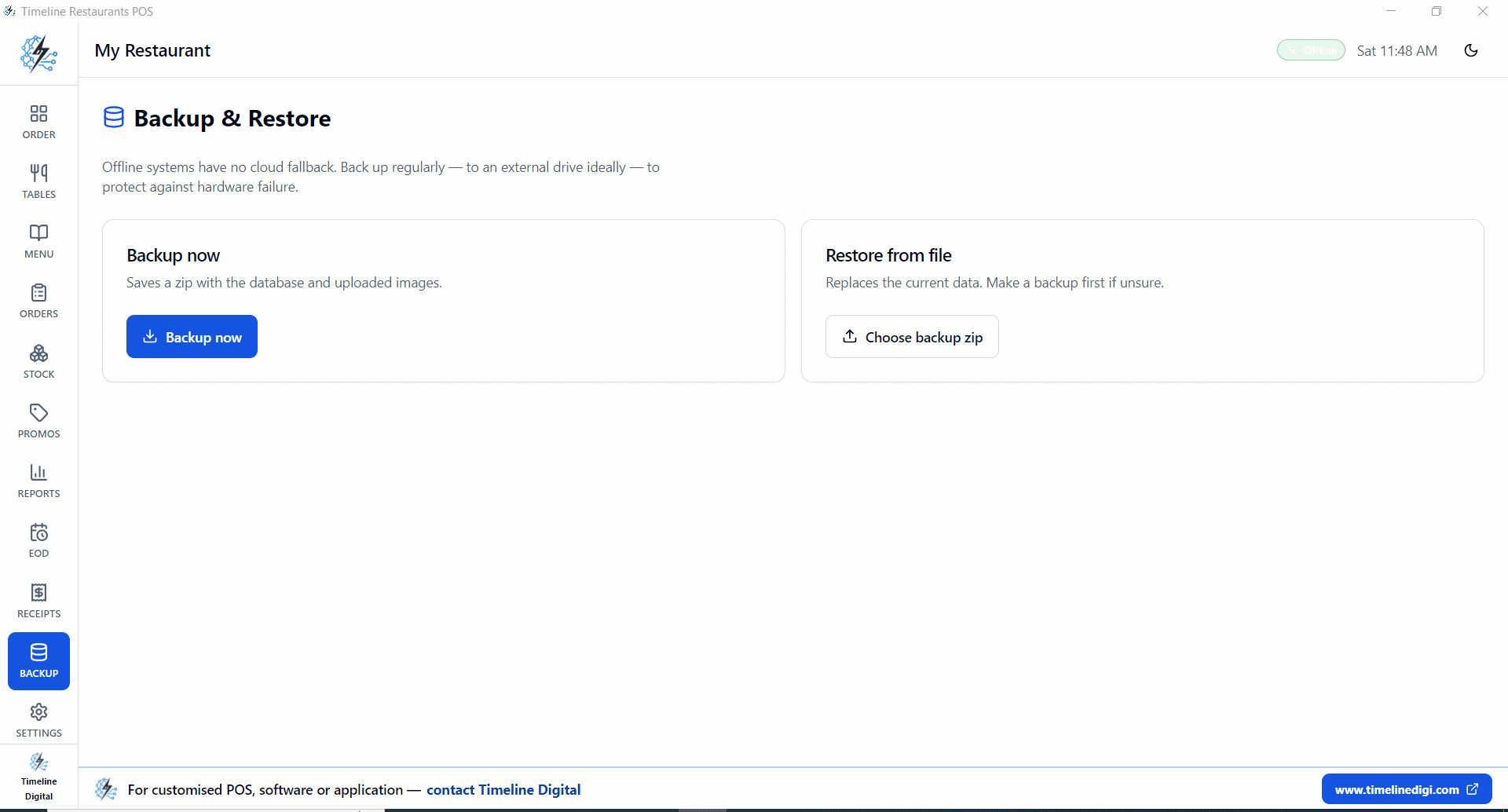
Backup & restore, local zip files
Settings, business profile and country
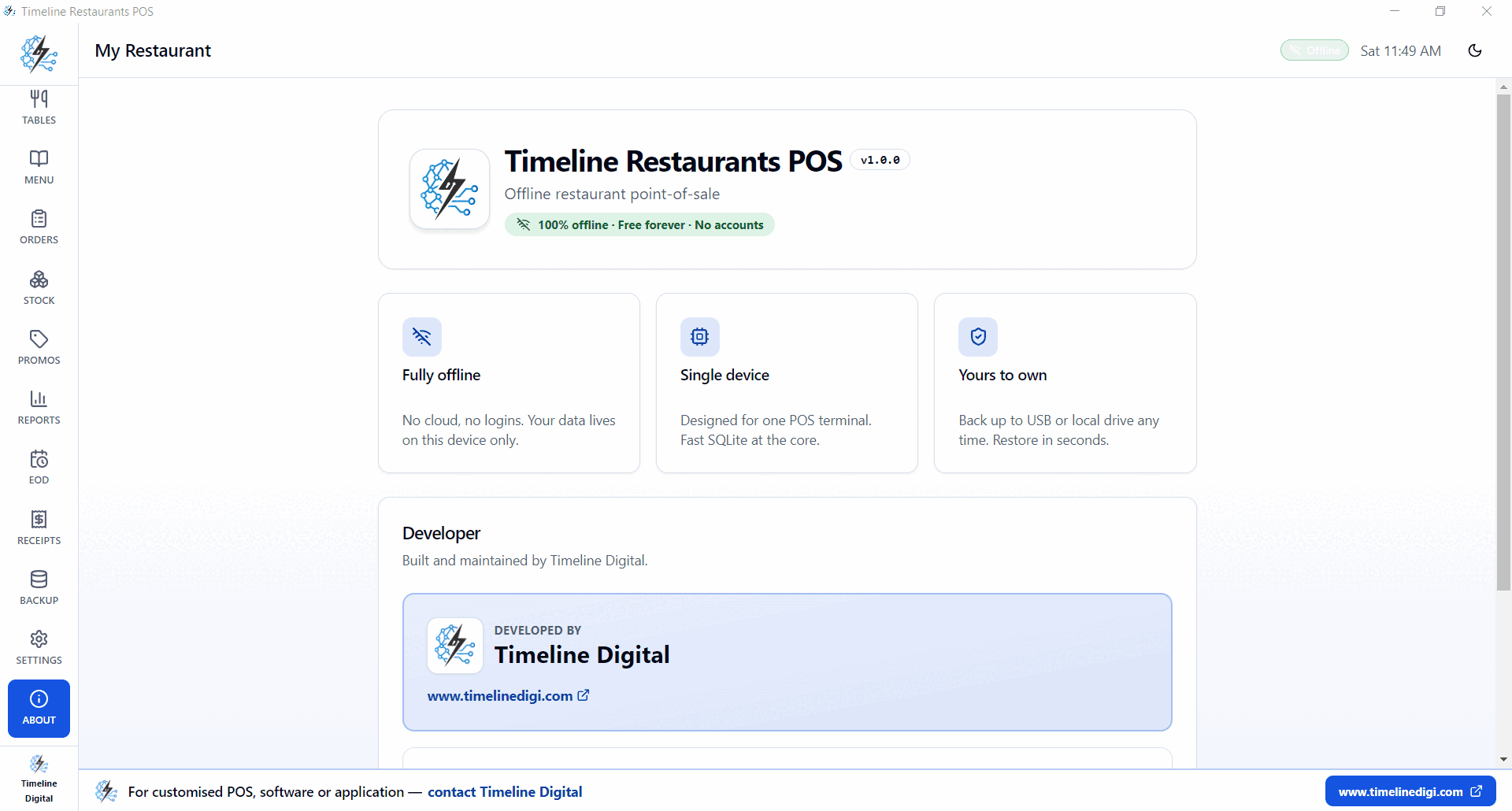
About panel, ownership and offline guarantees
Who uses it
Quick-service
Burger spots, taco counters, bowl shops. Fast checkout, modifier menus, takeout-first.
Cafés
Drink modifiers for size and milk. One touchscreen at the bar. Drawer count in 60 seconds.
Pizza shops
Half-and-half toppings, slice vs whole pricing, kitchen ticket to a USB printer.
Full-service
Tables and bar seats out of the box. Split checks, reopen tabs, hourly shift reports.
Ghost kitchens
Delivery-only mode. Categorize orders by virtual brand. See which one earns rent.
Bakeries and counters
Counter takeout flow. Promos, discounts, instant receipts. Live in 10 minutes.
Set your rate, done
Pre-built for every state. Examples below.
| City / State | Rate | Notes |
|---|---|---|
| New York City, NY | 8.875% | Combined state + city + MCTD |
| Los Angeles, CA | 9.50% | State 7.25% + LA County 2.25% |
| Chicago, IL | 10.25% | Highest big-city restaurant tax |
| Houston, TX | 8.25% | State 6.25% + Houston 2.00% |
| Miami, FL | 7.00% | State 6% + Miami-Dade 1% |
| Atlanta, GA | 8.90% | State 4% + Fulton/Atlanta 4.9% |
| Seattle, WA | 10.35% | State 6.5% + King County 3.85% |
| Phoenix, AZ | 8.60% | State 5.6% + city 3% |
Receipts show a "Sales Tax" line. Override the rate per state, county, or city anytime from Settings → Tax.
What restaurant POS system offers the best price?
On price, a free POS wins, and Timeline Restaurants POS is free for Windows with no monthly software fee and no card-processing cut. It runs billing, tables, menu, dine-in, takeout, delivery, recipe-based inventory and end-of-day reports at $0. Your only card cost is the merchant account you already use, so the all-in monthly bill is the lowest of any system here.
Which restaurant POS systems have good pricing?
Good pricing means a low total monthly bill: software fee plus card cut. Timeline Restaurants POS is the lowest because the software is free and takes no swipe fee. Square, Loyverse and Toast have free tiers, but in-person card processing of about 2.5 to 3 percent plus a fixed fee per swipe is the cost that adds up.
A list of the best-priced restaurant POS systems
Ranked by total cost: Timeline Restaurants POS (free, no card cut), Square and Loyverse (free software, pay card fees), Toast (free Starter, higher processing), then TouchBistro from $69 a month and Clover restaurant plans higher, both plus processing. For a small restaurant, free software with your own card processor is usually the cheapest.
The real monthly bill
Software fee plus card cut at $15,000/month in card sales.
| POS | Software fee | Card cut | Offline | Free forever? | Operator notes |
|---|---|---|---|---|---|
| Timeline Restaurants POSPick | $0 | $0 (use your own merchant account) | Yes | Yes | Free Windows install. Tables, recipes, EOD, local backup. Bring your own card processor. |
| Square for Restaurants | $0 free / $49+ paid | 2.6% + 15¢ per in-person card | Partial | Free tier | $15k/month in card sales is about $400/month in processing fees. That's the real bill. |
| Toast Starter | $0 starter / $69+ paid | 2.49% + 15¢ paid, ~3.09% on free Starter | Partial | Free tier | Multi-year processor and hardware contracts. Hard to walk away once you're in. |
| Clover Dining | $14.95 retail, $135+ restaurant | ~2.3% to 2.6% + 10¢ | Partial | No | Hardware bundle plus a multi-year processor lock-in. Total cost adds up fast. |
| TouchBistro | $69+ | Separate processor | Partial | No | Strong table-service features. Monthly fee plus processor cost rules out small spots. |
| Loyverse | $0 base / paid add-ons | Depends on partner | Yes | Free tier | Good free tablet POS. Employee management and advanced inventory are $25/month add-ons. |
Three reasons
The card-fee trap
$15k a month in card sales costs you ~$400/month at 2.6%. We don't process cards, so we don't take that cut.
Why offline
Cloud POS freezes the second your router blinks. A local SQLite file keeps service running.
You own your data
Menu, prices, sales history, customers, all on your PC. Nothing to migrate when you switch.
What's in the box
Version
v2.0.0
Installer size
~96 MB
Platform
Windows 10 / 11
Database
Local SQLite
Internet
Not required
Cloud account
None
Subscription
$0 forever
Card-fee cut
0%
Common questions
What restaurant POS system offers the best price?+
Timeline Restaurants POS offers the best price for most restaurants because it is free for Windows. There is no monthly software fee and no per-swipe card cut, so you only pay the merchant account you already use for cards. It includes billing, table management, menu and modifiers, dine-in, takeout and delivery, recipe-based inventory and end-of-day reports, which covers what a small restaurant, cafe or fast-food shop needs to run a full shift without a monthly bill.
Is Timeline Restaurants POS free for lifetime?+
Yes. Timeline Restaurants POS is free for lifetime on a single Windows PC, with no monthly fee and no card cut. The free version stays free. Optional paid services are there only if you want them: custom modules, multi-location sync, kitchen display, hosting, setup, training or dedicated support.
What is Timeline Restaurants POS v2.0.0?+
A free Windows POS for restaurants. Tables, dine-in, takeout, delivery, recipe inventory, EOD, local backup. One 96 MB installer. No cloud, no accounts, no subscription.
Is it free forever?+
Yes. Single-device version stays free. No monthly fee, no per-swipe cut. You pay the merchant account you already use for cards.
Does it work offline?+
Yes. Local SQLite file on the POS machine. Internet outage doesn't stop service, orders, payments, receipts, reports keep working.
Which states and tax rates are supported?+
All 50 US states. Set your sales tax rate at setup and override it anytime. NYC 8.875%, LA 9.5%, Chicago 10.25%, Houston 8.25%, whatever applies.
Can it handle tables and bar seats?+
Yes. Starter floor plan: 8 dining tables (T1, T8) plus 3 bar seats (B1, B3). Edit the layout, reopen occupied tables, split checks during service.
Does recipe inventory work?+
Yes. Map menu items to ingredients. Stock deducts when an order closes. Food cost and waste show up in reports without end-of-shift counts.
What's in Reports?+
Summary, Hourly, Categories, Items, Payments, Voids, Discounts. Today / 7 / 30 days or custom range. CSV export on every view.
How do backups work?+
Settings → Backup makes a zip of the database plus images. Restore from any zip later. Daily backup to a USB drive is the recommended habit.
What hardware do I need?+
A Windows 10 or 11 PC with 4 GB RAM. ESC/POS receipt printer and cash drawer are optional. Touchscreens are supported but not required.
Can you customize it for my restaurant?+
Yes. Timeline Digital builds custom modules, kitchen display, multi-location sync, online ordering, at a fixed quote. The free version stays free.
Who can use Timeline Restaurants POS?+
Timeline Restaurants POS works for restaurants, cafes, fast-food shops, food courts, bakeries, pizza shops, bars and small food businesses, plus small local chains. It runs offline on one Windows PC and covers daily billing, tables, orders, recipe inventory and reports, so it suits any venue that wants a simple POS without a monthly bill.
Run service tonight.
One 96 MB Windows installer. Free, forever.
Need multi-location or kitchen-display? We build those as paid custom modules. The free version stays free.
Related software and resources
Timeline POS, Free Retail POS Software
The retail and shop version of our free POS, for product-based businesses rather than restaurants.
Read this nextFree POS Software, Best Options Compared
How Timeline Restaurants POS compares to other free POS software before you commit to one.
Read this nextFree CRM Software
Track catering leads, corporate orders and follow-ups in a free Windows CRM.
Read this nextFree Software from Timeline Digital
All the free Windows tools we build and maintain, POS, CRM, payroll and more.
Read this nextCheapest Restaurant POS, Complete Cost Guide
Real price ranges for restaurant POS systems, and what drives the cost up or down.
Read this nextMade in Islamabad, Pakistan
Free Restaurant POS for Pakistan
Timeline Restaurants POS is a free Windows POS used by restaurants, dhabas, cafes and bakeries in Islamabad, Lahore, Karachi and Rawalpindi. It bills in PKR, works offline, and costs Rs 0 per month, while local cloud systems like Foodnerd, CORN POS and itKINS charge PKR 1,500 to 2,500 a month.
Rs 0 per month, forever
No subscription and no per-order fee. You keep your full margin instead of paying a monthly PKR bill to a vendor.
PKR pre-loaded
Pick Pakistan during setup for PKR currency and a 0% GST default you can change. No need to configure it as a US system.
Built for local formats
Tables, dine-in, takeaway and delivery, plus recipes and modifiers, suit dhabas, karahi spots, cafes, bakeries and counters.
Works offline
A desktop app that keeps taking orders and printing bills during load-shedding or when the internet is down.
FBR note for restaurants
FBR requires POS integration for some Tier-1 restaurants and hotels. We can add FBR e-invoicing on request. This is information, not legal advice.
Common questions from Pakistan
Does Timeline Restaurants POS work in Pakistan and support PKR?
Yes. During setup you select Pakistan, which loads PKR currency and a 0% GST default you can adjust. The app runs on any Windows PC in Pakistan, bills and prints in PKR, and is free to use with no monthly fee.
Is this POS software compliant with FBR invoicing requirements in Pakistan?
Timeline Restaurants POS prints itemised bills and sales reports useful for FBR returns. FBR mandates POS integration for some Tier-1 restaurants and hotels, and we can add FBR e-invoicing integration as a custom request. This is general information, not legal advice, so confirm your category with FBR.
How does it compare to Foodnerd, CORN POS or itKINS for Pakistani restaurants?
Those are mostly cloud systems with monthly fees around PKR 1,500 to 2,500 and a need for steady internet. Timeline Restaurants POS is free forever, works fully offline, and stores data on your own PC. The tradeoff is that it is a single-location desktop app rather than a multi-branch cloud platform.
Can I get setup help or support in Urdu, and is there a WhatsApp number for Pakistan?
Yes. Our Islamabad team helps you install and configure the POS on WhatsApp at +92 344 9310484, in Urdu or English. You deal with a local team in your own time zone.