If you run a furniture store, appliance store, jewelry shop, electronics store, or mattress store, you already know the problem. Customers want the $1,400 sofa or the $900 refrigerator today, but they don't have the full amount today. You can send them to a buy-now-pay-later (BNPL) company and give up typically around 2-8% of the sale, or you can finance them yourself and keep every dollar. This page shows you how the second option works — and how free software keeps it organized.
What Is In-House Financing and Why Do Small Stores Use It?
In-house financing means your store is the lender. The customer picks the item, pays a down payment, signs your agreement, takes the item home, and pays you directly in weekly or monthly installments until the balance is zero. No bank. No BNPL app. No merchant fee.
Stores use it for three big reasons:
- You keep the fee. BNPL and third-party financing providers typically take around 2-8% of each transaction. On $20,000 a month in financed sales, that can be $400 to $1,600 a month leaving your pocket.
- You approve people a bank declines. You know your regulars. The customer who has bought from you for six years and always paid on time may get declined by an algorithm. You can say yes.
- You own the customer relationship. The customer comes back to your counter every month, sees your new stock, and buys again. With BNPL, the app owns that relationship.
How Much Money Does In-House Financing Actually Keep? (Worked Example)
Here is a real-world style example with the math shown fully.
The sale: A customer wants a $1,450 sofa. You take a $250 down payment and set up 12 monthly payments of $100.
| Line item | Amount |
|---|---|
| Sofa price | $1,450 |
| Down payment (paid today) | $250 |
| Amount financed | $1,200 |
| Monthly payment | $100 |
| Number of payments | 12 |
| Total of installments | $1,200 |
| Total paid by customer | $1,450 |
In this simple plan, the customer pays exactly the sticker price — no finance charge at all. Many small stores run plans this way as a customer-loyalty tool. Others add a modest markup or a late fee for missed payments; that is your business decision (see the compliance section below before you do).
Now compare what you keep versus a BNPL route on that same $1,450 sale:
| Route | Fee | You receive |
|---|---|---|
| BNPL / third-party financing (typically ~2-8%) | $29 – $116 | $1,334 – $1,421 |
| In-house financing, tracked in Timeline | $0 | $1,450 |
The trade-off is honest: with BNPL you get paid up front and the lender carries the risk; with in-house financing you carry the risk and get paid over 12 months — but you keep the full amount and the customer. Good record-keeping is what makes that risk manageable, and that is where the software comes in.
How Does In-House Financing Software Run the Whole Flow?
Timeline Free Installment Manager handles the plan from the first handshake to the last receipt:
- Add the customer. Name and phone are required; you can also record an ID type (driver's-license-style "National ID" or Passport) with its number, plus address and notes. Every plan and payment stays in their history.
- Add a guarantor or reference. Link a co-signer or reference contact to the plan so you always have a second person to call.
- Pick the product. Your catalog stores SKU, purchase price, sale price, and warranty. Stock automatically drops when an item sells on a plan, and low-stock alerts warn you before you run out.
- Build the plan. Choose daily, weekly, or monthly frequency and watch a live schedule preview update as you type. The down payment is auto-recorded as the first payment, with a receipt.
- Collect payments. The Receive Payment screen auto-fills the next due installment. Partial payments are applied oldest-first, and discounts count toward settlement. Amounts lock after payments are recorded, so nobody can quietly edit a plan later.
- Print the receipt. Branded receipts print or save as PDF on any Windows printer — your logo, plan reference like INV-1, the item, a big clear amount, "Installments Paid X of Y," remaining balance, signature lines, and an editable terms footer for your financing policy.
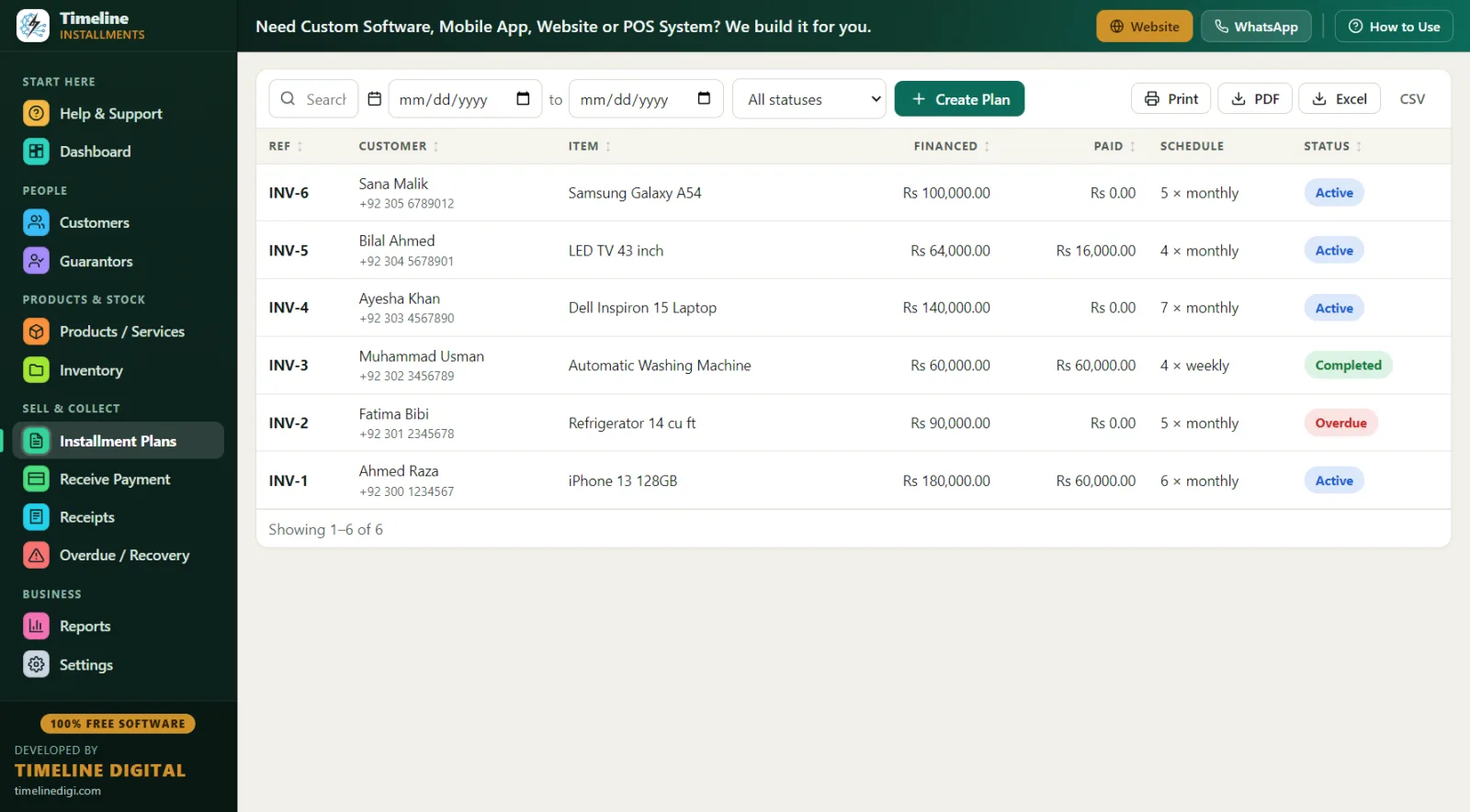
Plan statuses update automatically — active, overdue, completed, cancelled, or rescheduled — so your list always tells the truth without manual bookkeeping.
What Does a Day Look Like With This Software? (Day in the Life)
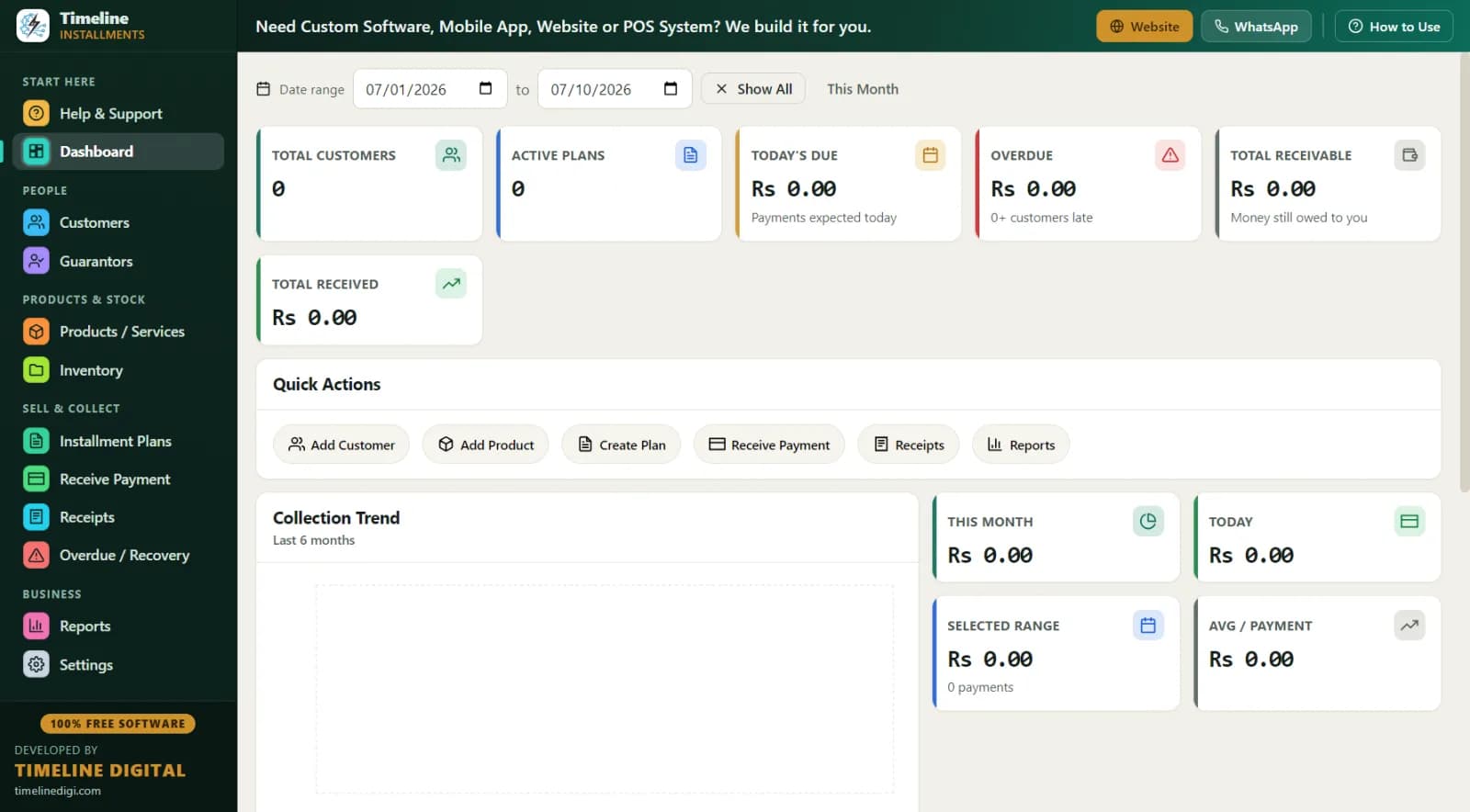
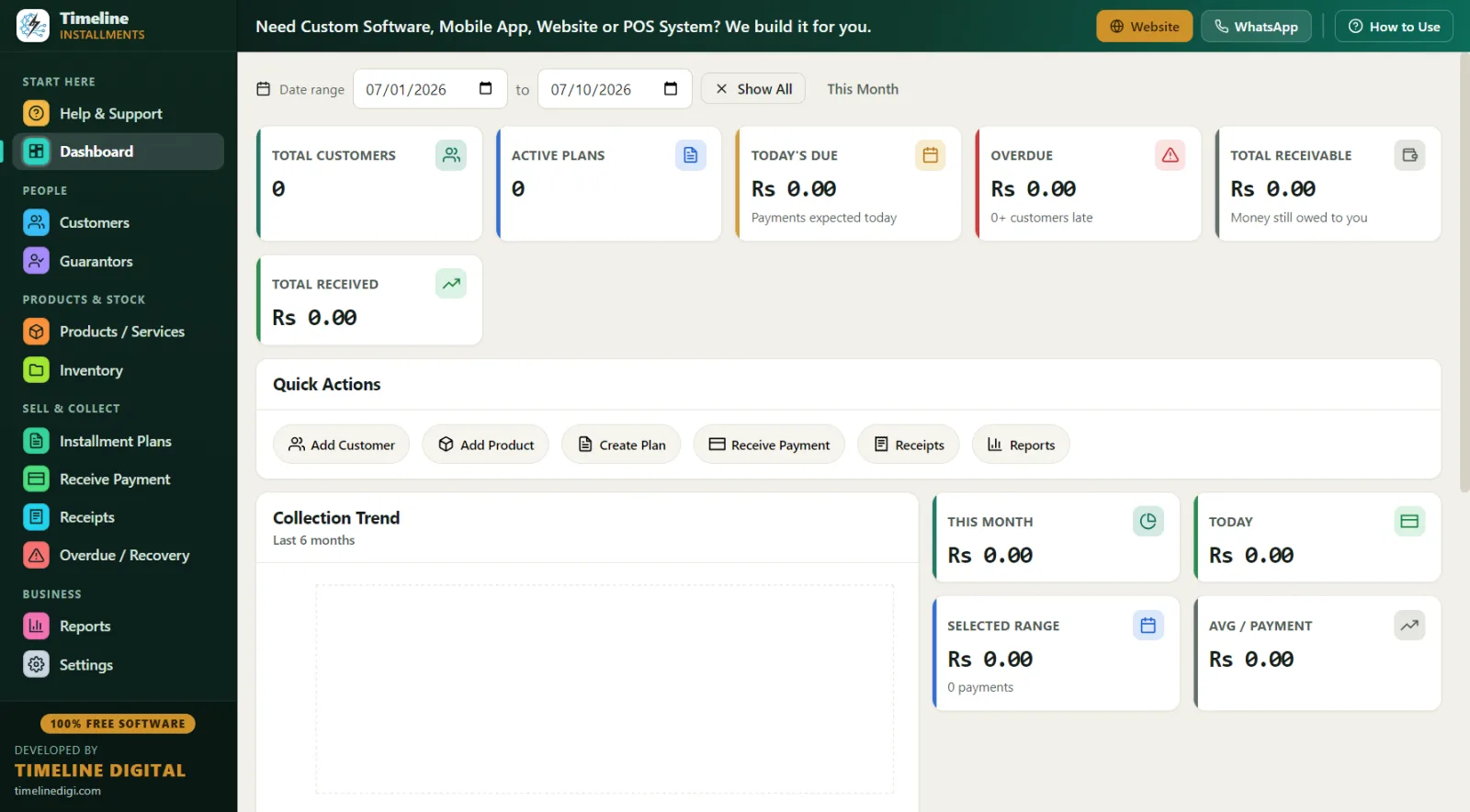
8:55 a.m. — You open the app before the doors open. The dashboard shows total financed, total collected, and total pending. No login screen, no internet needed — the database lives on your store PC.
10:15 a.m. — A regular customer, Maria, comes in for the $1,450 sofa. You add the plan in about two minutes: $250 down, 12 × $100 monthly. The down payment receipt prints while the delivery guys load the truck.
1:30 p.m. — A customer named Dave stops by with $60 instead of his full $100 payment. You record a partial payment; the software applies it to the oldest unpaid installment automatically and the receipt shows his true remaining balance.
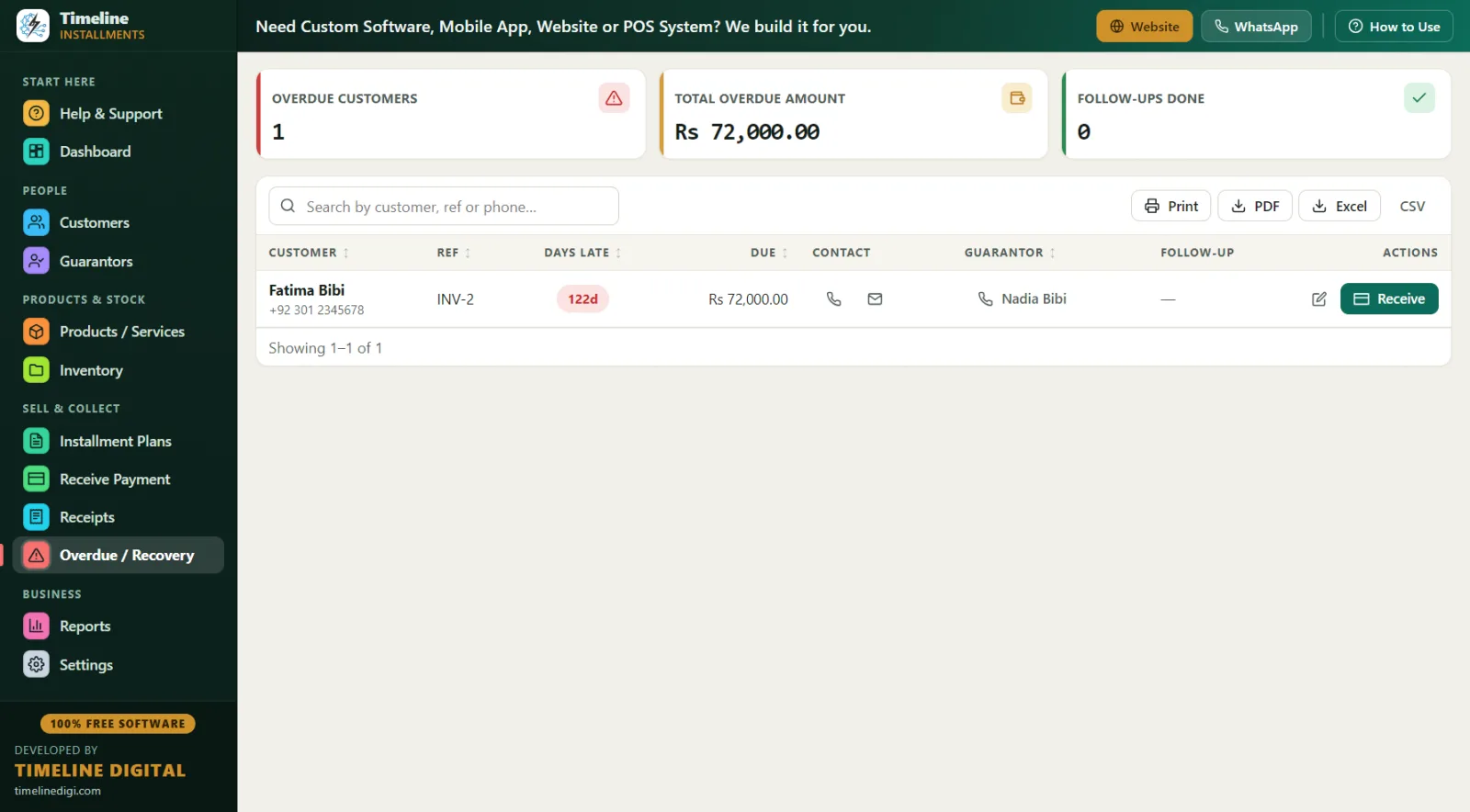
4:00 p.m. — You open the Overdue screen. It shows every late plan with days late, amount due, the customer's phone number, the guarantor's contact, and a follow-up notes field. You make three calls, log the promises to pay, and hit Receive on the one customer who walks in to settle up.
6:05 p.m. — Before closing, you run the Daily Collection report and match it against the cash drawer. One click backs up the database. Done.
In-House Financing vs. BNPL vs. Bank Financing — Which Fits a Small Store?
| Factor | In-house financing (Timeline) | BNPL / third-party | Bank / credit card |
|---|---|---|---|
| Fee to the store | $0 | Typically ~2-8% per sale | Card processing fees |
| Who approves the customer | You | The lender's algorithm | The bank |
| Who carries the risk | You | The lender | The bank |
| When you get paid | Over the schedule | Up front | Up front |
| Customer relationship | Yours | The app's | The bank's |
| Works for declined regulars | Yes | Often no | Often no |
| Software cost | Free forever | Per-transaction fees | Terminal/gateway fees |
There is no single right answer — many stores use both. But every store that self-finances even a handful of customers needs clean records, and paper ledgers break down fast once you pass ten active plans.
Best Practices for Offering In-House Financing
- Always take a down payment. It proves commitment and reduces your exposure. Timeline records it automatically as payment one.
- Require ID and a reference. Record the driver's-license-style ID number and link a guarantor to every plan. If a customer disappears, the reference contact is on your Overdue screen and your Next 30 Days Recovery report.
- Put your terms on every receipt. Use the editable terms footer for your late-fee policy, return policy, and repossession terms, and have the customer sign on the signature line.
- Set late fees consistently. Timeline supports a fixed late fee or a percentage of the remaining balance — pick one policy and apply it the same way to everyone.
- Review overdues weekly. A payment that is 5 days late is a phone call; a payment that is 45 days late is a loss. The Overdue screen sorts this out for you.
- Back up every week. One-click Backup & Restore with reminders protects years of payment history. Practice first with Sample Data mode.
What Reports Do You Get?
Eleven reports, all exportable to Print, PDF, Excel, or CSV — including Next 30 Days Recovery (due date, customer, phone, city, reference, item, amount) so you know exactly what money is coming, Customer Statement (total, down payment, financed, paid, pending, next due) for any customer who asks "what do I still owe?", Area Wise and Category Wise breakdowns, and Daily & Monthly Collection for closing the register and reconciling the month.
Compliance & Good Practice (Read This Before You Finance)
In the United States, consumer credit is regulated. If you charge a finance fee or extend credit regularly, federal rules such as the Truth in Lending Act (TILA) and Regulation Z may require specific disclosures, and state laws add their own rules on interest caps, late fees, and repossession. The safe habits are simple: keep clean, complete records of every agreement, payment, and receipt; put your terms in writing on every document; apply your policies the same way to every customer; and consult a qualified attorney or accountant about your specific plans before you launch. Timeline Free Installment Manager is record-keeping software — it keeps your payment history accurate and printable, but it is not a compliance engine and nothing on this page is legal advice.
Why Is Free, Offline Software Actually Better for Financing Data?
Your financing records include customers' names, phone numbers, ID numbers, and balances. Timeline stores all of it in a local database on your own store PC — nothing is uploaded anywhere, ever. There is no account, no email, no login, and no cloud server that can be breached. For US customers who are careful about their data, "your information never leaves this store" is a genuinely strong promise. The app is a ~90 MB download for Windows 10/11 (64-bit) and installs in under a minute.
Why free? Timeline Digital (timelinedigi.com) makes its money building paid custom software — cloud systems, mobile apps, multi-branch setups, and POS. The installment manager is free forever, version 1.6.0, with no strings.