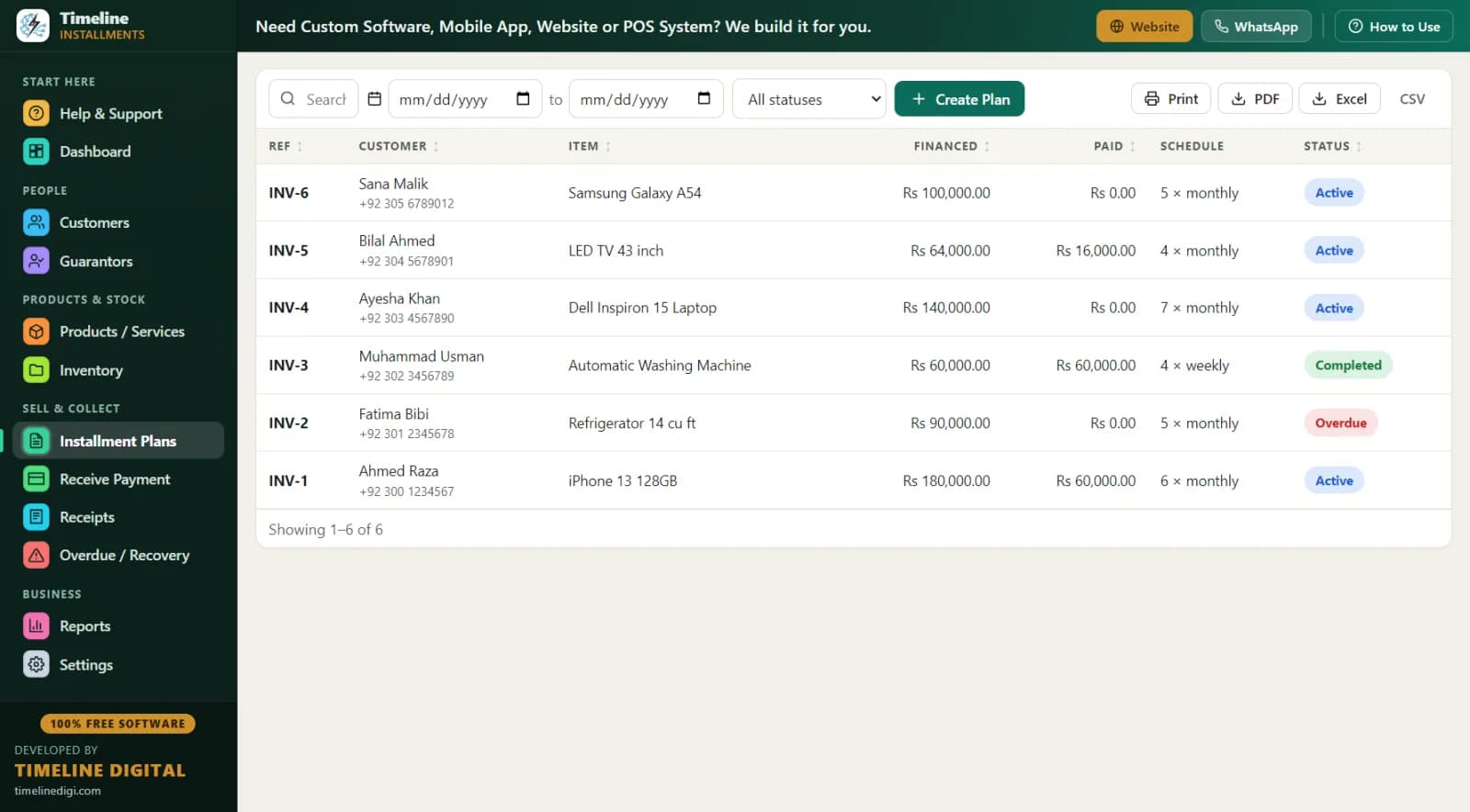
Layaway is the classic American plan: the customer picks the item, pays a deposit, makes scheduled payments, and takes the item home only after it is paid in full. Boutiques use it for special-occasion dresses, jewelers for engagement rings, toy and electronics stores for the Christmas rush, and furniture stores for big-ticket pieces. It is credit-risk-free for you — the goods never leave until the money is complete — but only if your records are airtight. That is what this page covers.
What Is Layaway and How Is It Different From In-House Financing?
Both are pay-over-time plans, but the delivery timing flips everything:
| Factor | Layaway | In-house financing |
|---|---|---|
| When the customer gets the item | After paying in full | Before — they take it home at signing |
| Your credit risk | Essentially none — you keep the goods | Real — the item leaves with a balance owing |
| Typical customer motivation | Lock the price, secure the item, budget for a holiday | Take it home today |
| What happens if they stop paying | Cancellation per your policy (deposit/restocking terms apply) | Collections, late fees, possibly repossession |
| Credit check or approval needed | No | Your judgment |
| Regulation focus | Your written cancellation/refund policy; state layaway rules | Consumer credit rules (TILA/Reg Z) may apply |
If you deliver first and collect after, you want our in-house financing software page. If you hold the goods until paid — layaway — read on. Timeline handles both, because under the hood each one is a customer, a plan, a schedule, and a stack of receipts.
How Does a Layaway Plan Look in Real Dollars? (Worked Example)
The sale: A customer falls in love with a $800 diamond pendant in October and wants it for Christmas.
| Line item | Amount |
|---|---|
| Pendant price | $800 |
| Deposit — 20%, paid today | $160 |
| Balance to pay before pickup | $640 |
| Payment schedule | 8 weekly payments |
| Weekly payment | $80 |
| Total paid by customer | $800 |
| Pickup date | Week of December 14 |
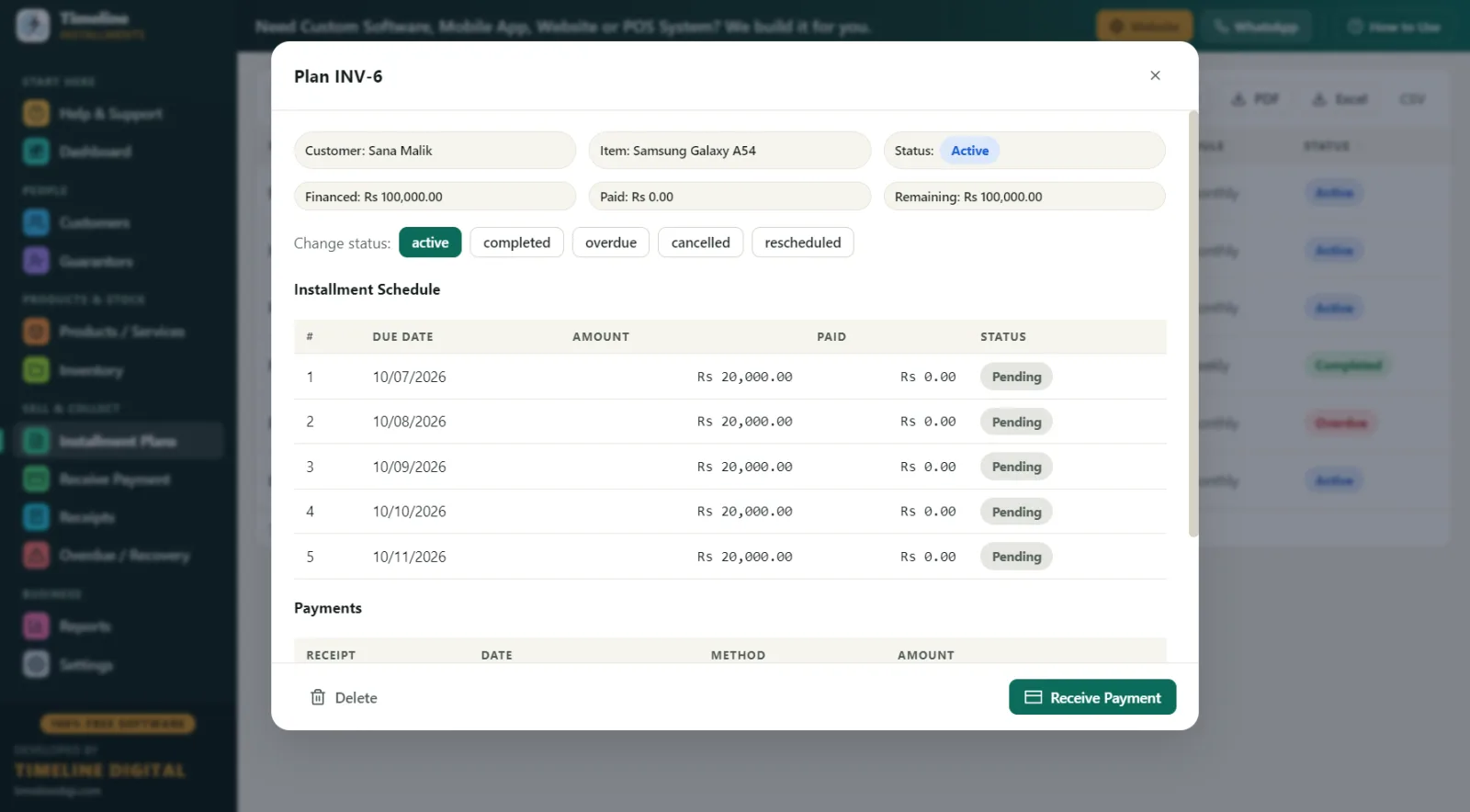
The customer pays exactly the sticker price — layaway traditionally has no finance charge, which is a big part of its appeal against credit cards. In Timeline you enter the plan with a weekly frequency, the live schedule preview shows all eight due dates ending before Christmas week, and the $160 deposit is auto-recorded as the first payment with a printed receipt. The pendant stays in your safe, marked against stock, until payment eight clears.
What Should a Layaway Policy Include? (Best Practices)
Layaway disputes almost always trace back to a policy that was never written down. Put these decisions in writing and print them on every receipt — Timeline's editable receipt terms footer exists for exactly this:
- Deposit percentage. Common practice is 10-25% down. Higher deposits mean fewer abandoned plans; a 20% deposit on a $800 item ($160) is meaningful commitment.
- Payment schedule. Weekly or biweekly beats monthly for holiday layaway — it matches paychecks and finishes before the deadline.
- Cancellation policy. Decide now: if the customer cancels, do they get a full refund, a refund minus a restocking fee (say $25 or 10%), or store credit? State laws differ on what you may keep — see the compliance section.
- Missed-payment grace. Give a written grace window (for example, 7 days) before a plan is treated as cancelled, and log every reminder call in the follow-up notes.
- Final pickup date. State when a fully paid item must be collected and what happens after (storage fee or store credit conversion).
- Price protection. Layaway locks the price at signing — say so proudly on the receipt; it is one of your best selling points.
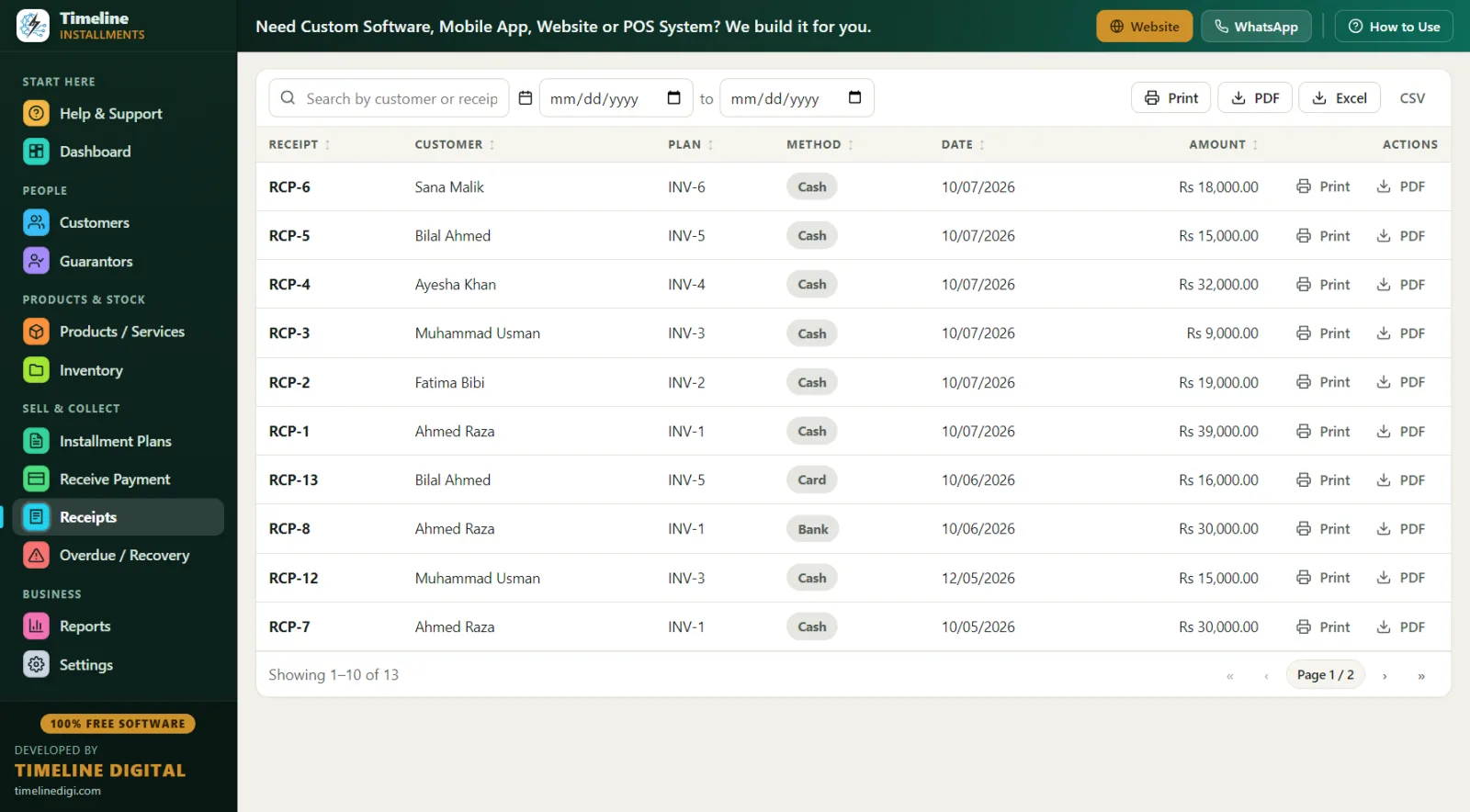
Because every payment in Timeline prints a receipt carrying your terms footer, plus signature lines, both you and the customer hold the same written deal from day one.
How Does Layaway Software Run the Holiday Season? (Day in the Life, December Edition)
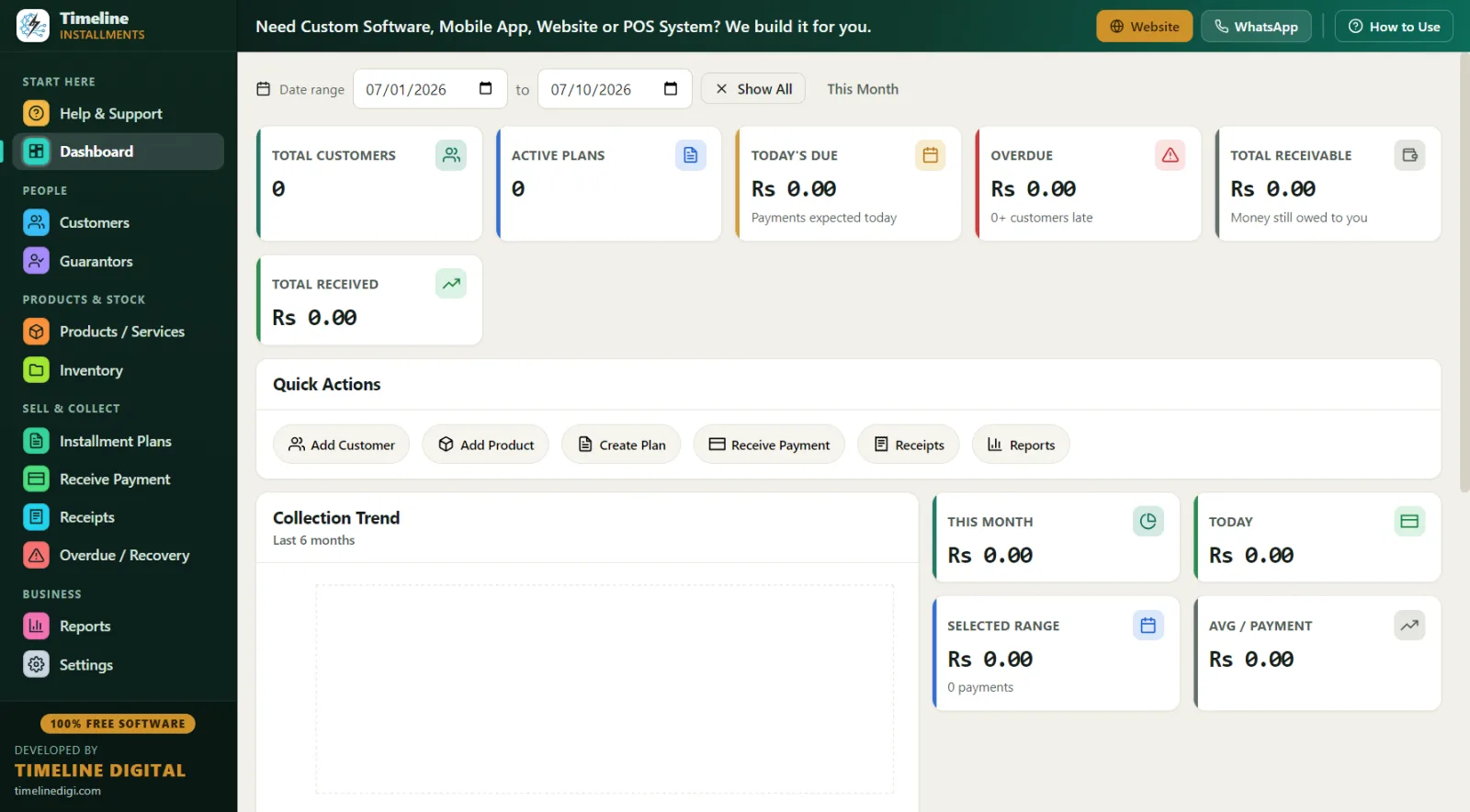
9:00 a.m., a Saturday in December. — You open Timeline before the doors open. The dashboard shows how much layaway money is collected and how much is still pending across the season's plans. Fully offline — even if the store internet drops on the busiest day of the year, your layaway desk keeps working.
10:30 a.m. — A mom sets up a new layaway on a $450 game-console bundle: 20% down ($90), then 6 weekly payments of $60. You add her in two minutes — name and phone required, ID number and address optional but smart — and the deposit receipt prints with your cancellation policy in the footer. Stock reduces automatically so nobody sells her console off the shelf.
12:15 p.m. — Three customers come in to make payments. Receive Payment auto-fills each next due amount; three receipts, ninety seconds each. One pays $40 against a $60 payment — the partial is applied to the oldest unpaid installment and her receipt shows the honest remaining balance.
2:00 p.m. — Pickup time. A plan hits "completed" status automatically as the last payment lands. You print the final receipt — "Installments Paid 8 of 8, remaining balance $0.00" — and hand over the pendant with the paper to prove it.
4:30 p.m. — You check the Overdue screen: two plans are behind, one by 4 days, one by 12. Phone numbers are right there; two quick reminder calls, notes logged. In December, a reminder call usually saves the plan — people are busy, not broke.
6:00 p.m. — Daily Collection report, match the drawer, one-click backup. The Next 30 Days Recovery report tells you which pickups and payments land before Christmas Eve.
Layaway Software vs. Paper Tickets vs. Spreadsheets
| Factor | Paper layaway tickets | Spreadsheet | Timeline (free) |
|---|---|---|---|
| Cost | Cheap but fragile | Free but manual | $0 forever |
| Schedule with due dates | Handwritten | Manual formulas | Auto, with live preview |
| Receipt for every payment | Handwritten, easy to dispute | None unless you build it | Print/PDF, branded, with terms |
| "What's my balance?" answer | Dig out the ticket | Scroll and hope | Customer Statement in one click |
| Overdue visibility | You notice when you notice | Manual sorting | Overdue screen with days late |
| Stock hold tracking | Sticky notes in the back room | Separate sheet | Stock auto-reduces on plan |
| Holiday-volume ready | Falls apart past ~20 plans | Error-prone | Built for it |
| Data location | The shoebox | Wherever the file is | Local database, offline, backed up |
What Reports Help a Layaway Program?
All 11 reports export to Print, PDF, Excel, or CSV. The layaway workhorses are: Customer Statement — total, deposit (down payment), amount financed, paid, pending, and next due, for every "how much do I still owe?" question; Next 30 Days Recovery — every payment due before pickup deadlines, with customer, phone, city, item, and amount; Daily & Monthly Collection — your register reconciliation and season totals; and Category Wise — see whether jewelry, toys, or electronics is driving your layaway season.
Compliance & Good Practice for Layaway Programs
Layaway is lighter-touch than credit, but it is not rule-free. Because layaway traditionally charges no finance fee and delivers only after full payment, Truth in Lending Act (TILA) and Regulation Z credit disclosures generally are not triggered the way they are for financing — but if you add service charges or convert plans into credit, that can change. Several states have specific layaway statutes covering written disclosures, cancellation rights, and what portion of payments you may keep on cancellation, and the FTC has published guidance on layaway advertising. The safe habits: put your deposit, cancellation, and refund policy in writing on every receipt; keep a clean record of every payment; apply the policy identically to every customer; and consult a qualified professional about your state's rules. Timeline Free Installment Manager is record-keeping software — accurate schedules, receipts, and statements — not a compliance engine, and nothing on this page is legal advice.
Why Free, Offline Layaway Software Is a Feature, Not a Compromise
Timeline stores everything in a local database on your store's PC — customer names, phone numbers, ID numbers, balances — and uploads nothing, ever. No account, no email, no login. For a small store, that is both a privacy promise to your customers and an operations promise to yourself: the layaway desk works even when the internet does not. The app is a ~90 MB download for Windows 10/11 (64-bit), installs in under a minute, auto-sets currency to USD when you choose United States, supports MM/DD/YYYY dates, and includes a 6-step in-app quick start plus a How-to-Use drawer on every page. A Sample Data practice mode lets seasonal staff learn on fake plans before touching real ones — worth gold in November.
It is free forever because Timeline Digital (timelinedigi.com) is a custom software company — paid cloud systems, mobile apps, multi-branch, and POS work fund the free app.