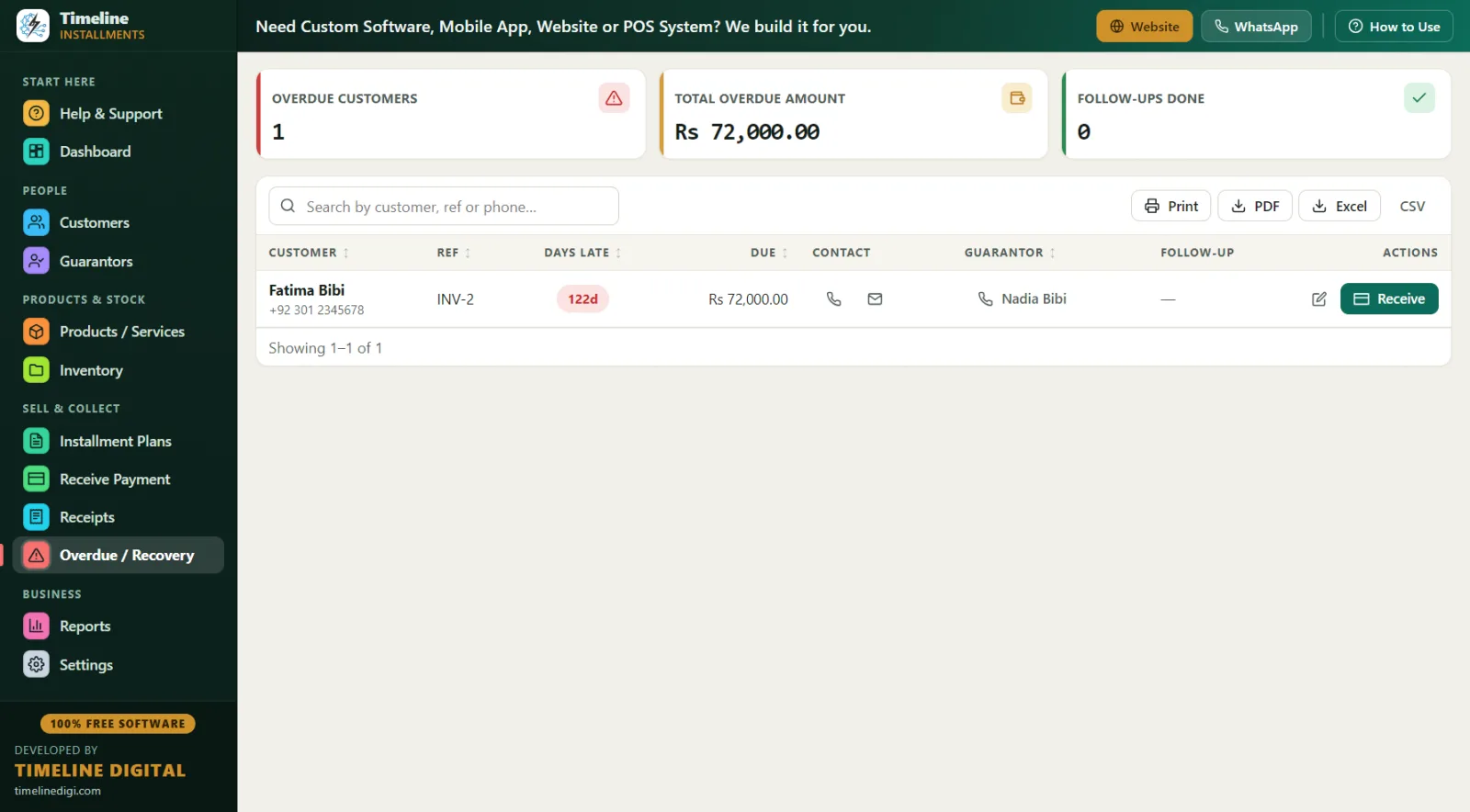
Across Canada, thousands of independent dealers finance sales themselves: the furniture store that takes $300 down on a sectional, the tire shop that splits a set of winters over three months, the powersports dealer selling a used snowmobile at $400 a month through the season. Big-box stores push customers to credit cards and buy-now-pay-later apps; independents win by offering flexible, human, in-store payment plans. This page shows how to run those plans professionally, in CAD, for free.
Who is this payment plan software for in Canada?
Timeline Free Installment Manager (v1.6.0, from Timeline Digital) fits Canadian retailers who offer in-house payment plans:
- Furniture and mattress stores — a $2,000 sectional with $400 down and 8 monthly payments of $200
- Appliance dealers — washers, fridges and freezers on 6-month plans
- Tire shops — winter tires in October, paid off by February
- Powersports and small-engine dealers — snowmobiles, ATVs, snowblowers, mowers
- Electronics and phone stores — handsets and laptops on weekly or bi-monthly-style plans (daily, weekly or monthly frequencies are built in)
It's one download (~90 MB), installs in under a minute on Windows 10/11 x64, and needs no account, email or login. Pick Canada in the 2-step setup and the entire app switches to CAD $ with your preferred date format.
How does a seasonal installment plan work? (The snowblower-and-tires example)
Canadian retail is seasonal, and payment plans should be too. Say a customer walks in mid-October needing a snowblower and a set of winter tires — a $2,400 package they can't pay outright before the first storm:
| Item | Amount (CAD) |
|---|---|
| Snowblower | $1,500 |
| Winter tires (set of 4, installed) | $900 |
| Total agreed price | $2,400 |
| Down payment today | $600 |
| Balance on the plan | $1,800 |
| Monthly payment (Nov–Apr) | $300 × 6 |
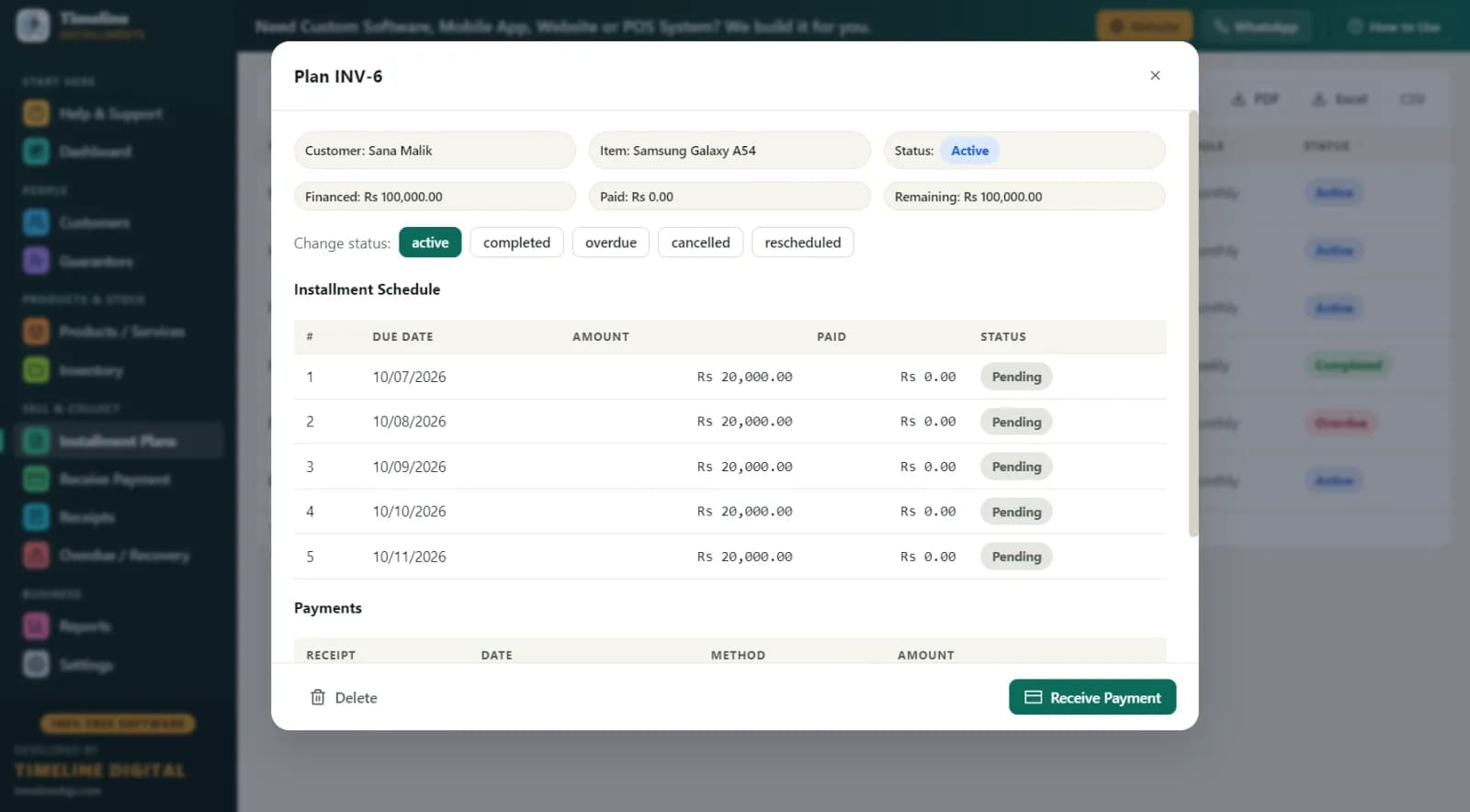
In the software: search or create the customer inline (the "New Customer" button saves customer and plan in one step), add the items, set monthly frequency, and check the live schedule preview — the customer sees every due date from November through April before signing. The $600 down payment is automatically recorded as the first payment with a printed receipt, the plan gets a reference like INV-1, and tracked products reduce stock by one automatically. The warranty field is handy here too — note the snowblower's warranty right on the product.
Come spring, run it in reverse: motorcycles, ATVs and mowers sold in April on plans that finish before the snow flies. Same software, same three-minute setup.
Why does offline matter for a Canadian store? (Your data stays in-store)
Timeline Free Installment Manager is fully offline. The database lives on your store PC and nothing is ever uploaded to a server — there's no cloud account because there's no cloud.
That matters two ways in Canada. First, practical: rural dealers in Northern Ontario, the Prairies or the Maritimes can't have their payment system die every time the internet does. Offline software works during an ice storm exactly as it does on a sunny day.
Second, privacy: you're storing customers' names, phone numbers, addresses and ID numbers. Canadian businesses handling personal information are generally expected to safeguard it under privacy law such as PIPEDA. Keeping that data on a single PC in your locked store — rather than scattered across a third-party cloud — is a straightforward, easy-to-explain approach to data custody. To be clear, this is awareness framing, not legal advice: the software is a record-keeping tool, and privacy obligations are yours, so consult a professional if you're unsure. What the software does give you is control — the data never leaves the building unless you carry the backup out yourself.
A day in the life of a tire and powersports dealer
8:30 am, late October — Coffee, then the dashboard: today's expected collections and the overall picture. Print the Daily Collection report for the counter.
9:15 am — Customer calls to pay their tire installment by e-transfer. Open Receive Payment, the next due amount auto-fills, record it under "online", email them the PDF receipt. Done in under a minute.
11:00 am — Walk-in buys the $2,400 snowblower-plus-tires package above. Customer created inline, guarantor (his brother — name, relation, phone, ID) linked to the plan, $600 down receipted, schedule printed for him to take home.
1:30 pm — A customer is short this month: pays $200 of a $300 installment in cash. The software applies it oldest-first and keeps the $100 shortfall visible — no mental math, no sticky notes.
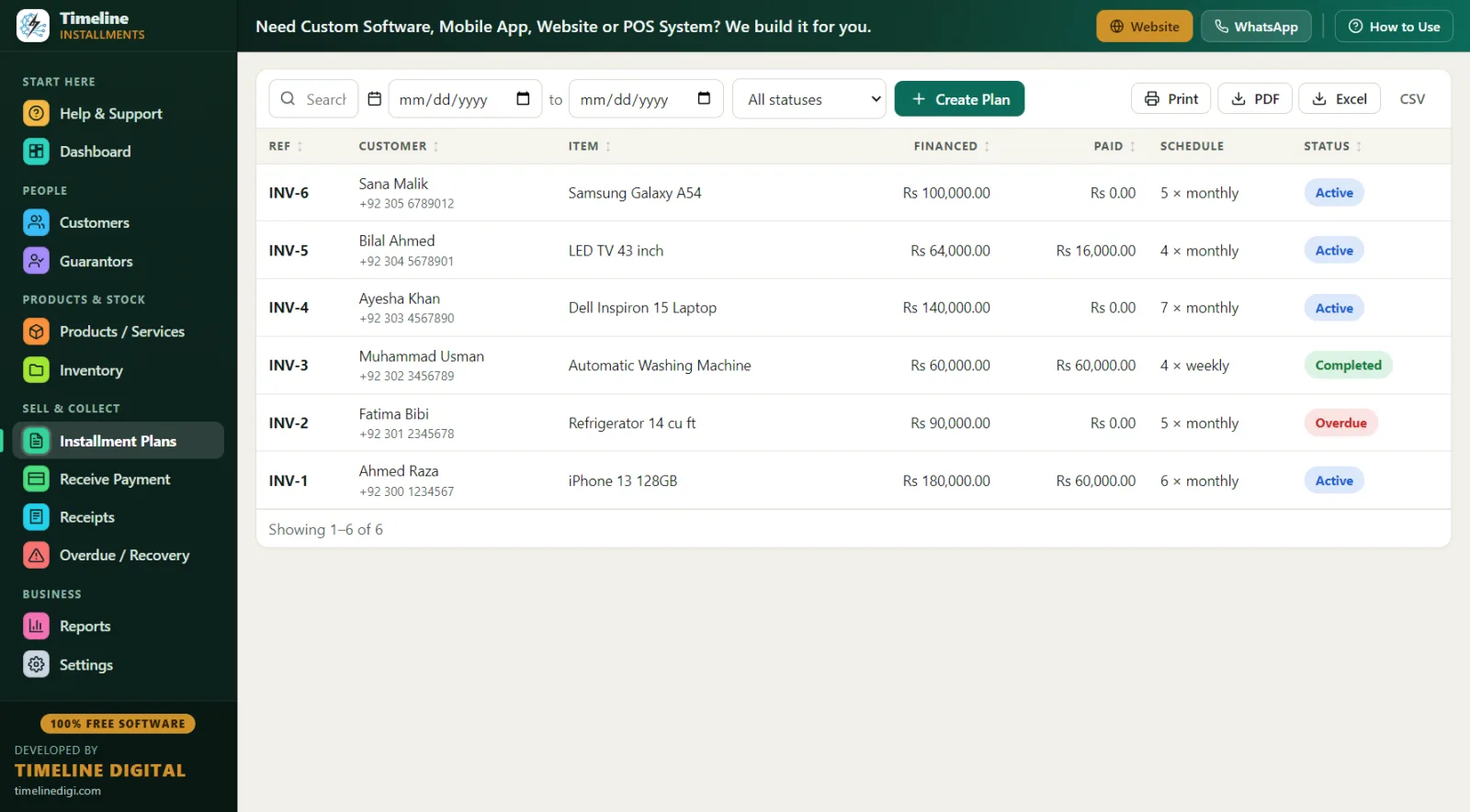
4:00 pm — Check the Overdue screen: two accounts, one 6 days late, one 19. Phone numbers and guarantor contacts are right there; follow-up notes recorded after each call.
5:45 pm — One-click Backup to a USB drive before closing. The software reminds you if you forget.
What does it cost compared to subscription software?
| Timeline Free Installment Manager | Typical subscription-based cloud system | |
|---|---|---|
| Price | $0 CAD, free forever | Often $50–$200+/month equivalents, per tier or user |
| Data location | Local database, in your store | Provider's cloud |
| Internet required | No — fully offline | Yes, generally |
| Accounts and logins | None | Required |
| Setup | 2 steps, under a minute | Onboarding and training |
| Receipts | Branded print/PDF on any Windows printer | Varies |
| Reports | 11, exportable to Print/PDF/Excel/CSV | Varies by plan |
| Multi-branch, mobile apps, POS | Not included (single PC) | Sometimes, at higher tiers |
Why free? Timeline Digital (timelinedigi.com) makes money building custom software — cloud systems, mobile apps, multi-branch setups, POS. The free installment manager is complete and stays free; if your business outgrows one PC, that's when you'd talk to them about custom work.
Best practices for in-house payment plans in Canada
- Set the full plan price up front. There's no interest engine — you decide the total (cash price or a plan price), and the software splits and tracks it. Put your terms in the editable receipt footer.
- Match plans to seasons. Tires sold in October should finish by spring; spring powersports plans should finish before winter. The live schedule preview makes this easy to eyeball.
- Always take a down payment. It's auto-recorded as the first payment with a receipt, and it filters out non-serious buyers.
- Capture ID and address. Name and phone are required; add a driver's licence number in the ID field, plus city and address. The Area Wise report later shows receivables by city.
- Use guarantors on big tickets. A linked guarantor on anything over roughly $1,500 dramatically improves recovery.
- Record every payment method honestly. Cash, card, bank, online (e-transfer), other — clean method records make month-end reconciliation painless.
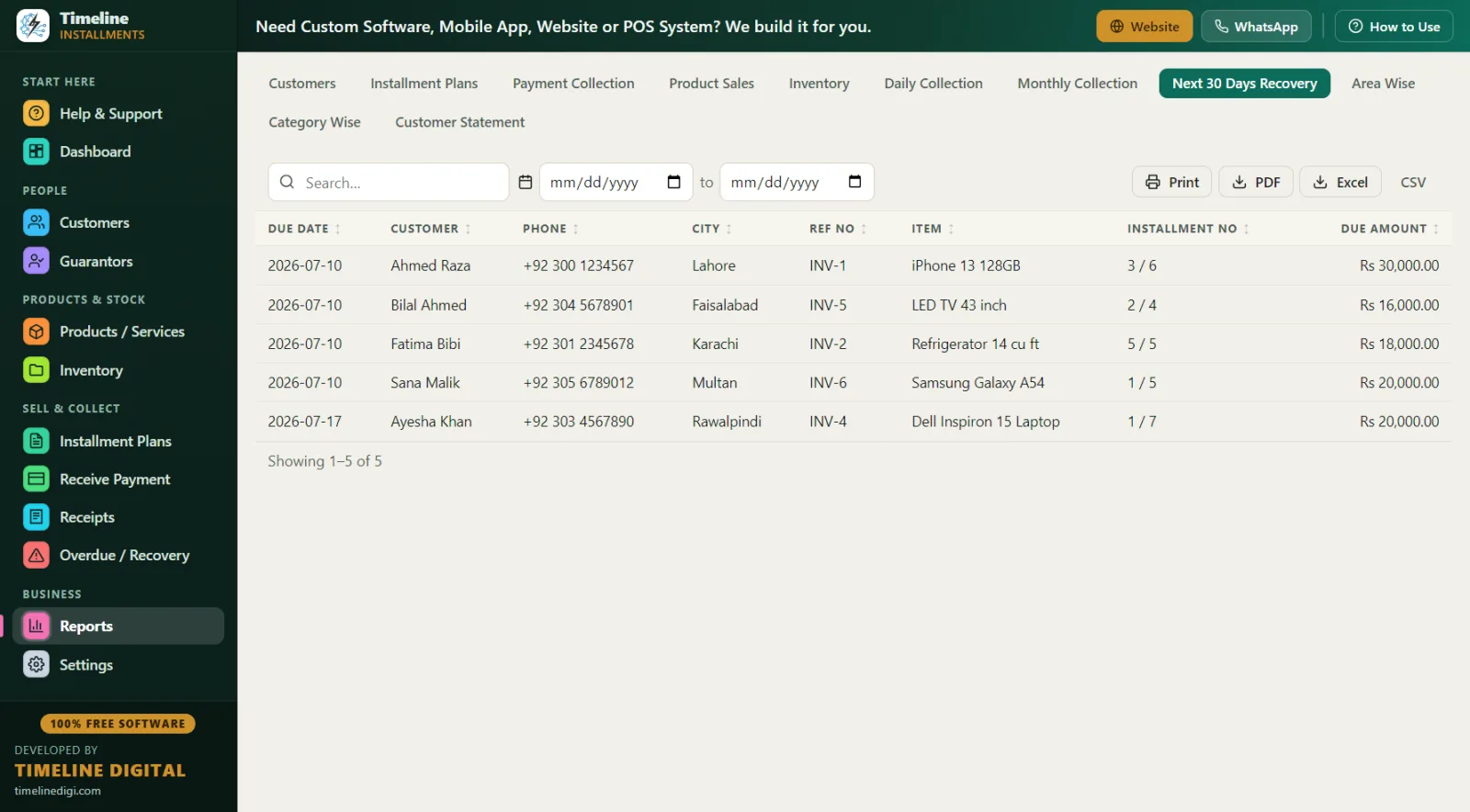
- Run Next 30 Days Recovery every Monday. Call customers before due dates, not after. The report lists due date, customer, phone, city, reference, item and amount.
- Back up weekly, store off-site monthly. One click. A USB stick at home protects you from fire, theft or a dead hard drive.
Which reports matter most for a Canadian dealer?
All 11 reports export to Print, PDF, Excel or CSV. The workhorses:
- Daily Collection — cash-up at close, every payment received today by method
- Monthly Collection — the month's real cash flow from plans
- Next 30 Days Recovery — your call list for the coming month
- Customer Statement — total, down payment, financed, paid, pending, next due; print it whenever a customer asks "where am I at?"
- Inventory & Product Sales — what's moving, with stock auto-reduced as tracked products sell on plans
- Area Wise — receivables by city, useful for dealers serving several towns