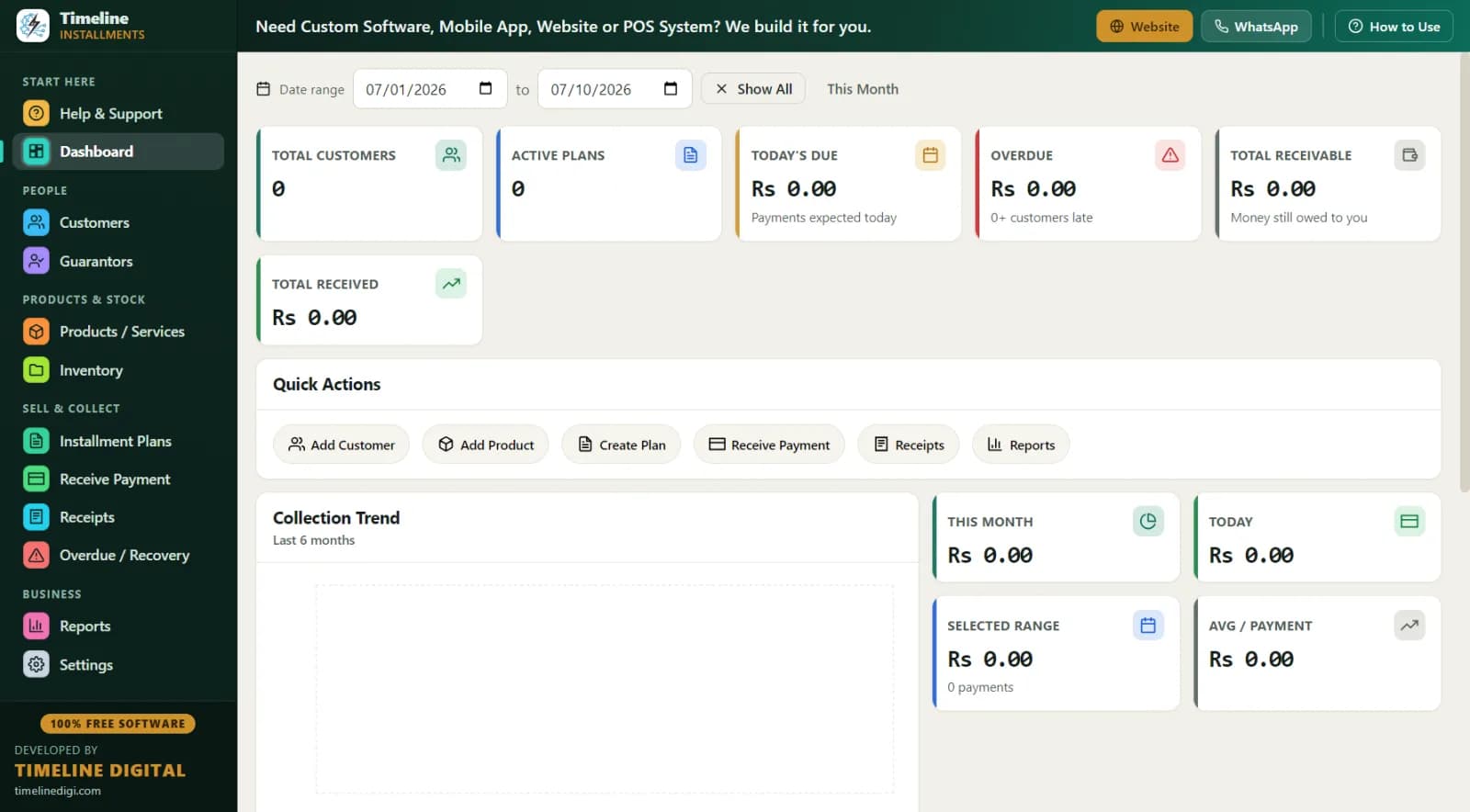
From mobile shops in Dhaka's Motijheel and Mirpur to electronics stores in Chattogram and furniture houses in Sylhet, selling on kisti is how small shops grow. But most shops still keep kisti hisab in a khata — a register book — and that's where money leaks: a missed entry here, a disputed payment there, a customer who insists he paid last month. This page shows how to move your whole kisti business onto free software, with real examples in taka.
Who is this kisti software for?
Timeline Free Installment Manager (v1.6.0, by Timeline Digital) is built for shops that sell on installments and collect kisti themselves:
- Mobile phone shops — the biggest kisti business in Bangladesh; a ৳45,000 phone paid over 7 months
- Electronics shops — TVs, fridges, fans, rice cookers on monthly kisti
- Furniture shops — khat, almari, sofa sets, dining tables
- Motorcycle and appliance dealers — larger tickets with guarantors
Select Bangladesh in the 2-step setup and the whole app switches to ৳ automatically, with your preferred date format. Everything else — customers, plans, payments, reports — works in taka from day one.
How do I record a kisti sale? (৳45,000 phone example)
A customer in Mirpur wants a phone with a total kisti price of ৳45,000:
| Item | Amount (BDT) |
|---|---|
| Phone — total kisti price agreed | ৳45,000 |
| Down payment (jama) today | ৳10,000 |
| Baki (balance on kisti) | ৳35,000 |
| Monthly kisti | ৳5,000 × 7 |
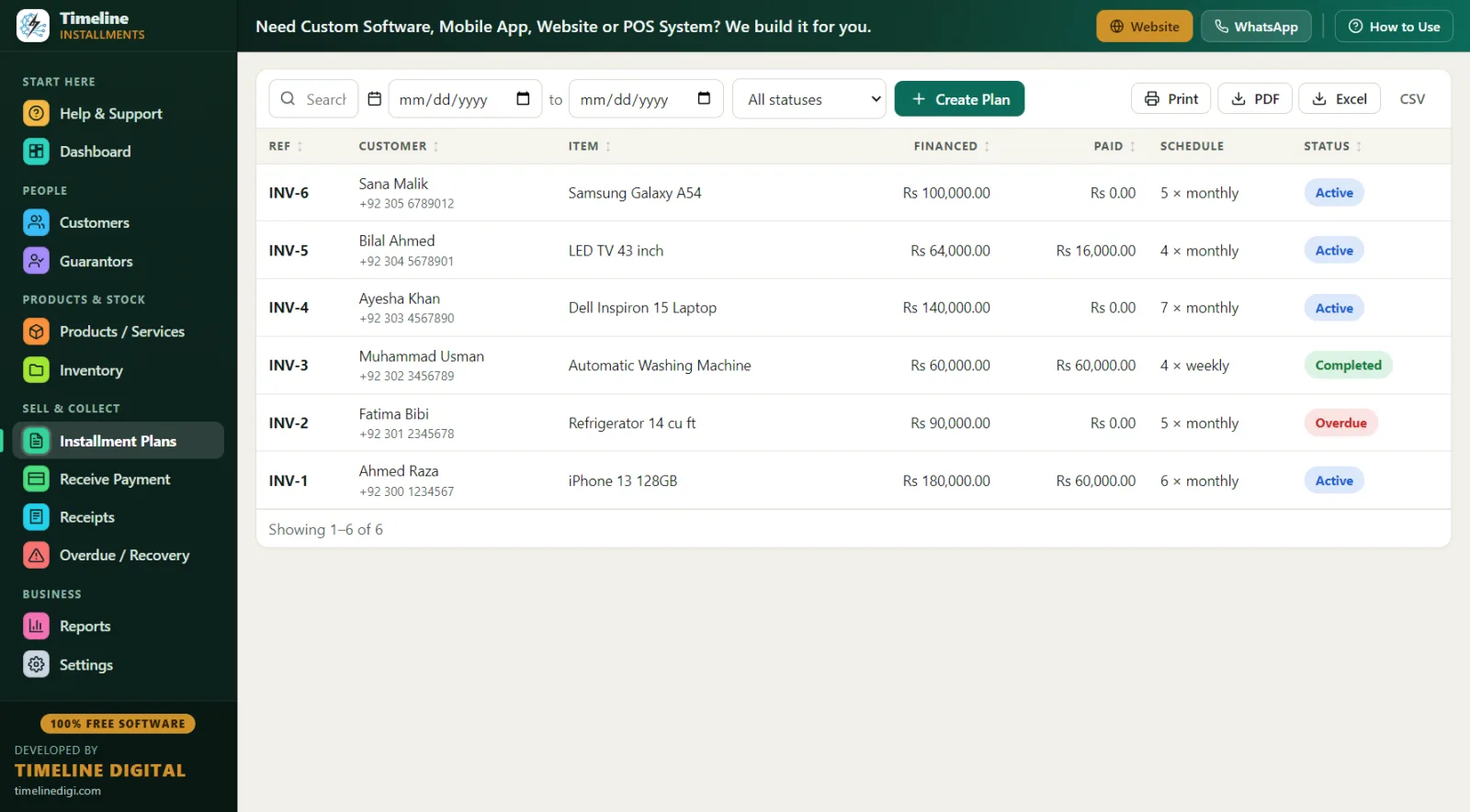
Setup takes about three minutes. Type-to-search the product, click "New Customer" to create the customer and the plan in one save, choose monthly frequency, and check the live schedule preview — the customer sees all 7 due dates before signing anything. The ৳10,000 down payment is recorded automatically as the first payment with its own printed receipt, the plan gets a reference like INV-1, and if the phone is a tracked product, stock reduces by one and low-stock alerts kick in when you're running out.
There's no interest engine — you set the total kisti price yourself (cash price or a higher installment price, your business decision) and the software splits and tracks it.
Where do I put the customer's NID?
Kisti without proper records is how shops lose money. The customer form requires only name and phone, and then gives you the fields that matter for kisti in Bangladesh:
- ID type and number — use the National ID option for the customer's NID number (or passport)
- WhatsApp number — for kisti reminders
- City and address — thana/area level detail helps at collection time
- Notes — workplace, salary date, reference ("introduced by Karim bhai from the bazar committee")
- Guarantor (jamin-dar) — linked to the customer and plan with name, relation, phone and ID
Every customer builds a full history. A customer who has finished two kisti plans on time is gold — you can see it instantly and offer him a bigger plan with a smaller down payment.
What about load-shedding and internet problems?
This is where offline software wins in Bangladesh. Timeline Free Installment Manager keeps its entire database on your shop PC — nothing is uploaded, no server, no login. When load-shedding hits, your data is safe on disk; when the PC comes back on your IPS or generator, everything is exactly where you left it. During monsoon season, when the internet drops for hours in many areas, cloud software becomes a locked door — this software doesn't notice. A shop in Barishal works exactly like a shop in Gulshan with fibre internet.
The one habit that matters: one-click Backup (the software reminds you) to a pendrive you keep away from the shop. Floods and fires are real; a ৳0 pendrive protects lakhs of taka in receivables records.
A day in the life of a Dhaka mobile shop
10:00 am — Shop opens after the morning rush hour. Dashboard shows this month's collection so far and today's due kisti. Print the Daily Collection list.
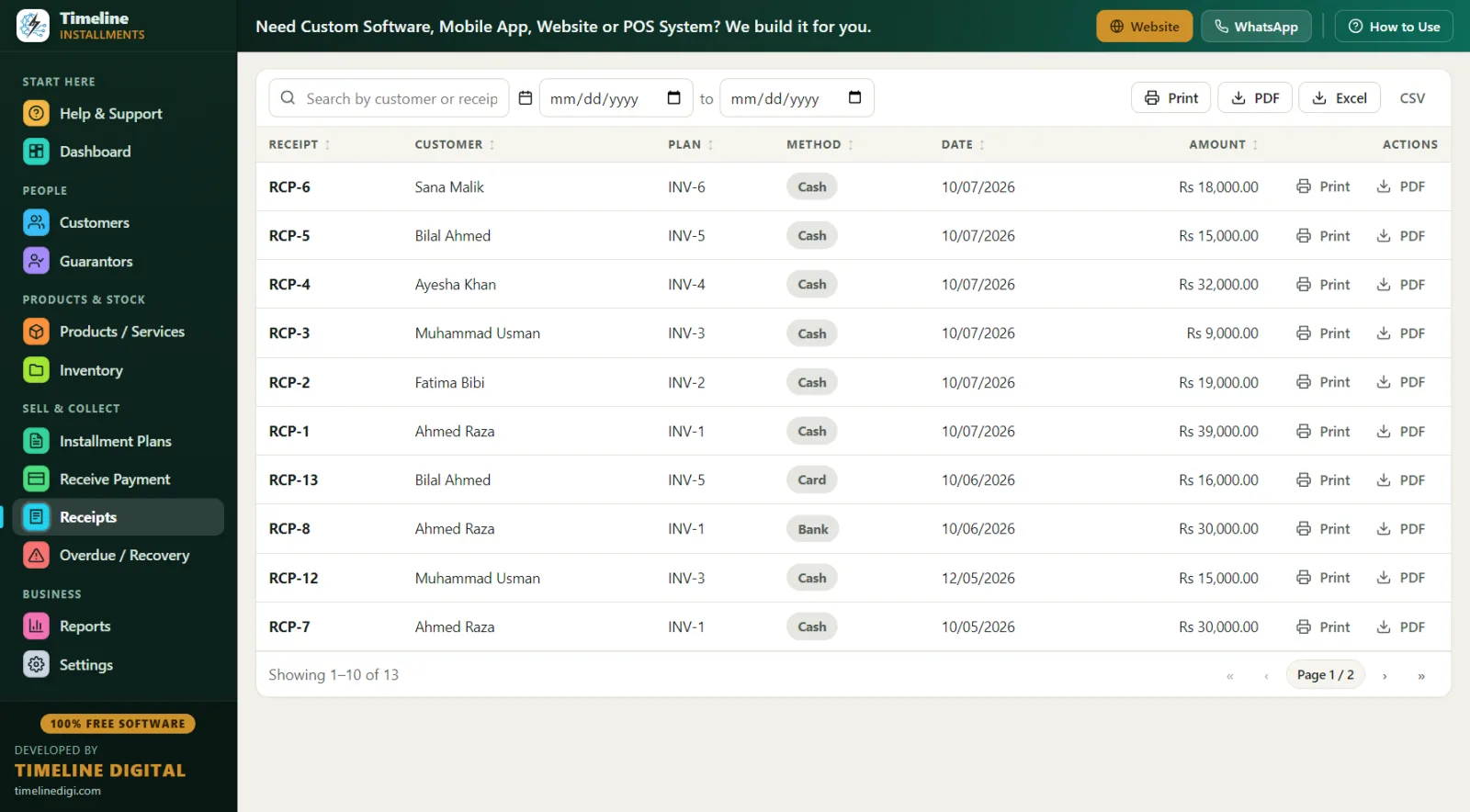
11:30 am — A garment-factory supervisor comes to pay his ৳5,000 kisti in cash. Receive Payment auto-fills the due amount; receipt printed showing "Installments Paid 4 of 7" and the ৳15,000 remaining. He keeps every receipt folded in his wallet — that paper is the trust between you.
1:00 pm — Load-shedding. IPS keeps the PC on; the software never needed internet anyway. A bKash-style mobile payment comes in from a customer in Tongi — recorded under the "online" method with the transaction reference typed into the notes.
3:00 pm — New sale: a fridge at ৳52,000 total kisti price, ৳12,000 down, ৳4,000 monthly for 10 months, with the customer's cousin linked as guarantor. Warranty noted in the product's warranty field.
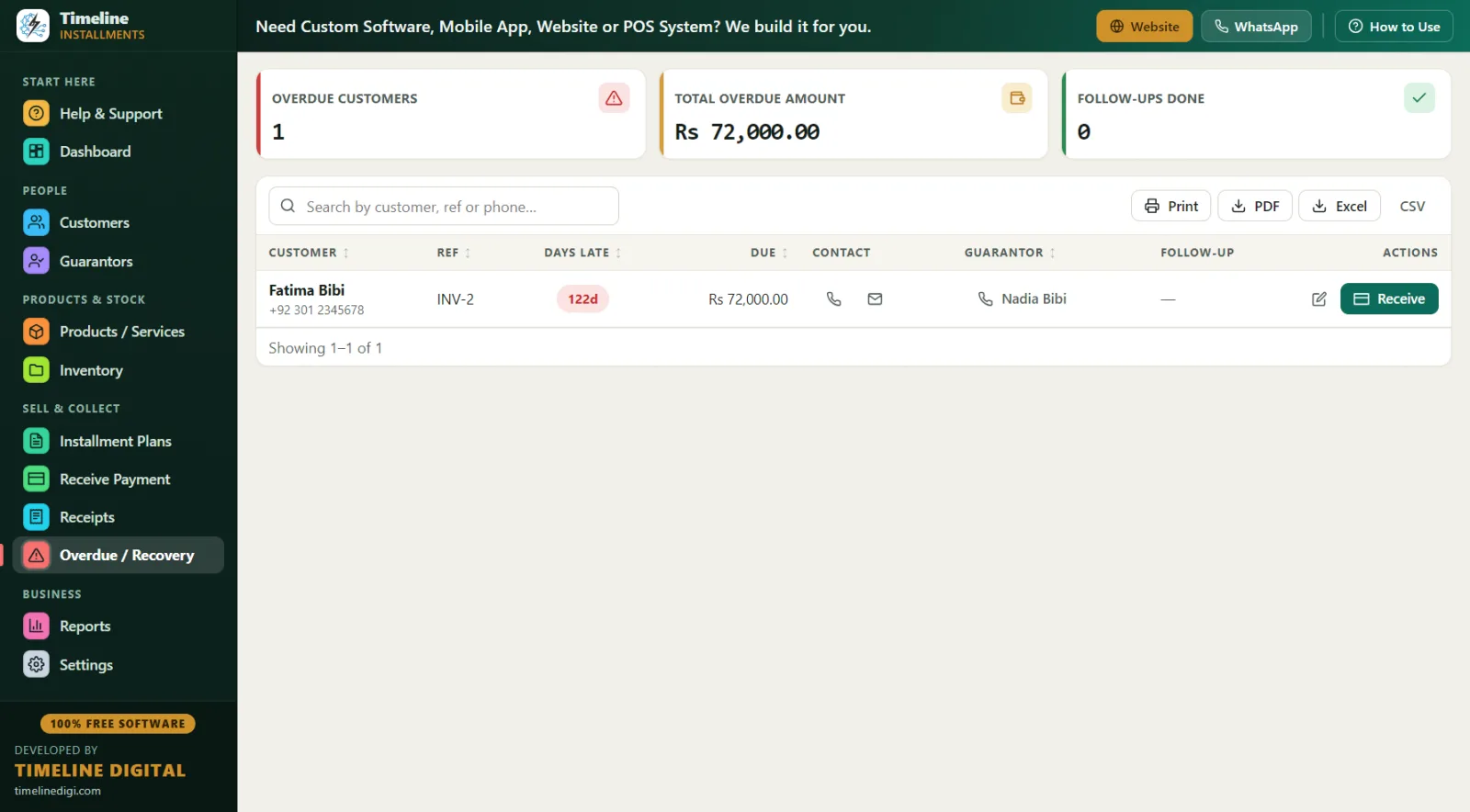
5:00 pm — Overdue check: three customers late. One is 5 days late (called — salary delayed, noted), one 15 days (guarantor called), one 32 days (visit planned; his address and area are right on the screen). Late fee on that last plan is set as a fixed ৳200 per missed month — applied at the owner's discretion.
9:30 pm — Backup to pendrive, shutter down.
Khata vs free kisti software — honest comparison
| Khata (register book) | Timeline Free Installment Manager | |
|---|---|---|
| Cost | ৳100 for the khata | ৳0 — free forever |
| "Who is due today?" | Read every page | Dashboard + Daily Collection report |
| Proof of payment | Handwritten entry, disputable | Printed receipt: RCP number, "Paid X of Y", remaining balance, signature lines |
| Overdue list | You must remember | Automatic — days late, amount, phone, guarantor |
| Fire/flood/theft | Records gone forever | Restore from pendrive backup in minutes |
| Customer history | Scattered across old khatas | Full history per customer, one click |
| Month-end hisab | Hours with a calculator | Monthly Collection report, instant, exportable to Excel |
| Learning time | None | 6-step quick start + Sample Data practice mode |
Best practices for kisti business in Bangladesh
- Never sell kisti without a down payment. ৳10,000 down on a ৳45,000 phone (around 20–25%) filters serious customers; it's auto-receipted as payment one.
- Photograph and record the NID. Enter the NID number in the ID field; verify the physical card matches the customer.
- Take a guarantor on anything above ৳20,000. Link the jamin-dar to the plan with phone and ID — recovery becomes a phone call instead of a search.
- Set due dates after salary dates. Most salaried customers are paid by the 10th; set kisti due on the 12th. The live schedule preview shows every date before you save.
- Print a receipt for every single taka. Partial payment of ৳3,000 against a ৳5,000 kisti? It applies oldest-first automatically and the shortfall stays visible.
- Call before due, not after. Run the Next 30 Days Recovery report every Saturday — due date, customer, phone, city, reference, item, amount — and send WhatsApp reminders two days ahead.
- Watch Eid season. Sales spike, so do post-Eid misses. Reschedule genuine cases (status changes to rescheduled) instead of letting the khata rot.
- Backup weekly to a pendrive kept at home. One click, with built-in reminders.
Which reports help a kisti shop most?
All 11 reports print or export to PDF, Excel and CSV: Customers, Plans, Payment Collection, Product Sales, Inventory, Daily Collection, Monthly Collection, Next 30 Days Recovery, Area Wise, Category Wise, and Customer Statement. Three favourites for kisti shops: Daily Collection for the evening hisab, Customer Statement (total, down, financed, paid, pending, next due) to print whenever a customer asks "amar koto baki?", and Area Wise to see receivables by area — Mirpur vs Uttara vs Tongi — so collection trips are planned, not random.