It is made by Timeline Digital, a software company founded in Islamabad in 2013. Full features and download: Free Installment Management Software.
Why does the qist register cost Pakistani shops real money?
From Hall Road Lahore to Saddar Karachi to Bank Road Rawalpindi, thousands of shops sell mobiles, motorcycles, fridges, and furniture on qist. Almost all of them run on a register — and the register leaks money in ways owners rarely add up.
An illustrative example. A Faisalabad electronics shop sells a fridge for Rs 115,000 on qist: Rs 25,000 advance, Rs 9,000 monthly for 10 months. In month 4, the customer's son pays at the counter while the owner is at Jumma prayers; the helper writes it on a slip that never reaches the register. Month 7, the customer insists he is one month ahead; the register says otherwise; there is no receipt on either side. To keep the customer, the owner "adjusts" — Rs 9,000 gone. Now count what a shop with 50 active plans loses this way in a year: forgotten dues, unproved payments, missing zamanat numbers when someone disappears. It is usually more than the price of a good used bike — and the software that fixes it costs nothing.
The register's four leaks:
- Yaad-dasht system. Due dates live in the owner's memory. Memory takes holidays.
- No receipts, no proof. "Maine di thi qist" cannot be answered without a signed receipt trail.
- Zamanat details missing. When a customer's phone goes off, the guarantor's number is your only road — if you wrote it down.
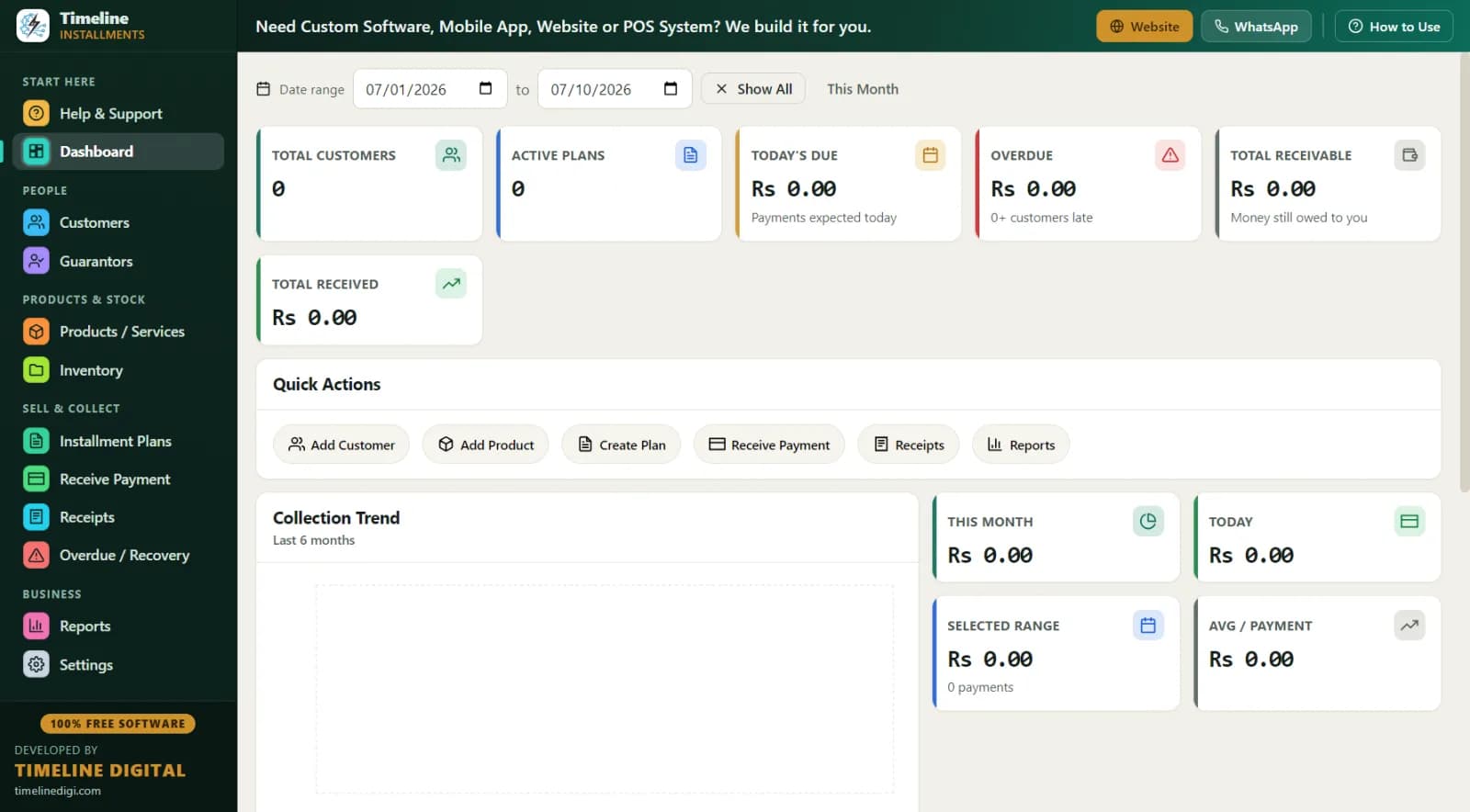
- No total picture. Ask any register-based shop: "aaj market mein aapka kitna paisa phansa hua hai?" Nobody knows the number. The software's dashboard shows it as Total Receivable, updated with every entry.
What makes this qist software fit Pakistani shops?
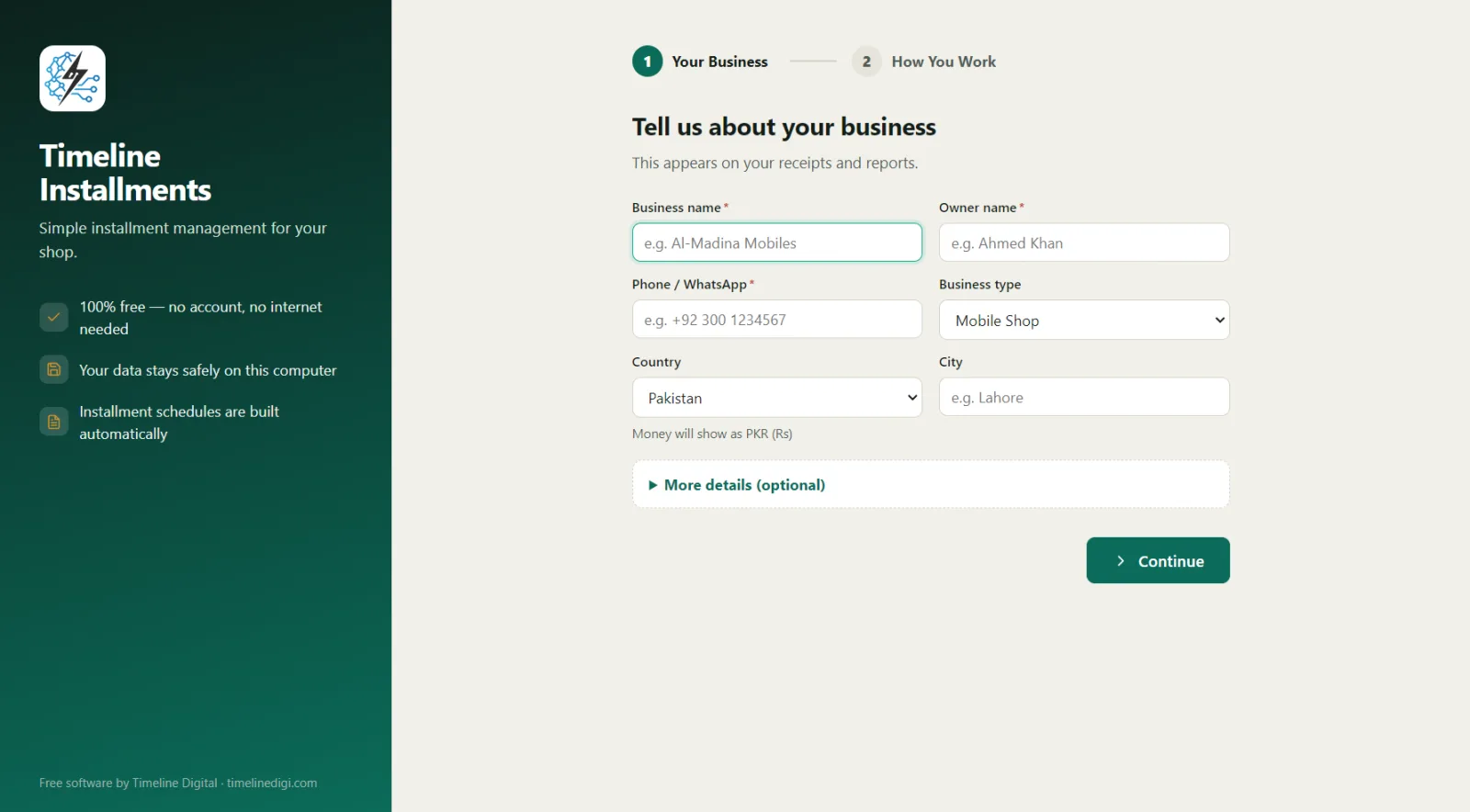
- PKR (Rs) automatic. Pick Pakistan in setup; every amount, receipt, and report shows Rs. (Change country in Settings and the whole app updates — useful if you ever move.)
- CNIC on every customer. ID type (CNIC/Passport/National ID) and number, plus address, city, WhatsApp, and notes. Records that actually recover money.
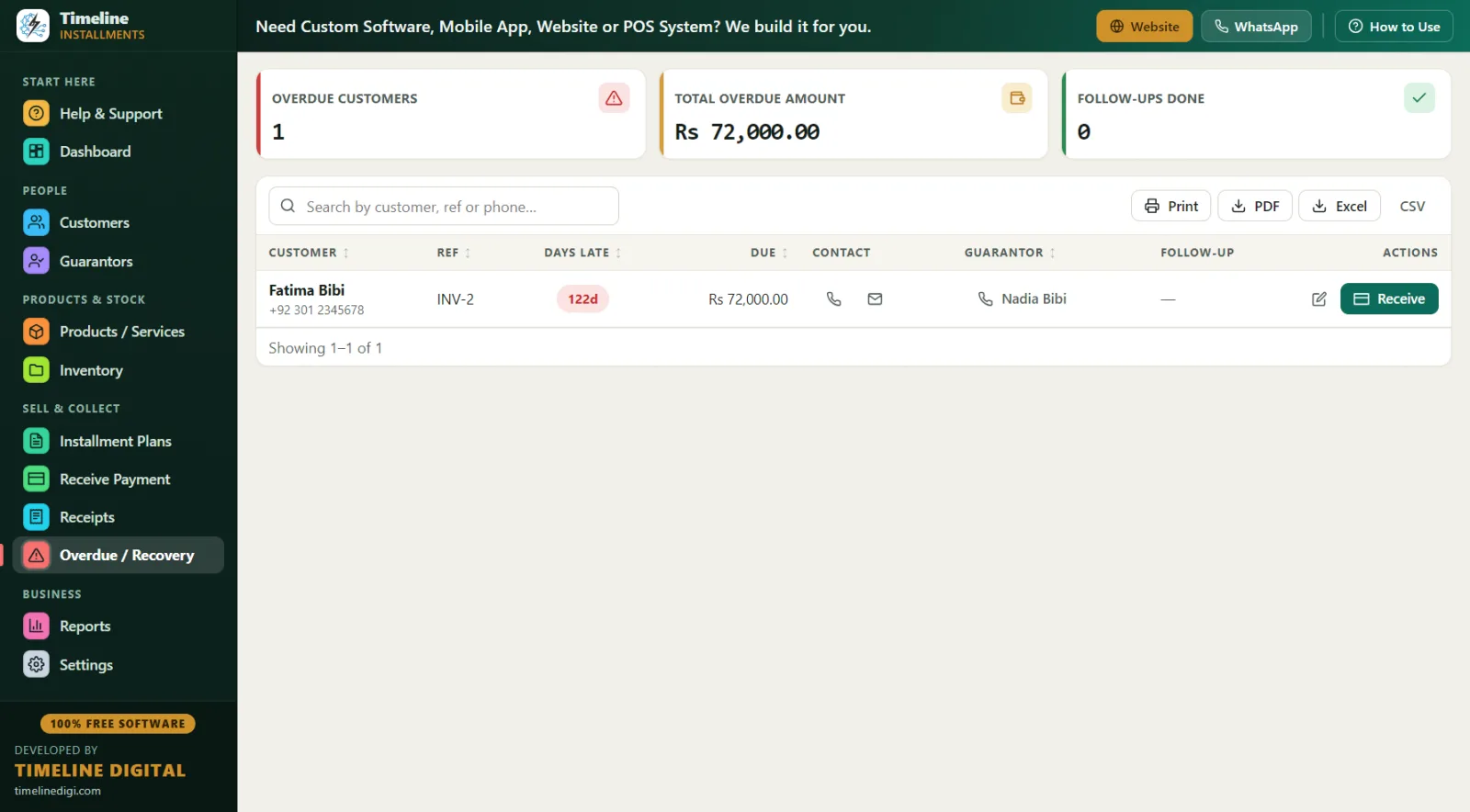
- Guarantor (zamanat) module. Name, relation, phone, and ID, linked to the exact customer and plan. On the Overdue screen, the guarantor's contact appears next to the late customer.
- Loadshedding-proof. Fully offline — data sits in a local database on your own PC, nothing goes to the internet. If your PC and UPS work, your records work.
- Simple English UI. Designed for non-technical users; if you use WhatsApp, you can use this. There is a "How to Use" drawer on every page and a 6-step guide in Help & Support.
- Genuinely free. No trial, no locked features. Timeline Digital earns from custom projects — cloud systems, mobile apps, multi-branch, POS — not from shopkeepers.
Common Pakistani qist businesses and how they use it
| Business | Typical plan | How the software handles it |
|---|---|---|
| Mobile shop | Phone on 6 months, 20–25% advance | IMEI in product SKU, advance auto-recorded, monthly schedule (details) |
| Motorcycle showroom | CD-70/125 on 12–24 months | Engine/chassis in notes, guarantor mandatory, recovery route report (details) |
| Electronics / appliances | Fridge, LED, washing machine on 6–12 months | Stock auto-reduces, warranty field, category report (details) |
| Furniture | Bed/sofa set on 10 months | One statement per family across multiple plans |
| Small-ticket weekly qist | Fans, irons, small items on weekly plans | Weekly frequency with live schedule preview |
A day in the life: a Lahore mobile shop on qist software
11:00 AM — Dukan kholi, Dashboard dekha. 46 active plans. Today's Due: Rs 52,500 from 6 customers. Overdue: Rs 23,000 from 3. Total Receivable: Rs 1.9 million. Two minutes, full picture.
12:30 PM — Naya qist customer. A customer takes a phone at qist price Rs 72,000 with Rs 18,000 advance. On the plan screen, the inline "New Customer" creates his record (name, phone, CNIC, mohalla) and the plan together in one save: 6 monthly qists of Rs 9,000, shown in the live preview. His cousin's details go into Guarantors. Advance receipt prints with your shop logo — he signs, you both keep proof from day one.
2:00 PM — Qist wasooli. Three customers pay. Receive Payment auto-fills each one's next due. One pays Rs 5,000 out of Rs 9,000 — the partial applies to the oldest unpaid qist automatically, and his receipt shows the honest remaining balance. Methods recorded: cash, cash, JazzCash-style online payment marked as "online."
5:30 PM — Recovery ka time. The Overdue screen: three names, days late, amounts, phone numbers, and each guarantor's contact. One pays after your call (Receive button, right there). One promises Saturday — you write the follow-up note. For the third, the guarantor gets the call.
9:30 PM — Band karne se pehle. Daily Collection report printed and matched with the cash. One-click backup from Settings. Done.
Worked example: pricing a motorcycle qist plan in Rs
Say a 70cc bike costs you Rs 158,000 and your cash price is Rs 168,000. Your qist price is Rs 192,000 over 18 months.
| Item | Amount |
|---|---|
| Qist price | Rs 192,000 |
| Advance (25%) | Rs 48,000 |
| Financed amount | Rs 144,000 |
| Monthly qist (18 months) | Rs 8,000 |
| Margin over cost | Rs 34,000 |
You set the total price yourself — the software records a credit sale with an installment price. There is no interest calculation engine in the app: your pricing, your terms, clean records. The app never computes or adds sood (interest); it only records the qist price you agreed with the customer. Whether a particular way of pricing a credit sale fits Islamic principles is a question for a qualified scholar, not for software. For the pricing method itself, read How to Calculate an Installment Price.
Register vs Excel vs qist software
| Qist register | Excel | Timeline Free Installment Manager | |
|---|---|---|---|
| Cost | Rs 200 register | Free-ish | Free forever |
| Due dates | Memory | Manual | Automatic schedule + Overdue screen |
| Receipt with balance | Handwritten parchi | No | Branded print/PDF, "Paid 3 of 6" |
| Zamanat record | Loose slip | Separate sheet | Linked module with phone + ID |
| Total receivable today | Unknown | Manual total | Live on Dashboard |
| Recovery list by area | Impossible | Manual | Area Wise report by city |
| Loadshedding | Works | Works | Works — fully offline |
| Data safety | Fire/loss risk | One corrupt file | One-click Backup & Restore |
Rules, agreements and local advice
Selling on qist is a credit sale. Which rules apply (contract terms, late charges, how dues may be recovered, how CNIC copies are stored) depends on your written agreement and current law, so describe it plainly and take advice from a local lawyer when you are unsure. Good habits that help in every case:
- Put the qist price, advance, schedule, late-fee policy and return terms in a written agreement signed by the customer and the guarantor. See what an installment agreement should contain.
- Recover dues politely and lawfully. The follow-up notes on the Overdue screen keep a record of every call and promise.
- Keep CNIC details and backups private; they are your customers' personal data.
The software keeps the record. It does not make an agreement valid or compliant on its own.
Best practices for qist business in Pakistan
CNIC + phone + address + zamanat — no exceptions. Every field exists in the app; make filling them a shop rule. The Area Wise report (city → customers, plans, receivable) then shows which mohallay pay well before you extend more qist there.
Advance 20–30%. Phones and bikes walk. A customer with Rs 48,000 already paid protects your Rs 144,000 far better than any argument later.
Wasooli ka routine. Roz subah: Dashboard → Today's Due → Overdue → call anyone 5+ days late → likh lein follow-up note. Har hafta: print the Next 30 Days Recovery report (date, customer, phone, city, amount) and remind customers two days before the due date. Full method: Installment Recovery Tips.
Har payment ki receipt. Even Rs 1,000 partials. The signed receipt with remaining balance is what ends "maine de di thi" forever.
Weekly backup. Settings → Backup & Restore, one click, and the app reminds you. Keep a copy on USB — your whole business fits in one small file.
Starting fresh in the qist business? Read How to Start an Installment Business. Selling outside Pakistan? See EMI software for India, kisti software for Bangladesh or aqsat software for the UAE and Saudi Arabia.