Independent rent-to-own stores — furniture, appliances, electronics — live and die by payment discipline. The customer takes home the recliner or the washer, pays weekly, and owns it when the final payment clears; until then, title stays with the store. That model only works when your records answer three questions instantly: who is current, who is late and by how many days, and how many payments remain until ownership transfers. This page shows how free software answers all three.
Honest scope note, right up front: Timeline is record-keeping software for payments. It is not an RTO-contract compliance engine — it will not generate your state-mandated rental-purchase disclosures or calculate statutory cost-of-rental caps. It keeps your payment history complete, accurate, and printable, which is the foundation everything else stands on.
How Does Rent-to-Own Differ From Financing and Layaway?
Three plans, three delivery-and-ownership models:
| Factor | Rent-to-own | In-house financing | Layaway |
|---|---|---|---|
| When customer gets the item | At signing | At signing | After paying in full |
| Who owns it during payments | The store (retention of title) | Usually the customer, store may hold a security interest | The store |
| What ends the agreement | Final payment = ownership transfers; or customer returns the item | Balance paid off | Balance paid, item picked up |
| Customer can walk away | Yes — return the item, stop paying | No — the debt remains | Yes — per your cancellation policy |
| Typical schedule | Weekly or monthly | Weekly or monthly | Weekly until pickup |
| Regulation focus | State rental-purchase (RPA) statutes | TILA/Reg Z and state credit law | State layaway rules, written policy |
That middle row is the heart of RTO: the store keeps title until completion. Which means your payment count is not just bookkeeping — it is the legal ledger of exactly how close each customer is to owning the item. "Installments Paid 61 of 78" on a printed receipt is an ownership-progress statement.
If your model delivers first and transfers ownership immediately, see in-house financing software. If you hold goods until paid, see layaway software. For self-financed car lots, see buy here pay here software.
What Does an RTO Agreement Look Like in Dollars? (Worked Example)
The agreement: A customer takes home a washer-and-dryer set with a cash price of $1,200 on a rent-to-own plan.
| Line item | Amount |
|---|---|
| Cash price of the set | $1,200 |
| First payment at signing (recorded automatically, with receipt) | $60 |
| Weekly payment | $30 |
| Remaining weekly payments after signing | 48 |
| Total of remaining payments (48 × $30) | $1,440 |
| Total paid at completion ($60 + $1,440) | $1,500 |
| Amount above cash price (cost of the rental/ownership option) | $300 |
The math is shown plainly: the customer pays $1,500 in total to own a $1,200 set, and the $300 difference is the cost of renting with the option to own — the price of flexibility, since the customer can return the set at any point and owe nothing further under a typical RTO agreement. Several states cap or regulate exactly this number, which is one more reason your payment record has to be precise (see the compliance section).
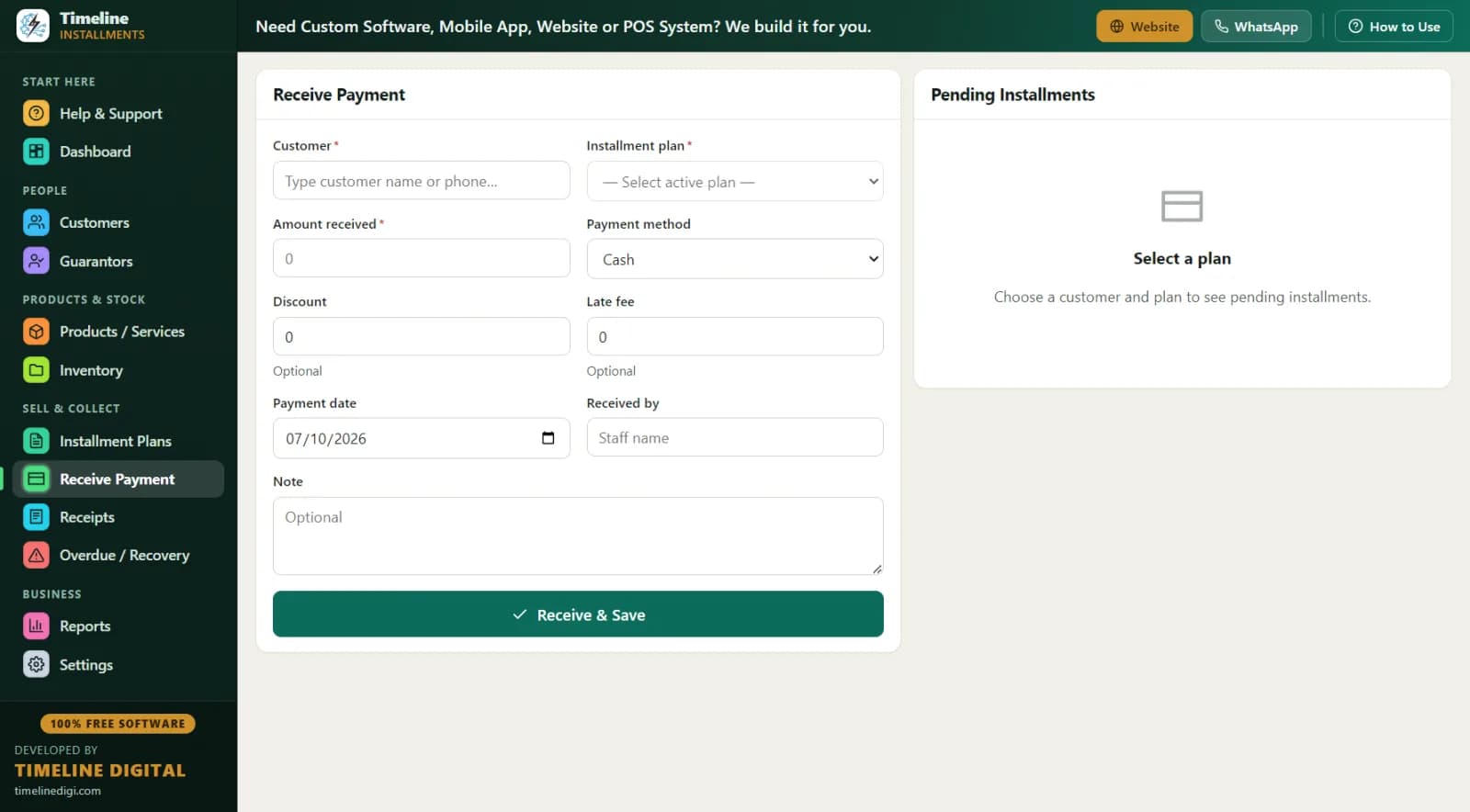
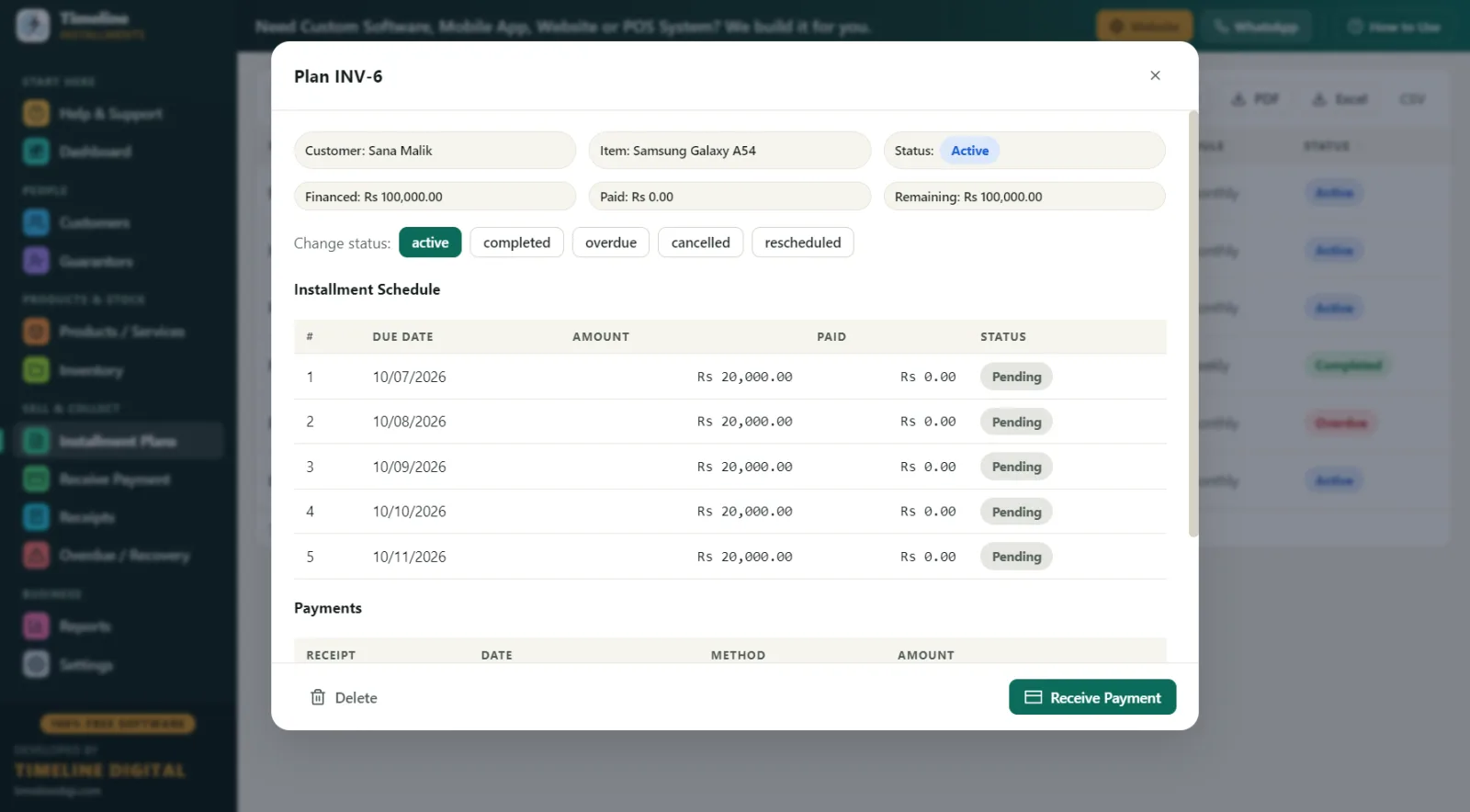
In Timeline, you build the plan with weekly frequency and see a live schedule preview of every due date before saving. The signing payment is auto-recorded as payment one with a printed receipt, the set is deducted from your product catalog stock, and every week the Receive Payment screen auto-fills the next $30 due. When payment 49 of 49 clears, the plan status flips to completed automatically — your ownership-at-completion record, dated and printable.
What Does an RTO Store's Week Look Like With This Software?
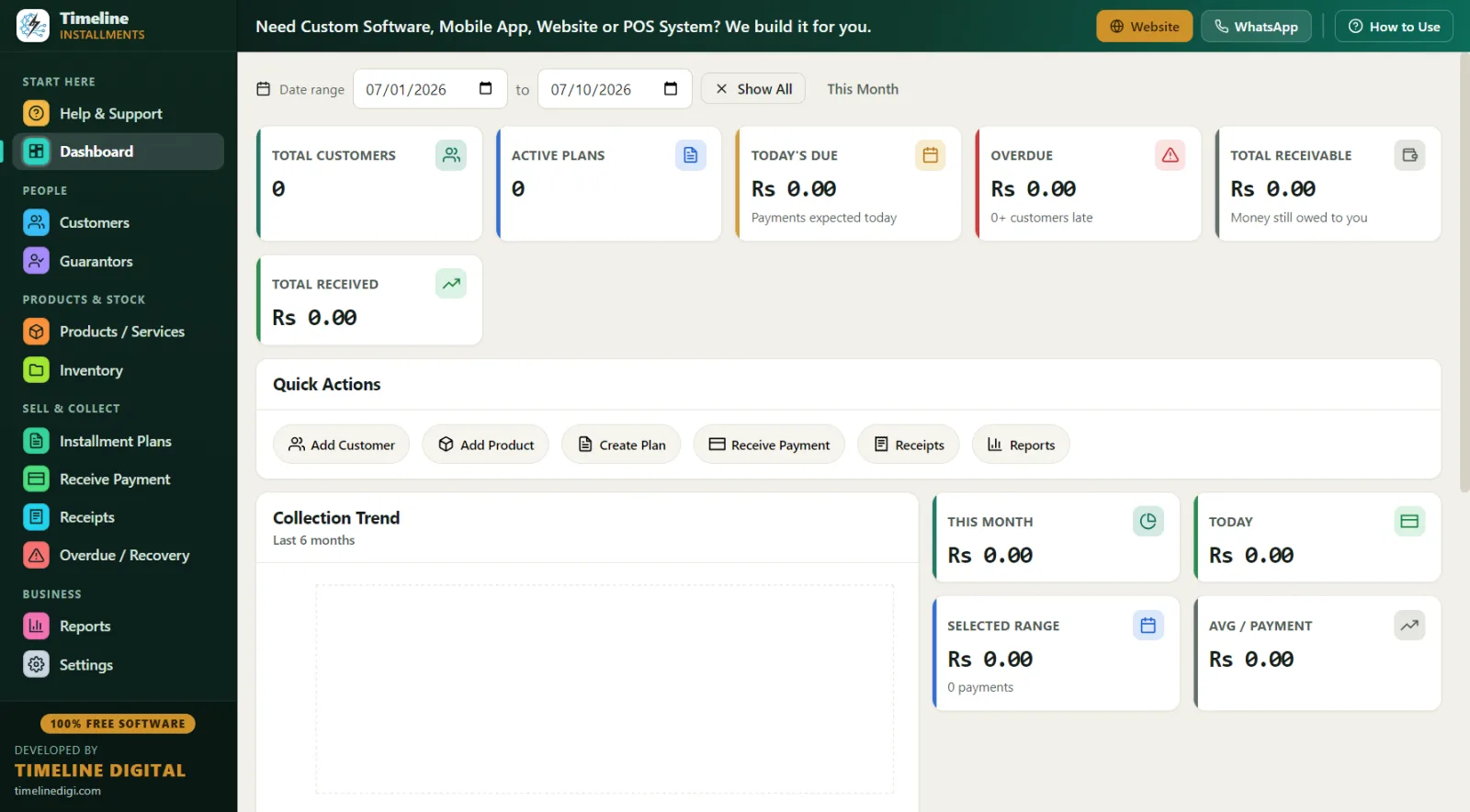
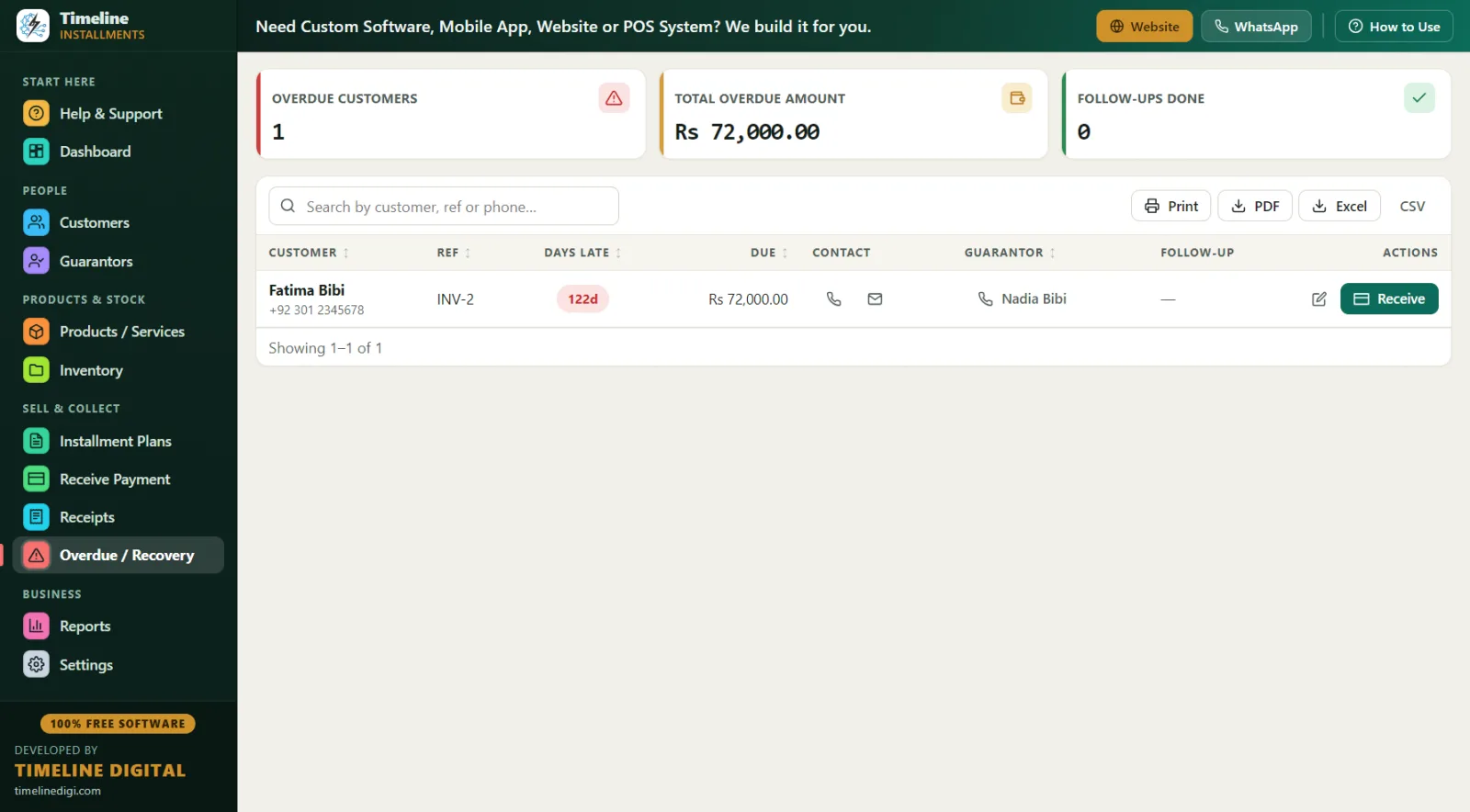
Monday, 9:00 a.m. — Open the Overdue screen. Every behind account shows days late, amount owed, the customer's phone number, and — critically for RTO — the linked reference (guarantor) contact taken at signing. You sort by days late. The 3-day-late accounts get a friendly text; the 15-day-late account gets a call and a note in the follow-up field.
Tuesday — New agreement day. A customer wants a $700 sectional. You add her file in two minutes: name and phone (required), driver's-license-style ID type and number, address, and a reference contact linked to the plan. The schedule previews live: first payment today, then weekly. Receipt prints with your RTO policy in the editable terms footer — return rights, late-fee policy, ownership-at-completion language — and she signs on the signature line.
Wednesday — A customer returns a rented TV, exercising his right to walk away. You mark the plan cancelled; the record of every payment he made stays locked in his history, which protects you if the account is ever disputed.
Friday, collection day — Receive Payment, one customer after another, each next-due auto-filled. One customer pays $20 against a $30 week; the partial applies to the oldest unpaid installment and her receipt shows the true count and balance. Another makes his final payment — status flips to completed, and you print the final receipt showing "remaining balance $0.00" as his proof of ownership transfer, alongside your signed agreement.
Saturday, close — Daily Collection report against the drawer. Print the Next 30 Days Recovery report for next week: due date, customer, phone, city, reference, item, amount — your call list and cash-flow forecast on one page. One-click backup. Done.
Best Practices for Independent RTO Stores
- Track by days late, not by feel. RTO accounts age fast. The Overdue screen's days-late column tells you which accounts need a text, a call, or a pickup conversation — before small slips become losses.
- Take a reference on every agreement. Link a guarantor/reference with a phone number to each plan. When a customer's number goes dead, the reference is on your Overdue screen and your recovery report.
- Record ID at signing. Store the ID type (driver's-license-style or passport) and number, plus address and notes, in the customer file. Your recovery process depends on knowing who and where.
- Put your RTO terms on every receipt. Return rights, late fees, and ownership-at-completion language go in the editable terms footer, with signature lines below. Every weekly receipt then restates the deal.
- Choose one late-fee policy. Fixed dollar amount or a percentage of the remaining balance — Timeline supports both. Apply it the same way to every customer; consistency is your best defense.
- Let statuses do the bookkeeping. Active, overdue, completed, cancelled, rescheduled — statuses update automatically, and amounts lock after payments are recorded, so the history cannot be quietly edited.
- Print the paper trail on disputes. Customer Statement (total, first payment, financed, paid, pending, next due) plus the full payment history settles "I only owe five more weeks" conversations in seconds.
- Back up weekly and practice on Sample Data. One-click Backup & Restore with reminders; the Sample Data mode lets new staff learn without touching real agreements.
RTO Payment Tracking: Notebook vs. Spreadsheet vs. Timeline
| Factor | Notebook / card file | Spreadsheet | Timeline (free) |
|---|---|---|---|
| Cost | Cheap, fragile | Free, manual | $0 forever |
| Weekly schedule per agreement | Handwritten | Manual formulas | Auto, live preview |
| Days-late visibility | You count | Manual sorting | Overdue screen, automatic |
| "Payments X of Y until ownership" | Recount every time | Formula risk | On every receipt |
| Reference contact on the late list | Flip through files | Separate columns | On the same row |
| Receipts | Handwritten | None | Print/PDF, branded, terms footer |
| Tamper resistance | None | None | Amounts lock after payments |
| Reports | None | Build your own | 11 built-in, Print/PDF/Excel/CSV |
Compliance & Good Practice for Rent-to-Own Operators
Rent-to-own is regulated primarily at the state level. Most states have rental-purchase agreement (RPA) statutes that dictate what your contract must disclose — cash price, total cost to own, payment amounts, reinstatement rights after a missed payment, and more — and the rules genuinely vary from state to state, so an agreement that is fine in one state may be non-compliant next door. Because a typical RTO agreement is terminable by returning the goods, it is generally treated differently from credit under the federal Truth in Lending Act (TILA) and Regulation Z, but structure matters and edge cases exist. The reliable habits are the same everywhere: keep clean, complete, locked records of every agreement and every payment; put your terms in writing with signatures; apply your policies uniformly; and have a qualified attorney review your contract against your state's RTO statute. Timeline Free Installment Manager is record-keeping software — it is not a compliance engine, it does not generate state disclosures, and nothing on this page is legal advice.
Why Free and Offline Fits an RTO Store
Your files hold customers' names, phone numbers, ID numbers, addresses, references, and balances. Timeline keeps all of it in a local database on your own store PC — nothing is uploaded anywhere, ever. No account, no email, no login, no cloud breach risk, and the counter keeps working when the internet does not. The app is a ~90 MB download for Windows 10/11 (64-bit), installs in under a minute, auto-sets currency to USD when you pick United States, supports MM/DD/YYYY dates, and ships with a 6-step quick start plus a How-to-Use drawer on every page. Version 1.6.0 is free forever because Timeline Digital (timelinedigi.com) earns revenue from paid custom software — cloud, mobile apps, multi-branch, and POS — not from your store.