The best way to manage installment payments in a mobile shop is to track five things for every sale — customer identity, a guarantor, the payment schedule, every payment with a receipt, and who is late today — using a system that updates itself instead of a paper register. Free offline software like Timeline Free Installment Manager does all five automatically, and setting it up takes about 10 minutes.
If you sell phones on installments, you already know the pain: a register full of names, torn pages, missed due dates, and arguments about "how much is left." One wrong entry and you lose money — or a customer. This guide walks through the exact system disciplined mobile shops use, with real numbers, a step-by-step setup, and the mistakes that quietly eat your profit.
Why is installment tracking so hard for mobile shops?
Installment selling is hard to track because one sale creates many small future events. A cash sale is one transaction: money in, phone out, done. An installment sale on a 6-month plan is at least eight events — the agreement, the down payment, and six monthly payments — and each one can go wrong. The customer can pay late, pay partially, pay someone else at the counter who forgets to write it down, or dispute the balance.
Now multiply that. A shop with just 30 active plans on 6-month terms is juggling roughly 180 future due dates at any moment. Nobody's memory holds that. And the register doesn't help much, because the register only shows what someone remembered to write.
Here is an illustrative example of how a single sale looks:
| Item | Amount (example) |
|---|---|
| iPhone 13 cash price | Rs 180,000 |
| Installment price (6 months) | Rs 219,000 |
| Down payment (day of sale) | Rs 39,000 |
| Financed amount | Rs 180,000 |
| Monthly installment × 6 | Rs 30,000 |
One sale, eight money events, seven documents (agreement + receipts). Thirty sales, and you're running a small finance operation whether you planned to or not. (If you're still working out how to set the installment price itself, see our guide on how to calculate an installment price.)
What are the 5 things every installment shop must track?
Every installment shop must track customer identity, a guarantor, the agreed schedule, every payment with a receipt, and a daily list of who is late. Miss any one of these and recovery gets much harder.
- Customer identity — full name, phone, CNIC/ID copy, home address, and ideally a photo. If you can't find the customer, you can't recover the money. This is the foundation of everything else.
- A guarantor — someone with their own verified phone number who answers when the customer doesn't. A guarantor who was called once at sale time ("just confirming you're guaranteeing Ahmed's phone") is far more useful later than a name scribbled in a margin.
- The schedule — exact due dates and exact amounts, agreed and signed before the phone leaves the shop. "Around the 5th" is not a schedule. "Rs 30,000 on the 5th of each month for 6 months" is. A signed installment agreement with the schedule attached ends most disputes before they start.
- Every payment with a receipt — no receipt, no proof. When a customer says "I paid last month, your brother took the money," a printed receipt showing date, amount, and remaining balance ends the conversation.
- Who is late, today — recovery works when it happens in the first week, not the third month. You need one place that answers "who is overdue right now, by how many days, and what's their number?" every morning.
Why does the paper register fail?
The paper register fails because it has one copy, no math, and no memory of due dates. It records the past but cannot warn you about the future.
- One register = one copy. Lost, burned, water-damaged, or "borrowed" register = lost business. There is no backup of paper.
- No automatic due dates. Every schedule is calculated by hand, and every "next due" is found by flipping pages. When 15 customers are due this week, you find out by reading, not by being told.
- Nobody can see totals. "How much money is out on the street right now?" should take one second. With a register it takes an hour of adding — so nobody ever does it, and you run blind.
- Partial payments get messy. Customer pays 20,000 of a 30,000 installment. Where does the 20,000 go? What's the new remaining? The register holds whatever the person on duty scribbled.
- Disputes become arguments. Handwriting, crossed-out numbers, and missing signatures mean "how much is left" becomes a negotiation instead of a fact.
Excel is genuinely better than paper — but it has its own breaking points: formulas silently break, one file corrupts, and receipts still need manual work. We compare the two properly in Excel vs installment software.
How do you set up a free installment system in 10 minutes?
You can set up a complete installment system in about 10 minutes by installing Timeline Free Installment Manager, a free offline Windows app made exactly for shops like yours. It runs on Windows 10/11 (about a 90 MB download), needs no account or login, and keeps everything in a local database on your own PC — nothing is uploaded anywhere.
Here is the full setup, step by step:
- Install and answer three questions. Shop name, owner name, phone number. Your currency sets itself from your country — Rs, ₹, $, £, ৳ and 150+ others — so amounts look right from the first entry.
- Add your phones as products. For example: iPhone 13, sale price 219,000, quantity in stock. The catalog tracks stock, reduces it automatically when you sell on installment, and warns you when stock runs low.
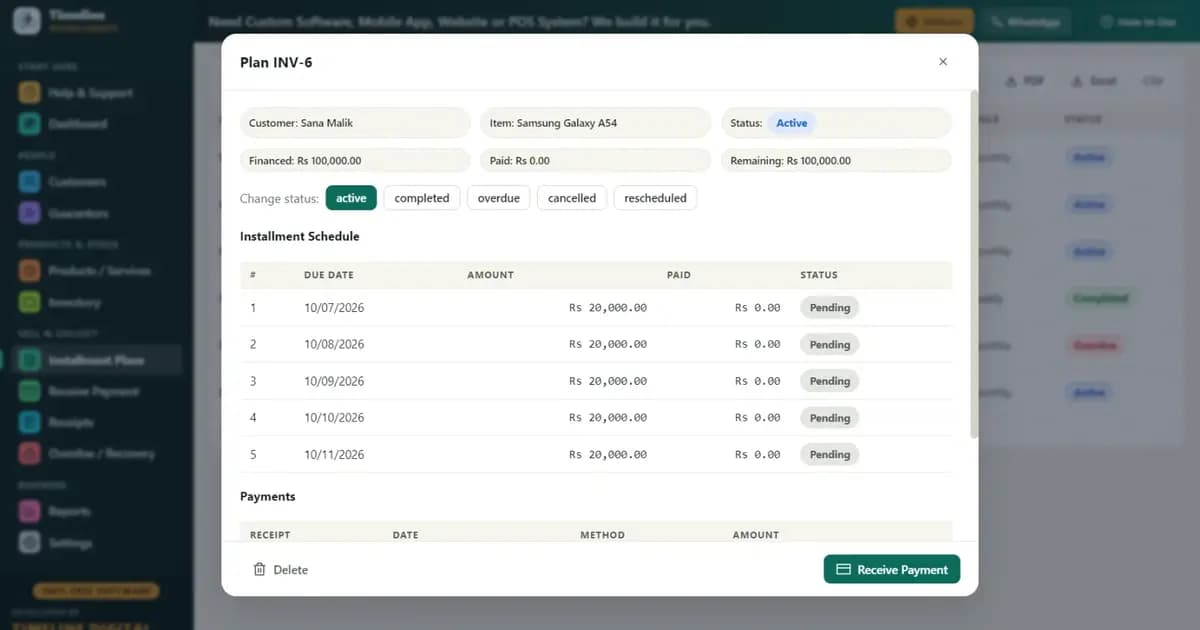
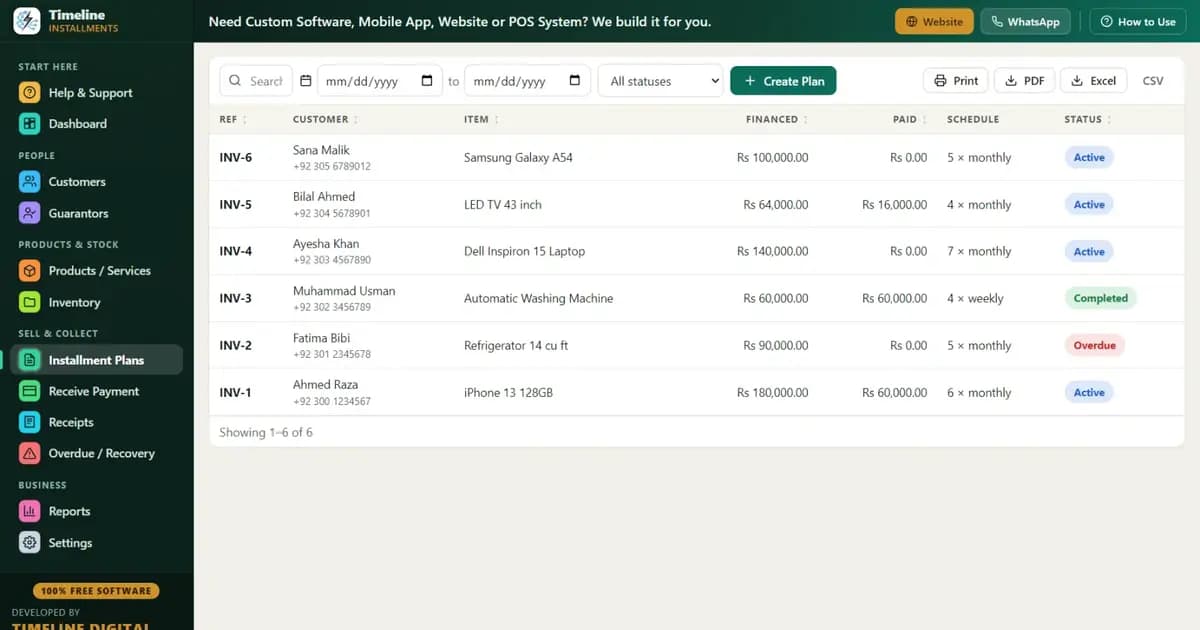
- Create your first plan. Pick the customer — or add one right inside the plan screen using the inline "New Customer" button, with CNIC/ID, optional photo, and a linked guarantor. Enter total price, down payment, and the number of months. A live preview shows the full schedule with every due date before you save. The down payment is recorded automatically as the first payment, so day one is already clean.
- Receive payments as they come. When a customer walks in, the next due amount fills itself. Take the full amount or a partial — partial payments apply to the oldest unpaid installment first, and any discount you give counts toward settlement. One click prints a branded receipt with your logo, the remaining balance, "Installments Paid X of Y," and signature lines. Print two: one for the customer, one stapled to the agreement.
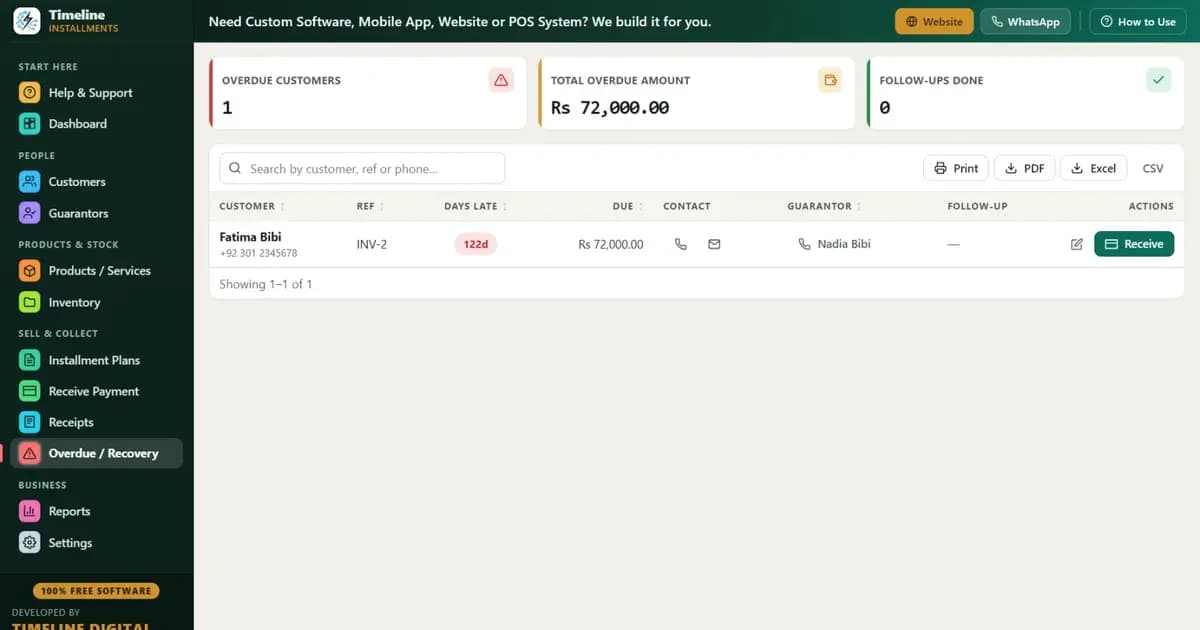
- Open the Overdue screen every morning. It shows every late customer with days late, amount due, the customer's phone number, and the guarantor's contact — your entire morning call list on one screen.
- Back up weekly. One click creates a backup file you copy to a USB drive; the app even reminds you. If the PC dies, you restore in one click on a new machine.
Not ready to enter real customers yet? Load the built-in Sample Data and practice for an evening. There's also a 6-step quick start inside the app and a "How to Use" drawer on every page, so nobody on your staff needs training.
What does a good daily routine look like?
A good daily routine takes about 10 minutes each morning: check today's dues, check the overdue list, and make the late calls before the shop gets busy.
| Time | Task | Tool |
|---|---|---|
| Opening (5 min) | See who is due today and who is overdue | Dashboard + Overdue screen |
| Opening (5 min) | Call every customer who went late yesterday | Phone numbers on the Overdue screen |
| During the day | Record every payment, print receipt immediately | Receive Payment → print |
| Weekly | Print the visit list for upcoming collections | Next 30 Days Recovery report |
| Weekly | Copy backup to USB | One-click Backup |
| Month-end | Review who is falling behind | Customer Statement report |
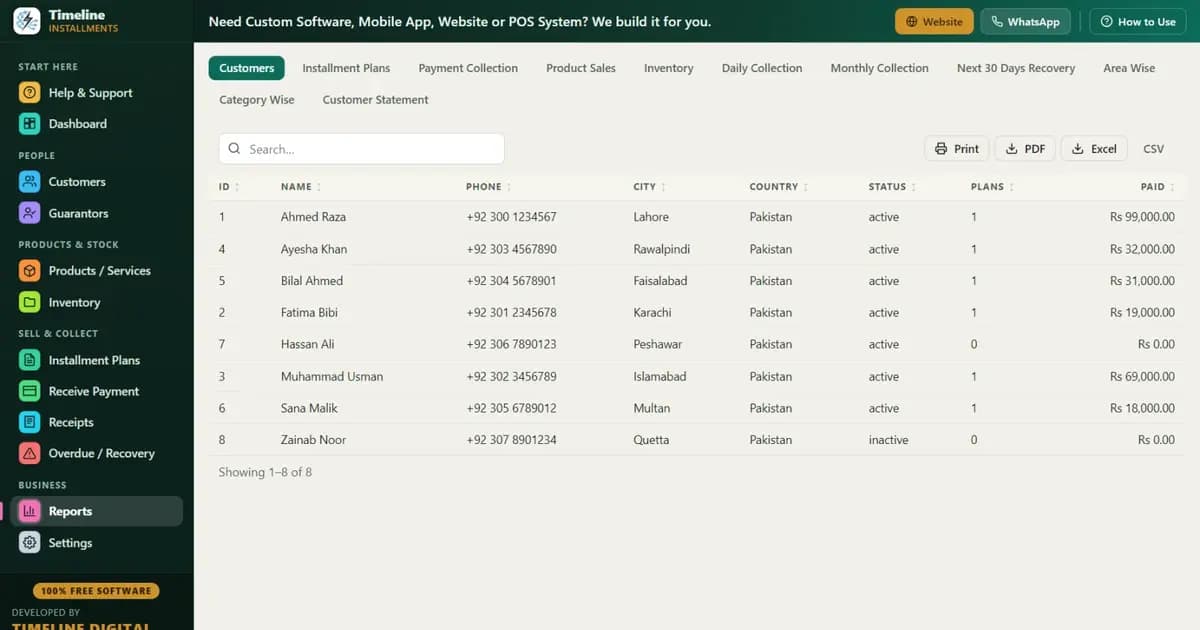
The Next 30 Days Recovery report deserves a special mention: it lists every installment coming due in the next month with customer, phone, area, and amount — print it or export to PDF/Excel and hand it to whoever does your collections as a ready-made route. There are 11 reports in total, including Area Wise (see which neighborhood owes the most before you sell more there) and Category Wise.
What are the golden rules shops that rarely lose money follow?
Shops that rarely lose money follow a few strict rules on every single sale, with no exceptions for friends or relatives:
- Never give the product without down payment + guarantor + ID copy. All three, every time. The customers who resist these three the hardest are usually the ones who would have defaulted.
- Down payment of 15–25% minimum. A customer with real money in the deal protects the deal.
- Print two receipts for every payment — one for the customer, one for your file. Disputes end where printed receipts begin.
- Call on day 1 late, not day 30. The first late payment is a test. A same-week call teaches the customer that you track everything. Silence teaches the opposite. (More tactics in our installment recovery tips.)
- No second plan while the first is late. Ever.
- Back up weekly. Your receivables list is the most valuable file in your shop.
What are the most common mistakes mobile shops make with installments?
- Trusting memory for due dates. Memory works at 5 customers and fails silently at 25. You won't notice the failure until money is missing.
- Skipping the guarantor "because he's a known customer." The known customer is exactly the one you'll feel awkward chasing. The guarantor gives you a second door to knock on.
- Not recording partial payments properly. The customer pays 20,000 against 30,000, someone writes "paid" — and 10,000 evaporates. Software that applies partials oldest-first and prints the true remaining balance closes this hole.
- Giving verbal discounts nobody records. "Pay 25,000 and we're done" is fine — if it's recorded as a discount toward settlement, so the plan actually closes on paper too.
- Mixing installment money with the cash drawer. Record the payment in the system first, then the money goes wherever it goes.
- Waiting until month 3 to chase. By then the customer has decided you don't follow up. Recovery gets ten times harder.
- No backup. One stolen laptop or dead hard drive should be an annoying day, not the end of your receivables.
Start today, free
You don't need to buy anything to fix your installment tracking. Download Timeline Free Installment Manager — free forever, works offline, no signup — load the sample data to practice for an evening, and move your real customers over one plan at a time. Your register can retire this week. More on the mobile-shop workflow specifically: mobile shop installment software.