This page explains how phone installment tracking works in the app, what a normal day looks like when you use it, and how the numbers add up for a real shop. If you want the full feature list and download link first, go to the main page: Free Installment Management Software.
Why do mobile shops lose money on paper installment records?
Every mobile shop that sells on installments knows this story. A customer takes a phone worth Rs 60,000. He pays Rs 15,000 down. You write it in the register: name, phone number, "Rs 7,500 per month for 6 months." Three months later, the register page is smudged, the customer swears he already paid month three, and you honestly cannot prove otherwise. You let it go. That is Rs 7,500 gone — not because the customer was a thief, but because your record was weak.
Multiply that across a shop. If you run 40 active phone plans at once, you are tracking roughly 240–280 separate due dates and collecting around 40 payments a month. On paper, you will miss some. Common problems shop owners tell us about:
- Forgotten due dates. Nobody flips through 40 register pages every morning, so late customers get called weeks late — or never.
- "How much is left?" arguments. The customer's memory and your register disagree, and there is no receipt trail to settle it.
- Lost guarantor details. When a customer disappears with a phone, the guarantor's number is on a paper slip somewhere, or nowhere.
- No idea of total exposure. Ask a paper-based shop owner "how much money is out on the street right now?" and he can only guess.
Software fixes all four. Not fancy software — just accurate, automatic record keeping.
What does Timeline Free Installment Manager do for a phone shop?
It is built by Timeline Digital (timelinedigi.com) and it is free forever — they earn from custom software projects like mobile apps, cloud systems, multi-branch setups, and POS, not from this app. Here is what matters for a mobile shop:
- Every phone is a product. Add "Samsung A15 — Rs 62,000" once with category, SKU, purchase price, sale price, stock count, and warranty. You can put the IMEI in the SKU or description field. When the phone sells on a plan, stock drops by 1 automatically, and a low-stock alert warns you before you run out of a fast-moving model.
- Every customer is a proper file. Name and phone number are required; you can also save WhatsApp, email, city, ID type (CNIC, Passport, or National ID) with the number, home address, and notes. The full payment history sits under each customer forever.
- Every risky plan gets a guarantor. Record the guarantor's name, relation, phone, and ID, linked to the exact customer and plan. If the customer stops answering, you have the second number ready.
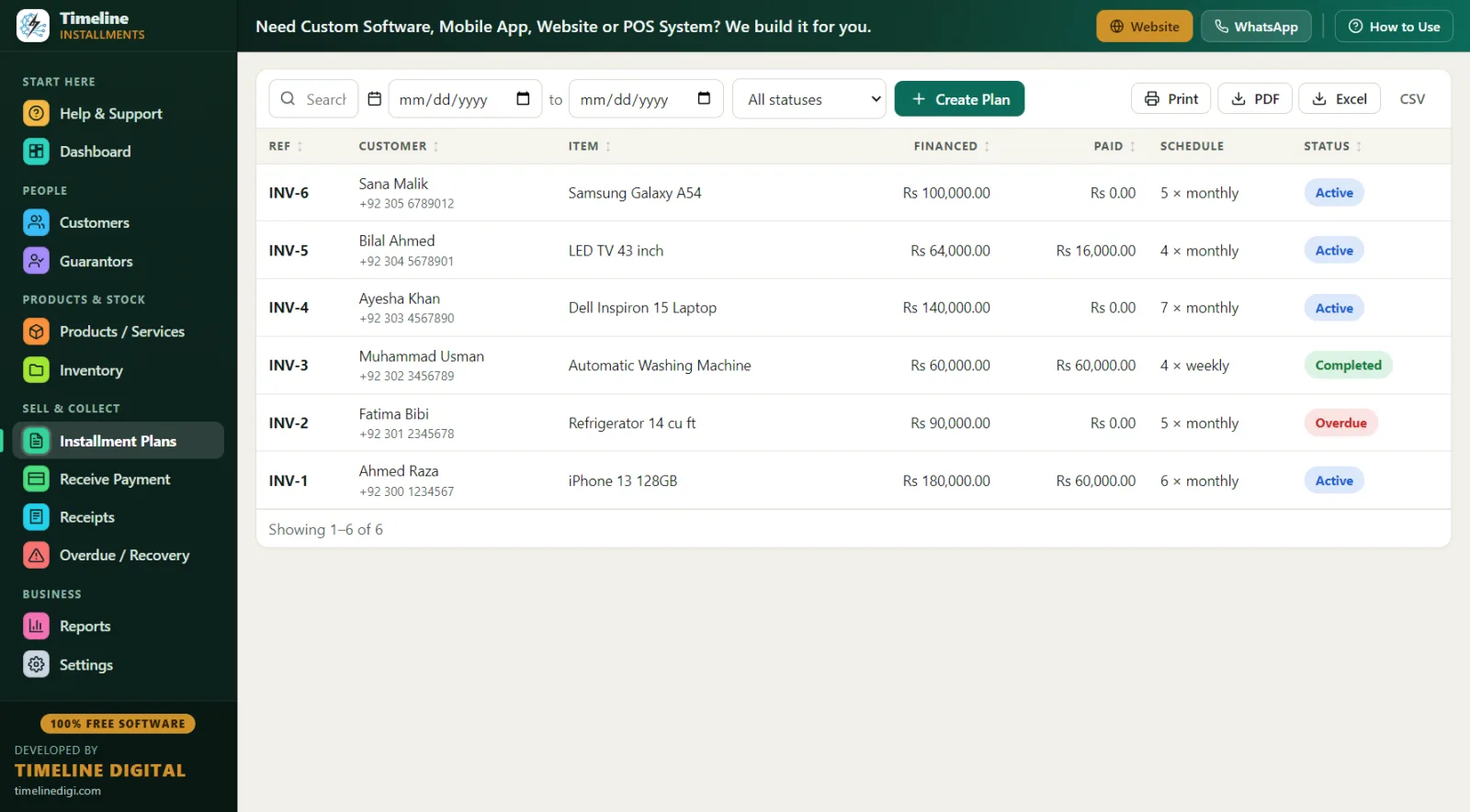
- Plans build themselves. Enter the total price, the down payment, and pick daily, weekly, or monthly — the app shows a live schedule preview before you save. The down payment is automatically recorded as the first payment with its own receipt.
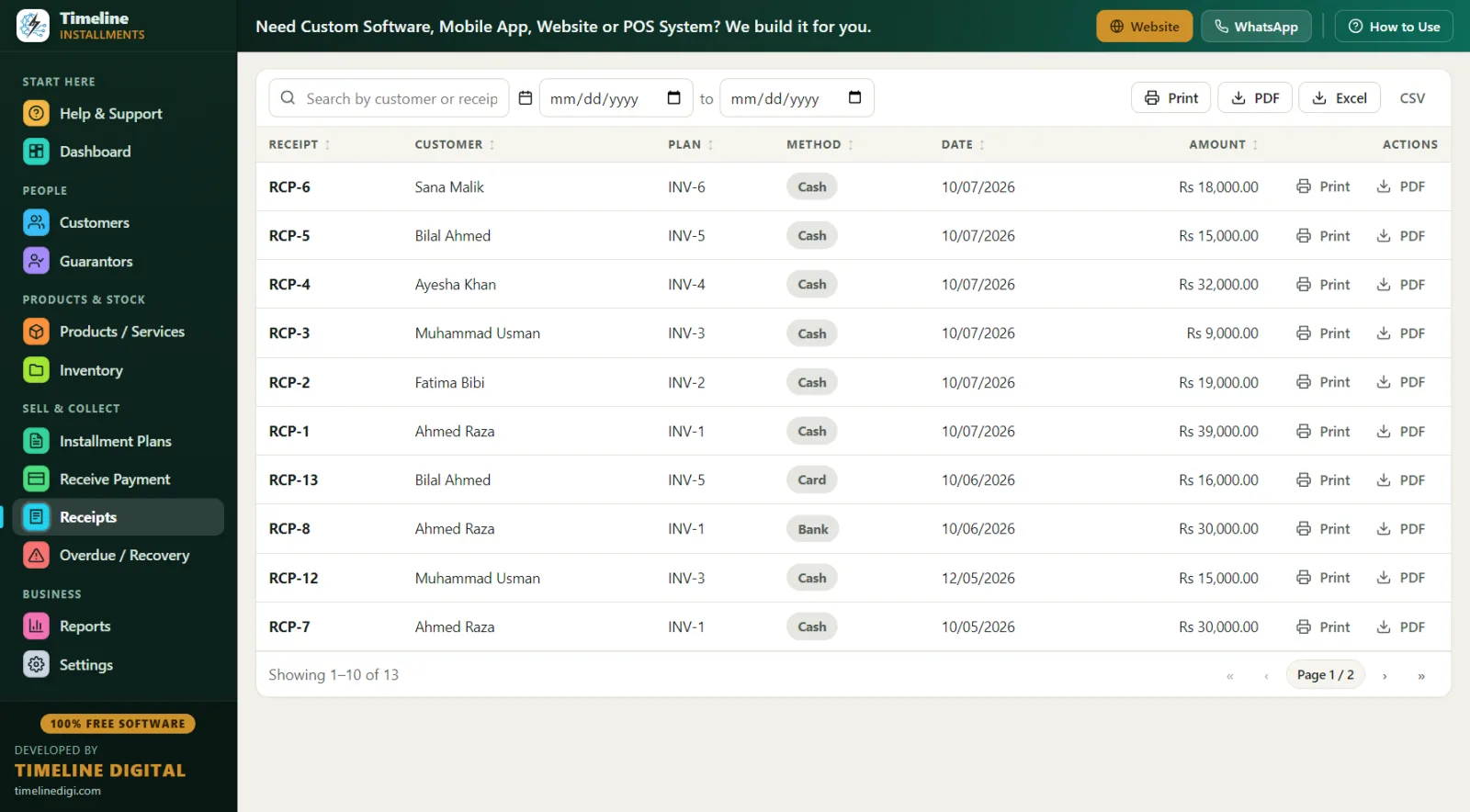
- Receipts end the arguments. Every payment prints a branded receipt (or saves as PDF) with your logo, the plan reference like INV-1, the phone model, the amount in big text, "Installments Paid 3 of 6," and the remaining balance. The customer signs; you both keep proof.
A day in the life: running your mobile shop on the software
Here is what a normal Tuesday looks like once the app is on your counter PC.
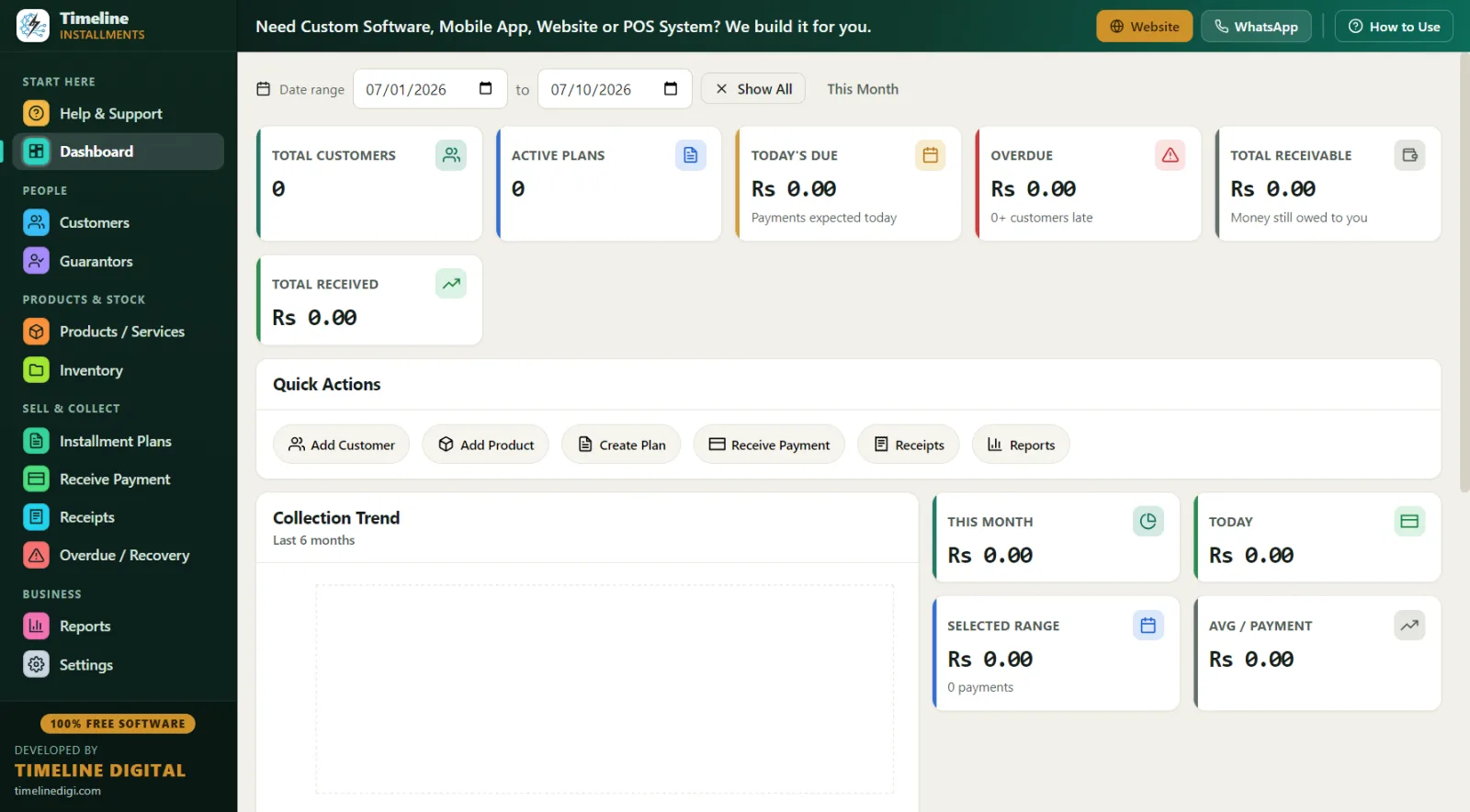
9:30 AM — Open the Dashboard. In one glance you see Total Customers, Active Plans, Today's Due, Overdue, Total Receivable, and Total Received, plus a 6-month trend chart. Today's Due says Rs 38,500 across 5 customers. Now you know exactly who should walk in today.
10:15 AM — A new sale. A customer wants an iPhone-model handset at Rs 90,000 with Rs 25,000 down. On the Installment Plans screen you type his name — he's new, so you use the inline "New Customer" button and create the customer and the plan in one save. Total Rs 90,000, down Rs 25,000, monthly for 10 months = Rs 6,500 per month, shown in the live preview. You add a guarantor (his cousin, with phone and CNIC number). Save. The down payment receipt prints instantly, stock on that model drops by 1.
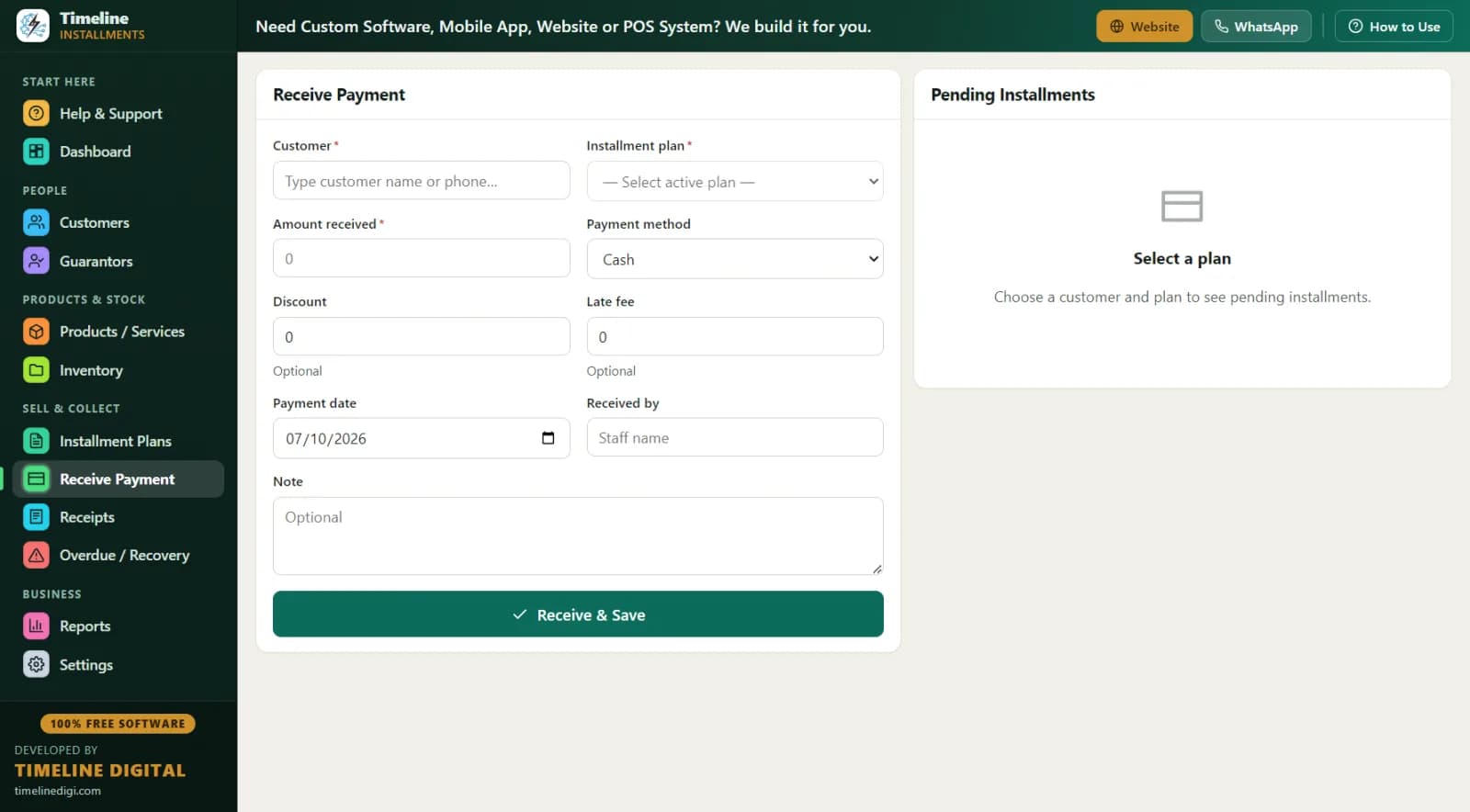
12:40 PM — A customer pays. You open Receive Payment, type his name, and the next due installment auto-fills. He only has Rs 5,000 of his Rs 7,500 due — no problem, partial payments are accepted and automatically apply to the oldest unpaid installment first. Choose cash, print receipt RCP-1 style, done in under a minute.
4:00 PM — Recovery time. The Overdue screen lists every late customer with days late, amount, phone number, and the guarantor's contact. You call two customers, add a follow-up note on each ("promised Friday"), and receive one payment directly from the same screen with the Receive button.
8:55 PM — Closing. Print the Daily Collection report to count against your cash drawer. Click the one-click Backup so today's data is safe. Close the shop.
Total extra time versus the register: less. You saved time, and you didn't miss anyone.
How do the numbers work? A worked example
Say you sell a phone that cost you Rs 52,000. Your cash price is Rs 60,000, and your installment price is Rs 69,000.
| Item | Amount |
|---|---|
| Installment price | Rs 69,000 |
| Down payment (about 22%) | Rs 15,000 |
| Financed amount | Rs 54,000 |
| Monthly installment (6 months) | Rs 9,000 |
| Your margin over cost | Rs 17,000 |
The app records the Rs 15,000 down as payment 1 with a receipt, then schedules 6 monthly payments of Rs 9,000. If your policy charges a late fee, set it as a fixed amount or a percentage of the remaining balance when you create the plan. If the customer settles early and you knock Rs 2,000 off as goodwill, record it as a discount — discounts count toward settlement, so the plan closes cleanly as completed.
Want help setting your installment price in the first place? Read our guide: How to Calculate an Installment Price.
Register vs Excel vs installment software: honest comparison
| Paper register | Excel sheet | Timeline Free Installment Manager | |
|---|---|---|---|
| Cost | Cheap | Free-ish | Free forever |
| Auto due dates | No | Manual formulas | Yes, automatic schedule |
| Who is late today? | Flip every page | Sort and pray | Overdue screen, instant |
| Printed receipt with balance | Handwritten | No | Branded print/PDF receipt |
| Partial payments | Messy notes | Breaks formulas | Auto-applied to oldest unpaid |
| Guarantor linked to plan | Loose slip | Separate sheet | Built-in module |
| Stock tracking | Separate register | Separate sheet | Auto-reduces on sale |
| Total receivable right now | Unknown | Manual sum | On the dashboard |
| Reports | None | DIY | 11 reports, Print/PDF/Excel/CSV |
| Risk of one mistake costing Rs 7,500 | High | Medium | Very low |
What are the best practices for phone installment sales?
The software keeps records; these habits keep you profitable.
1. Do real KYC before every plan. No plan without a CNIC/ID number, a verified phone number, a home address, and — for anything above a small amount — a guarantor with their own ID and phone. The app has a field for every one of these, so make filling them a rule, not a favor.
2. Take 20–30% down on phones. Phones walk away easily. A customer who pays Rs 18,000 down on a Rs 69,000 phone has real skin in the game; a customer who pays Rs 3,000 does not. The down payment is auto-recorded as the first payment, so it also anchors the paper trail.
3. Run a fixed recovery routine. Every morning: Dashboard → Today's Due → Overdue screen → call anyone 3+ days late → write a follow-up note on each call. Once a week, print the Next 30 Days Recovery report (due date, customer, phone, city, plan ref, item, installment number, amount) and plan your reminders ahead. More recovery tactics here: Installment Recovery Tips That Actually Work.
4. Give a receipt for every single payment. Even Rs 500 partials. Receipts with "Installments Paid X of Y" and the remaining balance are what end disputes before they start.
5. Back up weekly. Settings → Backup & Restore, one click. The app even reminds you. Copy the backup file to a USB drive; your whole business record fits on it.
For a full walkthrough of the day-to-day method, see How to Manage Installment Payments in a Mobile Shop.
Is it really free, offline, and private?
Yes. There is no trial, no locked "pro" features, and no subscription. Timeline Digital earns from custom builds (cloud, mobile apps, multi-branch, POS) for businesses that outgrow a single PC — the free app is complete on its own. It needs Windows 10 or 11 (64-bit), downloads at about 90 MB, and installs in under a minute. There is no account, no email, and no login. All data lives in a local SQLite database on your own computer; nothing is uploaded anywhere. Setup is a 2-step onboarding, and the currency is set automatically from your country — Rs, ₹, $, £, ৳ and 150+ more. Selling motorcycles or electronics too? See the motorcycle installment software and furniture & electronics installment software pages.