The best free installment management software for shops in 2026 is Timeline Free Installment Manager — it's the only option in this comparison that is genuinely free with every feature included and works fully offline on Windows. That said, "best" depends on what you run: a payment-gateway business, a full ERP, or a shop counter — so below we compare the honest landscape, including the paid tools that may fit you better.
Most "installment software" you find on Google is either a paid cloud subscription, a lender-grade loan management system, or a BNPL payment gateway that takes a cut of every sale. For a shop owner who just wants to track customers, schedules, receipts and recovery, that's overkill — and expensive. Here's what each option actually is, who it's right for, and who should skip it.
Quick comparison: free and paid installment software in 2026
| Software | Price | Offline? | Made for shops? | Notes |
|---|---|---|---|---|
| Timeline Free Installment Manager | Free forever | ✅ Yes | ✅ Yes | Windows app; schedules, receipts, recovery, reports |
| Paythen | Paid plans | ❌ Cloud | Partly | Payment-gateway focused (Stripe) |
| Daftra | Paid plans | ❌ Cloud | Partly | Full ERP; installments are one module |
| Jarbas App | Freemium | ❌ Cloud | ✅ | Mobile-first, Brazil-focused |
| Hire-purchase systems (India, various) | Paid, per-license | Some | ✅ | India-focused, often dated UIs, dealer-installed |
| Vergent / Infinity LMS | Enterprise pricing | ❌ | ❌ | Built for licensed lenders, not retailers |
| Excel templates | Free | ✅ Yes | ❌ | Manual formulas, no receipts, breaks easily |
We haven't listed star ratings or review counts anywhere in this post because third-party ratings change and are easy to misquote. Judge each tool by what it's built for.
What should "free" installment software actually include?
Genuinely free installment software should include automatic schedule generation, partial payments, printed receipts with your branding, an overdue list with contact details, exportable reports, and backups — with none of those behind a paywall. If any core feature costs money, you're looking at a trial or a freemium hook, not free software.
Use this checklist when you evaluate anything on (or off) this list:
- [ ] Auto-generated schedules (daily/weekly/monthly), with down payment handled
- [ ] Partial payments that update the remaining balance correctly
- [ ] Printable receipts with your shop name/logo and remaining balance
- [ ] Overdue view showing days late + customer contact
- [ ] Guarantor recorded per plan
- [ ] Reports you can export (PDF/Excel/CSV)
- [ ] Backup and restore
- [ ] Works without internet (matters more than people admit)
- [ ] No per-customer, per-plan, or per-receipt limits on the free tier
Timeline Free Installment Manager — the genuinely free one
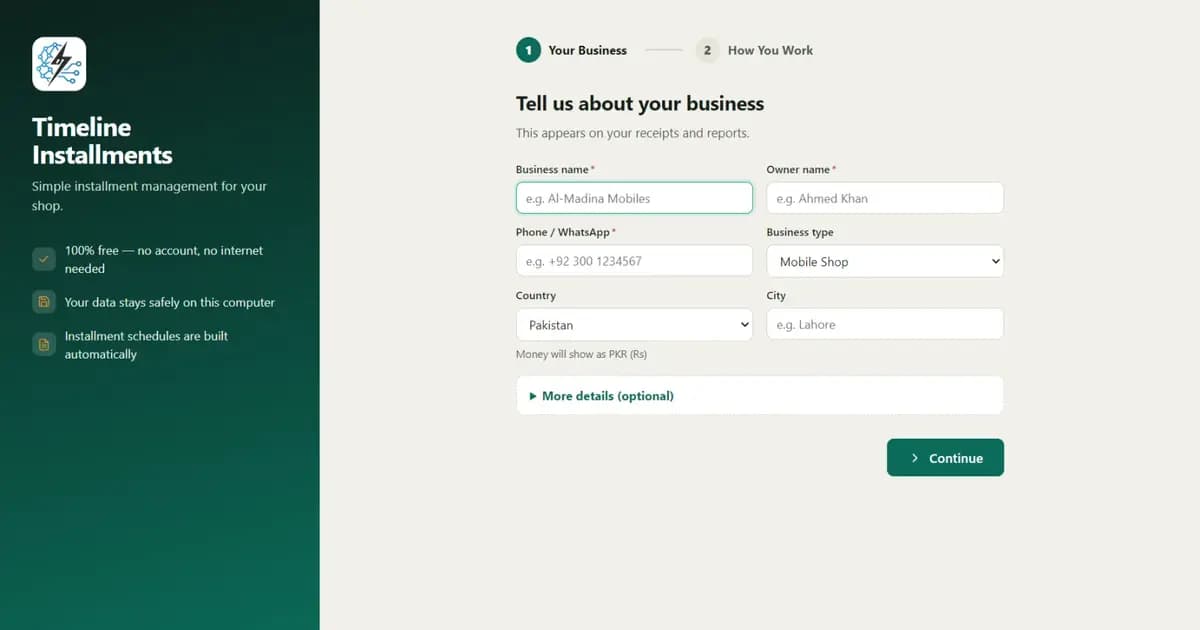
Timeline Free Installment Manager (v1.6.0, by Timeline Digital) is a Windows 10/11 desktop app, about 90 MB, with no account or login. It runs fully offline: your data lives in a local database on your own PC and nothing is uploaded anywhere.
Why is it free? Timeline Digital (timelinedigi.com, WhatsApp) is a custom-software company. The free app is their lead generation: when a shop grows and wants a mobile app, a cloud version, or multi-branch, they build it as paid custom work. The free desktop app itself is free forever, with all features — not a trial, not a freemium tier.
What you get:
- Auto-generated schedules — daily, weekly, or monthly, with a live preview before you save. The down payment is recorded automatically as the first payment. Late fees can be a fixed amount or a percentage of the remaining balance.
- Partial payments done right — applied to the oldest unpaid installment first; discounts count toward settlement, so a negotiated early payoff closes the plan cleanly.
- Branded receipts — print or PDF via any Windows printer, with your logo, the remaining balance, "Installments Paid X of Y," and signature lines.
- Customers with CNIC/ID + optional photo + guarantors linked to plans, plus an inline "New Customer" button right inside plan creation so a walk-in sale doesn't need two screens.
- Product catalog with stock that auto-reduces on installment sales, with low-stock alerts.
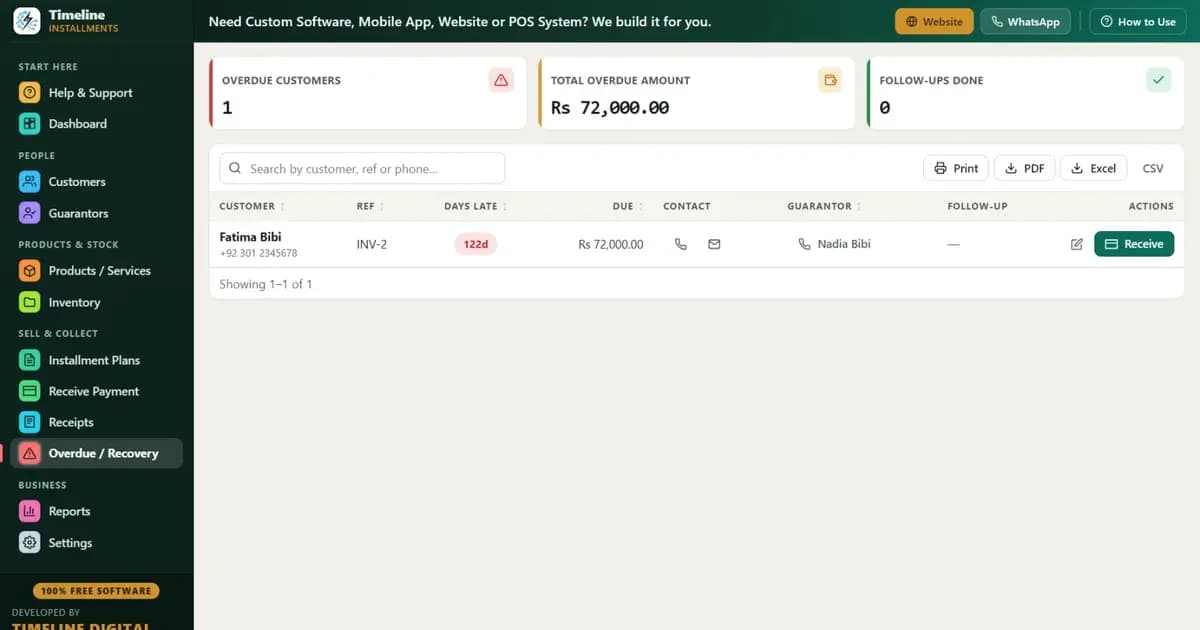
- Overdue screen — days late, amount, customer phone, and guarantor contact on one screen.
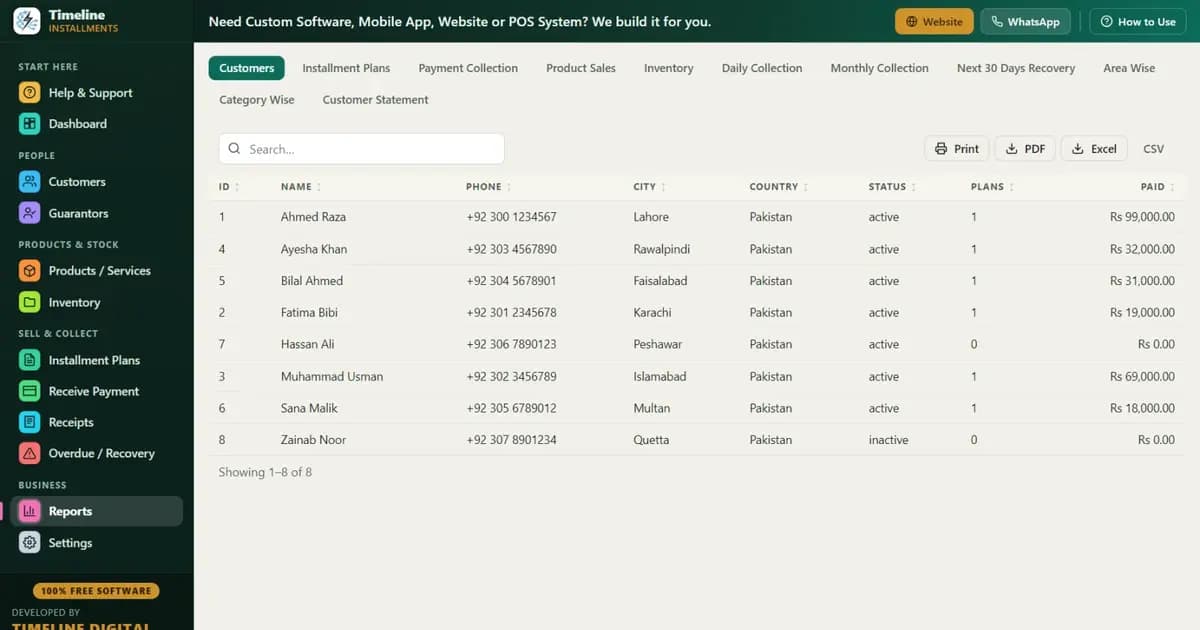
- 11 reports including Next 30 Days Recovery, Area Wise, Category Wise, and Customer Statement — all exportable to Print/PDF/Excel/CSV. (See how the recovery report powers collections in our recovery tips.)
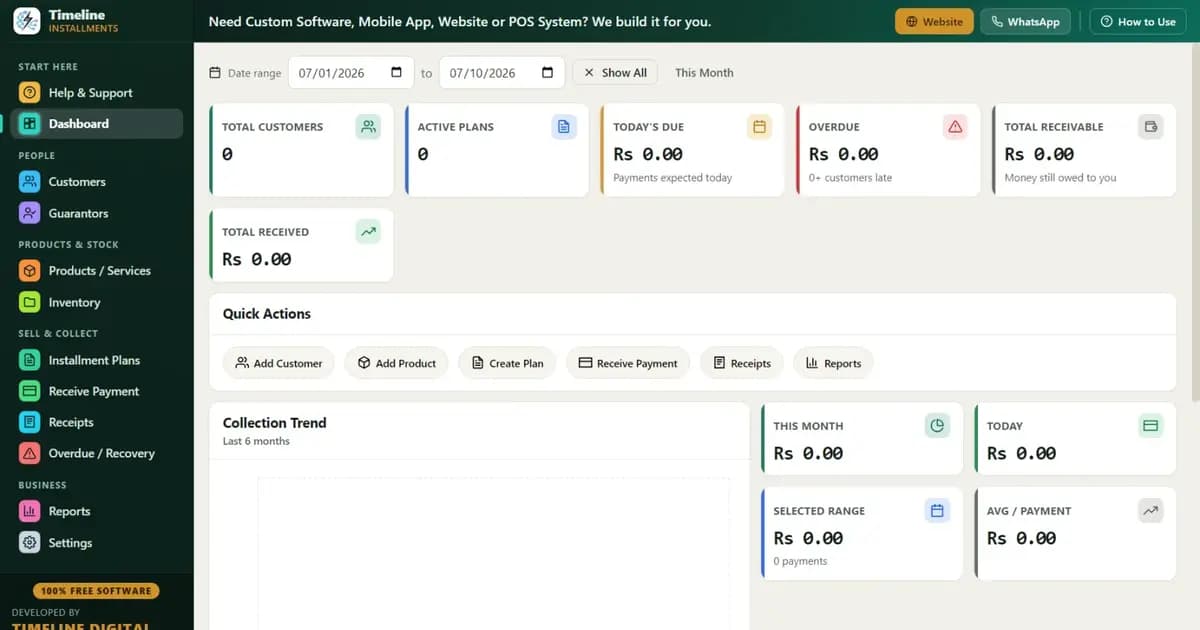
- One-click Backup & Restore with reminders, Sample Data for practice, a 6-step in-app quick start, and a How-to-Use drawer on every page.
- Currency auto-set from your country — Rs, ₹, $, £, ৳ and 150+ others.
Best for: mobile shops, electronics and furniture stores, motorcycle dealers, and appliance sellers in Pakistan, India, Bangladesh, the USA, UK, UAE, Nigeria, Kenya, the Philippines and beyond. Dedicated pages: installment software for Pakistan, EMI software for India, mobile shop installment software.
Skip it if: you need cloud access from multiple locations out of the box, you run on Mac/Linux only, or you're a licensed finance company needing credit-bureau integration — read on for those cases.
Paythen — right for online sellers who charge cards
Paythen is a cloud service on paid plans that lets you offer installment payment plans and collect the money automatically through Stripe. Its real strength is automated collection: the customer's card is charged on schedule, and Paythen handles reminders and failed-payment retries.
Who it IS right for: online businesses, service providers, and course sellers whose customers pay by card and who want money collected automatically without chasing anyone. If your customers can and will pay by card online, automated charging is genuinely valuable and worth paying for.
Who should skip it: cash-based shops. If your customers walk in and pay cash — the norm for kisti/EMI retail in South Asia and much of Africa — a card-charging platform solves a problem you don't have, and you'd still need something to track cash payments, guarantors, and receipts.
Daftra — right for businesses that want a full ERP
Daftra is a cloud business-management suite on paid plans — invoicing, accounting, inventory, HR, CRM — where installment tracking is one module among many. It's popular in the Middle East and available in Arabic and English.
Who it IS right for: a growing business that wants accounting, payroll, inventory and invoicing in one paid system anyway, and would like installments handled inside the same platform. If you're going to buy an ERP regardless, having installments built in is a real convenience.
Who should skip it: a shop that only needs installment tracking. You'd be paying a subscription for a whole suite to use one module, learning a big system to do one job, and depending on internet for daily counter work.
Jarbas App — right for Brazilian mobile-first sellers
Jarbas is a freemium, mobile-first app focused on the Brazilian market, built around "fiado" and installment selling from a phone. The free tier gets you started; fuller features sit on paid plans.
Who it IS right for: small sellers in Brazil who run their business from a phone, want Portuguese-language support, and like managing customers and charges from an app on the go.
Who should skip it: shops outside Brazil, and any shop that wants a desktop workflow with printed receipts at a counter. It's built for a different market and a different way of working.
Legacy hire-purchase packages (India) — right for dealers who want local vendor support
India has a long tradition of hire-purchase and kist software packages sold per-license and often installed by a local dealer. They handle the classic hire-purchase workflow — agreements, schedules, seizure/repossession records — and some run offline.
Who they ARE right for: established dealers, especially in two-wheeler and appliance finance, who want a local vendor relationship: someone in their city who installs, configures, and answers the phone. That support relationship is the real product, and for some businesses it's worth the license fee.
Who should skip them: anyone who wants modern software without a per-license cost. Many of these packages have dated interfaces, per-machine licensing, and no trial — you often can't even evaluate them without contacting a dealer. If you don't need the local-vendor relationship, a free modern option does the same core job.
Vergent, Infinity and other lender LMS — right for licensed finance companies
Vergent LMS, Infinity ELS and similar systems are enterprise loan management platforms built for licensed lenders — payday, installment loan, and BNPL companies. They cover underwriting, compliance, credit-bureau reporting, collections workflows, and portfolio accounting, at enterprise pricing.
Who they ARE right for: actual finance companies with lending licenses, compliance obligations, and loan officers. If regulators audit you, you need this class of software, and the price reflects the compliance work it does.
Who should skip them: retailers. A shop selling phones on installments is doing credit sales, not licensed lending. An enterprise LMS would be like buying a bank's core system to run a shop counter — wrong tool, wrong price, wrong complexity.
Excel templates — right for the first handful of customers
Excel (or Google Sheets) with a payment-schedule template is free, offline, and familiar. For your first 10–15 customers, honestly, it works.
Who it IS right for: brand-new sellers testing the installment model with a few trusted customers before committing to any system, and anyone who wants full manual control of their numbers.
Who should skip it: anyone past ~15–20 active plans. Schedules are typed by hand, partial payments break formulas, there are no receipts, no overdue alerts, and one corrupted file can take your whole receivables list with it. We've written a full breakdown: Excel vs installment software.
How do you choose between them?
Choose based on how your customers pay and what kind of business you are:
- Customers pay cash at your counter, you want $0 cost → Timeline Free Installment Manager.
- Customers pay by card online, you want auto-charging → Paythen (paid).
- You're buying a full ERP anyway → Daftra (paid).
- You're a small mobile-first seller in Brazil → Jarbas (freemium).
- You want a local vendor in India who installs and supports → a hire-purchase package (paid per-license).
- You're a licensed lender with compliance needs → Vergent/Infinity-class LMS (enterprise).
- You have under 15 customers and love spreadsheets → Excel, for now.
Common mistakes when picking installment software
- Confusing "free trial" with "free." A 14-day trial or a free tier capped at 10 customers is a purchase decision postponed, not avoided. Check what happens at customer #11.
- Buying a payment gateway when your customers pay cash. Auto-charging tools are brilliant — for card payments. They do nothing for the cash workflow most installment shops actually run.
- Ignoring the offline question. If your counter stops working when the internet drops, that's a real operational risk. Ask before you commit.
- Not asking where your data lives. Customer IDs, phone numbers, addresses, guarantors — that's sensitive. Local-database software keeps it on your PC; cloud software keeps it on someone's server. Neither is wrong, but know which you're choosing.
- Overbuying for scale you don't have yet. Start with what fits today's 30 customers. When you genuinely need multi-branch or a mobile app, upgrade then — Timeline Digital, for instance, builds paid custom versions (cloud, mobile, multi-branch) on top of the free app when shops get there.
- Choosing anything without an export. If the software can't export to Excel/CSV, your data is hostage. Timeline exports every report to PDF/Excel/CSV, so you're never locked in.
The bottom line
If your customers pay by card online, pay for Paythen. If you're buying an ERP anyway, Daftra makes sense. If you're a licensed lender, get a real LMS. But if you're a shop owner tracking cash installments at a counter — which is most people searching for this — the honest answer is that the free option is also the best-fitting one.
Download: Timeline Free Installment Manager for Windows 10/11 — free forever, fully offline, no email, no trial timer. Load the sample data and see the whole workflow in ten minutes. And if you're building the business from scratch, start with our guide on starting an installment business.