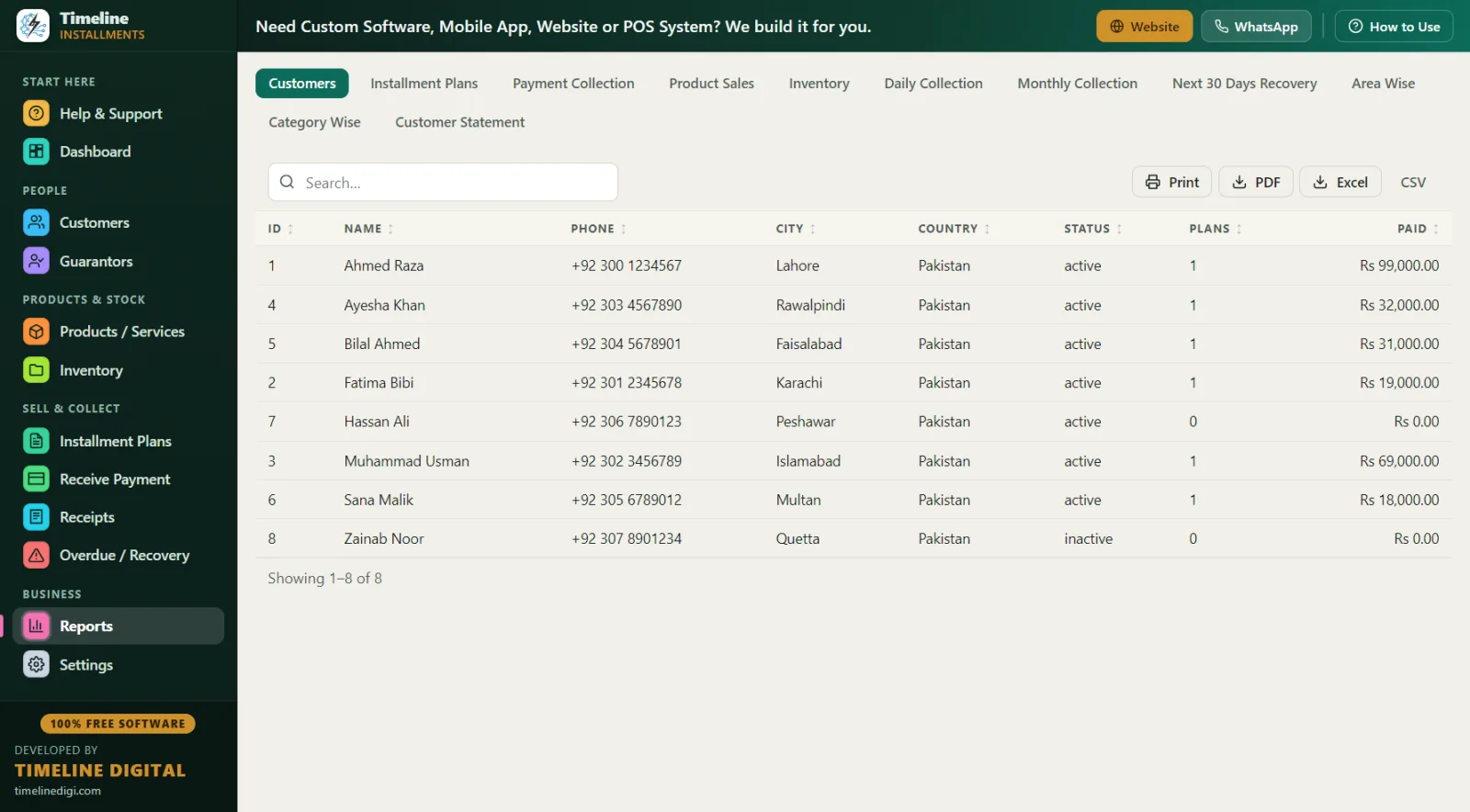
Select India in the 2-step setup and the whole app runs in Indian Rupees with DD/MM/YYYY dates. It works as kisht software, hire purchase software for India, and daily collection software in one. Full features and download: Free Installment Management Software.
Why do Indian shops lose money on diary-based EMI collection?
Mobile dealers, electronics showrooms, and furniture stores across India run lakhs in monthly EMI collections on paper diaries and copy registers. The diary has served for decades — and it leaks the same way everywhere.
A real example. A mobile dealer in Indore has 60 phones out on EMI, averaging ₹2,800 per month each — ₹1,68,000 expected monthly. His collection runs on a diary and memory. Here is what a typical month costs him: two customers whose due dates were simply forgotten (₹5,600 delayed a month), one dispute where a customer's brother paid cash with no receipt and the diary missed it (₹2,800 written off to keep the customer), and one customer whose phone changed and whose guarantor's number was never written down (₹8,400 remaining, possibly gone). That is roughly ₹11,000–17,000 leaked in one ordinary month — from record-keeping, not from bad luck. Over a year, the diary costs more than a new counter PC.
The four diary problems:
- Due dates live in memory. With 60 EMIs, that is 60 dates a month. Memory misses.
- No receipts, no proof. "EMI de di thi" disputes have no referee.
- Daily-collection chaos. Finance-style daily lines need a fresh due list every single morning; a diary cannot generate one.
- No total picture. How much is pending in the market right now? On paper, nobody knows. In the app, it is one number on the Dashboard: Total Receivable.
What does this free EMI software actually include?
Timeline Free Installment Manager v1.6.0 by Timeline Digital is free forever — no subscription, no per-license fee, no AMC. The company earns from custom software (cloud, mobile apps, multi-branch, POS), not from shopkeepers. For Indian retail EMI:
- ₹ automatic, Indian dates. Pick India once; currency shows as ₹ everywhere, and date format options include DD/MM/YYYY.
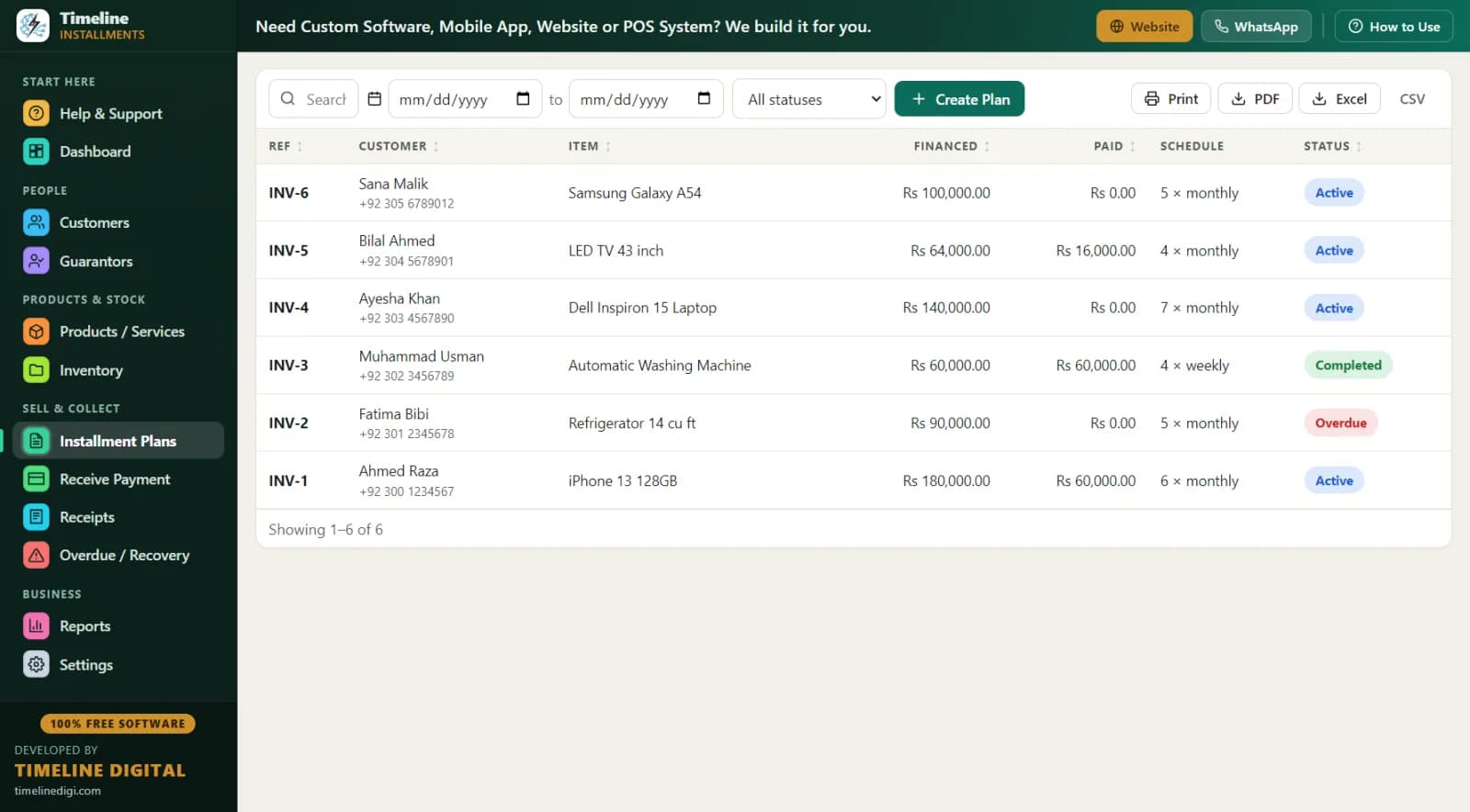
- Auto EMI schedule. Enter total, down payment, and choose daily, weekly, or monthly — a live schedule preview shows every EMI before you save. The down payment is auto-recorded as the first payment with a printed receipt.
- Daily collection support. Daily-frequency plans generate a line-wise due list every day — the Daily Collection report is built for daily-finance style operations.
- Aadhaar-ready customer records. Name and phone are required; ID type (National ID/Passport) with number, address, city, WhatsApp, and notes are all standard fields. Guarantors get their own module — relation, phone, ID — linked to the exact plan.
- EMI collection tools. Receive Payment auto-fills the next due; partial payments apply to the oldest unpaid EMI automatically; methods include cash, bank, card, online (UPI-style payments marked as "online"), and other. Every payment prints a branded receipt with "Installments Paid X of Y" and the remaining balance.
- 11 reports, all Print/PDF/Excel/CSV. Daily Collection, Monthly Collection, Payment Collection, Next 30 Days Recovery (due date, customer, phone, city, ref, item, EMI number, amount), Area Wise receivables by city, Category Wise, Product Sales, Inventory, Customers, Plans, and a per-customer Statement.
A day in the life: an electronics showroom running EMI on the app
10:00 AM — Dashboard. 72 active EMI plans. Today's Due: ₹41,300 from 14 customers (your daily lines plus monthly EMIs). Overdue: ₹18,700 from 6. Total Receivable: ₹9.6 lakh. Thirty seconds, full clarity.
11:15 AM — New EMI sale. A customer takes a 43-inch LED. Cash price ₹28,000; your EMI price ₹32,500. He pays ₹8,500 down; 8 monthly EMIs of ₹3,000 each, confirmed in the live preview. He is new, so the inline "New Customer" creates his record — name, phone, ID number, area — and the plan in one save. His colleague's details go into Guarantors. The down payment receipt prints with your shop name and logo; stock on that LED model drops by 1 automatically.
12:30 PM — Daily lines. Your collection boy leaves with today's printed Daily Collection list. Each customer he collects from gets entered in Receive Payment when he returns — or you enter them live if the PC is at the counter. One customer paid ₹700 against a ₹1,000 daily line; the partial applies to the oldest unpaid EMI automatically.
4:00 PM — Overdue calls. The Overdue screen lists 6 names with days late, amount, phone, and guarantor contact. Two pay after your call (Receive button right on the screen). Two promise dates — noted in the follow-up field. For one whose phone is off, you call the guarantor.
9:00 PM — Close. Print Daily Collection, match the cash. Export the Monthly Collection to Excel for your accountant at month end. One-click backup. Done.
Worked example: EMI pricing on a mobile phone
| Item | Amount |
|---|---|
| Handset cash price | ₹21,000 |
| Your EMI price | ₹24,600 |
| Down payment (about 25%) | ₹6,000 |
| Financed amount | ₹18,600 |
| Monthly EMI (6 months) | ₹3,100 |
| Extra earned for the wait | ₹3,600 |
You set the EMI price yourself — the app records your total and builds the schedule; it does not calculate interest for you, so your pricing stays your business. If the customer clears the last two EMIs early and you give ₹300 off, record it as a discount — discounts count toward settlement and the plan completes cleanly. Method for setting EMI prices: How to Calculate an Installment Price.
Diary vs Excel vs this EMI software vs legacy HP packages
| Diary/register | Excel | Legacy HP software | Timeline Free Installment Manager | |
|---|---|---|---|---|
| Cost | Low | Low | Per-license + AMC | Free forever |
| Install | — | — | Dealer visit | Yourself, under 1 minute |
| Auto EMI schedule | No | Manual | Yes | Yes, with live preview |
| Daily collection list | Handwritten | Manual | Sometimes | Daily Collection report, printable |
| Receipt with balance | No | No | Basic | Branded print/PDF, "Paid X of Y" |
| Works offline | Yes | Yes | Usually | Yes — local database, nothing uploaded |
| Export to Excel | No | Is Excel | Rarely | All 11 reports to Excel/CSV/PDF |
| Guarantor linked to plan | Slip | Separate tab | Varies | Built-in module |
| Modern Windows 10/11 app | — | — | Often outdated | Yes, v1.6.0 |
Legacy hire-purchase packages in India are typically dealer-installed, per-license paid, and visually outdated. This is a modern free Windows app you install yourself — no AMC, no per-branch license, and your data exports to Excel any time, so you are never locked in.
Best practices for EMI business in India
KYC before every plan. ID number, verified phone, address, city — all standard fields. Add a guarantor for anything above a small ticket. The Area Wise report (city → customers, active plans, receivable) then tells you which localities repay well before you extend more EMI credit there.
Down payment 20–30%. On a ₹24,600 phone EMI, ₹6,000 down means the customer protects your money along with you. Electronics deserve the higher end; furniture can sit lower.
Fixed collection rhythm. Daily: Dashboard → Today's Due → Overdue screen → call anyone 3+ days late and write the follow-up note. Weekly: print Next 30 Days Recovery and remind customers two days before each due date — reminders before beat chasing after. Full playbook: Installment Recovery Tips.
Receipt every payment, even ₹200 daily lines. The signed receipt with remaining balance is the end of every "de di thi" dispute.
Back up weekly. Settings → one-click Backup & Restore, with reminders built in. One small file on a USB drive holds your entire EMI book.
Running a phone counter specifically? See mobile shop installment software and the workflow guide How to Manage Installment Payments in a Mobile Shop. Pakistani readers: installment software Pakistan.