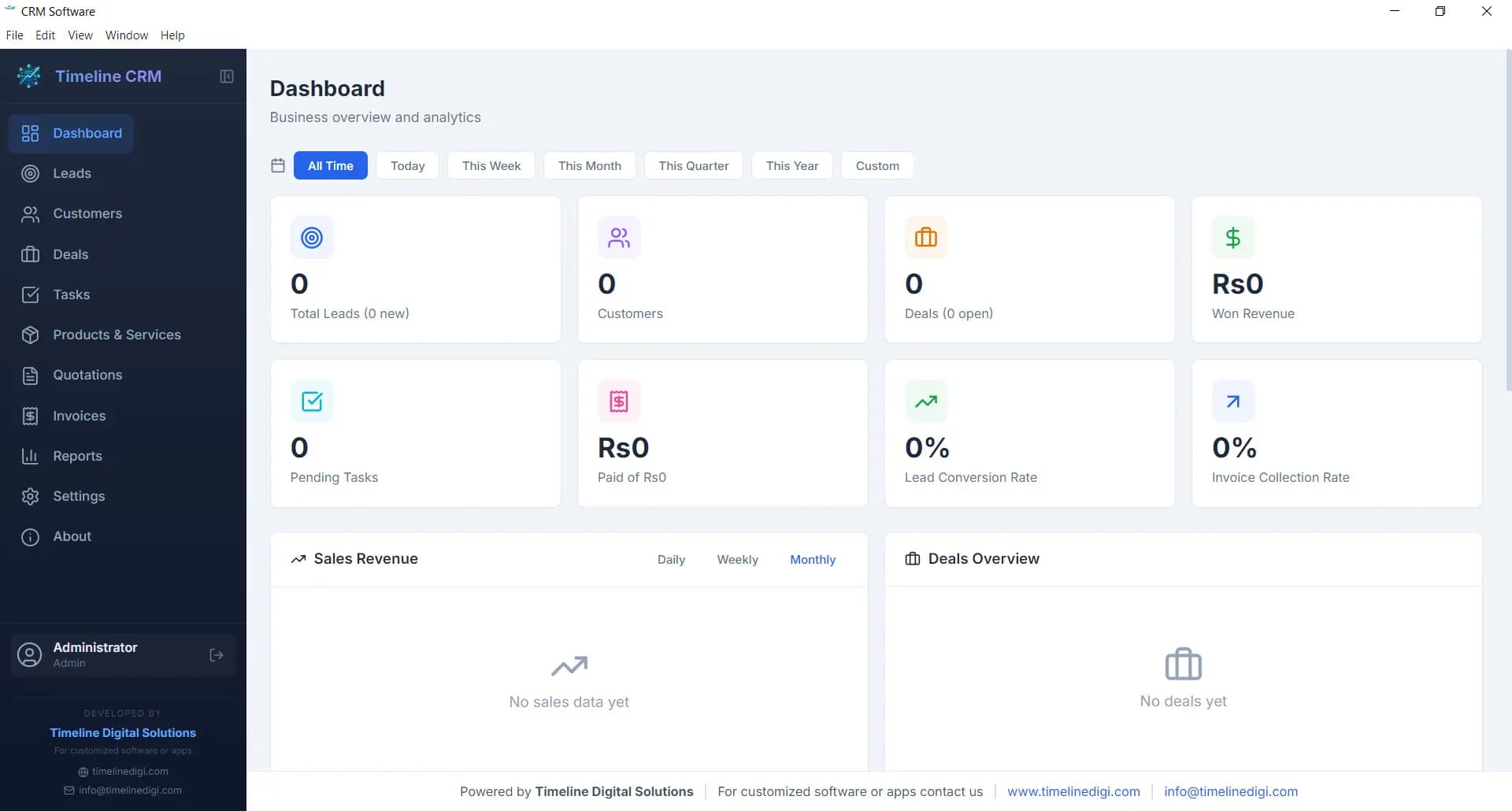
Dashboard
Real-time KPI cards, pipeline distribution chart, revenue trend visualisations, and recent activity feed, everything at a glance from the moment you open the software.
Timeline CRM, Dashboard
 Updated April 2026 · 100% Free · Windows 10/11
Timeline CRM, free customer relationship management software that runs offline on Windows. No subscription. No cloud. No catch.
Most “free” CRM software is free for 14 days, free for 3 users, or free until you hit a contact limit. Timeline CRM is genuinely free, full lead pipeline, customer database, deal tracking, PDF invoicing, quotations, and sales reports. Used by small businesses and solo professionals in the USA, UK, Australia, and Canada.
Built by Timeline Digital, a software engineering company focused on practical business tools.
Free CRM software is customer relationship management software that costs $0 to install and use. The best free CRM software in 2026 is Timeline CRM , a Windows desktop application with a 7-stage lead pipeline, 6-stage deal tracking, customer database, task management, PDF quotation generation, invoicing with VAT/GST calculations, and sales analytics reports. It is 100% free with no paid tier, no contact limits, and no internet required. Available for Windows 10 and Windows 11.
Leave your name and number and we'll help you get a CRM running, free, within the hour.
No spam. We only use your number to reply about your project.
Most free CRM software comes with hidden limits. Here is how Timeline CRM compares to HubSpot, Zoho, Freshsales, and spreadsheets on the features that matter most.
| Feature | Timeline CRM | HubSpot Free | Zoho CRM Free | Freshsales Free | Spreadsheets |
|---|---|---|---|---|---|
| Pricing | Free forever, no tiers, no card | Free (limited); paid from $15/user/mo | Free up to 3 users; paid from $14/user/mo | Free tier; Growth from $9/user/mo | Free or bundled |
| Works Offline | Yes, 100% offline | No, cloud only | No, cloud only | No, cloud only | Partial |
| Contact Limits | Unlimited, no cap | Unlimited contacts (limited features) | Up to 5,000 leads | Unlimited on free | Manual, no limits |
| Invoicing & Quotes | Built-in PDF invoices & quotes | Not on free tier | Not on free tier | Not on free tier | Manual templates only |
| Sales Pipeline | 7-stage leads + 6-stage deals | Basic pipeline only | Standard stages | Basic stages | No automation |
| Data Ownership | Local SQLite, 100% yours | HubSpot cloud servers | Zoho cloud servers | Freshworks cloud servers | Your file / Google cloud |
Pricing accurate as of April 2026. Check each vendor’s site for current terms.
Every module below is available from the moment you install Timeline CRM. No premium tier, no trial that expires. Complete free CRM software from day one.
Real-time KPI cards, pipeline distribution chart, revenue trend visualisations, and recent activity feed, everything at a glance from the moment you open the software.
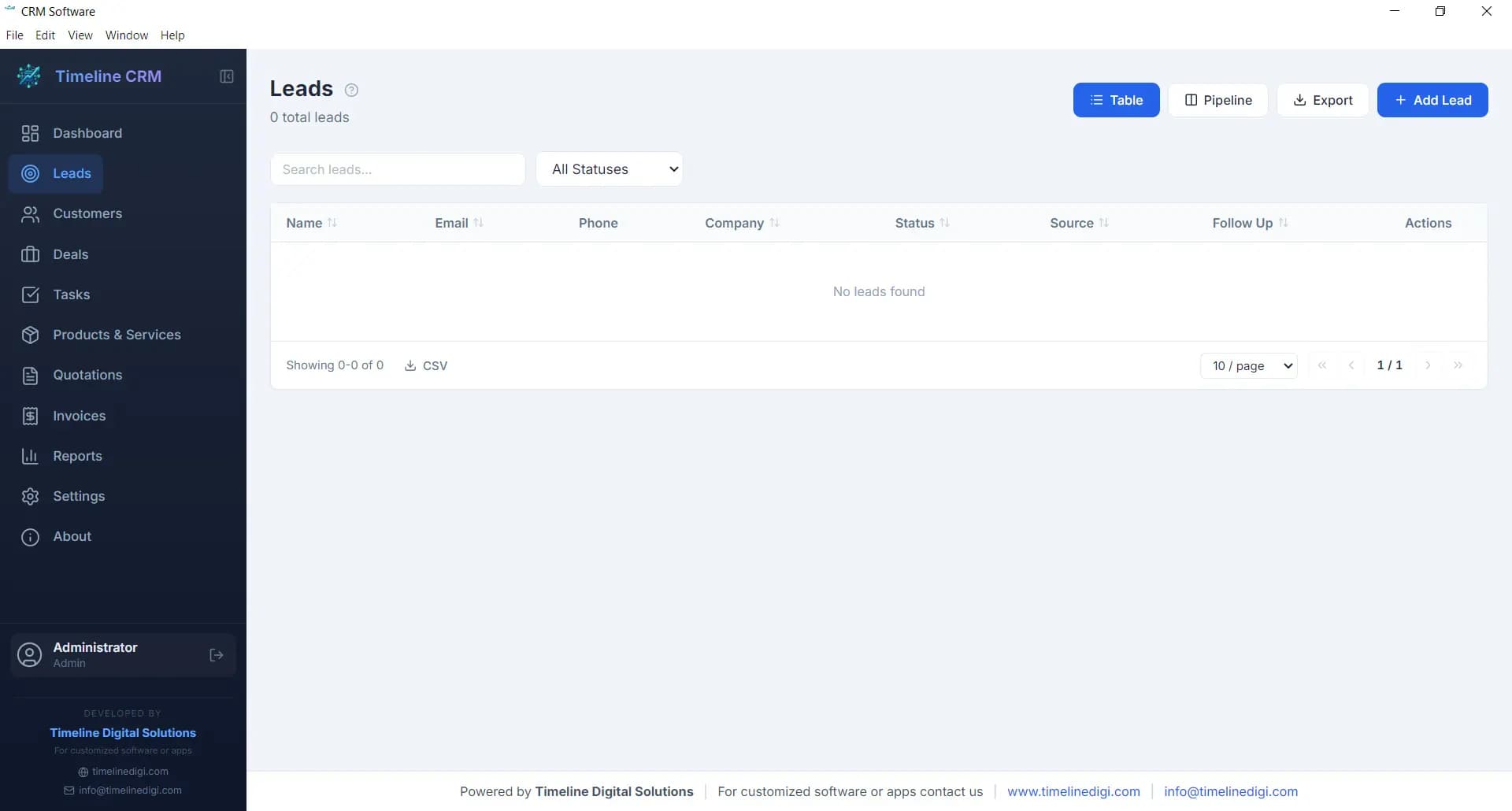
Seven-stage pipeline: New → Contacted → Qualified → Proposal → Negotiation → Won → Lost. Log calls, set follow-ups, and convert qualified leads to customers in one click.
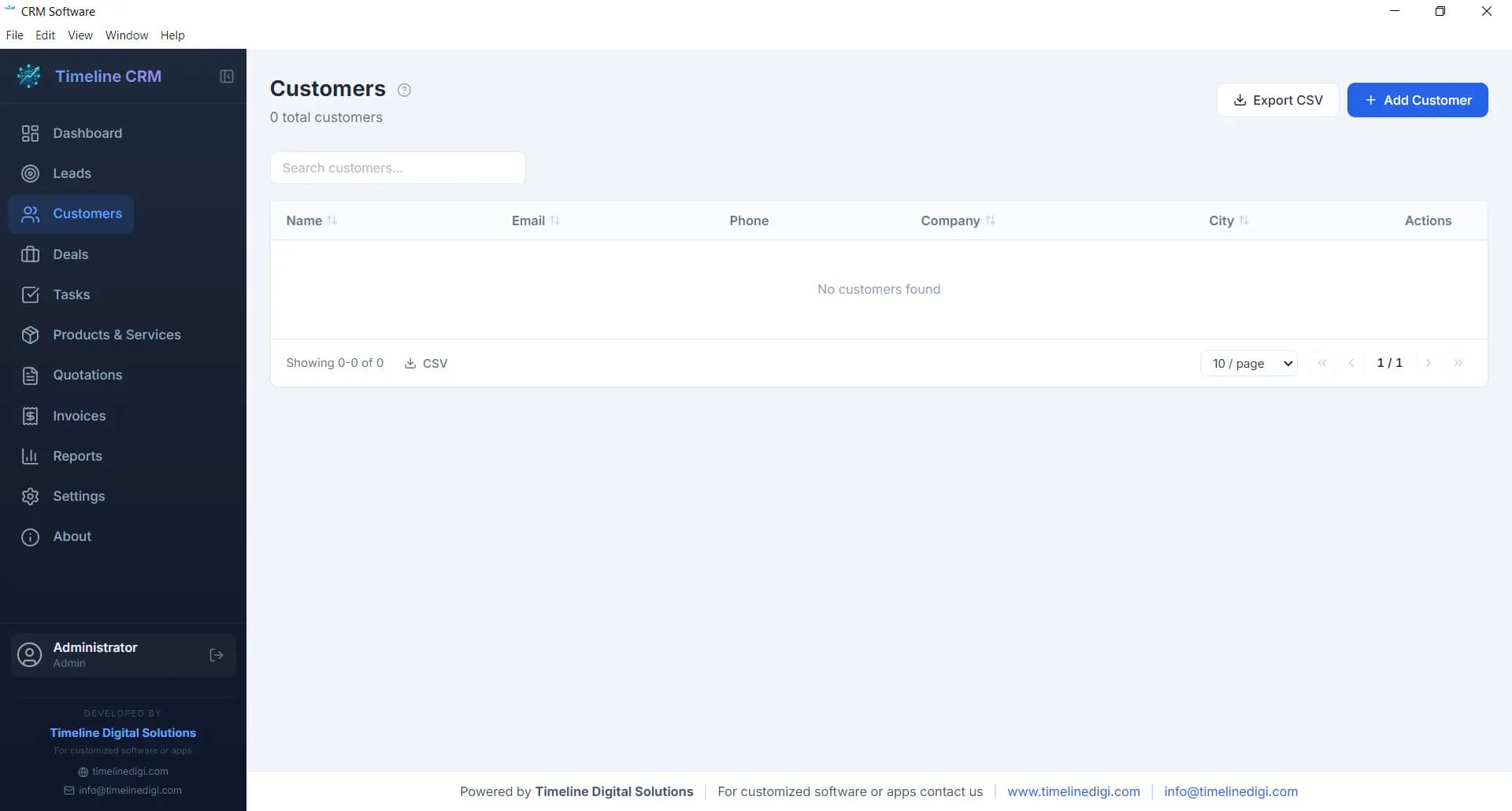
Full contact and company profiles with complete interaction history, linked deals, invoices, and quotations. Export any record set to CSV.
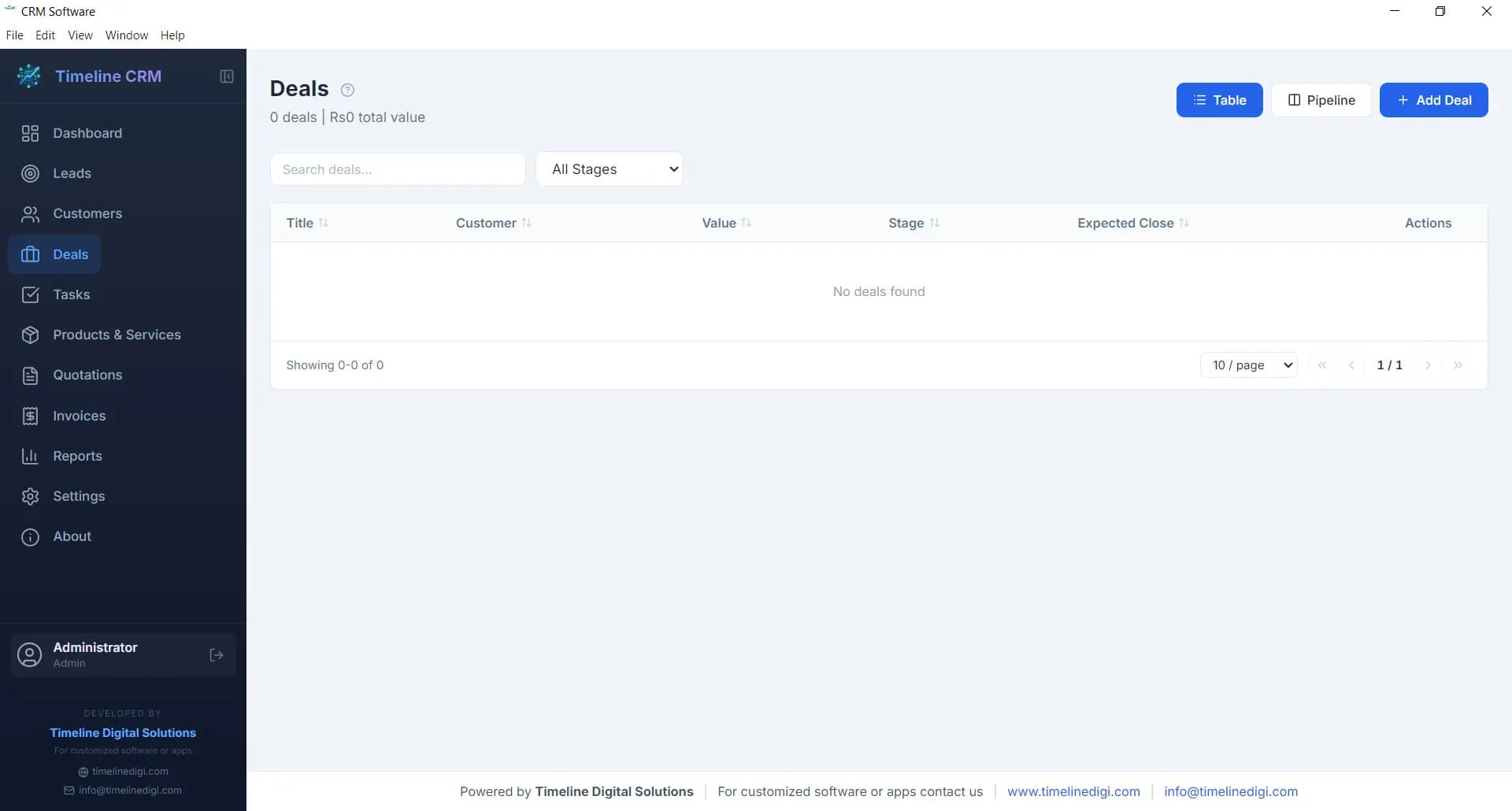
Six-stage deal pipeline: Prospect → Qualification → Proposal → Negotiation → Won → Lost. Track deal value, win probability, and expected close date with weighted revenue forecasting.
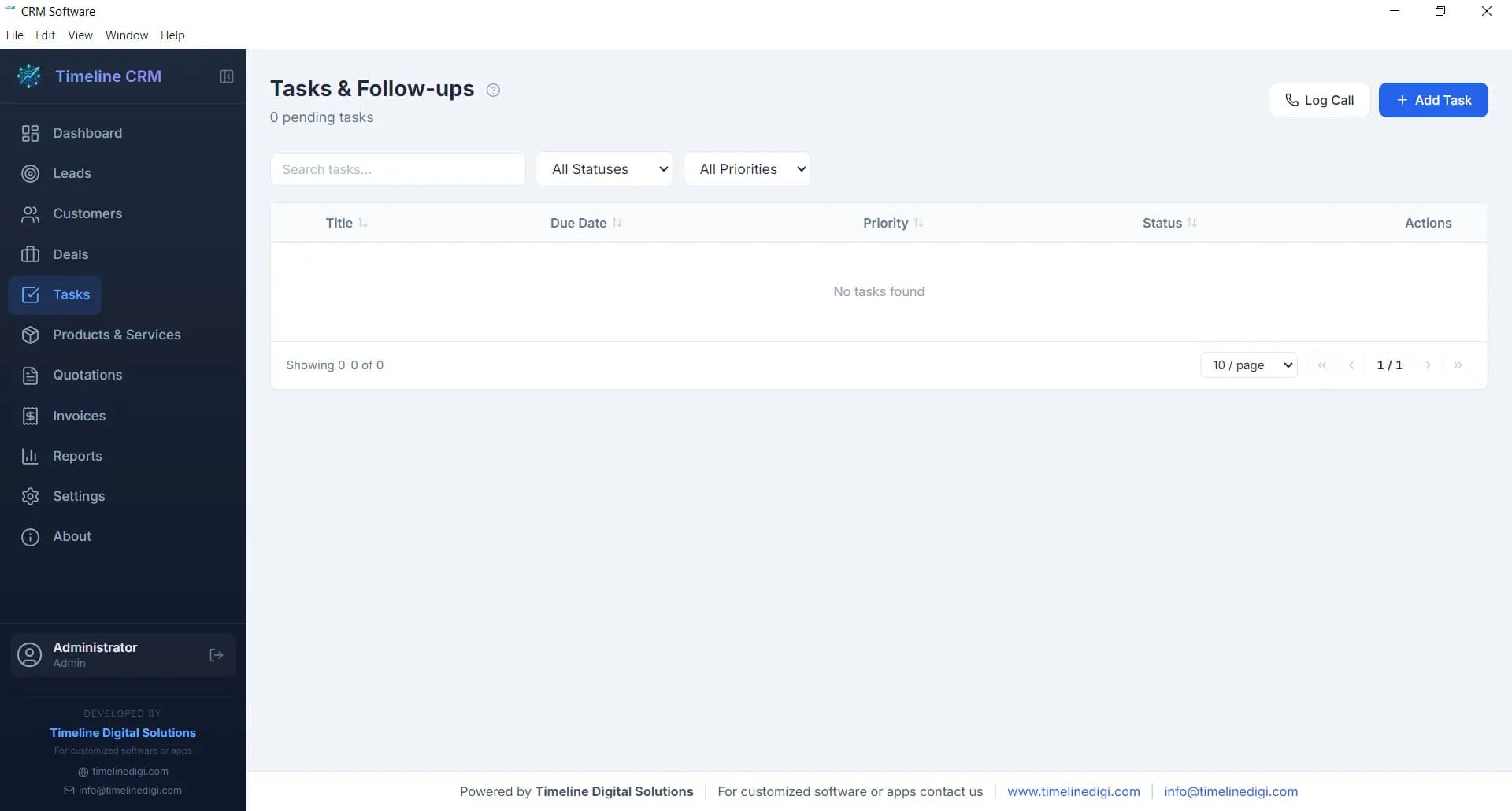
Create tasks linked to leads, customers, or deals. Priority levels, due dates, and status tracking (pending, in progress, completed). Overdue alerts surface on the Dashboard.
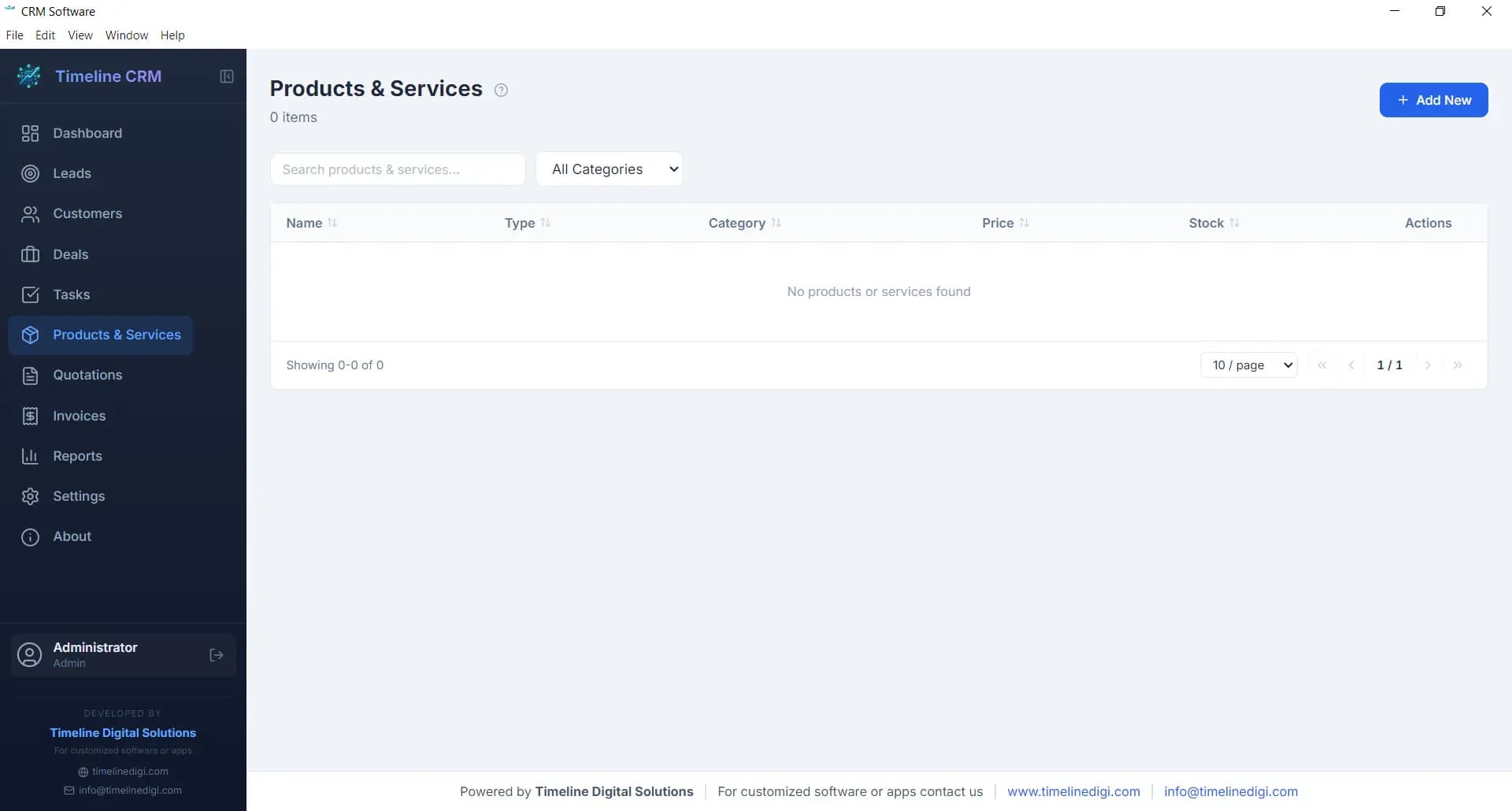
Centralised catalogue for products and services with price, category, and description. Pulls directly into quotations and invoices, no duplicate data entry.
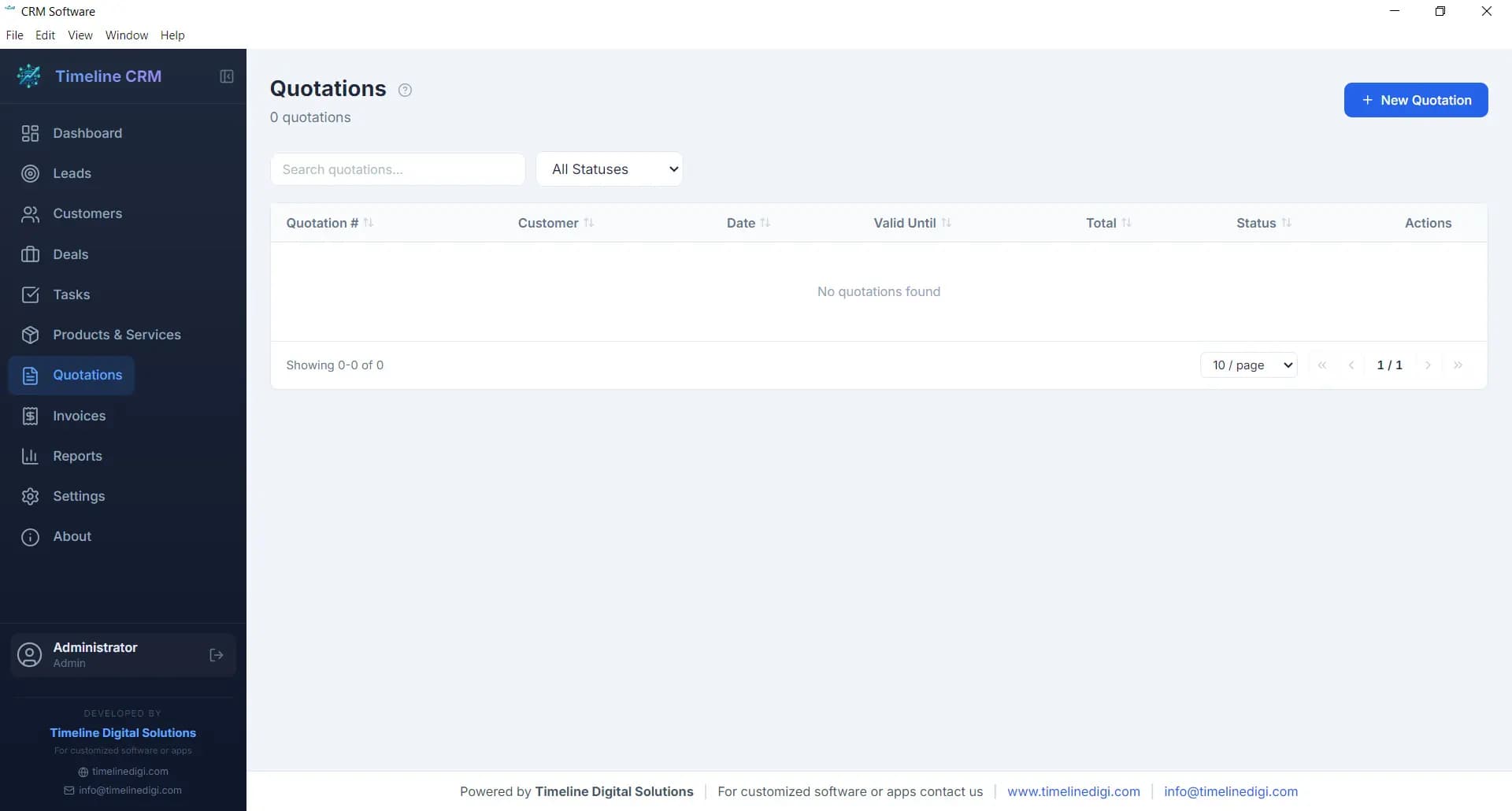
Professional PDF quotation generation with auto-numbering. Line items from your product catalogue, quantity, pricing, and status tracking (pending, accepted, rejected).
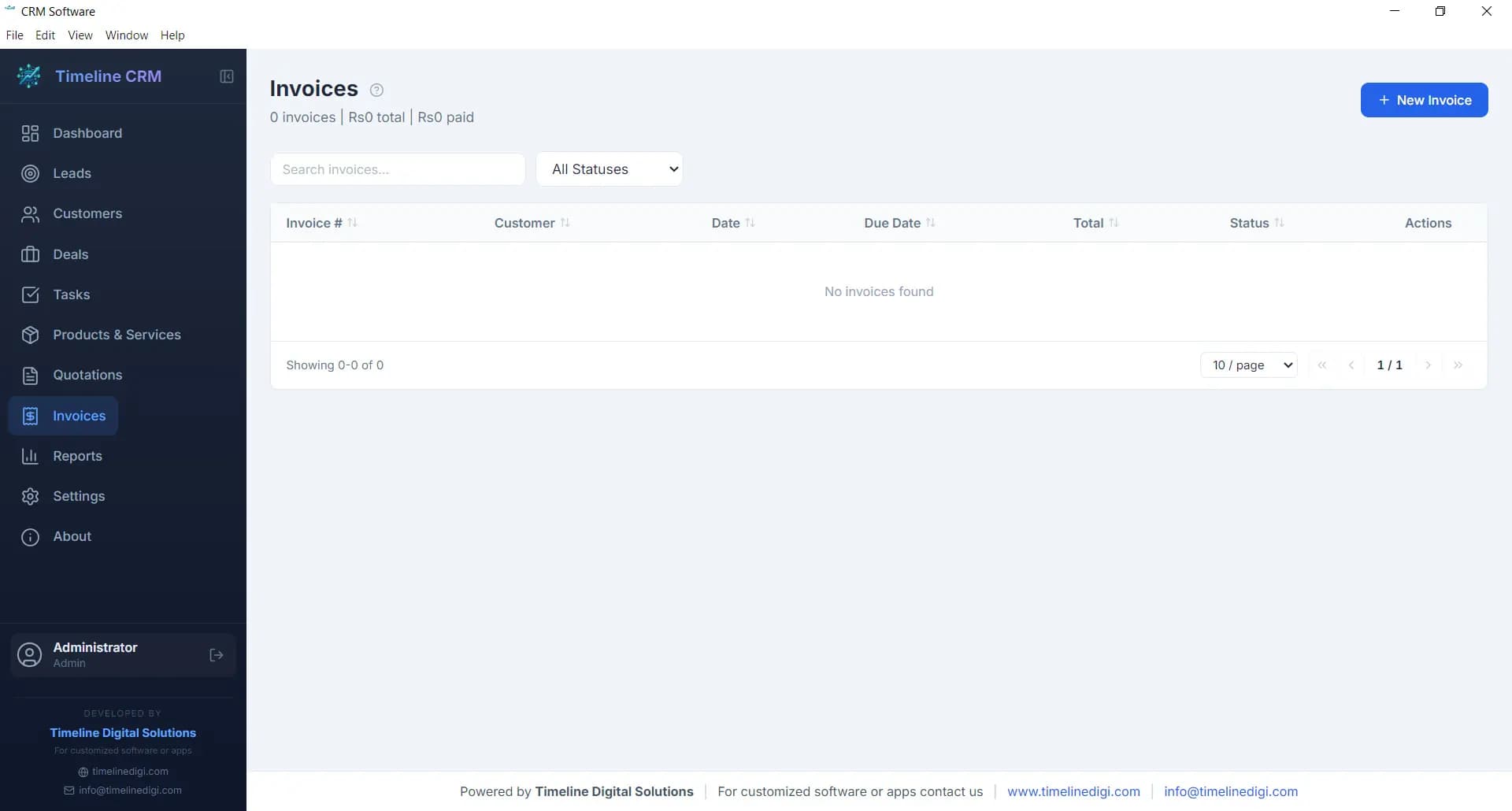
PDF invoices with automatic tax calculations (VAT-ready for UK, GST for Australia and Canada), payment status tracking (unpaid, partial, paid), and auto-numbered records.
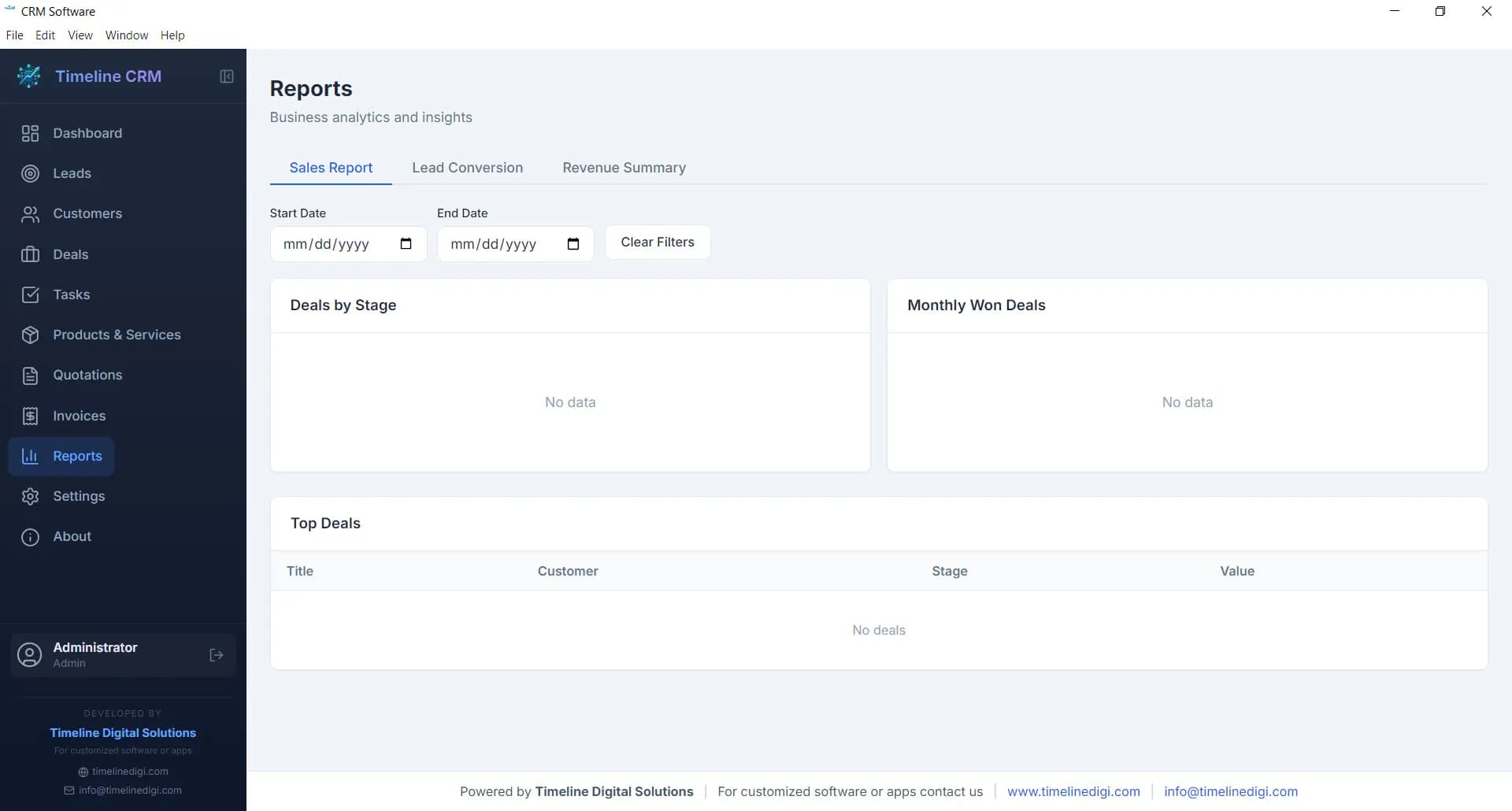
Sales performance and revenue reports, lead conversion analysis, pipeline breakdowns, visual charts, and CSV export. Data-driven decisions without a BI subscription.
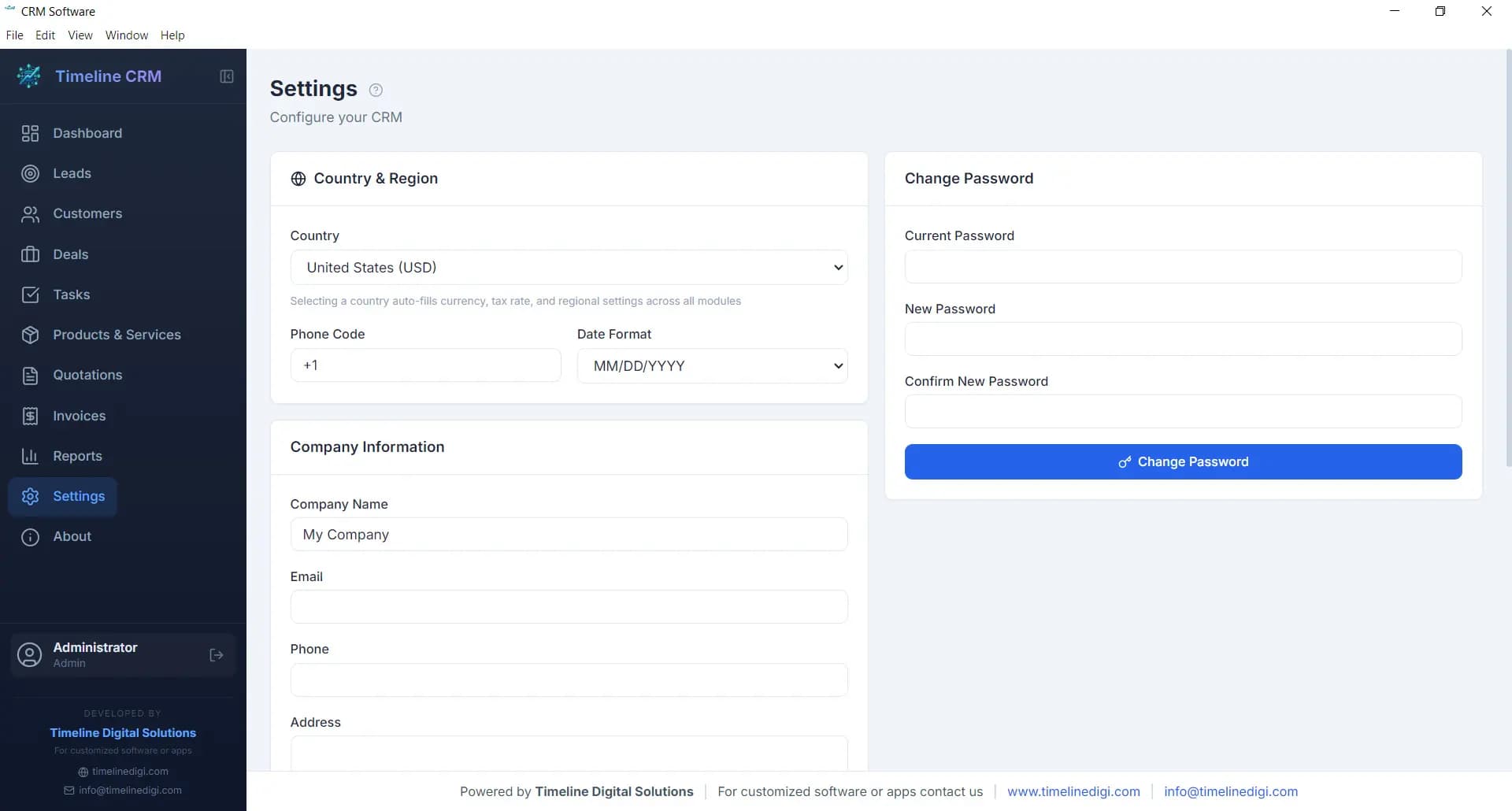
Company profile, currency (USD, GBP, EUR, AUD, CAD), tax rate, date format, and branding. Configured for your market in under a minute.
Free CRM software is the right fit when you need pipeline management, contact tracking, and invoicing without a monthly subscription.
Manage prospects, track proposals, and send professional PDF invoices, all without $30 to 60/month in SaaS fees. Timeline CRM gives you a complete workflow at zero cost.
GDPR-friendly by design, all client data stays on your local machine, with no cloud servers and no third-party access. Supports GBP, EUR, UK VAT, and DD/MM/YYYY date format.
A clean customer database, service history tracking, and deal pipeline, without spreadsheets or monthly fees. Unlimited records, zero cost.
Before your first revenue, software spend burns runway. Timeline CRM gives you a full pipeline, customer database, and reporting from day one, free, no strings.
Manage every client from first contact to signed invoice. The 7-stage lead pipeline and 6-stage deal tracker give your team structure without per-seat pricing.
100% offline CRM software, works in rural areas, on client sites, or anywhere with poor internet. Your leads, deals, and history are always available.
Sensitive client data never leaves your machine. Local SQLite database, no third-party servers, no data sharing, no GDPR exposure.
Track every property enquiry as a lead, generate quotations, manage follow-ups, and keep full client history, from a lightweight Windows desktop app.
Log job enquiries, send quotes, track which leads became paid work, and invoice clients offline. No tech skills required, no recurring cost.
Four common limitations behind free-tier CRM plans, and how Timeline CRM avoids every one.
HubSpot Free removes email sequences, reporting dashboards, and workflow automation. Zoho Free caps teams at 3 users. You start free, then pay when you need the software to actually function.
Timeline CRM has no feature caps. Every module is fully unlocked from the first install.
Zoho CRM Free restricts you to 5,000 leads. When you hit the ceiling, you must upgrade or delete your own business data.
Timeline CRM stores unlimited contacts, leads, deals, and records, no caps, ever.
Cloud CRM platforms own your data operationally. Pricing changes, acquisitions, or outages put your business data at risk. UK and EU businesses also face GDPR exposure.
Timeline CRM stores everything in a local SQLite file on your PC. Your data. Your machine. GDPR-compliant by design.
Cloud-based free CRM software stops working when internet goes down, a real problem for field teams, remote areas, or client site visits.
Timeline CRM is 100% offline. No internet. No outages. No downtime that is not yours.
No signup form. No credit card. No onboarding call. Download and start managing your business in under two minutes.
Download the Timeline CRM installer for Windows 10 or 11. Under 200 MB. No account or registration required.
Run the installer. Setup completes in under a minute with no configuration needed to get started.
Open Timeline CRM and add your first lead or customer. Your full pipeline and all 11 modules are ready immediately.
Windows 10 / 11 · 64-bit · v1.0.0 · No signup
“I tried HubSpot and Zoho. Both pushed me to upgrade the moment I needed anything useful. Timeline CRM just works, completely free, completely offline.”
Independent consultant, London UK
“The invoice module alone is worth more than the $0 price tag. Professional PDFs, auto-numbering, payment tracking. I cancelled my $40/month tool.”
Freelance developer, Toronto Canada
“Setup was under two minutes. I had my first 30 leads imported from a spreadsheet before lunch. Nothing else free comes close.”
Sales manager, Melbourne Australia
No subscription, no trial, no credit card. Timeline CRM costs $0 to download and use indefinitely.
All records stored in a local SQLite file on your PC. Nothing sent to the cloud or any third party.
Unlimited contacts, leads, deals, and invoices. No tier wall, no upgrade prompt, no data cap.
Straight answers about free CRM software for businesses in the USA, UK, Australia, and Canada.
Free CRM software is customer relationship management software that costs nothing to install or use. It helps businesses manage contacts, track leads through a sales pipeline, schedule tasks and follow-ups, generate quotes and invoices, and report on deal performance, without monthly subscription fees. Timeline CRM is free CRM software for Windows with no paid tier, no contact limits, and no internet required.
The best free CRM software in 2026 is Timeline CRM, a Windows desktop app with 11 full modules including a 7-stage lead pipeline, 6-stage deal tracking, customer database, task management, PDF quotations, invoicing with VAT/GST, and sales reports. It is completely free with no subscription, no contact cap, and no internet required. For cloud-only options, HubSpot Free CRM is widely used but limits features on the free tier.
Yes. Timeline CRM is 100% free with no paid tiers, no trial period, no credit card required, and no feature limits. Every module, dashboard, leads, customers, deals, tasks, products, quotations, invoices, reports, and settings, is included at $0. It has been free since launch and Timeline Digital has committed to keeping it free for individual and small business use.
Timeline CRM works 100% offline. It runs on your Windows PC using a local SQLite database. Your leads, customers, deals, and invoices are stored on your machine, no internet connection is ever required. Most cloud-based free CRM tools (HubSpot, Zoho, Freshsales) require an active internet connection. If you need CRM software that works without internet, Timeline CRM is the best option.
Yes. Timeline CRM includes a full invoicing module and a quotation module, both generating professional PDFs with auto-numbering, line items from your product catalogue, and tax calculations (VAT-ready for UK, GST for Australia and Canada). Payment status tracking is built in. Most other free CRM software does not include invoicing on the free tier.
Timeline CRM has no contact or record limits. You can add unlimited leads, customers, deals, products, quotations, and invoices. Compare this to Zoho CRM Free (5,000 lead cap) or HubSpot Free (unlimited contacts, but limited pipeline features). Timeline CRM imposes no limits on any record type.
Timeline CRM is GDPR-friendly by design. All data is stored locally on your Windows PC in a SQLite database, nothing is sent to cloud servers or third parties. This makes it fully suitable for UK businesses, EU businesses, and sole traders who handle personal client data. Cloud-based free CRM tools store data on vendor servers, which introduces third-party data access under their privacy policies.
Timeline CRM currently supports Windows 10 and Windows 11 (64-bit). The installer is under 200 MB and completes in under a minute. No account registration is required. For cross-platform, web-based, or mobile CRM needs, Timeline Digital can build a custom CRM tailored to your business.
Free CRM software like Timeline CRM gives you core pipeline, contact management, invoicing, and reporting at no cost. Paid CRM (Salesforce, HubSpot Pro, Zoho paid) adds email automation, multi-user cloud sync, advanced integrations, and team roles, at $14 to $300+ per user/month. The right choice depends on team size and whether offline operation and data ownership matter to your business.
Yes. Timeline CRM supports CSV export for all records and reports. Your data is fully portable, you are never locked in. The underlying database is a local SQLite file, so you can also back it up by simply copying the file. No vendor controls your data.
Timeline CRM stores all data locally on your computer in a SQLite database. Nothing is sent to the cloud or any external server. This makes it fully GDPR-compliant for UK businesses, PIPEDA-aligned for Canadian businesses, and compliant with Australian Privacy Act principles. Cloud-based free CRM tools store your data on vendor servers, introducing third-party access risk.
Free CRM software is best suited to freelancers, sole traders, small retail businesses, startups, independent consultants, real estate agents, and tradespeople who need contact management, pipeline tracking, and invoicing without paying per-seat cloud subscriptions. Timeline CRM is specifically built for these use cases, offline, unlimited records, with PDF invoicing included from day one.
When your team outgrows a single-PC desktop CRM, or you need cloud sync, email and WhatsApp automation, integrations with Xero, QuickBooks, or Sage, or multi-branch visibility, Timeline Digital builds custom CRM software designed around your exact workflow.
No Signup · No Subscription · No Cloud · No CatchTimeline CRM gives your business complete free CRM software, leads, customers, deals, invoices, and reports, with zero monthly cost, zero internet dependency, and zero data shared with any third party. Used by businesses across the USA, UK, Australia, and Canada. Install in under two minutes on Windows 10 or 11.
Windows 10 / 11 · 64-bit · Under 200 MB · No account needed · Free CRM for small business
Made in Islamabad, Pakistan
Timeline CRM is a free Windows CRM for small businesses in Pakistan. Manage leads, deals, clients and PDF invoices in PKR, fully offline, with no subscription and no data on a foreign server. Built by Timeline Digital in Islamabad.
Set PKR in Settings and raise PDF invoices and track deal values in Pakistani Rupees, alongside USD, GBP, EUR, AUD and CAD.
All records sit on your own PC, not a foreign cloud account, which suits businesses cautious about where client data is stored.
Free forever with no contact cap, no per-user fee and no credit card required.
A desktop app that runs without the internet, so it keeps working during load-shedding or weak connectivity.
Setup help on WhatsApp at +92 344 9310484, in Urdu or English.
Yes. Timeline CRM is a free CRM built by Timeline Digital in Islamabad. It supports PKR, works fully offline on Windows 10 and 11, and stores all data on your own PC. There is no monthly subscription, no contact limit and no card required, and it is free to use.
Yes. PKR is available as a currency in the Settings module alongside USD, GBP, EUR, AUD and CAD, so leads, deals and PDF invoices can be in Pakistani Rupees. You can set your tax rate and date format for local use.
The interface is in English, but Timeline Digital provides support in Urdu on WhatsApp at +92 344 9310484. If you need help setting up the CRM for your Pakistani business or understanding a feature, you can reach the team in Urdu.
Yes. Timeline CRM runs on any Windows PC in Pakistan, whether you are in Islamabad, Lahore, Karachi, Rawalpindi or Faisalabad. It needs no internet, no cloud account and no monthly payment, and it is supported by a local Islamabad team.