Free POS for cafes. Built for the 8am line.
A free POS for cafes and coffee shops with size, milk, and shot modifiers, name on cup, and a checkout fast enough for the morning rush.
v2.0.0 · 96 MB · Single device
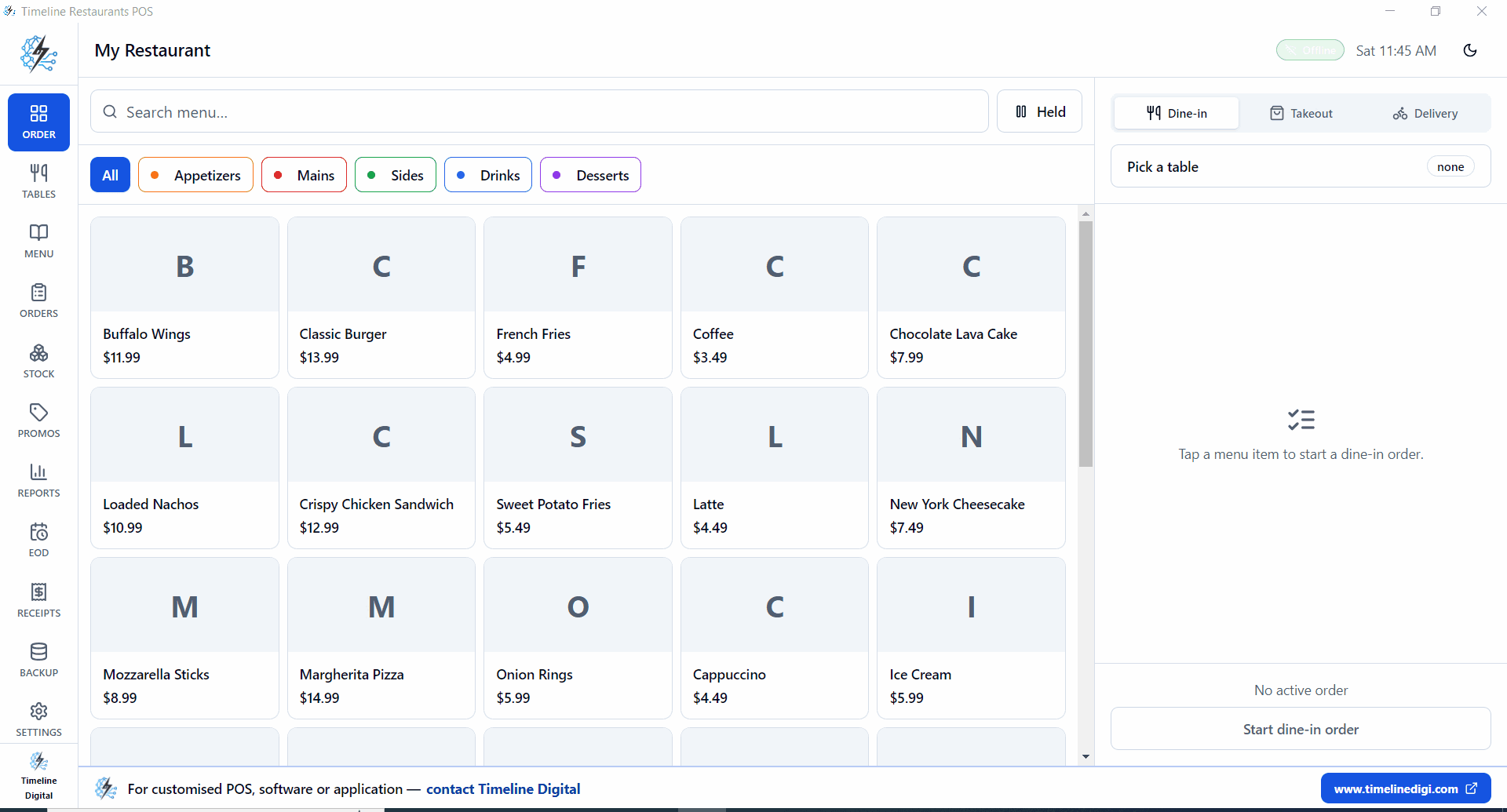
In 60 seconds
If you run a coffee shop
Square wants 2.6 percent of every drink. That is $200 or more a month on a busy cafe, and you never see it on the POS bill.
One touchscreen behind the bar. Tap latte, tap 12oz, tap oat, tap plus shot. Customer name in the notes. Charge. Done in 8 seconds.
Free, on Windows. Bring whatever card reader you already have.
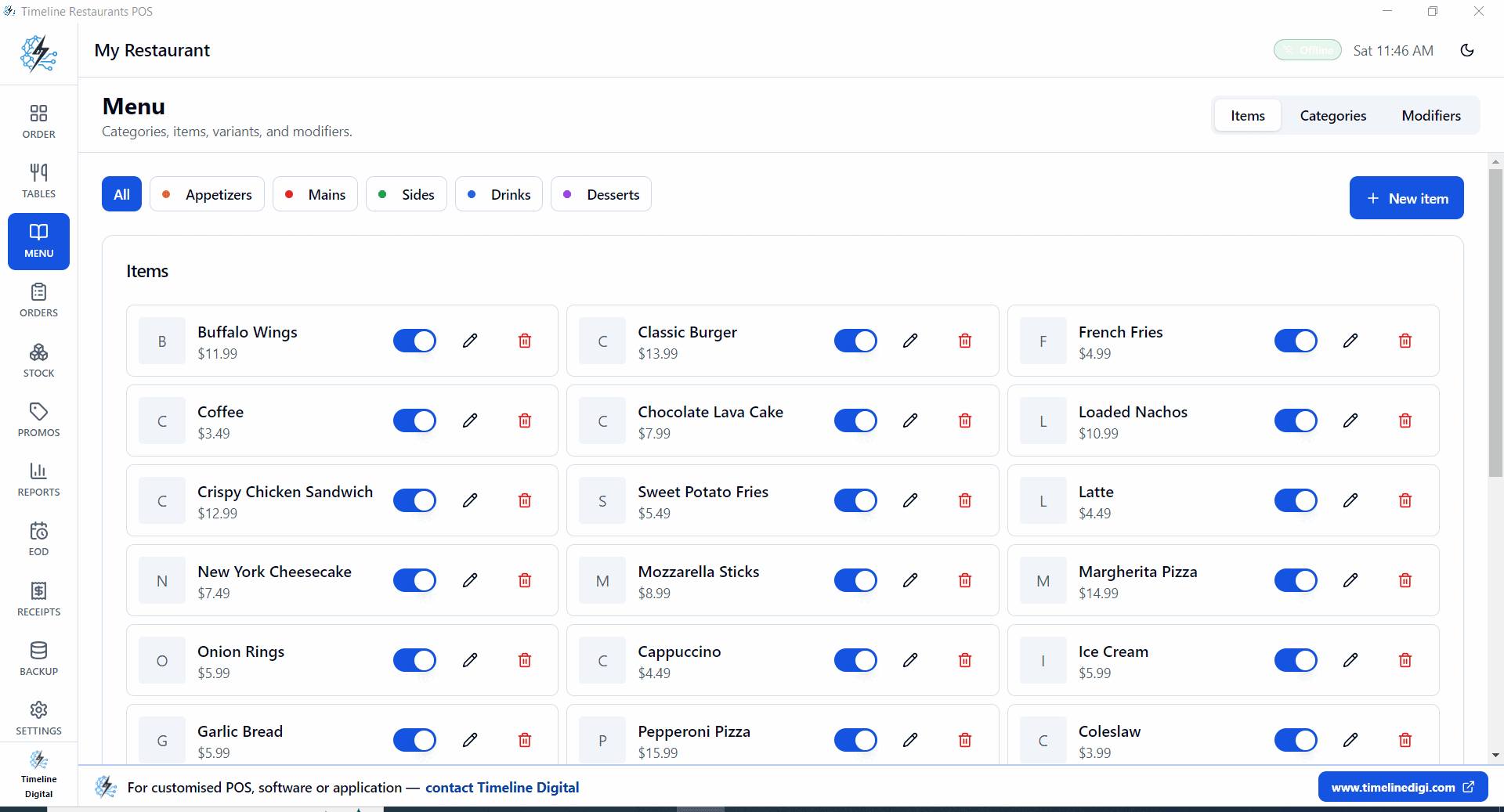
How a cafe menu sets up
- Make a Drinks category, Espresso, Latte, Americano, Cappuccino, Cold Brew, Tea.
- Add a Size modifier group, 8oz, 12oz, 16oz with price overrides.
- Add a Milk modifier, Whole, 2%, oat, almond, soy. Some free, oat adds 70c.
- Add a Shots modifier, +1 shot 80c, +2 shots $1.50.
- Use the customer Notes field to type a name. It prints on the receipt for the barista.
- Tip jar shows on the payment screen, 15%, 20%, 25%, or custom.
- Pastries category, Croissant, Banana Bread, Muffin. Flat prices.
- EOD drawer count at close. Ten seconds.
A real shift
Open the POS. First customer at the counter.
Tap drink, tap size, tap milk, tap shots. Type name. Charge. Repeat.
Line of 12. Average ring up, 9 seconds. Tip prompt covers itself.
Reports, Hourly. See your real rush window.
Drawer count. Backup. Lock up.
Speed
How do cafes take orders faster with a POS?
Cafes take orders faster by turning every drink into a fixed tap sequence: item, size, milk, shots, name, charge. Preset modifier groups remove typing and guesswork, so the barista never leaves the order screen. On a single counter touchscreen, a practiced ring up takes 6 to 10 seconds per customer.
The bottleneck in most cafes is not the espresso machine, it is the conversation at the register. A customer asks for a 12oz oat latte with an extra shot, the cashier repeats it, hunts for the upcharge, and thirty seconds disappear. With modifier groups the same drink is four taps, every price override already set, so there is nothing to remember during the 8am line.
The customer name goes into the Notes field and prints on the receipt slip, so the barista handoff happens without shouting across the counter. Pastries and bottled drinks ring up as flat price items in one tap each.
Small counters do not need a second terminal. One Windows touchscreen beside the grinder covers ordering, payment, receipts, and the end of day drawer count. If you also serve food at tables, the same download handles full service. The free restaurant POS system page covers tables, delivery orders, and recipe inventory.
Cafe math
$8k a month, 80 percent on card.
| POS | Software | Card cut | Total / month |
|---|---|---|---|
| Timeline Restaurants POS$0 pick | $0 | ~1.5% | ~$96 |
| Square for Restaurants | $0 | 2.6% + 15c | ~$170 |
| Toast Cafe | $69+ | ~2.49% + 15c | ~$235 |
| Loyverse + SumUp | $0 to $25 | ~1.95% | ~$125 |
Cafe questions
Can it handle drink size and milk modifiers?+
Yes. Each is its own modifier group. Tap a Latte, tap 12oz, tap Oat, tap plus shot. Full ring up under 10 seconds with practice.
Will it work on a single touchscreen at the bar?+
Yes. It is designed for that. One Windows touchscreen handles counter ordering, payment, receipt, and reports. No second device needed.
Does it handle tips?+
Yes. After payment the tip prompt shows preset percents and a custom field. Reports, Summary breaks out tips collected per shift.
Can I print the customer name on the receipt for the barista?+
Yes. Type the name in the Notes field on the order. The receipt printer drops a slip with the name and the drink. Works with any USB ESC/POS printer.
How fast is checkout during the 8am rush?+
Sub second response on a mid range Windows touchscreen. We measure 6 to 10 second average ring up after the first morning of practice.
Why is a POS faster than a cash register for a cafe?+
A register makes the cashier remember prices and add upcharges in their head. The POS puts the menu on screen with modifier prices built in, so a complicated drink comes out right in a few taps. Less thinking per order is what shortens the line.
Tomorrow morning, $0 in software fees.
Free Windows POS, built for cafes.