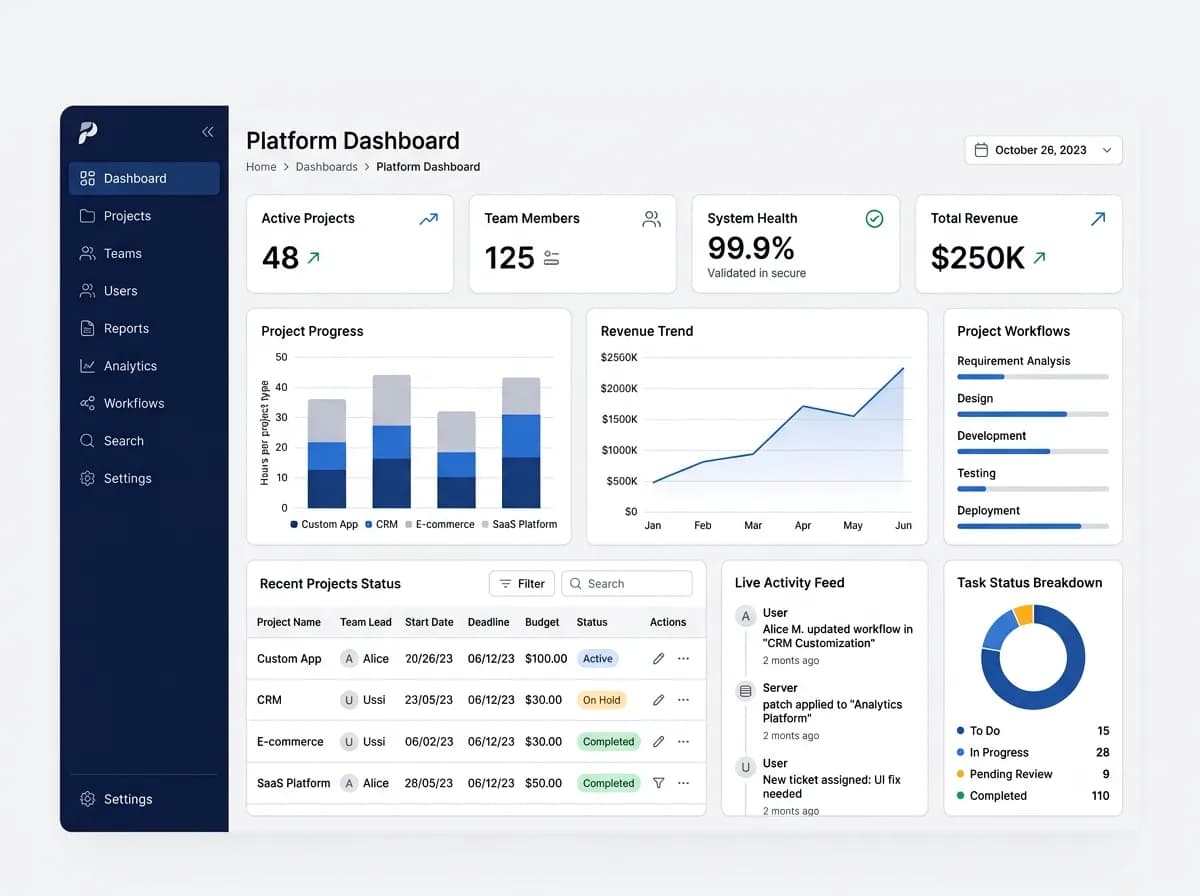
Digitizing government case management means moving each application, claim, permit or complaint from paper, email and spreadsheets onto one system that records every step from intake to decision and appeal. A practical roadmap maps the case lifecycle first, then builds an applicant portal and a back office around it, adds integrations, and rolls out one case type at a time.
Public bodies rarely fail at this for lack of technology. They struggle because rules live in people's heads, several departments touch each case, other authorities control the data they depend on, and procurement shapes what can be tried before a contract exists. This roadmap is written for programme leads, digital teams and department heads planning that work.
What does a government case management system do?
It gives applicants one place to apply and track progress, and gives staff one shared record of each case, its evidence, its decisions and who did what. The parts are usually the same whatever the service.
| Component | What it does |
|---|---|
| Applicant portal | Account, application forms, document upload, status tracking, messages |
| Back-office case workspace | Work queues, case view, tasks, notes, requests for information |
| Workflow and rules | Routing, eligibility checks, approvals, deadlines, escalations |
| Document management | Evidence, generated letters, versioning, retention dates |
| Notifications | Email, SMS and in-portal messages at each status change |
| Reporting | Backlogs, processing times, outcomes, workload by team |
| Administration | Users, roles, reference data, templates, configuration |
How do you map the case lifecycle before building?
Walk one case type through every stage and record, for each stage, who acts, what information they need, what they decide, which rules apply, what deadline runs and what record is created. This map becomes the requirements, the test scenarios and the training material.
| Stage | Questions to answer | Records created |
|---|---|---|
| Intake | Which channels? Which documents are mandatory? How is identity checked? How are duplicates caught? | Case record, reference number, acknowledgement |
| Eligibility | What are the rules, where does the data come from, who may override? | Eligibility result with reasons |
| Assessment | What evidence, visits or referrals to other departments are needed? | Assessment notes, requests for information |
| Decision | Who holds delegated authority at each level? Which templates apply? | Decision, reasons, approval trail |
| Payment or notification | Is there a payment run or finance system hand-off? How is the applicant told? | Payment instruction, notification log |
| Appeal or review | Who reviews, within what time limit, and how is independence kept? | Appeal case linked to the original |
| Closure and retention | When is a case closed, and what starts the retention clock? | Closure record, retention date |
Map the exceptions as carefully as the main path: withdrawn applications, missing documents, applicants represented by an agent, cases re-opened after closure, and decisions overturned on appeal. Record deadlines and service levels as policies the public body owns, not as numbers a supplier proposes. If the approval chain is complex, our guide to approval workflow design covers delegated authority matrices and escalation rules.
What should the applicant portal and back office include?
The portal should let people apply, return later, upload evidence and see where their case stands without phoning anyone. The back office should let staff see the whole case and their own workload in one place.
Applicant portal checklist
- Sign-in using the identity method your jurisdiction prescribes, plus support for agents acting on someone's behalf
- Forms that save progress and ask only what the rules need, with plain-language help
- Document upload with clear file rules and confirmation of receipt
- A status page showing the current stage and what happens next
- Secure two-way messages, so requests for information do not leave the system
- A full copy of what was submitted, available to the applicant
Back-office checklist
- Work queues with assignment rules and the ability to reallocate cases
- A single case view across departments: history, evidence, notes, tasks and decisions
- Deadline timers with warnings and escalation
- Letter and notification templates in every supported language
- Bulk actions for supervisors and a clear view of team workload
Our customer portal development checklist goes deeper on portal accounts, permissions and self-service design.
How should role-based access and audit trails work?
Grant each user only the access their role needs, and log every material action with who did it, what changed and when, in a log that ordinary users cannot alter.
- Roles by function and by case attributes. A caseworker sees cases in their team and region; a restricted case, for example one involving a staff member, is visible only to named people.
- Separation of duties. The person who assesses a case should not approve their own recommendation above a set threshold.
- Conflict-of-interest flags that block assignment when a staff member declares a link to an applicant.
- Access logging, not only change logging. For sensitive records, who viewed a case can matter as much as who edited it.
- Audit trails readable by auditors, with before and after values for changes to key fields and decisions.
Our security and data protection page describes how we design role-based access and audit logging. Meeting your regulatory obligations remains the public body's responsibility, confirmed by its own assessment.
What does bilingual and right-to-left support involve?
It involves far more than translating labels. A bilingual Arabic and English service, for example, needs the whole interface to mirror for right-to-left reading and every generated document to work in both languages.
- Layout mirroring: navigation, icons with direction, tables and progress steps reverse for right-to-left
- Mixed-direction text: reference numbers, email addresses and Latin-script names inside Arabic text must display in the correct order
- Names in both scripts, with search that finds an applicant whichever script or spelling staff type
- Dates and calendars: support for the calendars and formats your policies require, applied consistently in forms, letters and reports
- Letters and PDFs generated in either language with correct text shaping
- A stored language preference per applicant, so notifications arrive in the language they chose
- Testing in both directions for every screen and every role
Which accessibility standard should the system meet?
The standard is set by your jurisdiction's law and policy, and WCAG 2.2 Level AA is a common requirement. Confirm the exact version and level with your accessibility or legal team before writing it into a specification.
Two examples show how this varies. UK government guidance says public sector websites and apps must meet the WCAG 2.2 AA standard. In the United States, the Department of Justice's 2024 rule under Title II of the ADA adopted WCAG 2.1 Level AA for state and local governments' web content and mobile apps. The W3C states that content conforming to WCAG 2.2 also conforms to WCAG 2.1 and 2.0, so specifying 2.2 AA generally covers a policy that names an earlier version.
Apply the standard to staff screens as well as the public portal, and to generated letters and PDFs. Test with keyboard-only navigation and screen readers in both languages, and include disabled users in usability testing.
How should records retention and data residency be handled?
Capture them as requirements from the public body's own policies and legal advice at the start, and design them into the system, rather than letting a supplier assume them.
Questions to settle before design
- What is the retention period for each case type, and which event starts it: closure, final decision or end of appeal?
- How are legal holds placed and lifted?
- How is disposal approved and recorded, and what evidence of disposal is kept?
- Where must data, backups and logs be stored, and may any of it leave the country?
- Who may access production data, from where, and under what approval, including the supplier's support staff?
- Who holds encryption keys, and what happens to data at the end of the contract?
A supplier can design the system to support your obligations. It cannot certify your compliance; that judgement belongs to your own legal, records and security teams.
Which integrations matter, and why do they take longest?
National identity, payments and government registries usually add the most value and take the most time, because another authority controls each one: it approves access, provides test environments and sets security conditions on its own timetable.
| Integration | Typical purpose | Dependency to plan for |
|---|---|---|
| National identity or sign-in service | Verify who the applicant is | Onboarding approval, certificates, test accounts |
| Payment gateway | Collect fees or disburse payments | Merchant or treasury approval, reconciliation files |
| Civil, business or property registries | Pre-fill and verify data | Data-sharing agreement, legal basis, access approval |
| Finance system | Payment instructions and accounting | Interface specification, payment run timing |
| Messaging gateways | SMS and email notifications | Approved sender names, message templates |
Treat each integration as a dependency with an owner and a date in the plan. Design a manual fallback, such as staff verifying a document by hand, so the service can launch even if one approval arrives late.
How can a pilot fit public procurement rules?
A pilot or proof of concept can fit only in the way your procurement rules allow, so ask your procurement team before discussing one with any supplier.
Depending on the rules that apply to you, routes may include pre-market engagement with demonstrations, a proof-of-concept stage inside a competitive tender, a separately procured discovery phase, or a pilot phase written into the contract. Some regimes restrict accepting free work from suppliers or require equal treatment of all bidders, which is another reason to involve procurement early. Use synthetic or anonymized data in any pilot unless data processing terms are already agreed.
How should a public body phase the rollout?
Roll out one case type at a time, and let staff use the back office before the public uses the portal. This sequence is illustrative; the right order depends on your volumes and dependencies.
- Discovery: lifecycle maps, rules, integrations, retention and accessibility requirements, baseline measures.
- Back office for one case type: staff process incoming applications in the new system, including paper ones keyed in.
- Applicant portal for that case type, with the first integrations live or manual fallbacks in place.
- Further case types in waves, each with its own migration of open cases and training.
- Legacy retirement: old records archived or migrated, old tools switched off.
Open cases need a migration plan of their own. Our guide to legacy system modernization options covers running old and new in parallel and planning cut-over.
How do you measure whether the digital service is working?
Capture your own baselines before launch from current records and time samples, then track the same measures afterwards. Do not rely on any supplier's figures for your service.
The GOV.UK Service Manual lists four key performance indicators that UK central government services must publish: cost per transaction, user satisfaction, completion rate and digital take-up. They are a useful starting point for any public body. Add measures specific to your service:
- End-to-end processing time per case type, from complete application to decision
- Backlog size and age
- Cases returned to applicants for missing information
- Share of decisions changed on appeal or review
- Contact volume from applicants asking about progress
What did this look like on a delivered public-sector platform?
Timeline Digital built a bilingual public-sector platform in Qatar that replaced paper forms, spreadsheets and disconnected tools for a programme's beneficiary services. The scope included case management with department-level workflows and approvals, an online channel for applicants to submit requests and track status, role-based administration, audit logging, and data migration from existing records, with full Arabic and English right-to-left support. The client's name is withheld for confidentiality.
When is a custom case management system not the right choice?
- One simple case type with low volume: a forms and workflow tool your organization already licenses may be enough.
- A mandated shared government platform exists in your jurisdiction for this kind of service.
- The policy itself is still changing: settle the rules first, or build only the parts that are stable.
- Processes are standard and a packaged case management product fits them with configuration. Custom builds earn their cost when services are bilingual, span several departments or depend on many integrations.
Working with Timeline Digital
Our government software solutions and government and public sector systems pages describe how we approach case management, applicant portals, audit and data migration for public bodies. Where procurement rules allow it, we start with a free pilot of 2 to 3 key modules before the full project, so your team can test working software on your own case type.