Updated May 2026 · 9 Free POS Compared

Free POS Software

Nine free POS apps. The catch behind each one.

“Free” usually means free software with a 2.6% card cut. Some cap your menu at 300 items. Some lock you into hardware. Below: the nine best free POS apps for US restaurants and small shops, plus the one that's actually $0.

Short answer: Of the 9 free POS apps below, only Timeline POS is genuinely $0, no software fee, no transaction cut, no menu caps, no hardware lock-in. Square, Loyverse, and Toast call themselves free but still take 2.49 to 2.6% on every card swipe. On $10k/month in card sales that's ~$260/month going to the processor.
No monthly fee Offline option included No contracts Unlimited users
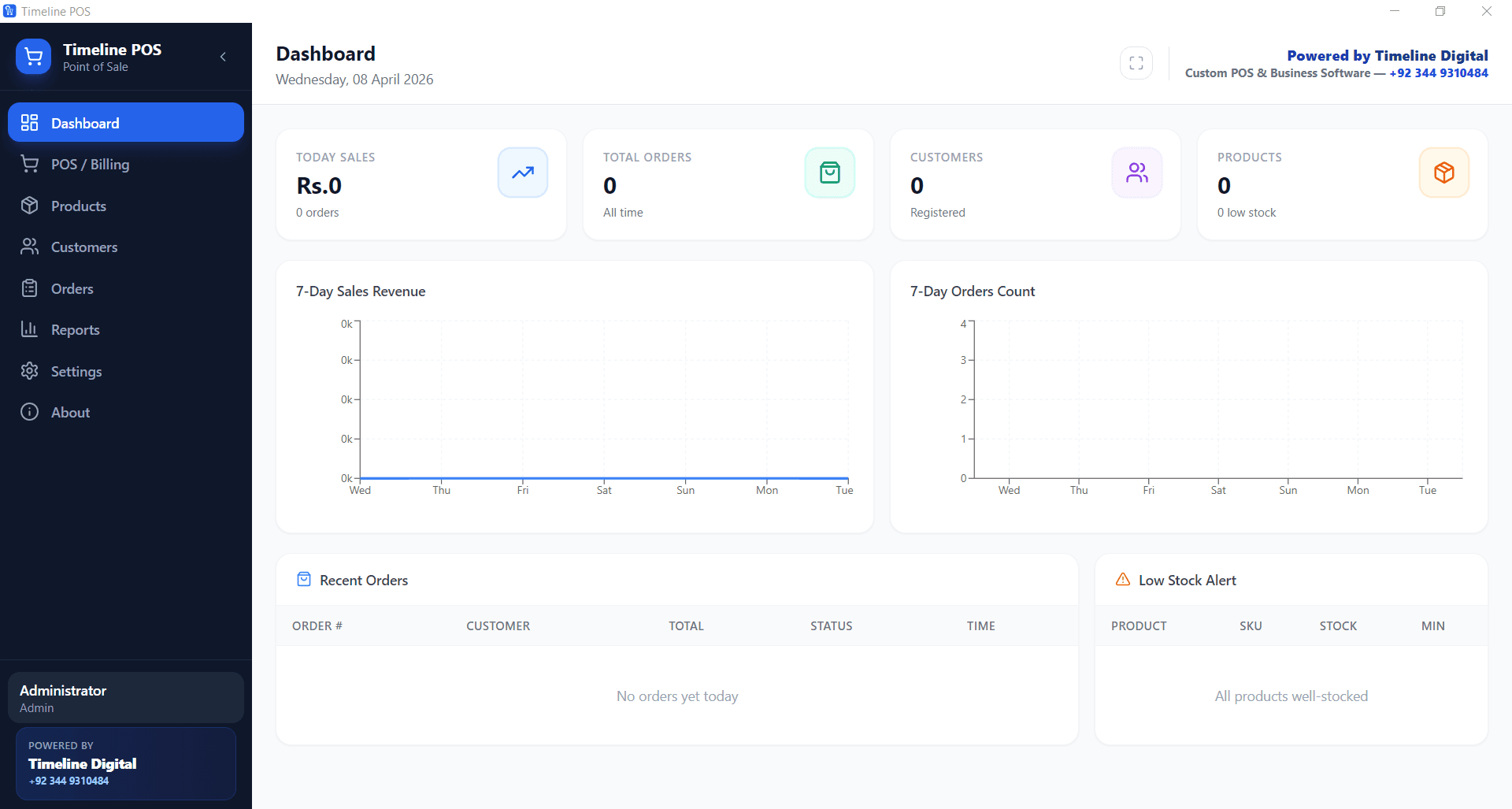
Free POS software dashboard. Timeline POS

What Is Free POS Software?

Free POS software is point-of-sale software that costs $0 to install and use. The best free POS systems in 2026 are Timeline POS (genuinely free desktop), Square (free cloud POS with 2.6% + 10¢ per card transaction), Loyverse (free mobile POS with paid add-ons), eHopper (free tier for small shops), SumUp and Zettle (free mobile POS with low card fees), and open-source options like Unicenta oPOS and Floreant POS. Timeline POS is the only option on this list with no monthly fee and no transaction fees, because it is a Windows desktop app that does not process payments itself.

For the broader POS comparison covering free, cheapest, restaurant and food-truck systems, see our Best POS Systems 2026 hub.

We reply within the hour

Want a free POS set up for your shop?

Leave your name and number and we'll help you get free POS software running, no cost, within the hour.

No spam. We only use your number to reply about your project.

How we evaluated these free POS systems

This guide is grounded in three years of hands-on Timeline Digital deployments with USA small-business and restaurant operators. We do not earn affiliate commissions on any third-party POS listed. Pricing claims are sourced directly from each vendor’s rate card as of May 2026.

Every “free” POS is scored against the same six criteria, then we expose the catch behind each free tier. The cheapest headline tier is rarely the cheapest total cost over 12 months once card processing, hardware financing and add-on subscriptions are included.

  1. 1.
    True software cost, is the free tier limited (item caps, single-user, no reports)?
  2. 2.
    Card processing rate, what percentage + per-tx fee on every card swipe?
  3. 3.
    Processor lock-in, can you bring your own merchant account?
  4. 4.
    Hardware requirements, proprietary terminals or commodity Windows / iPad / Android?
  5. 5.
    Offline operation, does the POS function fully when internet drops?
  6. 6.
    Paid add-ons gating real features, KDS, employee mgmt, multi-store, advanced inventory?

Authored by the Timeline Digital POS engineering team, makers of Timeline POS and Timeline Restaurants POS. Reviewed by Lead Engineer Usama Asif.

Updated May 2026

What changed in 2026, every free POS, every update

“Free” tiers move fast, vendors quietly cap features, raise per-tx fees, or move features into paid tiers. Here’s every material 2026 change for the systems on this page:

  • Square Free (Apr 2026), raised the per-tx flat fee on the Plus plan from 5¢ to 10¢ on tap-to-pay. Free tier still excludes KDS and multi-location reports, those moved to a new $79/month Premium tier.
  • Loyverse Free (Jan 2026), added multi-store inventory sync to the Advanced Inventory paid tier ($25/month). Base free tier item count remains unlimited but Kitchen Display still requires Employee Management ($5/month/employee).
  • Toast Starter (Mar 2026), quietly retired the lifetime free Starter Kit hardware promo on multi-terminal sites. Free starter still requires a 2-year processor contract.
  • eHopper (Feb 2026), capped free tier at 200 SKUs (was unlimited). Single-register limit unchanged.
  • SumUp / Zettle (Mar 2026), UK / EU rates unchanged at 1.69%. US rates ticked up to 2.75% on tap-to-pay (was 2.6%).
  • Timeline POS / Timeline Restaurants POS (May 2026), shipped v1.0.0 with full restaurant feature set: tables, modifiers, recipes, EOD reports, US sales-tax engine for all 50 states. Still $0/month, $0 transaction fees, no contract, no item caps.

9 Best Free POS Software. Compared

Real pricing model, actual best use case, and the catch behind each “free” tier. Updated April 2026.

SoftwareTypePricing ModelBest Use Case
Timeline POSDesktopCompletely free, no transaction feesSmall retail shops, cafés, workshops, and service businesses on Windows
Square Free POSCloudFree software; 2.6% + 10¢ per in-person card txn (USA)US/UK/CA/AU small businesses wanting one app for POS + payments
Loyverse POSMobileFree base; $5 to $25/mo for advanced add-onsCafés, small restaurants, and retail using iPad or Android
eHopperHybridFree Essentials plan (up to 300 SKUs); $29.99+/mo to scaleConvenience stores, kiosks, and quick-service businesses
ImonggoCloudFree for up to 1,000 products; paid tiers from $30/moMicro-retailers and single-location shops with light SKU counts
Hike LiteCloudFree 14-day trial; Lite plan starts at $59/moRetailers wanting deep inventory and omnichannel
Unicenta oPOS (Open Source)DesktopFree and open source; self-hostedTech-comfortable shop owners who want full control
Floreant POS (Open Source)DesktopFree and open source; premium cloud version paidSmall restaurants, pizzerias, and cafés
Korona POS StarterCloudNo genuine free tier; trial onlyGrowing retail chains after trial

Pricing accurate for USA merchants as of April 2026. Rates in the UK, Germany, Canada, and Australia differ. Check each vendor’s local site.

Free POS Software: Detailed Reviews

One-screen verdicts on each free POS system. What it does well, where the free tier breaks down, and the type of business it actually fits.

1

Timeline POSDesktop

Completely free, no transaction fees

Built by Timeline Digital as a free tool. No payment processor bundled, no ads, no paid tier.

Best for: Small retail shops, cafés, workshops, and service businesses on Windows

Pros

  • Unlimited products, users, orders
  • Works offline
  • No transaction fees at all
  • Data stored locally (private)

Cons

  • Windows only
  • No built-in card processor
  • No cloud sync out of the box
View Timeline POS
2

Square Free POSCloud

Free software; 2.6% + 10¢ per in-person card txn (USA)

Square makes money on payment processing fees, not software.

Best for: US/UK/CA/AU small businesses wanting one app for POS + payments

Pros

  • Runs on iPhone, iPad, Android, Square Register
  • Free magstripe reader
  • Big partner network
  • Multi-country

Cons

  • Processing fees add up fast
  • Tied to Square as processor
  • Some features require paid tiers
3

Loyverse POSMobile

Free base; $5 to $25/mo for advanced add-ons

Free tier drives adoption; revenue from paid add-ons (employee management, kitchen display).

Best for: Cafés, small restaurants, and retail using iPad or Android

Pros

  • Free forever for core POS
  • Works on tablets or phones
  • Integrates with SumUp, Square, Zettle
  • Good for cafés and small restaurants

Cons

  • Advanced features are paid
  • Requires internet for most functions
  • Limited reporting on free tier
4

eHopperHybrid

Free Essentials plan (up to 300 SKUs); $29.99+/mo to scale

Free tier as funnel to paid plans.

Best for: Convenience stores, kiosks, and quick-service businesses

Pros

  • Windows, Android, and Poynt-compatible
  • Integrates with many processors
  • Good inventory on paid tier

Cons

  • 300 SKU cap on free plan
  • Single register on free tier
  • Paid support only
5

ImonggoCloud

Free for up to 1,000 products; paid tiers from $30/mo

Free tier to onboard small businesses; paid plans unlock multi-register and integrations.

Best for: Micro-retailers and single-location shops with light SKU counts

Pros

  • Clean, simple interface
  • Good for starter retail
  • Cloud sync included

Cons

  • Dated feel compared to Square/Loyverse
  • Limited integrations
  • Needs internet
6

Hike LiteCloud

Free 14-day trial; Lite plan starts at $59/mo

Not truly free after trial. Listed because it often appears in "free POS" lists.

Best for: Retailers wanting deep inventory and omnichannel

Pros

  • Deep retail inventory
  • E-commerce sync
  • Good reporting

Cons

  • Not actually free long-term
  • Monthly fee hits fast
  • Overkill for small shops
7

Unicenta oPOS (Open Source)Desktop

Free and open source; self-hosted

Community-maintained open-source project.

Best for: Tech-comfortable shop owners who want full control

Pros

  • Completely free and open
  • Extensive community plugins
  • Runs on Windows, Linux, macOS

Cons

  • Steeper setup than commercial options
  • Community support only
  • Dated interface
8

Floreant POS (Open Source)Desktop

Free and open source; premium cloud version paid

Open-source core; paid tier for Floreant Cloud.

Best for: Small restaurants, pizzerias, and cafés

Pros

  • Purpose-built for restaurants
  • Free forever on desktop
  • Table management and split checks

Cons

  • Requires install on every till
  • Java-based (dated UI)
  • Community support
9

Korona POS StarterCloud

No genuine free tier; trial only

Listed here because "free POS" searches often surface it. Starts at $49/mo after trial.

Best for: Growing retail chains after trial

Pros

  • Strong multi-location features
  • Ticketing and entry support
  • Free trial lets you test

Cons

  • Not free long-term
  • Monthly cost climbs with features

What Features Should Free POS Software Have?

A free POS is not worth installing if it cannot actually run a business. These are the features we look for. And the ones to avoid signing up for if they are missing.

Sales Billing & Checkout

Fast item lookup, barcode scan, quantity adjustment, discount, tax, and payment. Anything slower than 10 seconds per transaction is a no.

Inventory Tracking

Real-time stock levels, low-stock alerts, product categories, and cost vs. Selling price. Without this, you will run out of your best sellers on the busiest days.

Customer Profiles (CRM Lite)

Record customer name, phone, and purchase history. Even a basic customer list is enough to run loyalty offers by SMS or WhatsApp.

Sales Reports

Daily, weekly, and monthly totals. Best-selling items. Payment method breakdown. Anything less and you are running blind.

Offline Operation

Internet goes down; sales should not stop. Desktop and open-source options handle this natively. Most cloud POS will queue offline and sync later. Check the specifics before committing.

Receipt Printing

Thermal receipt printer support via USB or Bluetooth. A4 invoice support for B2B. Email receipts for eco-conscious customers.

Multi-User Access

Separate logins for cashiers and managers, with permissions. Avoid POS systems that cap free users at 1 or 2.

Payment Acceptance

Card reader support. Some free POS systems bundle the processor (Square, Clover); others (Timeline POS) let you pair with your own bank or reader to keep fees low.

Data Export

CSV export for every table. Products, customers, sales. Portable data means you are never locked in.

Who Should Use Free POS Software?

Free POS fits certain business models better than others. Here is how we think about who benefits most.

New Small Businesses

If you are in the first 12 months, every dollar saved on software is a dollar toward inventory. Free POS lets you launch without a subscription hanging over you.

Retail Shops

Boutiques, grocery shops, hardware stores, bookshops. Timeline POS handles product catalogue, barcodes, and daily reports at zero cost. Square Free is the cloud alternative.

Cafés and Small Restaurants

Loyverse on an iPad or Timeline POS on a Windows till gives you menu management, orders, and end-of-day cash reconciliation for $0.

Service Businesses

Salons, repair shops, laundry services, and tutors can use free POS to bill customers and track their history without paying for enterprise CRM.

Market Traders & Pop-Ups

Mobile free POS on a phone with a SumUp or Zettle reader is the cheapest way to take cards at a stall, event, or seasonal pop-up.

Food Trucks

Square Free, SumUp, or Timeline POS on a small Windows device handle order entry and card payments on the go. Critical when every second of queue time matters.

Free POS vs. Paid POS. Quick Comparison

DimensionFree POS (Timeline POS / Square / Loyverse)Paid POS (Clover / Lightspeed / Toast)
Monthly fee$0$14.95 to $289+
Contract lengthNone (download) / month-to-month (cloud)1 to 3 years typical
Transaction fees$0 (Timeline POS) or 1.69% to 2.9% (others)2.3% to 2.9% + fixed fees
HardwareUse what you have, or $39+ reader$199 to $1,500+ bundles
Multi-locationManual or paid upgradeUsually included on mid-tier
SupportCommunity / email / optional paid24/7 phone with SLA
IntegrationsCore integrations only on free tierDeep: accounting, e-commerce, loyalty
Data ownershipLocal (Timeline POS) or vendor cloudVendor cloud (export to leave)

The catch behind “free” POS software

“Free POS software” almost always means free software, the costs are hidden in card processing, hardware financing, and feature paywalls. Eight common traps to watch for before you commit:

Card processing fees on every swipe

Square 2.6% + 10¢, Toast 2.49% + 15¢, SumUp/Zettle 2.6 to 2.75%. On $10k/month in card volume that is $250 to $290 going to the processor, every month, forever.

Item / SKU caps on the free tier

eHopper now caps free tier at 200 SKUs. Several free POS apps cap menu size at 100 to 500 items, fine for a small café, blocking for a small grocery.

Single-user / single-register limits

Free tiers commonly limit you to one logged-in user or one register. Adding a second device is a paid upgrade.

Reports gated behind paid tiers

Sales summaries, EOD shift reports, multi-day analytics, frequently paid add-ons even when "the POS itself is free".

Kitchen Display System (KDS) is paid

Square Free, Loyverse Free, Toast Starter all require a paid upgrade for KDS. Free tier orders go to a printer, not a screen.

Employee management requires upgrade

Multi-employee logins, time-tracking, role permissions, payroll integration, usually $5 to $25/month per employee.

Hardware financing at high APR

"Free hardware" usually means 24 to 36 months of financing at credit-card-level APR. A "free" $799 terminal can cost $1,400+ over the contract.

Forced processor lock-in

Free Square = Square processor only. Free Toast = Toast processor only. You cannot bring your own bank merchant account, so you cannot negotiate a lower rate.

The honest definition of “free POS”

A POS is genuinely free when (a) software is $0, (b) there is no per-transaction cut from the POS vendor, (c) features you actually use (sales reports, EOD shift report, customer history, inventory, modifiers, receipts) are included at $0, and (d) you can use any card reader and processor you choose. Of the systems compared on this page, only Timeline POS meets all four conditions. It is a Windows desktop app, Timeline Digital does not process payments, so we do not take a cut on cards.

Free POS Software FAQs

Honest answers to the questions small-business owners ask before downloading free POS software.

What is the best free POS software in 2026?

The best genuinely free POS software for small businesses is Timeline POS. A Windows desktop app with sales, inventory, customer tracking, orders and reports, no subscription, and no transaction fees. For cloud-based free POS, Square is the most popular in the USA, UK, Canada, and Australia; Loyverse is strong for cafés on iPad; eHopper covers convenience stores. Open-source options like Unicenta oPOS and Floreant POS are free forever but require more technical setup.

Is there truly free POS software with no hidden fees?

Yes, but it is rare. Timeline POS is one of the few genuinely free options with zero software fees and zero transaction fees, because it does not process payments itself. You pair it with whatever card reader or bank terminal you already use. Most "free" cloud POS tools (Square, Loyverse, eHopper) are free in software but collect transaction fees of 1.69% to 2.9% on card sales, which is effectively a variable monthly cost.

Can I get free POS software for retail?

Yes. Timeline POS is the most complete free POS for retail. It supports barcode scanning, inventory, stock alerts, multiple categories, customer profiles, and daily sales reports. Square Free Plan is the best alternative if you want integrated card payments. Unicenta oPOS is the strongest open-source retail POS if you can handle a technical setup.

Is there a free POS system for restaurants?

Yes. Loyverse has a strong free tier for cafés and small restaurants running on iPad. Timeline POS handles menu, orders, customer tracking, and daily reports on a Windows PC with zero cost. Floreant POS is an open-source option purpose-built for restaurants with table management and split checks. Toast Starter markets as $0/month but locks you into payment-processing fees.

What are the best free mobile POS apps?

Square POS, SumUp, Zettle (by PayPal), and Loyverse are the leading free mobile POS apps. All four run on iOS and Android, all four offer free software, and all four make their money from payment-processing fees on card transactions. Typically 1.69% to 2.75% depending on country and reader. SumUp and Zettle win on hardware cost in the UK and Germany at $39 to $79 for a reader.

Does free POS software work offline?

Most cloud-based free POS systems (Square, Loyverse, eHopper) need an internet connection and will fail or degrade when offline. Timeline POS runs entirely offline on Windows. Sales continue uninterrupted during internet outages. Unicenta oPOS and Floreant POS are self-hosted and offline-capable. For businesses on unreliable connections, offline capability is essential.

Is free POS software safe for business?

Reputable free POS systems are as safe as paid ones. Timeline POS stores all data locally on your PC, so sensitive sales data never leaves your premises. Square, Clover, and other cloud-based free POS systems are PCI-compliant and encrypt card data in transit and at rest. Always download software directly from the vendor's official website and avoid pirated "cracked" versions of paid POS software. Those are often bundled with malware.

What is the catch with free POS software?

There are four common catches: (1) payment-processing fees on every card sale, which is how most "free" cloud POS vendors make money; (2) feature caps that force an upgrade as you grow (eHopper at 300 SKUs, Imonggo at 1,000 products); (3) lock-in to proprietary hardware or bundled processors; (4) limited support. Free tiers usually get community or email-only support. Timeline POS avoids all four because it is a desktop app built by a services company as a free lead-in to custom work.

Can I switch from paid POS to free POS software?

Yes. Most paid POS platforms let you export products, customers, and sales history to CSV. Import the CSV into your free POS (Timeline POS supports CSV import on request), update any integrations, and retire the paid subscription. Watch for processor contracts. Some cheap paid POS systems like Clover or Toast lock you into 2 to 3 year payment-processing agreements that are separate from the software subscription.

Is free POS software good enough for a growing business?

Yes, for single-location businesses up to roughly $30,000/month in sales. Above that, you often need multi-location sync, advanced inventory forecasting, and dedicated support. Which usually require a paid tier. Timeline POS works well for single-location growth; when you need cloud multi-site, Timeline Digital can build a custom version on top of the same workflows you already know.

Do free POS options work in the USA, UK, and Germany?

Yes. Timeline POS is fully configurable for currency (USD, GBP, EUR), tax rates (US sales tax, UK VAT, German MwSt.), and receipt format, so it runs cleanly in all three markets. Square covers the USA, UK, Ireland, Australia, Canada, France, Spain, and Japan. Zettle is strong across the UK and Germany. SumUp operates in 30+ countries. Loyverse works globally but integrates with local payment partners per country.
About this guide & the author

This comparison is published by Timeline Digital, a software company that has been building point-of-sale, payroll, school management and ERP systems for US, UK, EU, Canadian and Pakistani operators since 2013. We make Timeline POS and Timeline Restaurants POS, the genuinely free Windows POS apps featured throughout this guide, and we have hands-on production experience configuring Square, Toast, Clover, Loyverse, eHopper, SumUp and TouchBistro for client small businesses and restaurants.

We do not earn affiliate commissions on any third-party POS listed in this comparison. Pricing is sourced directly from each vendor’s published rate card as of May 2026. We update the page when vendor pricing changes, see the “What changed in 2026” section above for the latest revisions.

Author

Usama Asif

Lead Engineer, Timeline Digital. 12 years of experience building retail and restaurant POS systems for SMB operators across the USA, UK and Pakistan.

Reviewed by

Timeline POS Product Team

Hands-on Square, Toast, Clover, Loyverse, eHopper deployments at Timeline Digital’s client small businesses and restaurants. Last review: May 2026.

For a free 30-minute consultation on which free POS is the cheapest fit for your specific monthly card volume, contact our team. We’ll run the all-in math against your real numbers and recommend the option with the lowest 12-month total, even when that recommendation is a competitor.

No Trial · No Subscription · No Transaction Fees

Download Free POS Software That Is Actually Free

Timeline POS is the one free POS on this page with zero monthly fees and zero transaction fees. Sales, inventory, customers, orders, reports. All in one offline Windows desktop app. Install it, add your products, start billing.

Need a custom cloud-synced POS, multi-branch sync, or vertical-specific module? Talk to Timeline Digital.

Need more than off-the-shelf?

We build custom software for businesses in the USA, UK and beyond, see what custom software costs in 2026.

Explore Custom Development

Made in Islamabad, Pakistan

Free POS Software in Pakistan

For shops and small businesses in Pakistan, Timeline POS is a free Windows option that bills in PKR and works fully offline. It is deployed in shops in Islamabad, Lahore, Karachi, Rawalpindi and Faisalabad, and it costs Rs 0 with no monthly fee, while local POS tools often charge PKR 2,000 or more per month.

Rs 0, no monthly fee

Free forever with no per-sale cut, compared with Pakistani POS tools that charge a monthly PKR subscription.

Works for kiryana and retail

Suits kiryana stores, retail shops, pharmacies and small restaurants that need fast billing and stock tracking.

Offline by design

A desktop app that keeps billing during load-shedding or weak connectivity. Data stays on your own PC.

FBR-ready, JazzCash friendly

Sales reports support FBR returns, and you can record JazzCash, EasyPaisa or card payments. FBR POS e-invoicing can be added on request.

WhatsApp support

Setup help on WhatsApp at +92 344 9310484, the channel most Pakistani businesses already use, in Urdu or English.

Common questions from Pakistan

Is there free POS software available in Pakistan without monthly fees in PKR?

Yes. Timeline POS is free forever with no monthly PKR fee and no cut on your sales. It bills in PKR, runs offline on any Windows PC, and is built and supported by Timeline Digital in Islamabad, so a small shop pays nothing to run it.

Does Timeline POS work with JazzCash, EasyPaisa or bank POS terminals in Pakistan?

You can record sales paid by JazzCash, EasyPaisa, card or cash as payment types, so your reports reflect how customers actually pay. Timeline POS itself does not process the payment, it records it, so you keep using your existing JazzCash, EasyPaisa or bank terminal.

Does Timeline POS support FBR e-invoicing for retailers in Pakistan?

Timeline POS produces itemised receipts and sales reports useful for FBR returns. Direct FBR POS e-invoicing integration, required for some Tier-1 and Tier-2 retailers, is available as a custom add-on from Timeline Digital. Ask our team on WhatsApp if your category needs it.

Which free POS works best for small shops, kiryana stores and restaurants in Islamabad and Lahore?

Timeline POS is a strong fit because it is free, works offline, and bills in PKR, which suits kiryana stores, retail shops and small restaurants that cannot rely on steady internet. It is supported by a local Islamabad team rather than an overseas vendor.

WhatsApp our Islamabad team (Urdu and English)