POS buying guide, 2026
Best POS System for Small Restaurants
Best POS System For Small Restaurant helps small restaurant owners comparing the best POS systems for limited-service operations speed up checkout, keep stock counts accurate, and see clear sales reports. Sales, payments, and inventory all live in one place instead of many.
Timeline Digital builds custom POS software for small restaurant owners comparing the best POS systems for limited-service operations. We focus on order management, kitchen workflows, and table service, custom integrations, mobile-friendly checkout, and dashboards owners can trust.
- Built around how you work
- Connects to your other tools
- You own the source code
Compare before you build
Looking for an off-the-shelf POS? Start with the comparisons and the free download, then come back here if nothing fits your workflow.
The short answer
What is the best POS system for a small restaurant?
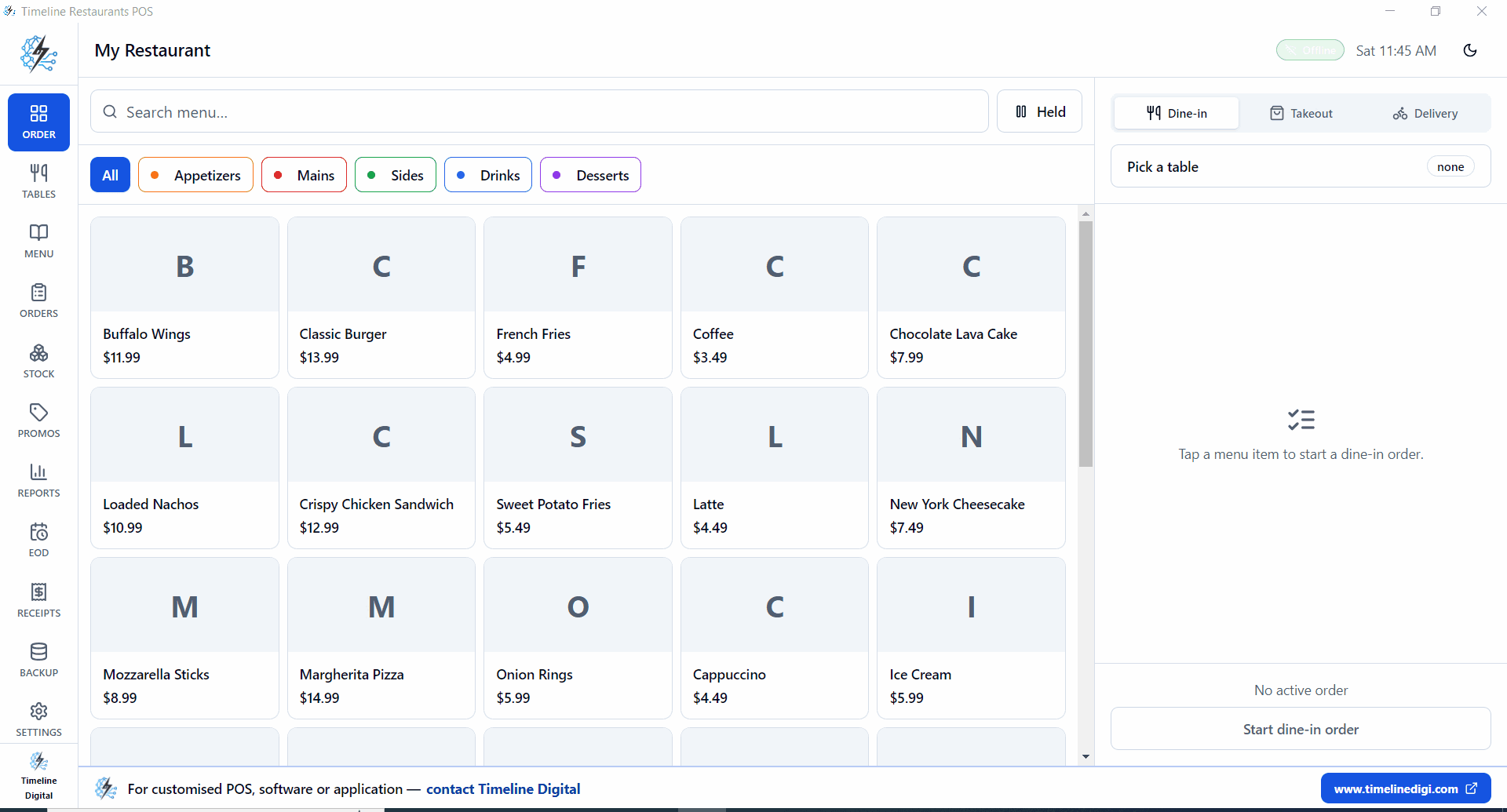
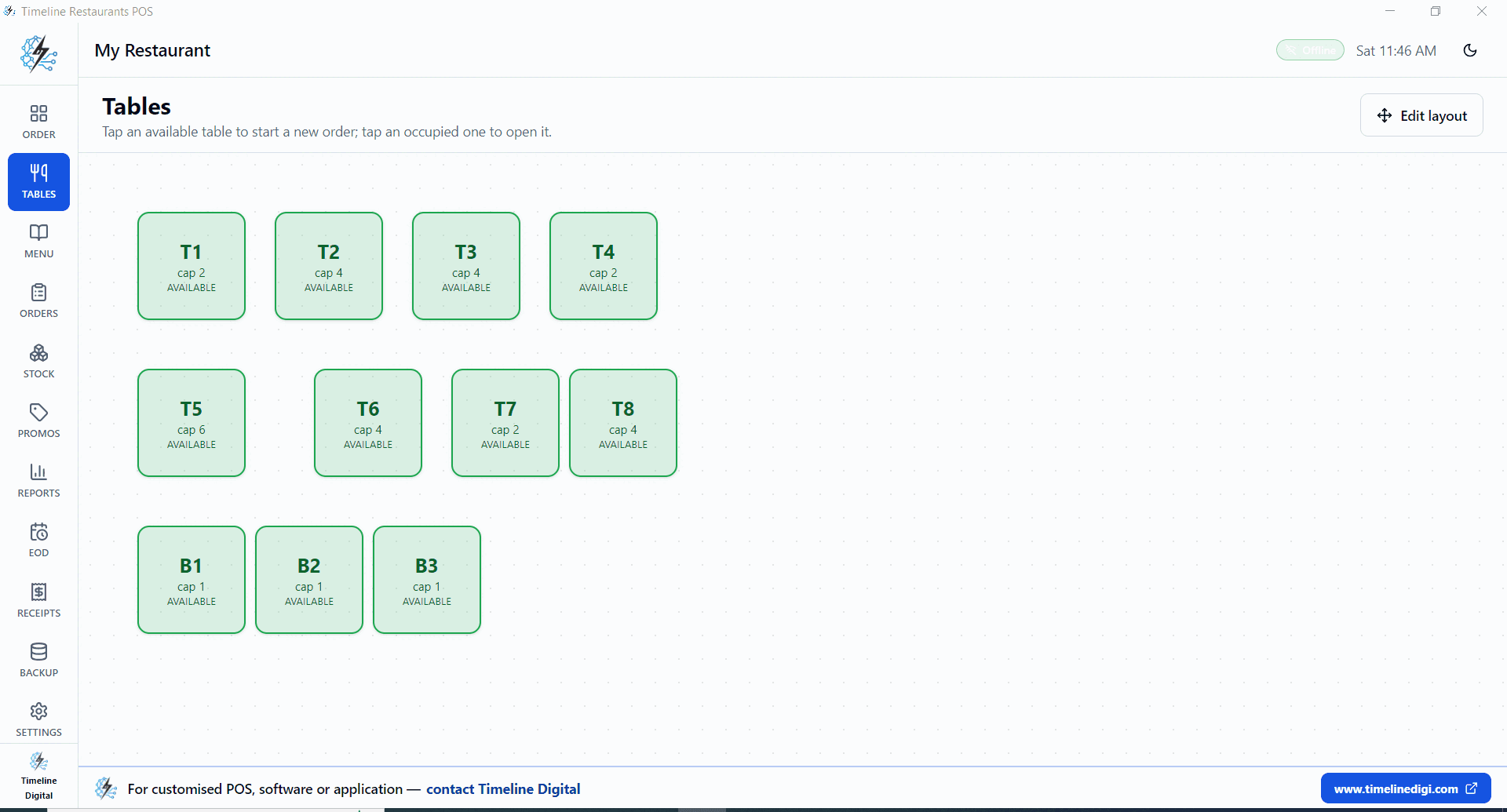
The best POS system for a small restaurant handles tables, menu modifiers and kitchen orders without a large monthly bill. For one location, Timeline Restaurants POS is a free Windows app by Timeline Digital with tables, recipe inventory and end-of-day reports, offline and with no card cut. Cloud POS suits owners who need remote dashboards or online ordering.
Teams investing in a POS system for a small restaurant usually need more than a basic register. They need software that turns sales data into smarter stock decisions, faster checkout, and clearer sales reports.
A good POS is more than a cash register. It links your products, payments, stock levels, customer details, and reports, so you stay both fast and accurate. That is why we treat each POS project as one system for the whole business, not just a checkout screen.
POS options at a glance
Three ways to get a POS, compared on the costs and limits that decide the choice. Vendor card rates change; the cheapest POS guides on this site list the verified figures.
| Question | Free offline Windows POS | Cloud POS with bundled card processing | Custom POS (built for you) |
|---|---|---|---|
| Examples | Timeline POS (retail), Timeline Restaurants POS | Square, Toast, Clover | Custom POS by Timeline Digital |
| Software fee | $0 | Free tiers up to monthly plans, by vendor | Not published; set after a free pilot of 2 to 3 key modules |
| Card fees | None from the software; your own bank or reader sets the rate | Charged by the bundled processor on every card sale (verified rates) | Your choice of processor |
| Works offline | Yes, fully | Limited when the connection drops; varies by vendor | Designed in: offline, online or hybrid |
| Devices | Windows 10 or 11 PC, laptop or tablet | Phones, tablets and vendor terminals | The devices you choose: Windows, web, Android, iOS |
| Several locations | No; each install keeps its own data | Usually on paid tiers | Built in: branch sync and central reports |
| Best for | One dining room on one Windows PC | Owners who want remote dashboards and online ordering | Restaurant groups with several sites or a kitchen display |
Why businesses invest in a POS system for a small restaurant
Most teams adopt a POS system for a small restaurant after checkout, inventory, and sales reporting outgrow spreadsheets and off-the-shelf tools. These are the problems we hear most.
Order accuracy suffers when front-of-house and kitchen systems are not connected through one workflow.
Table management, split checks, and tip handling add complexity that generic POS platforms handle poorly.
Menu changes, seasonal items, and modifiers require a system flexible enough to update without downtime.
Delivery platform integration, online ordering, and dine-in workflows must coexist in one manageable system.
What a custom POS system for a small restaurant should include
A good POS system for a small restaurant is built around how your team actually works: your checkout flow, the ways you take payment, the reports you need, and the tools you connect to.
- Table management and floor plan layouts
- Order routing to kitchen display systems
- Menu builder with modifiers and course firing
- Split check, tip management, and tab tracking
- Online ordering and delivery integration
- Reservation and waitlist management
- Staff scheduling and shift management
- Sales and food cost reporting dashboards
Unified payment data
One data model for transactions, refunds, tips, and settlements gives owners a clearer financial picture.
Inventory automation
Stock levels should update automatically at every sale, return, and purchase order instead of relying on manual counts.
Staff and customer adoption
The interface must be fast enough for checkout staff while giving managers the analytics and controls they need.
Business benefits of a custom POS system for a small restaurant
A well-built POS system for a small restaurant speeds up checkout, keeps stock counts honest, and puts your sales operation under your control.
- Faster order accuracy from table to kitchen
- Better table turnover and customer satisfaction
- Tighter labor and food cost controls
- Unified dine-in, takeout, and delivery management
Who we build for
Timeline Digital designs custom POS software for businesses that need faster checkout, reliable inventory, and better ownership over their sales operations. Typical buyers include small restaurant owners comparing the best POS systems for limited-service operations that have outgrown fragmented tools or need deeper integration across sales, inventory, and finance.
How Timeline Digital delivers a custom POS system for a small restaurant
Custom POS software built around the way you sell, take payment and track stock. Five steps, and you test our work in a pilot of your most important modules before the full build.
Step 1: Understand
We learn how your business works.
Your requirements, workflow, challenges and goals, understood before anything is recommended.
Step 2: Plan
We design the right solution around your workflow.
Modules, workflows, roles, approvals, reports and integrations, agreed before development.
Step 3: Select Technology
Choose the right technical foundation.
Technology options matched to your users, security, budget and growth, not one fixed stack.
- Free pilot
Step 4: Pilot
Test our work before full project development.
Free. You choose 2 to 3 key modules and we build them first, so you can judge our work.
The full project starts only after you approve the pilot.
- Full project
Step 5: Build & Scale
From approved pilot to complete digital system.
Full development, testing, deployment, training and support, built to grow with you.
Related POS pages
More pages on POS software, plus the services that usually go with it.
Best POS System
Best POS System helps business owners comparing the highest-rated POS systems on the market speed up checkout, keep stock counts accurate, and see clear sales reports. Sales, payments, and inventory all live in one place instead of many.
Open pageCheapest POS System For Small Business
Cheapest POS System For Small Business helps budget-focused small business owners searching for low-cost POS systems speed up checkout, keep stock counts accurate, and see clear sales reports. Sales, payments, and inventory all live in one place instead of many.
Open pageBest POS System For Food Truck
Best POS System For Food Truck helps food truck operators comparing the best portable POS systems speed up checkout, keep stock counts accurate, and see clear sales reports. Sales, payments, and inventory all live in one place instead of many.
Open pageFree POS Software
Free POS Software helps business owners evaluating free POS software with essential checkout features speed up checkout, keep stock counts accurate, and see clear sales reports. Sales, payments, and inventory all live in one place instead of many.
Open pageBest POS System for Small Restaurants FAQs
Straight answers to the questions buyers ask before investing in a POS system for a small restaurant.
What features does a small restaurant POS need?
Tables or order numbers, a menu with modifiers, dine-in, takeout and delivery orders, kitchen tickets, split checks, sales tax, end-of-day reports and ideally recipe-based inventory. The free Timeline Restaurants POS includes these on one Windows PC; online ordering and a kitchen display usually need a paid cloud POS or a custom build.
How much does a POS system for a small restaurant cost?
It ranges from $0 to a monthly subscription plus card fees. Free software with your own merchant account has the lowest total cost; bundled cloud POS adds a card-processing cut to every sale. The cheapest restaurant POS guide on this site works through the monthly math at $15,000 in sales.
What is a POS system for a small restaurant?
A POS system for a small restaurant is a system for ringing up sales, taking payments, tracking stock, and creating business reports. A good one links checkout, stock, customer details, and money reports, so your staff and managers all work from the same reliable numbers.
Who needs a POS system for a small restaurant?
Small restaurant owners comparing the best POS systems for limited-service operations benefit most when checkout is slow, inventory counts are unreliable, or reporting requires manual spreadsheet work. The software becomes especially valuable when multiple sales channels, locations, or payment methods must work inside one system.
What should a modern POS system for a small restaurant include?
A modern solution should include fast checkout, card and contactless payment processing, inventory tracking, customer management, sales reporting, and integrations with accounting and e-commerce platforms. The exact feature set depends on whether you prioritize speed, analytics, multi-channel sales, or operational simplicity.
How does Timeline Digital build a custom POS system for a small restaurant?
We follow five steps: Understand, Plan, Select Technology, Pilot, and Build & Scale. We start by learning how your checkout, payments, inventory, and reports work today, then agree a written plan and choose the technology that fits your stores. You pick 2 to 3 key modules for a pilot, so you judge working software before the full build, rollout, and support.
Can a POS system for a small restaurant integrate with accounting and e-commerce?
Yes. We regularly integrate POS platforms with accounting software, e-commerce platforms, delivery apps, CRM systems, and analytics tools so your teams avoid duplicate entry. Integration is critical because sales data only becomes useful when finance, operations, and management all trust the same source.
Can Timeline Digital build a custom POS system for a small restaurant?
Yes. We design a custom POS system for a small restaurant around your checkout workflows, payment needs, inventory rules, and reporting requirements. That lets you keep the processes that work, automate the ones that slow you down, and avoid paying for features your team never uses.
Need a POS system for a small restaurant built around your workflow?
Tell us how you sell today. We design and deliver custom POS platforms with faster checkout, reliable stock counts, and reports owners can act on. Comparing platforms, replacing a legacy till, or planning a phased rollout? We will map the architecture with you.