We map your booking flow first
Before design, we map your services, staff, resources and rules, so the system fits how you book instead of forcing a new routine on your team.
Serving UK businesses remotely
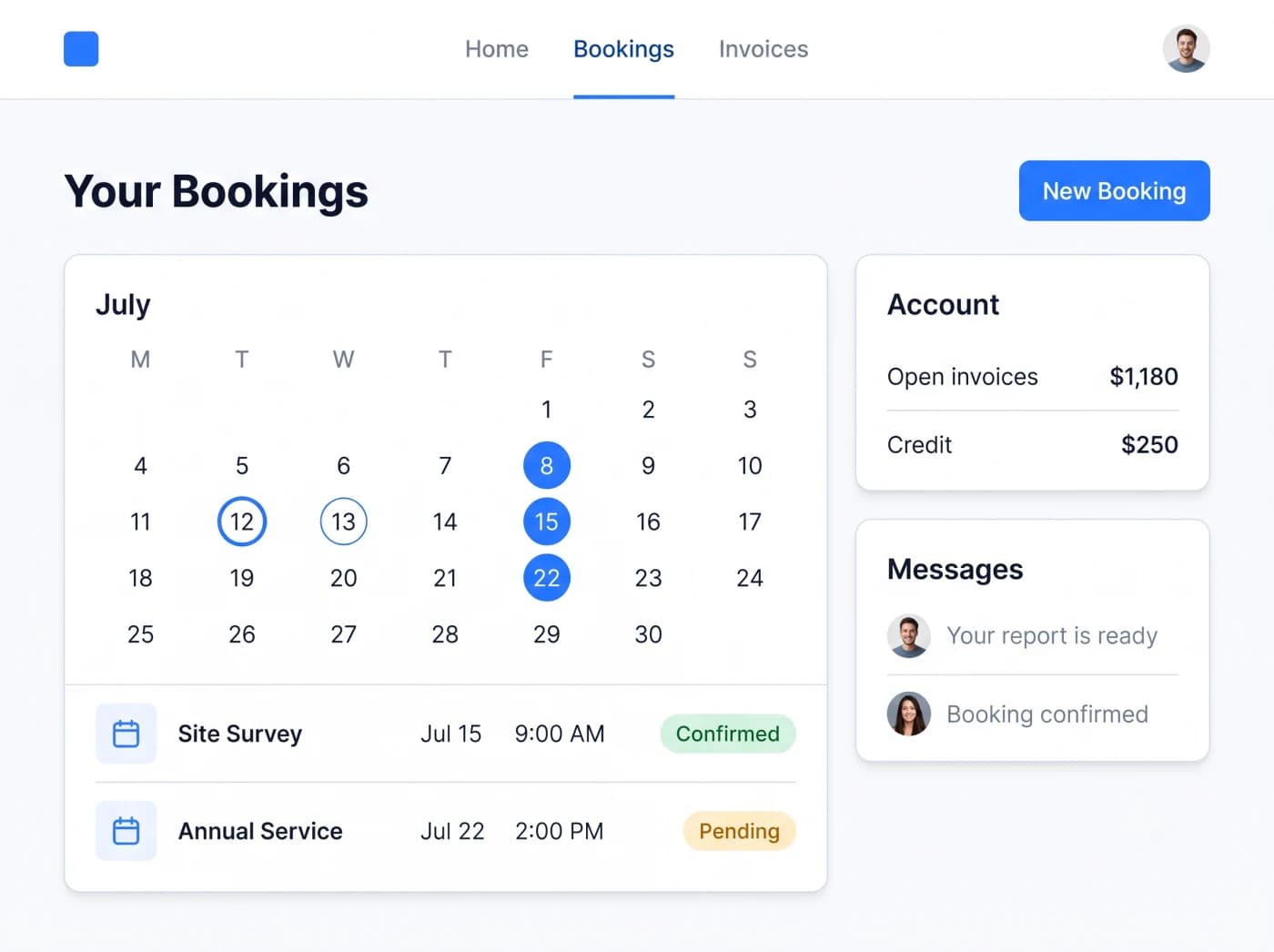
Timeline Digital builds custom online booking and appointment systems for UK businesses, delivered remotely. Instead of renting a monthly SaaS tool that bends your process to fit its rules, you get a booking system built around your services, staff, resources and cancellation policy. Customers book and pay online, reminders go out automatically to cut no-shows, and your team sees every slot in one admin dashboard.
A custom booking system lets your customers book, pay and reschedule online while your team keeps one clear view of every appointment. Timeline Digital builds custom booking and appointment systems for UK businesses remotely, with real-time availability, automated reminders, Stripe deposits and an admin dashboard. We work in five steps (Understand, Plan, Select Technology, Pilot, Build & Scale), so your services, staff and booking rules are understood and planned before development starts. A focused booking system ships in six to ten weeks, with a free pilot first and full source-code ownership on delivery.
The problem
Most UK service businesses are not short of demand. They lose time and money to a booking process that leaks: empty slots, missed reminders and admin that a system should be handling on its own.
No-shows and last-minute cancellations that nobody chased or charged for
Bookings taken by phone and WhatsApp, then copied by hand into a paper diary
Double bookings because staff, rooms and equipment are tracked in separate places
A rented SaaS tool that still misses your deposit, buffer and cancellation rules
Customers who cannot book outside opening hours, so evening enquiries are lost
No deposits taken up front, so a cancelled slot is simply money gone
No clear view of which staff member, service or day actually earns the most
We start by understanding how you take bookings today, then design a system around it: an online booking widget, a customer portal, staff and resource scheduling, payments and an admin dashboard. We can start with the part that hurts most, prove the value, and add modules later. You own the source code throughout.
Before design, we map your services, staff, resources and rules, so the system fits how you book instead of forcing a new routine on your team.
Staff, rooms and equipment live in one real-time calendar, so a slot taken online is instantly blocked everywhere else.
Deposits at booking, plus automated reminders and clear cancellation rules, cut no-shows without your team chasing anyone.
The booking page carries your branding and enforces your deposit, buffer and cancellation policy exactly, not a vendor default.
Launch with the core booking flow, then add group bookings, a mobile app or extra sites as you grow.
Maintenance, fixes and improvements on an ongoing plan, with no lock-in because you own the code and the data.
Every feature below is built around your workflow. The Best for line shows the kind of UK business that leans on each one most, from clinics and salons to tutors, gyms, events and hire firms.
A booking widget you embed on your own website and a customer portal where clients see upcoming and past appointments, rebook in a couple of taps and manage their own details, so your front desk answers fewer routine calls.
Best for: Salons, barbers and clinics
Discuss this featureLive availability that updates the moment a slot is taken, across staff, rooms and equipment. Customers only ever see times that are genuinely free, which removes the back and forth of offering slots that have already gone.
Best for: Gyms, studios and class providers
Discuss this featureSchedule by person and by resource together, so a booking reserves the right practitioner and the right room, chair or piece of equipment at once. Buffer times between appointments stop your day running back to back.
Best for: Dentists and multi-room venues
Discuss this featureReminders go out automatically before each appointment on the timing you choose. Customers can confirm, cancel or reschedule from the message, which cuts no-shows and keeps your calendar accurate without staff chasing people by phone.
Best for: Any business losing money to no-shows
Discuss this featureTake a deposit or the full amount through Stripe at the moment of booking. A paid deposit protects your time, and you can set different amounts and refund rules per service, so higher value bookings are properly secured.
Best for: Events, workshops and hire firms
Discuss this featureSupport standing weekly slots, block bookings and group sessions with a set capacity. The system closes a session once it is full and can hold a waiting list, so you fill classes without managing a spreadsheet on the side.
Best for: Tutors, classes and fitness studios
Discuss this featureYour own cancellation window, rescheduling limits and charges, enforced automatically. Customers reschedule within the rules you set and late cancellations follow your policy, so protecting your time no longer depends on an awkward phone call.
Best for: Trades and consultants with paid time
Discuss this featureTwo-way sync with Google Calendar plus connections to payment, email and SMS providers. A slot blocked in your personal calendar shows as unavailable online, so private commitments never turn into an accidental double booking.
Best for: Solo practitioners and small teams
Discuss this featureOne dashboard for every booking, payment and customer, with reports on which services, staff and days actually earn the most. You plan staffing and opening hours on real numbers instead of a gut feeling.
Best for: Owners and managers who want oversight
Discuss this featureA booking flow that works cleanly on phones, where most customers book, plus an admin view your team can open on a tablet between appointments. For a full customer app, we also build native mobile apps.
Best for: On the go staff and mobile customers
Discuss this featureBooking is often one module in a bigger system. If you also need a customer app, see our mobile app development, and if bookings should feed a sales pipeline, a custom CRM for UK teams keeps enquiries and follow-ups in one place. For the wider picture, our custom software development for UK businesses covers how these parts fit together.
Built around your services, staff and rules, not a generic template
Your own system, not a rented SaaS tool you have to work around
Deposits and reminders that genuinely reduce no-shows
Your branding and your domain on every booking screen
Stripe, Google Calendar and other integrations included, not paid add-ons
Admin dashboard and reporting built in from day one
Mobile-friendly for both your customers and your staff
You own the source code and keep your customer data
A clear five-step process: Understand, Plan, Select Technology, Pilot, Build & Scale
Long-term maintenance and support after launch
How we work
Custom software built around the way your business works. We start with your services, staff, resources, opening hours and cancellation rules. Before the full build, you choose a few key modules, such as the booking flow or the admin calendar, for us to build first so you can judge our work on real scenarios.
We learn how your business works.
Your requirements, workflow, challenges and goals, understood before anything is recommended.
We design the right solution around your workflow.
Modules, workflows, roles, approvals, reports and integrations, agreed before development.
Choose the right technical foundation.
Technology options matched to your users, security, budget and growth, not one fixed stack.
Test our work before full project development.
Free. You choose 2 to 3 key modules and we build them first, so you can judge our work.
The full project starts only after you approve the pilot.
From approved pilot to complete digital system.
Full development, testing, deployment, training and support, built to grow with you.
See our full custom software development process for what each step involves.
The same nine questions, answered honestly for a rented booking SaaS tool and a custom system you own.
| Question | Off-the-shelf booking SaaS | Custom booking system by Timeline Digital |
|---|---|---|
| Licensing | Rented per seat from a vendor | Your own system, no per-seat licence |
| Branding | The vendor brand on your booking page | Your brand and your domain on every screen |
| Booking rules | Only the rules the product supports | Your exact deposit, buffer and cancellation rules |
| Ownership | You rent access on the vendor’s terms | You own the source code and the data |
| Integrations | A fixed list of vendor add-ons | Stripe, Google Calendar and your other tools included |
| Customer data | Your list lives on the vendor platform | Your customer data stays in your own system |
| Workflow fit | You adapt your process to the tool | Built around how your business actually books |
| Reporting | Fixed dashboards | The reports you actually use to plan staffing |
| Growth | New locations mean more seats on the plan | Add staff, rooms and sites whenever you need to |
FAQs
A custom booking system is online booking software built for one business rather than rented from a shared platform. It matches your services, staff, resources, opening hours and cancellation rules exactly. Customers book and pay online, your team manages everything from an admin dashboard, and you own the source code. For most UK service businesses it replaces a paper diary, scattered WhatsApp messages and a rented SaaS tool.
A focused booking system usually takes about six to ten weeks. A larger multi-site or multi-module system typically takes three to five months. We agree a written plan before development starts, build the pilot modules you choose first so you can judge our work, then deliver the rest with a working demo at the end of every two-week sprint, so the launch date is real and you can watch the booking flow and admin dashboard take shape as we build.
Yes. We integrate Stripe so customers can pay a deposit or the full amount when they book. Taking a deposit up front is one of the most effective ways to cut no-shows, because a customer who has paid something is far more likely to turn up or reschedule properly. You can set different deposit amounts per service, and refunds and cancellation charges follow the policy you choose.
Yes. The system sends automated SMS and email reminders before each appointment, and you decide the timing, such as 24 hours and 1 hour ahead. Reminders combined with a deposit and a clear cancellation rule are the practical way to reduce no-shows and fill slots that would otherwise sit empty. Customers can confirm, cancel or reschedule from the message, which keeps your calendar accurate without extra phone calls.
Yes. We can sync bookings with Google Calendar and other calendar tools so staff see their appointments where they already look. Two-way sync means a slot blocked in Google Calendar shows as unavailable for online booking, which prevents double bookings across personal and work diaries. We can also connect payment gateways, email and SMS providers and the other tools your business relies on.
No. A booking or appointment system handles slots, staff and resources for services such as clinics, salons, classes and hire. Taxi booking software is different: it deals with live dispatch, driver apps, fare calculation and mapping for a moving fleet. If you run a private-hire or transport operation, our taxi booking software page covers that properly. This page is for appointment and reservation booking.
No. Care agency software centres on staff rotas, visit logs, client care notes and compliance reporting for domiciliary and residential care. A booking system is about customers reserving and paying for appointments or sessions themselves. The two overlap on scheduling but solve different problems. If you need care rota and compliance features, tell us and we will scope that as a separate build rather than a booking system.
Yes. The system can take recurring bookings, such as a weekly tutoring slot or a standing appointment, and group bookings, such as a class, workshop or fitness session with a set capacity. You set how many places each session holds, and the system stops taking bookings once it is full. Waiting lists and per-attendee payment can be added where your business needs them.
Yes. Unlike a rented SaaS booking tool, the system is yours: you get the source code, and your customer data stays in your own system as you add staff or locations. If you later want changes or ongoing support, you can take a maintenance plan, but you are never locked in to your own booking system.
The wider service: CRM, ERP, booking and mobile apps built around your workflow.
Read this nextDispatch, driver apps and fare calculation for private-hire and transport firms.
Read this nextTurn booking enquiries into a managed sales pipeline with follow-up built in.
Read this nextOne Flutter codebase shipping a customer booking app to iOS and Android.
Read this nextUnderstand, Plan, Select Technology, Pilot, Build & Scale: the five steps behind every booking system we build.
Read this nextBook a free consultation and start with a free pilot of your booking system.
Read this nextTell us how you take bookings today and what is slowing you down. We will understand how bookings work today, plan the system around it, and build the modules that matter most, such as the booking flow, first as a pilot so you can judge our work before the full build. You own the code, start to finish.
Prefer writing? Send your brief through our contact form