Free scheduling software for schools does exist, but it comes in two forms with different limits. Free spreadsheets and open-source timetable generators cost nothing yet need manual setup and technical patience. Free school management apps organise classes, sections and teachers but rarely auto-build a clash-free timetable. Match the tool to your school's size, then add a custom module only where the free option runs out.
A school timetable looks simple on paper: put every class, teacher and room into a weekly grid so nobody is double-booked. In practice it is one of the hardest planning jobs a school does each year, and the software that helps ranges from a blank spreadsheet to a paid engine that solves the grid for you. This guide explains how timetables are built, what free tools can and cannot do, and where a free app and a custom module each earn their place.
What does class scheduling software for schools do?
Class scheduling software for schools turns a pile of constraints into a workable weekly grid. At minimum it stores your classes and sections, the subjects each one takes and how many periods per week, your teachers and when they are available, and your rooms and labs. From there, tools differ in how much they do for you.
A basic tool simply holds the grid while you fill it in by hand. A stronger one assigns teachers to periods and checks for the three clashes that break every timetable: a teacher booked in two places at once, a class scheduled for two subjects in the same slot, and a room or lab double-booked. The best engines go further, balancing teacher load across the week and spreading hard subjects like maths and science into the morning periods when students concentrate best.
How do schools build a timetable without clashes?
Building a clash-free timetable is mostly about ordering your decisions. Rushing straight to filling slots is what creates the tangle you then spend days unpicking.
- List every constraint first: subjects and periods per week for each class, teacher availability, part-time staff days, and any shared rooms or science labs.
- Place the hard constraints before anything else. A part-time teacher who only comes on Tuesday and Thursday, or a single science lab shared by six classes, decides most of the grid on its own.
- Fill the core subjects across the week so no class gets all its difficult periods stacked on one day.
- Check for the three clashes at every step: teacher double-booked, class double-booked, room double-booked.
- Balance the load so no teacher has five back-to-back periods while another has gaps.
A spreadsheet can do all of this, but every clash check is manual and every change forces a re-check. A generator automates that checking, which is where free software starts to matter.
Is there genuinely free scheduling software for schools?
Yes, and it falls into three honest categories. First, spreadsheets: free on every computer, fully manual, with no clash detection beyond formulas you build yourself. Second, open-source timetable generators: FET, for example, is genuinely free and open-source, runs on Windows, and can auto-generate a full timetable, though it has a steep learning curve and lives separately from your student records. Third, the free tier of a school management app, which organises classes, staff and students but often keeps automatic timetabling limited or behind a paid plan.
| Option | Cost | Auto clash detection | Setup effort | Best for |
|---|---|---|---|---|
| Spreadsheet | Free | No, manual | High every term | Tiny schools, a handful of classes |
| Open-source generator (e.g. FET) | Free | Yes | High, technical | Staff willing to learn the tool |
| Free school management app | Free | Usually not built in | Low | Schools needing records plus basic scheduling |
| Custom scheduling module | Paid, one-time | Yes, tuned to your rules | Done for you | Complex rules and shared resources |
What are the limits of free school timetable software?
The limits are real, and knowing them saves you from a bad choice. Search for school timetable software free and most results fall short in the same places. A spreadsheet makes you check every clash by hand, which does not scale past a few classes. Open-source generators such as FET produce a solid timetable, but you re-enter class and teacher data that already sits in your office system, and the interface asks for patience. Free tiers of management apps often cap features or lock timetable printing and export behind an upgrade.
The bigger limit is isolation. A tool can be scheduling software for schools free of cost and still be an island: it does not talk to your attendance, fees or exam records, so the timetable you build never feeds the rest of the school. That gap is exactly where free school planning software stops being enough and a connected system starts to pay off.
Where do Timeline School Manager and a custom module fit?
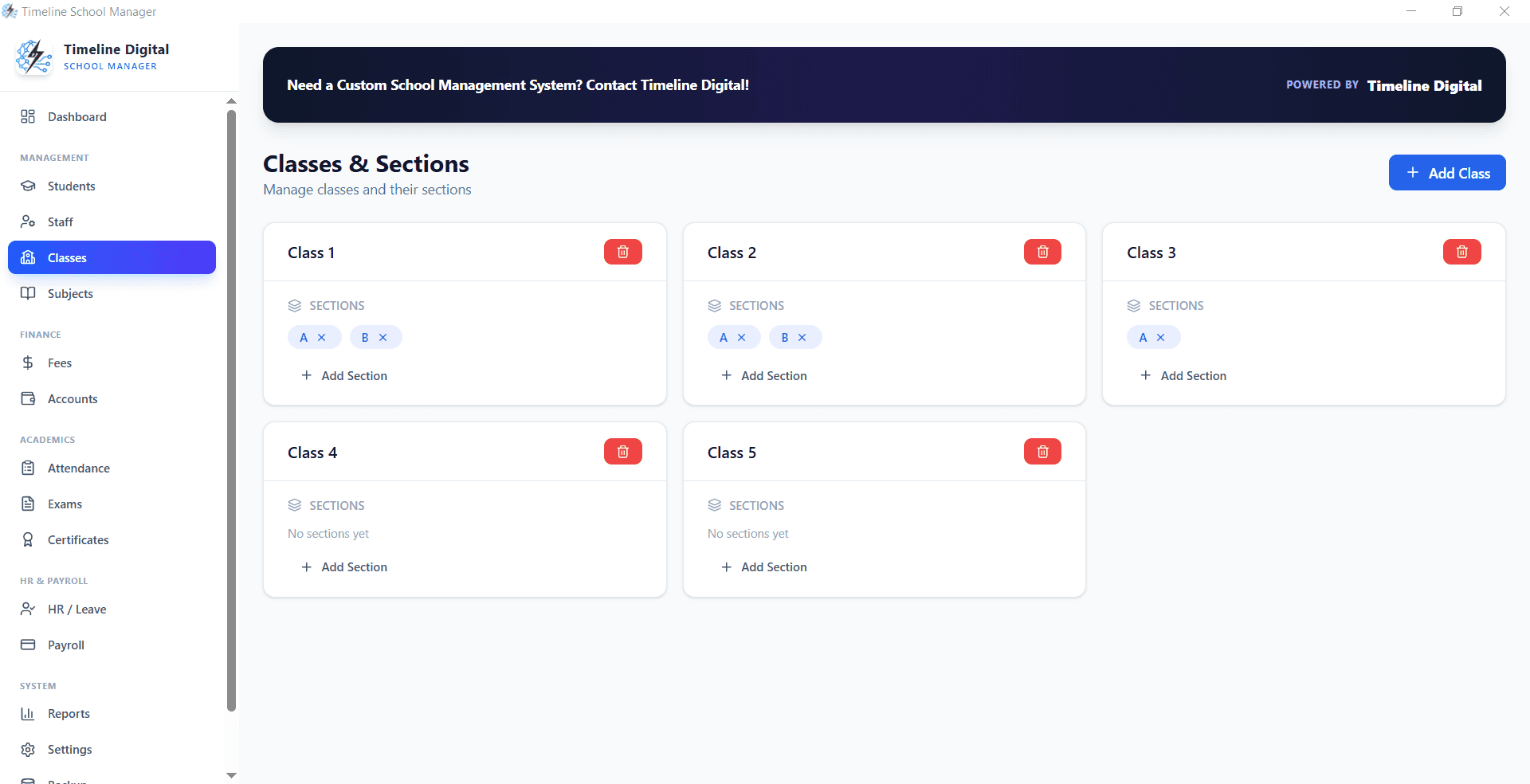
Timeline School Manager is a free, offline Windows app that holds the data a timetable depends on: classes and sections, subjects, staff, and students, all in one place with no account and no monthly fee. You can download Timeline School Manager free and run it on your own PC, which keeps your records off the cloud and working even when the internet is down.
The free app organises the records side well. A true automatic timetable that solves clashes against your own rules, such as part-time teachers, split morning and afternoon shifts, or one chemistry lab shared across the whole school, is the kind of business-specific module Timeline Digital builds on top of it. Because the module sits on the same data, the timetable connects to attendance and classes instead of standing alone. For how those records work day to day, read the school attendance and class management guide, and if patchy connectivity is your main worry, see the notes on free offline school management software for Windows 10.
Which option should your school choose?
If you run a small school with a few sections, a spreadsheet or an open-source generator will get you a working timetable for nothing, as long as someone has the time to learn it and check the clashes by hand. If you want your timetable to live beside your students, attendance and fees rather than in a separate file, start with the free app and add a custom scheduling module only when your rules outgrow what the free tools handle. Pay for automation where it saves real hours, and keep the rest free.
Ready to put your class, section and staff records in one free place first? Download Timeline School Manager for Windows, then talk to Timeline Digital about a scheduling module built to your school's exact rules.