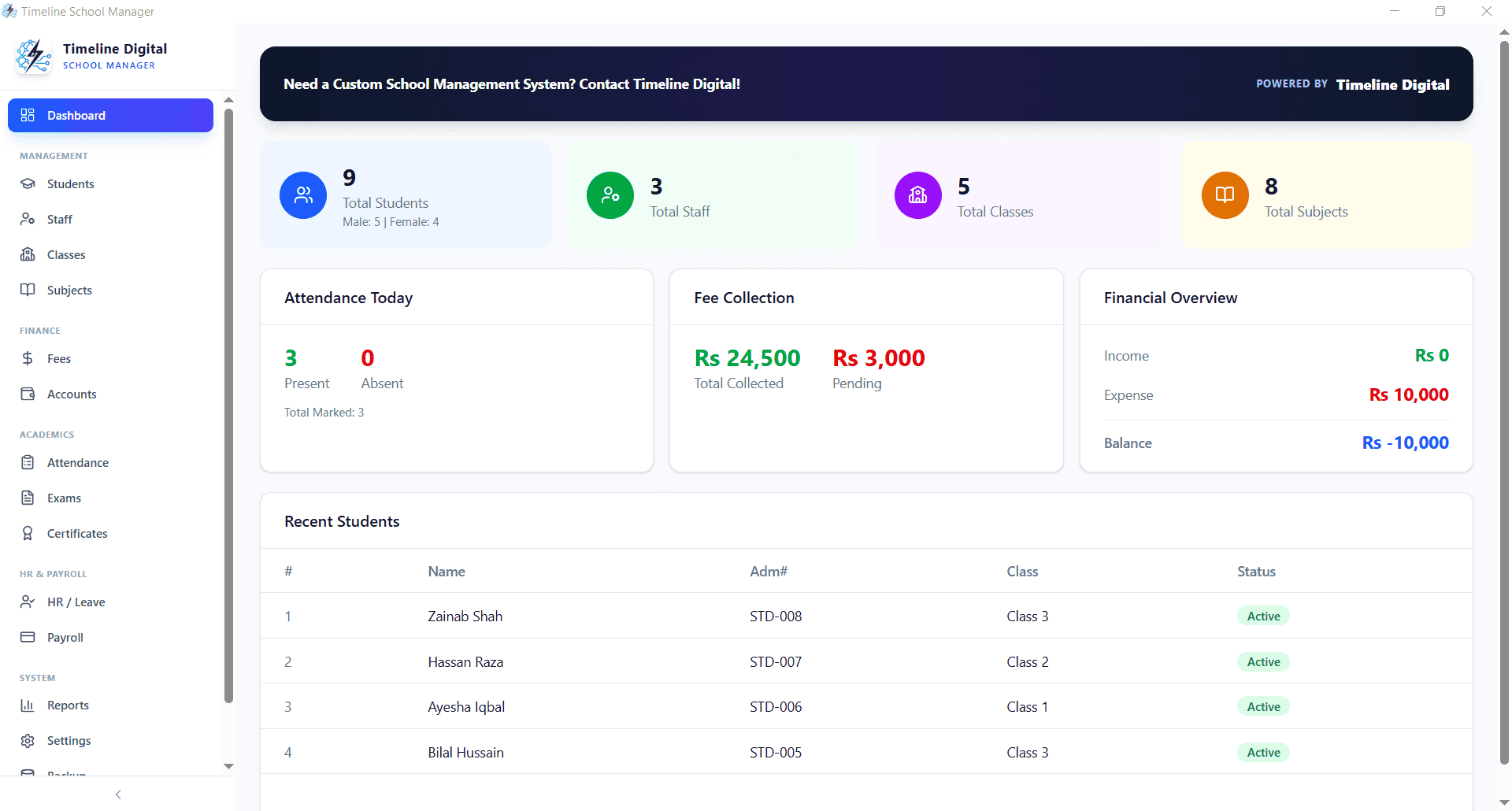
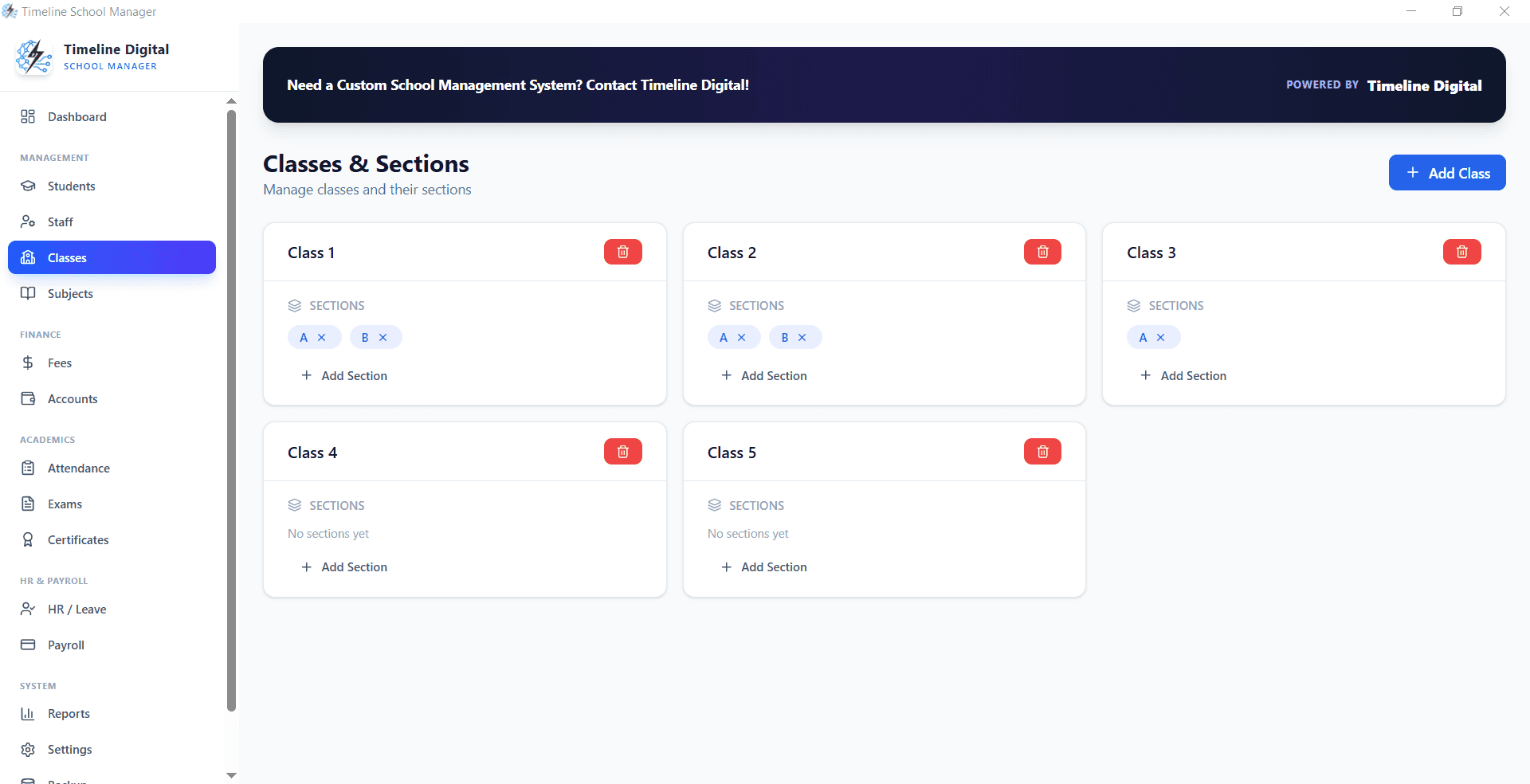
The best free school management software falls into two types: cloud student information systems that offer a limited free tier, and free offline desktop apps that run fully on your own Windows PC. For a single school that wants fees, attendance, exams and student records with no monthly bill, a free offline Windows app like Timeline School Manager is the practical pick.
"Free" hides a lot in this market. Some tools are free until you pass a student count, some are free for one term only, and some are genuinely free for as long as you use them. Before you install anything, it helps to know which type you are looking at and what each one quietly gives up in exchange for the zero price tag. Here is the honest breakdown for 2026.
What is the best free school management software in 2026?
There is no single winner, because "best" depends on how your office works. What the best free school management software 2026 has to offer most private schools and academies comes down to three routes: a free tier on a cloud student information system (SIS), a free offline desktop app, or a free open-source system you host yourself. A busy front desk that collects fees in person and prints receipts is usually served best by an offline desktop app, because it keeps working when the internet or power drops. A school that mainly wants parents to log in and check marks online leans toward a cloud tier. Match the tool to the daily job, not to the longest feature list.
Free cloud SIS vs free offline desktop: which type fits your school?
A cloud SIS runs in a web browser and stores your data on the vendor's servers. Parents and teachers can log in from anywhere, which is genuinely useful, but the office stops the moment the connection drops, and the free tier almost always caps how many students or users you can add before it asks for money.
A free offline desktop app installs on one Windows computer and keeps the data on that machine. It has no parent portal and no built-in multi-branch sync, but it prints receipts and updates records whether or not the internet is up, and it does not count your students against a paid limit. For a one-campus school office in a place with load-shedding or a shaky DSL line, that reliability is worth more than remote logins.
Comparison: best free school management software by type
Here is how the three free routes compare on the things that decide the daily experience. Use it to spot which category you are actually shopping in.
| Software type | Best for | Typical cost | Runs offline | Main limit on the free version |
|---|---|---|---|---|
| Free cloud SIS tier | Schools that want parent and teacher logins from anywhere | Free tier, paid plans above it | No, needs internet | Student or user caps, locked reports, fees once you grow past the cap |
| Free offline Windows app | A single school office that wants fees, attendance and exams at zero monthly cost | Free for lifetime use | Yes | Runs on one PC, no built-in cloud portal or multi-branch sync |
| Free open-source system | Schools with an IT person to install and maintain a server | Free software, you pay hosting | Depends on how it is set up | You handle servers, updates, backups and support yourself |
What does a free school management system actually include?
The best free school management system should cover the office work that eats a clerk's day, not just a student list. At minimum, look for student and class records, fee collection with printed receipts, attendance, and exam or result recording. Anything less and you will be back in spreadsheets within a week.
Timeline School Manager, a free offline Windows app, covers exactly this set: you define classes and sections, enroll students, record fees by head, print numbered receipts, mark attendance, and store exam marks and results, all on the school's own PC. Because it stores data locally, there is no per-student fee and no module you have to unlock later. You can see the full module list on the free school management software download page, and a deeper feature tour on the school management system overview.
What do free school software tiers limit?
This is where "free" earns its quotation marks, so read the limits before you commit a term of data to a tool. Free versions usually restrict at least one of the following:
- Student or user count. Cloud free tiers commonly cap the number of students, staff logins, or classes, then charge per head once you pass it.
- Reports and exports. Fee-defaulter lists, collection summaries, and printable result cards are often held back for paid plans.
- Data ownership. With a hosted free tier your records live on the vendor's server, so an export or a plan change can be awkward if you ever leave.
- Support. Free plans rarely include help by phone; you are on documentation and email.
A free offline app trades the cloud portal away, but in return it does not cap your students and keeps the data file on your own machine. Neither model is dishonest; they simply give up different things. Know which trade-off you can live with.
Is a free offline Windows app the best free school management system for you?
It is the best school management system free of charge for a specific, common situation: one campus, an office that collects fees at a desk, and a preference for keeping data in-house without a monthly bill. If that describes you, an offline app removes the two biggest daily risks: an internet outage during fee week, and a subscription you cannot always predict.
It is not the right pick if you need parents logging in from home, live syncing across three branches, or teachers entering marks from their own phones. Those needs point to a cloud system, and it is fair to pay for them. For everyone in between, starting free and offline costs nothing to try. You can read exactly how it runs on Windows on the free offline school management software for Windows 10 page.
How do you choose the best free class management software?
Work backward from the task that hurts most. If chasing unpaid fees is the pain, the best free class management software for you is whatever prints a clean receipt and pulls a defaulter list in seconds. If attendance and marks are the problem, prioritize a tool that records both against each student without extra spreadsheets.
Then check three practical things before you enroll a single student:
- The real limit. Find the student cap or the paid-plan trigger in writing, not the headline "free."
- Offline behaviour. Ask whether receipts still print when the connection is down.
- Your data. Confirm you can back it up and take it with you.
A short setup routine for getting the office moving on day one is in the implementation section of our school administration software guide.
The bottom line
The best free school management software is the one whose limits you can live with. A free cloud tier buys you remote access at the cost of student caps and an internet dependency. A free offline Windows app buys you reliability and true zero cost at the price of a parent portal. For a single school office that wants fees, attendance, exams and student records working today, without a monthly fee, download Timeline School Manager free and set it up on your front-desk computer. If you later need multi-branch access or an online parent login, Timeline Digital can build it as a custom project; message the team on WhatsApp.