Retail POS + inventory
Retail Management Software with POS and Inventory
A retail management system combines point of sale, inventory, and reporting in one app, so a shop can ring sales, scan barcodes, track stock, and see daily totals from a single screen. Timeline POS is a free Windows retail management system you can download and run offline today, with unlimited products and no monthly fee.
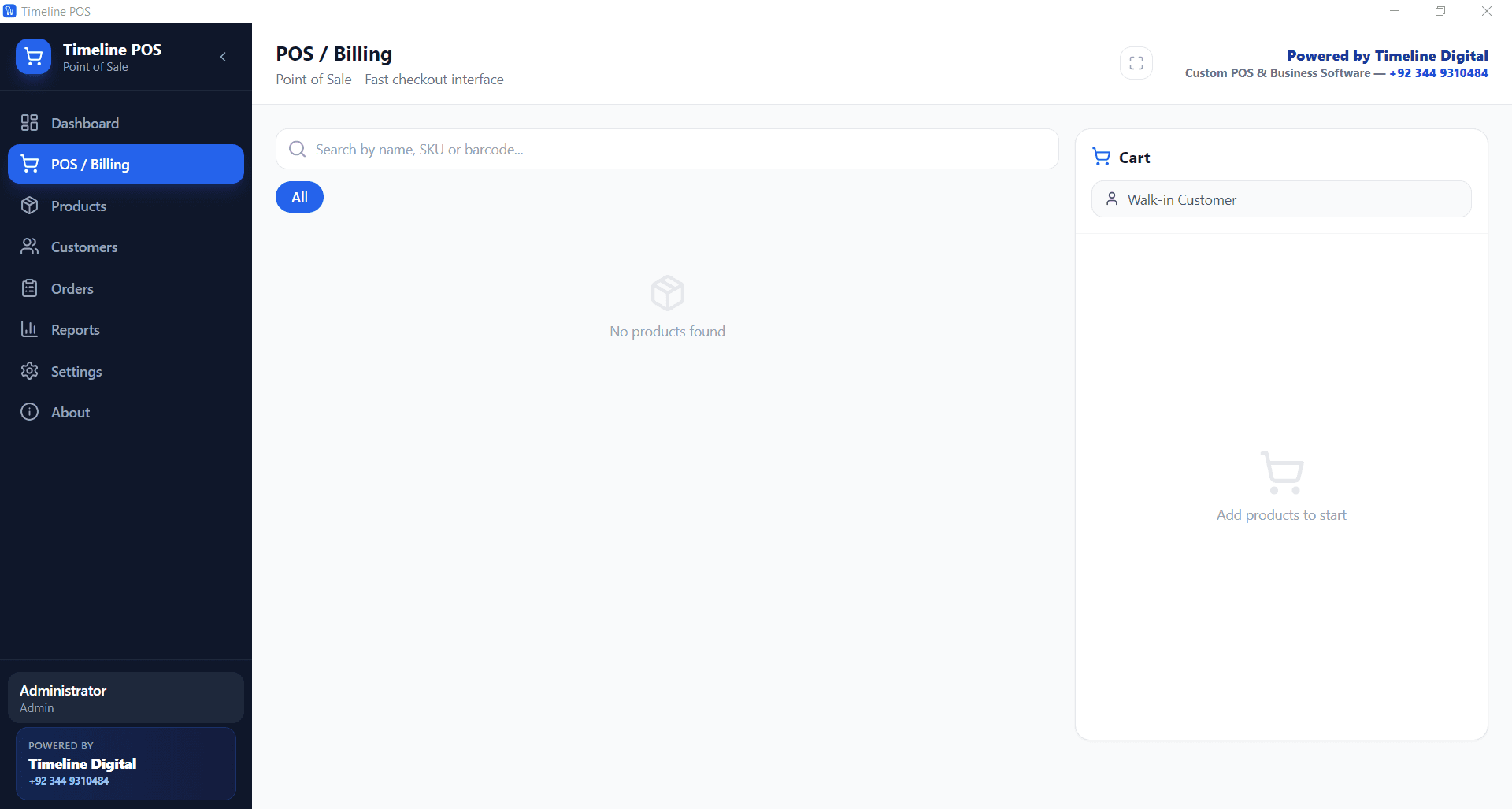
Where it breaks today
Six problems shop owners bring us
Most retailers reach for software because of the same gaps. The first four are solved by our free Timeline POS; the last two are where a custom build comes in.
Stock counted in a notebook
The system: Every sale drops the stock count for that item, so the number on screen is the real one. (Timeline POS, free)
The till total never matches the drawer
The system: Every sale, discount and payment recorded at the counter, with a daily report to close against. (Timeline POS, free)
Reordering from memory
The system: Low stock alerts per product, so fast movers are flagged before the shelf empties. (Timeline POS, free)
No idea which products make money
The system: Cost and selling price per item, so reports show margin, not just revenue. (Timeline POS, free)
Branch stock out of sync
The system: One head-office view across branches, with stock transfers between them. (Custom build)
The online store sells what the shop already sold
The system: Shop and online stock kept in step, with purchasing and suppliers in the same system. (Custom build)
What does a retail management system include?
A retail management system is four tools in one: a point of sale for checkout, inventory to track stock, barcode search for speed, and reporting to see what happened. Timeline POS ships all four together, so you are not gluing a till to a separate stock spreadsheet.
Point of sale
Ring up a sale in a few taps, apply tax automatically, and take cash or card on your own reader. The app takes no cut of card sales because it never touches the payment.
Inventory
Every product carries a cost price, a selling price, and a live stock count. Selling an item drops its stock automatically, so the number on screen is the real one.
Barcode
Scan a UPC with a standard USB scanner, or search by product name or SKU. One scan rings the item, which keeps the counter line moving on a busy day.
Reporting
See sales totals, order counts, top sellers, and low stock flags. Export the day to PDF or CSV for your accountant at close, straight from your own PC.
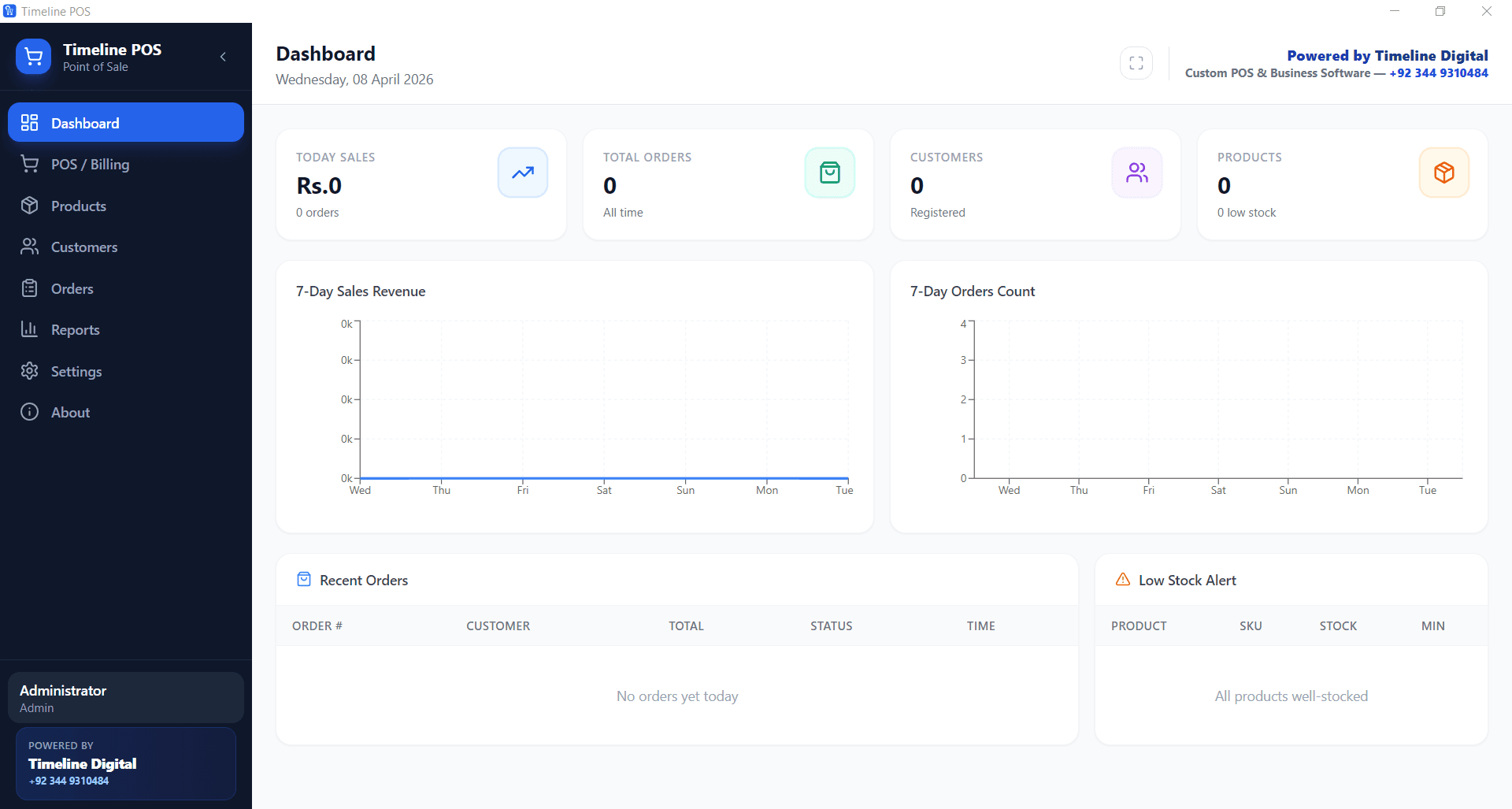
Want the full feature run down first? See the Timeline POS product page, or compare it against every other option in our free POS software comparison.
Free retail management software you can download for Windows
Timeline POS is the out of the box option. It is free retail management software with POS and inventory built in, published by Timeline Digital. Install it on the counter PC, add your products, and start selling. No account, no monthly fee, no card processing cut.
Option A: the free app
- Unlimited products, categories, and customers, with no monthly fee and no SKU cap.
- Barcode and name search at checkout for fast, accurate ringing.
- Cost and selling price per item, so reports show real margin, not just revenue.
- Low stock alerts per product so you reorder before the shelf goes empty.
- Daily, product, and customer reports exported to PDF or CSV.
- Runs fully offline on any Windows 10 or 11 PC. Your data stays on your machine.
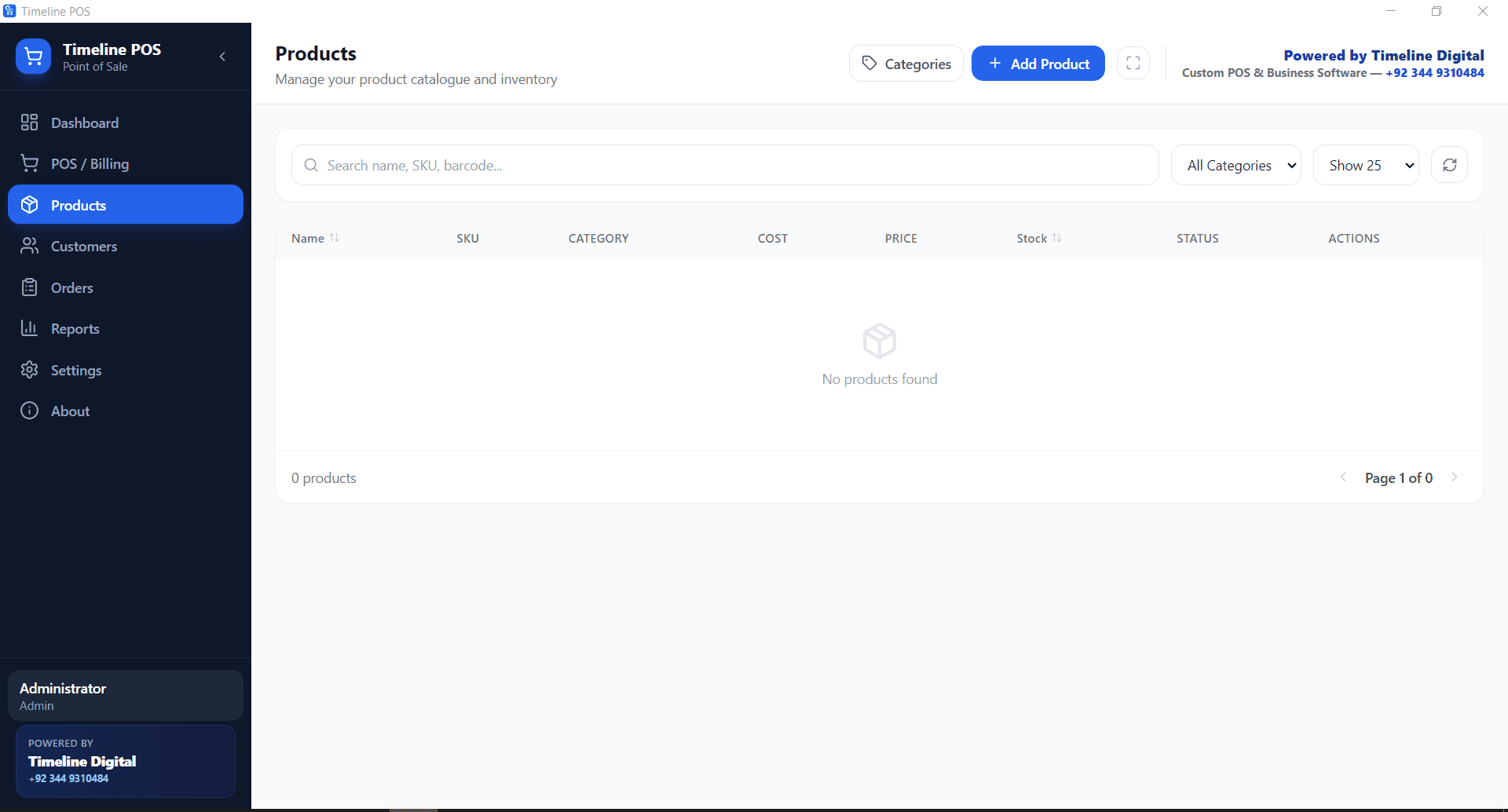
Running the app on an older machine? Read the setup notes in free POS for Windows.
What a retail management system adds over a plain cash register
A basic register or a strip down POS just totals a sale. A retail management system also knows your stock, your margin, and your customers. Here is the same shop, side by side.
| Capability | Plain register / basic POS | Retail management system |
|---|---|---|
| Ring up sales | Yes | Yes |
| Barcode scanning | Sometimes | Yes, USB scanner or name search |
| Live inventory count | No | Yes, drops on every sale |
| Low stock alerts | No | Yes, set per product |
| Cost and margin tracking | No | Yes, per item |
| Sales and product reports | Basic totals | Daily, product, customer, exportable |
| Customer records | No | Yes, saved locally |
| Works offline | Yes | Yes, fully |
| Price | Hardware cost only | $0 software, any Windows PC |
Can retail management software track stock by product and barcode?
Yes. Every product holds its own barcode, cost, selling price, and stock count. Scanning at checkout drops the stock for that exact item, so the count stays honest. Low stock alerts fire per product, and the reports show units sold and margin so you reorder on real numbers, not guesswork.
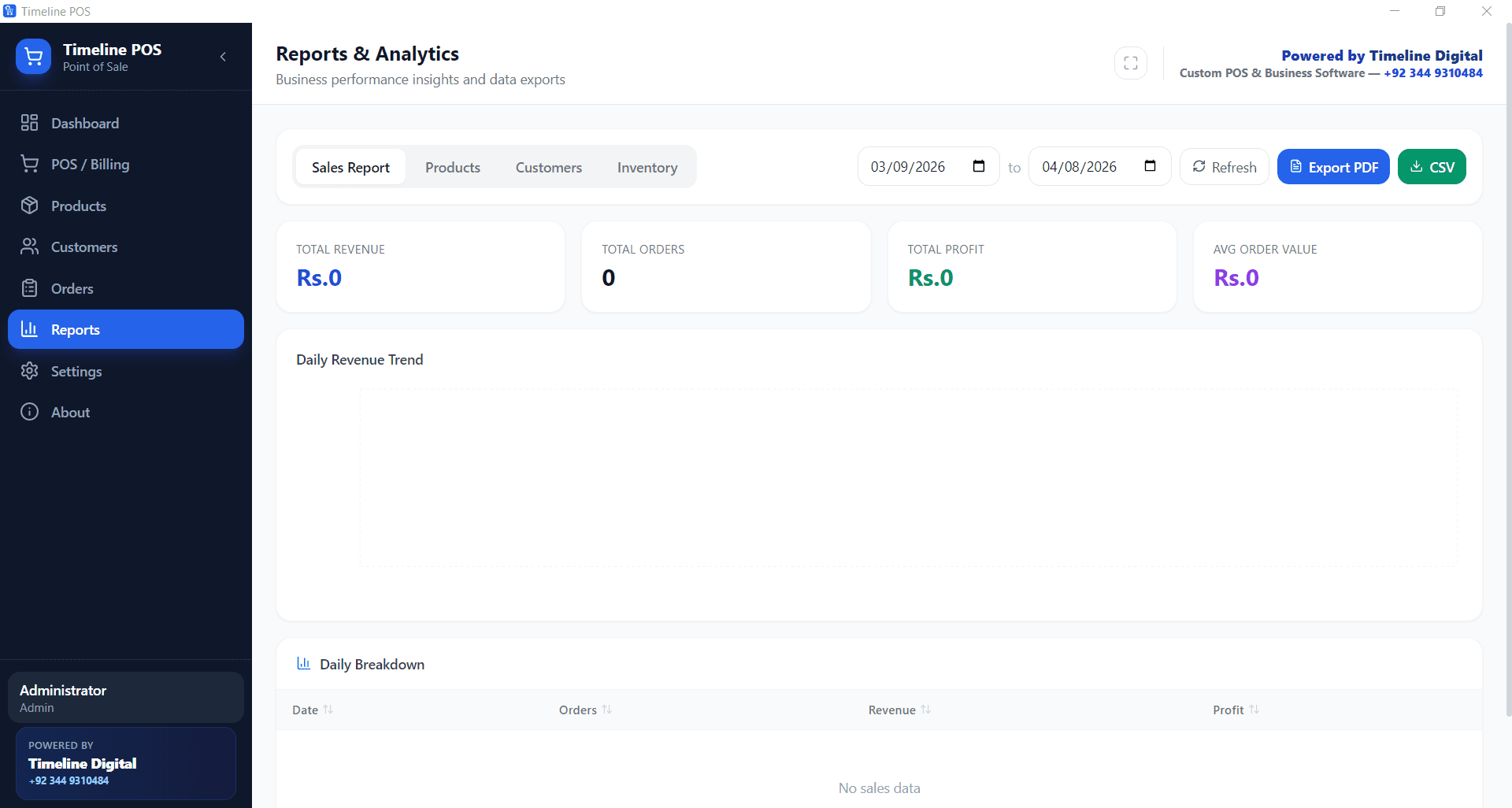
This is the same inventory management and POS software behaviour whether you sell hardware, clothes, cosmetics, or packaged food. The catalog can hold thousands of SKUs and search stays instant, so a shop with a deep product list rings items as fast as a small one.
For a walk through of stock control on the free app, read inventory management with a free POS system. Running a grocery or mini mart? The same setup is covered in free POS for grocery stores.
When do you need a custom retail management platform?
The free app fits a single shop well. Once you run several branches, a loyalty scheme, or an online store that has to stay in step with the counter, you need a retail management platform built to your rules. That is the custom software side of Timeline Digital.
Option B: a custom build
- Multi store stock: one view across two or more branches, with transfers between them.
- Loyalty and store credit: points, member pricing, and gift cards tied to customer records.
- E commerce sync: keep shop stock and an online store in step so you never oversell.
- Purchase orders and suppliers: reorder, receive stock, and reconcile against invoices.
- Role based access and audit trails for teams with several cashiers and managers.
- Integrations with accounting software, payment gateways, and SMS or delivery providers.
Free Timeline POS vs a custom retail platform
| What you need | Free Timeline POS | Custom platform |
|---|---|---|
| How it starts | $0 to download and run | A free pilot of 2 to 3 key modules |
| Setup | Install and add products yourself | Built and configured for you |
| Number of stores | One till or shop | Multi store, head office view |
| Loyalty and gift cards | Not built in | Built to your rules |
| Online store sync | Not built in | Yes, kept in step |
| Custom modules | Fixed feature set | Anything your workflow needs |
| Runs offline | Yes | Yes, or cloud, your choice |
| Best for | Single shops starting out | Chains and growing retailers |
Timeline POS is our own product: we design, build and publish it ourselves, which is the retail proof we can show you. We can also add branch or loyalty modules on top of the free app you already run.
Test a custom retail build before you commit
Before you commit to the full project, we build 2 to 3 of your key modules as working software, free of charge, ready in about 2 days. Your team tests the pilot, and the full build starts only after you approve it.
See how the free pilot worksUnderstand
We learn your requirements and how your organisation works today.
Select pilot modules
Together we choose 2 to 3 key modules that prove the solution.
Build the working pilot
We build those modules as real, working software, free of charge.
You test it
Your team uses the pilot. The full project starts only after you approve it.
What we can show you
Timeline POS is retail software we design, build and publish ourselves: point of sale, inventory, barcode search and reporting, free for Windows and running offline. It is the clearest proof we can offer of how we think about counters, stock and daily reports. For chains that need more, the same thinking goes into a custom platform, and the free pilot lets you test 2 to 3 of its key modules before you commit.
- Timeline POS product page: features, screenshots and the current version
- Timeline Restaurants POS: our own free POS for cafés and restaurants
- How We Work: the five steps and the free pilot
How delivery works
Delivered remotely from our Islamabad headquarters, with scheduled video meetings in your working hours; on-site visits only when agreed in the contract.
Office hours: Monday to Friday, 9:00 to 18:00 Pakistan time (PKT, UTC+5).
Behind every project is a company with 1,200+ developers and 85+ management professionals, including group-company employees. Every build follows the same five steps, and the full project starts only after you approve the free pilot.
Retail management software questions
What is retail management software?
Retail management software runs the day to day of a shop from one screen: it rings up sales at the counter, tracks how much stock you have of each product, scans barcodes, records customers, and prints reports at close. Instead of a cash drawer plus a stock spreadsheet plus a separate sales tally, one app holds all of it. Timeline POS is a free retail management system for Windows that covers point of sale, inventory, barcode search, and sales reporting in a single download you install on your own PC.
Which POS and inventory management software is best for a small shop?
For a small shop that wants zero software cost, Timeline POS is a practical pick: it is free, runs on any Windows 10 or 11 PC, and combines POS and inventory management in one app with no product limit. You get barcode checkout, stock counts, low stock alerts, cost and selling price per item, and daily reports. If you outgrow a single till, for example you open a second branch or want loyalty and online sync, Timeline Digital can build a custom retail management platform on top of the same ideas.
Is there free retail management software for Windows?
Yes. Timeline POS is free retail management software for Windows, published by Timeline Digital as a download you install on your own PC. There is no account, no monthly fee, no per transaction charge, and no cap on products or sales. It runs fully offline once installed. Timeline Digital gives the app away to introduce its paid custom development work, so the free version stays genuinely free rather than a locked trial. You can download it, add your products, and start ringing sales the same afternoon.
Does the retail system combine POS with inventory management?
Yes. Timeline POS is built as POS and inventory management software in one, not two separate tools. Every time you ring a sale, the stock count for that product drops automatically, so the inventory figure you see is the real one. You set a cost price and a selling price on each item, define low stock alert levels, and search the catalog by name, SKU, or barcode. Sales and stock share the same database on your PC, which is what lets the reports show revenue, units sold, and margin together.
Can retail management software track stock by product and barcode?
Yes. Each product in Timeline POS carries its own barcode, SKU, cost, selling price, and stock count. At checkout you scan the barcode with a standard USB scanner or type a few letters of the name, and the item drops into the cart with its price. When the sale completes, the stock for that product falls by the quantity sold. You can set a low stock alert level per product so fast movers flag on the dashboard before the shelf empties. Slow items and margins show up in the reports, so you reorder on real numbers.
What is the difference between a POS and a retail management system?
A POS, or point of sale, is the part where you ring up a sale and take payment. A retail management system is the wider tool that includes the POS but also handles inventory, barcodes, customer records, and reporting. Put simply, every retail management system contains a POS, but not every POS tracks stock or shows you margin. Timeline POS blurs the line by shipping the checkout and the inventory together for free. For chains that also need multi store stock, loyalty, and online sync, that is where a custom retail platform comes in.
Does it run offline without internet?
Yes. Timeline POS is a desktop app that runs fully offline on your own Windows computer. Sales, inventory, customer records, and reports are all stored locally, so the register keeps working with no internet at all. This matters on a busy day when the connection drops: checkout, barcode search, and stock updates carry on as normal, and nothing is stuck waiting on a cloud you do not control. You only need internet to download the installer the first time, and later if you want to send reports out or back up your data.
POS + inventory, one app
Start free, grow into custom when you need it.
Download the free retail management system for Windows, or ask us to build a bigger one.