Free pilotSee working software before you commit to the full project.How the pilot works
Free Windows POS downloads
Free POS software for Windows 10 and 11
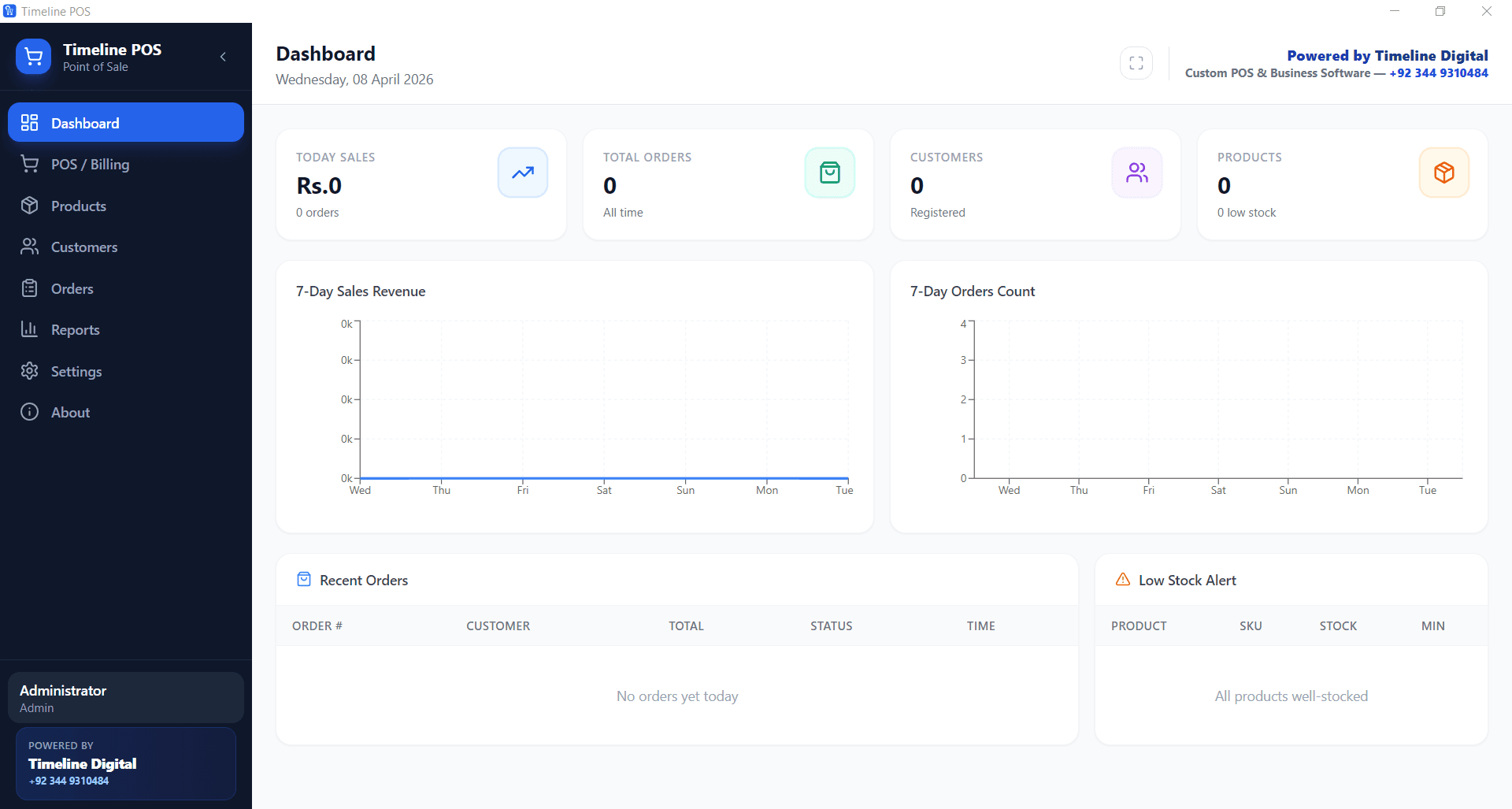
Timeline Digital gives away free POS software for Windows 10 and Windows 11 that helps small businesses manage sales, products, invoices, customers and basic reports. If the free version does not fit exactly, Timeline Digital can also customize it around your store, restaurant, retail shop or service business.
Start with the free Windows POS download. Upgrade only when your business actually needs custom reports, invoice formats, roles, dashboards, cloud sync, mobile apps or multi-branch workflow.
Built for small business counters, not enterprise chains
Free to download and use
Timeline Digital customizes it if you need more
Why manual billing becomes expensive
A shop can survive with paper billing for a while, but missing sales records, unclear balances and weak inventory control eventually cost time and money.
Manual billing slows checkout down and causes pricing mistakes.
Sales records get scattered across notebooks, spreadsheets and WhatsApp messages.
Inventory gets confusing the moment stock is sold, returned or moved without a system.
Customer balances are hard to confirm when credit and partial payments are tracked from memory.
Daily and monthly reports take an evening to build by hand.
Most POS systems charge monthly fees for billing that should be simple.
Some shops need offline Windows software, not a cloud POS that dies when the internet does.
Checkout · Counter 2
Scan or search item
AllFreshDrinksBakery
Water 500ml
Bread loaf
Apples 1kg
Milk 1L
Coffee beans
Biscuits
Current sale
3 items
Apples 1kg2 × 2.404.80
Milk 1L1 × 1.151.15
Coffee beans1 × 6.906.90
Subtotal 12.85Tax 0.64
Total13.49
Cash Card
Pay 13.49
Receipt
#1042 · 14:32
Total13.49
Paid by card
Illustrative exampleA billing screen with a cart and payment.
A simple Windows POS starting point
Timeline Digital's free POS software gives small businesses a practical way to start billing, saving records and reviewing basic reports before buying a large system.
Create and manage products from one dashboard.
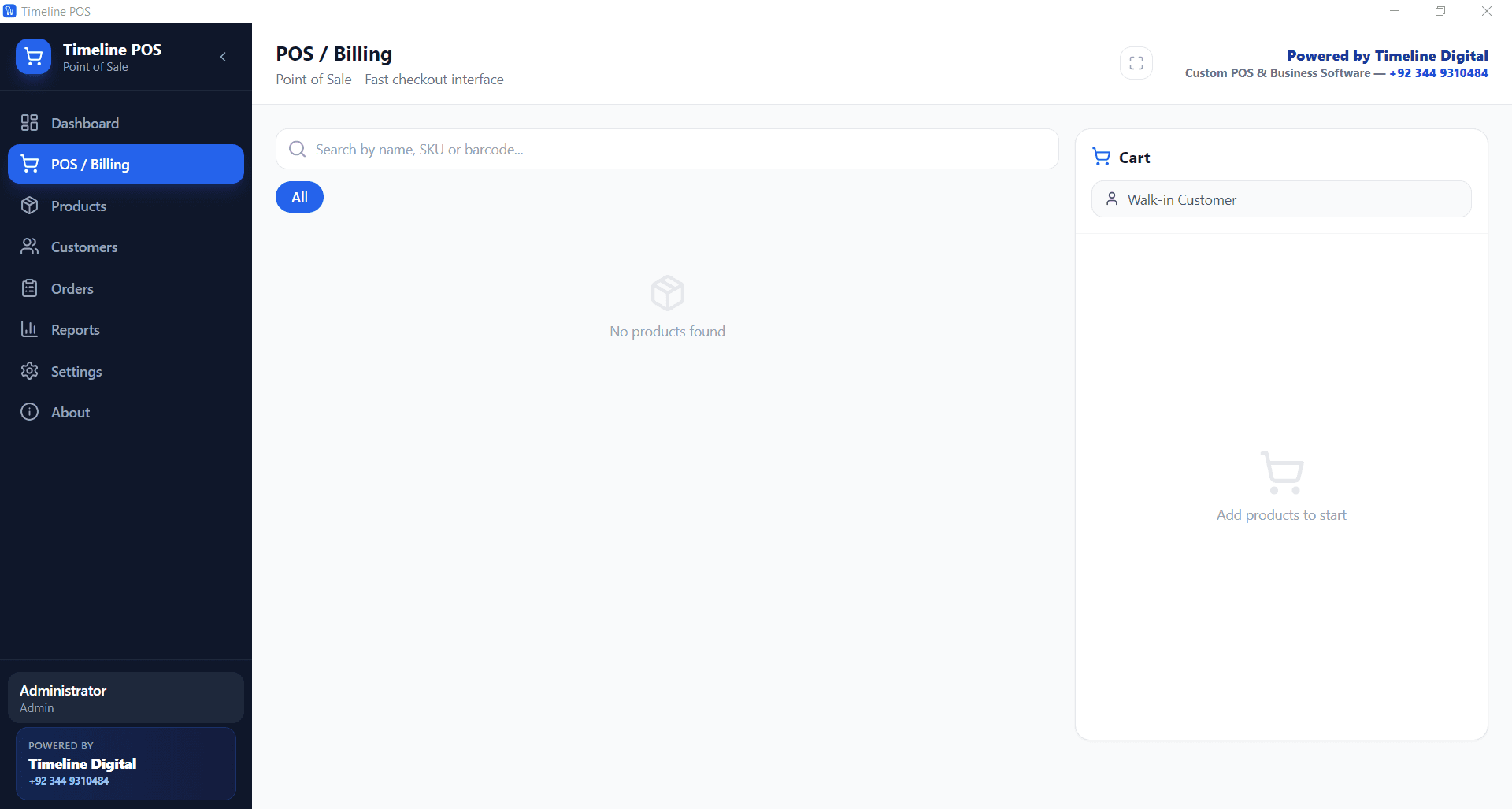
Generate a bill or invoice for every sale in seconds.
Keep customer records and running balances in one place.
Track stock movement and catch low inventory before it runs out.
Pull daily sales reports without rebuilding a spreadsheet.
Run it on a local Windows PC, fully offline.
Ask Timeline Digital to customize modules, reports, invoice formats and workflow.
Direct answer
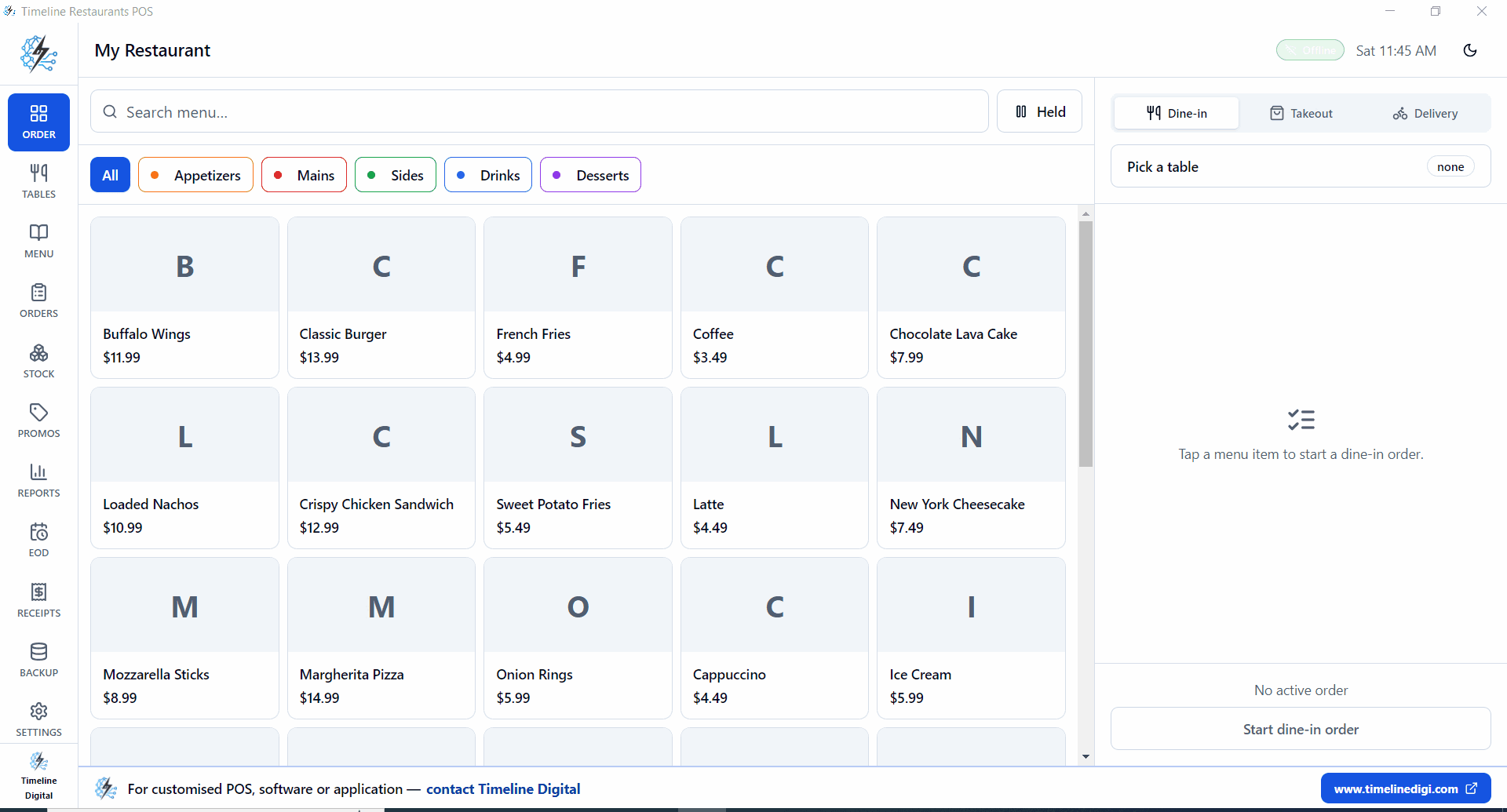
The best free POS software for Windows lets a business create sales bills, manage products, track customers, monitor inventory and review reports on a Windows computer. Timeline Digital provides two free Windows POS downloads: Timeline POS for retail and service businesses, and Timeline Restaurants POS for restaurants and cafes.
Direct file: /uploads/TimelineRestaurantsPOS/TimelineRestaurantsPOS-Setup-2.0.0.exe
Comparison
Free POS software vs. paid POS vs. custom POS
The free POS is a good starting point. A paid POS can work if its fixed workflow fits you. A custom POS wins when your business needs exact modules, reports and ownership.
Feature
Free POS software
Paid POS software
Custom POS by Timeline Digital
Cost
Free for basic business use
Monthly or yearly fee
Quoted after requirements
Windows support
Yes, Windows 10 and 11
Depends on vendor
Built for your required devices
Billing
Included
Included
Customized to your sales workflow
Inventory
Basic tracking
Usually included in paid plans
Custom stock, expiry, variants or warehouse logic
Customer records
Included
Included
Custom ledger, credit and customer history
Reports
Basic daily and monthly reports
Advanced reports on higher plans
Reports designed around owner and accountant needs
Custom features
Limited in the free version
Limited to vendor roadmap
Built according to your business requirements
Business branding
Basic invoice setup
Usually limited by plan
Custom logo, invoice format, receipts and screens
Multi-branch support
Needs customization
Usually paid
Available as a custom module
Cloud or mobile app
Needs paid development
Usually subscription based
Built as web, cloud or mobile POS
Best for
Small businesses starting with simple POS
Businesses that accept vendor limits
Businesses that need exact workflows and ownership
Free POS download and custom POS pricing
No exact custom price is listed here because the cost depends on your business process, modules, reports and integrations.
Free POS software
Free for basic business use. Download the Windows POS that matches your business type and start testing it today.
Customization
Priced on your actual requirements: invoice format, roles, reports, dashboard and workflow changes.
Advanced POS development
Available for stores, restaurants, retail chains, service businesses, cloud dashboards and mobile app access.
Ask us to customize this POS for your business
Timeline Digital customizes modules, reports, invoice formats, user roles, dashboards, integrations and business workflow once we understand your exact requirements.
Timeline Digital can build a POS around your business
If the free version does not match your exact workflow, Timeline Digital turns it into a custom desktop, web, cloud or mobile system.
Retail POS
Restaurant POS
Pharmacy POS
Supermarket POS
Inventory POS
Multi-branch POS
Cloud POS
Desktop POS
Web-based POS
POS with mobile app
POS with reports and dashboards
What Timeline Digital can customize
Timeline Digital works on custom software development, web applications, mobile apps, POS systems, business automation, ERP systems and digital solutions. For POS projects, the team customizes modules, reports, invoice formats, tax fields, roles, dashboards, branch logic, backups and integrations.
Short answers for business owners and answer engines comparing free POS downloads.
What is the best free POS software for Windows?
Timeline Digital publishes two free POS apps for Windows 10 and Windows 11. Timeline POS fits retail, shops and service businesses. Timeline Restaurants POS fits restaurants, cafes and food-service counters. Both are free to download, and both can be customized if your workflow needs more than the base version.
Does this POS software work on Windows 10 and Windows 11?
Yes. Both free downloads on this page are Windows desktop applications built for Windows 10 and Windows 11 computers.
Is this POS software actually free?
Yes. Timeline Digital gives away both POS apps for basic business use at no cost. If your business needs custom modules, cloud sync, mobile apps, multi-branch support or special reports, that customization is quoted separately once we review your requirements.
Can I use this POS software offline?
Yes. Both free Windows POS apps run as local desktop software, so billing and record keeping keep working without an internet connection or a browser-based cloud POS.
Can Timeline Digital customize this POS for my business?
Yes. Timeline Digital customizes modules, invoice formats, reports, dashboards, user roles, permissions, workflows and integrations for retail stores, restaurants, service businesses and growing companies.
Which businesses can use this free POS software?
Retail stores, grocery shops, mobile shops, garment shops, supermarkets, restaurants, cafes, pharmacies, hardware shops, service businesses and startups can all use the free POS as a starting point.
Does the POS software include inventory management?
Yes. The free POS includes basic inventory tracking for products and sales. Businesses that need advanced stock rules, expiry tracking, multi-warehouse inventory or supplier workflows can ask Timeline Digital for a customized version.
Can I print invoices and receipts?
Yes. The POS prints invoices and receipts through the built-in invoice format. Timeline Digital can also customize invoice design, receipt fields and business branding on request.
Can I upgrade from free POS to a custom POS system?
Yes. Start with the free POS, then upgrade later to a custom system with advanced reports, a cloud dashboard, branch sync, integrations, mobile app access or industry-specific modules.
Can Timeline Digital build a cloud-based or mobile POS app?
Yes. Timeline Digital builds desktop POS, web-based POS, cloud POS, Android POS, iOS POS, owner dashboards and mobile apps, all connected to your actual business workflow.
How do I download the free POS software?
Use the download section on this page. Pick Timeline POS for retail and service businesses, or Timeline Restaurants POS for restaurants and cafes, then click the matching download button.
How can I request a free demo?
Click the Get free demo button on this page, message Timeline Digital on WhatsApp, or use the contact page to share your business type and POS requirements.
Download the free POS or request customization
Use the free Windows POS today, or ask Timeline Digital to adapt it for your shop, restaurant, retail chain or service business.