Excel vs Manufacturing Software: When Should a Small Factory Switch?
Excel is fine for a small factory until stock has to change every time production happens. Here is where spreadsheets work, where they break, and the three stages most factories move through.
Excel is enough for a small factory while one person keeps the records and few orders are open. It fails when stock must change every time production happens, because a spreadsheet does not update itself. The usual path has three stages: a spreadsheet, a free offline app on one computer, then a custom system for several people or sites.
Almost every small factory starts in a spreadsheet, and that is a sensible place to start. The question is not whether Excel is good or bad. It is which jobs a spreadsheet does well, which jobs it does badly, and what the signs are that you have moved from the first group into the second.
Is Excel good enough for production planning in a small factory?
For many workshops, yes. A spreadsheet costs nothing extra, everyone in the office already knows how to use it, and it can be shaped to any layout you like. It works well when these things are true.
One person keeps the records, so there is never a question of whose copy is right.
You make a small number of products, and each has a short list of materials.
Only a few orders are open at the same time, so you can see all of them on one screen.
Stock is checked by walking to the store, not by trusting a number in a file.
A spreadsheet is also the right tool for some jobs at any size: working out a price, comparing two suppliers, a one-off calculation, or a chart for a meeting. Nothing in this article suggests giving those up.
Where do spreadsheets break in manufacturing?
Spreadsheets break at the point where one event has to change several records. Production is full of events like that.
Stock does not update itself. When 10 gates are finished, the steel tube figure should go down by 60 m, the welding wire figure by 2.5 kg, and the finished gates figure up by 10. In a spreadsheet, a person has to remember to make all three changes. On a busy day they do not, and from then on the stock sheet and the store disagree.
Nothing is held for a job. A stock sheet shows 100 m of tube. Two jobs each need 60 m. Both look possible until the second one runs out halfway through. A spreadsheet has no simple way to say "60 m of this is already spoken for".
Two people cannot safely edit it. Once the file is emailed around or copied to a second computer, there are two versions. Shared spreadsheets help, but one person can still overwrite or sort away another person's work without anyone noticing.
There is no history of changes. A cell shows today's number. It does not show that the number was 140 last Tuesday, or which delivery or job changed it. When the figure is wrong, there is no trail to follow back.
Formulas fail quietly. A row inserted in the wrong place, a number typed over a formula, a range that stops one row short: the sheet still shows a figure, and nothing warns you that it is wrong.
None of these is a fault in Excel. A spreadsheet is a calculator with a grid. It was not built to keep a running record of stock.
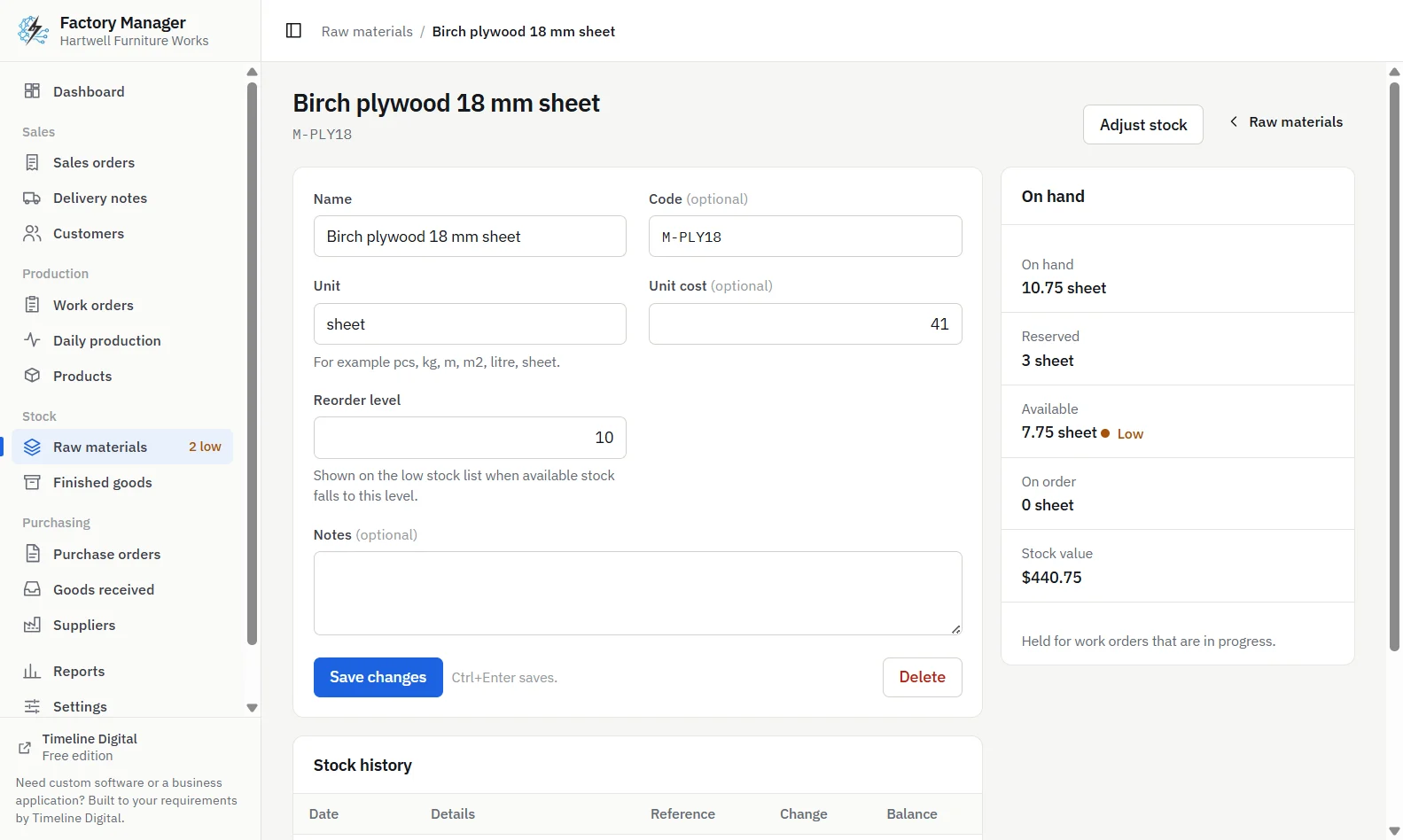
Timeline Factory Manager, raw material page with stock history, running balance and links to each document
Excel vs manufacturing software: a comparison
This table compares a spreadsheet with the two kinds of software a small factory usually moves to. The middle column describes Timeline Factory Manager, a free offline desktop app, and says only what that app does.
Job
Spreadsheet
Free offline app on one computer
Custom system
Stock after production
Changed by hand
Changes when a work order is completed
Changes as work is recorded
Material held for a job
Not shown
Reserved when a work order starts
Reserved, to your own rules
Shortage check before starting
You compare figures yourself
Starting is refused and each short material is named
Built to your process
Stock history
Today's figure only
Every change is a recorded movement with a running balance
Movements plus who made each change
Printed documents
Your own templates
Seven, including job card, purchase order and delivery note
Designed for you
Several people at once
Risky
No: one computer, one user
Yes, with logins and permissions
Flexibility
Any layout you like
Fixed screens
Built to your requirements
Price
Usually already on the office computer
Free
Agreed after a free pilot
Be clear about one row. The free app records every stock change as a movement, with a history and a running balance for each material and product, and a link to the document behind each line. It does not record which person made a change, because it has one user and no logins. If you need to know who changed what, that is a feature of a multi-user system.
What are the three stages a small factory moves through?
Stage 1: a spreadsheet
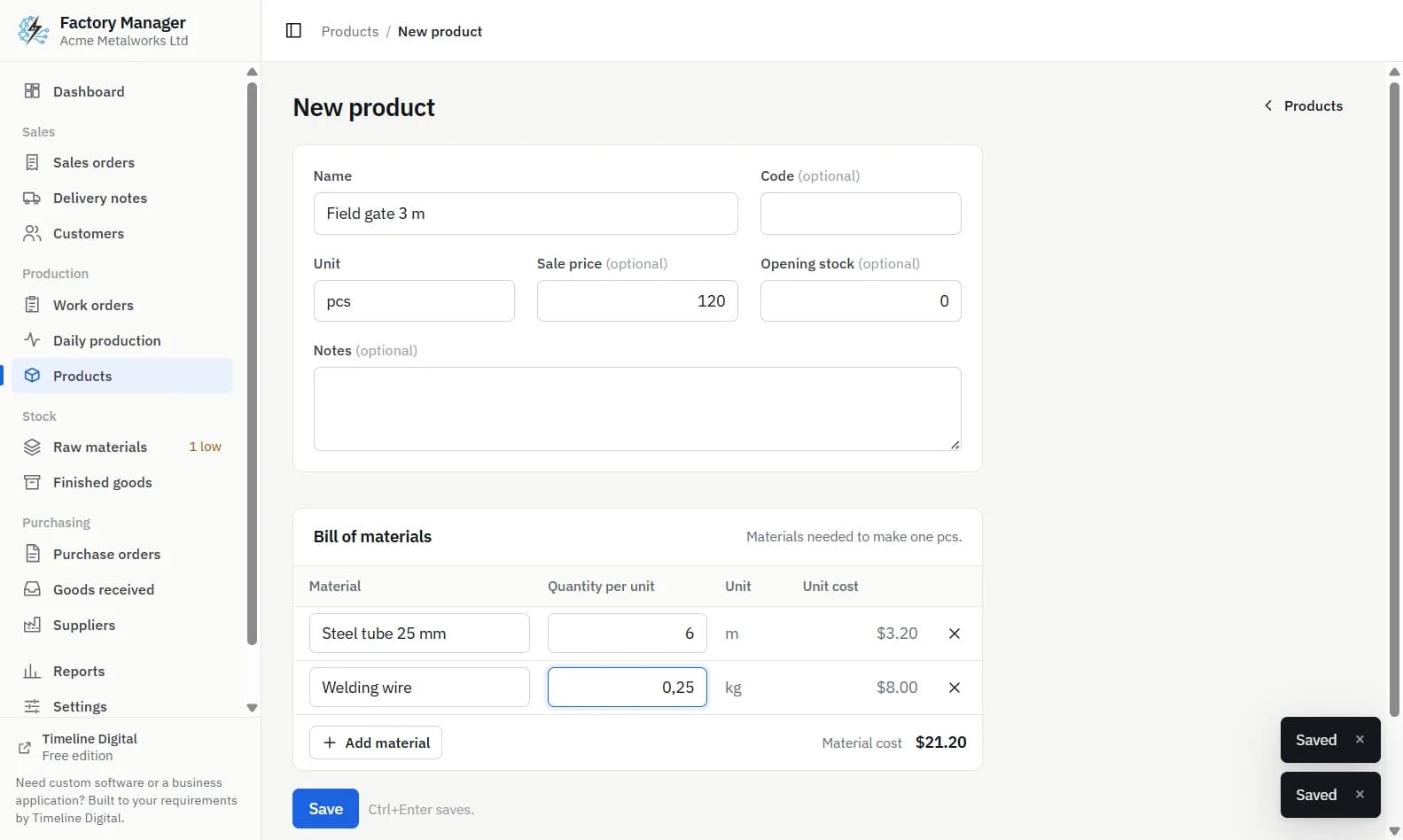
One person, a few products, a few open orders. Keep a product list, a materials list, an order list and a simple stock sheet. Write down each product's bill of materials now, even in a spreadsheet tab, because every later stage depends on it.
Stage 2: a free offline app on one computer
You are ready for this stage when the stock sheet and the store keep disagreeing, when jobs stop because a material ran out, or when a customer asks where their order is and it takes ten minutes to answer.
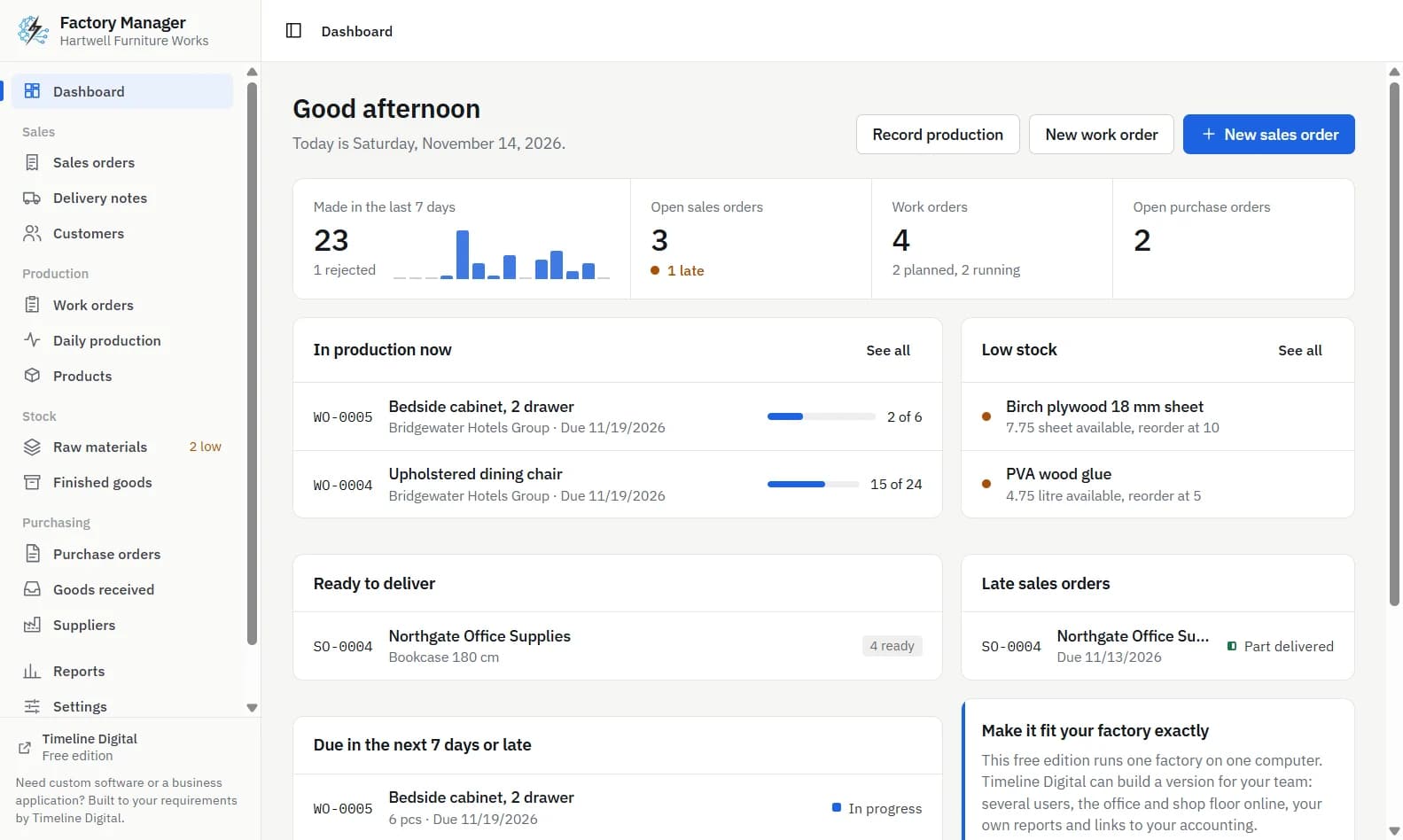
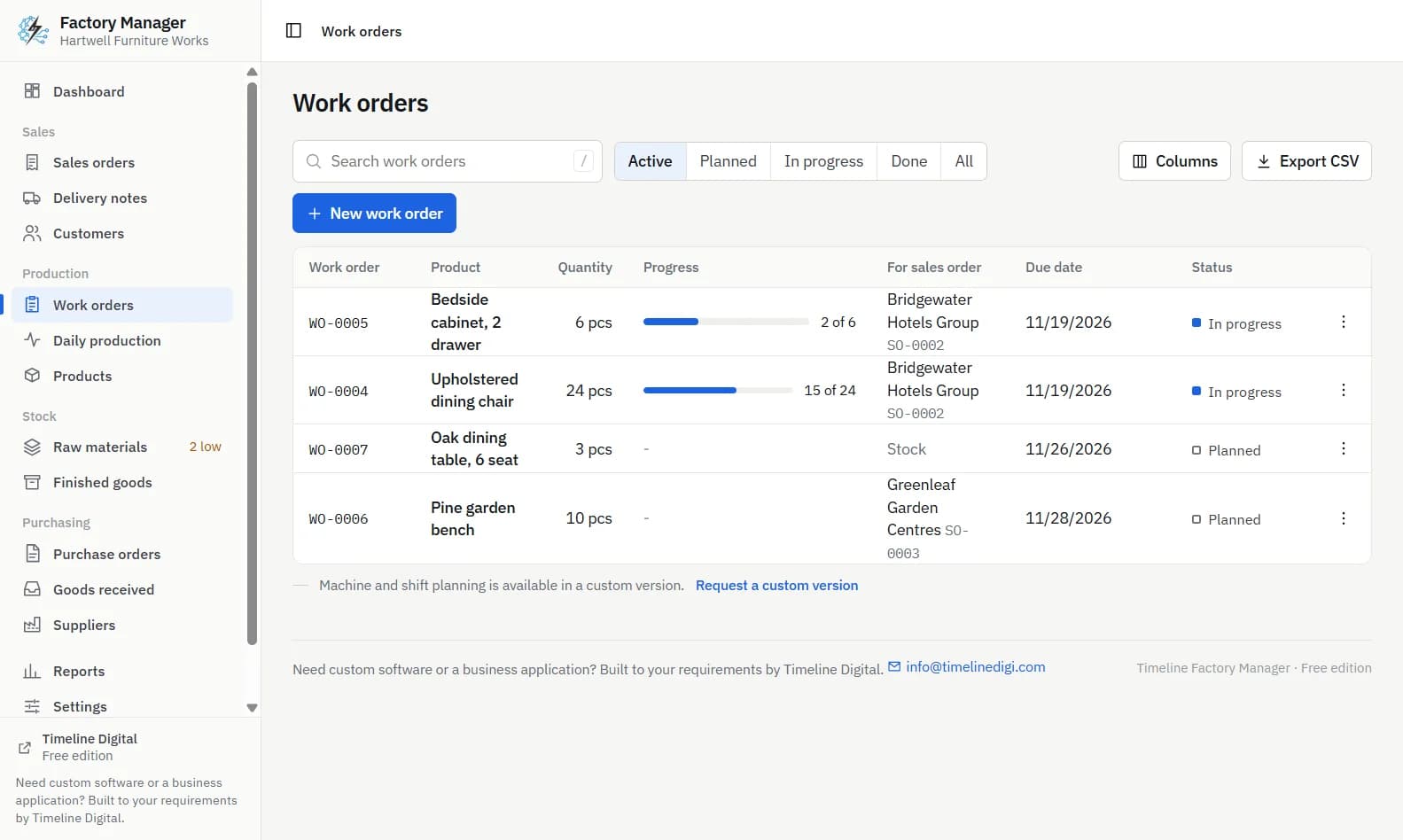
Timeline Factory Manager is a free offline desktop app by Timeline Digital for small factories and workshops with about 10 to 200 staff. It runs on Windows 10 and 11 (64-bit) and on Macs with Apple silicon, with no account and no internet connection needed. It follows one order from start to finish: sales order, Make work orders, Start (which reserves materials), Daily production, Complete (materials leave stock and good units enter finished goods) and a delivery note. Purchasing has purchase orders, Receive goods and an Order low stock button.
You are ready for this stage when the work no longer fits on one computer: a storekeeper, a production supervisor and a sales clerk all need to enter data at the same time, or there is a second site, or operators need to record production at the machine. The free app does not do this, and neither does a spreadsheet. This is where a system is built around your own process.
How do you move from Excel to a free app without retyping everything?
You do not have to start from an empty screen. Timeline Factory Manager imports products, raw materials and customers from CSV files, which Excel can save.
In the app, click Import CSV on the Products, Raw materials or Customers list.
Click Save a template to get a file with the right column headings.
Copy your existing lists into the template and save it as CSV from Excel.
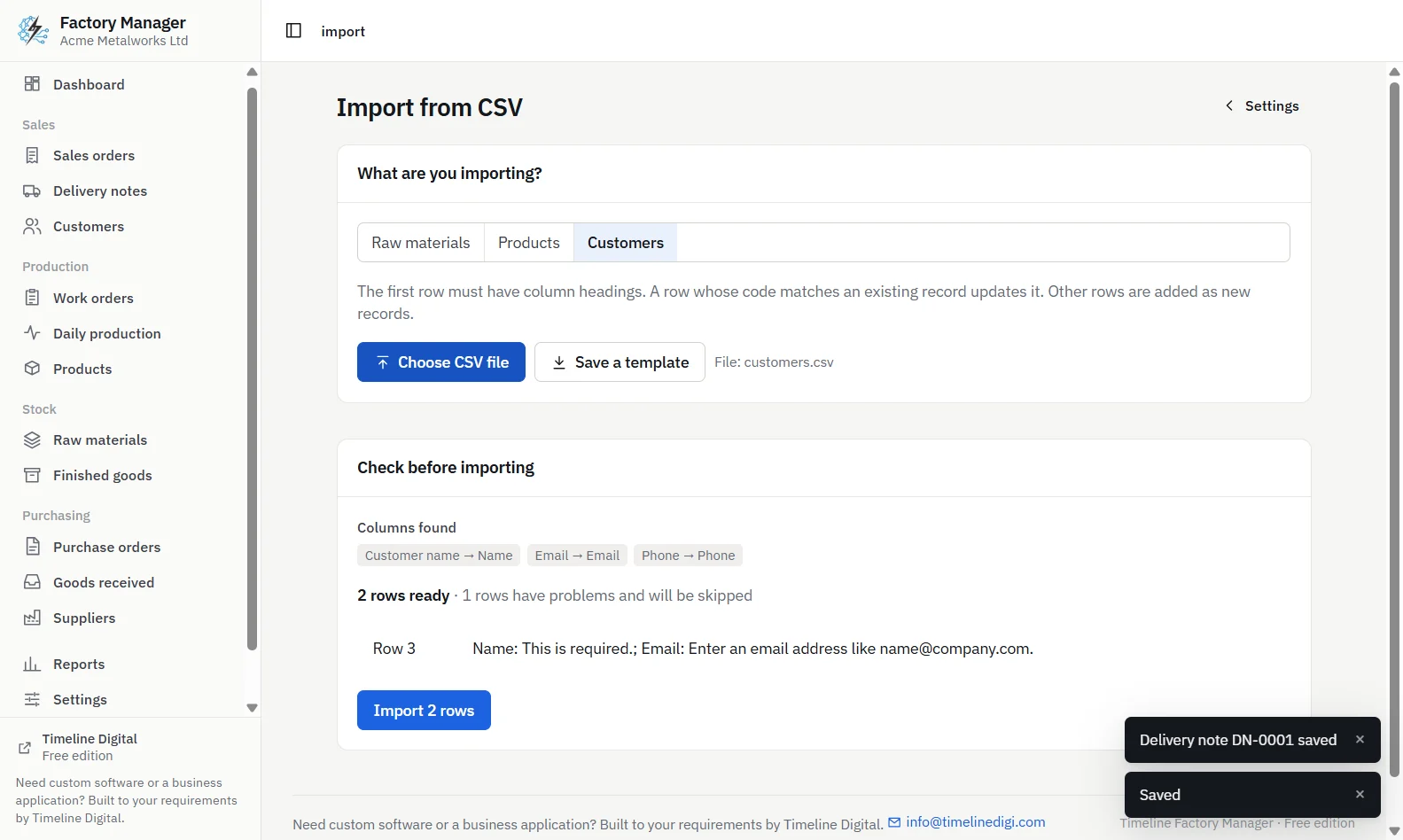
Choose the file. A preview shows which columns were recognised and which rows have problems. Nothing is saved until you confirm.
Opening stock can be included for new products and materials. The import covers those three lists only, so suppliers and orders are entered in the app. Before using real data, you can choose Explore with sample data at first start, which loads a made-up furniture workshop to practise on.
Timeline Factory Manager, CSV import preview showing recognised columns and rows with problems before anything is saved
What should stay in Excel after you switch?
Quite a lot. Every list and every report in the app has an Export CSV button, so you can still open your data in Excel for charts, pivot tables or your own analysis. Quotations and invoices also stay where you make them today, because the free app does not produce either. The change is only that Excel stops being the place where stock is kept.
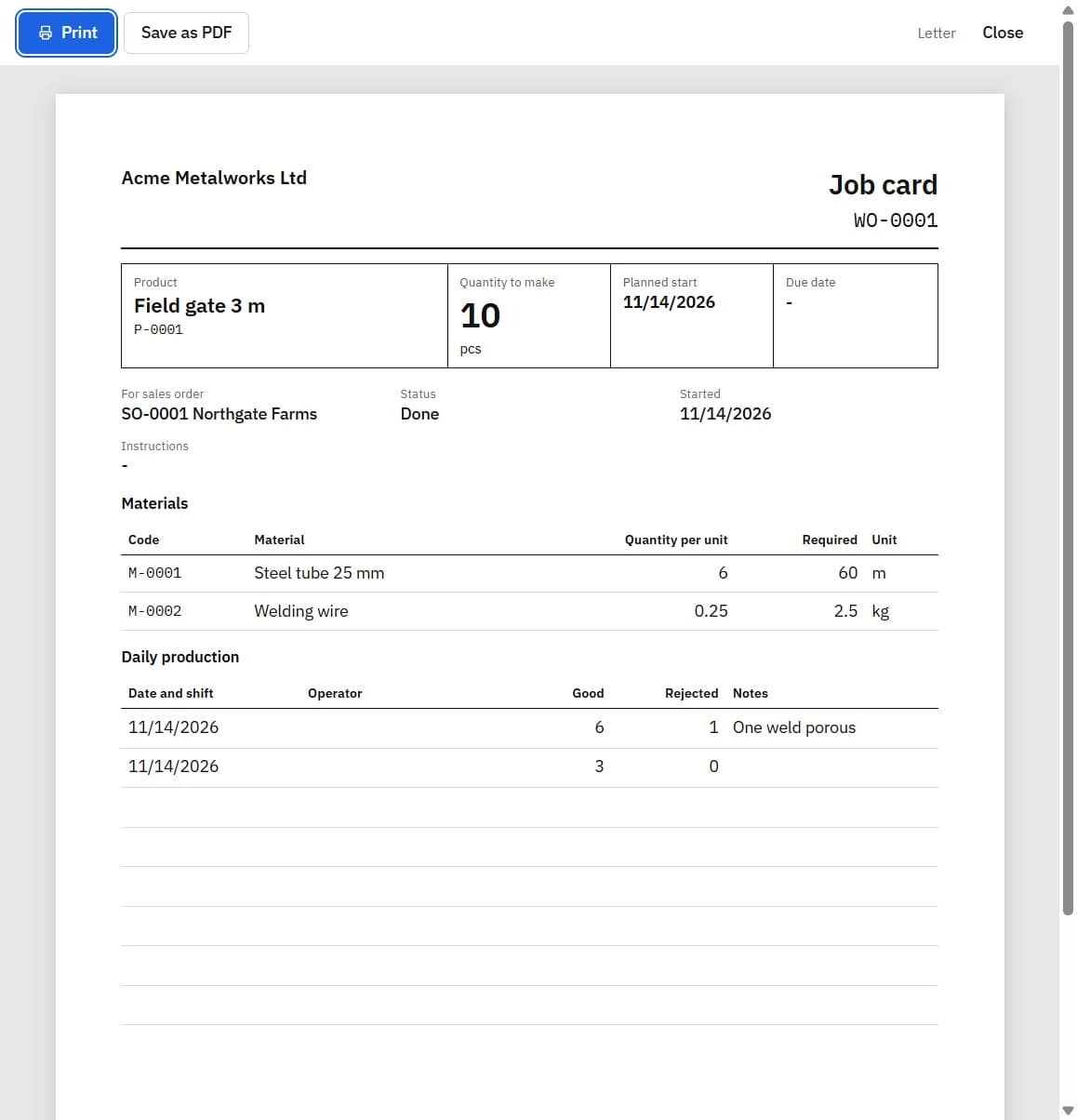
A good first test is the document your floor uses most. See how to make a job card for production for the same card made by hand, in a spreadsheet and from a work order.
When do you need more than the free app?
When several people need to work in the system at once, when you have more than one site or warehouse, or when you need job costing with labour, scheduling, traceability or a link to your accounting software. Timeline Digital builds custom manufacturing systems for those cases, starting with a free pilot so you can see it working on your own process first. Tell us where your spreadsheet is failing.
Frequently asked questions
Can I run a small factory on Excel?
Yes, while one person keeps the records, you make a small number of products and only a few orders are open at once. Excel handles lists, prices and calculations well. It becomes unreliable when stock must change every time production happens, because someone has to remember to update each figure by hand.
What are the problems with using Excel for production planning?
The main problems are that stock does not update itself when goods are made, nothing shows which material is already held for a job, two people cannot safely edit the same file, a cell keeps no history of earlier values, and a broken formula still shows a number without any warning that it is wrong.
When should a factory stop using spreadsheets?
The usual signs are that the stock sheet and the store keep disagreeing, jobs stop because a material ran out without warning, and it takes a long time to tell a customer where their order is. At that point a system that links orders, production and stock saves more time than it costs to set up.
Is there free manufacturing software that can replace Excel?
Timeline Factory Manager is a free offline desktop app for Windows and Apple silicon Macs that links sales orders, work orders, daily production, stock and purchasing on one computer for one user. It imports products, raw materials and customers from CSV files and exports every list to CSV, so you can keep using Excel for analysis.
Does the free app track who changed a stock figure?
No. Timeline Factory Manager has one user and no logins, so it does not record who made a change. It does record every stock change as a movement, and each material and product has a history with a running balance and a link to the document behind each line. User-level tracking needs a multi-user custom system.
Describe what is slowing your team down. We will help you work out what to build, and how a free pilot lets you judge our work before the full project.