What Is a Bill of Materials (BOM)? Definition and Worked Example
A bill of materials lists every material needed to make one unit of a product, with the quantity of each. Here is a plain definition, a worked example and the mistakes that make a BOM wrong.
A bill of materials (BOM) lists every raw material and part needed to make one unit of a product, with the quantity of each. For example, one 3 m steel field gate needs 6 m of steel tube and 0.25 kg of welding wire. It decides what you buy, what you issue and what a unit costs in materials.
Every factory has bills of materials, even if nobody has written them down. They may live in the owner's head, on a drawing, or in a spreadsheet tab. Writing them down properly is the first step towards knowing what to buy and what each product costs to make. This guide gives a plain definition, a worked example and the mistakes to avoid.
What is a bill of materials?
A bill of materials is a recipe for a product. It lists what goes into one unit and how much of each thing. A baker's recipe says "500 g of flour and 10 g of salt per loaf". A gate maker's bill of materials says "6 m of steel tube and 0.25 kg of welding wire per gate".
The important words are "one unit". A bill of materials is always written for a single unit of the finished product, or for one fixed batch. To find what a job of 10 or 500 needs, you multiply. That is what makes the BOM so useful: one short list answers the materials question for any quantity.
A bill of materials is not a price list, a stock list or a set of work instructions. It only says what a product is made from.
What does a bill of materials contain?
A basic BOM has a header that names the product and a line for each material.
Part of the BOM
What it holds
Example
Product name and code
The finished item this BOM is for
Field gate 3 m, P-0001
Product unit
What one unit of the product is
pcs
Material name and code
Each raw material or bought part
Steel tube 25 mm, M-0001
Quantity per unit
How much of the material one product needs
6
Material unit
The unit the quantity is measured in
m
Unit cost
What one unit of the material costs you
3.20 per m
Larger companies add more columns, such as a revision number, a drawing reference or an approved supplier. A small factory can start with the six above.
A bill of materials example
Here is a worked BOM example for a made-up metal workshop. The product is a 3 m steel field gate. The unit costs are example figures.
Material
Quantity per unit
Unit
Unit cost
Cost per gate
Steel tube 25 mm
6
m
3.20
19.20
Welding wire
0.25
kg
8.00
2.00
Material cost per gate
21.20
From this one table you can answer three questions.
What does one gate cost in materials? 19.20 plus 2.00, which is 21.20.
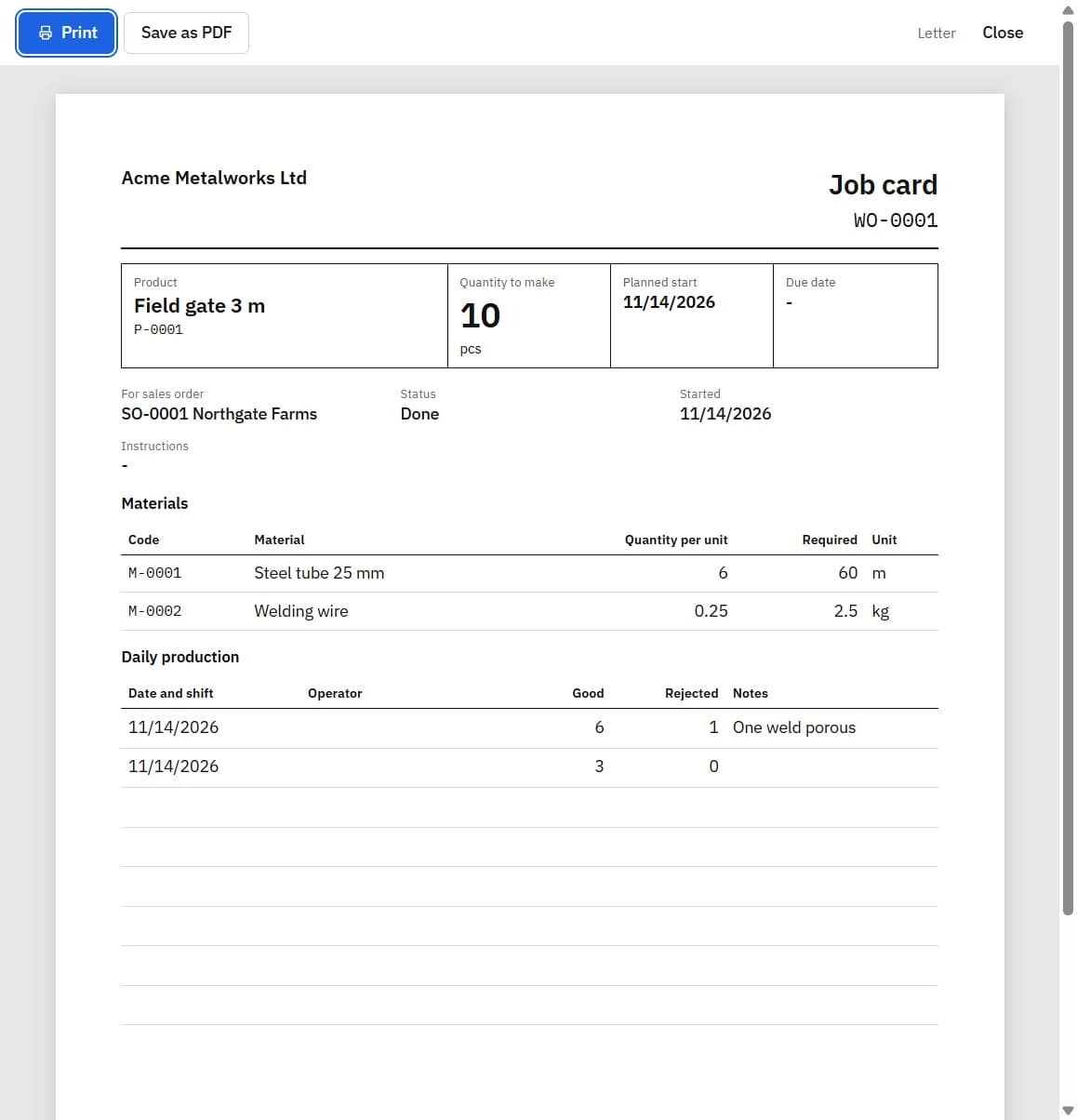
What does an order for 10 gates need? 6 m multiplied by 10 is 60 m of steel tube, and 0.25 kg multiplied by 10 is 2.5 kg of welding wire.
Can we start the job? Compare 60 m and 2.5 kg with what is available in the store.
A real gate would have more lines: hinges, a latch, primer, paint. The example is kept short so the arithmetic is easy to follow.
What is the difference between a single-level and a multi-level BOM?
A single-level BOM lists the raw materials and bought parts that go straight into the finished product. The gate example is single-level: tube and wire go in, a gate comes out.
A multi-level BOM has sub-assemblies. A sub-assembly is a part you make yourself, which has its own bill of materials, and which then goes into a bigger product. A dining table might be made from a table top and a leg frame. The table top has its own BOM (boards, glue, lacquer) and so does the leg frame (timber, bolts). The table's BOM then lists "1 table top, 1 leg frame" in place of the raw materials.
Single-level BOM
Multi-level BOM
Lists
Raw materials and bought parts only
Raw materials, bought parts and sub-assemblies you make
Suits
Products made in one stage
Products built from parts that are made and stocked first
Effort to keep
Low
Higher: each sub-assembly needs its own BOM and stock
If you do not keep stock of half-finished parts, a single-level BOM is usually enough. You can list all the raw materials of the table on one BOM and treat the table top and the frame as steps in the work, not as stock items.
What are the common bill of materials mistakes?
Most stock problems in small factories trace back to a bill of materials that is slightly wrong. These are the usual causes.
Missing consumables. Welding wire, glue, screws, thread, paint, sandpaper and packaging are easy to leave off because each unit uses so little. Over a month they add up, and the stock records never show where they went.
Wrong units. The BOM says 6 and means metres, but the material is stocked in lengths of 6 m, so someone reads it as 6 lengths. Use the same unit on the BOM that you use to count the material in the store.
No scrap allowance. Cutting leaves offcuts, and some material is spoiled. If a gate needs 5.8 m of tube but you always use 6 m by the time it is cut, the quantity per unit should be 6.
One BOM for two products. A 3 m gate and a 3.6 m gate need separate BOMs, even if they look alike.
Never updated. The design changes on the floor and nobody changes the BOM, so every job after that reserves and costs the wrong amounts.
A simple check: after a job, compare what the BOM said it should use with what actually left the store. A steady gap in one material means that line of the BOM needs correcting.
How does a BOM drive material reservation and cost?
Once the bill of materials is written down, two things follow from it.
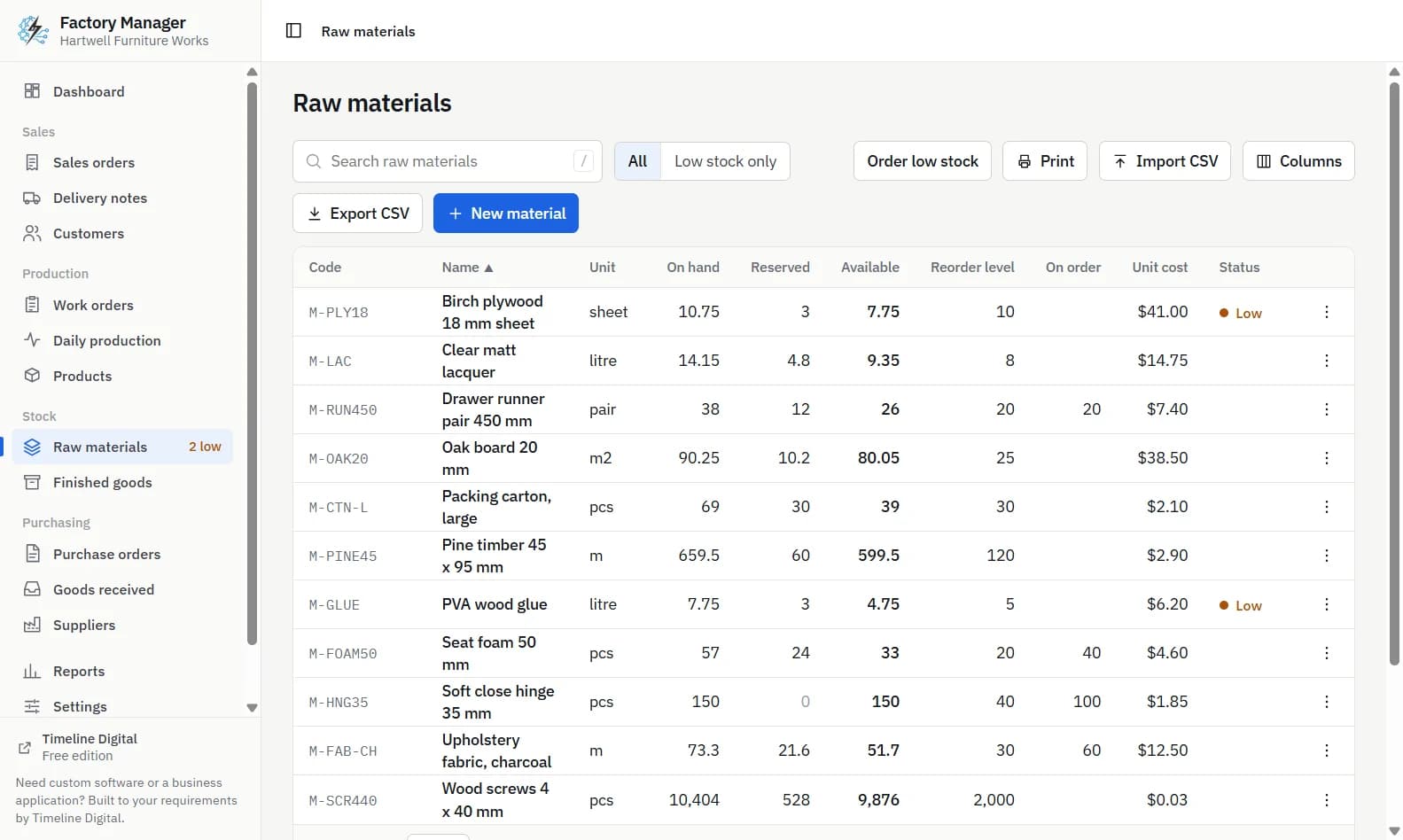
The first is reservation. When a job is about to start, the BOM multiplied by the job quantity is the amount of each material that should be held for that job, so another job cannot use it. Stock that is on the shelf but held for a job is "reserved". What is left is "available". The difference matters as soon as two jobs want the same material, and it is explained with numbers in how to track raw material stock and set a reorder level.
The second is cost. The BOM quantity multiplied by each material's unit cost gives the material cost of one unit. That is not the full cost of the product, because labour, machine time and overheads are not in it, but it is the part most small factories can work out with confidence.
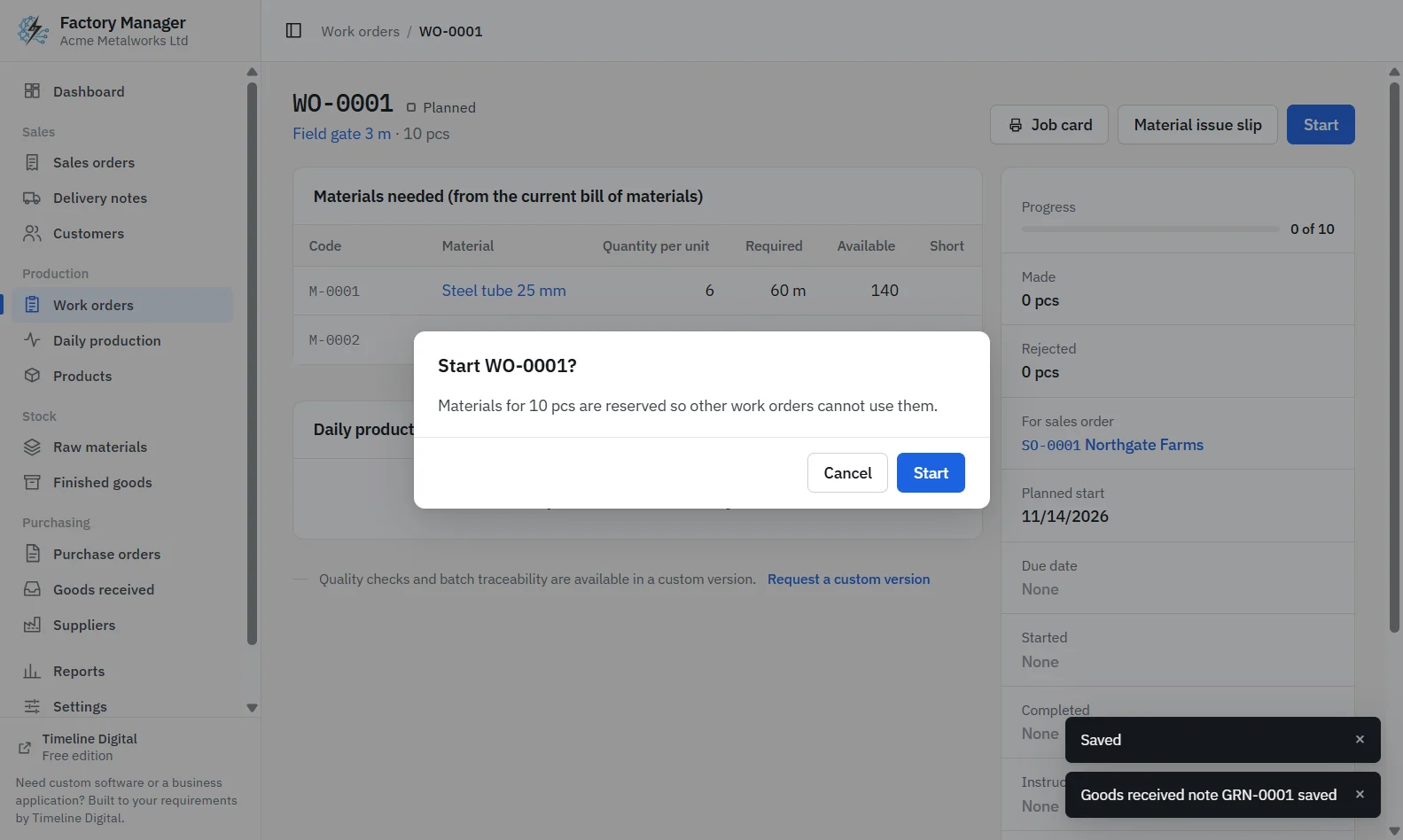
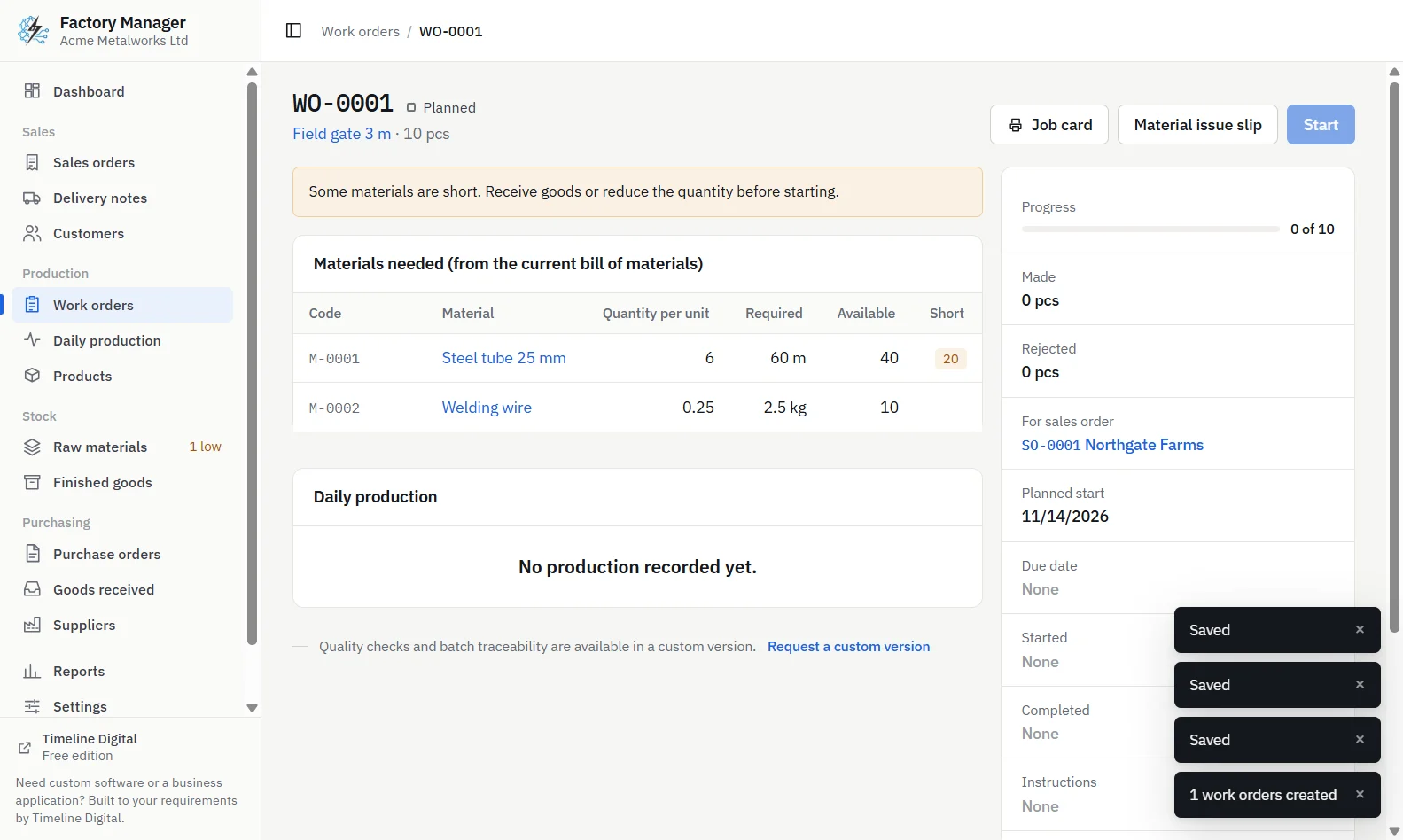
Timeline Factory Manager, confirmation before starting a work order, listing the materials that will be reservedTimeline Factory Manager, work order that cannot start because a material is short, naming the material and the missing quantity
How does Timeline Factory Manager handle the bill of materials?
Timeline Factory Manager is a free offline desktop app by Timeline Digital for small factories and workshops, for Windows 10 and 11 (64-bit) and Macs with Apple silicon. It runs on one computer for one user and needs no account and no internet connection. Each product in it has a bill of materials.
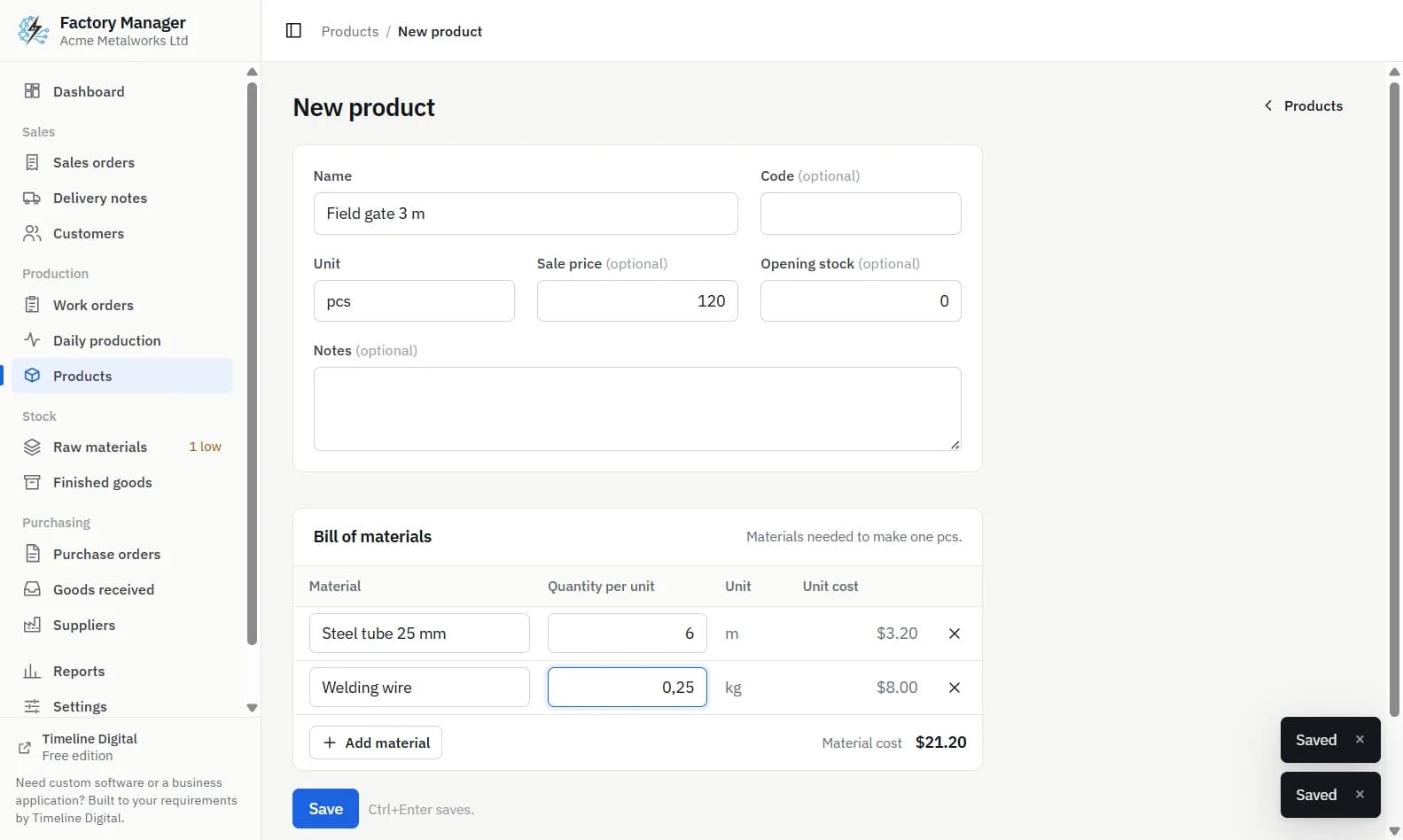
You add a product with its name, code, unit, sale price and opening stock, then list the raw materials and the quantity of each needed to make one unit.
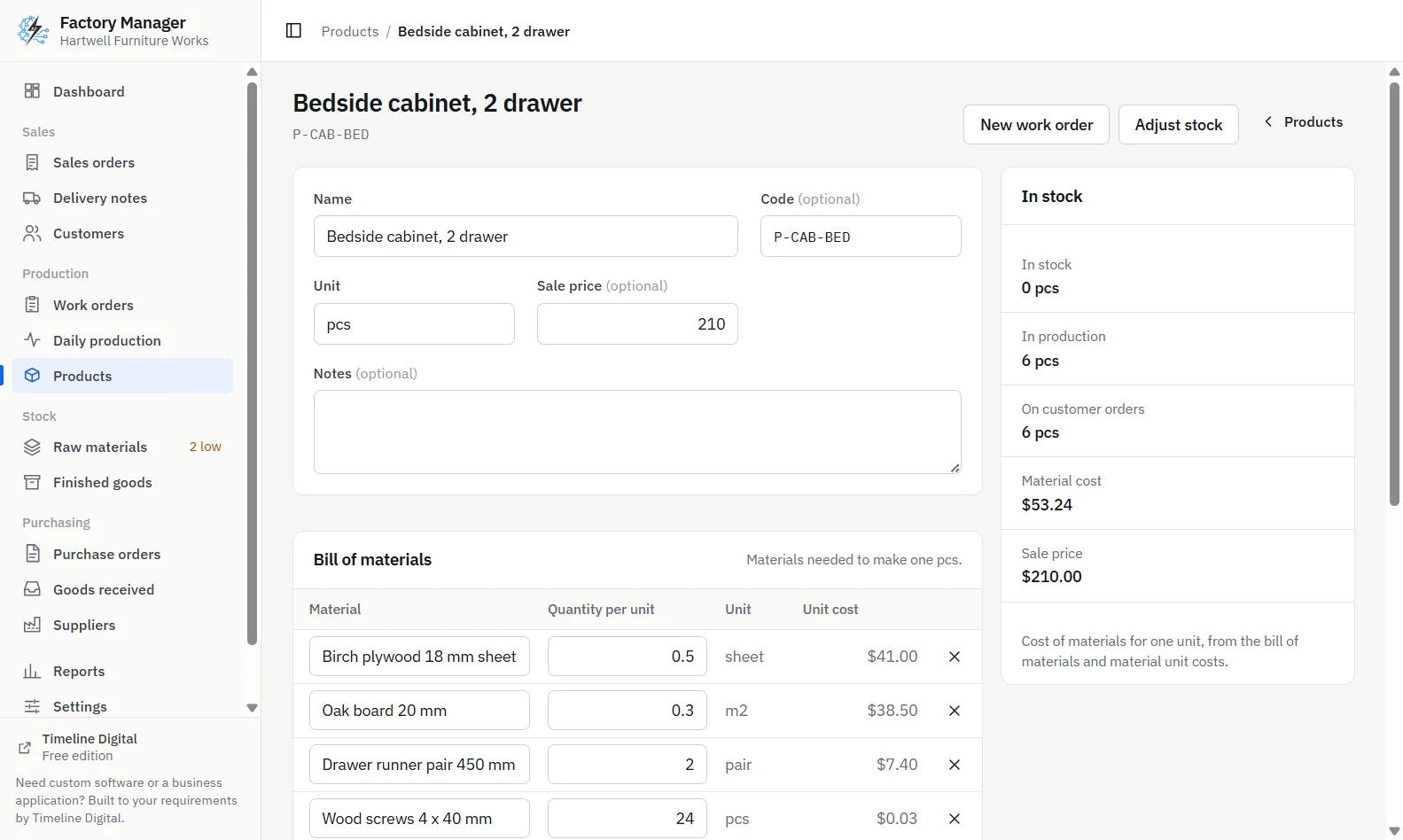
The app works out the material cost per unit from the bill of materials and each material's unit cost.
When you click Start on a work order, the materials from the BOM are reserved. If available stock is not enough, starting is refused and each short material is named.
When you click Complete, the materials used, for everything made and rejected, are taken out of stock, and the good units go into finished goods.
The printed job card lists the materials required for the job, worked out from the BOM.
Three limits are worth knowing before you set up your products. The app has single-level bills of materials only, with no sub-assemblies. It has no scrap-allowance field, so the quantity per unit you enter must already include your usual offcuts and waste. And each material has one unit cost, with no average or FIFO costing.
Timeline Factory Manager, product page showing its bill of materials, material cost per unit, stock and stock history
Who needs more than a single-level BOM?
If your products are built from sub-assemblies that you make and stock, or you need routings and operations, revision control, or full job costing with labour, the free app will not cover it. Timeline Digital builds custom manufacturing software with multi-level bills of materials and costing shaped to how your factory works, starting with a free pilot. Get in touch and describe your products.
Frequently asked questions
What is a bill of materials in simple words?
A bill of materials, or BOM, is a recipe for a product. It lists every raw material and bought part needed to make one unit, with the quantity and unit of each. To find what a larger job needs, you multiply each quantity by the number of units to make. It is the basis for buying, issuing and costing materials.
What is an example of a bill of materials?
A simple example is a 3 m steel field gate made from 6 m of 25 mm steel tube and 0.25 kg of welding wire. Those two lines are the bill of materials for one gate. An order for 10 gates therefore needs 60 m of steel tube and 2.5 kg of welding wire, before any extra allowance for waste.
What is the difference between a single-level and multi-level BOM?
A single-level BOM lists only the raw materials and bought parts that go directly into the finished product. A multi-level BOM also contains sub-assemblies, which are parts you make yourself that have their own bills of materials. Factories that make and stock half-finished parts need multi-level BOMs. Products made in one stage usually need only a single level.
Should a bill of materials include scrap and waste?
Yes. The quantity per unit should reflect what the job really uses, including offcuts and normal spoilage. Some systems have a separate scrap percentage field. Timeline Factory Manager does not have a scrap-allowance field, so in that app the quantity per unit you enter for each material must already include your usual waste.
Is there free software for a bill of materials?
Timeline Factory Manager is a free offline desktop app for Windows and Apple silicon Macs in which each product has a single-level bill of materials. It works out the material cost per unit, reserves the materials when a work order starts and names any material that is short. It runs on one computer for one user.
Describe what is slowing your team down. We will help you work out what to build, and how a free pilot lets you judge our work before the full project.