How to Track Raw Material Stock and Set a Reorder Level
Track four numbers for every raw material: on hand, reserved, available and on order. Then set a reorder level so you buy before a job stops. Here is how, with worked examples.
To track raw material stock, keep four numbers for each material: on hand, reserved, available and on order. Available is on hand minus reserved. Set a reorder level for each material using the common rule of average daily use multiplied by supplier lead time in days, plus safety stock, and buy more when available stock falls to that level.
A factory that runs out of one material stops, however much of everything else is in the store. Tracking raw material stock is about seeing that moment coming early enough to buy. This guide covers the four stock numbers, how to set a reorder level, how to count and adjust stock, and how a free offline app does each of these.
What should a raw material stock register record?
A raw material stock register is a record of each material you buy and every movement in and out of the store. For each material, record these details once:
Name and code
Unit you count it in (m, kg, litres, sheets, pieces)
Unit cost
Reorder level
Then record every movement, each with a date, a quantity and a reason:
Movement
Effect on stock
Document behind it
Opening stock
Sets the starting figure
First stock count
Goods received
Increases on hand
Goods received note
Used in production
Decreases on hand
Work order or issue slip
Adjustment
Increases or decreases on hand
Stock count sheet, damage note
The rule that keeps a register honest is that you never overwrite the balance. You add a movement, and the balance is the sum of the movements. That way, when a figure looks wrong, you can read back through the lines and find where it went wrong.
What is the difference between on hand, reserved, available and on order?
These four numbers answer four different questions, and mixing them up is the most common reason a job starts and then stops.
Number
Question it answers
On hand
How much is physically in the store right now?
Reserved
How much of that is already held for jobs that have started?
Available
How much can a new job use? (On hand minus reserved)
On order
How much has been ordered from suppliers and not yet arrived?
Here is an example with round numbers. A workshop has 500 m of steel tube on the rack. Two running jobs between them still need 120 m, so 120 m is reserved. A purchase order for 200 m was sent last week and has not arrived.
Quantity
On hand
500 m
Reserved
120 m
Available
380 m
On order
200 m
A new job that needs 400 m cannot start today, even though 500 m is on the rack, because only 380 m is free. It can start once the 200 m on order arrives. Looking at the on hand figure alone would have given the wrong answer.
How do you set a reorder level?
A reorder level is the stock figure at which you should buy more. The common textbook rule is:
Reorder level = (average daily use x supplier lead time in days) + safety stock
Average daily use is how much of the material you use on a normal working day.
Lead time is the number of days from placing an order to the material being in your store.
Safety stock is a cushion for a late delivery or a busier week than usual.
A worked example, with made-up round numbers chosen only to show the arithmetic:
Example figure
Average daily use
20 m
Supplier lead time
10 days
Use during lead time (20 x 10)
200 m
Safety stock
100 m
Reorder level (200 + 100)
300 m
In this example, when available stock of the tube falls to 300 m, it is time to order. If the delivery arrives on time, the workshop will have used about 200 m while waiting and will still have the 100 m cushion.
Some practical notes on setting the three inputs:
For daily use, take what you used over the last few months and divide by the number of working days. A seasonal product needs a higher level in its busy months.
For lead time, use what your supplier actually achieves, not what the quotation says.
For safety stock, there is no single right answer. Hold more for a material with one supplier or an unreliable delivery record, and less for something you can buy locally the same day.
Review the levels a few times a year. A reorder level set once and never revisited slowly becomes wrong.
Not every material needs a reorder level. Something bought only for one special order can be purchased when the order arrives.
How often should you count stock, and what is a stock adjustment?
However careful the records, the store and the register drift apart: material is damaged, miscounted on receipt, or used without being written down. A stock count brings them back together.
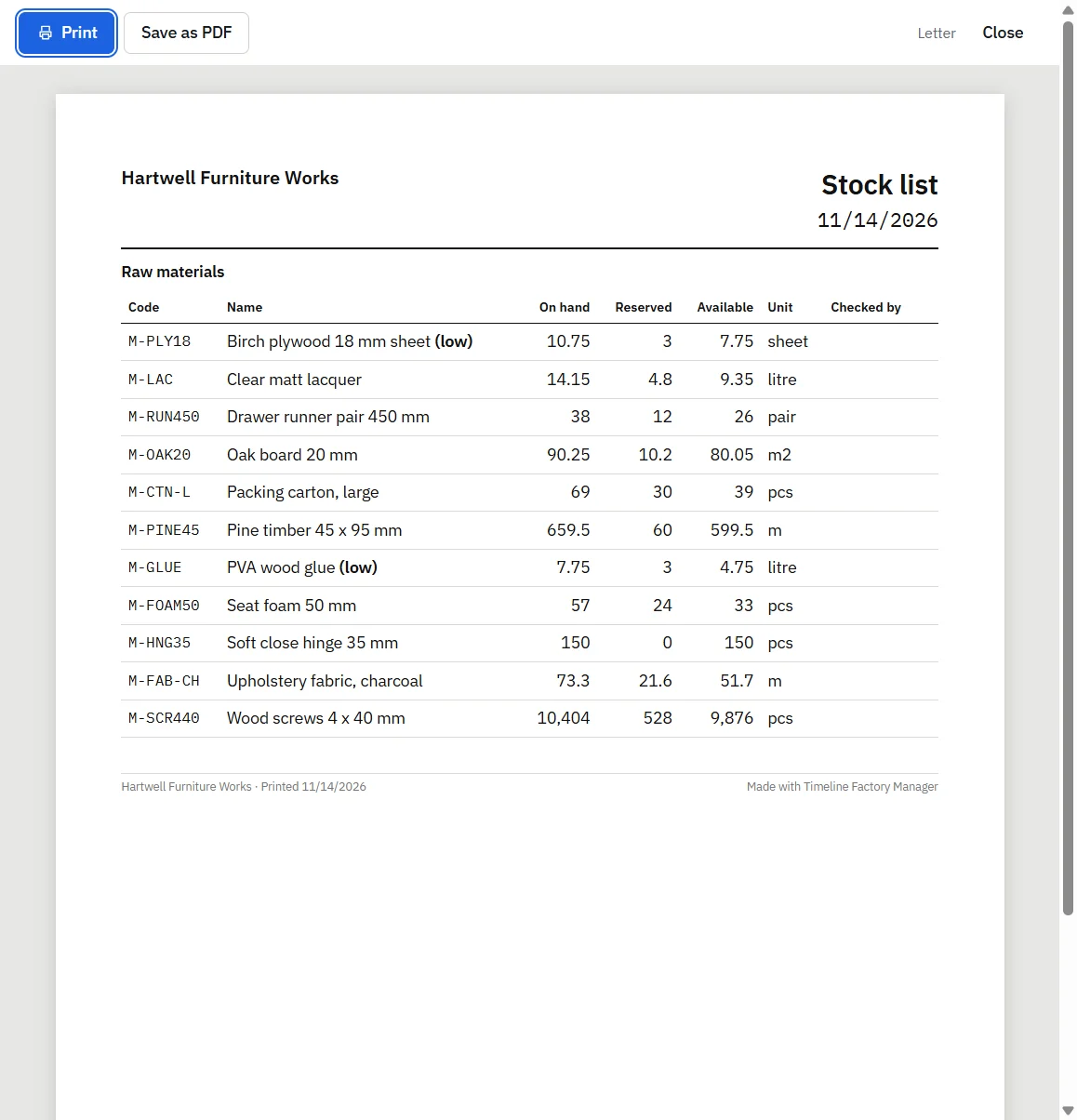
Print a stock list with a blank column for the counted quantity.
Count each material in the store and write down the figure.
Compare the count with the record.
Where they differ, enter a stock adjustment for the difference, with the date and a reason such as "stock count" or "damaged".
Many small factories do a full count once or twice a year and count their most important materials more often, a few each week. The adjustment matters as much as the count. An adjustment with a reason leaves a trail. Typing over the old balance does not.
A steady shortage in one material is often not theft or miscounting. It can mean the bill of materials understates what a unit really uses.
Timeline Factory Manager, printed stock list with a Checked by column for stock counts
How does Timeline Factory Manager track raw material stock?
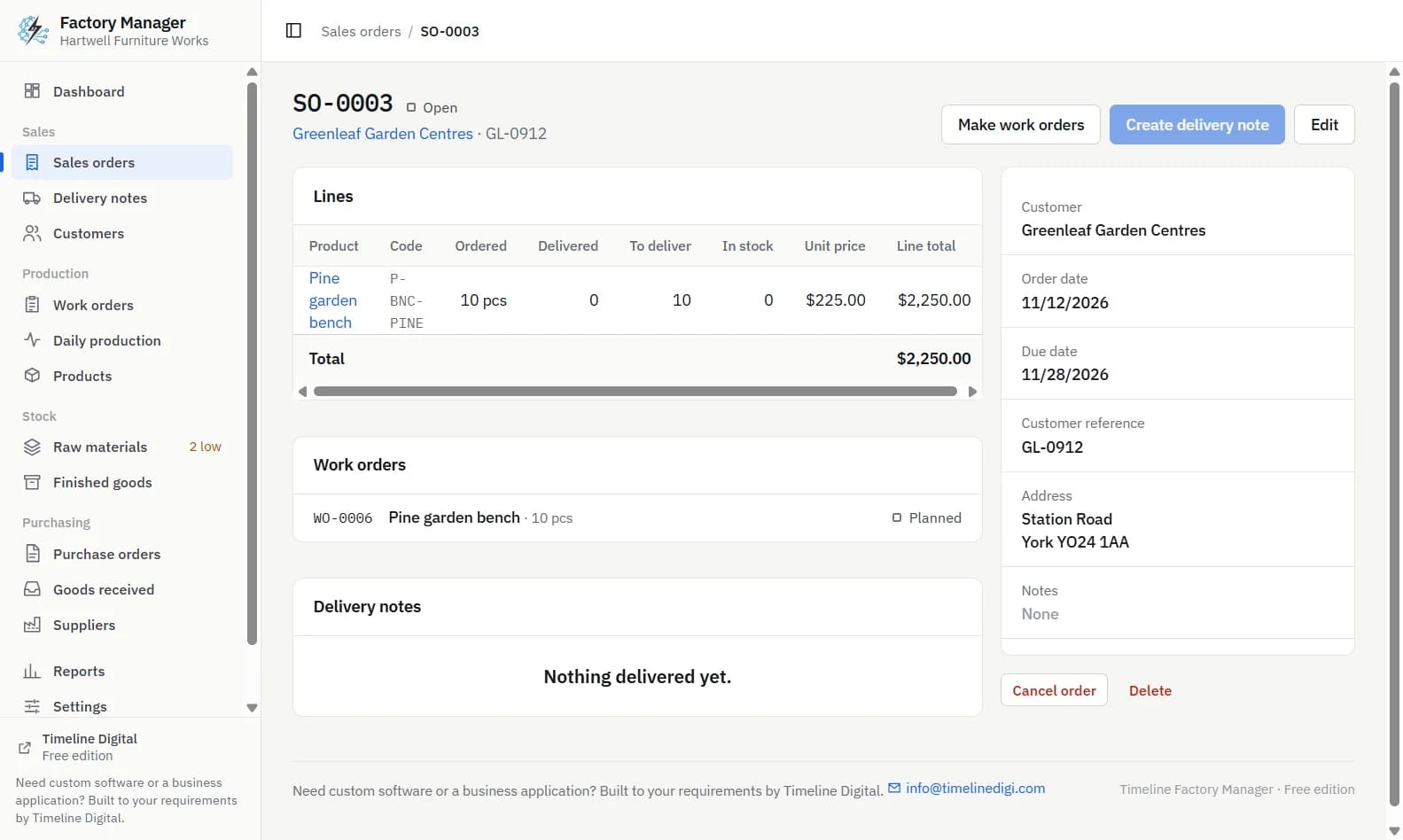
Timeline Factory Manager is a free offline desktop app by Timeline Digital for small factories and workshops, for Windows 10 and 11 (64-bit) and Macs with Apple silicon. It runs on one computer for one user, with no account and no internet connection. Here is how it handles each part of this guide.
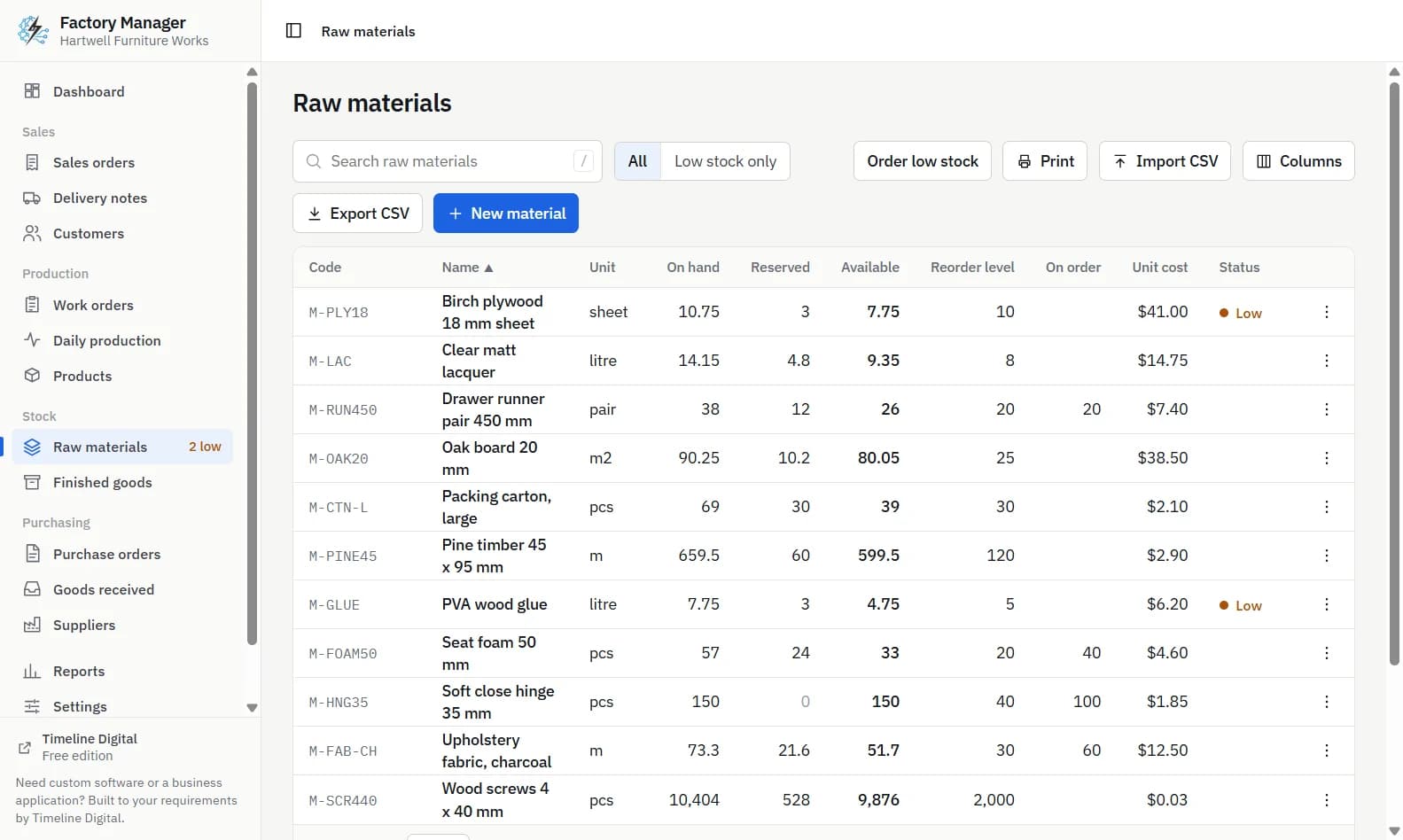
The four numbers. The Raw materials screen shows on hand, reserved, available and on order for every material. Reserved is what running work orders hold. On order is what is on open purchase orders.
Reservation. Clicking Start on a work order reserves its materials. If available stock is not enough, starting is refused and each short material is named.
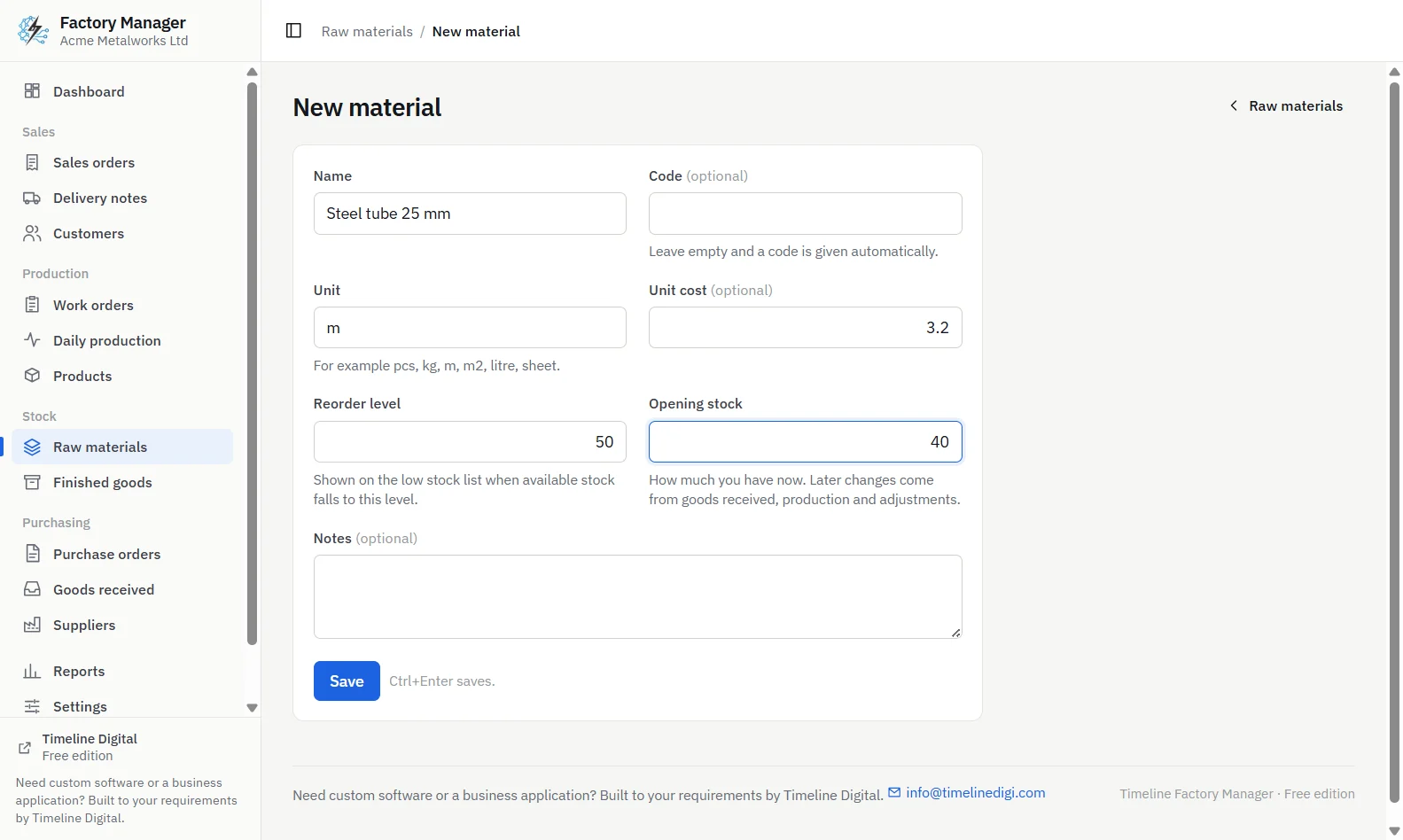
Reorder level and low stock. Each material can have a reorder level. A material is listed as low stock when its available stock is at or below that level, and the sidebar shows how many materials are low. The app does not calculate the level for you. You work it out, for example with the rule above, and type it in.
Order low stock. This button makes one purchase order, to a supplier you choose, for all low materials. It orders enough to bring each one back to twice its reorder level, counting what is already on order. With a reorder level of 300 m, it aims for 600 m. You can edit the order before sending it, and nothing is ordered until you click the button.
Receiving.Receive goods on a purchase order creates a goods received note and adds the materials to stock. Part deliveries are supported.
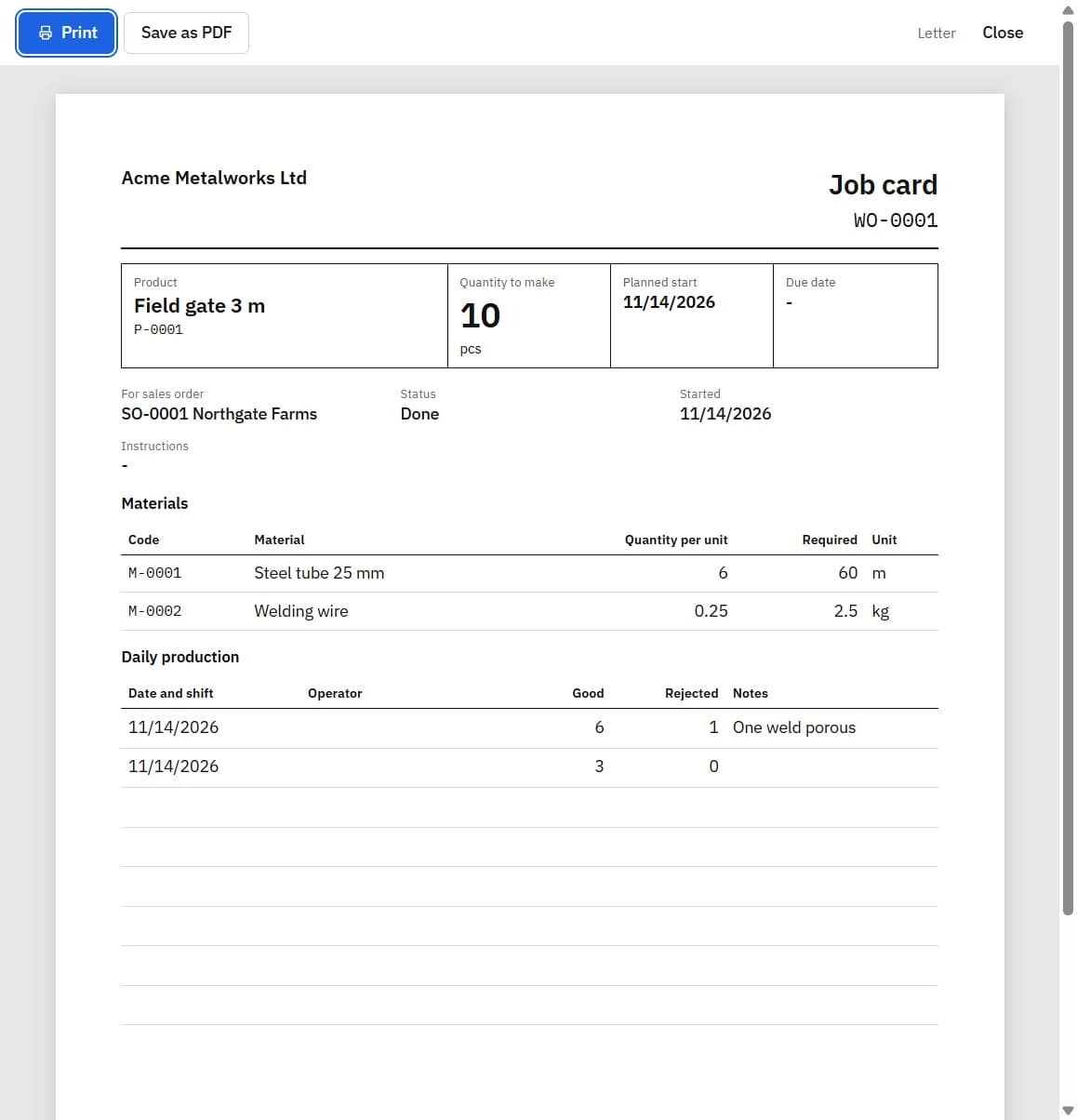
Counts and adjustments. A stock list can be printed for counting. Adjust stock adds or removes stock with a date and a reason.
History. Every stock change is recorded as a movement. Each material has a stock history with a running balance and a link to the document behind each line. On hand and available stock cannot go below zero: an action that would do that is refused with a message.
Timeline Factory Manager, new raw material form with name, code, unit, unit cost, reorder level and opening stock
Who needs more than this?
The free app keeps one store on one computer, with one unit cost per material. It has no stock locations, no second warehouse, no batch or lot numbers, no barcode scanning and no demand forecasting. If you need to trace which batch of material went into which product, or to run several stores with several users, Timeline Digital builds custom manufacturing and stock systems, starting with a free pilot. Tell us how your store works.
Frequently asked questions
What is the formula for reorder level?
The common rule is reorder level equals average daily use multiplied by supplier lead time in days, plus safety stock. For example, a material used at 20 m a day, with a 10 day lead time and 100 m of safety stock, has a reorder level of 300 m. These figures are an example to show the arithmetic.
What is the difference between on hand and available stock?
On hand is everything physically in the store. Available is on hand minus the quantity reserved for jobs that have already started. If 500 m is on hand and 120 m is reserved, 380 m is available. A new job should be checked against available stock, not on hand, or it may stop halfway through.
How do I keep a raw material stock register?
List each material with its code, unit, unit cost and reorder level. Then record every movement as its own line with a date, quantity and reason: opening stock, goods received, used in production and adjustments. Never overwrite the balance. Work it out from the movements, so any wrong figure can be traced back to the line that caused it.
What is a stock adjustment?
A stock adjustment is a recorded correction to a stock figure, made when the quantity counted in the store differs from the record, or when material is damaged or lost. It should carry a date and a reason. Entering an adjustment keeps a trail of what changed, which typing over the old balance does not.
Does Timeline Factory Manager order materials automatically?
No. Timeline Factory Manager lists materials whose available stock is at or below their reorder level. When you click Order low stock, it makes one purchase order to a supplier you choose, bringing each low material back to twice its reorder level, counting what is already on order. You can edit the order first, and nothing happens until you click.
Describe what is slowing your team down. We will help you work out what to build, and how a free pilot lets you judge our work before the full project.