Sales Order vs Work Order vs Purchase Order: Factory Documents Explained
A sales order comes from a customer, a work order goes to your factory and a purchase order goes to a supplier. Here are the seven documents a small factory uses and what each one changes in stock.
A sales order records what a customer wants to buy from you. A work order tells your own factory to make a quantity of one product. A purchase order asks a supplier to send you materials. The sales order faces the customer, the work order faces the shop floor, and the purchase order faces the supplier.
Those three are the main documents, but a small factory normally uses seven. The other four are the job card, the material issue slip, the goods received note and the delivery note. This guide defines each one, shows who raises it and what it changes in stock, and then follows one order through all seven.
What is the difference between a sales order and a work order?
A sales order is a promise to a customer: these products, this quantity, this price, by this date. It is raised by whoever takes the order, and it is the reason the work exists. It does not make anything.
A work order is an instruction to your own factory: make this quantity of this one product. It is raised by whoever plans production. One sales order with three product lines usually becomes three work orders, one per product. A work order can also exist with no sales order behind it, when you are making for stock.
Put simply, the sales order says what the customer is waiting for, and the work order says what the factory is doing about it.
What is the difference between a work order and a purchase order?
Both are orders for goods, but they point in opposite directions. A work order goes inwards, to your own shop floor, and results in finished goods that you made. A purchase order goes outwards, to a supplier, and results in raw materials that you bought.
They are linked by the bill of materials. A work order for 10 gates needs 60 m of steel tube. If the store does not have 60 m free, a purchase order has to be raised before the work order can start.
Which documents does a small factory use?
This table lists all seven, in roughly the order they appear.
Document
Who raises it
Who it goes to
What it changes in stock
Sales order
Sales or the office
Kept on record, confirmed to the customer
Nothing. It creates a demand for finished goods
Work order
Production planner or owner
The shop floor
Starting it reserves the materials. Completing it uses the materials and adds finished goods
Job card
Printed from the work order
Operators
Nothing. It is where output is written down
Material issue slip
Printed from the work order
Storekeeper
Lists the materials to hand over for the job
Purchase order
Buyer or the office
Supplier
Nothing on hand yet. The quantity shows as on order
Goods received note
Storekeeper, on delivery
Kept on record, matched to the purchase order
Adds the materials to raw material stock
Delivery note
Dispatch or the office
Customer, with the goods
Takes the goods out of finished goods stock
A note on the material issue slip. In a fully manual system, the issue slip is often the record that moves materials out of the store. In software, the stock movement is usually tied to the work order, and the slip is the printed list the storekeeper works from. The table above describes the second arrangement, which is how Timeline Factory Manager works.
Two documents are missing from the list on purpose. A quotation comes before the sales order and an invoice comes after the delivery note. Both are commercial documents and neither changes stock.
What is the difference between a delivery note and a goods received note?
They are mirror images. A delivery note travels out with goods you are sending to a customer. A goods received note is written when goods come in from a supplier.
Delivery note
Goods received note
Direction
Out of your factory
Into your factory
Other party
Customer
Supplier
Goods
Finished goods
Raw materials
Raised from
A sales order
A purchase order
Stock effect
Reduces finished goods
Increases raw materials
Signed by
The customer, on receipt
Your storekeeper, on receipt
Your supplier's delivery note and your goods received note describe the same delivery from two sides. You still need your own, because yours records what actually arrived and was counted, which is not always what the supplier's paper says.
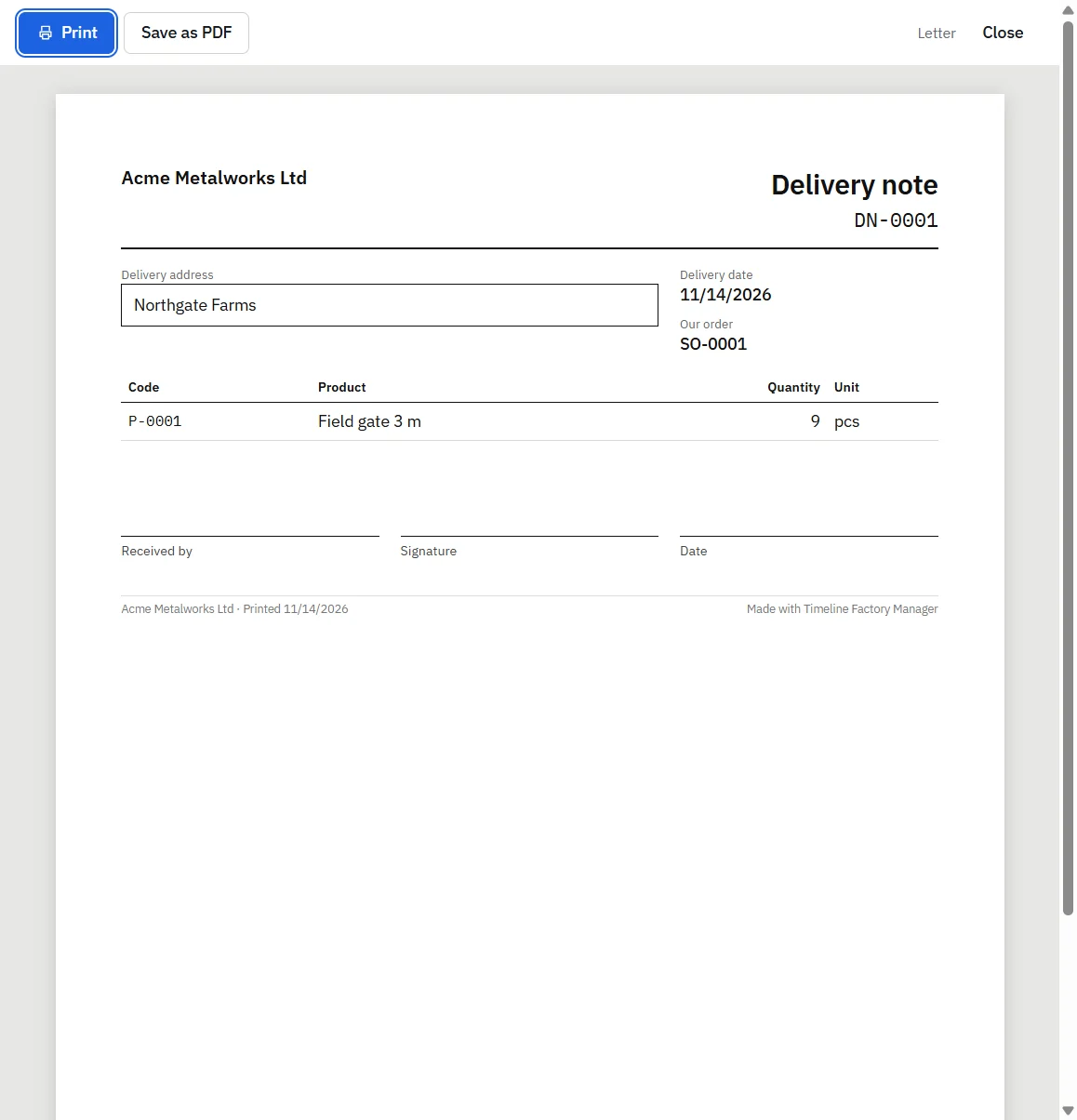
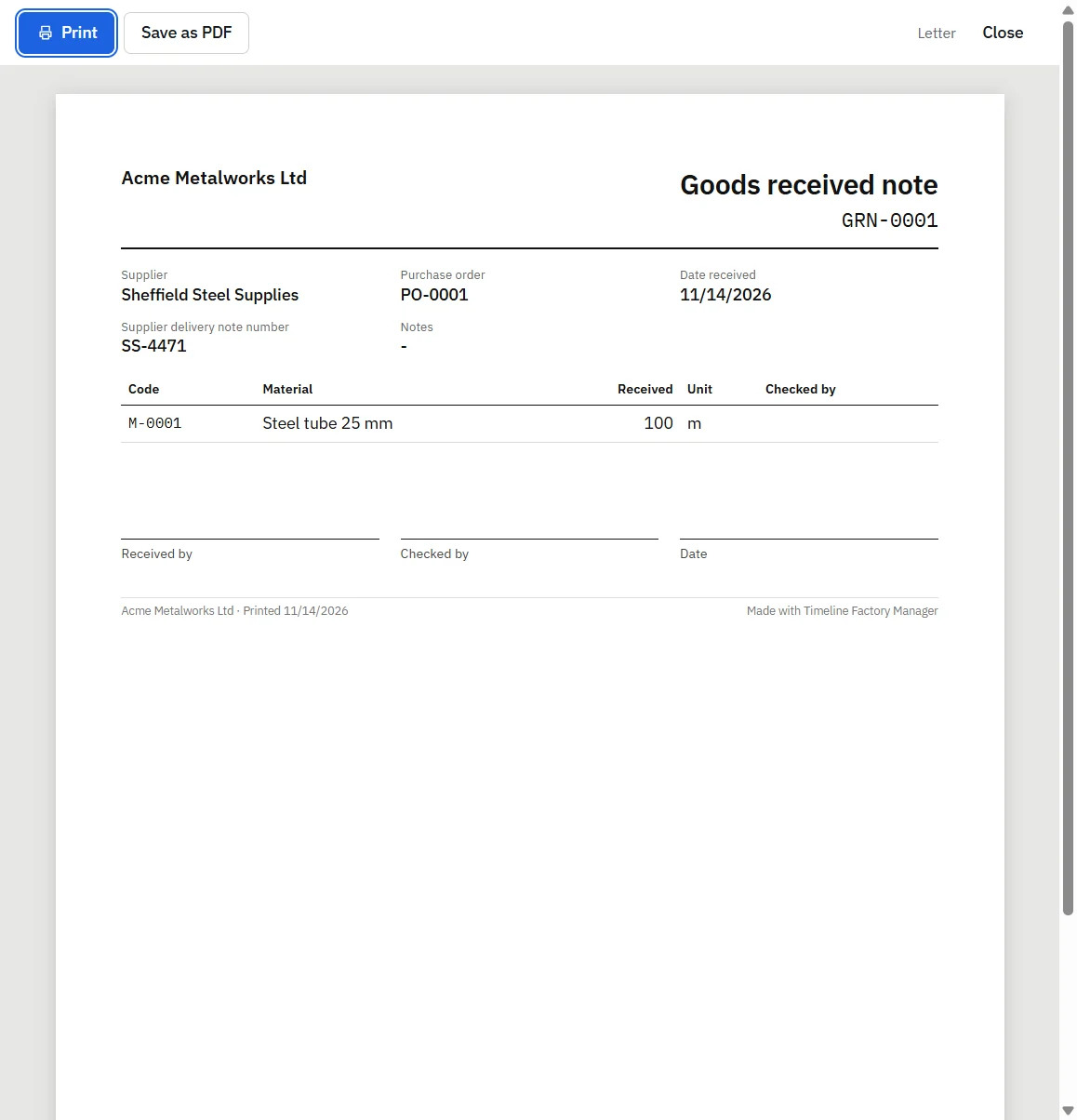
Timeline Factory Manager, printed delivery note with received by, signature and date spacesTimeline Factory Manager, printed goods received note in the print preview window
How does one order move through all seven documents?
Here is one order followed from start to finish, in the order Timeline Factory Manager handles it. Timeline Factory Manager is a free offline desktop app by Timeline Digital for small factories and workshops, on Windows 10 and 11 (64-bit) and Macs with Apple silicon, for one computer and one user. The example is a made-up metal workshop and an order for 10 steel field gates. Each gate needs 6 m of steel tube and 0.25 kg of welding wire.
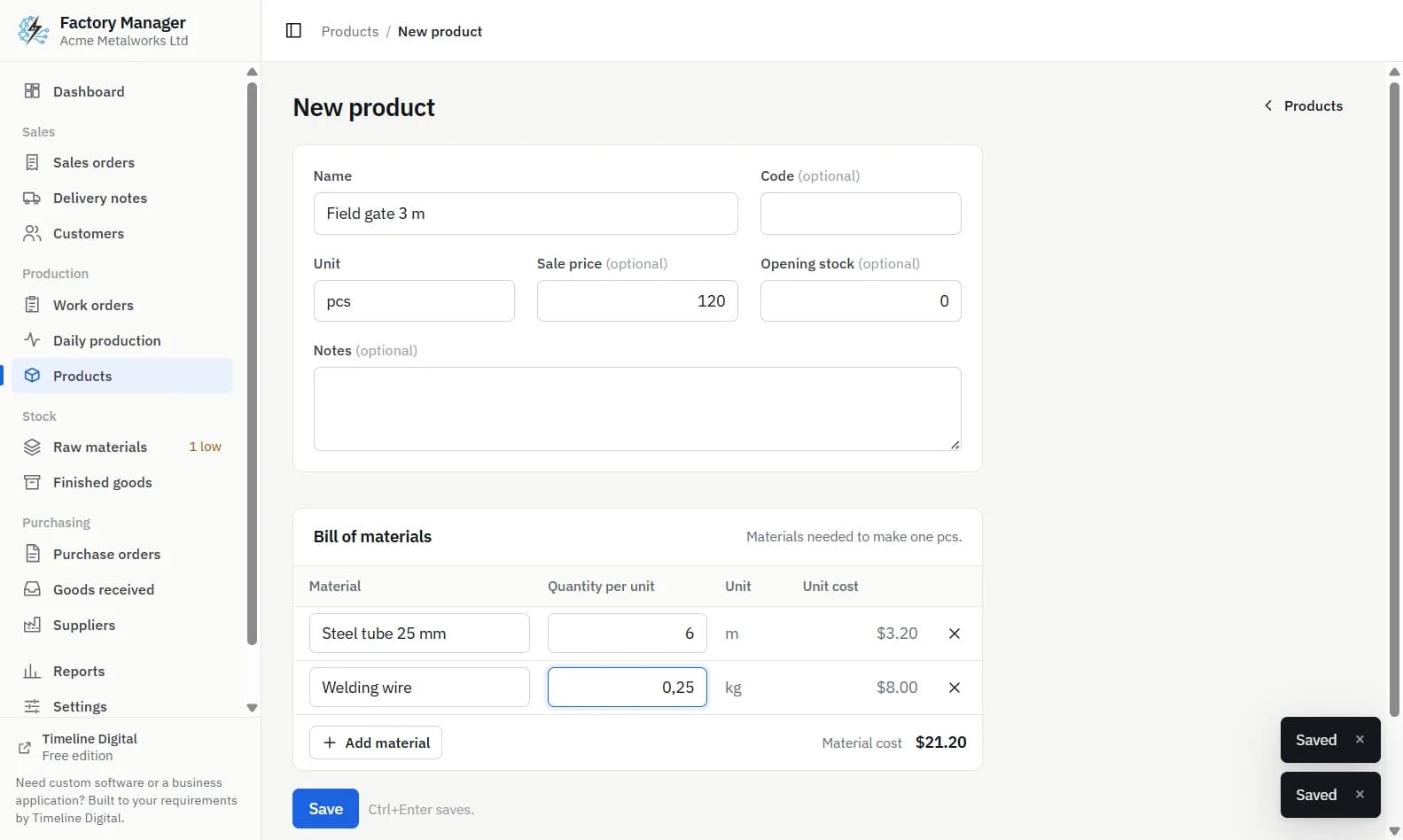
Set up once. Add the customer, the raw materials, and the product with its bill of materials. This is done once and reused for every later order.
Sales order. Enter a sales order for the customer: 10 field gates, with a due date and a price. Nothing changes in stock.
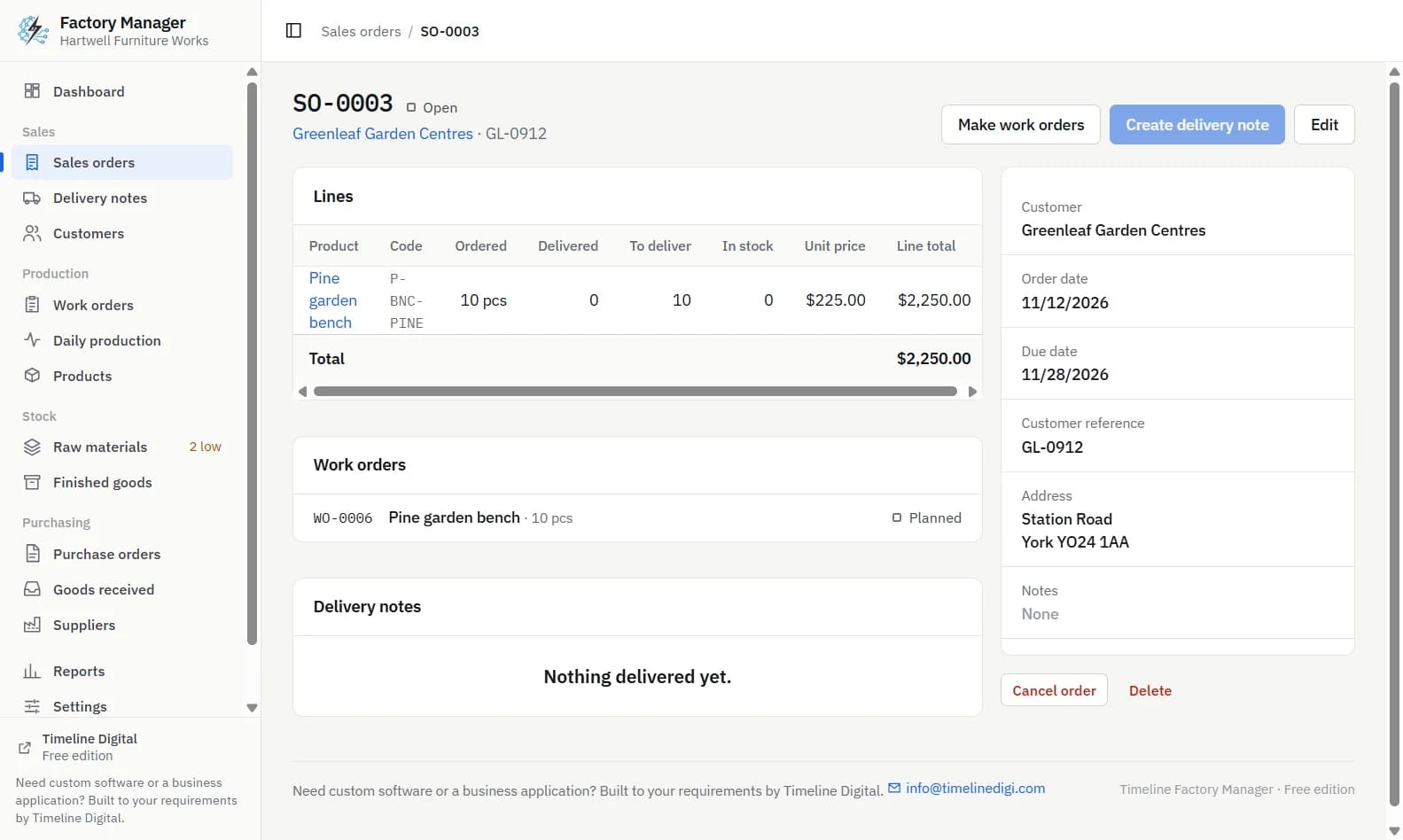
Work order. On the sales order, click Make work orders. The app creates a planned work order for the 10 gates the order still needs.
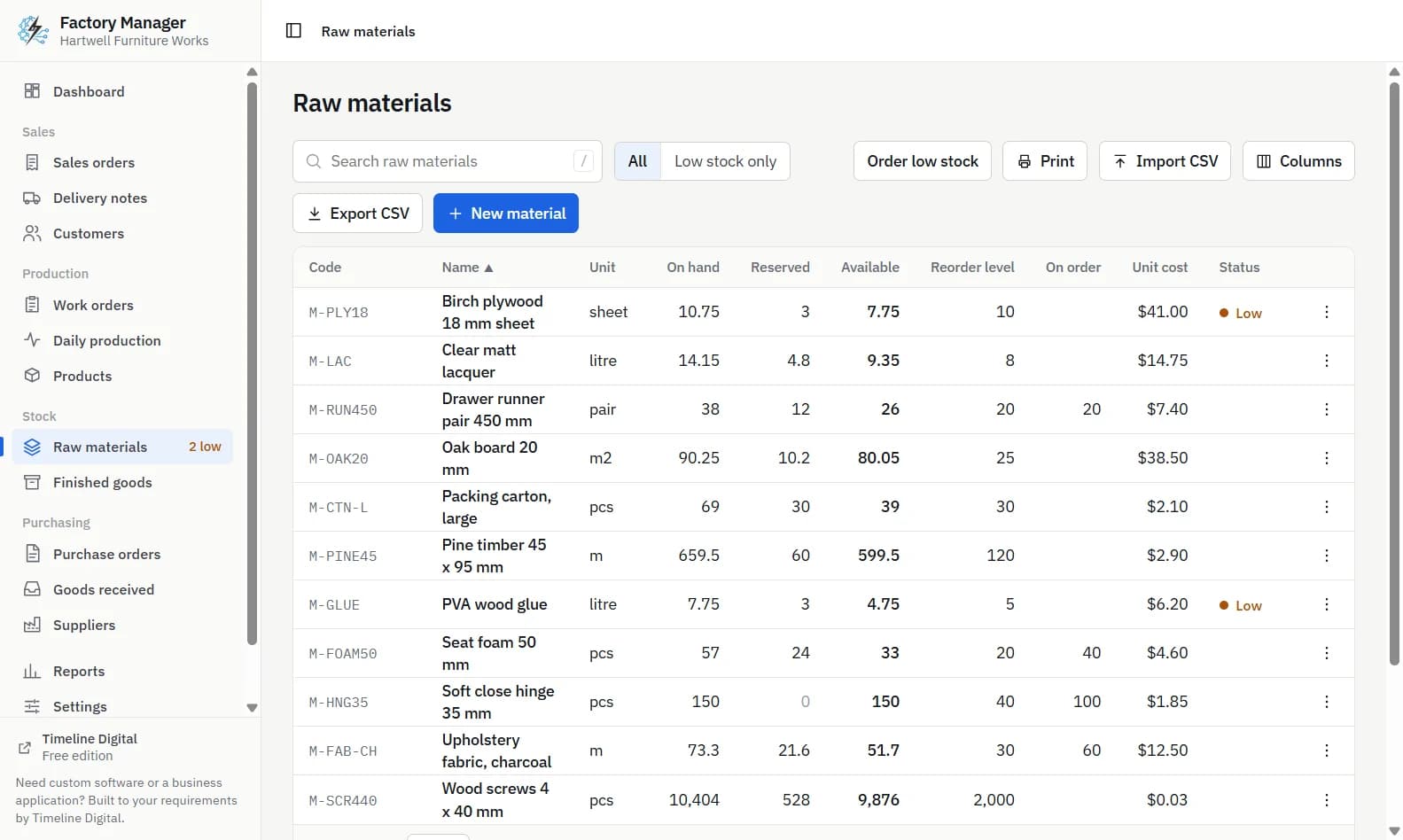
Purchase order and goods received note. The job needs 60 m of steel tube and 2.5 kg of welding wire. Suppose the store is short of tube. When you try to start the work order, the app refuses and names the short material. Click Order low stock on Raw materials, or make a purchase order, and send it to the supplier. The tube now shows as on order. When it arrives, click Receive goods. This creates a goods received note and adds the tube to stock.
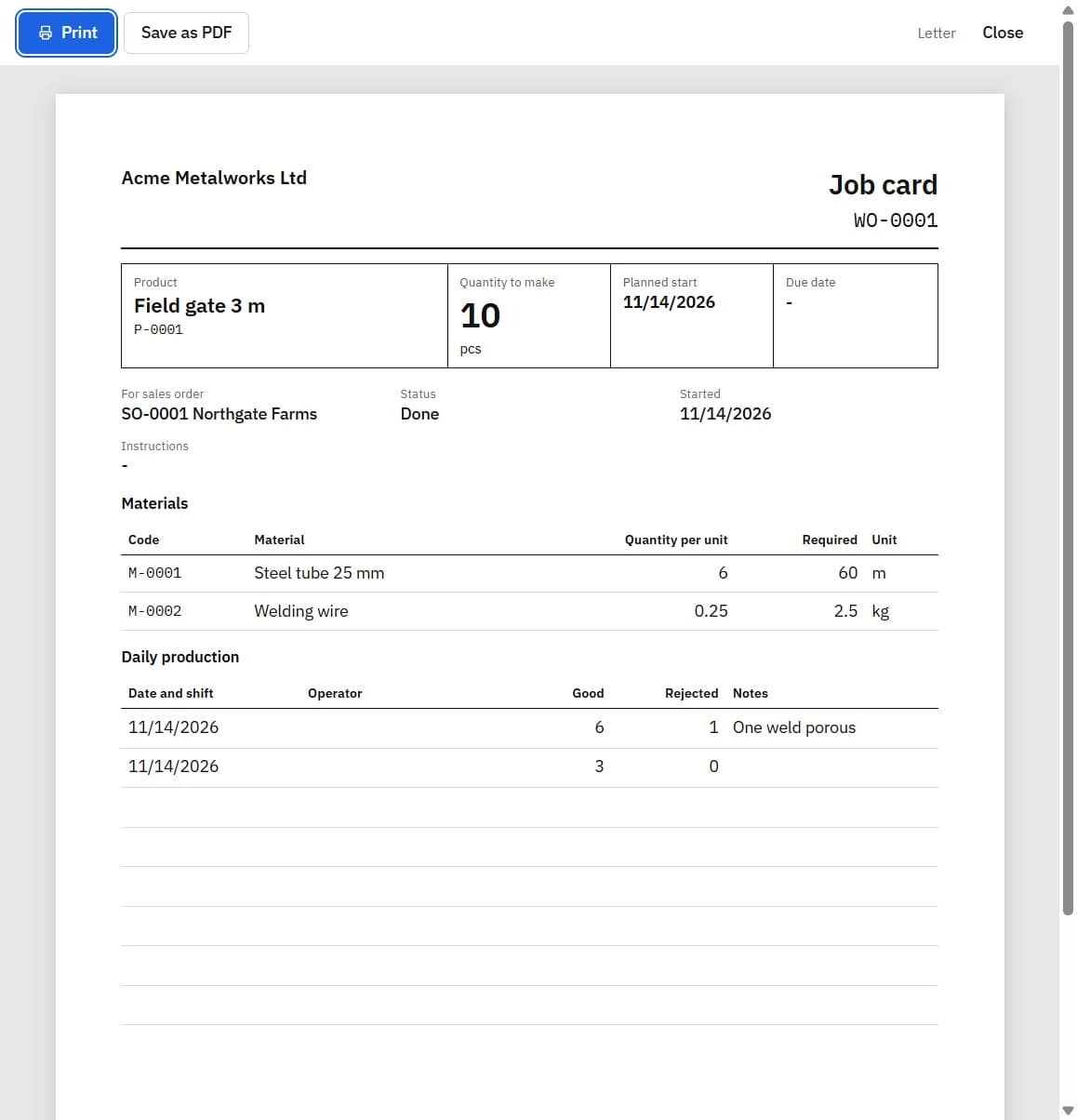
Start, job card and material issue slip. Click Start on the work order. The 60 m of tube and 2.5 kg of wire are now reserved, so no other job can take them. Print the Job card and the Material issue slip for the shop floor.
Daily production. Each day, enter what was made and what was rejected in Daily production. Progress shows on the dashboard and on the work order. Stock does not move yet.
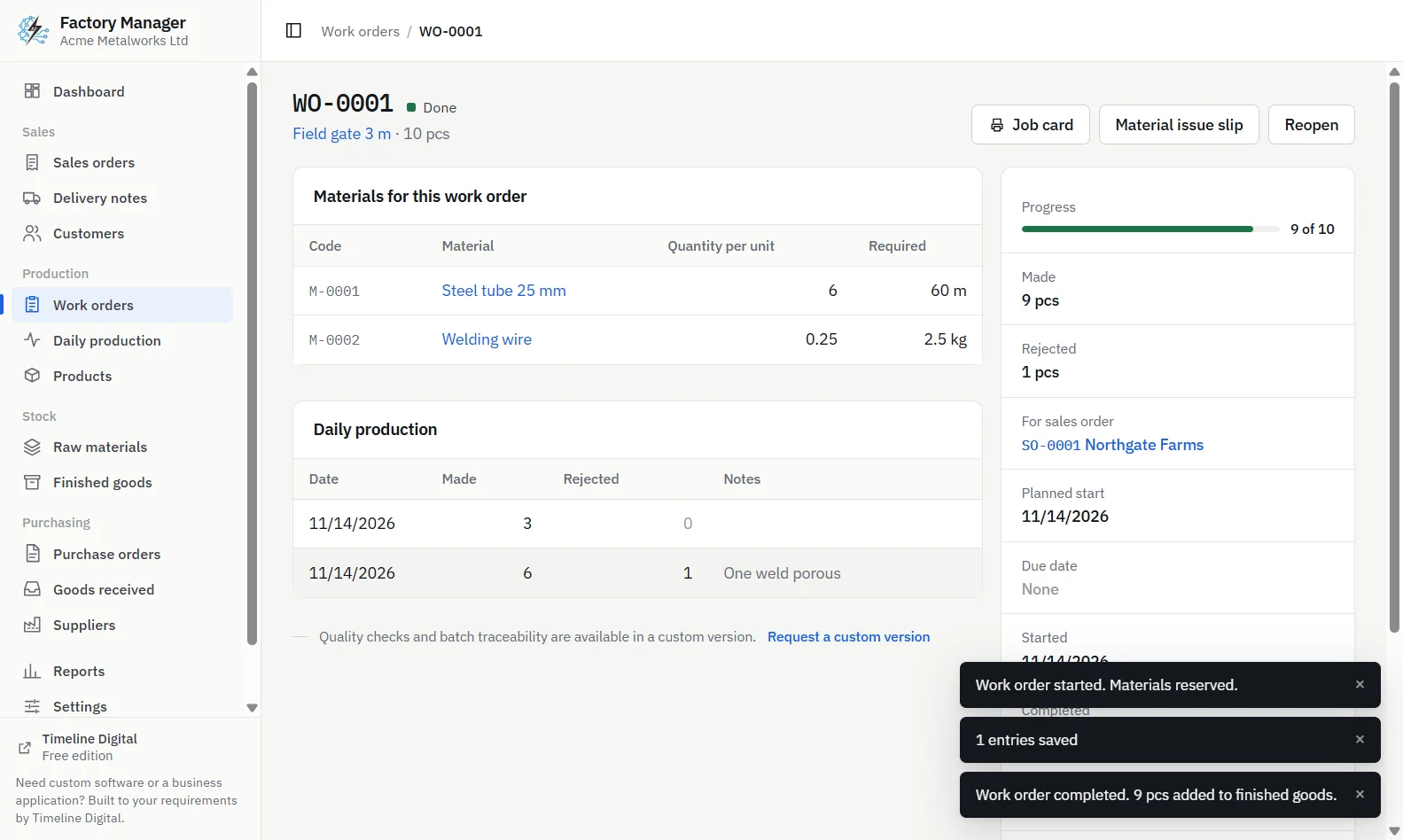
Complete. Click Complete on the work order. The materials used, for everything made and rejected, are taken out of stock, and the good gates are added to finished goods.
Delivery note. On the sales order, click Create delivery note. Quantities are filled in from what is in stock. Saving takes the gates out of finished goods and marks the order as delivered, or part delivered if you sent fewer. Print the note, which has spaces for Received by, signature and date, and send it with the goods.
At every step the stock figures follow the documents. Nobody retypes a number from one sheet to another.
What happens to stock at each step?
The same order, seen from the store. The quantities are for the 10 gates in the example.
Step
Steel tube
Finished gates
Sales order entered
No change
No change in stock
Purchase order sent
Quantity shows as on order
No change
Goods received
On hand goes up
No change
Work order started
60 m reserved
No change in stock
Daily production entered
No change
Progress recorded
Work order completed
Materials used leave stock
Good units enter stock
Delivery note saved
No change
Delivered units leave stock
The middle rows are where manual systems usually lose track, because reserving and completing do not produce a piece of paper that anyone has to sign. For more on reserved and available stock, see how to track raw material stock and set a reorder level.
Timeline Factory Manager, completed work order page showing materials used and finished goods added
Which of these documents can the free app print?
Timeline Factory Manager prints or saves as PDF the job card, material issue slip, purchase order, goods received note and delivery note, along with a production report and a stock list. Each carries your company name, address, contact details, tax number and logo. Sales orders are kept on screen with their status: open, part delivered, delivered or cancelled.
The free app prints no quotation or invoice, sends no email, has no link to accounting software and works for one user on one computer. If your sales, stores and production staff each need their own login, or the delivery note has to become an invoice in your accounts, that calls for a system built around your process. Timeline Digital builds custom manufacturing ERP software, starting with a free pilot. Tell us which documents your factory runs on.
Frequently asked questions
What is the difference between a sales order and a work order?
A sales order records what a customer has ordered from you: products, quantities, prices and a due date. A work order is an internal instruction telling your factory to make a quantity of one product. A sales order with several product lines usually leads to one work order per product. Work orders can also be raised to make for stock.
What is the difference between a work order and a purchase order?
A work order goes to your own shop floor and results in finished goods that you made. A purchase order goes to a supplier and results in raw materials that you bought. They are connected by the bill of materials: if a work order needs more material than is available, a purchase order is raised to cover the shortage.
What is the difference between a delivery note and a goods received note?
A delivery note goes out with finished goods you send to a customer, and it reduces your finished goods stock. A goods received note is written when raw materials arrive from a supplier, and it increases your raw material stock. One records goods leaving the factory, and the other records goods coming in.
What is a material issue slip?
A material issue slip lists the materials and quantities the store should hand over for one job. In a manual system it is often the record that takes materials out of the store. In Timeline Factory Manager it is printed from the work order for the storekeeper, and stock moves when the work order is started and completed.
Does a sales order reduce stock?
No. A sales order creates a demand for finished goods but does not move stock. In Timeline Factory Manager, finished goods leave stock only when a delivery note is saved against the sales order, and the order is then marked part delivered or delivered. Cancelling the delivery note puts the goods back into stock.
Describe what is slowing your team down. We will help you work out what to build, and how a free pilot lets you judge our work before the full project.