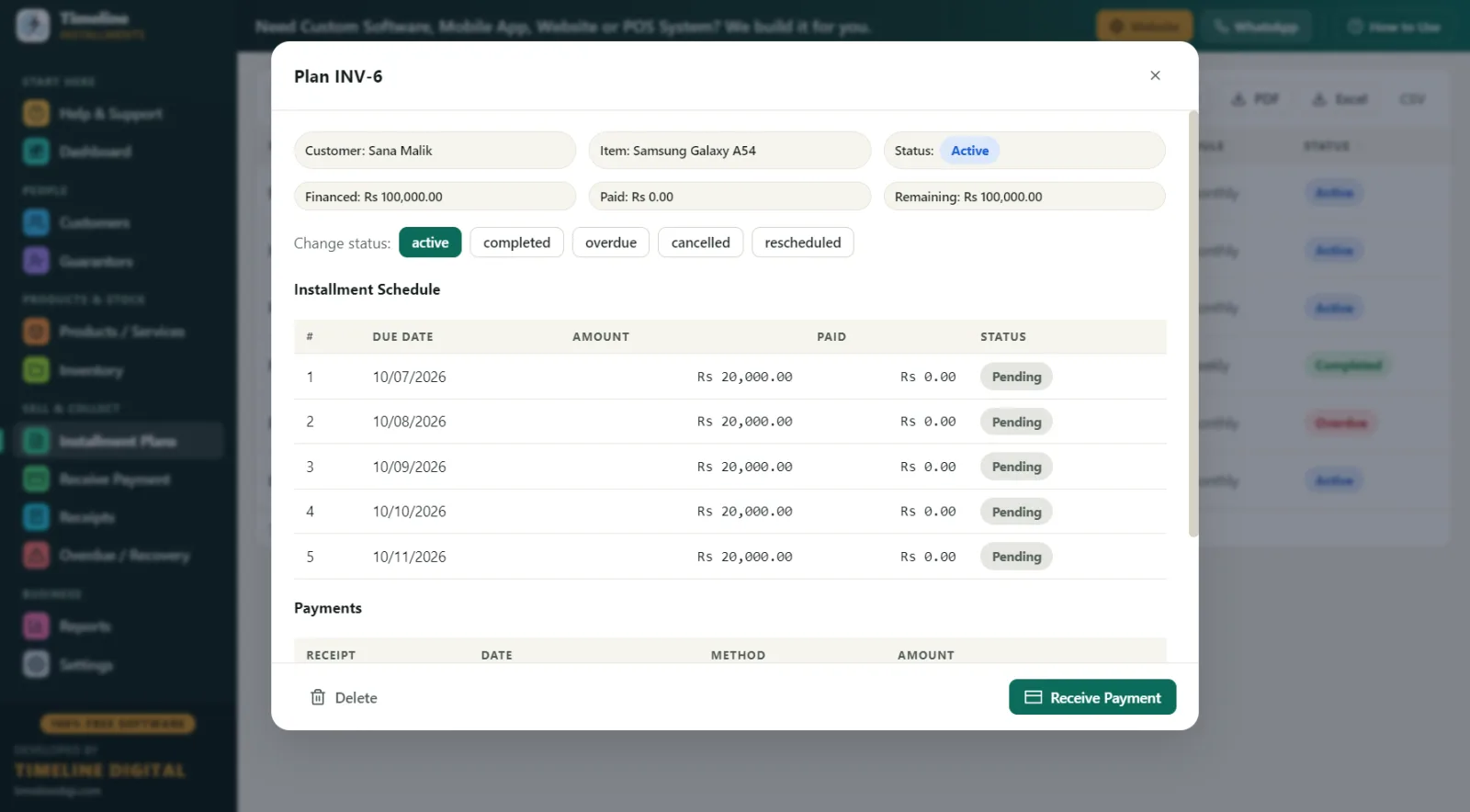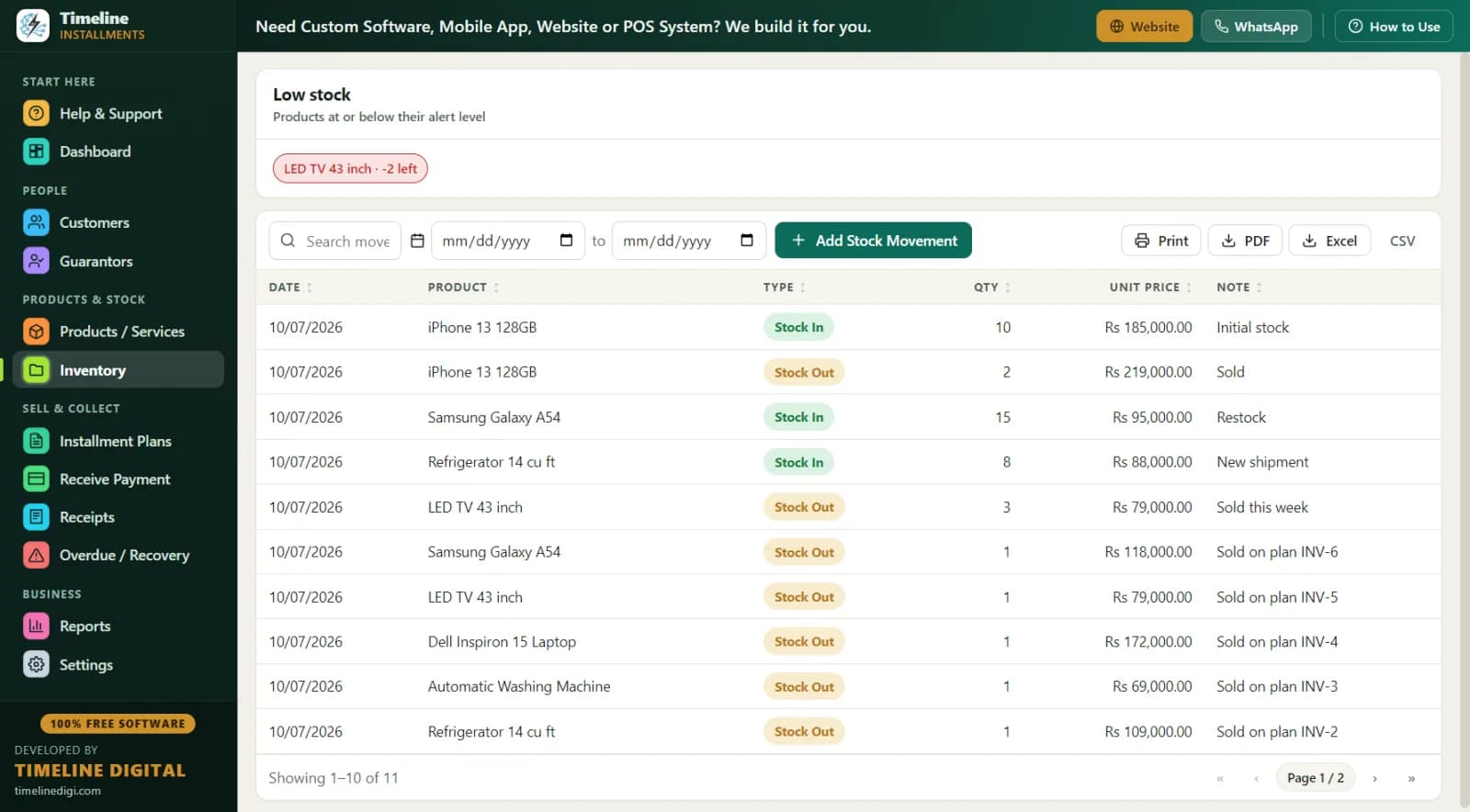
It works as appliance payment plan software, electronics payment plan software, and layaway software for furniture stores — the workflow is the same, only the item and the terms change. Full details and download: Free Installment Management Software.
Why are long payment plans so risky for showrooms?
A phone shop's plan runs 6 months. Yours can run 12, even 18. That length is exactly where paper records fall apart.
Picture a real case. A family buys a bedroom set for Rs 180,000 in March: bed, wardrobe, dressing table. They pay Rs 40,000 down and agree to Rs 14,000 per month for 10 months. In July, the same family adds a washing machine on a second plan. By October, your register has two overlapping plans for one family, three partial payments scribbled in margins, and one month where somebody's brother dropped off cash "for the bed" with no receipt. When the customer says "we finished the bed plan in November," can you prove otherwise? On paper, usually not. On a plan worth Rs 180,000, being unable to prove one missed month costs Rs 14,000 — more than most shops' profit on the whole item.
The specific problems showrooms face:
- Multiple plans per family. One customer, three items, three schedules — paper mixes them together.
- Long tails. Month 9 of a 12-month plan is where memories fade and payments quietly stop.
- Showroom stock confusion. You sold the display recliner on a plan but the stock register still shows it available, so a salesman promises it to someone else.
- Delivery-vs-payment disputes. For layaway-style sales, "you said delivery after 6 payments" arguments have no referee without records.
What does the software actually handle for a furniture or electronics store?
Timeline Free Installment Manager v1.6.0, by Timeline Digital, is free forever — the company earns from custom software (cloud systems, mobile apps, multi-branch, POS), not from this app. For showrooms, the key modules are:
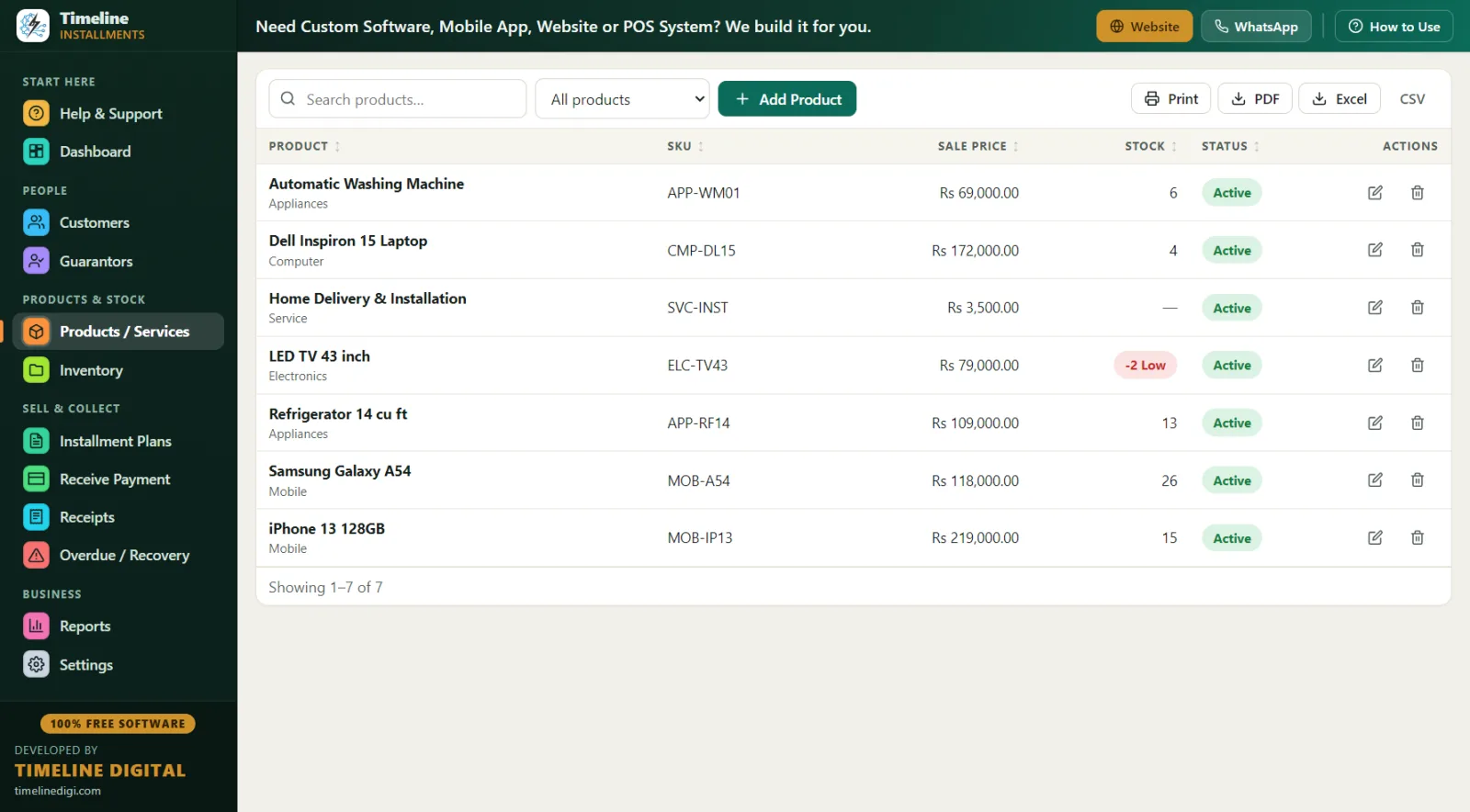
- Products with stock and warranty. Add each item once — category (Sofas, Beds, Refrigerators, TVs), SKU, purchase price, sale price, stock quantity, and warranty. When an item sells on a plan, stock automatically drops by 1, and a low-stock alert warns you before you promise a piece you no longer have. Inventory movements are logged.
- Plans of any length and frequency. Total price, down payment, then daily, weekly, or monthly installments with a live schedule preview. Monthly for furniture, weekly for smaller appliances — both work. The down payment is auto-recorded as the first payment with a receipt.
- Customer Statement — the family fix. One printable page per customer showing every plan: total, down payment, financed amount, paid, pending, and next due. When a family has three items running, this single page ends every confusion.
- Category Wise report. See instantly whether sofas, beds, or appliances carry most of your receivables — useful before your next stock purchase.
- Guarantors on big tickets. For an Rs 200,000+ plan, link a guarantor with relation, phone, and ID to the exact plan.
- Branded receipts. Logo, shop contact, plan reference (INV-1 style), item name, big amount, "Installments Paid 4 of 12," remaining balance, signature lines, and your own editable terms. Prints on any Windows printer, including Microsoft Print to PDF.
A day in the life: a furniture showroom on the software
10:00 AM — Dashboard first. Total Receivable Rs 2.4 million across 55 active plans. Today's Due: Rs 96,000 from 7 customers. Two plans show overdue. You know your day before your first cup of tea.
11:30 AM — New sale, sofa set. Customer picks a 7-seater at Rs 145,000. Rs 30,000 down, 10 monthly payments of Rs 11,500. You type her name into the plan screen — she bought a fridge last year, so her record appears with full history. Save the plan; the down payment receipt prints; stock on that sofa model drops to 1 and the low-stock alert fires so you reorder in time.
1:00 PM — Payment on an appliance plan. A customer pays month 6 of 8 on a washing machine. Receive Payment auto-fills the next due amount; he pays by bank transfer, so you mark the method as bank. Receipt RCP-1 style prints showing "Installments Paid 6 of 8 — Remaining Rs 9,000."
3:30 PM — The awkward call. The Overdue screen shows a customer 21 days late on a bed plan, Rs 13,000 outstanding, with his phone and the guarantor's number right there. You call, note "salary delayed, will pay 5th" in the follow-up field. Next week you will not have to remember — the note is on the record.
7:45 PM — Close. Daily Collection report printed and matched to the cash box. One-click backup. Done.
Worked example: pricing a 12-month appliance plan
Say a refrigerator costs you Rs 95,000 and your cash price is Rs 110,000. For installments, you price it at Rs 126,000. (For the method behind this, read How to Calculate an Installment Price.)
| Item | Amount |
|---|---|
| Installment price | Rs 126,000 |
| Down payment (25%) | Rs 31,500 |
| Financed amount | Rs 94,500 |
| Monthly installment (12 months) | Rs 7,875 → round to Rs 7,900 |
| Margin over cost | Rs 31,000 |
In the app, you enter the total and down payment, choose monthly, and check the live preview before saving. If the customer settles the last 3 months early and you give Rs 3,000 off, record it as a discount — discounts count toward settlement, and the plan status flips to completed automatically. If they need to pause a month, plans can be rescheduled and the status shows it honestly. Once payments start, plan amounts lock, so nobody can quietly "adjust" a total later.
Layaway mode for furniture stores
Layaway is the same workflow with one difference: the customer receives the item after finishing payments, not before. In the app, you create the plan the normal way, take scheduled payments with receipts, and deliver when the status turns completed. The Customer Statement doubles as the customer's proof of progress, and the printed receipt showing "Installments Paid 9 of 10" is what keeps layaway customers motivated to finish. US and UK retailers running layaway or in-house plans should also read the dedicated page: Layaway & In-House Financing Software.
Register vs Excel vs installment software for showrooms
| Paper register | Excel | Timeline Free Installment Manager | |
|---|---|---|---|
| 12–18 month schedules | Error-prone | Manual formulas | Auto-generated with preview |
| Multiple plans per family | Mixed pages | Multiple tabs, chaos | Customer Statement, one page |
| Stock synced with sales | Separate register | Separate sheet | Auto-reduces on plan sale |
| Low-stock warning | None | None | Built-in alert |
| Receipt with remaining balance | Handwritten | No | Branded print/PDF |
| Category profitability view | No | Manual | Category Wise report |
| Who is overdue right now | Flip pages | Sort by hand | Overdue screen with days late |
| Export for accountant | Retype | Already there | 11 reports to Excel/CSV/PDF |
| Cost | Low | Low | Free forever |
How should a showroom set terms? Best practices
Down payment: 20–30% on furniture, 25–35% on electronics. Electronics lose value faster and are easier to resell, so ask for more upfront. A customer with Rs 31,500 already paid on a fridge almost never abandons the plan.
KYC on every plan above a small amount. ID type and number (CNIC/Passport/National ID), verified phone, home address, and city — all standard fields in the Customers module. Add a guarantor for anything long or large. The Area Wise report (city → customers, active plans, receivable) then tells you which localities repay well before you extend more credit there.
A weekly recovery rhythm. Daily: check the Overdue screen and call anyone 7+ days late. Weekly: print the Next 30 Days Recovery report — due date, customer, phone, city, plan ref, item, installment number, amount — and send reminders two days before each due date. Reminders before the due date beat chasing after it; more on this in Installment Recovery Tips.
Receipt everything, including partials. Partial payments are supported and waterfall to the oldest unpaid installment automatically, so even messy payers have a clean record.
Back up weekly. Settings → one-click Backup & Restore (the app reminds you). Your entire showroom's plan history is one small file.
Thinking about adding installments as a new revenue line? Start here: How to Start an Installment Business. Selling phones too? See mobile shop installment software.