Engineered labor standards and task benchmarking
Engineered standards, WMS integration, custom builds
Warehouse Labor Management System (LMS)
A warehouse labor management system (LMS) is software that times each warehouse task, such as picking, packing, receiving and loading, compares it with an expected standard, and reports productivity and labor cost by worker, shift and client. It reads task data from the warehouse management system (WMS) and passes approved hours to payroll.
Labor is usually the largest controllable cost in a warehouse, and most operations still reconcile it in a spreadsheet after the shift. This page explains how a warehouse labor management system works, the four tiers of products, and when to build one. Timeline Digital, a custom software company founded in 2013, builds custom warehouse labor systems and also publishes a free Windows app for attendance, overtime and wages.
What Is a Warehouse Labor Management System?
A warehouse labor management system is software that captures the time workers spend on each task, measures it against an expected standard, and reports the difference as productivity and cost. It sits between the warehouse management system that tells people what to do and the payroll system that pays them, turning raw hours into numbers a supervisor can manage against. In UK spelling it is a warehouse labour management system; the software is the same.
This is a specialized branch of the wider category explained in what a labor management system is. A general labor management system tracks attendance, overtime, and pay for any workforce. A warehouse-specific system adds task-level detail: it knows the difference between picking a full pallet and picking a single unit, and it holds a separate expected time for each.
What a Warehouse LMS Tracks on the Floor
Warehouse leaders need labor visibility by zone, task, shift, and wave instead of end-of-day spreadsheets. Shift planning, training levels, and dock throughput are rarely aligned in one system, and generic workforce tools do not model warehouse work well. A proper warehouse labor platform covers:
Zone, wave, and dock-level staffing visibility
Productivity scorecards by worker, shift, and process
Cross-training, certifications, and role readiness tracking
WMS integrations for operational context and throughput analysis
Executive dashboards for cost per order and labor efficiency
Larger operations add incentive-pay and performance-exception workflows plus mobile supervisor tools for reallocating labor mid-shift. Smaller sites usually need the first honest layer, accurate hours by worker and shift, before any of the above earns its cost.
Engineered vs Discrete Labor Standards
Engineered labor standards are the core of any serious warehouse LMS, and they are what separate labor standards software from a simple time clock. A standard is the fair time a task should take, built from the physical steps involved: travel distance to the pick location, the number of cases handled, the weight, and fixed setup time. When a worker finishes the task, the system compares real time against the standard and reports the result as a percentage, where 100 percent means the task took exactly the expected time.
Not every warehouse needs standards built to that depth. The difference between the two common approaches matters when you budget the setup effort:
| Discrete standards | Engineered standards | |
|---|---|---|
| How it is built | Averages of past performance | Measured from the physical steps of each task |
| Accuracy | Rough, good enough for planning | Precise and defensible per task |
| Setup effort | Low | High, needs industrial engineering input |
| Best fit | Mid-size warehouses starting out | Large distribution centers with high volume |
Whichever type you use, every warehouse LMS runs on the same loop: set a goal, capture the actual, report the variance. Managers use that performance-to-standard number to see where a shift is running ahead or behind while the shift is still on the floor, not after payroll closes. The same data separates direct labor, the hours spent moving product, from indirect labor such as cleaning, meetings, and waiting, which is often where quiet cost hides. For third-party logistics providers there is a sharper use again: tagging every hour to the client whose goods were handled is what makes accurate cost-to-serve possible. The full mechanics, including 3PL cost-to-serve and labor optimization, are in our warehouse labor management systems deep dive.
The Four Tiers of Warehouse Labor Management Systems
There is no single best system, because the top warehouse labor management systems for a 500-person distribution center are overkill for a 20-person stockroom. Most systems fall into one of four tiers, and the right tier follows your scale rather than the marketing.
| Tier | What it is | Best for | Examples (not a ranking) |
|---|---|---|---|
| Enterprise WMS-bundled labor module | Labor management built into a large warehouse suite, with engineered standards | High-volume distribution centers already on that WMS | Manhattan Associates (Manhattan Active labor management), Blue Yonder (formerly JDA), SAP Extended Warehouse Management |
| Standalone warehouse LMS | Dedicated labor and performance software that connects to your existing WMS | Large sites wanting depth without replacing a working WMS | Easy Metrics |
| Workforce time and attendance tool | Clock-in, scheduling, hours and overtime, usually per-user subscription | Teams that need hours and rosters, not task standards | UKG (formerly Kronos), ADP |
| Custom-built system | Software written around your own standards, layout, clients and pay rules | Operations with standards, costing or rules a package cannot fit | Custom logistics software from a development company such as Timeline Digital |
Examples are named from the vendors’ own product and training pages, checked on 20 October 2026; they are not a ranking or an endorsement, and prices are quoted by each vendor. A free desktop tier sits underneath all four for small sites starting out. Comparing labor software beyond the warehouse? See the best labor management systems compared by category.
Start free. Version 1.0.0
Start With the Free Windows Labor App
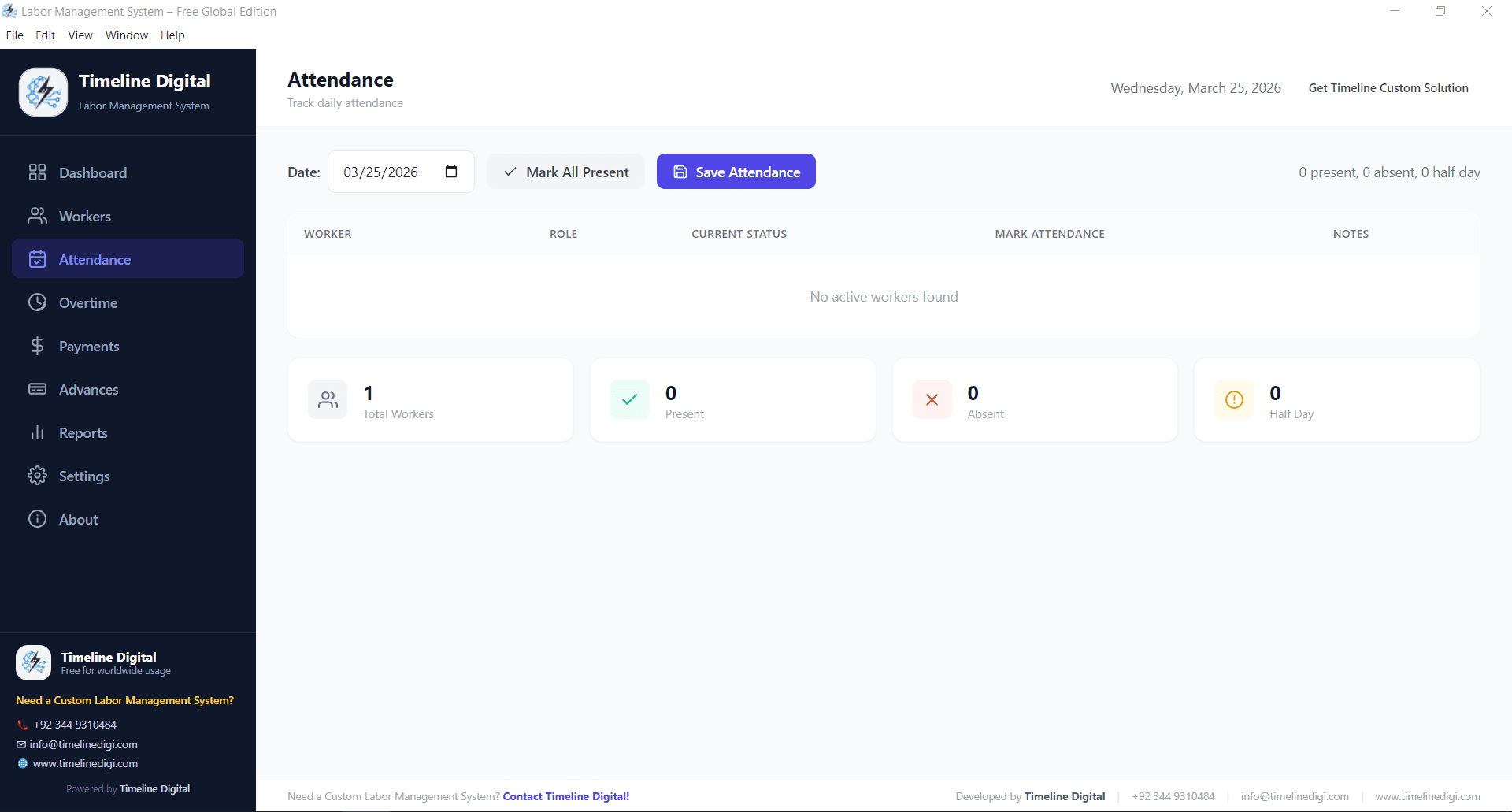
For a small warehouse or a single-site team, the honest starting point is free software. Timeline’s free labor management system runs offline on Windows and covers worker records, attendance, overtime, advances and wages at no cost, with no per-user fee and no account to create. Every productivity number depends on accurate hours underneath it, so moving attendance off paper is the first fix that pays.
It is not a warehouse LMS: it carries no engineered standards, no task-level productivity scoring and no WMS integration, and for a small team it does not need to. A high-volume distribution center measuring output per pick will outgrow it; a 20-person stockroom will not.
- Track pickers, loaders, and drivers alongside salaried staff
- Attendance, overtime, and advances feed payroll automatically
- Runs fully offline, so it works on docks with no reliable Wi-Fi
- Runs separately from any existing WMS (no integration)
Need Engineered Standards or Per-Client Costing? Build Custom
Custom becomes the right call when your rules do not fit a package: task-level standards tuned to your own layout, per-client cost-to-serve for a 3PL operation, incentive pay tied to performance-to-standard, or labor data feeding straight into job costing. A custom warehouse labor platform is a one-off build you own, not a per-user subscription. Timeline Digital has built operations software since 2013; see our custom logistics software development work and how we handle WMS, ERP and payroll integration.
Before you commit to the full project, we build 2 to 3 of your key modules as working software, free of charge, ready in about 2 days. Your team tests the pilot, and the full build starts only after you approve it. Timeline Digital does not publish prices for custom software, because every project is custom. Source code, designs and documentation transfer to you on full payment.
Tell us how your floor runs
Zones, waves, standards, incentive rules, WMS integration, payroll handoff: we scope the build around your operation and you see working software early.
Keep Reading
The warehouse deep dive
Engineered standards in detail, goals-vs-actuals scoring, 3PL cost-to-serve, and labor optimization and compliance.
Read the guideThe broader comparison
Enterprise WMS-bundled, standalone, time and attendance, custom-built and free labor systems, compared by who each one fits.
Compare all categoriesWarehouse Labor Management FAQs
Straight answers to the questions warehouse operators ask before choosing a system.
What is a warehouse labor management system?
A warehouse labor management system (LMS) is software that times each warehouse task, such as picking, packing, receiving and loading, compares it with an expected standard, and reports productivity and labor cost by worker, shift and client. It reads task data from the warehouse management system (WMS) and passes approved hours to payroll. Smaller sites use it mainly for accurate hours, overtime and cost by shift; large distribution centers add engineered standards to score every task.
What are engineered labor standards in a warehouse?
Engineered labor standards are the fair time a warehouse task should take, calculated from its physical steps: travel distance to the location, the number of cases handled, the weight, and fixed setup time. When a worker completes the task, the system compares the real time against the standard and shows performance as a percentage. They are more precise than discrete standards, which are averages of past performance, but they take more effort to build and usually need industrial engineering input.
What is the difference between a warehouse LMS and a WMS?
A warehouse management system (WMS) directs the physical work: where to store stock, which items to pick, and how to route a shipment. A warehouse LMS measures the labor that work consumes and scores it against a standard. The WMS answers what to do; the LMS answers how efficiently it was done and what it cost. A labor management system usually reads task data from the WMS so it can attach a time and a cost to every movement.
What are the top warehouse labor management systems?
There is no neutral ranking, so compare by tier. Enterprise WMS suites with labor modules include Manhattan Associates, Blue Yonder (formerly JDA) and SAP Extended Warehouse Management. Easy Metrics is an example of a standalone labor and performance platform that sits on top of an existing WMS. Time and attendance vendors such as UKG (formerly Kronos) and ADP cover hours and scheduling rather than task standards. A custom build fits rules none of these support. See the best labor management systems by category.
How much does a warehouse labor management system cost?
It depends on the tier. Enterprise labor modules inside a warehouse suite and standalone platforms are quoted by each vendor, and the implementation, including building engineered standards, can cost more than the licences. Time and attendance tools usually bill per user per month. A custom build is a one-off project with no per-user fee. Timeline Digital does not publish prices for custom software, because every project is custom. Free desktop software covers attendance, overtime and pay only.
Is there free warehouse labor management software?
Free software covers the first layer only. Timeline’s free labor management system runs offline on Windows and records worker attendance, overtime, advances and wages with no subscription and no per-user fee. It does not include task-level standards or WMS integration, so it suits a small warehouse that needs accurate hours and labor cost, not a distribution center measuring output per pick.
Is warehouse labour management different from warehouse labor management?
No. Warehouse labour management is the UK spelling of the same discipline and the same software: engineered or discrete standards, productivity tracking, and labour cost by shift and client.
Can Timeline Digital build a custom warehouse labor management system?
Yes. Timeline Digital builds custom warehouse labor systems with task standards tuned to your layout, live performance-to-standard dashboards, per-client cost-to-serve for 3PLs, incentive rules and WMS and payroll integrations. Timeline Digital does not publish prices for custom software, because every project is custom. The price is set in three steps: we analyse your requirements, build a free pilot of 2 to 3 key modules, and after you approve the pilot we agree the scope, milestones and commercial terms in writing. Any change request outside the approved scope is reviewed and agreed with you before extra work begins. Before you commit to the full project, we build 2 to 3 of your key modules as working software, free of charge, ready in about 2 days. Your team tests the pilot, and the full build starts only after you approve it. Source code transfers to you on full payment.
How long does a custom warehouse labor system take to build?
There is no fixed timeframe: the schedule for a custom warehouse labor management system is set from your requirements in the Plan step. The free pilot of 2 to 3 key modules is ready in about 2 days, and with 1,200+ developers we have the capacity to deliver a complete system in as little as 2 weeks. Building engineered standards for every task also needs time studies on your floor, which run alongside the software work.
Updated
About this page
Published by Timeline Digital, a custom software development company founded in Islamabad in 2013. Vendor names are examples from public product pages, not a ranking; Timeline Digital is not a partner or reseller of any vendor named here.
Author
Usama Asif
CEO and CTO, Timeline Digital. Founded the company in 2013 and leads its business and operations software work.