Student records and enrollment
Demographics, guardian contacts, enrollment dates, class placement, and academic history for every student, searchable in seconds.
$0 · No per-student pricing · Data stays on-site
A student information system (SIS) is software that keeps a school's student records, enrollment, attendance, grades and tuition in one place. Timeline School Manager is a free desktop one for small private schools: a Windows app by Timeline Digital that keeps those records for one campus, on one office PC, at no cost.
It is not a cloud SIS: no parent portal, no state reporting. For a small private school, micro-school, or homeschool co-op, that trade often buys you everything you actually use, for $0.
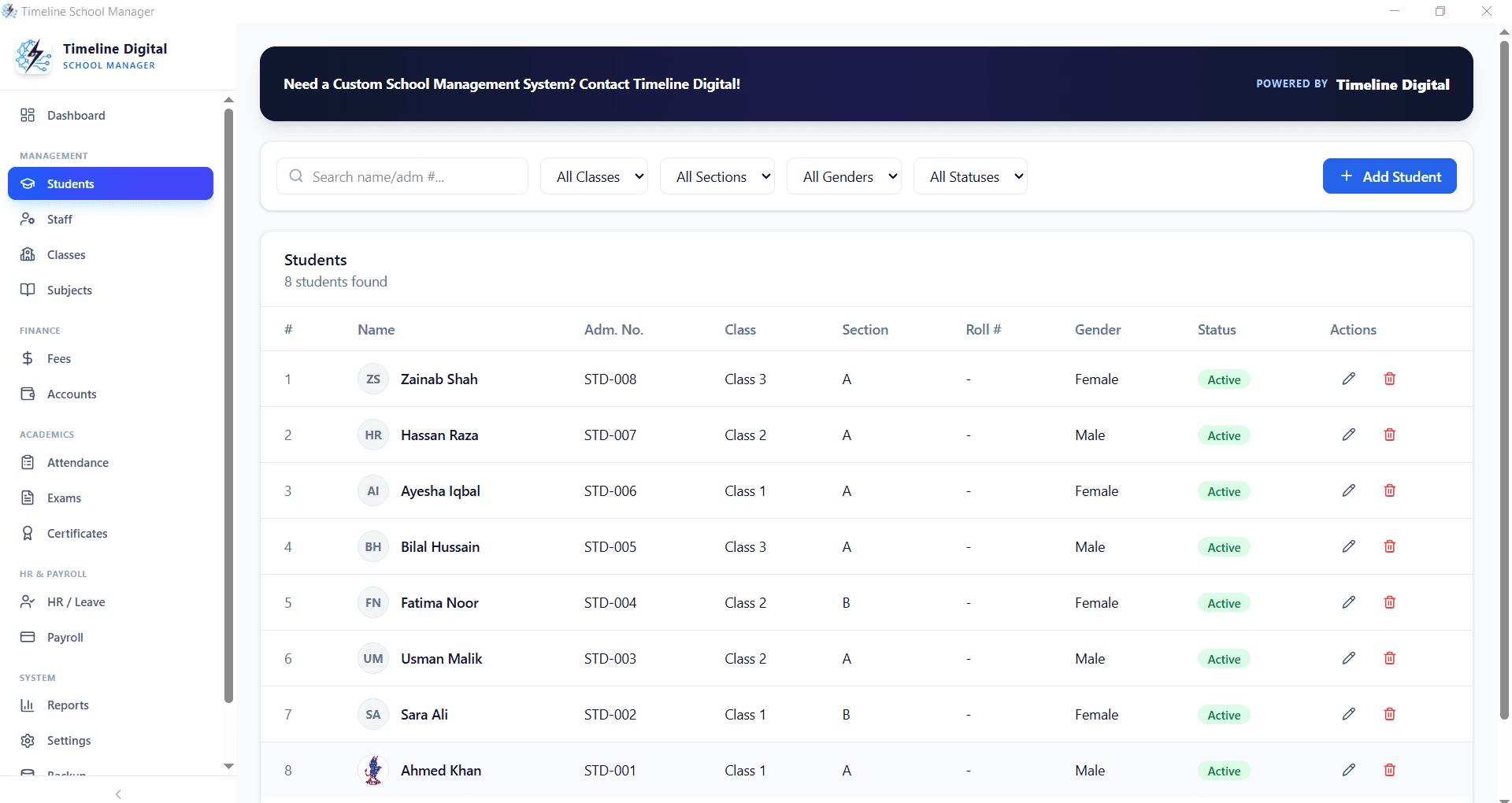
A system of record: who is enrolled, who showed up, what grades they earned, what tuition was paid, and printable report cards at the end of the term. District-scale SIS platforms add parent portals, state compliance reporting, and integrations most 50-to-300-student schools never touch, and price all of it into a per-student annual fee.
Small-school SIS plans are usually billed per student per year or as a monthly fee; as a rough market range that often comes to several hundred to a couple of thousand dollars a year for a small campus, depending on the vendor. If the features you would actually use are the system-of-record basics, a free desktop application covers them without the subscription.
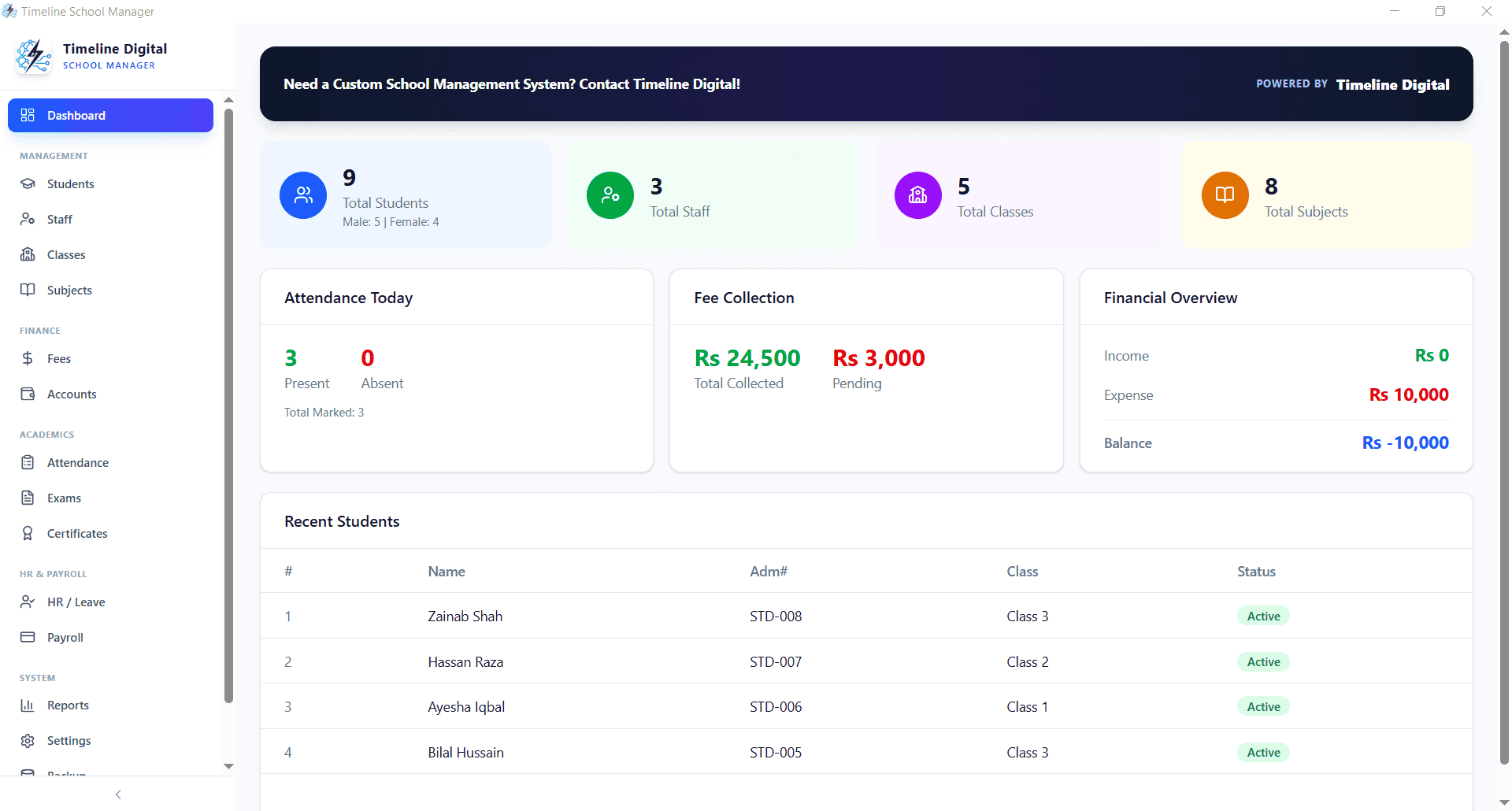
Demographics, guardian contacts, enrollment dates, class placement, and academic history for every student, searchable in seconds.
Daily attendance by class with monthly summaries and low-attendance flags. Staff attendance is tracked separately.
Configure exams and grading per class, enter marks per subject, and print result cards without spreadsheets.
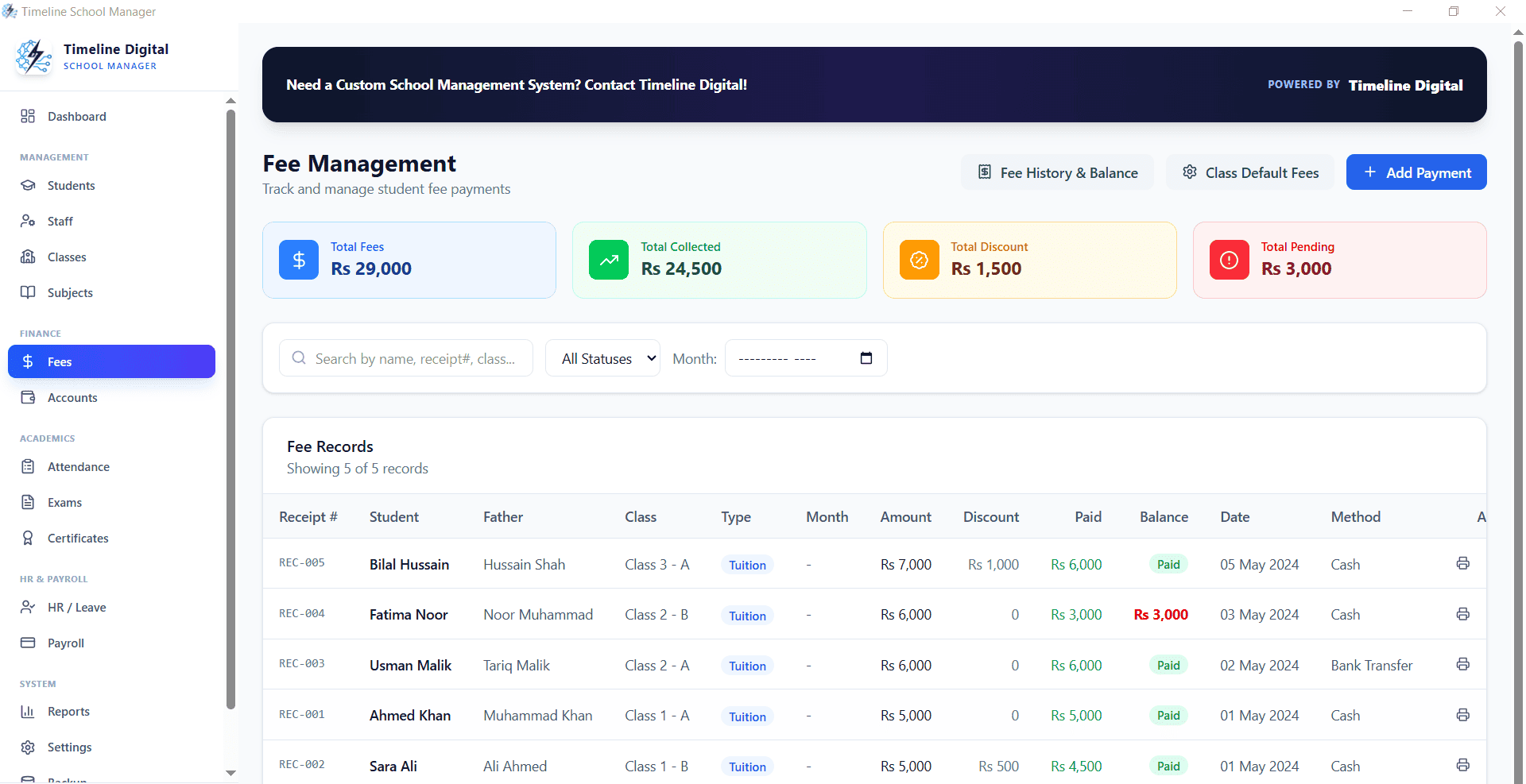
Record tuition payments, print numbered receipts, apply discounts, and pull a list of overdue accounts on demand.
Staff records, salary configuration, deductions, payroll slips, and payment history for teaching and office staff.
Leaving and character certificates, financial summaries, and print-ready reports populated from student records.
A cloud SIS gives parents and teachers logins from anywhere and handles state reporting where required; you pay for that every year. A desktop system gives one campus its records, grades, and tuition tracking on its own hardware, free, with student data that never leaves the building, a distinction that matters to schools that take data privacy seriously.
Outgrowing the desktop model is a good problem. When it happens, Timeline Digital, a custom software development company founded in 2013, builds custom school platforms with parent portals, online tuition payments, and multi-campus sync, starting with a free pilot of 2 to 3 key modules.
Leave your name and number. We help schools install the software, import existing student data, and set up grading and tuition plans. If you need a cloud system with a parent portal, we build those as custom projects.
No spam. We only use your number to reply about your project.
Yes, with a caveat. Timeline School Manager is a free Windows desktop application that keeps student records, attendance, grades, report cards, tuition payments, and staff records for a single campus. It is free for lifetime use with no student cap. The caveat: it is a desktop system, not a cloud SIS, so there is no parent portal or state reporting.
It does the core SIS job, acting as the system of record for student demographics, enrollment, attendance, grades, and tuition, but the term SIS usually implies a cloud system with portals and, for public schools, state compliance reporting. That is why we describe it as a desktop student records system rather than a full cloud SIS.
Small-school SIS plans are usually billed per student per year or as a monthly fee. As a rough market range, entry tiers commonly come to several hundred to a couple of thousand dollars a year for a small campus, but prices vary by vendor, so check current price lists. Timeline School Manager costs nothing.
It prints result cards, certificates, attendance sheets, fee receipts, and financial summaries directly from student records. Grading schemes are configurable per class and exam. It does not produce state-specific transcript formats, so check a sample against what your school issues.
All records are stored locally on your own computer and are not sent to Timeline Digital or any cloud service, so no outside vendor handles your student data. Timeline School Manager makes no FERPA compliance or certification claim; your school remains responsible for its own data-protection and privacy obligations, such as who can use the PC and how backups are kept.
They overlap. A student information system centres on student records, enrollment, attendance and grades; school management (or administration) software adds fees, staff payroll and office accounts; student management software is another name for the records side. Timeline School Manager covers all of these for one campus on one PC.
The installer is not code-signed, so Windows SmartScreen may show a warning. Download it only from timelinedigi.com, compare it with the SHA-256 checksum published on the main school management system page, then choose "More info" and "Run anyway".
When parents need to log in from home, when teachers must enter grades from their own devices, when you run multiple campuses on one live database, or when state reporting becomes a duty. At that point you need a cloud system, either a commercial SIS or a custom build, and Timeline Digital builds custom school platforms with parent portals and multi-campus sync.