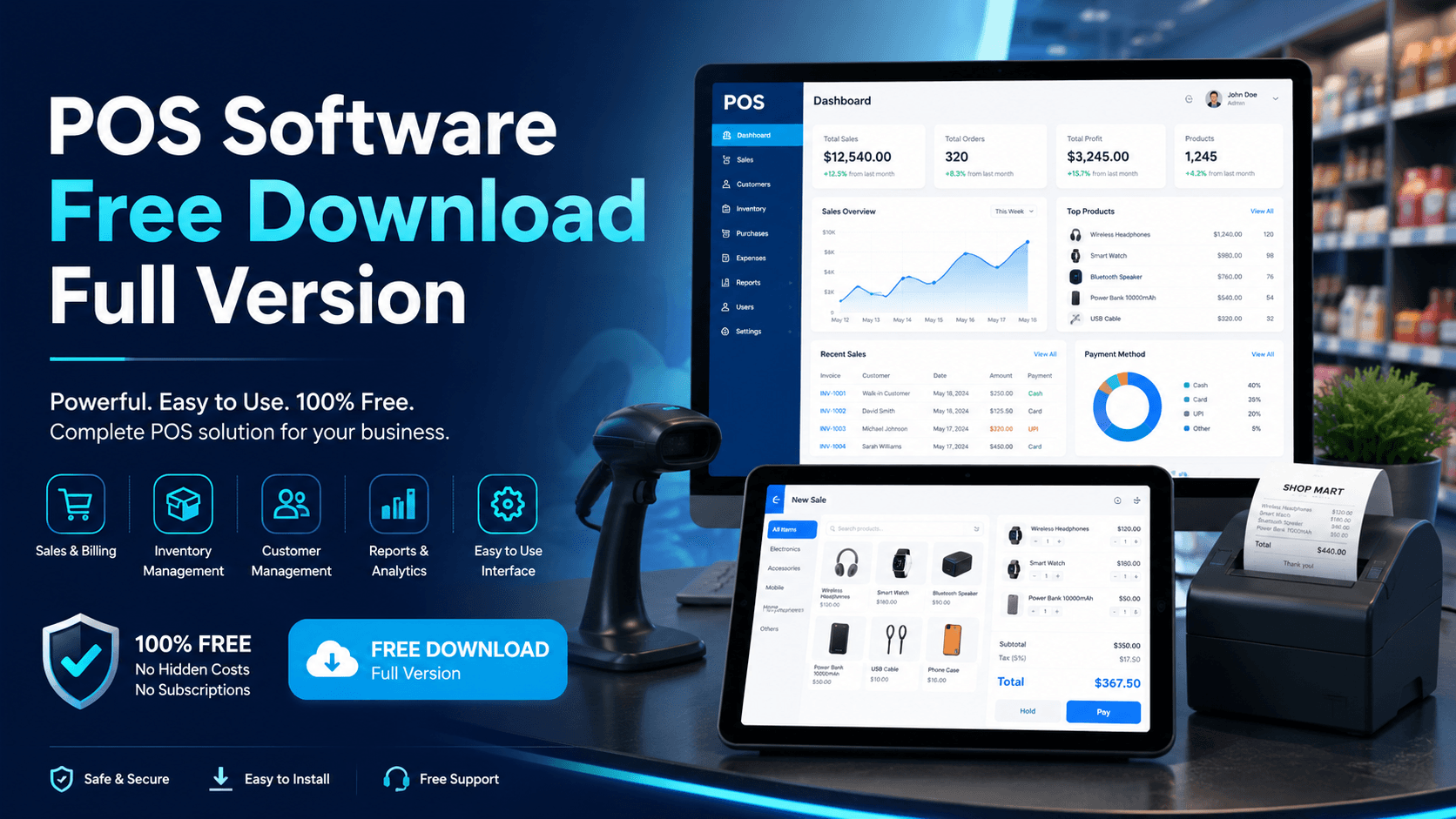
If you are searching for free offline POS software download for PC, the best starting point is a desktop POS that installs on your own computer, keeps billing when the internet is down, and does not charge a monthly fee. Timeline POS is a free Windows point-of-sale system for shops, retail stores, supermarkets, pharmacies, boutiques, hardware stores, mobile shops, grocery stores, and small businesses that need billing, inventory, customers, receipts, and reports in one place.
Just want the download? Go straight to the free offline POS software download for PC page, the official download destination with the installer, system requirements, and setup steps. This guide is the companion deep-dive for Windows 10 and 11 owners weighing full-version, supermarket, Windows 7, and Android variants first.
Short answer
Timeline POS is a free offline POS software download for PC. It is built for Windows desktop use, works without an internet connection after installation, and is best for single-location retail and product-based businesses. For restaurants, cafes, fast food shops, and food counters, use Timeline Restaurants POS instead.
People also search for: which POS download do you need?
| Search term | Best answer |
|---|---|
| Free offline POS software download for PC | Use Timeline POS for Windows desktop billing, inventory, customers, and reports. |
| Free offline POS software download for Windows 10 | Timeline POS is designed for modern Windows PCs and is a practical fit for Windows 10 and Windows 11 setups. |
| POS software free download full version for PC | Download the official full-version POS from Timeline Digital instead of cracked or unknown installers. |
| POS software free download full version for Windows 10 | Use the Windows desktop version for shops, supermarkets, pharmacies, and retail counters. |
| Supermarket POS software free download full version | Timeline POS can help small and medium supermarkets manage products, billing, barcode checkout, stock, and daily reports. |
| Free offline POS software download for Windows 7 | If you are still using Windows 7, upgrade where possible for better security and compatibility before running business software. |
| Free offline POS software download Android | Timeline POS is a Windows desktop POS. If you need Android POS, check whether your workflow needs a mobile app or a custom POS build. |
| POS software free download for PC | Download from the official Timeline POS page. |
Why choose offline POS software for PC?
Cloud POS systems are useful when a business needs multiple branches, live sync, online dashboards, and remote management. But for many small businesses, the main requirement is simpler: the cashier must be able to bill customers quickly every day.
Offline POS software is useful because:
- Billing continues when the internet is down
- Your sales and customer data stay on your own computer
- You avoid monthly cloud subscription fees
- The counter stays fast during busy hours
- You can use a normal Windows PC or laptop
- A small shop can start without expensive hardware
This is especially important for shops that rely on one counter computer, a receipt printer, and optional barcode scanner. You do not need a complicated cloud setup just to print bills, track stock, and view daily sales.
What Timeline POS includes
Timeline POS is built to cover the daily needs of a retail business.
Core features include:
- Fast sales and billing
- Product and category management
- Barcode support for faster checkout
- Inventory and stock tracking
- Customer records and sales history
- Orders and payment records
- Daily, weekly, and monthly reports
- Receipt setup with business details
- Tax and business settings
- Offline desktop use
For a general shop, grocery store, boutique, pharmacy, electronics store, mobile accessories shop, hardware shop, cosmetics store, or small supermarket, this gives you the main tools needed to move away from manual registers and spreadsheets.
Free offline POS software download for Windows 10
Many business owners search specifically for free offline POS software download for Windows 10 because Windows 10 is still common on office and shop computers. A Windows desktop POS is a good fit when you want a stable counter machine for billing and reporting.
Before installing any POS on a Windows 10 PC, check:
- The computer turns on quickly and is reliable
- The receipt printer connects properly
- The barcode scanner works as keyboard input
- The business owner or cashier can back up data regularly
- The POS is downloaded from the official source
For the official download, use Timeline POS. If you are comparing options first, also see the wider free POS software guide, and the free POS software for Windows page for the Windows-specific comparison.
POS software free download full version for PC
The phrase POS software free download full version for PC often brings up risky websites with cracked installers, outdated files, or software that is free only during a trial. That is not a good way to run business billing.
A safer approach is to choose official free software from the company that publishes it. With Timeline POS, you can download from Timeline Digital, install on your PC, and use the POS for retail billing without a monthly software subscription.
Avoid these common mistakes:
- Downloading POS files from unknown mirror websites
- Installing cracked POS software on a business computer
- Using a free trial that locks your data after a few days
- Choosing a cloud POS that stops billing when internet drops
- Ignoring backup, printer, and security setup
Your POS holds product prices, sales records, customers, and daily cash information. Treat it like a business system, not a random utility file.
Supermarket POS software free download full version
Supermarkets need stronger product and inventory control than a small one-counter shop. Even a small supermarket may have hundreds or thousands of SKUs, barcode labels, different categories, different margins, and regular stock movement.
For a small or medium supermarket, look for:
- Barcode scanning
- Product categories
- Purchase price and sale price
- Stock quantity tracking
- Low-stock review
- Receipt printing
- Sales reports
- Customer records
- User-friendly billing screen
Timeline POS can fit small and medium supermarket-style shops that need offline Windows billing and product tracking. If you operate multiple supermarket branches, need live branch syncing, warehouse transfers, advanced purchasing, supplier ledgers, or central management, a custom POS or ERP may be better. In that case, Timeline Digital can help through custom software development and enterprise systems development.
What about Windows 7 POS software?
People still search for free offline POS software download for Windows 7, usually because an older shop PC is still running. The practical answer is to be careful. Windows 7 is an old operating system, and many modern business tools, drivers, browsers, and security updates are no longer built around it.
If your business depends on that computer, the better path is:
- Move to a supported Windows version where possible
- Check your printer and scanner drivers before migration
- Back up your old data before installing anything
- Use official POS software downloads only
Running billing on an old unsupported PC may feel cheaper today, but losing sales data or printer compatibility can cost more later.
What about Android POS software?
People also search for free offline POS software download Android. Android POS can be useful for mobile sellers, delivery teams, pop-up counters, and small kiosks. But Android POS and Windows desktop POS are different products.
Timeline POS is focused on Windows desktop use. That makes it a strong fit for a fixed billing counter with a PC, receipt printer, and optional barcode scanner. If you need Android POS, offline mobile sync, field sales, or a custom mobile billing workflow, talk to Timeline Digital about mobile app development or a custom POS system.
PC POS vs Android POS
| Requirement | Windows PC POS | Android POS |
|---|---|---|
| Fixed retail counter | Strong fit | Possible, but depends on hardware |
| Receipt printer setup | Usually easier with USB printers | May need Bluetooth or network printer |
| Barcode scanner | Simple with USB scanners | Depends on device and scanner |
| Offline desktop database | Strong fit | Needs mobile app architecture |
| Mobile selling | Less suitable | Stronger fit |
| Large product catalog | Stronger on desktop | Possible, but screen size matters |
If your cashier sits at a counter, choose a PC POS. If your staff moves around with phones or tablets, consider Android or a custom mobile POS workflow.
How to set up POS software on a PC
Use this simple setup flow:
- Download the POS from the official Timeline POS page
- Install it on your Windows computer
- Add your business name, address, currency, and receipt details
- Add products, categories, prices, and stock quantities
- Connect your receipt printer and test one sample bill
- Add a barcode scanner if your products use barcodes
- Train the cashier on billing, discounts, returns, and reports
- Back up your data regularly
Start with a small product list if you are moving from manual billing. Once the cashier is comfortable, add the rest of your inventory.
Best businesses for free offline POS software
Timeline POS is a good fit for:
- Grocery stores
- Mini marts
- Small supermarkets
- Pharmacies
- Clothing and fashion stores
- Cosmetics shops
- Mobile accessories shops
- Electronics shops
- Hardware stores
- Stationery shops
- Gift shops
- General retail counters
- Service businesses that need billing
For restaurants, cafes, pizza shops, bakeries, and food businesses, use Timeline Restaurants POS, because food businesses need menu and order workflows rather than only retail product billing.
Final recommendation
If you need POS software free download for PC, start with Timeline POS. It is the right choice for shops and retail businesses that want offline Windows billing, inventory, customers, receipts, and reports without a monthly fee.
If your business is food-related, download Timeline Restaurants POS. If you need multi-branch sync, Android apps, custom tax workflows, advanced supermarket operations, or ERP-style reporting, contact Timeline Digital for custom software development.