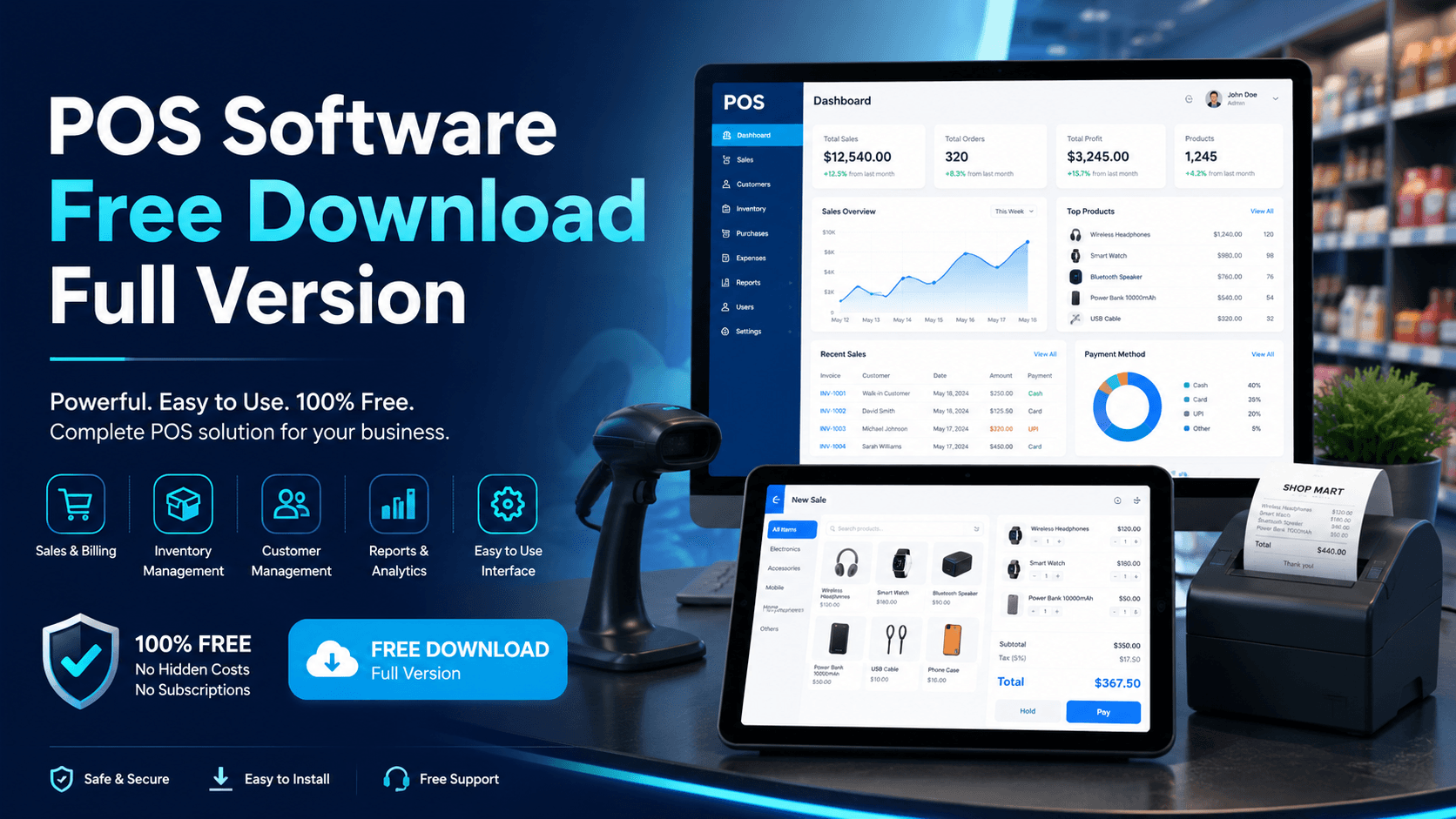
If you are searching for POS software free download full version, the practical answer is simple: download the right free POS for your business type. Timeline POS is built for general businesses, retail shops, grocery stores, pharmacies, boutiques, electronics shops, service businesses, and small companies. Timeline Restaurants POS is built for restaurants, cafes, fast food shops, bakeries, food counters, dine-in, takeaway, and food-service teams. Both are provided by Timeline Digital as free POS software for lifetime use.
Manual billing with calculators, notebooks, Excel sheets, and handwritten receipts can work for a short time, but it becomes messy as soon as sales increase. A proper point of sale system helps you manage billing, products, stock, customers, orders, receipts, invoices, reports, and daily business performance from one place.
For small businesses that want digital billing without expensive monthly subscriptions, Timeline Digital offers two free download options:
| POS Software | Best For | Download |
|---|---|---|
| Timeline POS | Retail shops, grocery stores, boutiques, pharmacies, mobile shops, service businesses, and general business billing | Download Timeline POS |
| Timeline Restaurants POS | Restaurants, cafes, fast food shops, bakeries, takeaway counters, and food businesses | Download Timeline Restaurants POS |
What Is POS Software?
POS stands for Point of Sale. POS software is a system that helps a business record sales, create bills, manage products, track inventory, save customer records, and review reports.
Instead of writing every sale manually, a POS system lets you:
- Add products and services
- Create bills and receipts
- Track sales history
- Manage inventory and stock
- Save customer records
- View daily revenue
- Check product performance
- Reduce billing mistakes
For a shop, restaurant, cafe, grocery store, clothing store, pharmacy, salon, or service business, POS software makes daily operations faster and more organized.
Why Businesses Need POS Software
Manual billing becomes difficult when customer volume, product count, or staff activity grows. Business owners often face the same problems:
- Wrong billing calculations
- No proper sales history
- Stock mismatch
- Missing customer records
- Difficult daily closing
- No profit or sales reports
- Manual receipt writing
- No low-stock visibility
- Repeated data entry
- No clear business dashboard
A POS system solves these problems by keeping your business data structured. You can quickly see what you sold, which stock is available, which products are moving fast, and how much revenue your business generated.
POS Software Free Download Full Version by Timeline Digital
Timeline Digital provides free POS software for businesses that need a simple, professional, and easy-to-use billing system without a heavy starting cost.
The goal is to help small and growing businesses move from manual billing to digital business management. You can start with a free full-version POS and later discuss custom development if your business needs advanced features.
Timeline Digital offers two free POS systems:
Both are official Timeline Digital products. Downloading from the official website is safer than searching for cracked POS software or unknown installers.
Timeline POS for General Business
Timeline POS is designed for businesses that need billing, product management, inventory, customers, sales history, and reports.
It is suitable for:
- Retail shops
- Grocery stores
- Clothing stores
- Electronics shops
- Cosmetic stores
- Stationery shops
- Pharmacies
- Mobile shops
- Hardware stores
- Service businesses
- Small and medium businesses
If your business sells products or services, Timeline POS can help you create bills, manage records, and track daily sales professionally.
Key Features of Timeline POS
Sales and billing: Create sales quickly, add items to the cart, complete checkout, and keep a proper sales record. This reduces manual errors and saves time during busy hours.
Product management: Manage product names, categories, SKU or code, cost price, sale price, stock quantity, and low-stock level.
Inventory tracking: Know which products are available, which products are low in stock, which items sell fast, and which items need restocking.
Customer management: Save customer records, order history, balances, and details in one place.
Orders and sales history: Review previous orders, paid amounts, pending balances, and daily transactions whenever needed.
Reports and analytics: View daily sales, product performance, inventory summary, customer records, revenue trends, and business performance.
Business settings: Configure your business name, contact details, address, currency, tax settings, receipt footer, and stock alert levels.
Download the official version here: Timeline POS free download.
Timeline Restaurants POS
Timeline Restaurants POS is designed for food businesses that need restaurant billing and order management.
It is suitable for:
- Restaurants
- Cafes
- Fast food shops
- Bakeries
- Food courts
- Takeaway businesses
- Dine-in restaurants
- Small food businesses
- Coffee shops
- Juice bars
Restaurant businesses need a different workflow from retail shops. Food businesses often need menu items, table or order handling, dine-in and takeaway workflows, kitchen coordination, and daily closing reports. That is why Timeline Digital provides a separate POS system for restaurants.
Key Features of Timeline Restaurants POS
Restaurant billing: Create food bills quickly and manage orders in a professional way during busy service hours.
Dine-in and takeaway support: Use one system for dine-in, takeaway, and counter sales.
Menu management: Organize food items, menu categories, deals, drinks, desserts, pizza, burgers, tea, coffee, bakery items, and add-ons.
Order management: Track restaurant orders in a structured system instead of relying only on handwritten slips or manual registers.
Daily sales reports: Review orders, sales, and daily restaurant performance after closing.
Better operational control: Improve billing speed, order records, staff accountability, reporting, and customer service.
Download the official restaurant version here: Timeline Restaurants POS free download.
Timeline POS vs Timeline Restaurants POS
Choose the POS based on your business workflow, not only the word "free".
| Feature | Timeline POS | Timeline Restaurants POS |
|---|---|---|
| Best For | General businesses and retail shops | Restaurants and food businesses |
| Billing | Product and service billing | Food order billing |
| Inventory | Product stock management | Menu and item management |
| Customers | Customer records and order history | Restaurant customer and order records |
| Reports | Sales, products, customers, inventory | Restaurant sales and order reports |
| Business Type | Shops, stores, services, retail | Restaurants, cafes, fast food, takeaway |
| Cost | Free for lifetime | Free for lifetime |
| Download | Download Timeline POS | Download Timeline Restaurants POS |
For a wider comparison of free POS options, see the free POS software guide. If you want to compare pricing models and total ownership cost, read the cheapest POS system for small business guide or the broader best POS systems 2026 hub.
Benefits of Using Free POS Software
Save Monthly Software Cost
Many POS systems charge monthly or yearly fees. For small businesses, recurring software charges can become expensive. A free POS lets you start digital billing without adding a monthly subscription.
Improve Billing Speed
POS software makes billing faster than manual writing. You can select products, create a sale, generate a receipt, and keep the record in the system.
Reduce Manual Mistakes
Manual calculation creates errors in bills, stock, customer balances, and daily closing. A POS system standardizes the process and keeps records more reliable.
Track Inventory Easily
For retail businesses, inventory control is one of the biggest benefits of POS software. You can track available products, low-stock items, and fast-selling products.
Manage Customers Better
Customer records help you improve service and build repeat business. A POS keeps customer history and contact records in one place.
View Reports Anytime
Reports help owners make better decisions. Instead of checking registers and Excel files separately, a POS gives you clearer sales and business activity.
Run a More Professional Business
Using POS software makes your billing process more professional. It helps you move from manual work to a structured digital system.
Who Can Download This POS Software?
Timeline Digital's free POS software is useful for many business types:
- Retail shop
- Grocery store
- Clothing store
- Restaurant
- Cafe
- Fast food shop
- Bakery
- Pharmacy
- Mobile accessories shop
- Electronics shop
- Cosmetics store
- Hardware shop
- Stationery shop
- Salon
- Service business
- Wholesale business
- Small business
- Startup business
If your business handles sales, billing, inventory, products, services, or customers, POS software can help you manage operations better.
Is This POS Software Really Free?
Yes. Timeline Digital provides Timeline POS and Timeline Restaurants POS free of cost for lifetime use.
You can download:
These tools help businesses start digital management without a high software budget. If you later need advanced customization, multi-branch management, cloud sync, mobile apps, custom reports, or integrations with existing systems, Timeline Digital can build a custom POS solution around your workflow.
Free POS Software vs Paid POS Software
| Feature | Free POS Software by Timeline Digital | Paid POS Software |
|---|---|---|
| Cost | Free for lifetime | Monthly or yearly charges |
| Best For | Small businesses, startups, shops, restaurants | Businesses with advanced paid needs |
| Setup | Easy to start | May require paid setup |
| Billing | Available | Available |
| Inventory | Available in general POS | Available |
| Reports | Available | Available |
| Customization | Available separately as a custom project | Depends on provider |
| Business Upgrade | Contact Timeline Digital for custom development | Depends on package |
Free POS software is a strong starting point for businesses that want to move from manual billing to digital billing.
Full Version POS Software: What Does It Mean?
When people search for POS software free download full version, they usually want software that is not a limited trial.
A full-version POS should let a business use important features without hidden time limits or trial-only restrictions. Timeline Digital's free POS tools are designed for businesses that want to start with real POS features instead of demo-only software.
Always download software from the official website. Avoid cracked or pirated POS software because it can create security risks, data loss, and business problems.
Official download links:
Why Avoid Cracked POS Software?
Cracked POS software can be risky because your POS stores business data, sales records, customer information, products, payments, and reports.
Cracked software may cause:
- Data theft
- Viruses or malware
- System damage
- Lost sales records
- No updates
- No support
- Legal and security issues
- Business data risk
Timeline Digital gives free POS software officially, so you do not need cracked or unsafe software.
When Should You Upgrade to Custom POS Software?
Free POS software is useful for many businesses, but some teams need advanced features.
You may need custom POS software if you want:
- Multi-branch management
- Cloud-based POS
- Mobile app access
- Admin dashboard
- Staff roles and permissions
- Barcode scanner integration
- WhatsApp integration
- Online orders
- E-commerce connection
- Delivery management
- Kitchen display system
- Custom invoices
- Customer loyalty system
- Advanced reports
- Accounting integration
- Vendor management
- Franchise management
Timeline Digital can build custom POS software according to your business workflow. You can explore our custom software development services, see our software development company in Pakistan page, or contact Timeline Digital to discuss your requirements.
Why Choose Timeline Digital?
Timeline Digital provides software, web applications, mobile applications, websites, AI automation, SEO, and digital solutions for businesses. We help companies replace manual work with practical digital systems.
Our services include:
- Custom POS software development
- Retail POS software
- Restaurant POS software
- Inventory management systems
- CRM software
- ERP systems
- Web application development
- Mobile app development
- Website development
- UI/UX design
- SEO and digital marketing
- Software maintenance and support
Timeline Digital first understands your requirements, then suggests the best solution according to your business needs and budget.
Timeline Digital Pricing Options for Custom Software
If you need advanced software beyond the free POS version, Timeline Digital also provides custom software development.
| Pricing Model | Best For |
|---|---|
| Fixed Cost After Requirements | Custom POS, CRM, ERP, web apps, mobile apps, and business systems |
| Monthly Plan Starting from PKR 15,000 | Basic business software with selected features and mobile app access |
| Installment Plan Up to 3 Installments | Businesses that want to divide project payment into stages |
Final cost depends on requirements, modules, users, reports, integrations, mobile app needs, and support.
Download POS Software Free Full Version
Download the POS software according to your business type.
For a shop, retail store, service business, grocery store, clothing store, pharmacy, electronics shop, or small business, use Timeline POS.
For a restaurant, cafe, fast food business, bakery, food counter, or takeaway business, use Timeline Restaurants POS.
Final Thoughts
If you are searching for POS software free download full version, Timeline Digital gives you two free options for lifetime use. Download Timeline POS for general businesses, or download Timeline Restaurants POS for food businesses.
These free POS systems help businesses manage billing, sales, customers, inventory, orders, and reports more professionally. Start with the free POS software today, and when your business grows, Timeline Digital can help you build a custom POS solution with cloud features, mobile app access, multi-branch management, integrations, and custom reports.