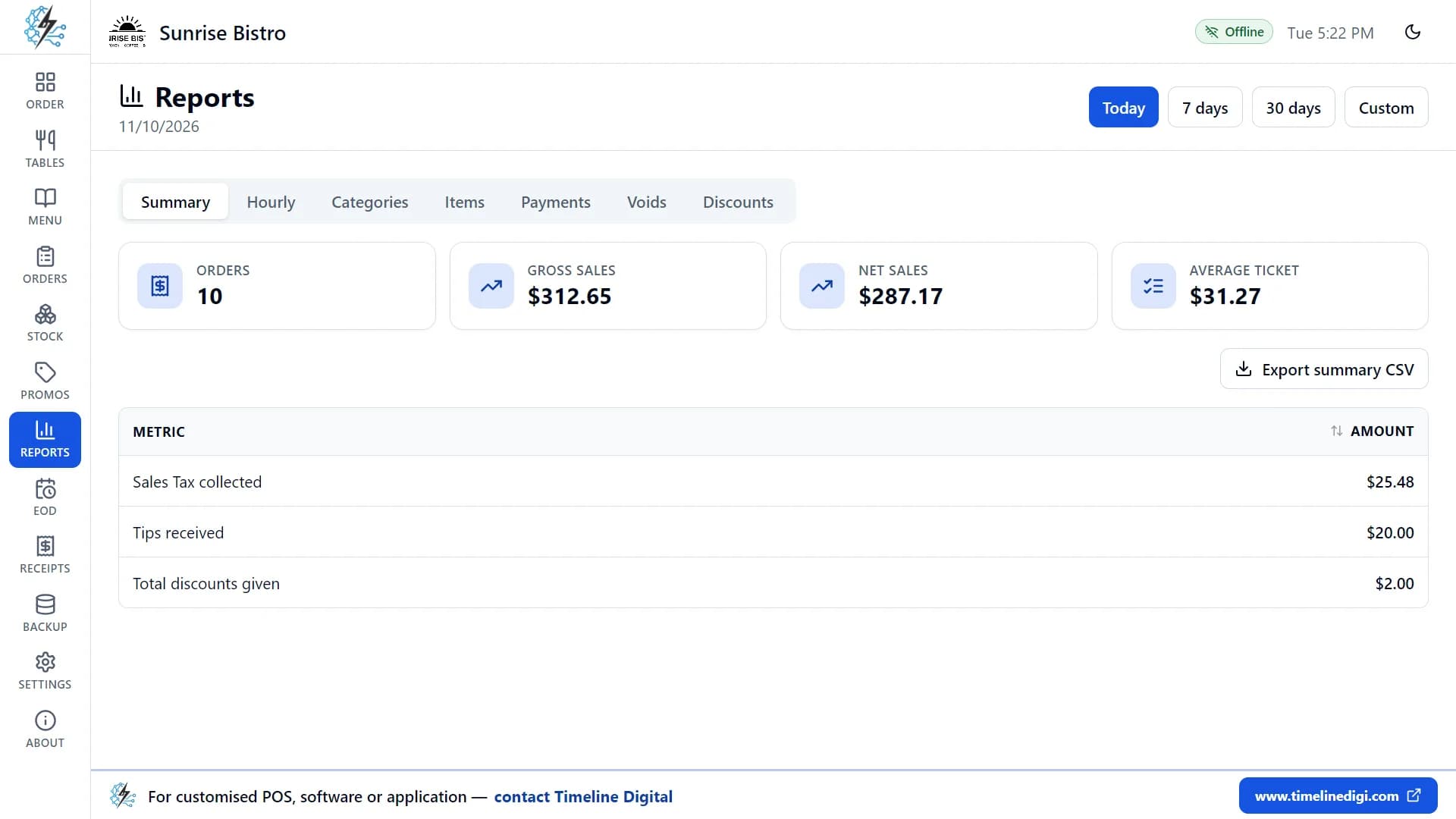
A restaurant end of day report, also called an EOD report or Z-report, is the summary you print when you close. It lists orders and voids, sales by cash, card and other payment types, tax, tips and discounts, and the cash that should be in the drawer. You count the drawer and record any difference.
This guide is for owners and managers of restaurants, cafés, bars, bakeries, takeaways and food trucks who close the till themselves or train someone to do it. It explains the report in plain words, gives an end of day checklist, works through a cash count with numbers, and then shows the same routine in Timeline Restaurants POS, the free restaurant app for Windows and Mac made by Timeline Digital.
Key takeaways
- An end of day report answers two questions: what did we sell today, and is the right amount of cash in the drawer?
- A Z-report closes the day or shift. An X-report is a mid-shift reading that changes nothing.
- Expected cash is opening cash, plus cash sales, plus cash paid in, minus cash paid out.
- Count the drawer before you look at the expected figure, so the count is honest.
- A small difference now and then is normal. The same difference again and again is a process problem to find.
- Write a short note on every difference on the day it happens. Nobody remembers the reason a week later.
- Timeline Restaurants POS prints a Z-report when you close a shift. It has no X-report.
What is an end of day report in a restaurant?
An end of day report in a restaurant is a one-page summary of a trading day or shift, produced when you close. It shows how many orders were taken, how much was sold, how customers paid, how much tax and tips were collected, and how much cash should be in the drawer compared with what was counted.
The same report goes by several names. "End of day report" and "EOD report" are the general terms. "Z-report" comes from cash registers and is the name most point of sale (POS) systems use. "Close out" and "cash up" describe the routine of producing the report and counting the money.
The report matters for three reasons:
- It proves the cash. Without it, you only know what is in the drawer, not what should be there.
- It feeds your books. Daily sales, tax collected and tips are the figures your bookkeeper or accountant needs.
- It shows problems early. A jump in voids or discounts, or a drawer that is short every Friday, is visible the same night.
What is a Z-report, and how is it different from an X-report?
A Z-report is the final report for a day or shift: it is run once, at close, and ends the period. An X-report is a reading of the same totals taken during the shift, which changes nothing and can be run as often as needed. The Z-report closes; the X-report only looks.
| X-report | Z-report |
|---|
| When it is run | Any time during the shift | Once, when the shift or day is closed |
| What it does to the totals | Nothing. It is read-only | Ends the period. On many registers and POS systems it resets the day's totals to zero |
| Typical use | A mid-shift check, or a cashier handover | The end of day record that goes to the owner or bookkeeper |
| How often | As often as you like | Once per shift or day |
Exact behaviour depends on the system. Some cash registers keep a running grand total after a Z-report, and some POS systems close the day automatically at a set time. Read your own system's help before you rely on either report.
Timeline Restaurants POS prints a Z-report when you close a shift. It does not have an X-report, so there is no mid-shift reading.
What should an end of day report show?
An end of day report should show the number of orders and voids, sales split by payment type, total sales, tax collected, tips, discounts, the opening cash, cash paid in and paid out, the expected cash, the counted cash and the difference. Together these lines explain both the day's sales and the drawer.
| Line on the report | What it means | Why you check it |
|---|
| Orders | The number of orders completed in the shift | Compare it with a normal day of the same kind |
| Voids | Orders that were cancelled after being entered | A high number needs a reason for each one |
| Cash sales | Payments taken in cash | This is the figure that should be in the drawer, on top of the opening cash |
| Card sales | Payments recorded as card | Compare it with the settlement or batch total from your card terminal |
| Other sales | Gift cards, vouchers and similar | Match it to the vouchers you collected |
| Total sales | All payment types added together | The day's takings for your books |
| Tax | Sales tax or VAT collected | Money you hold for the tax authority, not income |
| Tips | Tips added to payments | What is owed to staff, under your own tip policy |
| Discounts | The value of discounts given | Check they match the promotions you were running |
| Opening cash | The cash put in the drawer at the start, also called the float | The starting point of the cash count |
| Cash in (paid in) | Cash added to the drawer that was not a sale, such as extra change | Explains why there is more cash than sales |
| Cash out (paid out) | Cash taken from the drawer, such as a small supplier payment | Explains why there is less cash than sales |
| Expected cash | Opening cash plus cash sales plus cash in, minus cash out | What the drawer should hold |
| Counted cash | What you counted | What the drawer does hold |
| Difference | Counted cash minus expected cash | Over if positive, short if negative |
In accounting, the difference between recorded and counted cash is called "cash over and short", and many businesses track it in an account of that name so the pattern is visible over time.
How do you close out a restaurant at the end of the day?
You close out a restaurant by settling every open order, counting the cash drawer, comparing the count with the expected cash, recording any difference with a note, printing the Z-report, and then putting away the takings and setting the opening cash for the next day. Doing the steps in the same order every night keeps the figures reliable.
Use this end of day checklist. Adapt the order to your own restaurant, then keep it the same every day.
| Step | What to do | Done |
|---|
| 1 | Check that no order is still open or on hold. Take payment for each one or deal with it | ☐ |
| 2 | Make sure every cash movement of the day was recorded as paid in or paid out, with a reason | ☐ |
| 3 | Print the settlement or batch report from your card terminal | ☐ |
| 4 | Count the cash in the drawer, by note and coin, before looking at the expected figure | ☐ |
| 5 | Enter the counted cash and read the expected cash and the difference | ☐ |
| 6 | If there is a difference, recount once, then look for the cause and write a note | ☐ |
| 7 | Compare card sales on the report with the card terminal total | ☐ |
| 8 | Print the Z-report and sign or initial it | ☐ |
| 9 | Take out the takings for the bank or safe and leave the opening cash for tomorrow | ☐ |
| 10 | File the Z-report with the card terminal report and any paid-out receipts | ☐ |
| 11 | Back up the POS data | ☐ |
Rules on how long daily sales records must be kept differ from country to country. Ask your accountant what applies to you.
How do you count the cash drawer when you cash up?
You count the cash drawer by sorting notes and coins by value, counting each pile, writing down each subtotal and adding them up. Count before you look at the expected cash, so the result is not adjusted to fit. If the total surprises you, count once more before searching for a reason.
- Close the doors or move the drawer to a quiet place, away from customers.
- Sort notes by value, largest first, then coins.
- Count each value and write the subtotal on a count sheet.
- Add the subtotals to get the counted cash.
- Only now compare it with the expected cash on the report.
- Where you can, have a second person watch or repeat the count.
What should you do when the cash does not match?
When the cash does not match, recount the drawer once, then check the usual causes in order: a paid in or paid out that was not recorded, a payment recorded under the wrong type, wrong change given, or an opening cash figure that was entered incorrectly. Record the difference and the reason on the same day.
| What you see | Likely cause | What to check |
|---|
| Short by a round amount | A paid out that was not recorded, or takings removed early | Receipts in the drawer, and who took cash out |
| Over by a round amount | A paid in that was not recorded, such as extra change | Whether change was added during service |
| Cash short, and the card terminal total higher than card sales on the report by the same amount | A card payment recorded as cash | The card terminal report against the card total |
| Cash over, and the card terminal total lower than card sales on the report by the same amount | A cash payment recorded as card | The card terminal report against the card total |
| Short by a small odd amount | Wrong change given, or a miscount | Recount. If it remains, note it |
| Over by the amount of one order | An order paid in cash but never closed in the POS | Open and held orders |
| Wrong from the start of the day | Opening cash entered incorrectly | Yesterday's closing note and the float |
Do not "fix" a difference by adding or removing your own money. The value of the report is that it records what happened. A small difference once in a while is part of handling cash. The same shortage on the same shift several times is a reason to review who handles the drawer and how.
Worked example: an end of day cash count (illustrative)
This example is made up to show the arithmetic. The figures have no currency and do not come from a real restaurant.
A café opens with 150 in the drawer. During the day the owner adds 50 in change (paid in) and pays 35 in cash for herbs from the market (paid out). The report at close shows:
| Line | Amount |
|---|
| Orders | 64 |
| Voids | 1 |
| Cash sales | 820 |
| Card sales | 1,240 |
| Other sales (vouchers) | 40 |
| Total sales | 2,100 |
| Opening cash | 150 |
| Cash in | 50 |
| Cash out | 35 |
| Expected cash | 985 |
| Counted cash | 980 |
| Difference | 5 short |
Expected cash is 150 + 820 + 50 - 35 = 985. The owner counts 980, recounts and gets 980 again. The card terminal report shows 1,240, which matches. The owner writes "5 short, recounted, likely wrong change at lunch" as the note, prints the Z-report, takes 830 to the safe and leaves 150 as tomorrow's opening cash.
How to do this in Timeline Restaurants POS
Timeline Restaurants POS handles the end of day on one page: you open a shift with your starting cash, record cash paid in and paid out during the day, then close the shift by entering your cash count. The app shows the expected cash, the counted cash and the difference, and prints a Z-report.
- Open a shift. At the start of the day, open a shift and enter the cash you start with in the drawer.
- Record paid in and paid out. Each time cash is added to or taken from the drawer during the day, record it with a reason, for example "Fresh herbs from the market".
- Count the drawer. At close, count the cash in the drawer and enter the amount.
- Read the result. The app shows the expected cash, your counted cash and any difference.
- Add a note if you need to, for example the reason for a difference.
- Close the shift and print the Z-report. It lists the number of orders and voids; cash, card and other sales, and total sales; tax, tips and discounts; opening cash, cash in and cash out; and the expected cash, counted cash and difference, which the report labels "Variance".
- Look back when needed. The shift history shows your recent shifts with their cash counts and differences, and you can open or reprint any Z-report.
If you need to look into a difference, the sales reports have separate views for payments, voids and discounts, and the closed orders list lets you reprint the receipt of any order paid today.
Lesson 14 of the free video course, End of day and Z-report, shows these steps on screen in about four minutes. The app is free, with no subscription and no account, and it works without the internet. You can get it from the free restaurant POS download page.
What does Timeline Restaurants POS not do at the end of the day?
Timeline Restaurants POS does not print X-reports, so you cannot take a mid-shift reading. It runs on one computer with no staff logins, so the Z-report covers the whole shift and is not split by cashier. Card payments are recorded only, and reports have no charts and export to CSV, not PDF.
- No X-report. The only cash report is the Z-report at close.
- No cashier names or staff logins. If several people use the drawer, the report cannot tell you who took which payment.
- Card payments are recorded, not processed. The customer pays on your own card terminal, so you compare the card total with the terminal's own report yourself.
- No refunds. The app has no refund function, so a refund cannot appear on the Z-report.
- No charts, and CSV export only. Sales reports are tables. They export to a CSV file that opens in Excel or Google Sheets.
- One device. There is no cloud sync and no remote access, so you read the report on the computer that runs the app.
What are the common mistakes with end of day reports?
The common mistakes with end of day reports are counting the cash after reading the expected figure, not recording cash taken from the drawer, skipping the Z-report on busy nights, ignoring the card terminal total, and correcting a difference with personal money. Each one hides the information the report exists to give you.
- Counting to the number. If you know the drawer should hold 985, you tend to find 985.
- Unrecorded paid outs. Cash taken for milk or a delivery, with no entry, turns into an unexplained shortage.
- Skipping the close. When a day is not closed, its sales run into the next day and neither day can be checked.
- Trusting the card total without the terminal. A cash sale keyed as card looks fine on the report and leaves the drawer over.
- No note. A difference with no reason written next to it cannot be investigated later.
A simple Z-report is also the wrong tool for some businesses. If you run several tills, need a report for each cashier, or have several branches to combine each night, you need a system built for that. Our guide to a restaurant management system for sales, stock, payroll and accounts explains what the next step looks like.
Glossary: end of day (EOD) report, the summary of a day's or shift's sales and cash; Z-report, the final report that closes the period; X-report, a mid-shift reading that changes nothing; float or opening cash, the cash in the drawer at the start; paid in, cash added that is not a sale; paid out, cash removed that is not change; expected cash, what the drawer should hold; over and short, the difference between counted and expected cash; cash up or close out, the closing routine.
When you need more than a free POS
Timeline Digital is a custom software development company founded in 2013 and headquartered in Islamabad, Pakistan. For owners who need more than the free app, such as several tills, a report for each cashier or several branches in one view, it builds custom restaurant management software as a managed project. There is no fixed timeframe: the schedule for a restaurant system is set from your requirements in the Plan step. The free pilot of 2 to 3 key modules is ready in about 2 days, and with 1,200+ developers we have the capacity to deliver a focused system in as little as 2 weeks. Timeline Digital does not publish prices for custom software, because every project is custom. The price is set in three steps: we analyse your requirements, build a free pilot of 2 to 3 key modules, and after you approve the pilot we agree the scope, milestones and commercial terms in writing. Any change request outside the approved scope is reviewed and agreed with you before extra work begins.