A cash drawer count sheet is a one-page form for counting a till by denomination: the quantity of each note and coin, the total for each, and the total cash counted. You compare that total with expected cash (opening cash plus cash sales plus paid in minus paid out) to see whether the drawer is over or short.
This guide is for owners and managers of restaurants, cafés, bars, bakeries and food trucks who handle cash every day. It explains the method first, in a way that works with a paper sheet, a spreadsheet or any cash register. It then shows the same routine in Timeline Restaurants POS, a free restaurant point-of-sale app that records opening cash, paid in and paid out, and compares expected cash with counted cash when you close the shift.
Key takeaways
- A count sheet has three columns: denomination, quantity and total. Add the totals to get counted cash.
- The float is the opening cash left in the drawer for giving change. Count it at opening, before the first sale.
- Expected cash equals opening cash plus cash sales plus paid in, minus paid out.
- Over means you counted more than expected. Short means you counted less.
- Recount before you investigate. Most small differences are counting or change errors.
- Write down every movement of cash that is not a sale, at the moment it happens.
- One person per drawer, and a second person to check the count, makes differences easier to trace.
What is a cash drawer count sheet?
A cash drawer count sheet is a form used to count the cash in a till one denomination at a time. Each row holds one note or coin value, the quantity counted and the row total. The sum of the rows is the counted cash, which is then compared with the cash the records say should be there.
The sheet below is generic, so it works in any currency. Replace the row labels with your own notes and coins, largest first. Copy it into a spreadsheet or print it, and use one sheet for each count.
Header to fill in: date, shift, till name or number, counted by, checked by, time of count.
| Denomination | Quantity | Total |
|---|
| Largest note | | |
| Second largest note | | |
| Third largest note | | |
| Fourth largest note | | |
| Smallest note | | |
| Largest coin | | |
| Second largest coin | | |
| Third largest coin | | |
| Fourth largest coin | | |
| Smallest coin | | |
| Rolled or bagged coins | | |
| Total counted cash (A) | | |
Under the count, add a short reconciliation block. This is the part that tells you whether the drawer balances.
| Line | Amount |
|---|
| Opening cash, the float (B) | |
| Cash sales for the shift (C) | |
| Paid in (D) | |
| Paid out (E) | |
| Expected cash: B + C + D - E | |
| Total counted cash (A) | |
| Over or short: A minus expected cash | |
| Cash removed for the bank or safe | |
| Float left in the drawer for the next shift | |
| Notes and signatures | |
If you record cash drops separately from paid out, add a line for them and subtract it as well.
What is a float in a cash register, and how much should you keep?
A float is the opening cash placed in a cash register so the cashier can give change from the first sale. It is not sales money. There is no standard amount: a float should be the smallest sum, mostly small notes and coins, that covers change until the next drop or bank run.
To choose your own float, look at your own trade instead of copying another business:
- Your prices. Prices that end in round numbers need fewer coins.
- Your cash share. A café where most guests pay by card needs a smaller float than a market stall that is mostly cash.
- Your busiest hour. The float must last through it without someone leaving the counter to find change.
- Your notes. If guests often pay with large notes, hold more mid-value notes.
Many businesses keep the same float every day, because a fixed opening figure makes the closing sum simpler and a wrong float easier to spot. Review it after a few weeks of count sheets, and keep as little cash in the drawer as the work allows.
How do you count a cash drawer at opening?
To count a cash drawer at opening, count the float by denomination before the first sale, write the quantities on a count sheet, and check that the total equals the float left at the last close. Record that figure as opening cash. If it does not match, find out why before trading starts.
- Count in a place away from customers, with the drawer fully out if you can.
- Start with the largest note and work down to the smallest coin.
- Write each quantity and row total as you go. Do not hold figures in your head.
- Add the rows. The total is your opening cash.
- Compare it with the float figure written on yesterday's closing sheet.
- Sign the sheet, and have the person who closed or a manager confirm it if you are taking over the drawer from someone else.
An opening count takes a few minutes and removes a common cause of confusion later: a drawer that started with the wrong float will look over or short at close even when every sale was handled correctly.
How do you count the till at closing?
To count the till at closing, stop sales on that drawer, count every note and coin by denomination onto a count sheet, and add the rows to get counted cash. Then work out expected cash from the day's records, compare the two figures, and write down any difference before removing the takings.
- Close the drawer to sales. Finish or move any open orders so the cash sales figure will not change while you count.
- Collect the paperwork. Gather paid in and paid out slips, cash drop slips and the day's cash sales total.
- Count by denomination. Largest note first. Face the notes the same way and check for notes stuck together.
- Count the coins. Count loose coins by value, then add rolled or bagged coins as their own row.
- Total the sheet. This is counted cash.
- Work out expected cash. Use the formula in the next section.
- Compare. Counted cash minus expected cash is the over or short.
- Recount if there is a difference. Count again before looking for any other cause.
- Separate the takings from the float. Leave the float in the drawer or lock it away, and bag the rest for the safe or bank.
- Sign and file. Keep the count sheet with the day's sales report.
Some businesses use a blind count: the person counting does not see the expected figure until the count is written down. It removes the temptation to make the count fit the number.
How do you work out expected cash in the drawer?
Expected cash is the amount the records say should be in the drawer. The formula is opening cash plus cash sales plus paid in, minus paid out. Card payments and vouchers are left out because they never enter the drawer. Counted cash minus expected cash gives the over or short.
Expected cash = opening cash + cash sales + paid in - paid out
- Opening cash is the float you counted at the start of the shift.
- Cash sales is the total of sales paid in cash, after any cash refunds.
- Paid in is cash added to the drawer that is not a sale, such as extra change from the safe.
- Paid out is cash taken from the drawer that is not change, such as a small purchase from a supplier.
Cash drops reduce what is in the drawer too. If your records list drops separately from paid out, subtract them as well. Cash tips need a rule: either they go in a separate jar and never enter the drawer, or they are recorded so the expected figure includes them.
What does over and short mean, and how do you investigate it?
Over and short is the difference between counted cash and expected cash. A drawer is over when the count is higher than expected and short when it is lower. Investigate by recounting first, then checking the opening float, the paid in and paid out slips, and sales that may have been recorded under the wrong payment type.
| Result | Common causes | What to check |
|---|
| Short | Too much change given | Large-note sales near the time of the error; cashier's recollection |
| Short | Notes stuck together when paid out as change, or miscounted | Recount slowly; fan the notes |
| Short | Paid out or cash drop not written down | Slips and receipts in the drawer, safe log, supplier receipts |
| Short | Opening float lower than recorded | The opening count sheet and yesterday's closing sheet |
| Short | Cash refund given without a record | Refund notes, guest complaints that day |
| Short | Cash removed without permission | Pattern over several days: same shift, same drawer, same time |
| Over | Too little change given | Guests who queried change; large-note sales |
| Over | A cash sale recorded as card, or not recorded | Card terminal total against card sales in the report |
| Over | Paid in not written down | Change brought from the safe or the owner's pocket |
| Over | Opening float higher than recorded | The opening count sheet |
| Over or short | Count error or arithmetic error on the sheet | Recount; re-add the rows |
Write every difference on the count sheet, even a small one, with a short note on what you found. A single small difference is normal in a busy service. A pattern is what matters: the same drawer, shift or time of day appearing again and again is a reason for retraining or a closer review.
In bookkeeping, these differences are commonly recorded in an account called cash over and short, an income statement account that collects cash shortages and overages. Ask your accountant how to treat them in your books.
Who should count the cash drawer, and when?
The person responsible for the drawer should count it, and a second person, usually a manager or the owner, should check the count. Count at opening and at closing, and again whenever the drawer passes from one person to another, so each person answers only for their own shift.
- One person per drawer where possible. When several people share a drawer, nobody can say where a difference came from.
- Both people verify at a handover. The person handing over and the person taking over both agree the figure and sign.
- Keep counting and record keeping apart if you can. The person who counts the cash should ideally not be the only person who checks the sales records.
- In a very small team, review instead. An owner who works alone can still keep the sheets and read them weekly. The paper trail is the control.
- Count at the same points every day. A routine makes a missing count obvious.
What is a cash drop, and when should you make one?
A cash drop is the removal of surplus cash from the drawer to a safe during a shift. It keeps the amount exposed at the counter low. Make a drop when the drawer holds clearly more than the float needs, and record it at once, because unrecorded drops are a common cause of a short drawer.
- Take large notes first. They are rarely needed for change.
- Count the drop, write the amount, time and name on a slip, and leave a copy in the drawer.
- Put the cash straight into the safe. Do not leave it on a shelf or in a pocket.
- At close, the drop slips explain why the drawer holds less than total cash sales.
The level that triggers a drop is your own policy. Set it from how much cash you are comfortable having at the counter, and write it down so every shift follows the same rule.
Worked example: closing a café till (illustrative)
This example is made up to show the method. The figures have no currency and the denominations are generic. A café opens with a float of 150.00. During the day the report shows cash sales of 842.50. The owner adds 20.00 in coins from the safe (paid in), and 35.50 is taken out to buy herbs from the market (paid out).
Expected cash: 150.00 + 842.50 + 20.00 - 35.50 = 977.00
| Denomination | Quantity | Total |
|---|
| 100 | 4 | 400.00 |
| 50 | 5 | 250.00 |
| 20 | 9 | 180.00 |
| 10 | 8 | 80.00 |
| 5 | 9 | 45.00 |
| 1 | 14 | 14.00 |
| 0.50 | 6 | 3.00 |
| 0.25 | 8 | 2.00 |
| 0.10 | 10 | 1.00 |
| Total counted cash | | 975.00 |
Counted cash is 975.00 and expected cash is 977.00, so the drawer is short by 2.00.
The manager recounts and gets 975.00 again, so it is not a count error. The opening sheet confirms the float was 150.00. Under the coin tray there is a slip for 2.00 paid for a bag of ice that nobody recorded. Once that paid out is added, paid out becomes 37.50, expected cash becomes 975.00 and the drawer balances. The note on the sheet reads: "Short 2.00, unrecorded paid out for ice, slip attached."
Finally the manager leaves the 150.00 float in the drawer, mostly small notes and coins, and bags 825.00 for the safe.
How to do this in Timeline Restaurants POS
Timeline Restaurants POS handles the reconciliation half of the count. You enter the opening cash when you open a shift, record paid in and paid out during the day, and enter the counted cash at close. The app then shows expected cash, counted cash and the difference, and prints them on the Z-report.
A Z-report is the end-of-day report that totals a shift's sales and cash. The app is free and runs on one computer, with versions for Windows and macOS. You can get it from the free restaurant POS download page.
- Count the float on your count sheet, as described above, before the first sale.
- Open a shift. On the End of day page, open a shift and enter the cash you start with in the drawer. This is the opening cash.
- Record paid in and paid out as they happen. Each time cash is added to or taken from the drawer for a reason other than a sale, record it with a reason, for example "Fresh herbs from the market".
- Take payments as normal. Cash sales are recorded by the app. If a cash drawer is connected, it opens automatically on cash payments. The printer setup guide covers connecting one.
- Count the drawer at close. Count by denomination on your count sheet and total it.
- Close the shift. Enter the amount you counted. The app shows the expected cash, your counted cash and any difference.
- Add a note if there is a difference, saying what you found.
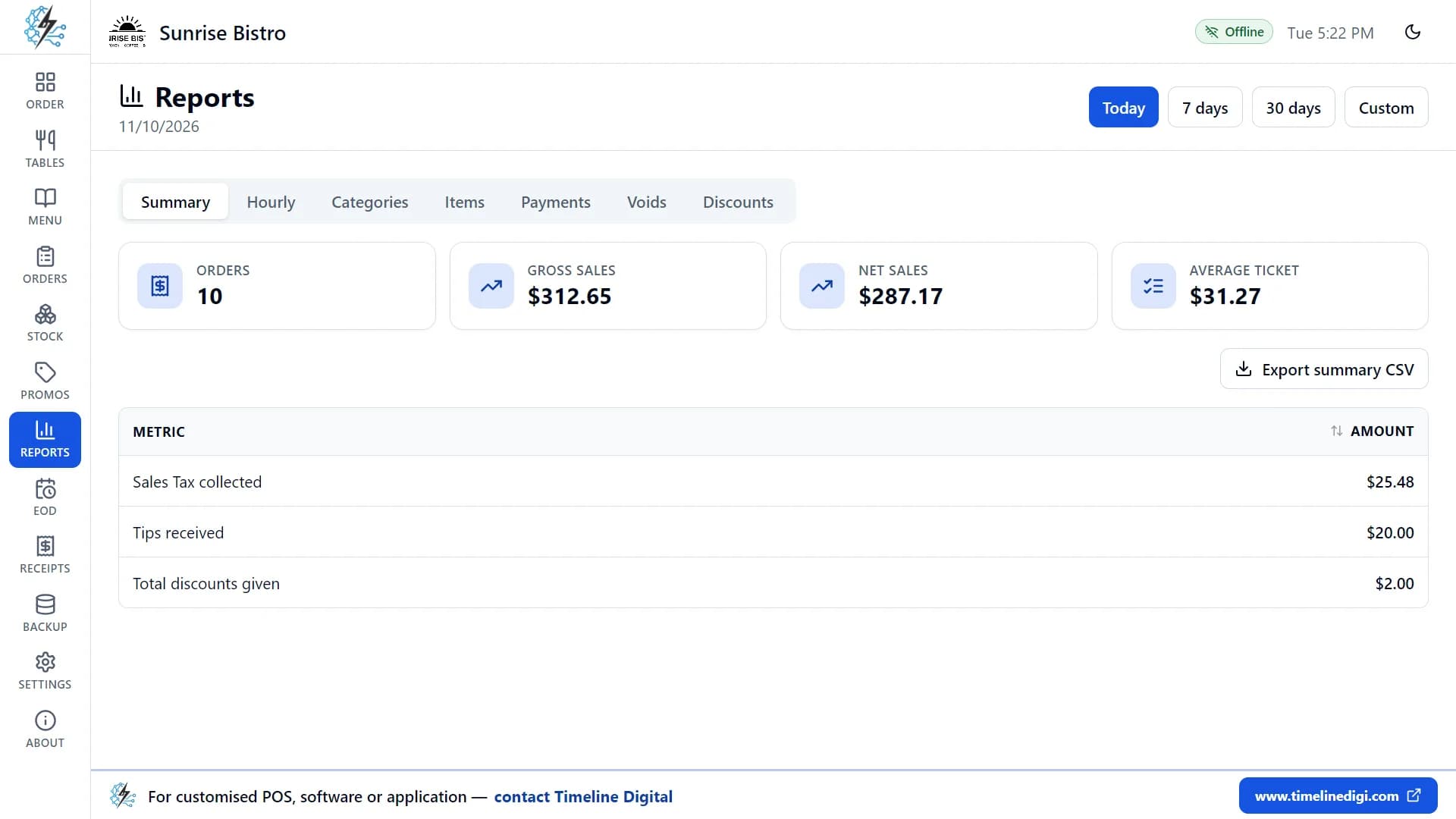
- Print the Z-report. It lists the number of orders and voids; cash, card and other sales and total sales; tax, tips and discounts; opening cash, cash in and cash out; and expected cash, counted cash and the difference.
- Keep the paper together. Staple the count sheet to the Z-report.
Past shifts stay in the shift history with their cash counts and differences, and you can reopen or reprint any Z-report. To see each step on screen, watch lesson 14, "End of day and Z-report", which runs for about four minutes.
What the app does not do for this task
- The count by denomination stays on your sheet. At close you count the drawer and enter the counted cash as an amount.
- No X-report. There is no mid-shift report. The cash comparison appears when you close the shift.
- No staff logins. The app has no user accounts or cashier names, so write "counted by" and "checked by" on the paper sheet.
- Cash drops go in as paid out. The app records cash added to or taken from the drawer, each with a reason, so enter a drop as cash taken out with a reason such as "Drop to safe".
- No refunds from the screen. If you hand cash back to a guest, you can record it as paid out with a reason, so the cash comparison still balances.
- Card payments are recorded only. The guest pays on your own card terminal, so compare the terminal's total with the card sales on the Z-report yourself.
- CSV export and no charts. Reports export to CSV, which opens in a spreadsheet. There are no graphs and no PDF or Excel report export.
- One computer. Several tills cannot share data, so each shift is counted on that one machine.
If you are still choosing a system, our comparison of the best POS for a small restaurant looks at the options by monthly cost.
What are the common mistakes when counting a till?
The common mistakes when counting a till are skipping the opening count, counting while sales continue, not recording paid outs and cash drops, sharing one drawer between several people, and adjusting the count to match the expected figure. Each one hides the real cause of a difference and makes the next day harder to balance.
- Skipping the opening count. You inherit yesterday's error and cannot tell whose it is.
- Counting during service. The cash sales figure moves while you count.
- Paying suppliers from the drawer with no slip. The drawer looks short and nobody remembers why by closing time.
- Mixing tips with takings. Decide on one rule and keep to it.
- Topping up a short drawer from your pocket. It hides the pattern you need to see.
- Changing the float without recording it. Tomorrow's opening count will not match.
- Throwing the sheets away. One sheet tells you little. A month of sheets shows patterns.
A count sheet is also the wrong tool for some problems. It shows that cash is missing, not why stock is missing or whether a sale was never rung in at all. Those need stock checks and a review of voids and discounts alongside the cash count.
Glossary: till or cash drawer, the tray that holds notes and coins at the counter; cash register, the machine or software that records sales and usually controls the drawer; float, the opening cash kept for change; denomination, one value of note or coin; paid in, cash added that is not a sale; paid out, cash removed that is not change; cash drop, surplus cash moved to a safe during a shift; expected cash, what the records say should be in the drawer; over and short, the difference between counted and expected cash; Z-report, the end-of-day report that totals and closes a shift; X-report, a mid-shift report that does not close the shift.
Need a custom restaurant or POS system?
Timeline Digital is a custom software development company founded in 2013 and headquartered in Islamabad, Pakistan, that builds custom restaurant management software as managed projects for owners who need more than a free single-computer app, such as several tills sharing data, staff logins or cash counts by denomination on screen. There is no fixed timeframe: the schedule for a restaurant system is set from your requirements in the Plan step. The free pilot of 2 to 3 key modules is ready in about 2 days, and with 1,200+ developers we have the capacity to deliver a focused system in as little as 2 weeks. Timeline Digital does not publish prices for custom software, because every project is custom. The price is set in three steps: we analyse your requirements, build a free pilot of 2 to 3 key modules, and after you approve the pilot we agree the scope, milestones and commercial terms in writing. Any change request outside the approved scope is reviewed and agreed with you before extra work begins.