Independent and prep schools
Keep pupil records, fee accounts, attendance registers, and exam results in one place without committing to an annual MIS subscription sized for much larger schools.
£0 licence · No subscription · No per-pupil charge
Timeline School Manager gives independent schools, tuition centres, and supplementary schools their pupil records, fee accounts, attendance registers, and exam results in one Windows program, with no licence fee and no monthly bill.
It runs offline on the office PC you already have, and every record stays on that computer. It is not a census-accredited MIS for state schools, and this page is honest about where that line sits.
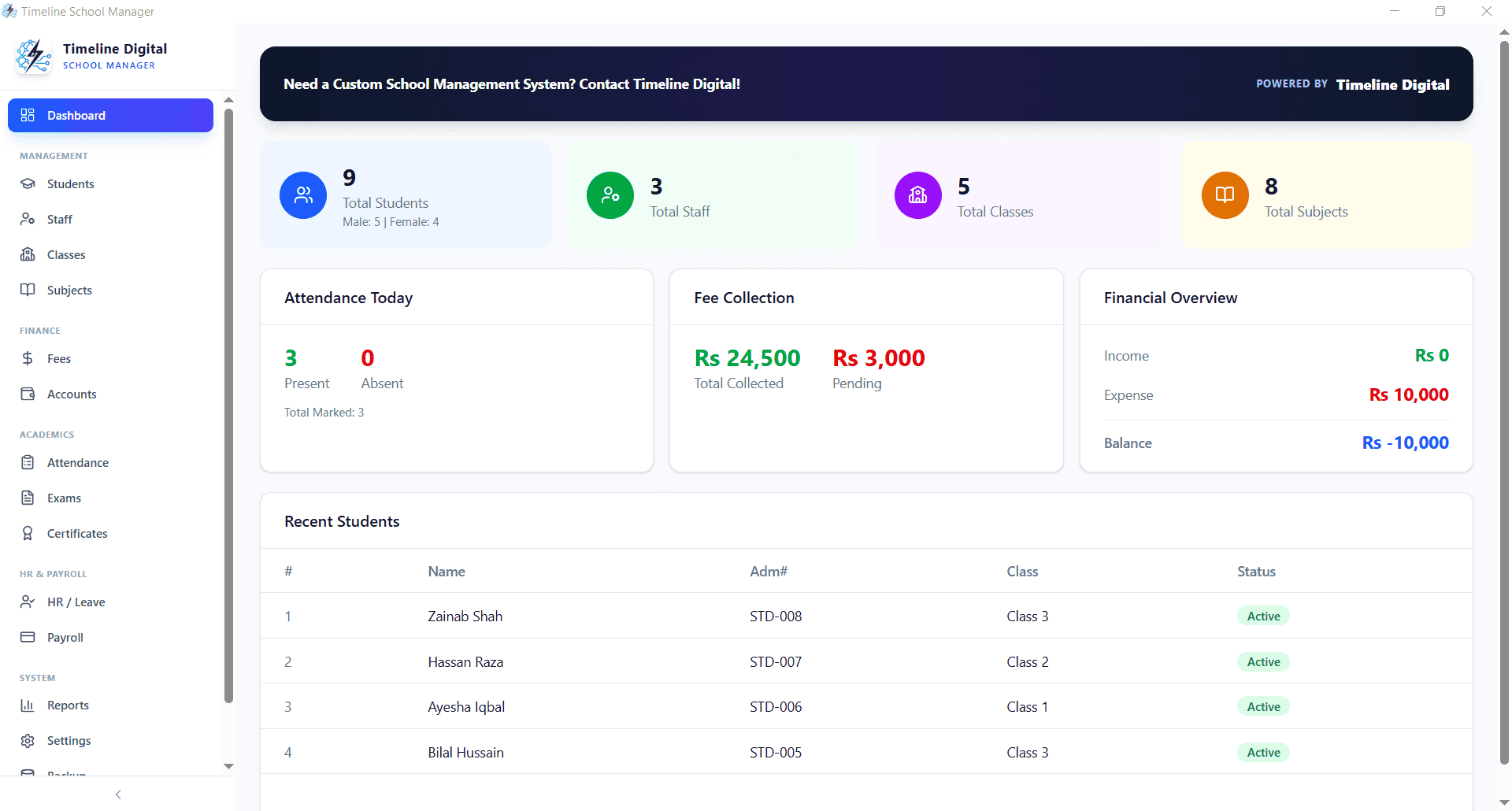
Yes. Timeline School Manager is a free Windows desktop application that handles pupil records, fee collection, attendance registers, exam results, staff records, and payroll for a single school site. There is no trial period, no pupil cap, and no paid tier of the desktop product; the developer, Timeline Digital, a software company founded in 2013 in Islamabad, Pakistan, earns from separate custom development work instead.
Most UK school systems are priced as annual cloud subscriptions, which makes sense for maintained schools with census duties and parent portals, and is hard to justify for a 40-pupil tutorial centre. This is the gap a free offline application fills: the day-to-day office work, records, registers, receipts, reports, without the recurring cost.
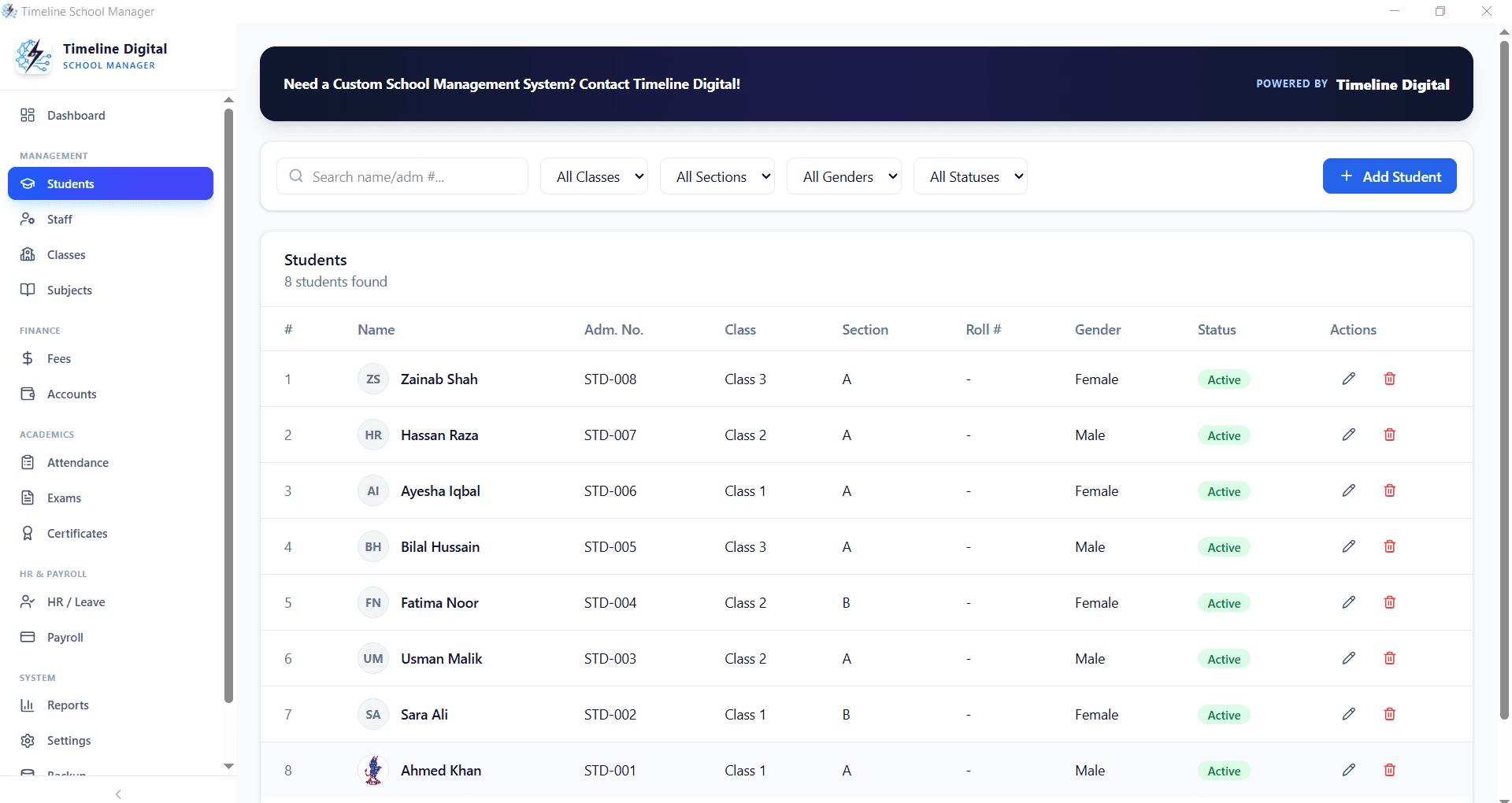
In England, "MIS" has a specific meaning: the system a maintained school or academy uses for statutory work, school census returns, CTF pupil transfers, and attendance data sharing with the DfE. Timeline School Manager does not do those things, so if your school submits a census, you still need an MIS, and from September 2027 English state schools are expected to buy one through the Department for Education framework, on a comply-or-explain basis.
If your school needs the cloud features but not an accredited MIS, Timeline Digital also builds bespoke school systems for UK clients with parent portals, online payments, and multi-site sync, starting with a free pilot of 2 to 3 key modules. For courses and staff training rather than school administration, see bespoke LMS development for UK organisations.
Keep pupil records, fee accounts, attendance registers, and exam results in one place without committing to an annual MIS subscription sized for much larger schools.
Enrol students by subject or batch, record fee payments session by session, track tutor records, and print receipts at the front desk.
Community-run weekend schools get registers, pupil contact records, and simple fee tracking with zero software budget required.
Flexible class and subject naming fits religious instruction settings, with the same registers, records, and fee tools.
Simple child records, attendance, and fee collection on one office computer, without staff training overhead.
Start with a free system on day one, then move to a custom cloud build with parent access if and when the school grows into it.
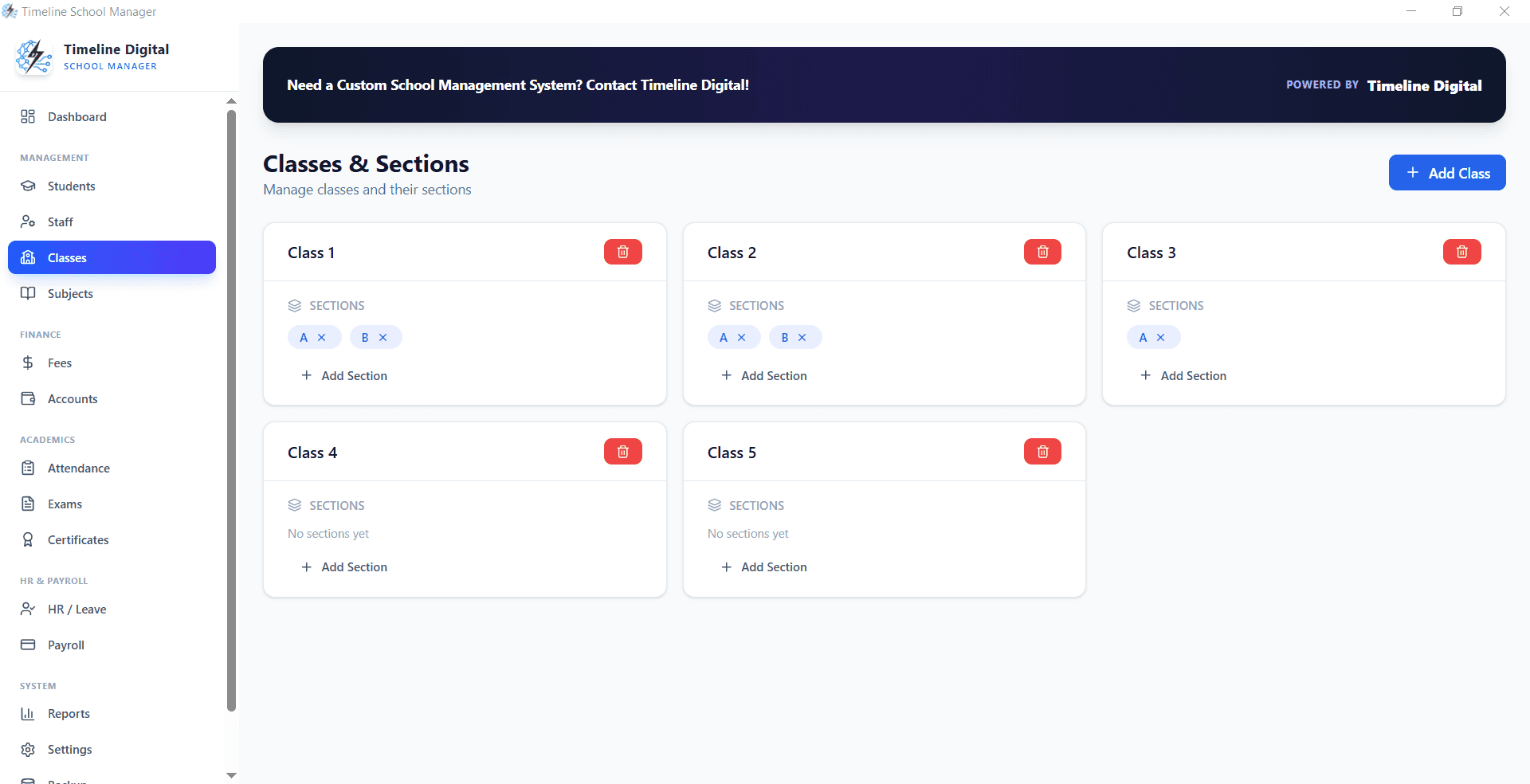
Every record is stored in a local database on the computer where you install the software. Timeline Digital never receives, hosts, or processes your pupil data, so there is no third-party processor to assess and no vendor data agreement to maintain. Your school keeps its usual UK GDPR responsibilities, but the data-mapping answer is one line: the records are on your own office PC. Back up by copying the data folder to an encrypted USB drive or external disk on a weekly routine.
We hold no GDPR certification and make no compliance claim on your behalf. What we can state factually: the application works fully offline and does not send your pupil records to Timeline Digital or any cloud service. Your school remains responsible for its own data-protection obligations.

Leave your name and number. We help UK schools install the software, import existing pupil data, and train office staff. If you need a custom cloud system with a parent portal, we build those too.
No spam. We only use your number to reply about your project.
Yes. Timeline School Manager is a free Windows desktop application that manages pupil records, fees, attendance registers, exams, staff records, and payroll. There is no subscription, no per-pupil charge, and no time limit. It suits independent schools, tuition centres, and supplementary schools.
No, not in the sense UK state schools use the term. It does not produce school census returns, CTF pupil transfers, or DfE attendance data feeds, so it cannot replace an MIS in a maintained school or academy. It is school administration software for settings that do not have those statutory reporting duties.
Only alongside, not instead of, their MIS. Maintained schools and academies in England need census-capable systems and, from September 2027, are expected to buy their MIS through the Department for Education framework on a comply-or-explain basis. Timeline School Manager is aimed at independent, tuition, and supplementary settings instead.
All data is stored in a local SQLite database on your own computer and is not sent to Timeline Digital or any cloud service, so Timeline Digital does not process your pupil data. The software holds no GDPR certification and makes no compliance claim; your school remains responsible for its own data-protection obligations, such as access to the PC, retention and backups.
Nothing. The software is free for lifetime use: no licence fee, no monthly subscription, and no per-pupil pricing. Timeline Digital earns from custom development projects, such as cloud school systems with parent portals, which is why the desktop application can stay free.
If your office PC runs Windows 10 or Windows 11 (64-bit), yes. The installer is about 105 MB, there is no server to set up, and the software works fully offline, so it is unaffected by connectivity problems. It does not run on Mac, Chromebook or iPad.
Copy the application's data folder to an encrypted USB drive or external disk, ideally weekly; restoring is copying the folder back. Each installation keeps its own data, so back up every PC the software is installed on.
The installer is not code-signed, so Windows SmartScreen may show a warning. Download it only from timelinedigi.com and check it against the SHA-256 checksum on the main school management system page, then choose "More info" and "Run anyway".
Then a desktop app is the wrong tool. Timeline Digital builds bespoke school systems with parent portals, online payments and multi-site sync, starting with a free pilot of 2 to 3 key modules; it is a custom build, not an accredited MIS.