Canada
Free offline restaurant POS software in Canada
Timeline Restaurants POS is a free restaurant POS app from Timeline Digital. It works offline on one Windows PC or Mac and prints one tax line, such as GST or HST.
Version 2.0.1 · Free · Works offline
Which sales tax rate do I enter for my province?
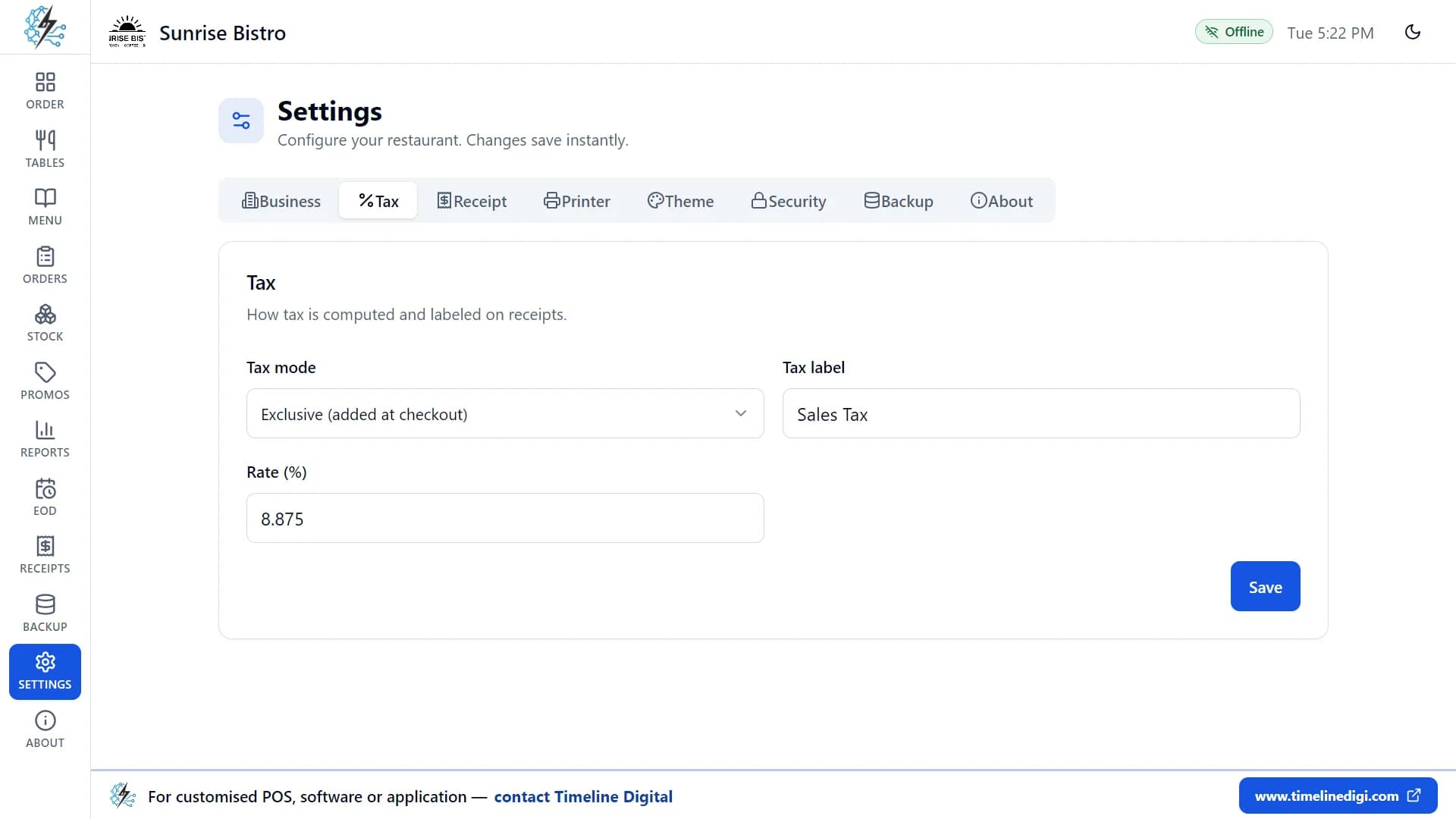
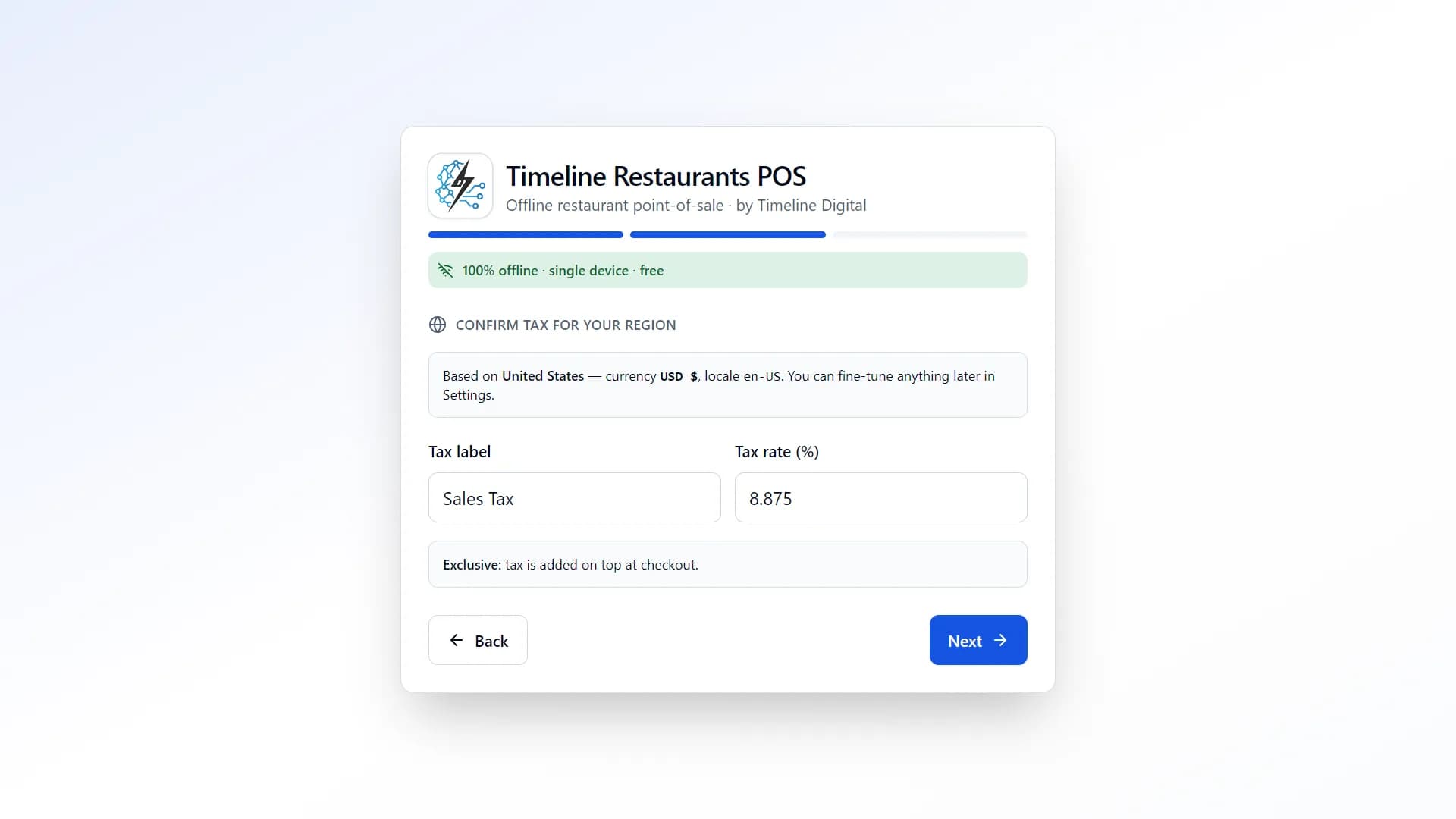
Timeline Restaurants POS takes one tax name and one rate. Choose Canada at setup and the app sets the currency and the number and date formats, and fills in a starting tax name and rate. Change them to the single rate your restaurant charges, such as HST in Ontario or GST in Alberta.
You check the tax on step 2 of the setup, and later in Settings under Tax. Type the name, GST or HST, and the rate. Then choose whether the tax is added at checkout or included in your menu prices. The Canada Revenue Agency guide RC4022, General Information for GST/HST Registrants says a business must let customers know whether GST/HST is included in the price or added to it, so pick the setting that matches your printed menu.
The table shows the rates on the Canada Revenue Agency GST/HST calculator and rates page and how each province fits an app with one rate. Rates and rules change, so confirm yours with your accountant or the Canada Revenue Agency.
| Province or territory | GST or HST | Separate provincial sales tax | Fit with Timeline Restaurants POS |
|---|---|---|---|
| Ontario | GST or HST13% HST | Separate provincial sales taxNone. HST is one tax. | Fit with Timeline Restaurants POSOne rate fits. See the note on food and drinks of $4.00 or less below. |
| New Brunswick, Newfoundland and Labrador, Prince Edward Island | GST or HST15% HST | Separate provincial sales taxNone. HST is one tax. | Fit with Timeline Restaurants POSOne rate fits. |
| Nova Scotia | GST or HST14% HST | Separate provincial sales taxNone. HST is one tax. | Fit with Timeline Restaurants POSOne rate fits. |
| Alberta, Northwest Territories, Nunavut, Yukon | GST or HST5% GST | Separate provincial sales taxNone. | Fit with Timeline Restaurants POSOne rate fits. |
| British Columbia | GST or HST5% GST | Separate provincial sales tax7% PST. Meals are exempt, soda beverages carry 7% PST and liquor carries 10% PST. | Fit with Timeline Restaurants POSA menu of PST-exempt food and drinks only can use 5% GST. Does not fit a restaurant that sells liquor or soda. |
| Saskatchewan | GST or HST5% GST | Separate provincial sales tax6% PST | Fit with Timeline Restaurants POSOnly as one combined rate on one line. Check first. |
| Manitoba | GST or HST5% GST | Separate provincial sales tax7% retail sales tax | Fit with Timeline Restaurants POSOnly as one combined rate on one line. Check first. |
| Quebec | GST or HST5% GST | Separate provincial sales tax9.975% QST | Fit with Timeline Restaurants POSRead the Quebec note below before you use the app for customer bills. |
GST, HST and provincial rates: Canada Revenue Agency GST/HST calculator and rates page. British Columbia detail: Government of British Columbia PST page for food and beverage service providers. This table is general information, not tax advice.
Where does a one-rate POS fall short in Canada?
Timeline Restaurants POS applies one tax rate to every item and prints one tax line. That suits HST provinces and places that charge only the 5% GST. Timeline Restaurants POS cannot show GST and a provincial sales tax on separate lines, has an English interface only, records card payments without processing them, and runs on one till.
- Provinces with a separate provincial sales tax
- In British Columbia, Saskatchewan, Manitoba and Quebec there are two taxes. The app can only hold them as one combined rate on one line. Ask your accountant whether one combined line is acceptable on your receipts before you rely on it.
- British Columbia: food and liquor are taxed differently
- The Government of British Columbia PST page for food and beverage service providers says meals are exempt from PST, soda beverages carry 7% PST, liquor carries 10% PST, and PST must be shown as a separate item on the receipt. An app with one rate cannot do that, so the free app does not suit a British Columbia restaurant that sells liquor or soda.
- Ontario: food and drinks of $4.00 or less
- The Canada Revenue Agency info sheet GI-064 describes a point-of-sale rebate in Ontario: on qualifying prepared food and beverages sold for a total of $4.00 or less, only the 5% federal part of the HST is collected. The app charges its one rate on every order, so a café with many small sales should ask its accountant first.
- Quebec: bills from a certified sales recording system
- The Revenu Québec page on mandatory billing in the restaurant sector says restaurant operators registered for the QST must give each customer a bill produced with a certified sales recording system. Timeline Restaurants POS is not such a system, and it has no French interface. Check with Revenu Québec before you use it for customer bills in Quebec.
Do I need to charge GST/HST at all?
A very small restaurant may be a small supplier. The Canada Revenue Agency guide RC4022 defines a small supplier as a person whose worldwide taxable revenue is $30,000 or less in a single calendar quarter and over the last four consecutive calendar quarters. Ask your accountant or the Canada Revenue Agency whether you must register.
This section is general information for restaurant owners, not legal or tax advice. Confirm every tax point with your accountant, the Canada Revenue Agency or your provincial tax office.
How do I put my GST/HST number on the receipt?
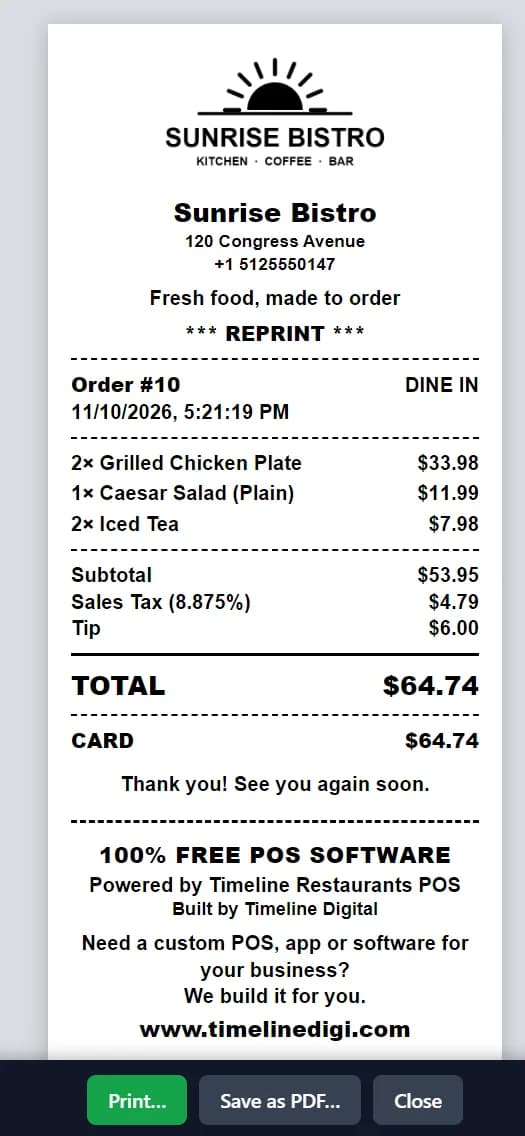
Type your GST/HST registration number into the receipt header text, in Settings under Receipt, and it prints on every receipt. The receipt also carries your logo, the date, each item, one tax line and the total, on 58 mm and 80 mm paper.
The Canada Revenue Agency guide RC4022, General Information for GST/HST Registrants lists the registration number among the details an invoice or receipt carries for a sale of $100 or more. For a smaller sale it lists the business name, the date and the total.
The receipt is in English. There is no French or bilingual layout, and the app does not send receipts by email or SMS. Reprints of paid orders are marked "REPRINT".
Does it work with my debit and credit terminal?
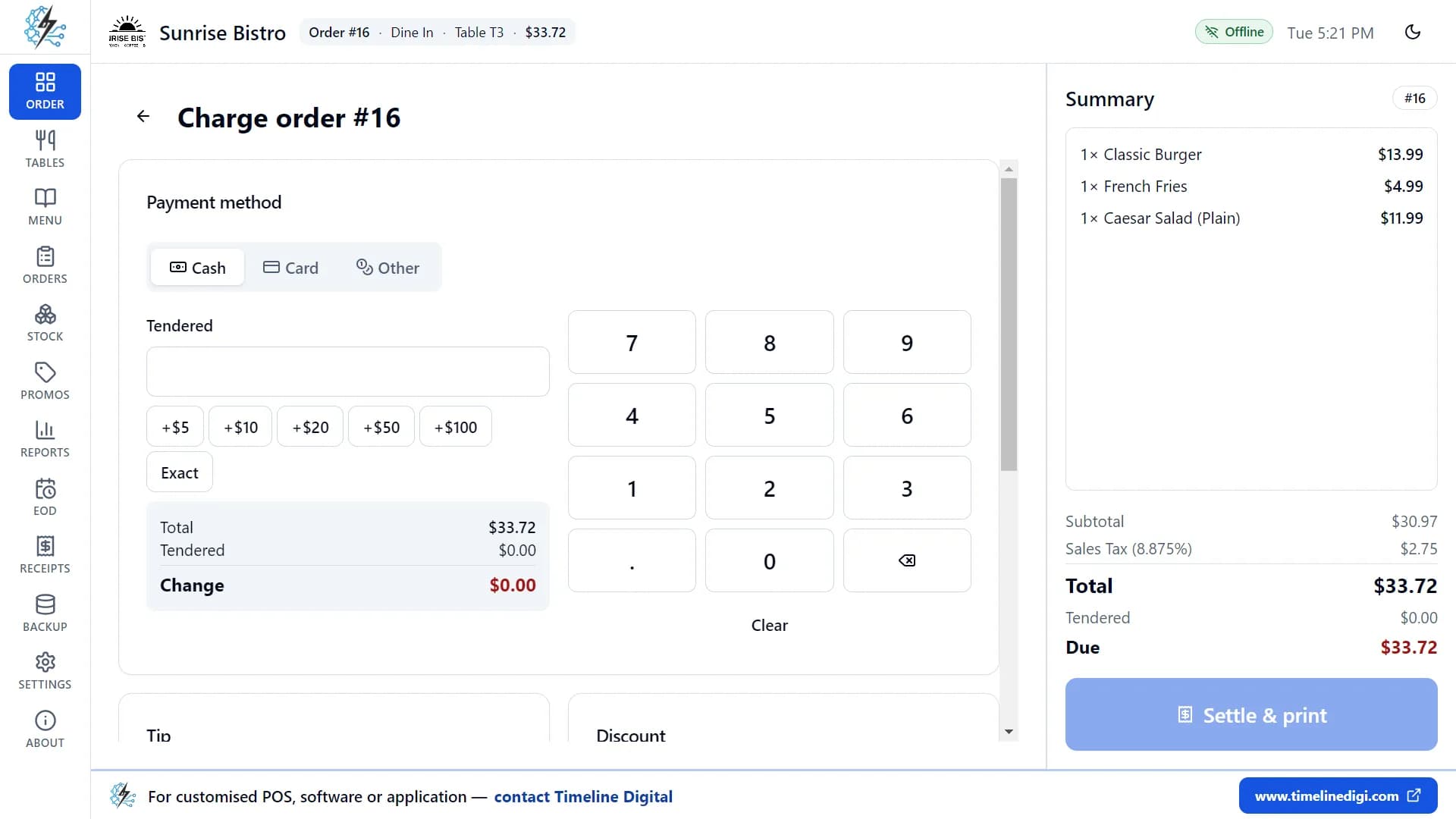
Timeline Restaurants POS does not connect to a debit or credit terminal or to a payment provider. You key the amount into your own terminal, the customer taps or inserts the card there, and then you mark the order as paid by card in the app. Each order is paid with one payment method.
- On the payment screen, choose Card and type an optional reference, such as the last four digits.
- For cash, type the amount received. The app works out the change.
- At closing, count the drawer and print the Z-report.
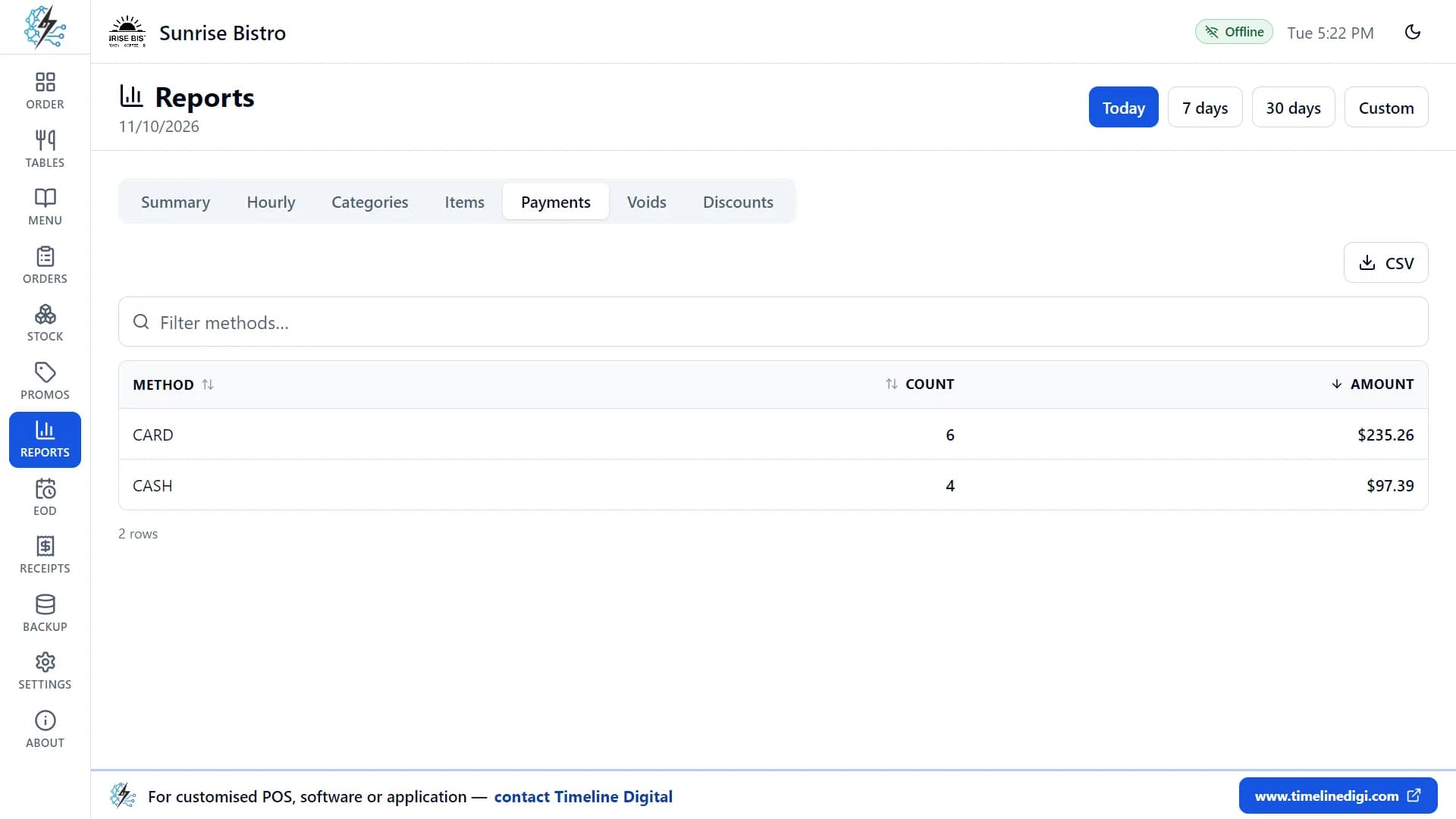
- Compare the card total on the payments report or the Z-report with the total from your terminal.
Split bills, part payments and refunds are not in the app. See every feature of Timeline Restaurants POS.
How do I set the tax, take a payment and close the day? Watch it.
Lesson 1 shows the setup screens where you choose your country and tax. Lesson 5 shows cash and card payments. Lesson 14 shows the drawer count and the Z-report. There are 18 free lessons, about 74 minutes in total.
Lesson 1: First-time setup (3:03)
Set up your restaurant, tax and sample menu.
Lesson 5: Billing and payment (4:57)
Cash, card, tips, discounts and receipts.
Lesson 14: End of day and Z-report (3:59)
Shifts, cash in and out, cash count, Z-report.
All 18 lessons with written steps · Watch the playlist on YouTube
What the free app covers and where it stops for a Canadian restaurant
Timeline Restaurants POS covers the working day of one counter: orders, tables, payments, receipts, kitchen tickets, stock, reports, the end-of-day count and backups. Timeline Restaurants POS does not link tills together, process cards, split a bill or print two taxes on separate lines.
| Area | Included, free | Not included |
|---|---|---|
| Orders | Included, freeDine-in, Takeout and Delivery orders, with sizes, extras and notes. Hold an order and bring it back later. | Not includedOnline ordering, QR menus and delivery-app links. Voiding an order or an item from the screen. |
| Tables | Included, freeA floor plan with the status of each table in colour. Drag the tables to match your room. | Not includedTablets or phones for servers. Several tills that share the same tables and orders. |
| Payments | Included, freeCash with the change worked out, card payments recorded, other payments such as vouchers, tips and discounts. | Not includedA link to your debit and credit terminal. Split bills, part payments and refunds. |
| Tax | Included, freeOne tax with your own name and rate, added at checkout or included in prices. | Not includedGST and PST on separate lines. A different rate for some items. |
| Receipts | Included, freeYour logo, header text and footer text on 58 mm and 80 mm paper. Reprints of paid orders. | Not includedA French or bilingual layout. Email or SMS receipts. |
| Kitchen tickets | Included, freeA kitchen ticket printed when you tap Kitchen, on the receipt printer or a separate kitchen printer. | Not includedA kitchen display screen. Automatic printing, or printing split by kitchen station. |
| Stock | Included, freeIngredients and recipes. Each paid order lowers your stock, with low-stock warnings. | Not includedPurchase orders, supplier records, barcode scanning, and reports on food cost or profit. |
| Reports | Included, freeA sales summary, category and best-seller reports, payment and discount reports, each with CSV export. | Not includedCharts and graphs. PDF or Excel export. |
| End of day | Included, freeA shift with opening cash, cash in and cash out, a drawer count and a printed Z-report. | Not includedX-reports in the middle of a shift. Staff logins, cashier names and a time clock. |
| Backup | Included, freeOne-click backup to a single zip file, restore, and an automatic backup when you close the app. | Not includedCloud sync and remote access. Automatic updates. |
The app runs on one Windows PC or Mac at one counter. A second computer keeps its own separate data. There are no staff logins, so anyone at the computer can use the app.
How do I start using the free POS in Canada?
Download and install
Pick the Windows file or the Mac file for your processor. Open it and follow the steps. The app is new and not yet code-signed, so your computer may ask you to confirm before it opens.
Choose Canada and set your tax
Enter your restaurant name and choose Canada from the list of 173 countries and regions. Then check the tax name and rate and change them to match your province.
Practise, then add your own menu
Load the sample menu of 34 items and 11 tables with one switch and take a few test orders. When you are ready, add your own dishes and prices.
The Windows installer is not code-signed and the Mac app is not notarized. The download and install steps show what to click when your computer asks.
Version 2.0.1 · Free · Works offline
What if my restaurant outgrows the free POS?
When a restaurant in Canada outgrows the free app, Timeline Digital builds a custom restaurant or POS system as a managed project. The work starts with a free pilot of 2 to 3 key modules that your team tests before deciding. Timeline Digital was founded in 2013 and delivers remotely from its headquarters in Islamabad.
Signs you have outgrown it
- You need a second till, or tablets for servers.
- You need GST and PST on separate lines, or different rates for food and liquor.
- Your staff or your receipts need French.
- You have more than one location.
How the free pilot works
Before you commit to the full project, we build 2 to 3 of your key modules as working software, free of charge, ready in about 2 days. Your team tests the pilot, and the full build starts only after you approve it.
Delivered remotely from our Islamabad headquarters, with scheduled video meetings in your working hours; on-site visits only when agreed in the contract. Read more on the page for custom software development for Canada.
Need more than one till or two tax lines?
Leave your name and number and tell us what your restaurant in Canada needs. The pilot is free, and you test it before you decide.
No spam. We only use your number to reply about your project.
Questions restaurant owners in Canada ask
Is Timeline Restaurants POS really free for restaurants in Canada?
Yes. Timeline Restaurants POS is free for restaurants in Canada and in every other country. There is no monthly fee, no paid plan, no trial period and no card details to enter. Every feature in the download is unlocked. Timeline Digital sells custom software projects, not this app.
Does the free restaurant POS software need internet?
No. Timeline Restaurants POS needs the internet only to download the file. After that the app runs on your own computer, so you can take orders, take payment and print receipts when the connection is down. Your orders, sales and menu are stored on that computer, not in a cloud account.
Does Timeline Restaurants POS handle GST and HST?
Timeline Restaurants POS applies one tax, with a name and rate you set yourself, to every item on the bill. That fits a restaurant that charges a single rate, such as 13% HST in Ontario or 5% GST in Alberta, as listed by the Canada Revenue Agency. Confirm your own rate with your accountant.
Can it show GST and PST as separate lines on the receipt?
No. Timeline Restaurants POS prints one tax line with one name and one rate, so a receipt cannot show GST and a provincial sales tax on separate lines. British Columbia, for example, says PST must be shown as a separate item. Ask your accountant or your provincial tax office before you rely on a combined rate.
Is there a French version of the restaurant POS software?
No. Timeline Restaurants POS is in English only. There is no French interface and no bilingual mode. Currency, numbers and dates follow the Canadian format set when you choose your country. A restaurant that needs French screens or bilingual receipts would need a different product, or a custom system built by Timeline Digital.
Does it work with my debit and credit card terminal?
Timeline Restaurants POS does not connect to any debit or credit terminal. You key the amount into your own terminal, the customer taps or inserts the card there, and then you mark the order as paid by card in the app. Your terminal, your provider and your card fees stay exactly as they are.
How are card payments recorded in the app?
Card payments are recorded in Timeline Restaurants POS, not processed by it. On the payment screen you choose Card, type an optional reference such as the last four digits, and settle the order. The payments report and the end-of-day Z-report show card totals beside cash totals, so you can compare them with your terminal.
Which receipt printers work with it?
Timeline Restaurants POS supports ESC/POS thermal receipt printers, including Epson-compatible and Star models, on 58 mm and 80 mm paper. A printer can be connected through the computer, over the network by its IP address, or through a serial port. Without a printer, every receipt opens in a preview window instead. The printer setup guide has the steps.
Can I use the restaurant POS on a Mac?
Yes. Timeline Restaurants POS has two Mac downloads, one for Macs with Apple Silicon and one for Macs with an Intel processor, as well as the Windows installer. All three are the same free app. There is no iPad, Android or Linux version, and each computer keeps its own separate data.
Can I get a custom version for my restaurant in Canada?
Yes. Timeline Digital builds custom restaurant and POS systems as managed projects, delivered remotely from Islamabad to restaurants in Canada. A custom system can cover what the free app leaves out, such as several tills, separate GST and PST lines or a French interface. The pilot is always free.
What the app sends
Your orders, payments, menu, stock, reports and backups are stored only on your computer and are never uploaded. When you finish setting up the app, it sends Timeline Digital your registration details once (restaurant name, type, country and city, owner name, phone or WhatsApp number, email, currency, tax settings and app version) so we know who is using it and can offer support. If you are offline, they are sent the next time the computer is connected. We do not sell or share these details.
More about Timeline Restaurants POS
- Timeline Restaurants POS product page
- Every feature, explained
- Download and install steps
- Free restaurant POS for Mac
- Free restaurant POS with no monthly fee
- Receipt printer setup guide
Last updated November 2026.